Main LogoLight Logo
  • Reviews
  • Top 10
  • How To
  • Tech News
  • OS
    • Windows
    • MAC
    • iOS
    • Android
  • Categories
    • Driver Updater
    • Cyber Security
    • Games
    • Fitness
    • Entertainment
    • Tips & Tricks
Top 10
by Prachi Dani

13 Best Call Blocker Apps For Avoiding Unwanted Calls

January 16, 2020
1

Are you annoyed and sick of the unwanted phone calls that you get from telemarketers and spammers? Well, there are several actions that you can take from your end. Opting for a call blocker app is one such way to block robocalls.

Today’s smartphones come with an in-built number blocking functionality, but that is not sufficient keeping in mind the ever-increasing figures of spam calls. Apart from this several mobile carriers also offer similar services, but what can certainly help you avoid unwanted calls is a good call blocking app.

The market is full of third party call blocker apps for Android and iOS devices, however, choosing the best from a list of countless options can be a difficult task. Refer to our article and check the best apps for blocking unwanted calls that we have shortlisted for you.

Table of Contents hide
Top-Rated Call Blocking Apps:
1. Hiya – Spam Phone Call Blocker
2. Call Control – Call Blocker
3. Truecaller
4. Nomorobo Robocall Blocking
5. Trapcall
6. Robokiller – Block Spam Calls
7. Mr.Number
8. Sync.ME
9. YouMail Voicemail & Spam Call Blocker
10. Numbo Call Protect & Blocker
11. AT&T Call Protect
12. Whoscall
13. OctoCaller
Final Words

Top-Rated Call Blocking Apps:

1. Hiya – Spam Phone Call Blocker

Hiya
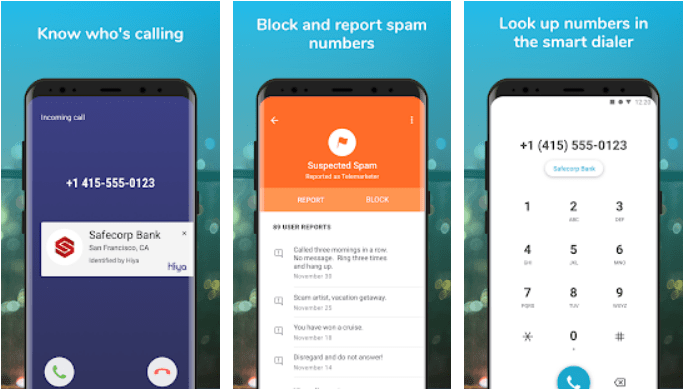
Hiya is one of the best and free call blocker apps that one can find in the market currently. It utilizes a smart algorithm to identify all useful calls and highlight the ones that you might want to avoid.

It comes with several call-management options like caller ID, reverse phone lookup functionality and auto-blocking of spam calls. It sends alert notifications for all spam calls and you can use it to block calls from businesses, individuals and unknown numbers.

All-in-all Hiya is one of the best spam detection and call blocking apps that can effortlessly identify and block calls from marketing agencies, debt collectors and many more.

Android
iOS

Read More:  13 Best Free Android Dialer Apps in 2020


2. Call Control – Call Blocker

Call Control
Call Control, is another best call blocker, caller ID and spam stopper application. It is known for its high working standards and enjoys a rich customer base of over 12 million users and a 4.4-star rating.

Download this free and Best Call Blocker App for Android and iOS devices to stop spam calls completely on your business and home phones. You can also create your blocklist to block calls from specific numbers.

Apart from this, it also allows you to check the caller details of phone calls coming from an unknown number.

Android
iOS

3. Truecaller

Truecaller - Best Call Blocker Apps
Truecaller is an incredible tool that blocks all nuisance and spam calls on your Android and iOS phones. It creates a directory of all the spam numbers added by its users.

It uses a community-based spam list to identify suspicious numbers and blocks them automatically.

It makes your communication safe by blocking all unwanted calls from spammers and telemarketers. You can also use it to check the details of all unknown numbers.

The app is available for free for both Android and iOS users and enjoys a user satisfaction rating of around 4.6/5.

Android
iOS

4. Nomorobo Robocall Blocking

Nomorobo
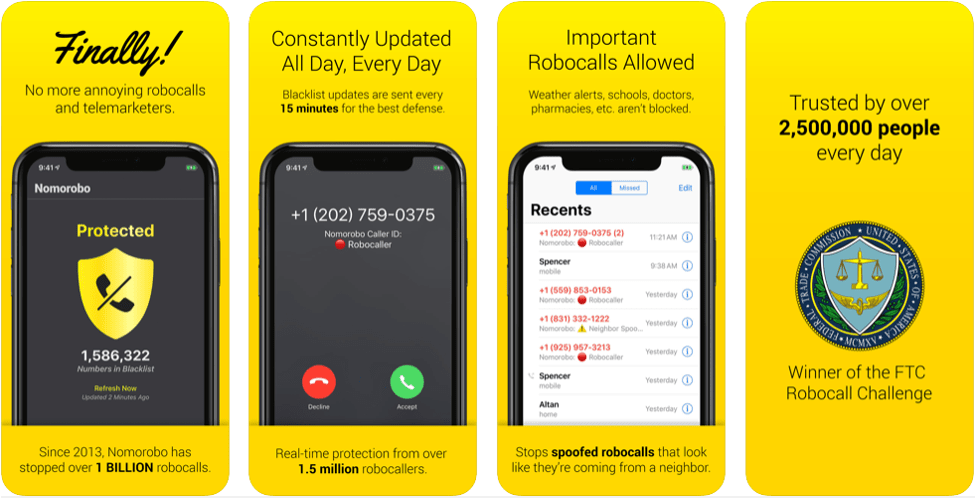
If you have been missing a peaceful phoning experience and are highly annoyed with spam calls, the choose Nomorobo to bring the quiet back to your phone.

It is known for providing real-time protection from all unwanted calls from telemarketers, debt collectors, robocallers, etc. However, it does not block any important robocalls, for example, the one coming from your kid’s schools. Easily identify and block all suspicious calls with this incredible app.

Android
iOS

5. Trapcall

Trapcall

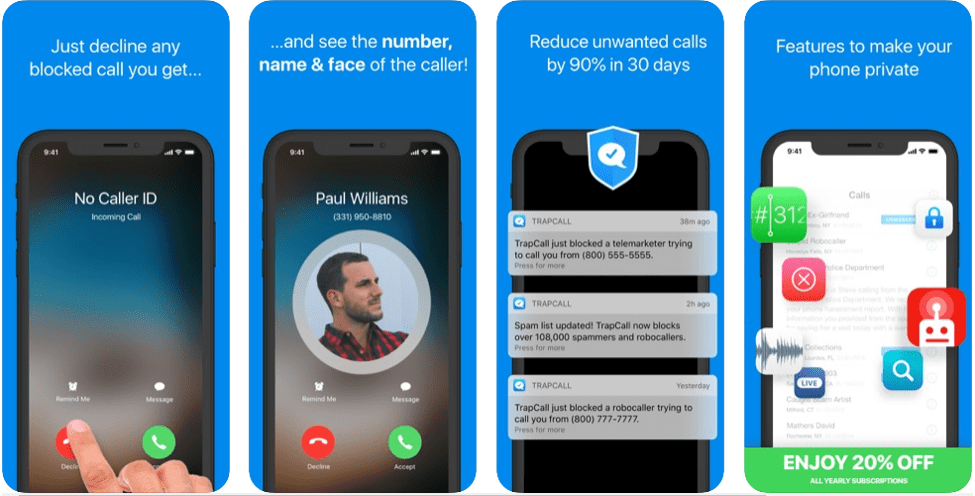
Unmask all disguised calls with Trapcall. It uses an automatic spam call blocking mechanism to save you from all the harassment created by spam and telemarketing calls.

It’s developers also claim that it can uncover the caller details of all unknown, private, restricted and blocked numbers. It works seamlessly well on both Android and iOS devices and is free to download.

Android
iOS

6. Robokiller – Block Spam Calls

Robokiller
This one goes step ahead and uses “digital footprints” to identify all spam calls. It does not even allow such calls to appear on your phone screen and only sends a notification that it has blocked a call.

Another most beautiful feature of Robokiller is its “answer bot” feature, which means an automated bot will answer the calls on your behalf. You can also use it to check the details of all missed and blocked calls on your smartphone.

Android
iOS

7. Mr.Number

Mr.Number
Identify, block and stop all fraud and spam calls from your phone with Mr.Number. Besides calls, it can also block messages from specific numbers and particular area code.

It also allows you to check details of unknown numbers, send voice messages or directly hang up the calls. It is developed by Hiya and is completely free of cost.

Android
iOS

8. Sync.ME

SyncMe
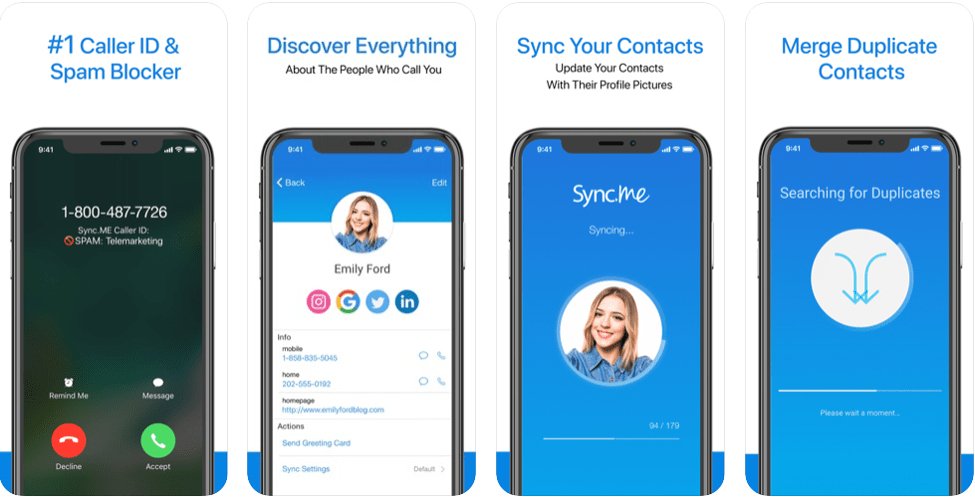
This one is packed with advanced caller ID features and allows you to not only see the contact details but also the picture and name of the caller.

It claims to have the most extensive phone book consisting of billions of phone numbers from all corners of the world. It uses an intelligent matching mechanism that identifies and matches the numbers with their owner’s social media profile.

Android
iOS

9. YouMail Voicemail & Spam Call Blocker
YouMail
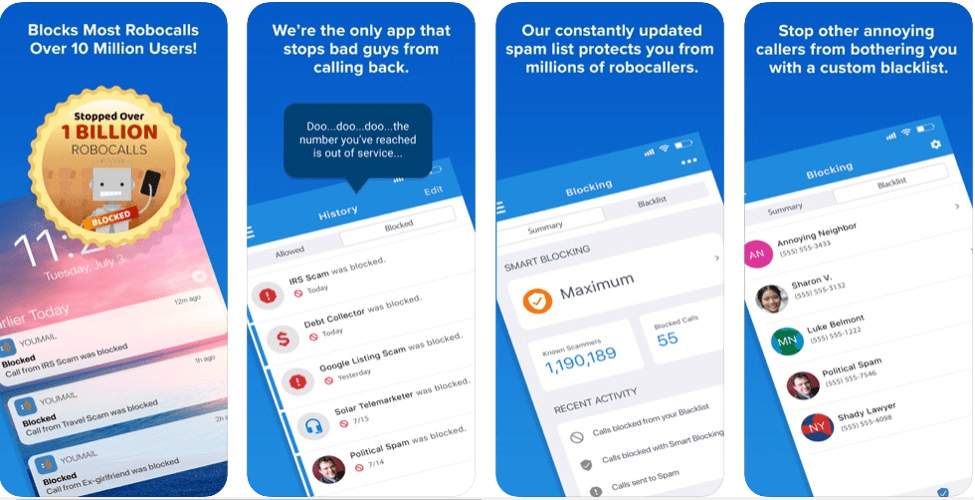
Send an “out of service” message to block all unwanted calls from telemarketers and scammers with YouMail. Apart from being a call blocker app, it also offers professional call handling services including auto-reply, call-routing, message routine, and recorded greetings.

It is compatible with both iOS and Android devices.

Android
iOS

10. Numbo Call Protect & Blocker

Numbo Call Blocker
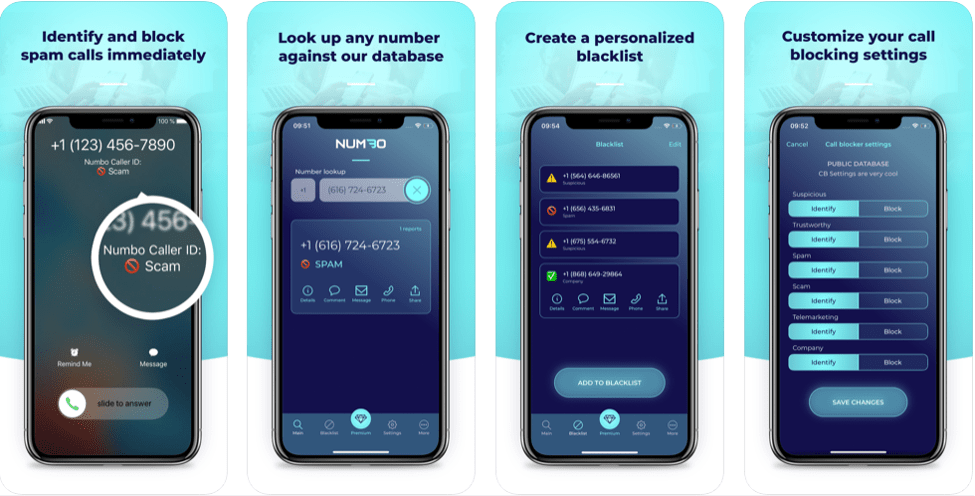
Avoid being surprised by spam callers with Numbo Call blocker. Use it to know the details of who’s on the other side of the call.

Based on its database of blacklisted numbers, it will tell you that the incoming coming call is from a known number or from a suspicious source.

You can also use it to check the details of any number against its database. Enjoy a simple phone experience with this best call blocker app for iPhone.

iOS

Read More:  Best SIM Unlocking Applications For Android 2019


11. AT&T Call Protect
AT & T Call Protect
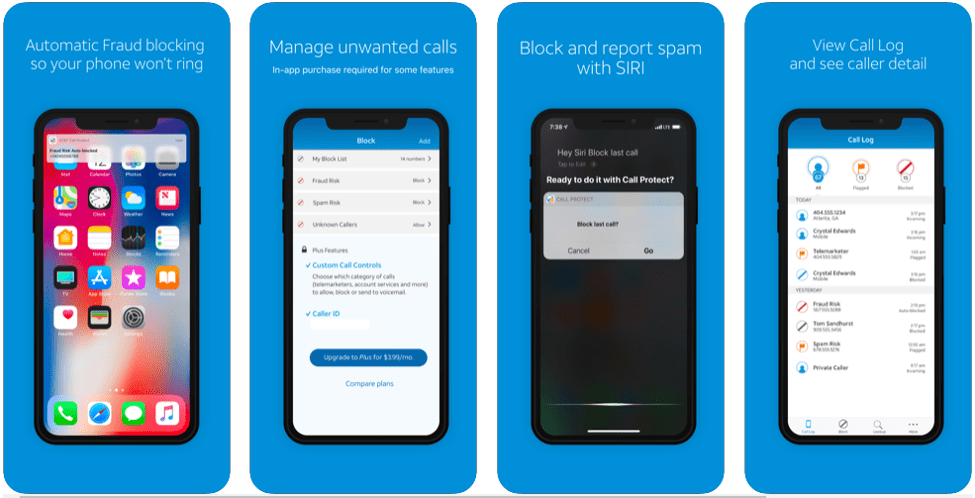
Check who is calling you before you decide to answer any call with AT&T call protect. The app sends warning messages for all suspected calls and also gives you the power to block them.

It is compatible with both iOS and Android devices. Use it to check callers’ details and you can also create your customized block list of all unwanted numbers.

Android
iOS

12. Whoscall

Whoscall
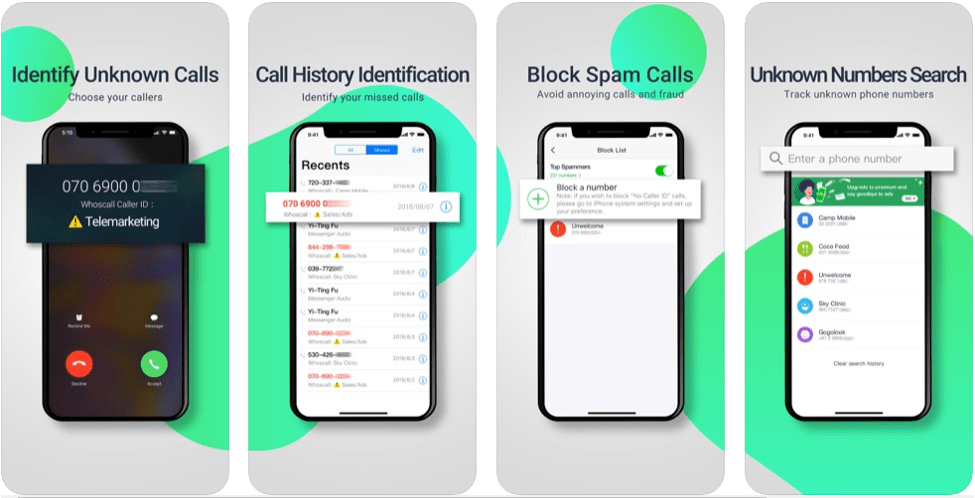
Whoscall is specially designed to identify Caller ID and Whoscall ID and block all calls from suspicious sources. It is one of the best call blocking tools that one can find on the app store and give you full power to decide whose call you want to block.

It enjoys a rich customer base and massive download numbers.

iOS

13. OctoCaller 

Octo Caller App
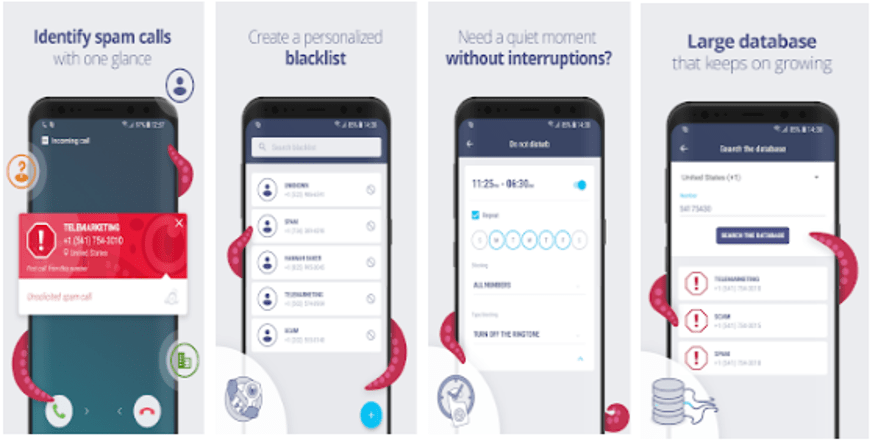
Developed by Master App solutions, Octo Caller App is amongst the top-rated apps for blocking anonymous and unwanted calls. It works on a simple and clean UI and is available on the Google Play store for free.

Pick this incredible tool to block spam calls and create your contact blocklist.

Android

Final Words

So, this is it. These are some of the best Apps for blocking unwanted calls on Android and iOS devices.

Make your decision and protect yourself from harmful spam calls.

Image Source: Google Play Store and App Store

Author

Prachi Dani

Prachi Dani is a technical content writer who specializes in areas of science and technology. She is highly up to date with technological transitions and transformations. Writing is not her passion but the only thing that carries satisfaction in life. If not writing, you may find her engrossed playing action games on her treasured smartphone.

View all posts

Related Posts
Best Lightweight Antivirus for Windows 10

12 Best Lightweight Antivirus for Windows 10

January 11, 2024
1

Is your antivirus software eating away too much system resources? Are you considering replacing it with a lightweight antivirus so that you can use it without encountering problems with your system?

An advanced antivirus is capable of many things including ransomware detection, removal of all potent forms of malware, and a lot more. But at the same time, installing and using advanced antivirus tools can be too heavy on the system resources.They are pricey and use the RAM extensively besides consuming heavy power and making the PC run slowly.

Lightweight antivirus software for Windows 10 on the other hand uses less system resources yet provides adequate protection from malware attacks.

We have, therefore, found out and listed down the best lightweight antivirus tools that have a good reputation and can be mostly used for day-to-day works.

Things to Consider Before Choosing an Antivirus Software

Here are the few features that you should search for before installing an antivirus software on your computer:

  • The antivirus application should not be using your system resources heavily.
  • The antivirus software should be capable of detecting, blocking, and removing a huge range of malware such as viruses, spyware, ransomware, keyloggers, rootkits, Trojans, etc.
  • The antivirus should be effective against phishing attempts.
  • The antivirus software should be efficient in detecting zero-day threats.
  • The antivirus should be capable of frequently updating the virus definition.
  • The antivirus software should be reasonably priced.
  • You should also see whether the antivirus includes some additional features like in-built firewall, VPN, parental control features, password manager, etc.

12 Best Lightweight Antivirus for Windows 10 In 2024:

If you are on the lookout for lightweight antiviruses for Windows 10, then here are the top 12 picks for you.

1. Kaspersky Total Security

Kaspersky Total Security

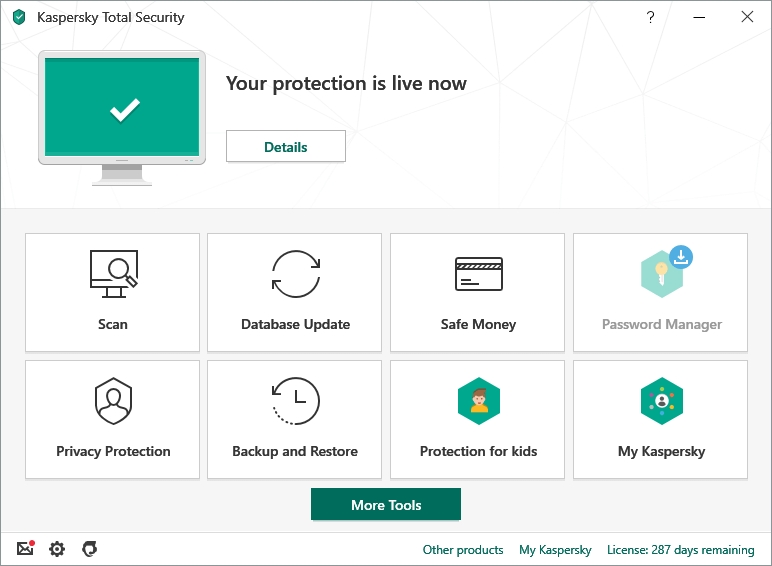
If you are seeking the best lightweight antivirus for Windows 10, then here is an ultimate tool that can serve the purpose. It consumes less system resources, therefore, it can be used without any worries. 

An award-winning antivirus solution from Kaspersky labs offers many brilliant features to detect and remove malware, crypto lockers, etc besides backing up your data

Essential Features:

  • Offers bank-grade encryption facility to protect netbanking use.
  • Includes advanced parental control features and a VPN feature to encrypt data.
  • Real-time scanning and email scanning detects malware and phishing attempts.
  • Provides webcam security along with anti-ransomware and anti-spyware features.
  • Users can utilize Kaspersky Security Cloud to store data and manage passwords, etc.

Windows Download Button


2. McAfee Total Protection

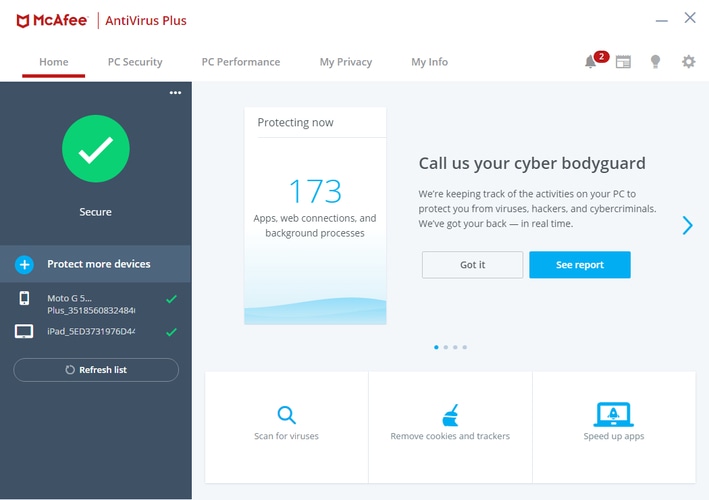
McAfee Antivirus Plus

As the name suggests this antivirus software for Windows and Mac offers total protection. Unlike other lightweight antivirus on this list, McAfee offers some of the best protection features. This antivirus software has home network security, performance optimizer, password manager, and safe web browsing-like amazing features.

The software cannot be included in the list of free software as it requires a subscription to use and has no free malware removal feature. According to your requirement, you can choose the plan. It offers three plans including Individual/couple, single device, and family plan. Depending on the offer the prices can go down. We would suggest you to buy the software when offers are active. Apart from this, there are many other features that are offered by this Kaspersky alternative. Some of them are listed below.

Essential Features:

  • The antivirus protects your financial and personal information from fraud
  • Irrespective of the network you can browse freely as the software protects data
  • Notifies the user about fraudulent sites and dangers
  • It offers bank-grade VPN encryption

3. Panda Free Antivirus

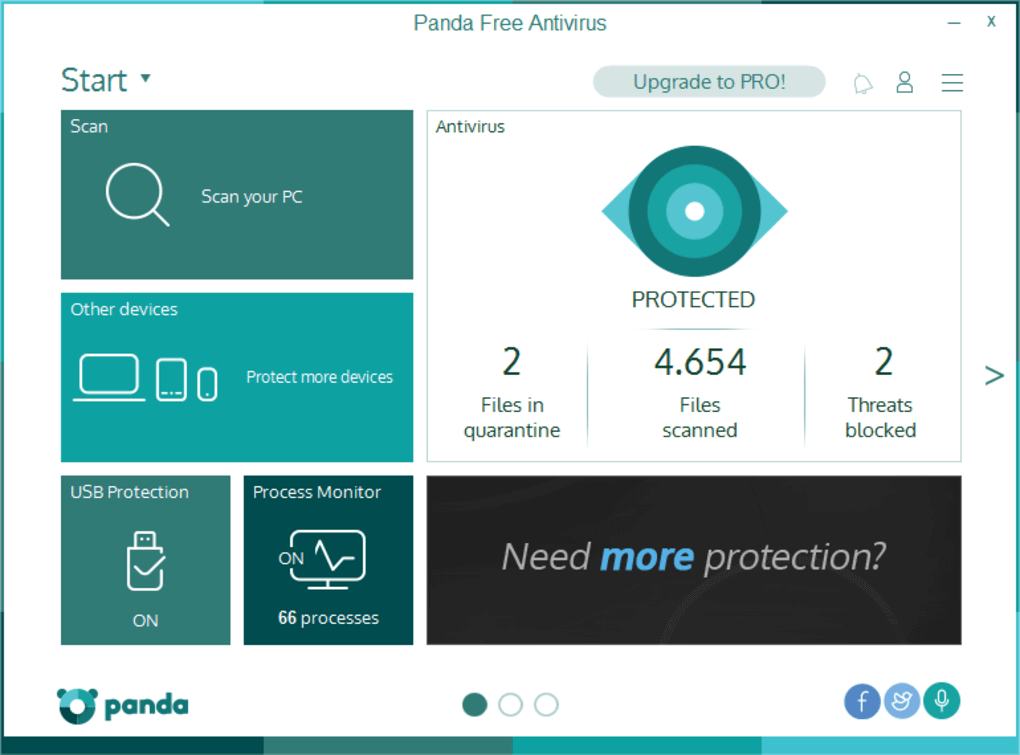
Panda Free Antivirus

Being a lightweight antivirus for Windows 10, this app is another best solution to manage your system’s security needs effortlessly. The app has a clean UI with an intuitive dashboard, making it easy-to-use application for novices. 

Although a free tool, users can still obtain unlimited free VPN data with the Panda Dome Premium plan, otherwise it has a data limit of 150 MB per day.

Essential Features:

  • VPN feature saves your system even on a public Wi-Fi network.
  • Includes a firewall to block intrusions.
  • A free PC recovery system can be availed with the panda rescue kit.
  • Also offers an excellent USB protection feature.

Read Also: Best Firewall Software For Windows


4. Bitdefender

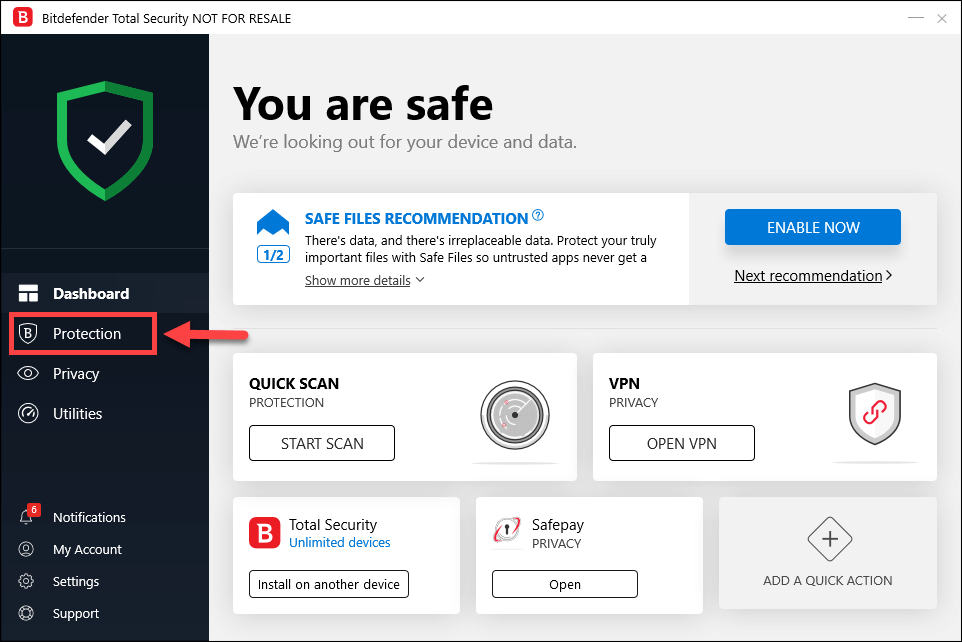
Bitdefender

Are you looking for the best lightweight antivirus solution? Bitdefender is the tool of the next generation with the utilization of artificial intelligence and other advanced technologies. Offering multilayered protection to defend against cyberattacks, this lightweight antivirus tool is capable of malware removal efficiently.

Essential Features:

  • It has an in-built password manager.
  • Offers webcam protection.
  • Efficiently monitors the dark web.
  • Runs in the background without slowing down the PC.

5. Avira Free Antivirus

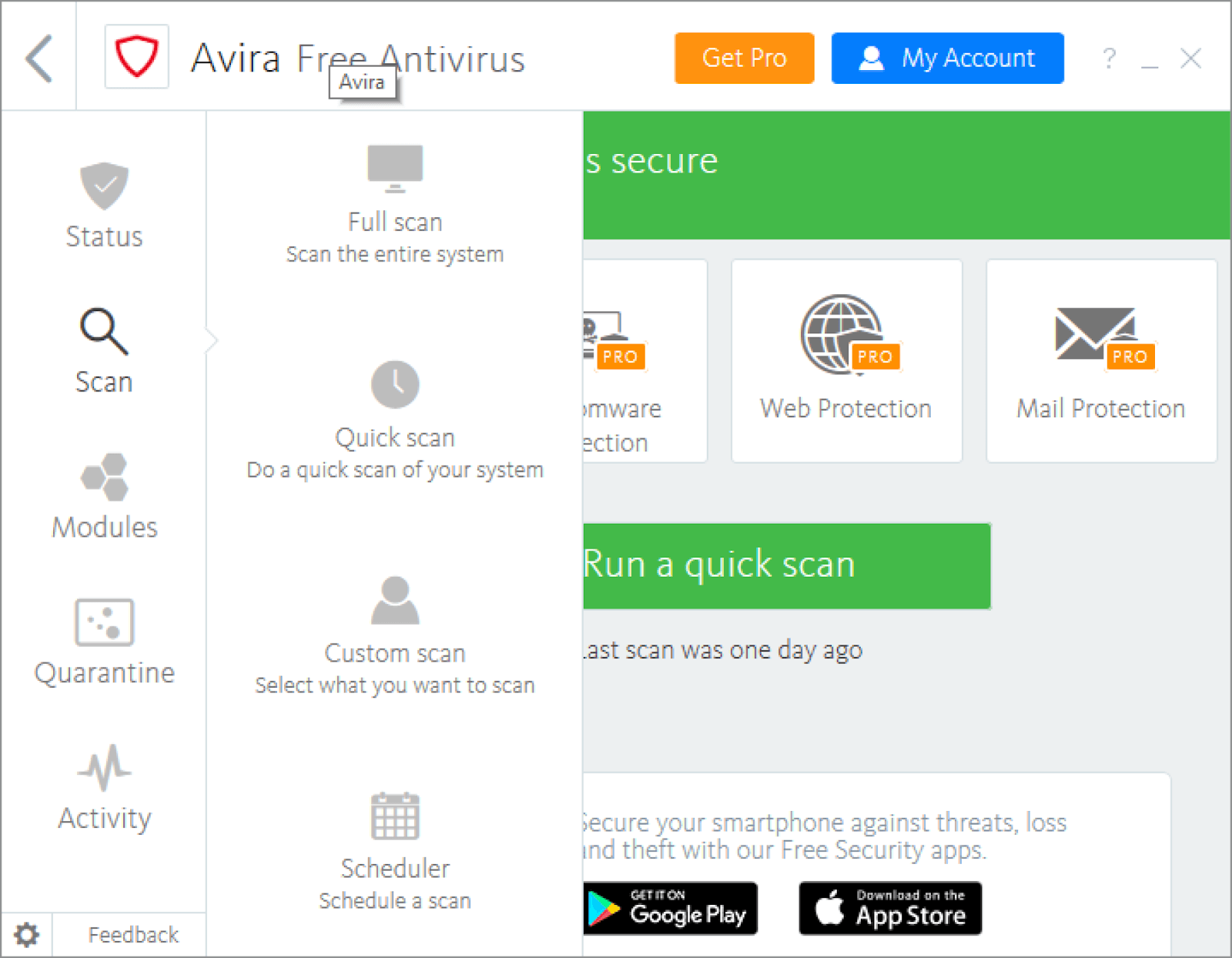
Avira Free Antivirus

Avira free antivirus is our next pick in the category of lightweight antivirus for Windows 10 because it is extremely easy- to-use, is light on the system resources, and is one of the world’s best cloud-based scanning tools.

Essential Features:

  • It operates in the cloud and is hence much faster.
  • It consumes less system resources due to its ability to operate in the cloud.
  • Offers effective shopping Chrome and Firefox browser extensions.
  • Protects a great deal against phishing scams.

6. AVG Free Antivirus

AVG Free Antivirus

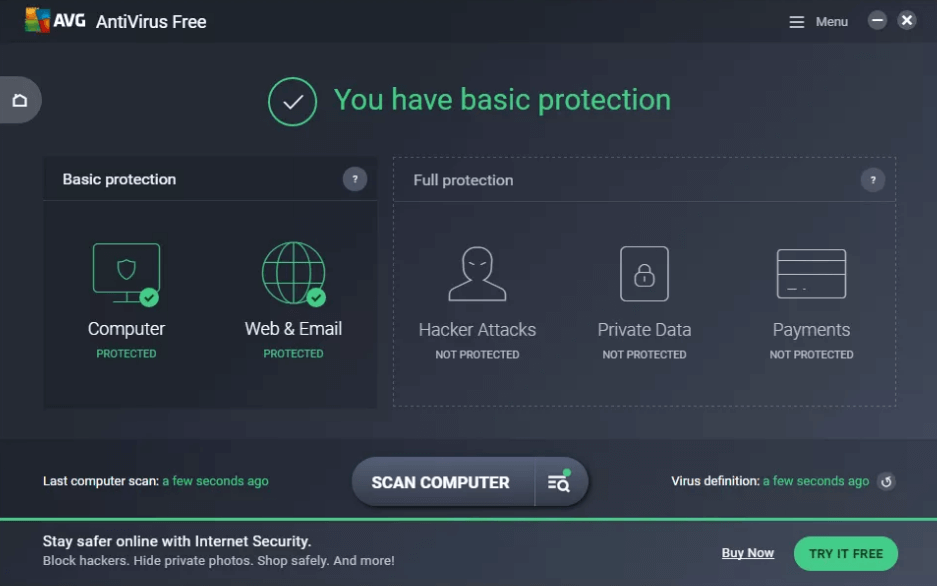
AVG antivirus tool is a free antivirus tool that is able to cater to the needs of the users in defending their systems against malware attacks despite being a lightweight antivirus for Windows 10.

Essential Features:

  • Capable of blocking unsafe links, downloads, and email attachments.
  • Automatically updates the virus definition in real-time.
  • Protects from spyware and other malicious programs.

7. Avast Free Antivirus

Avast Free Antivirus

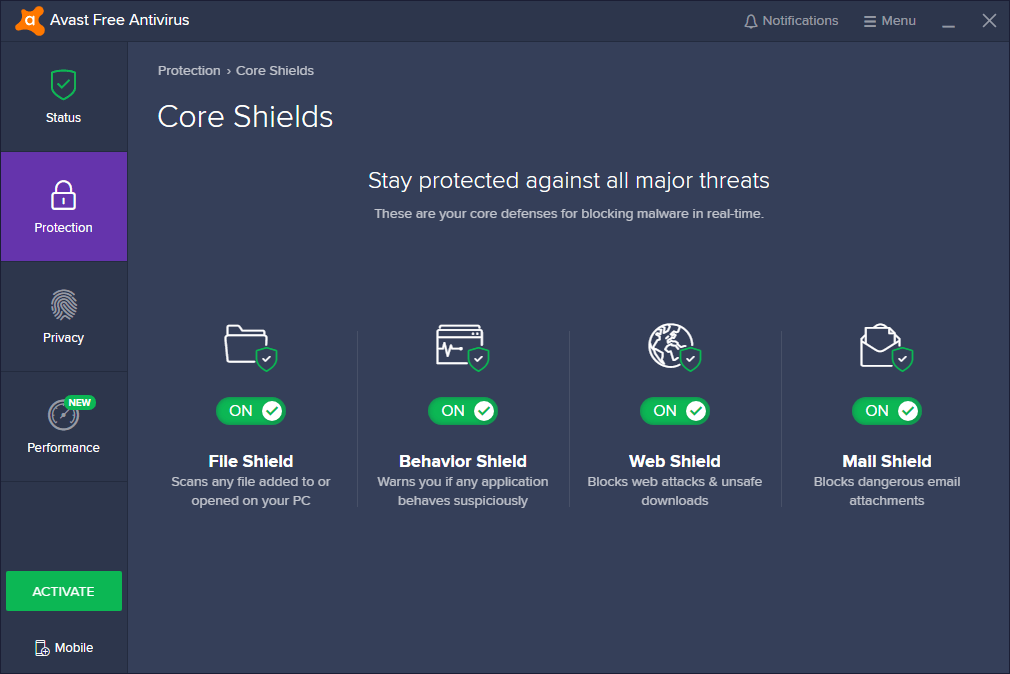
This is another best lightweight antivirus software that can offer extensive protection to your PC against cyberthreats without eating up your system resources. It has the biggest threat detection network and uses a heuristics engine to watch your system constantly to detect anomalous behavior.

Essential Features:

  • Detects and blocks spyware, ransomware, and phishing attacks.
  • Uses smart analytics techniques and machine-learning to defend a system.
  • Scans unknown files in real-time and sends threats to the Cloud.
  • Encrypts the passwords.

8. BullGuard Antivirus

BullGuard Antivirus

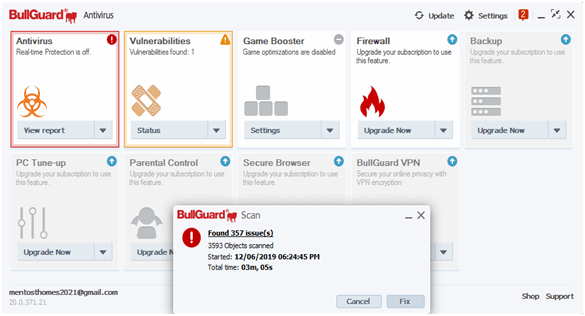
BullGuard Antivirus is another best lightweight antivirus that can defend your sytems with a number of easy-to-use services and features. This antivirus solution uses advanced machine learning and deep learning techniques to identify malware.

Essential Features:

  • Vulnerability Scanner detects unsafe apps and networks and alerts the user.
  • Offers triple-layer protection.
  • Optimizes and speeds up the games.

Read More: Best Encryption Software For Windows


9. 360 Total Security

360 Total Security

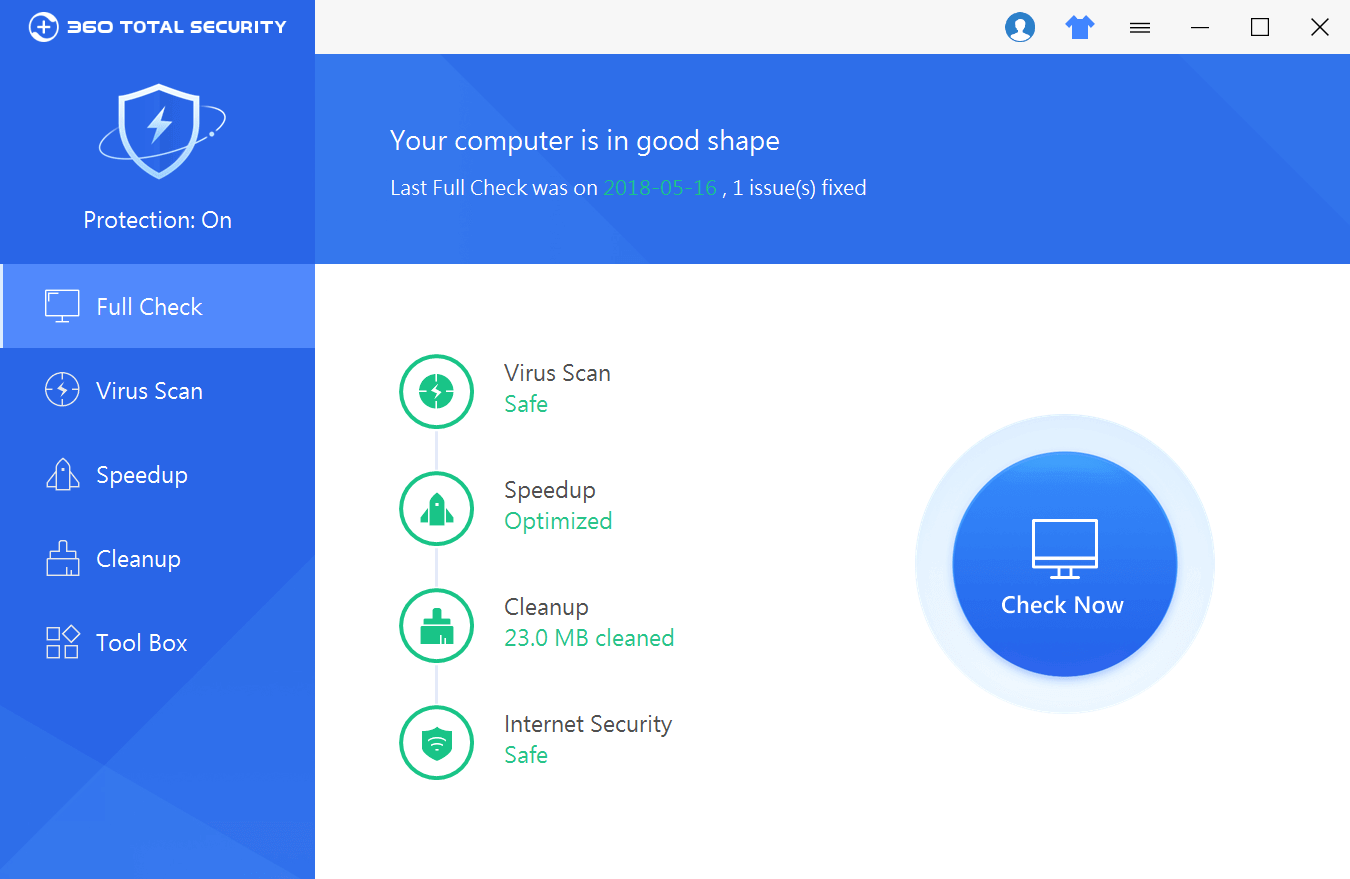
Here is another excellent lightweight antivirus that not only utilizes less RAM but also protects the computer from several online threats in a seasoned manner. It speeds up the system by wiping off junk files and also creates extra space in the system.

Essential Features:

  • Monitors behaviour to detect document hijacking.
  • Offers premium online shopping security.
  • Offers privacy cleaner and Wi-Fi security features.

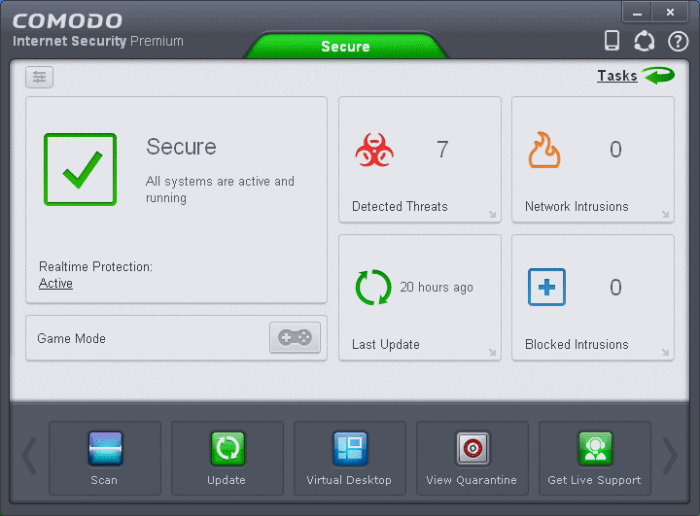
10. Comodo Free Antivirus

Comodo Free Antivirus

This lightweight antivirus tool is capable of handling diverse cyber threats efficiently and makes your PC safe and secure to use. Built with a zero trust architect, a heuristics engine, and in-built firewall, this antivirus application also includes cloud AV and a lot more.

Essential Features:

  • Prevents host intrusion.
  • Capable of sandboxing unknown programs.
  • Offers exemplary online security.
  • Facilitates on demand scan, on acess scan, and boot time scans.

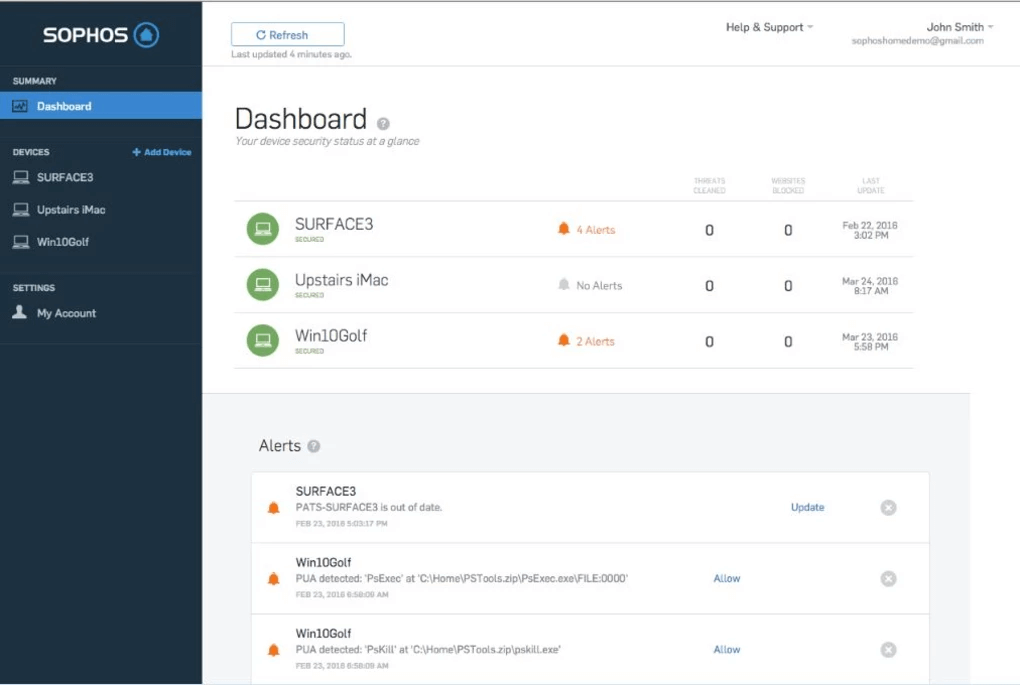
11. Sophos Home Free

Sophos Home Free

This is a lightweight antivirus solution that can protect against malware with real-time malware detection and protection. It’s free version can be installed in three devices that can defend your devices against several phishing attacks.

Essential Features:

  • Offers web filtering tools.
  • Includes superb parental control features.
  • Also comes as a browser extension.

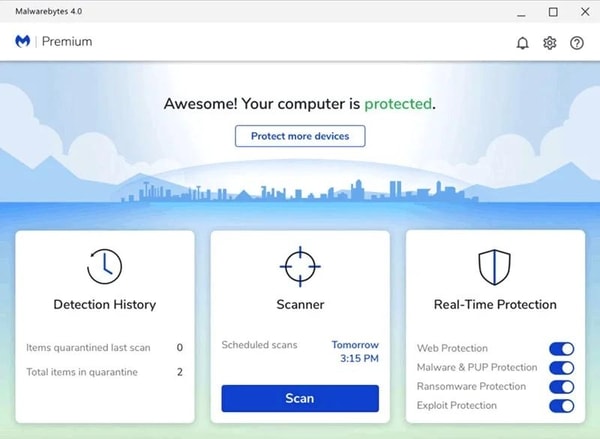
12. Malwarebytes

Malwarebytes

Here’s yet another of the best lightweight antivirus tools for Windows. Malwarebytes is an amazing tool that offers you protection against malware and other threats. This is one of the strongest tools that you can install and use to protect yourself against ransomware.

Essential Features:

  • Multilingual UI
  • Effective operations
  • Free and paid versions

Protect Your PC with Top-notch Antivirus Protection

Thus, these were the 12 best lightweight antivirus applications that could be utilized to obtain the best protection without burning the system resources. Having advanced antivirus protection is extremely essential nowadays to combat the various forms of cyberthreats.

The Windows Defender app is not sufficient against the next gen cybersecurity threats, hence you can obtain one of the best antivirus tools from our list provided above and never worry about a vulnerable system again.

Fastest Browsers for Windows

Fastest Browsers for Windows 10, 11 in 2024 [Latest Updated]

December 18, 2023
0

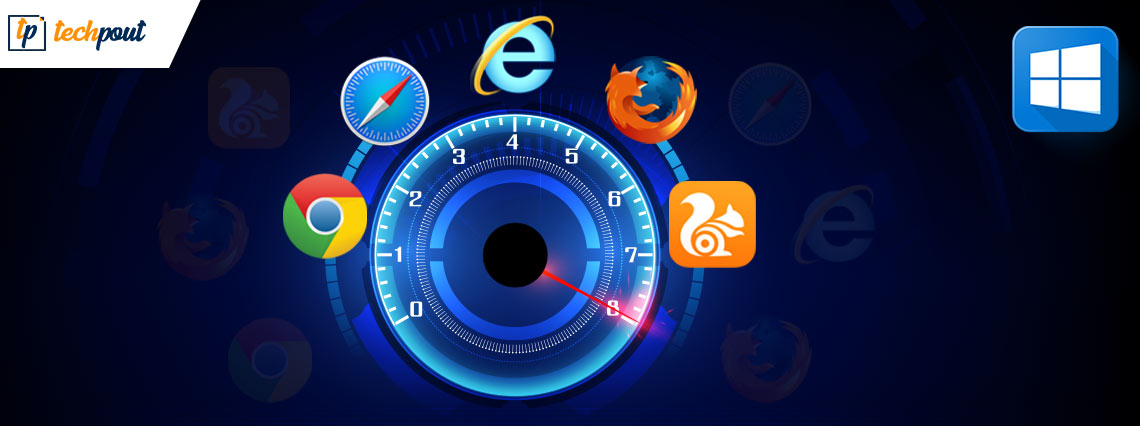
Which are the fastest browsers for Windows in 2024? How can I get the fastest & secure browsing experience on Windows PC? If you are also asking such questions, then look no further! Here’s a list of 12 more secure and fastest web browsers for Windows that you can consider. Read more!

Whenever we want to run a quick search, we use a web browser to take what we need from the “abyss of knowledge” known as the internet. Web browsers are quite a handy tool when it comes to the daily life of a dynamic digital era. But, what if we say that there are far better alternatives available that can outflank your current browser? The web browsers we’ll be talking about are some of the fastest browsers for windows 10. But, how do we know if these browsers are potent enough to satiate the needs of a modern moody user? Well, for that part we’ve evaluated each browser on some must-have standards and characteristics.

How to Decide Which is the Fastest Browser for Windows 10?

The following constraints help in determining whether a browser is fast or not:

Speed- Speed; It’s a must-have ingredient for a web browser for Windows 10. Cause, hey! Who doesn’t get annoyed and irritated when the web pages aren’t loaded in a blink? Right.

Privacy- In today’s digital world where any sort of information can be accessed with a few taps. The danger of your information getting leaked always lurks around while you watch those cat videos. BTW cats are cute, Aren’t they?

Extensions- Who doesn’t wanna get those super-useful extensions at their disposal while browsing the net? So, the best fast browser for Windows 10 comprises all the cool and handy extensions.

User-Experience- Technology has been developing in every instance just to make human lives easier and more convenient. Similarly, a web browser should be simple and less complex yet robust and secure. Is this too much to ask for?

To determine the accountability of the above factors in the browsers, we took the help of the following benchmark tools. 

Speedometer 2.0- Speedometer 2.0 is one of the most reliable benchmark websites ever created. This website allows you to ascertain the responsiveness of the browser to any website quite easily. With the help of over 480 different JavaScript standards, the benchmark can easily determine the reliability of the tool.

JetStream 2- Jus like Speedometer, the JetStream 2 also allows you to ascertain the speed of the browser by cross-checking the tool again different benchmarks.

MotionMark- MotionMark is different from Speedometer and JetStream as it ascertains the browser’s ability to load graphics instead of speed.

All you need to do is compare the Runs per Minute as generated from the tests run on these tools to ascertain which one is the best.

So, these were some metrics that we used to evaluate these browsers for windows. So, enough beating around the bush, Here we present the Fastest Browsers For Windows 10, 11.

Best & Fastest Web Browsers for Windows 10,11 in 2024

Speed, weight, general performance, navigation, extension support, lightness, privacy, and security are some of the significant features we look for when choosing the right web browser. Based on these features, we have prepared a list of the 12 fastest browsers for Windows that you should check out. Without further ado, let’s get started!

1. Google Chrome

google chrome

Platform Supported:  Windows: Windows 7, Windows 8, Windows 8.1, Windows 10, Windows 11/ Apple Mac / Linux /Android

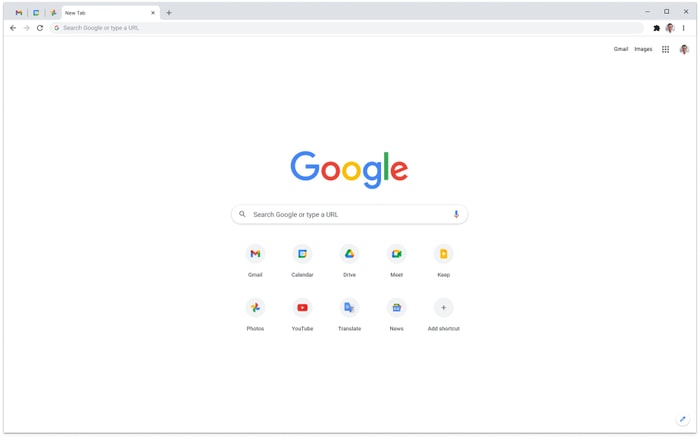
The finest and most commonly used cross-platform and fastest browser for PC 2024, Google Chrome has a varied user base. Although the browser consumes comparatively higher system resources it is easy to use. With regular updates, Google keeps on adding exceptional features to Chrome, like the Best Google Chrome Themes.

This fastest browser for windows 10 can be customized easily depending on the user’s needs. Also, it has a mechanism that is highly reliable and maximizes the speed of the browser. This is also one of the fastest mobile browsers for android. You can also get the best out of the browser using Effective Tips and Tricks for a Better Google Chrome Experience.

Notable Features

  • Huge Library of extensions
  • Cross Platform
  • Available for free
  • The user interface is completely customizable
  • Advanced features for power users

Download Now

Also Read: Google Chrome vs Mozilla Firefox: Which Web Browser is Better


2. Opera

Opera Browser

Platform Supported: Windows / macOS / iOS / Linux / Android

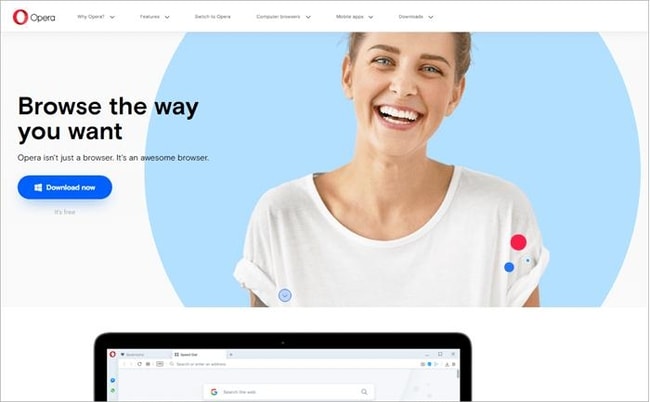
Opera is one of the most commonly used and trusted browsers around the world. The interface of the browser is quite straightforward which makes it one of the fastest browsers. The browser is available in two versions viz. Opera and Opera Mini. Both versions are very effective but the latter one is faster than the former.

If you are a beginner then Opera can be the best alternative for you. The tool is quite amazing and also provides advanced features like ad blocking, integrated VPN, and whatnot. You will find some of the most amazing features of this tool below:

Notable Features:

  • Free to download and use
  • Cross-platform base
  • Allows interface personalization
  • Contains a smart dashboard with multiple options
  • Consumes less data

Download Now


3. Brave Browser

Brave Browser

Platform Supported: Windows / macOS / iOS / Linux  / Android

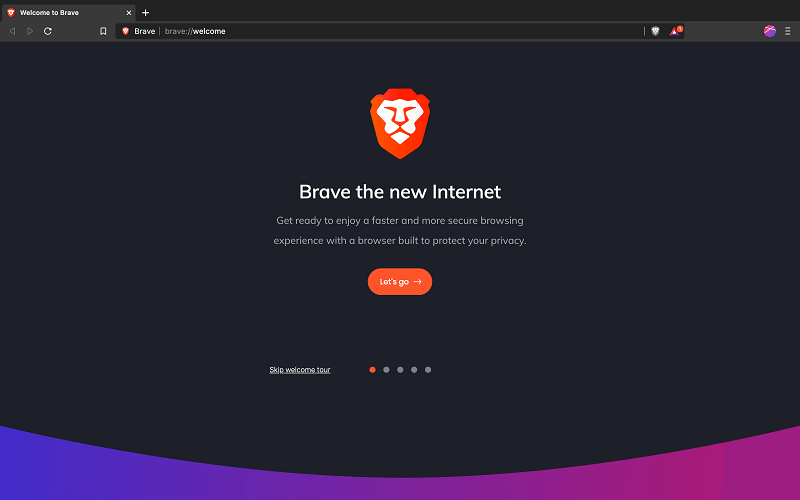
If you’re the type of person who gets paranoid regarding their privacy and safety on the net Brave Browser is the fastest browser in 2024. To all the internet users out there, if you’re concerned about who’s tracking you and want your browsing history and activity to stay hidden even from your ISP(Internet Service Provider), Brave Browser is especially for you. The browser is also the best and fastest browser for mac.

With all the basic features of a web browser and the best and fastest browser for Windows 11, it also has a strict anti-ad policy which ensures that your browsing session doesn’t get interrupted by annoying ads; result, faster browsing by a lot. So, Say Hello to the lightning-fast browsing experience and Bye to slow-loading pages. Know more about the features of this one of the Most Secure Web Browsers For Private Browsing and the fastest browser for windows 10 below.

Notable Features:

  • Aggressive anti-ad policy
  • Earn through watching ads
  • Consumes less data than many browsers for Windows
  • Privacy is guaranteed while using Brave Browser

Download Now


4. UR Browser

UR Browser

Platform Supported: Windows 11, 10, 8, 8.1, 7 / macOS

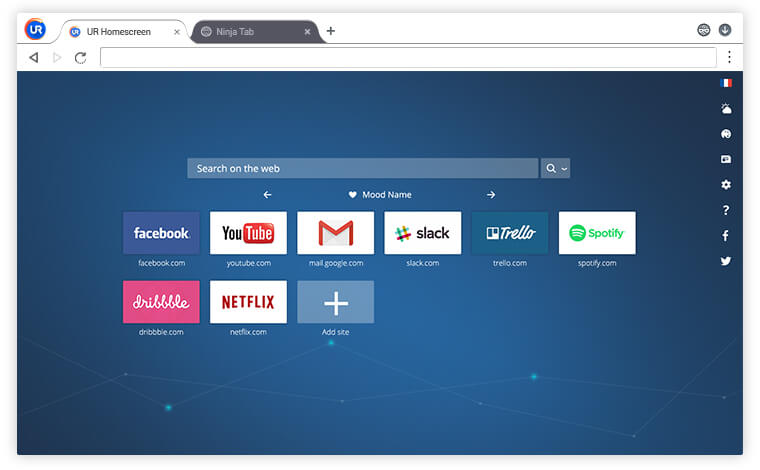
For users who truly want to experience privacy, faster web browsing, and security, we present you UR browser. UR browser is one of the fastest web browsers available on the net as it blocks trackers, ads, and cookies which otherwise slows down a website. Various alerts are also present to notify you if there’s a danger lurking around your identity or credentials. UR browser protects holds a powerful suite of tools to render optimum security to all its users.

Notable Features:

  • A gamut of privacy-protection tools
  • Light yet robust and fast at the same time
  • Various privacy modes to choose from

Download Now

Also Read: Best Lightweight Browser for Windows


5. Vivaldi

Vivaldi

Platform Supported: Windows / Linux

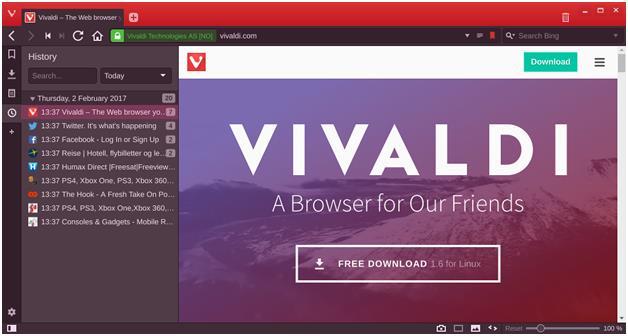
Vivaldi might sound like a new name in the fastest browser for PC market, but it has started to gain the limelight quite swiftly. Vivaldi was built under the Chromium project. It uniquely combines some of the best features of browsing giants like Google and Opera. Vivaldi also possesses marvelous multi-tab management. The trait which aids Vivaldi to stand in this list; Vivaldi is super-customizable. Users can tweak even the smallest thing to obtain a more personalized experience. The tool can also work effectively as the Best People Search Engine and the below features justify the same.

Notable Features:

  • Lightest and fastest browser for pc
  • Has built-in notes features to scribe your ideas. thoughts, and all.
  •  Custom shortcuts and keyboard shortcuts are at your disposal.

Download Now


6. WaterFox

WaterFox

Platform Supported: Windows / Mac / Linux

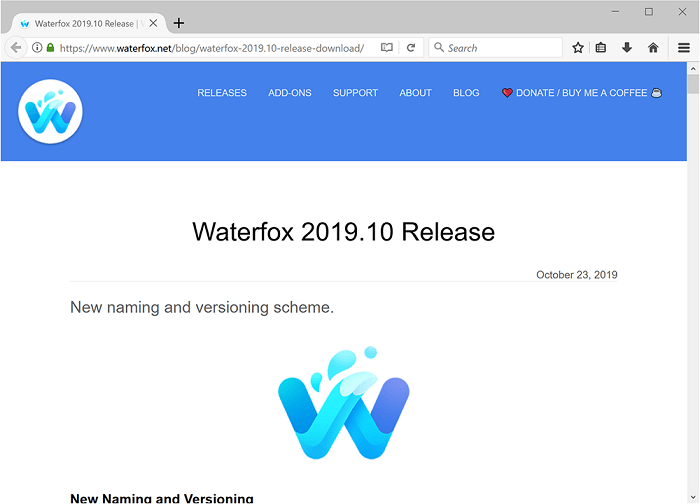
WaterFox is a privacy-oriented and secure browser. It is an open-source fastest browser for PC that blocks trackers and other similar threats to prevent them from gobbling up your data and personal information. WaterFox is based on Firefox and also uses the same engine. But, it tapers the privacy risks the users had with Firefox. WaterFox collects a negligible amount of data from its users only to keep the browser up-to-date and secure.

Notable Features:

  • No telemetry
  • Privacy Protection
  • Protection from trackers
  • Improved browsing experience

Download Now


7. Tor Browser

Tor Browser

Platform Supported: Windows / Mac OS / Linux

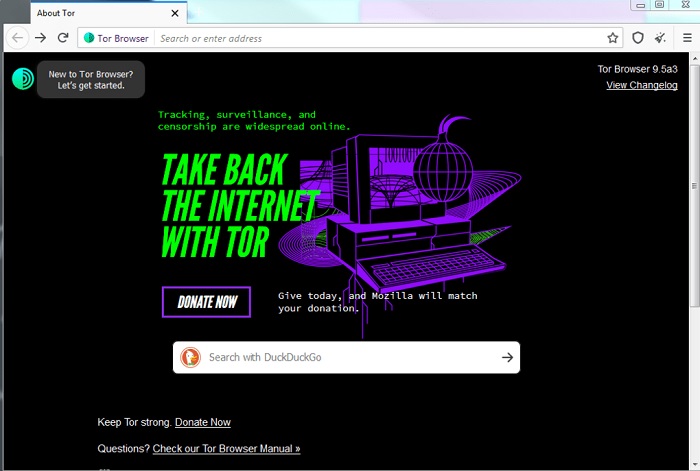
Tor browser renders your privacy needs over the top. Hence, is one of the top 12 fastest browsers for windows 10, 11 in 2024. Privacy is the motto of the Tor browser. Surfing the net without any worries about privacy and being completely anonymous is what Tor helps you with. Tor browser helps you to stay hidden in the realm of the internet and keep tracking, surveillance, and censorship at bay. While using the Tor browser privacy is not a thing to worry about. Various tools of this fastest browser for PC cloak your IP address and cover your digital footprints.

Notable Features:

  • Multiple layers of Encryption
  • Defends users against surveillance and digital fingerprinting
  • Blocks trackers and other privacy-threats
  • Access the Dark web, deep web, and even blocked sites using the Tor browse

Download Now

Also Read: Best Fastest Web Browser for Mac


8. Slim Browser

Slim Browser

Platform Supported: Windows

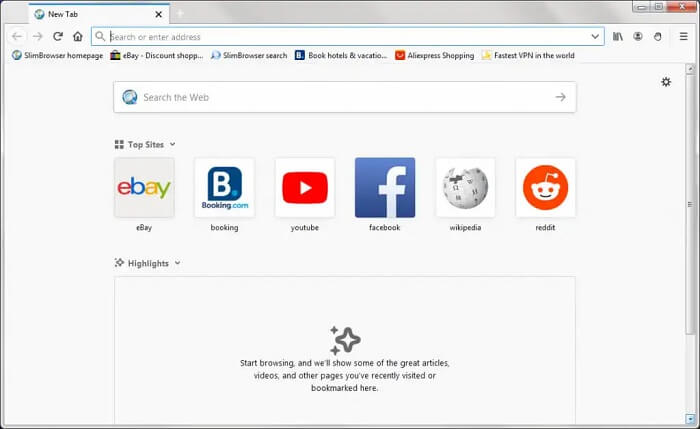
Next, you can give SlimBrowser a try. However, it isn’t the most feature-rich browser on this rundown, but if in case, you are searching for a lightweight and fast browser for Windows 11. Then, it may be the potential one.

With this web browser, users can build individual accounts or groups for particular sites and even can open all of them at once. The browser will also let you enjoy interruption or distraction-free browsing by turning on its ad blogger. Plus, you’ll love to access its amazing spell check feature. Talking about the downside, then you may find its interface cluttered.

Additional Features of SlimBrowser:

  • One-click Facebook integration.
  • Webpage & text translation.
  • Quick and effective Download Manager.
  • Compatible with most mainstream extensions of Firefox.

Download Now


9. Maxthon

Platform Supported: Windows / macOS / Linux / Android / iOS

If you are wondering what is the fastest browser in 2024 then Maxathon is the answer. This browser is developed by the Chinese conglomerate Xiaomi and is used by many Windows users around the world. The tool offers some of the best and most advanced features for any browser. The tool has some advanced features integrated into tool to Clear Browser Cache and do a lot more with ease.

Additionally, using this one of the top 12 fastest browsers for windows in 2024, you can retain your privacy as it’s built on blockchain technology.

Additional Features of Maxthon:

  • One-click Facebook integration.
  • Webpage & text translation.
  • Quick and effective Download Manager.
  • Compatible with most mainstream extensions of Firefox.

Download Now


10. Chromium

Platform Supported: Windows / macOS / Linux / Android / iOS

The last name on this list of the top 12 fastest browsers for windows 10, 11 in 2024 is Chromium. The browser is quite lightweight and allows you to run huge websites on your device with ease. Apart from this, you can download and use Chromium on Windows, OS X, Linux, or Android devices as required.

Additional Features of Chromium:

  • Open-source but lightweight browser.
  • More stable than multiple other browsers.
  • Developers can also build browsers using Chromium.

Download Now


11. Mozilla Firefox

Platform Supported: Windows / macOS / Linux / ChromeOS / Android / iOS

Still looking for the fastest browser in 2024 then Mozilla Firefox is the next one that you can try. After Google Chrome, Firefox is one of the most commonly used browsers of all time. The browser is quite feasible and allows you to surf content very quickly and easily.
Let’s have a look at some of the features of this tool that make it one of the fastest browsers for Windows in 2024.

Additional Features of Mozilla Firefox:

  • Blocks trackers smartly
  • Multilingual UI
  • History sharing
  • Primary pa

12. Epic Browser

Platform Supported: Windows / macOS / Android / iOS

Epic Browser is the next pick for you in this list of the best free and fastest browsers for Windows. This is an amazing and lightning-fast browser of all time. The browser is very private and keeps your data safe without leaks.

Additional Features of Epic Browser:

  • Multilingual UI
  • Allows sharing of bookmarks
  • Free integrated VPN
  • Customizable interface
  • Supports Chrome extensions

Also Read: Speed up Your Web Browser & Internet Speed


Secure & Fastest Browsers for Windows 11/10/8/7: Final Words

So, the above were some of the best browsers that you can use on your Windows PC. If you ask us, “which web browser is better for Windows?” Then, based on security, speed, performance, benchmark outcomes, and privacy tests, we suggest you choose Opera. And, if you are using Windows 11, then Opera is all you need to enjoy the fastest browsing experience. Apart from Opera, Google Chrome is also an ideal choice for Windows PC.

With all that, now you have the names of the most secure and fastest web browsers for windows 10, 11, and you can choose the one that suits you the best. We hope the article helps you make a better decision. Do you have any doubts or questions? Please feel free to reach out to us through the comments box below. In addition to this, you can also share your suggestions or further tips regarding the same. We look forward to your feedback.

Before you go, don’t forget to subscribe to our Newsletter for more technical information, blogs, news & updates. Furthermore, you can also follow us on Facebook, Twitter, Instagram, and Pinterest.

1 Comment
    Kikuchi says: Reply
    July 2nd 2020, 7:34 pm

    Nice post. I learn something new and challenging on websites. It will always be interesting to read through content from other writers and practice something from other web sites.

Leave a Reply Cancel reply

Your email address will not be published. Required fields are marked *

Sidebar Image bit G ad1

Latest Posts

  • Best Ways to Fix Facebook Session Expired Loop Error  (1)
    Best Ways to Fix Facebook Session Expired Loop Error 
    by Gunjita Sompura / April 28, 2026
  • React vs Vue
    React vs Vue Detailed Comparison in 2026
    by Gunjita Sompura / April 23, 2026
  • Top Image Resizing software for Windows PC 
    by Dikshika Singh / April 21, 2026
  • How-To-Download-and-Install-Windows-Fax-And-Scan-In-Windows-11
    How To Download and Install Windows Fax and Scan in Windows 11
    by Dikshika Singh / April 15, 2026
  • How-To-Run-Control-Panel-As-Administrator
    How To Run Control Panel as Administrator in Windows 10/11 
    by Dikshika Singh / April 14, 2026

Categories

  • Cyber Security
  • Driver Updater
  • Entertainment
  • Fitness
  • Games
  • How To
  • laptop
  • OS
  • Reviews
  • Tech News
  • Tips & Tricks
  • Top 10
Sidebar Image bit G ad1
Microsoft to Enhance Quality of Windows 10 Driver Updatesby Snigdha / January 15, 2020
‘Labs’ in Google App Allows Users to Try Experimental Featuresby Snigdha / January 16, 2020
TechPout Footer Logo

We at TechPout promise to put forth stories that help people to learn and simplify their digital life. Our purpose is to share the true essence of technology with our tech-loving community.

Useful Links

  • About Us
  • Contact us
  • Privacy Policy

Popular Posts

  • Best PC Optimizer Software
  • Best Mac Cleaner Apps
  • Best Driver Updater
  • Duplicate Photo Finder and Cleaner Software
  • Best Free Movie Download Sites
  • Best IPTV Players

Follow us

Copyright © 2026 www.techpout.com. All rights reserved
DMCA.com Protection Status