Main LogoLight Logo
  • Reviews
  • Top 10
  • How To
  • Tech News
  • OS
    • Windows
    • MAC
    • iOS
    • Android
  • Categories
    • Driver Updater
    • Cyber Security
    • Games
    • Fitness
    • Entertainment
    • Tips & Tricks
Top 10
by Prachi Dani

13 Best Call Blocker Apps For Avoiding Unwanted Calls

January 16, 2020
1

Are you annoyed and sick of the unwanted phone calls that you get from telemarketers and spammers? Well, there are several actions that you can take from your end. Opting for a call blocker app is one such way to block robocalls.

Today’s smartphones come with an in-built number blocking functionality, but that is not sufficient keeping in mind the ever-increasing figures of spam calls. Apart from this several mobile carriers also offer similar services, but what can certainly help you avoid unwanted calls is a good call blocking app.

The market is full of third party call blocker apps for Android and iOS devices, however, choosing the best from a list of countless options can be a difficult task. Refer to our article and check the best apps for blocking unwanted calls that we have shortlisted for you.

Table of Contents hide
Top-Rated Call Blocking Apps:
1. Hiya – Spam Phone Call Blocker
2. Call Control – Call Blocker
3. Truecaller
4. Nomorobo Robocall Blocking
5. Trapcall
6. Robokiller – Block Spam Calls
7. Mr.Number
8. Sync.ME
9. YouMail Voicemail & Spam Call Blocker
10. Numbo Call Protect & Blocker
11. AT&T Call Protect
12. Whoscall
13. OctoCaller
Final Words

Top-Rated Call Blocking Apps:

1. Hiya – Spam Phone Call Blocker

Hiya
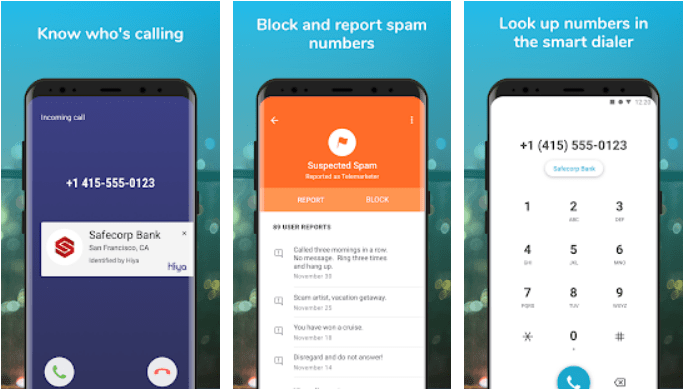
Hiya is one of the best and free call blocker apps that one can find in the market currently. It utilizes a smart algorithm to identify all useful calls and highlight the ones that you might want to avoid.

It comes with several call-management options like caller ID, reverse phone lookup functionality and auto-blocking of spam calls. It sends alert notifications for all spam calls and you can use it to block calls from businesses, individuals and unknown numbers.

All-in-all Hiya is one of the best spam detection and call blocking apps that can effortlessly identify and block calls from marketing agencies, debt collectors and many more.

Android
iOS

Read More:  13 Best Free Android Dialer Apps in 2020


2. Call Control – Call Blocker
Call Control
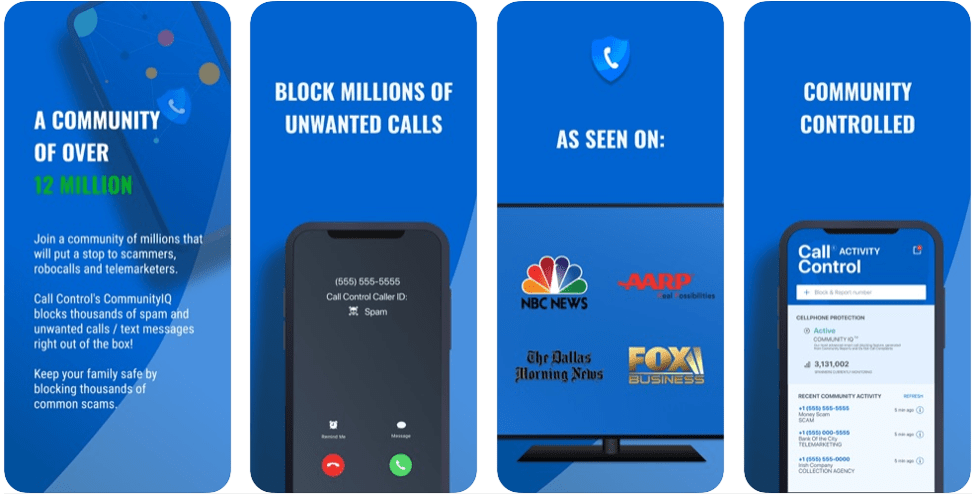
Call Control, is another best call blocker, caller ID and spam stopper application. It is known for its high working standards and enjoys a rich customer base of over 12 million users and a 4.4-star rating.

Download this free and Best Call Blocker App for Android and iOS devices to stop spam calls completely on your business and home phones. You can also create your blocklist to block calls from specific numbers.

Apart from this, it also allows you to check the caller details of phone calls coming from an unknown number.

Android
iOS

3. Truecaller

Truecaller - Best Call Blocker Apps
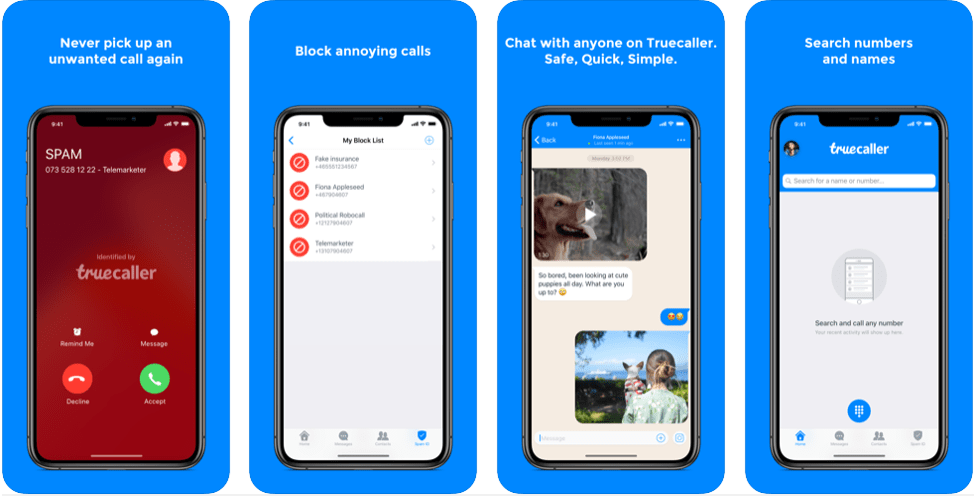
Truecaller is an incredible tool that blocks all nuisance and spam calls on your Android and iOS phones. It creates a directory of all the spam numbers added by its users.

It uses a community-based spam list to identify suspicious numbers and blocks them automatically.

It makes your communication safe by blocking all unwanted calls from spammers and telemarketers. You can also use it to check the details of all unknown numbers.

The app is available for free for both Android and iOS users and enjoys a user satisfaction rating of around 4.6/5.

Android
iOS

4. Nomorobo Robocall Blocking

Nomorobo
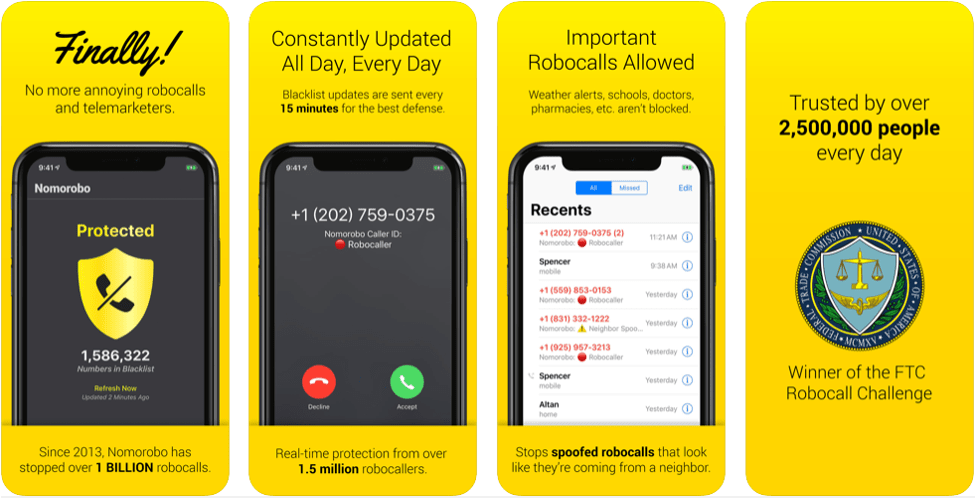
If you have been missing a peaceful phoning experience and are highly annoyed with spam calls, the choose Nomorobo to bring the quiet back to your phone.

It is known for providing real-time protection from all unwanted calls from telemarketers, debt collectors, robocallers, etc. However, it does not block any important robocalls, for example, the one coming from your kid’s schools. Easily identify and block all suspicious calls with this incredible app.

Android
iOS

5. Trapcall

Trapcall

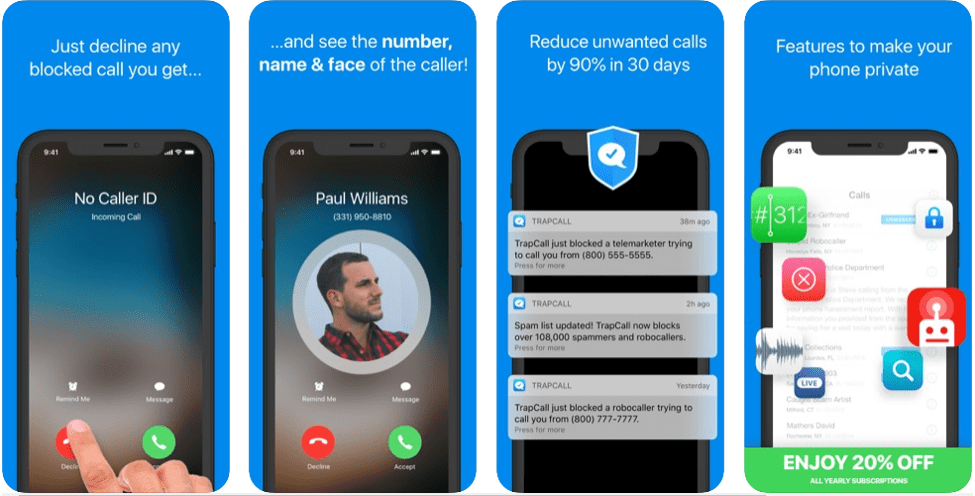
Unmask all disguised calls with Trapcall. It uses an automatic spam call blocking mechanism to save you from all the harassment created by spam and telemarketing calls.

It’s developers also claim that it can uncover the caller details of all unknown, private, restricted and blocked numbers. It works seamlessly well on both Android and iOS devices and is free to download.

Android
iOS

6. Robokiller – Block Spam Calls

Robokiller
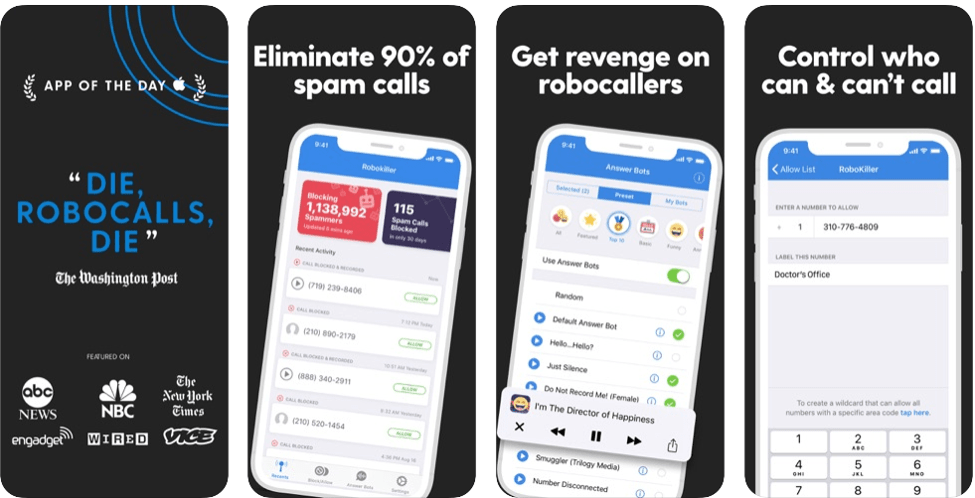
This one goes step ahead and uses “digital footprints” to identify all spam calls. It does not even allow such calls to appear on your phone screen and only sends a notification that it has blocked a call.

Another most beautiful feature of Robokiller is its “answer bot” feature, which means an automated bot will answer the calls on your behalf. You can also use it to check the details of all missed and blocked calls on your smartphone.

Android
iOS

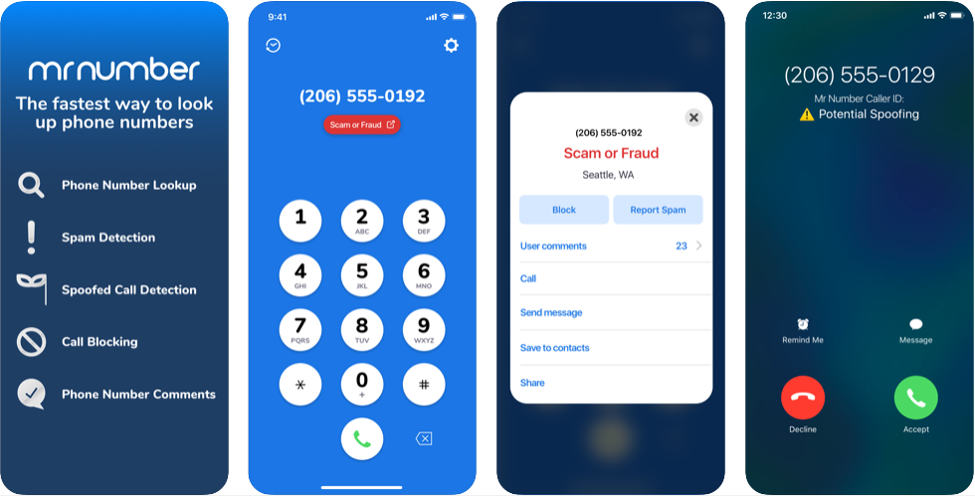
7. Mr.Number

Mr.Number
Identify, block and stop all fraud and spam calls from your phone with Mr.Number. Besides calls, it can also block messages from specific numbers and particular area code.

It also allows you to check details of unknown numbers, send voice messages or directly hang up the calls. It is developed by Hiya and is completely free of cost.

Android
iOS

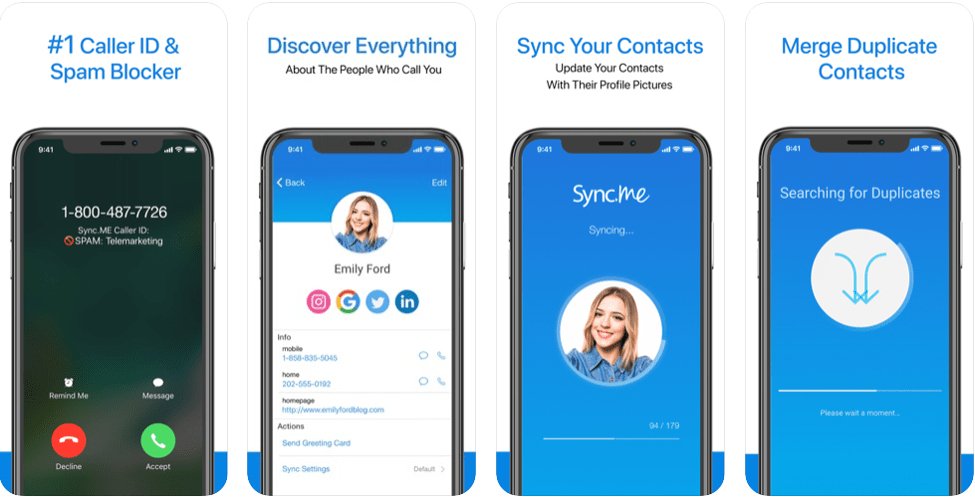
8. Sync.ME

SyncMe
This one is packed with advanced caller ID features and allows you to not only see the contact details but also the picture and name of the caller.

It claims to have the most extensive phone book consisting of billions of phone numbers from all corners of the world. It uses an intelligent matching mechanism that identifies and matches the numbers with their owner’s social media profile.

Android
iOS

9. YouMail Voicemail & Spam Call Blocker
YouMail
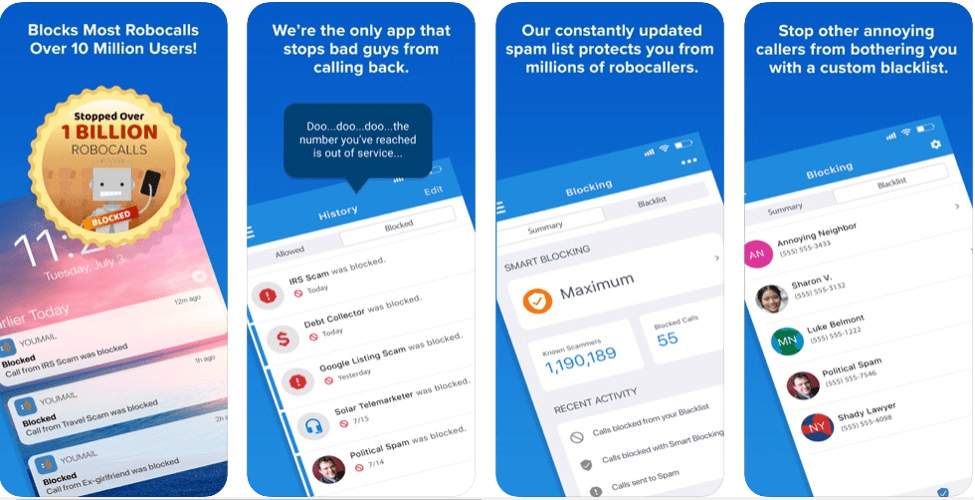
Send an “out of service” message to block all unwanted calls from telemarketers and scammers with YouMail. Apart from being a call blocker app, it also offers professional call handling services including auto-reply, call-routing, message routine, and recorded greetings.

It is compatible with both iOS and Android devices.

Android
iOS

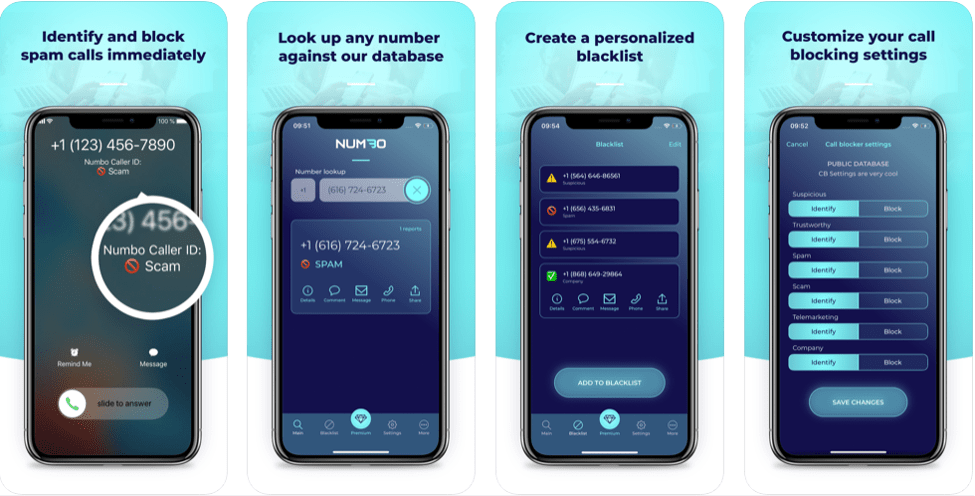
10. Numbo Call Protect & Blocker

Numbo Call Blocker
Avoid being surprised by spam callers with Numbo Call blocker. Use it to know the details of who’s on the other side of the call.

Based on its database of blacklisted numbers, it will tell you that the incoming coming call is from a known number or from a suspicious source.

You can also use it to check the details of any number against its database. Enjoy a simple phone experience with this best call blocker app for iPhone.

iOS

Read More:  Best SIM Unlocking Applications For Android 2019


11. AT&T Call Protect
AT & T Call Protect
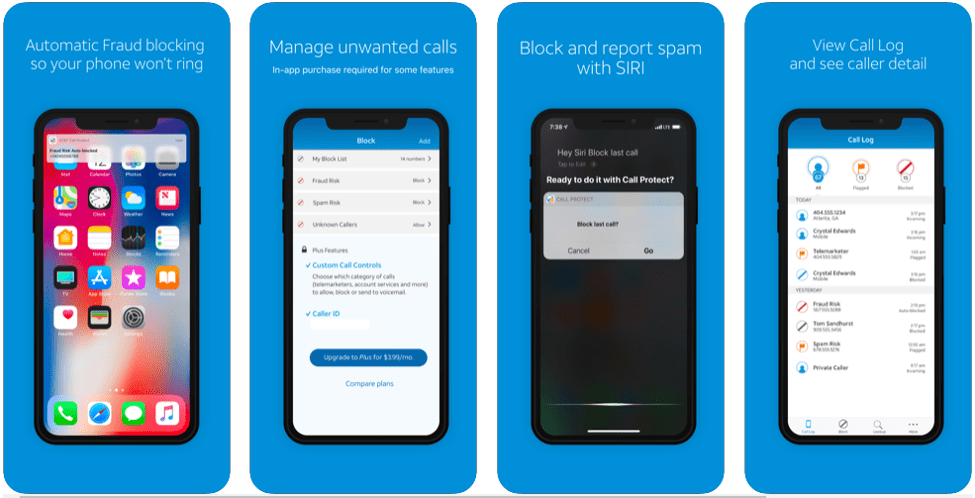
Check who is calling you before you decide to answer any call with AT&T call protect. The app sends warning messages for all suspected calls and also gives you the power to block them.

It is compatible with both iOS and Android devices. Use it to check callers’ details and you can also create your customized block list of all unwanted numbers.

Android
iOS

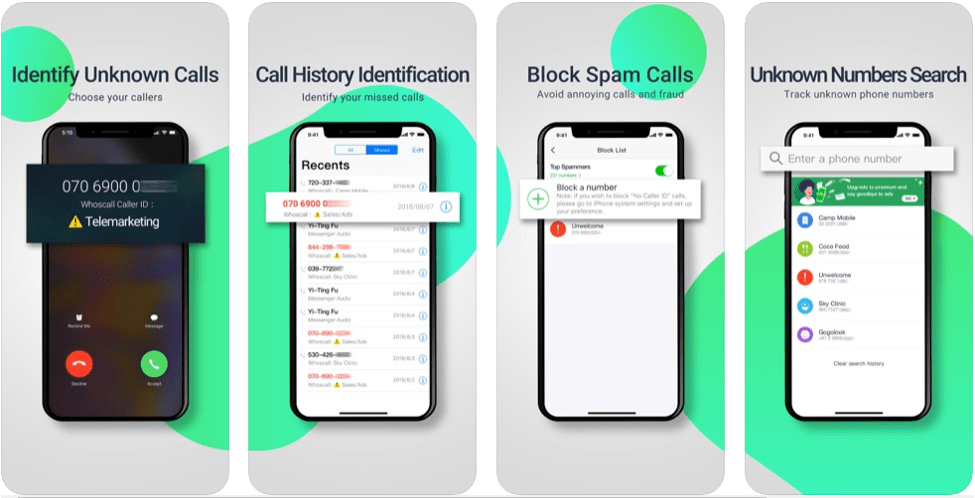
12. Whoscall

Whoscall
Whoscall is specially designed to identify Caller ID and Whoscall ID and block all calls from suspicious sources. It is one of the best call blocking tools that one can find on the app store and give you full power to decide whose call you want to block.

It enjoys a rich customer base and massive download numbers.

iOS

13. OctoCaller 

Octo Caller App
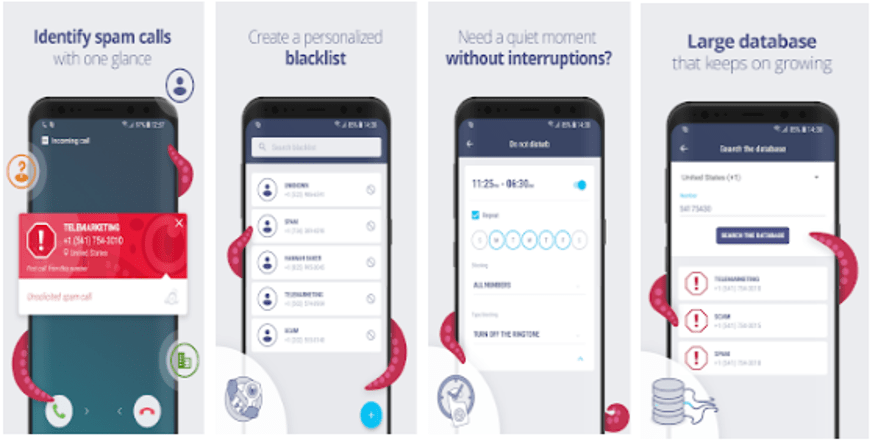
Developed by Master App solutions, Octo Caller App is amongst the top-rated apps for blocking anonymous and unwanted calls. It works on a simple and clean UI and is available on the Google Play store for free.

Pick this incredible tool to block spam calls and create your contact blocklist.

Android

Final Words

So, this is it. These are some of the best Apps for blocking unwanted calls on Android and iOS devices.

Make your decision and protect yourself from harmful spam calls.

Image Source: Google Play Store and App Store

Author

Prachi Dani

Prachi Dani is a technical content writer who specializes in areas of science and technology. She is highly up to date with technological transitions and transformations. Writing is not her passion but the only thing that carries satisfaction in life. If not writing, you may find her engrossed playing action games on her treasured smartphone.

View all posts

Related Posts
Best Free Forex Signals Telegram

7 Best Free Forex Signals Telegram in 2024

March 31, 2024
0

No matter if you are a beginner or a seasoned trader, the best forex signals on Telegram can help increase your knowledge to make more profit through trading in the forex market. Hence, you can read this article to know about them in detail. 

Forex trading is complex, both for beginners and experienced traders. An individual must have meticulous analytical skills to become a successful forex trader and generate income through trading. However, the non-availability of reliable market information and insights often results in inappropriate trading decisions. Hence, the best free forex signals on Telegram go a long way in helping you make the right strategies to maximize your profits.

These signals offer actionable insights and guide traders of all experience levels to trade profitably. They can help you sharpen your trading skills or act as a guiding lamp in your trading journey with real-time market analysis and other valuable information.

However, finding reliable free forex Telegram signals is an uphill battle. Trusting unreliable signals can lead you to losses. Hence, we did the hard work of deeply researching these signals to compile a list of the truly trustworthy and best freely available signals. Let us get started with it without wasting priceless time.

List of the Best Telegram Forex Signals (Free) in 2024

The following are our top picks for the free forex signals on Telegram you can trust to get the most accurate information and valuable insights for profitable trading.

1. GoldSignals.io

GoldSignals(dot)io

Let us introduce you to GoldSignals.io. It is among the best forex signals on Telegram because of its excellent XAU/USD trading signal delivery. You can trust this signal as it boasts a favorable risk-reward ratio with a remarkable 90% profitability rate. Moreover, the availability of round-the-clock customer support and the following features justify this signal’s position on our list.

Key features of GoldSignals.io

  • It focuses on low-risk markets with high reward potential
  • GoldSignals.io supports almost all FX brokers
  • It supports many languages, including Spanish, Portuguese, French, and English
  • This forex signal offers 1-1 guidance and support

Check it Now

Also Read: Ultimate Guide to the Best Forex Trading Apps for Beginners


2. ForexSignals.io

ForexSignals.io

Next, we have ForexSignals.io on our list of the best free Telegram forex signals. It offers a wide range of unique services, such as occasional VIP group trading reports and trading suggestions for beginners looking forward to entering the forex market. Moreover, the following helpful features are another reason we got fascinated with ForexSignals.io.

Key features of ForexSignals.io

  • It analyzes each signal comprehensively and backs the signals with educational resources, ensuring high accuracy
  • ForexSignals.io combines comprehensiveness and frequency to ensure you get thoroughly analyzed signals
  • It offers solutions for almost all forex pairs, such as GBP/EUR, EUR/USD, GBP/USD, AUD/CHF, and USD/CAD
  • Here you can even find solutions for emerging currencies
  • ForexSignals.io supports most FX brokers and multiple languages

Check it Now


3. TopTrading Signals

TopTrading Signals

We cannot skip TopTrading Signals when discussing the free forex signals on Telegram. It can be the best choice for you if you are searching for strategic yet concise trade tips to improve your trading skills. Moreover, it promises a risk-reward ratio of 1:2 and a high 78% win rate.

Furthermore, TopTrading Signals is a simple and clear channel where all signals have a stop loss, an entry point, and one take profit target, with a stop loss capped at a maximum of 40 pips. Additionally, the following are some other attractive features of this signal channel.

Key features of TopTrading Signals

  • It boasts an annual growth rate of more than 187%, a monthly 15% return rate, and maintains a maximum 11% drawdown
  • You get accurate forecasts daily
  • TopTrading Signals has a professional approach with a disciplined strategy and promises weekly net winnings of nearly 600 pips

Check it Now

Also Read: Best Free TradingView Alternative


4. AnabelSignals

AnabelSignals

Managed by a UK trader, Anabel, AnabelSignals is one of the best free signals on Telegram for forex trading. It helps you tap profitable opportunities in commodities, forex, and indices. You can use the Anabel trading signals to find appropriate market entry points and exit points.

Additionally, AnabelSignals is a popular choice among traders because of its excellent risk management. Furthermore, it includes entry points, take profit levels, stop loss orders, reward with an option for single take profit, and balancing risk strategies. In addition to it, the following are some more delightful features of this channel.

Key features of AnabelSignals

  • It boasts a success rate of 76% and a profit potential of nearly 4000 pips every month
  • AnabelSignals offers 24*7 customer support (if you choose to pay for the channel)
  • You get three to five intraday signals daily

Check it Now>


5. Sure Shot Forex

Sure Shot Forex

Let us take a look at Sure Shot Forex. It is among the best forex trading signals you can use for free. Sure Shot Forex is trusted by nearly 27,000 users (including beginners) worldwide. Moreover, we were attracted by this channel’s high signal authenticity (it often provides screenshots to support the signals) and the following remarkable features.

Key features of Sure Shot Forex

  • It openly displays its trade results to boost transparency
  • Sure Shot Forex offers complete trading guidance
  • It boasts premium analysis and 24*7 trade support

Check it Now

Also Read: Best Stock Trading Apps  (Android & iOS)


6. Learn2Trade

Learn2Trade

Let us talk about Learn2Trade. It is one of the 100% accurate free Telegram forex signals. The in-house team of traders at Learn2Trade analyzes the forex market 24*7 to give you the best signals. Moreover, since its beginning, it has achieved a win rate of 76%. Moreover, the following are some other fascinating features of this channel.

Key features of Learn2Trade

  • It offers daily technical analysis and weekly webinars
  • Learn2Trade alerts you about various economic events
  • It covers a plethora of forex pairs
  • This channel has a risk-reward ratio of nearly 1:3

Check it Now


7. WOLFX Signals

WOLFX Signals

Here comes WOLFX Signals on our list of the best Telegram channels for forex signals. It has more than 86,000 subscribers and highly experienced analysts who dive deep into forex markets so that you never miss any profitable trading opportunity. With 2 free signals available per week, this channel offers crypto and forex market information, short-term reports, Telegram Live alerts, weekly balances, and the following incredible features.

Key features of WOLFX Signals

  • It supports London, Asia, and USA trading sessions
  • WOLFX Signals include stop-loss prices and 3 take-profit thresholds

Check it Now

Also Read: Best App for Share Market News | Stock Market Watch App


Wrapping Up the Best Free Telegram Forex Signals

This article walked you through various free forex signals on Telegram. You can use these signals to earn maximum profit from forex trading. However, please do not hesitate to contact us through the comments section if you have any doubts, questions, or suggestions regarding this write-up. We will be pleased to hear from you. Moreover, bookmark this blog, subscribe to our newsletter, and join our social network community to stay updated with the tech world.

Speed up web browser

Top 5 Ways to Speed up Your Web Browser & Internet Speed

August 1, 2019
0

Even in today’s interconnected world with high-speed Internet at fingertips, anyone can get stuck with a slow or uncertain connection at home, in the office, or at the worst possible time while traveling.

In today’s fast-moving market, everyone knows how frustrating & time-consuming a slow Internet connection can be.

Slow downloads, not being able to watch your favorite TV shows, live streams or play video games are issues that can ruin the online experience.

So, if you’re in the company of millions of others speculating why your Internet connection seems to be slow all the time? Then, you don’t need to worry anymore as we’ve got you covered. 

Here are some simple tips and tricks that can give you a clear insight on how to speed up web browsing and Internet speed. 

Let’s jump right in. 

Simple Tips & Tricks to Speed up Web Browser 

1. Secure Your Browser

Nowadays, malware or computer viruses are becoming more adaptable and damaging than ever before, constantly developing new tactics to bypass security checks.

With the entrance of such malicious items, the web browser can become slow and your confidential information could be accessible to cybercriminals.  

So, it is essential to keep your system safe from both common threats & modern-day malware infections for faster browsing speed.

In light of this, all you need to do is run a full system scan with a good antivirus product to improve your browser’s performance. 

2. Clear Cached Data, Cookies, and Internet History

If your web browser seems sluggish, you can always clear your web browser’s cache, cookies, and Internet history in order to prevent or resolve performance issues. 

An extensive browsing history, cache, and cookies take a considerable amount of space, leading to a slower Internet connection. 

So, getting rid of them can significantly speed up your browser and fix certain problems, like loading content or formatting issues on websites. 

3. Disable Toolbars and Unwanted Browser Extensions 

Toolbars are often installed alongside software, affecting not only the browser’s appearance, but also slowing down your Internet speed. 

Similarly, some browser extensions can bring new features for your browser & enhance your online experience. On the other hand, too many extensions can drastically decrease the speed of your web browser.

So, whether you’re using Google Chrome or Firefox or any other web browser, it is important to uninstall all the unwanted browser extensions or add-ons to keep your computer functioning at its best. 

4. Keep Minimum Tabs and Windows Open

If you’re someone who loves to open dozens of browser tabs at once while researching & gathering information online, then it’s possible that your browser may become slow or unstable, maybe not now but someday it will.

In such cases, you can always avoid these browser’s performance issues & increase your browsing speed by limiting the number of tabs and windows you have open.

5. Block Annoying Pop-up Ads

Pop-up, banner, and video ads are not only annoying but also have a tendency to slow down your Internet speed. 

To get rid of such annoying advertisements, you can always use an intuitive browser extension like “Ad-Blocker Pro” for safe and faster browsing experience. 

Ad-Blocker Pro does an excellent job in eliminating pop-ups, banners, and false discount offers, so you can see what really matters while experiencing a faster Internet. 

So, these are a few simple tips & tricks to boost your browsing speed for a more pleasant browsing experience.

Now that you know how to speed up web browsers, you don’t have to worry about the Internet connection, just implement these aforementioned tips & tricks and enjoy the enhanced online browsing experience always.

1 Comment
    Kikuchi says: Reply
    July 2nd 2020, 7:34 pm

    Nice post. I learn something new and challenging on websites. It will always be interesting to read through content from other writers and practice something from other web sites.

Leave a Reply to Kikuchi Cancel reply

Your email address will not be published. Required fields are marked *

Sidebar Image bit G ad1

Latest Posts

  • Anytime Astro: Best Website For Online Astrology Consultation
    Anytime Astro: Connect Now For Online Astrology Consultation
    by Somya Shrimal / March 13, 2026
  • Best-Ways-to-Combine-Images-Into-PDF-Files
    Best Ways to Combine Images Into PDF Files
    by Niharika / March 12, 2026
  • Best FREE VPS Hosting Providers
    7 Best FREE VPS Hosting Providers in 2026
    by Devesh / March 12, 2026
  • Best-McAfee-alternative-software-to-use-for-Virus-Protection
    Best McAfee Alternative Software to use for Virus Protection
    by adminuser / February 11, 2026
  • What-is-Flip-Flop-in-Circuite-and-it's-Types
    What is Flip Flop in Circuit and its Types
    by Meet / February 6, 2026

Categories

  • Cyber Security
  • Driver Updater
  • Entertainment
  • Fitness
  • Games
  • How To
  • laptop
  • OS
  • Reviews
  • Tech News
  • Tips & Tricks
  • Top 10
Sidebar Image bit G ad1
Microsoft to Enhance Quality of Windows 10 Driver Updatesby Snigdha / January 15, 2020
‘Labs’ in Google App Allows Users to Try Experimental Featuresby Snigdha / January 16, 2020
TechPout Footer Logo

We at TechPout promise to put forth stories that help people to learn and simplify their digital life. Our purpose is to share the true essence of technology with our tech-loving community.

Useful Links

  • About Us
  • Contact us
  • Privacy Policy

Popular Posts

  • Best PC Optimizer Software
  • Best Mac Cleaner Apps
  • Best Driver Updater
  • Duplicate Photo Finder and Cleaner Software
  • Best Free Movie Download Sites
  • Best IPTV Players

Follow us

Copyright © 2026 www.techpout.com. All rights reserved
DMCA.com Protection Status