Main LogoLight Logo
  • Reviews
  • Top 10
  • How To
  • Tech News
  • OS
    • Windows
    • MAC
    • iOS
    • Android
  • Categories
    • Driver Updater
    • Cyber Security
    • Games
    • Fitness
    • Entertainment
    • Tips & Tricks
Entertainment Top 10
by Prachi Dani

43 Best Free Movie Download Sites to Watch Movies in HD & 4K

August 10, 2026
1

Read on the entire write-up to know the legal & safe movie download websites.  

Digitization has changed the world of entertainment. The internet spectrum is filled with an array of online movies but unfortunately they come at a premium cost. Also, if there are some free movie download sites, they are either illegal or pirated. 

Online movie streaming sites offer an easy and convenient way to download favorite TV shows and movies at a specific cost. People who do not wish to pay are the ones who get attracted to an illegal platform very quickly. Also, such free websites are highly vulnerable to virus attacks. So, what’s the best way to enjoy both free and secure movies? Or users also ask where or how to download new movies for free online?

Thankfully there are few websites that provide both genuine and free entertainment. Let’s have a look at a few popular options to download new movies for free.

Use ByClick Downloader to Enjoy Your Favourite Movies Offline (Recommended)

ByClick Downloader is our top recommendation to download the latest trending movies from various websites. It just requires one click to get your favourite movie downloaded. It supports all movie download sites including Facebook, YouTube, Vimeo, Dailymotion, and more. Not only for videos or movies, but it is an ideal utility tool for downloading music files as well. Using this software you can download videos or audios in high quality. To try this ultimate software for Free click on the below-shared download link.

download_btn_2

Table of Contents hide
Best Free Movie Download Sites in HD & 4k (2026)
1. Youtube
2. Sony Crackle
3. Pluto TV
4. Hotstar
5. The Internet Archive
6. PopcornFlix
7. Open Culture
8. MoviesFoundOnline
9. Vimeo
10. Hulu
11. Netflix
12. Kanopy
13. IMDb TV
14. Yidio
15. TubiTV
16. Roku Channel
17. Amazon Prime
18. iFlix
19. Vudu
20. Watch TCM
21. ClassicCinemaOnline
22. Public Domain Torrents
23. AZMovie.net
24. YIFY Movies
25. Antmovies
26. MydownloadTube
27. PublicDomainMovies
28. 1337X
29. Toxicwap
30. Peacock
31. Hoichoi
32. Jio cinema
33. SonyLiv
34. Airtel Xtream
35. MegaShare
36. Korean Film Archive
37. Fawesome TV
38. Vumoo
39. Soap2day
40. YTS.mx
41. Filmywap
42. Vegamovies
43. Plex TV
List of Best Movie Download Sites (Free & Legal) 2026
Frequently Asked Questions

Best Free Movie Download Sites in HD & 4k (2026)

To simplify the task for you, here we have prepared a well-sorted rundown of 41 free new movie download sites for mobile and desktops in 2026. Use these sites to download full movies or view them online.

1. Youtube

YouTube can turn out to be your best entertainment partner, especially when you do not have anything else to do. It is hands down one of the most popular and reliable free movie download sites that one may ever come across. 

It offers the best way to access visual content from all over the globe. Although it is a bit difficult to find a full-length movie, it still has a lot of options to consider.

Apart from this, you get a massive variety of entertainment content including music videos, movie clippings, and ads without even shelling out a single penny.

YouTube Alternatives – Best Video Sharing Websites.


2. Sony Crackle 

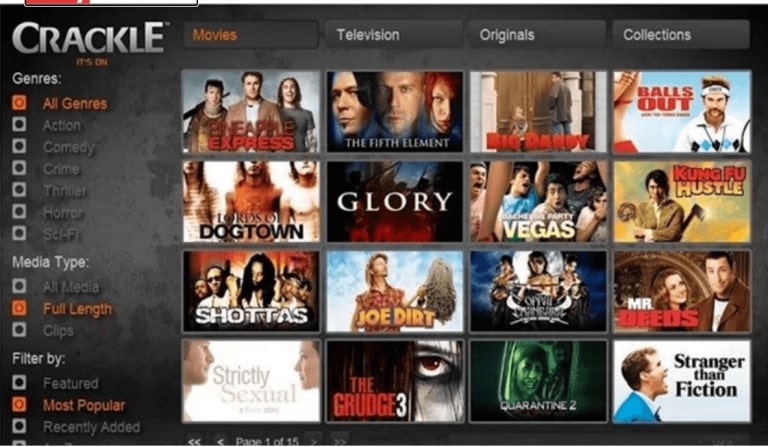
Next in our list of best free movie download websites in 2026 is Sony Crackle. It is a popular name in the industry and is known for offering highly legitimate content. It provides licensed content from giant movie platforms like Warren Bros, Fox Digital and Universal Studios. 

It comes with an easy to use and clean interface, which means you can navigate easily. It offers a massive range of online movies and TV series for free, which one might not find on other competitor sites.

Read More: Best IPTV Players For Windows PC

Sony Crackle is most prevalent in South and North America but is also blocked in some countries due to security reasons.

In addition to a desktop website, you can also find its app that works pretty well on iOS and Android platforms which makes it a great pick if you are looking for a free movie download site for mobile. 


3. Pluto TV

The overall layout of Pluto TV is similar to that of a TV screen. Pluto TV comes with an extensive movie index along with other TV channels. You can download any movie at the ease of your convenient time, availability of resources, and place.  From News channels to sports and from tech series to lifestyle sections you get everything at this incredible movie downloading site.

Although it comes with a well-elaborated movie index, there are some movies and TV series that you can watch only if you are in the US. But if you still wish to see the restricted sections, you can use a VPN service. 


4. Hotstar 

Netflix and Amazon prime videos are the best sources of movie streaming, especially when we talk about the Indian audience. These paid options are widely used across masses and ages. However, if you are looking for a free HD movie direct download, then Hotstar can be an excellent option to consider. 

Hotstar has a separate section dedicated to popular Hindi movies like Raid, Bodyguard and many more. The list is endless. 

Moreover, it comes with easy navigation tools that mean you can search for your favorite movie in no time. 

All-in-all Hotstar is a well-organized movie streaming website that offers movies, TV series and news for free. More than being a great platform for online movie streaming it is also popular as a powerful sports streaming site. 


5. The Internet Archive 

The Internet Archive keeps reflecting at the top of Google’s search menus. It is one of the best movie and music download sites and  is highly popular for its extensive directory. It is like a goldmine for movie lovers and binge-watchers. The availability of vast content brings it in the list of best website for movie downloads.

Its list of movies includes some of the most famous names like Iron Man, Jungle Book, The Brother from Another Planet and many more. Initially, it used to provide direct movie links which often resulted in downloading errors. But with the help of Torrent links, the issue has been taken care of and now you can enjoy hassle-free movie downloading. 

It comes with a massive movie catalog that keeps getting updated regularly. Apart from movies you also get TV series and short movie clips.


6. PopcornFlix

Read More: Best Free Movie Apps For Android Smartphones

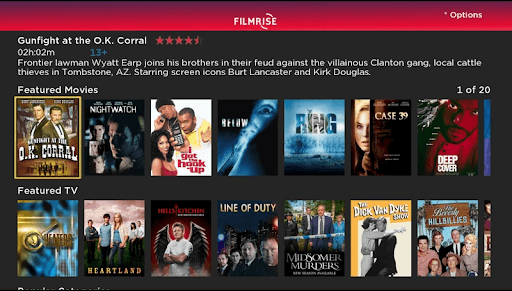
Owned by Screen Media Ventures, PopcornFlix is known to offer free and legitimate movie content. You can use this free movie download websites to binge-watch your favorite movie, TV series, and online shows. 

It comes with an extensive library hosting movies in various categories, which includes drama, thriller, horror, comedy, and many more.


7.  Open Culture 

This popular and best free movie download site houses a lot of free movies and TV series along with free online courses. It has been in the market for quite some time now and is divided into 6 main sections, namely, Online courses, Movies, Textbooks, Language lessons, E-books, and Audiobooks.

Among the list of free movie download sites for PC and mobiles its movie sections host around 1150+ movies from all popular genres and categories which also includes a few Oscar-winning names. Visit Open Culture  official website.


8. MoviesFoundOnline 

MoviesFoundOnline comes with a well-curated list of online movies and TV shows. With this top free movie download website, you can see not only popular and trending videos but also access all-time classics, comedy, and short documentary films. 

MoviesFoundOnline only hosts movies from other popular websites which can result in copyright infringement. As a corrective measure, it does not hesitate to delete and to remove specific content from its site, which ensures complete security and authenticity.


9. Vimeo

Vimeo is the best choice for movie lovers as it is one of the best site to download movies. Its incredible range of movies and TV series makes it the best choice for people who want to see free online movies and documentaries. Along with the general category, it also hosts short films and video clips. 

Read More: Best Free Firestick Apps to Stream Movies, Sports, Live TV

The most beautiful part of this popular and best Free Movie Download Website is that it also comes with an On-Demand section where you can add your request and pay to watch your most loved films and TV shows.


10. Hulu

Next on our list of free movie download sites is Hulu. Although it is a subscription-based movie website, it also offers a free account to its viewers, limited content being its only drawback. It is also the best free movie App for Android and iOS platforms.

It is one of the best movie sites in 2026 and allows you to watch over 100 movies without shelling even a single penny from your pocket. If you are located in a country where Hulu is not available, you can easily assess it using a VPN connection.


11. Netflix

Are you still looking for thetop and free movie website, well look no further. Netflix does not need any introduction and is highly popular across the globe. First founded in 1197 it is a free movie download site and offers a free trial period of one month to its users. 

Read More: Best Netflix VPN: Watch Unlimited Movies & TV Shows

As per the figures published by Wikipedia Netflix saw around 148 million subscribers. You can use it to download both Hollywood and Bollywood movies. Apart from this, it is also known for its bottomless ocean of TV shows, movies and web series. 

Enjoy free HD movies direct download with this power-packed online movie website.


12. Kanopy

The next one on the list of best movies download sites is Kanopy. It is a great pick if you are looking for a free movie download option in 2026. It is completely free of cost and does not show any commercials. It works by partnering with your universities and libraries and you can easily access it by logging into your membership account.

Its diverse content catalog is updated on a regular basis which makes it a perfect place to find free downloadable movies. Go ahead and try this best free movie website.


13. IMDb TV

One more addition to this list of the best movie download sites in 2024 – IMDb TV. However, the website is redubbed as IMDb Freedive TV. As you all know that IMDb TV is acquired by Amazon, so, all the Fire TV proprietors can use this service at no cost, but only in the United States. Because, as of now, this service is available in the US territories only.

The starting accumulation of TV shows and movies is pretty much interesting and acquirers promised to add on more amusing content in course of time goes on. To streaming the movies on IMDb Freedive the users can also be able to access Alexa. All that users require to do is – just say “Alexa, go to Freedive”. It is one of the top-rated free, ad-supporting online streaming platforms where you can watch all TV shows, evergreen Hollywood shows, the latest trending hits, and many more. Groove your days via streaming on IMDb TV.


14. Yidio

Want to carry a TV with yourself on which you can watch anything? If yes, then here we’ve brought up the Yidio, a unique website that lets you watch everything including TV shows, hit web series, Hollywood hits, and many more. Quite possibly, you might not have heard about it earlier. If is it so?

Then, no need to worry, now right from here clear every bit of clouds on this. You might have no idea that the complete name of this website is Your Internet Video. The lobby of Yidio includes more than 1 million content from every stream. If you want to stream the shows later, then you need to fulfill the sign-in formalities. And then, you can add the shows and movies in the watchlist section for later viewing.

That’s how you can keep your watching library organized. As for the free section, there are filters available at the top where you can categorize content at a single spot. The best part is anyone can access Yidio from anywhere at any time.

Read More: 7 Best Ways to Download Embedded Videos For Free


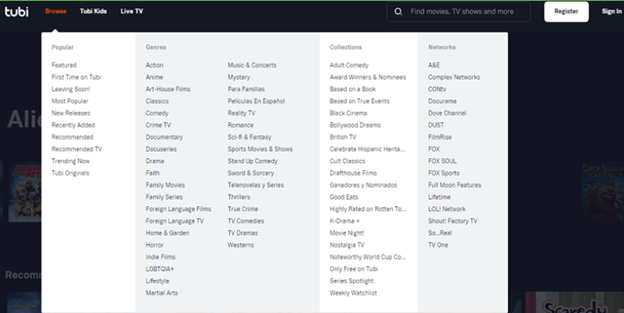
15. TubiTV

TubiTV is one of the best free movie downloads sites and also the favorite website of most movie lovers. TubiTV allows the user to watch and download movies for free. There is no need for registration on this website in order to access any content that is available here. You can easily access, load and view list of movies to download for free without any hassles of logging in or signing up. 

TubiTV displays some ads while a user is streaming any movie or a TV show on this website, one can easily block all these ads just by enabling the Ad-Blocker on the browser. After this, you can enjoy any movie on this website without any disruption in the middle.


16. Roku Channel

Roku Channel was only offering TV shows on its website earlier, but now users can also stream and download movies for free on this website. Roku Channel has an option of both paid and free download on its website. When you are done with the free content, you can go for the paid ones.

Roku Channel has a huge collection of movies and TV shows of different kinds. This is the best thing for all movie lovers they get a variety of movies and TV shows on a single platform. The content of this website is updated on a regular basis and the website is completely legal to use.


17. Amazon Prime

Amazon Prime Videos is the most popular platform for streaming trending Movies and Web Series. This platform is developed and designed by Amazon Mobile LLC, which is one of the leading companies in this industry. All the content of this platform is of very high quality in terms of audio and video both.

Amazon Prime allows its users to access all the content available on the platform for free, this is only for a period of one month. If the user wants to access the content further then he/she has to get a subscription of Amazon Prime.

Read More: 5 Best Kodi Add-Ons for Movies


18. iFlix

iFlix is another best free movie download website for streaming and downloading movies and TV shows of all kinds. Users can find both free and paid content on this platform, at the beginning one can enjoy the free content available on the website and if the user wants to upgrade then that option is also available for the users.

The interface of iFlix is very easy to understand and it also helps the user in deciding which movie to choose. Users can sort the movies on different parameters and select the best one.


19. Vudu

Moving down in the list of best websites to watch and download movies for free we have Vudu. It provides services of renting and purchasing movies online. This amazing platform is owned and operated by Walmart. An American-based company with a chain of retail stores. For streaming the movies on this platform users are not required to register themselves and they can enjoy movies and TV shows without signing in.

Vudu gives an option of purchasing the movies or watching the movie for free online with ads. If the user wants to enjoy the latest movies without spending a single penny then the second option is best.


20. Watch TCM

Watch TCM (Turner Classic Movies) is a platform that offers the highest number of free movies to download, TV shows, and documentaries for free to users. With the help of this programme, you get access to all the video content available on this platform. You can also connect it with your TV cable network or a D2H (satellite subscription).

TCM can be easily used on platforms such as Android, iOS, Apple TV, and many others. As this program can be used on all the major platforms, it is always on the top priority list of many users.


21. ClassicCinemaOnline

The next best free movie download site on our list is Classic Cinema Online, users can feature thousands of movies, TV shows, and documentaries on this website. All the content that is available on this platform is free to use. Users can easily watch and download all the content available on Classic Cinema Online.

Classic Cinema Online offers a variety of movies based on Music, Sci-Fi, Comedy, Action, Drama, Family, and all the other types. The website saves the names of the movies in the history section. It is beneficial when you want to see the movie once again or for referring your friends.

Read More: 14 Best Free Firestick Apps to Stream Movies, Sports, Live TV 


22. Public Domain Torrents

As the name suggests Public Domain Torrents is the safest for downloading torrent files. Most of the time when a user downloads a thing from a torrent, there are high chances of getting viruses on the device that is used for this purpose.

All the content on the Public Domain Torrents website is safe to use and free from viruses. Public Domain Torrents hosts thousands of movies and Public Domain on its website, users can choose any of them according to their preferences and requirement.


23. AZMovie.net

AZmovie.net give access to download all the newly released movies and TV shows to the user free of cost. The quality that is offered here is always the best, whether we see the audio quality or the video quality both of them are the best. The film download site offers movies and TV shows which are available here and do not require any charges, all the things are available for free.

The best part of this website is that users are not required to register in order to watch movies or TV shows. No personal information is required to be shared here for accessing the content.


24. YIFY Movies

YIFY movies or commonly known as the YTS movies website is very popular among users. The actual purpose of this website is to download and stream movies online freely. The name of this website is derived from the name of its creator,” Yiftach Swery.“

Users can find HD video quality movies in limited file sizes, this is the best part of this website. This feature has also helped the website in gaining a large number of users in a very short period of time. YIFY movies offer a wide range of movies and TV shows on its platform.


25. Antmovies

Not everyone is aware of this gem, but Antmovies is certainly one of the best free movie download sites for mobile users out there. It is a relatively new site compared to other similar ones that offer free access to watch movies and TV shows online. From Hollywood and Bollywood to Tollywood, Antmovies offers a massive collection of international content to choose from. The reason why Antmovies is currently acknowledged as one of the best sites to download movies is that it hosts a large variety of movies spread across multiple popular genres like drama, adventure, action, horror, romance, thriller, and many more.


26. MydownloadTube

MydownloadTube is another great option to download new movies for free. The website contains a huge library of popular movies in full HD which makes it a perfect destination for people who do not prefer watching movies in a theater. Besides providing quick access to hundreds of HD movies with free download links, the site offers a large selection of popular PC games such as Call of Duty: Black Ops, Battlefield 4, FIFA 14, Grand Theft Auto V, and many others. Its only drawback is the availability of a large number of intrusive pop-up adverts that cause unwanted redirects to third-party sites.


27. PublicDomainMovies

The next on our list of websites to download movies for free is PublicDomainMovies.net. This website contains all of the legally downloadable movies with a public domain. The interface of the website is quite easy to use and allows you to download as many movies as you want. Generally, the movies on the website are quite old, but some of these movies are a masterpiece. The website allows you to stream the movie online or download it as required. Moreover, the website is simple to use for everyone, whether it is a professional or a beginner.


28. 1337X

1337x is a popular Torrent website that was first released in 2007. The website offers a number of links and files that can be used to share files peer to peer. Find out the most mainstream movies, anime, TV shows, music, games, and other important software.
It offers lightning-speed of download. Also, the relevant torrent information is shared with the users making the platform secure. It has the following official mirrors: 1337x.to, 1337x.gd, 1337xx.to, and 1337x.tw.


29. Toxicwap

Nextly, we have Toxicwap on our list of the best sites to download free movies. Here, you get a plethora of HD movies and TV shows belonging to various genres, such as action, adventure, anime, drama, and a lot more.

Moreover, the website boasts easy navigation and seamless movie/TV show downloads. All in all, we can say that it definitely deserves a try.


30. Peacock

Another best site to watch and download movies online is Peacocktv.com. Although the platform is expanding worldwide it is available in the UK, Germany, Ireland, Switzerland, Italy, and Austria. Also, users present in the US can stream it. It offers a huge library of TV series, blockbusters, and Originals.

You can watch trending movies and originals through the platform without any extra cost. Also, the application for the same is available on Google Playstore to unveil the critically acclaimed TV series.

Also Read: Putlocker Alternatives to Watch Movies and Series Online Free


31. Hoichoi

The next one on our list is an open platform for Bengalis to stream Movies, Originals, and Shorts. Hoichoi adds content on their platform every month to keep the visitors entertained. Moreover, the platform is also a great choice if you are into Bengali music. It has popular albums whose music you can download or stream online without paying a single penny.

It has more than 500 Bengali movies that are available all across the World for streaming. Also, there’s so much more that is coming soon on the platform including Original Hoichoi movies, Documentaries, etc.


32. Jio cinema

The next best site to watch and download movies is JioCinema by RSL. i.e Reliance Storage Limited The entertainment on this platform is not just restricted to movies it also has all the trending TV shows, Jio shorts, movie trailers, Sports highlights, and matches. The OTT platform offers a highly optimized experience for streaming.

The movie library consists of thrillers, documentaries, dramas, comedy, animation, action, romance, history, and other subcategories to choose your favorite. The JioCinema web has multiple audio support.


33. SonyLiv

The next best site to watch and download movies online is SonyLiv. The platform is used to enjoy movies and TV series. With the Premium account, you can unlock additional features such as ad-free streaming, drama channels, movie downloads, etc. No matter if you are a Hollywood or Bollywood fan it has all that you need.

Apart from movies and TV shows, it has a decent amount of sports content. You can enjoy live matches and highlights on your laptop and phone. Moreover, you also get access to Sony BBC or other similar live channels.


34. Airtel Xtream

Airtel Xtream is a great platform to download or stream English, Hindi, Tamil, Kannada, Telugu, and Malayalam movies, TV series, or documentaries. The huge library of movies and more are updated at regular intervals to keep the users updated. It has content available for different genres including action, romance, comedy, and much more.


35. MegaShare

Nextly, let us take a look at MegaShare. With this free site to download and stream movies/TV shows online, you can get your favorite movies downloaded in HD quality. The process to download movies or shows with MegaShare is quite simple. All you have to do is click on the download link. After clicking on the download link, MegaShare takes you to a third-party website where you can get the needed shows/movies through the on-screen links.


36. Korean Film Archive

Yet another best free movie download site on our list is Korean Film Archive. It is also referred to as KOFA i.e Korean Federation of Film Archives. It offers a huge film collection segregated into different categories. It is one of the most reliable database for Korean films and an online streaming service for films.

The primary responsibilities of KOFA are to gather, catalog, and preserve motion pictures and associated media to promote access to its holdings. The majority of Korean cinema originals and copies are kept with KOFA.


37. Fawesome TV

The next one on our list of best website to download movies is Fawesome TV. FutureToday goup owns this website that offers ad-supported streaming services. The platform has over 10, 000 movies and content of more than 25 genres that include, family-oriented, kids, comedy, action, horror, health, thriller, and lifestyle content.

It is compatible with a list of devices that include Android TV, Windows, SonySmart TV, Amazon Fire TV, Apple TV, Mac, and other devices. Stream the content in HD quality i.e 1080p. The streaming site is available for Free and is 100% legal and safe to use.

It has many Oscar-winning movies, shows, classics, and other festival favorites to address everyone’s needs. Therefore, whether you are looking for family-oriented content or for your childer this movie download website is a go-to place.


38. Vumoo

Vumoo is another best movie download site that you can use to download your favorite movies for free. This site is exceptionally amazing and has an easy-to-navigate interface. All the movies are available in High Definition quality and hosted on fast streaming servers. That means, if in case, you have a 2 MBPS internet connection, then you can enjoy free movies without any buffering issues. However, this website shows ads that seem quite annoying.

The website comes with a built-in subtitles feature. In addition to this, you can also choose the subtitles of a particular movie according to your local preferences like Spanish, English, French, Italian, and so on. Overall, Vumoo is a great movie download service to try.

Also Read: Vumoo Alternatives to Stream and Download Movies


39. Soap2day

Looking for a free movie downloader? Then, we have an excellent choice for you. With Soap2day, you can watch the content that you want without spending a penny. This site offers really good streaming quality. But, if your internet connection is poor or slightly slow, then you might experience buffering issues.

On Soap2day, you will get movies, TV shows, series, documentaries, and almost everything from all genres. To be more specific, you get a wide variety of entertainment on this website. What’s more, there is no login required to watch your favorite content online or offline.


40. YTS.mx

YTS is the next best free movie download website that you can try. YTS is quite similar to YIYF as its the latter is the parent corporation of the former. On the website, you can search for any movie that you want to watch or download. After that, the YTS website will offer you torrent links in different resolutions for the movie you want.

As the torrent is downloaded, you need to take the help of a third-party torrent downloader or the torrent downloader that may be integrated into your browser (for example the Torch browser). Using the downloaded torrent document, you can either watch the movies directly on the third-party app or download them on your device.


41. Filmywap

If you are a Bollywood, Hollywood, or dubbed movie lover, then you should check out the website of Filmywap to download movies of your choice. The easy interface of the website allows you to download tons of content for free. Moreover, the website also offers the feature to select the content resolution and format of your choice for downloading.


42. Vegamovies

The next website on this list of the best free movie download sites of all time is Vegamovies. This is a free website that you can surf and download content from. The website allows you to download movies, TV, series, documentaries, and various other forms of content. Additionally, you also have the option to choose a higher or lower downloading format as per your requirements.


43. Plex TV

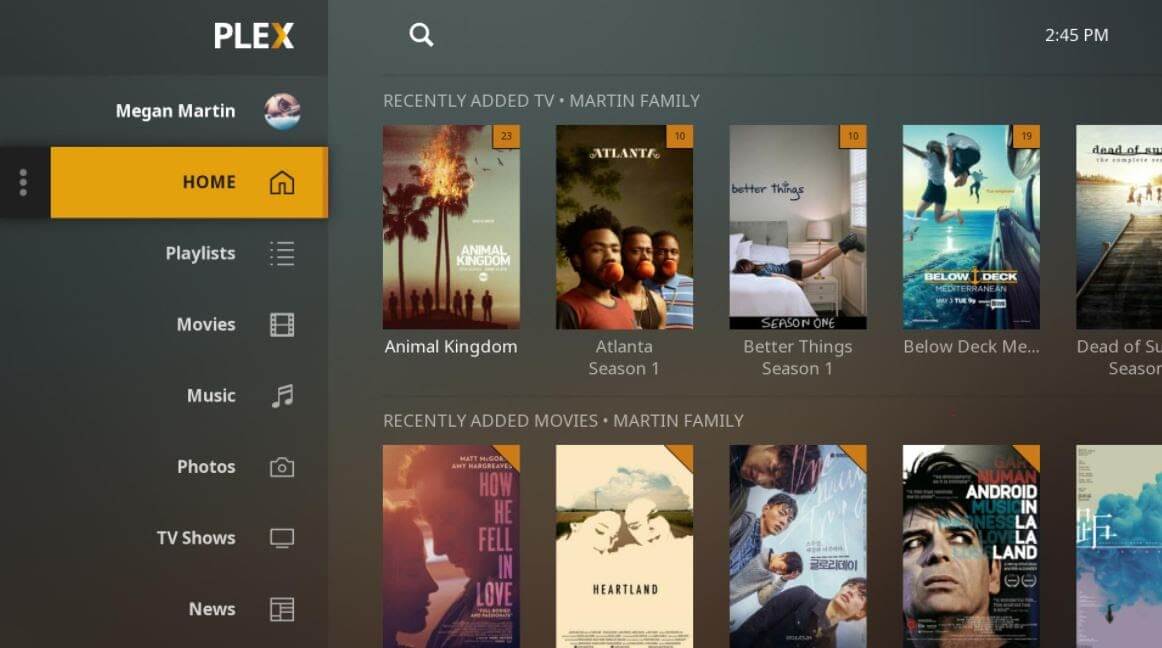
Plex TVis one of the easiest ways to find and watch any kind of entertainment you need at a place. If offers all the latest and your favorite streaming services in just one click, along with that it has the whole bunch of genre options for you to search with. Plex offers you all this streaming at no cost where you just need to simply login to your account and enjoy watching your favorite for free. And you can watch it on any of your devices like Amazon Fire TV, smartphones, tablets, Chromecast, Apple TV, and many more. And if we talk about the video and audio qualities, then plex offers you the best amongst all the other websites..


List of Best Movie Download Sites (Free & Legal) 2026

Don’t know what to do on a lazy weekend, pick a free movie website from the list mentioned below and enjoy your favorite movie with your favorite popcorn’s. We have listed the best latest movie download sites to make it easier for you to pick the one that fits in well with your needs.

Website Name Website Link Availability
Youtube https://www.youtube.com/ Limited/ USA
Sony Crackle  https://www.sonycrackle.com/ Limited
Pluto TV https://corporate.pluto.tv/thanks-for-watching/ Worldwide
Hotstar https://www.hotstar.com/in/movies India Free, USA Paid
The Internet Archive https://archive.org/details/feature_films Everywhere
PopcornFlix https://www.popcornflix.com/ USA
Open Culture  https://www.openculture.com/freemoviesonline Everywhere
MoviesFoundOnline http://moviesfoundonline.com/ Everywhere
Vimeo https://vimeo.com/ Everywhere
Hulu https://www.hulu.com/ Limited USA
Netflix  https://www.netflix.com/in/ Everywhere
Kanopy https://www.kanopy.com/ Everywhere
IMDb TV https://www.imdb.com/tv/ USA
Yidio https://www.yidio.com/ Everywhere
TubiTV https://tubitv.com/ U.S., Canada, Mexico, Australia and New Zealand
Roku Channel https://www.roku.com/en-gb/whats-on/the-roku-channel United Kingdon
Amazon Prime https://www.primevideo.com/ Austria, Australia, Belgium, Brazil, Canada, China, France, Germany, India, Italy, Japan, Luxembourg, Mexico, the Netherlands, Saudi Arabia, Singapore, Spain, Turkey, the UK, and the US.
iFlix https://www.iflix.com/ Malaysia, Indonesia, the Philippines and Vietnam
Vudu https://www.vudu.com/ US and Mexico
Watch TCM https://www.tcm.com/watchtcm Worldwide
ClassicCinemaOnline https://classiccinemaonline.com/ Worldwide
Public Domain Torrents https://www.publicdomaintorrents.info/ Worldwide
AZMovie.net https://www.azmovies.net/ Everywhere
YIFY movies https://yifymovies.xyz/ Worldwide

Antmovies

https://www.antmovies.ml/ Everywhere
MydownloadTube https://mydownloadtube.net/ Everywhere
PublicDomainMovies https://publicdomainmovie.net/ Everywhere
1337x https://www.13377x.tw/ Limited / USA
Toxicwap https://toxicwap.us/ Everywhere
Peacock https://www.peacocktv.com/ US, UK, Ireland, Germany, Austria, Switzerland, Italy
Hoichoi https://www.hoichoi.tv/ Everywhere
Jio Cinema https://www.jiocinema.com/ Everywhere
SonyLiv https://www.sonyliv.com/ Everywhere
Airtel Xtream https://www.airtelxstream.in/ Everywhere
MegaShare https://megashare-website.com/ Everywhere
Korean Film Archive https://eng.koreafilm.or.kr/ Everywhere
FawesomeTV https://fawesome.tv/ Everywhere
Vumoo https://vumoo.id/home Everywhere
Soap2day https://ww7.soap2dayhd.co/ Everywhere
YTS.mx http://YTS.mx Everywhere

Frequently Asked Questions 

Q1. Where Can I Download Movies For Free?

Online streaming websites offer an easy way to download and enjoy movies for absolutely free. Netflix is a great option, you can also use other streaming websites like Hotstar, Hulu that are completely free and legal to use.

Q2. How Can I Download Full Movies?

If you want to download movies for free, Free movie download sites are what you need. These websites not only provide a massive array of movies, TV shows, and services but are completely free for any legal issues. You can pick Sony Crackle, Netflix, Hulu, Pluto TV, to watch movies on various categories in a hassle-free environment.

Q3. Is VPN necessary to download movies free of cost?

The necessity of the VPN arises when you are accessing an illegal website, in course of hiding online activity. If you are sure that whatever website you are accessing is secure or legal, in that case, you don’t require the VPN to hide your online activity. So, the necessity of a VPN goes accordingly.

Q4. How to check whether the movie download website is legal or not?

However, there isn’t any specific verification process for identifying whether the website is legal or not. But, we assure you that the list provided by us is 100% validated. Moreover, the website that shows more VPN advertisements frequently and lots of advertisements related to earning money – are signs that a particular website is not legal. Sometimes, websites having no sort of restrictions are also considered illegal websites.

Q5. How to download movies for free?

Although there is no end to the number of sources through which we can easily watch and download movies online, we have listed the most reliable and best sources to download new movies for free. Refer to the above list to find the best sources for the best free movie download websites.

Q6. What is a Public Domain of the movie?

When a movie gets into the public domain, this means that the movie is no longer associated with one house. The creators and handlers of the movie have given up the copyright. Now, anyone can download, share and upload the movie as he/she wants legally. Doing this will not make him/her vulnerable to legal complexities.

Q7. Where can I download full movies for free without subscribing?

If you want to download full movies for free without subscribing, then there are various alternatives available. You can take the help of the PublicDomainMovies, Youtube, MydownloadTube, and other similar platforms listed above. All of these are easy to use and provide you with the movies securely.

Q8. Do I need a VPN for free movie download?

No, you do not need a VPN for free movie download. You can download the movie with your normal network as well. However, if you are using an unreliable third-party website for downloading, then it is recommended that you use a VPN tool for better security. This will allow you to keep your network private and the hackers and scammers can never track your IP address.

Q9. Which app is best for streaming movies?

If you want to stream movies then you can take the help of the best streaming apps like Cinema APK, Tubi, and BeeTV. You can download, install, and use these apps to stream the movies according to your watching preferences.

Q10. How to download movies from Sites?

There are plenty of movie download sites available online. You can easily browse and download not only movies but also reality shows, web series, and other video content. In the article above we have mentioned the most reliable best free movie download sites. All these options are legal and easy to use even for naive users.


Safe & Legal Movie Download Websites in 2026

Now, watch the latest trending movies and TV shows quite easily through the above-mentioned sites to download movies. The list mentioned above is not an extensive one, however, we have still tried to include the most popular and legitimate sites to view or download movies for free online. You can check these websites to find which one suits you the best and promises a high-quality movie experience.

If you think we have missed out on a popular movie website from the list of top free movie download sites, please give your comments and help us improve our list. Lastly, do subscribe to our Newsletter for getting every tech update instantly. Till Then, Happy Downloading!

Author

Prachi Dani

Prachi Dani is a technical content writer who specializes in areas of science and technology. She is highly up to date with technological transitions and transformations. Writing is not her passion but the only thing that carries satisfaction in life. If not writing, you may find her engrossed playing action games on her treasured smartphone.

View all posts

Related Posts
24 Best IPTV Players for Windows PC in 2024

25 Best IPTV Players for Windows PC in 2026

July 13, 2026
18

In this blog, we will discuss some of the best IPTV players for Windows 10, 11 which can bring any television channel of the world to your doorsteps. 

Till now, the primary source of watching television shows was broadcast channels supported by antennas, satellite dishes, and fiber optic cables. 

However, with the rapid growth of the Internet and the smart devices market, watching TV channels directly from a desktop PC has become a new trend. 

All thanks to the Internet Protocol television services, a.k.a IPTV. You can use an IPTV player to watch entertaining TV shows, video on demand, live TV channels, and lots more. Through the IPTV Players, you can boost up the ways of your entertainment. No matter where you are and from where you belong to, with the help of IPTV Player you can stream any sort of TV shows and movies quite effortlessly. What you need to do is just sign-up and login at once. Thereafter, watch your preferred movie or TV shows without any sort of hindrance. 

Before we move on to the list, let’s first understand what an IPTV player is, how it works, and why it’s important to get the best one for your desktop. Later on, you’ll get to know about the best Windows IPTV Player!

Update Video Card Driver to Enjoy Best IP TV Player Experience

What is IPTV Player?

Internet Protocol television (IPTV) is a service that provides support for multimedia streaming through Internet Protocol (IP) networks. Users can buy an IPTV subscription and watch all TV channels, live media and video on demand (VOD) services anytime over their desktop PCs, laptops as well as Android and iOS devices using an IPTV player.


How Does IPTV Work?

IPTV provides access to television channels and other digital content via IP based networks. It relies on a packet-switched network that covers both unicast (video on demand) and multicast (live TV) streams.


Why Do You Need An IPTV Player For Windows?

In today’s world of digital binge-watching, the traditional television formats, including broadcast/cable networks are on the verge of extinction. 

Nowadays, watching movies online and streaming live TV and sports directly from PCs, laptops and tablets has become a new normal. In light of this, a dedicated IPTV player comes extremely handy in playing various streaming protocols on Windows devices. 

Nordvpn1


24 Best IPTV Players For Windows 10, 8, 7

Turn your Windows PC into a live TV with best IPTV players. Choose the best-suited one from the complete list discussed below!

1. VLC Media Player

VLC-Media-Player

This widely acclaimed IPTV player does not need an introduction. It is an open-source multimedia player that can effortlessly manage all your local media and stream IPTV content, without compromising your security and privacy. It uses m3u files to stream IPTV and other multimedia content.

How to Use VLC Media Player?

All you need is the latest version of VLC and follow a few simple steps to stream IPTV into your VLC player.

  • Launch VLC Player.
  • Open Network Streams from the Media section.
  • Enter the URL of the IPTV network and press Enter. 
  • All your IPTV channels should now be visible in the left panel of VLC.

Read More: How to Update and Restore Sound Driver on Windows 10

Key Features of VLC Media Player:

  • It offers support for a number of streaming protocols, multimedia files and DVDs and CDs.
  • Built-in codecs – MKV, MP3, MPEG-2, WebM, etc.
  • Completely free from computer viruses, spyware and harmful ads
  • Highly compatible with Windows, Mac, Linux and mobile platforms.

VLC Media Player comes with a simple interface and is undoubtedly one of the most user-friendly IPTV players.


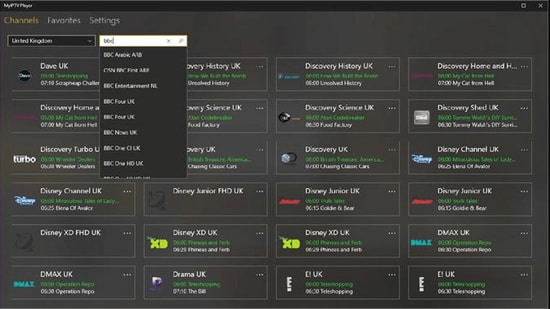
2. My lPTV Player

My-lPTV-Player

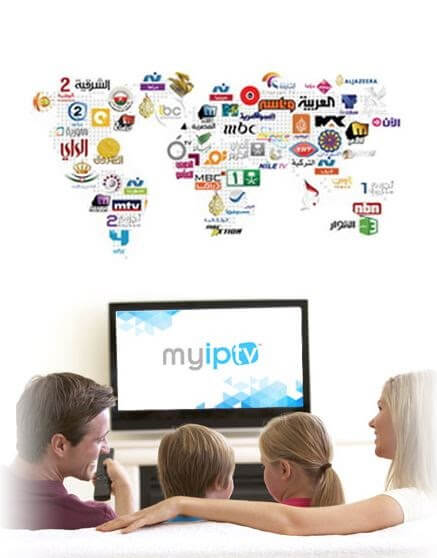
My IPTV is another powerful media player that comes with an electronic program guide (EPG) to help you watch the best IPTV channels on your Windows PC or laptop.

If you have an active IPTV subscription, you can use My IPTV app for listening to online radio channels and watching digital TV and video on demand (VOD).

How to Use My lPTV Player?

Follow the simple steps below to setup My IPTV app on your Windows:

  • Lunch My IPTV on your Windows computer or laptop.
  • Navigate to the ‘Settings’ menu.
  • Load your m3u playlist, select your preferred IPTV channel, and then click ‘OK’.

Key Features of MY IPTV:

  • The software supports multiple channels easily
  • By default, all channels are grouped based on their genre
  • You can easily protect your data with a PIN
  • The player has a simple process to follow for adding new channels

It comes with an easy to use interface and can seamlessly stream your m3u playlist from either local storage or any other remote location. If you want to give it a try, you can download the My IPTV app from Microsoft Store for free.

Read More: Best Duplicate Photo Finder & Cleaner Software


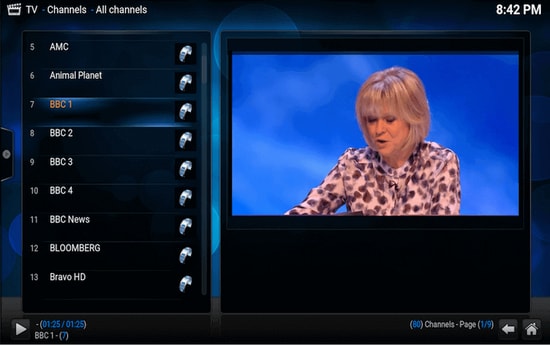
3. Kodi

Kodi

Kodi is another stunning application that not only lets you watch your local media content but also serves as a great alternative to IPTV player for Windows PC. You can use its media player to play your favorite digital channels directly from your desktop PC.

You can also install various third-party add-ons to stream live TV and watch videos on demand (VOD).

How to Use Kodi?

If you wish to use Kodi as an IPTV player for Windows 10, 11 follow the simple steps below:

  • Launch the Kodi application and select the ‘Settings’ option.
  • Install the PVR IPTV Simple Client add-on on your Kodi application.
  • Add the M3U playlist to the add-on for streaming IPTV.
  • Wait for the PVR IPTV Simple Client add-on to finish the process of importing channels.
  • Once done, select the channel you wish to watch and click the ‘Play’ or ‘OK’ button.

Key Features of Kodi:

  • The player has a simple and user-friendly interface
  • To watch any programs you can simply paste the URL in the software and it will show you all the results
  • It offers the best cross-compatibility features
  • The player is fully customized, you can change any part of the player easily

For a free software, Kodi media player definitely offers more than it should, taking into account its simple interface and excellent streaming capabilities.

Update Video Card Driver to Enjoy Best IP TV Player Experience


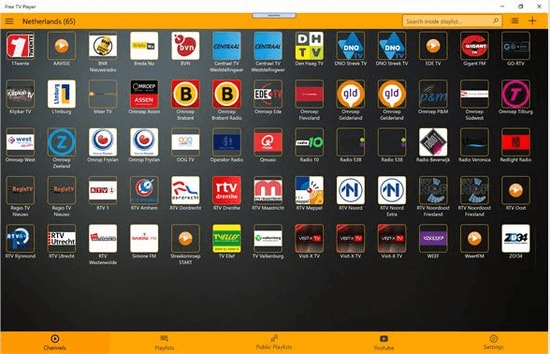
4. Free TV Player

Free-TV-Player

Free TV player offers easy access to all of your favorite TV shows, movies, channels, and Internet Radio, making it one of the best IPTV players for Windows. 

To enjoy live TV shows on your desktop or laptop, simply upload your M3U playlist and you are good to go.

How to Use Free TV Player?

Below are a few simple steps to set up Free TV Player and stream IPTV on desktop PC:

  • Launch the Free TV player app on your device
  • Enter the URL of M3U playlist provided by the IPTV service provider
  • Select your favorite channel and click on the play button

Key Features of Free TV Player:

  • It offers both free as well as paid plan
  • You get more than 40 channels on the free plan
  • Other than the default channels you can easily paste links and stream in no time
  • The player has a built-in list of shows to stream

This lightweight free IPTV player definitely deserves a try, if you want to watch a lot of exiting digital content and live TV programs in a hassle-free manner.


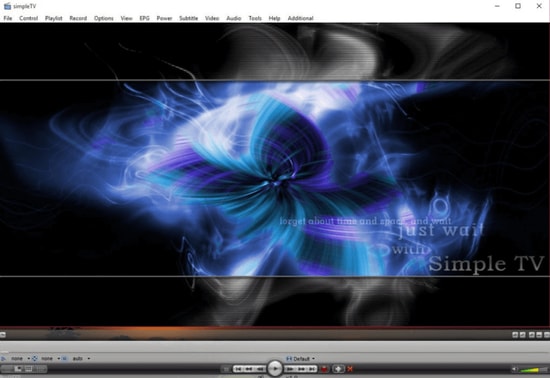
5. Simple TV

Simple-TV

Simple TV is one of the best and most used IPTV players for PC. It offers a convenient and free mechanism for viewing TV shows and other multimedia content right from your laptop or computer.

You can use this portable application to watch IPTV and listen to radio channels. It comes with an organized interface that supports easy browsing of IPTV channels. 

How to Use Simple TV?

You can use Simple TV as a free IPTV player for PC by following some easy instructions provided below.

  • Launch SimpleTV player on your Windows device.
  • Right-click ‘Playlist’ on the navigation bar and select the ‘load playlist’ option.
  • Next, choose the ‘load from m3u file’ option.
  • Once the M3U playlist is ready, you can play the IPTV channels of your choice by simply clicking on them.

Key Features of Simple TV:

  • Snapshot capabilities and crop features
  • Contrast, brightness, and volume adjustment functionality
  • It can download playlists created by other users
  • It can support LUA script and many more

6. ProgTV/ ProgDVB

ProgTV-ProgDVB

ProgTV is another well-known IPTV app for Windows used for streaming live TV channels and listening to radio on PCs.

It works on two independent interfaces and is known for its easy access to digital content and comfortable user experience. 

It can remotely control your Home Theatre PC and can also function well with a mouse. ProgTV supports IPTV channels, Internet TV and radio, Rodina TV, Sovok TV, DVB-S, DVB-S2, DVB-T2, and many other data sources.

How to Use ProgTV/ProgDVB?

Follow the steps given below to set up ProgDVB and ProgTV app as a IPTV player for Windows:

  • Choose the ‘TV Sources’ option from the main menu of the ProgTV application.
  • Select the ‘IPTV Client’ option and then input your M3U URL in the playlist box.
  • Next, choose the channel you wish to watch from the ‘Channel list’ in the main menu.

Key Features of ProgTV/ProgDVB:

  • Radio and TV channel recording
  • Network Broadcasting and Teletext
  • HD TV support
  • 10 Bands equalizer and a fast preview of Mosaic channels

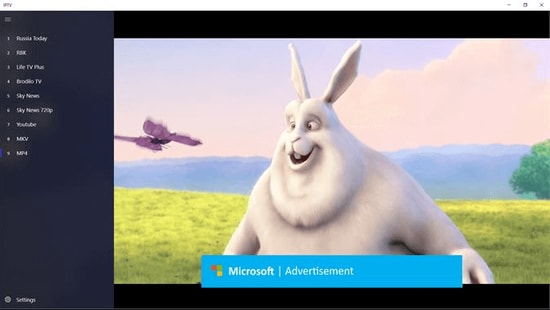
7. IPTV

IPTV

This is currently ranks among the best IPTV players for Windows PCs and laptops as it allows you to watch your favorite TV shows and digital channels via numerous live media sources for free.

However, the IPTV app doesn’t broadcast any of these media sources for streaming digital multimedia, it just offers you a platform where you can watch IPTV content.

Read More: Best Windows 10 Customization Software

How to Use IPTV?

Follow the simple steps below to stream IPTV on PC:

  • Launch the IPTV app on your Windows computer or laptop
  • Go to the Settings option 
  • Enter the URL (Provided by the IPTV service provider) to load your M3U playlist
  • Click on OK to stream your preferred channel

Key Features of IPTV:

  • It offers an easy user interface which is ideal for every user
  • To stream, you can easily add a playlist or EPG source
  • It has a feature to simply paste URL for searching
  • Huge list of channels to satisfy any user

Moreover, it comes with an elegant interface that aims to provide modern TV experience. Users can download this IPTV player for free from Microsoft Store.


8. GSE SMART IPTV

GSE-SMART-IPTV

This is one of the most popular IPTV solutions to watch digital channels and TV shows on your device. GSE SMART IPTV is primarily designed for mobile platforms such as iOS and Android devices, but if you wish to use it on your Windows 7/8/8.1/10 PC, you can do it by using an emulator.

For this IPTV application to work on your Windows device, you should install BlueStacks first. BlueStacks is a popular emulator that helps Android OS based applications to run on Windows and macOS devices.

How to Use GSE SMART IPTV?

Below are step-by-step instructions on how to use Smart IPTV player on Windows PC:

Read More: Best Bluestacks Alternatives You Must Try

  • Launch BlueStacks and then sign in with your Google credentials.
  • Download GSE SMART IPTV app from either Google Play Store or using the below link.
  • Install the application and open it.
  • Enter the URL and upload your M3U playlist.
  • Click on ‘OK’ and then watch any live IPTV channel as per your liking. 

Key Features of GSE SMART IPTV:

  • GSE SMART IPTV player for Windows comes in multiple beautiful themes.
  • It provides effective parental control options for managing kids’ activity and screen time.
  • It lets you add external subtitles for streaming IPTV content.

9. OttPlayer

OttPlayer 

Don’t have enough money to pay the monthly subscription of your television channels? We got you secured, here we present OttPlayer which is one of the best IPTV players for Windows 10, 11 PC. IPTV stands for Internet Protocol Television. By using OttPlayer you can watch your favorite TV channels and shows for free by using your pc and internet. OttPlayer allows its users to watch IPTV from your internet service provider or any other source on your phones, tablets, and set-top box or TV, and all this facility in a centralized control via the website. Enjoy IPTV Enjoy life.

How to Use OttPlayer?

Follow the steps below to setup OttPlayer and stream your favorite IPTV channels:

  1. First of all, you have to arrange a list of channels, which you can take from any of your convenient sources.
  2. You need to get an account from https://ottplayer.es
  3. Put registration info i.e. login and password
  4. Download the playlist to the website i.e. you downloaded previously, https://ottplayer.es
  5. Put the playlist on any compatible device
  6. Enjoy IPTV watching.

Key Features of OttPlayer:

  • OttPlayer supports various protocols like HLS, RTSP, TS by UDP RTMP
  • It also provides playlist support M3U8.
  • Provides easy management of channels through icons of respective channels.
  • Service to the users is absolutely free and with no ads.

Among all the best IPTV apps, this application is quite interesting and worthwhile. OttPlayer’s easy-to-use interface makes it is an ideal choice for millions of users across the world. 


10. Plex

Plex

Plex is the most stunning IPTV Players that you should definitely try to enjoy smart video streaming. Plex is highly capable of transcoding almost any sort of media file. Moreover, the user interface is quite easy and simple to use. Plex lets you stream your personal content as well including videos, music, movies, and so on.

How to Use Plex?

Here is how to access Plex as an IPTV player for PC.

  • Firstly, signup for a Plex account and then, install the Plex media server by running the setup file.
  • After this, launch Cigaras IPTV channel and then select Channels under the online content head category.
  • Thereafter, navigate to the IPTV addon and click on it, then click on Settings.
  • Now, paste the URL of your IPTV .m3u file, then click on the Save button.
  • Next, search for the channels available and add them to your Playlist and enjoy. 

Key Feature of Plex:

  • The player is compatible with multiple platforms
  • It offers great quality video output for every screen
  • You get more than 200 free movies and shows
  • Free version also has 100+ channels

11. MYIPTV

MYIPTV

Looking for the best IPTV players for Windows? Then, MyIPTV is the one that fits perfectly. You can use all of its supreme-quality features for absolutely free. With this, you can play live TV programs, and videos through m3u playlists quite effortlessly. Its user interface is extremely easy to understand.

How to Use MYIPTV?

Here are the steps that you need to follow to access it!

  • Head to the Settings.
  • Now, you need to add an all-new playlist and EPG source.
  • Now, add any URL or local list of channels.
  • Switch back to Settings.
  • After this, choose the channel playlist and click on the refresh option.

Key Features of MYIPTV:

  • The player lets you easily stream live TV programs and videos
  • It offers a very easy to operate interface which can be adopted by anyone
  • You can easily add a new playlist and EPG source from the settings tab
  • The player lets you easily record program for later access

12. Perfect Player Windows

Perfect Player Windows

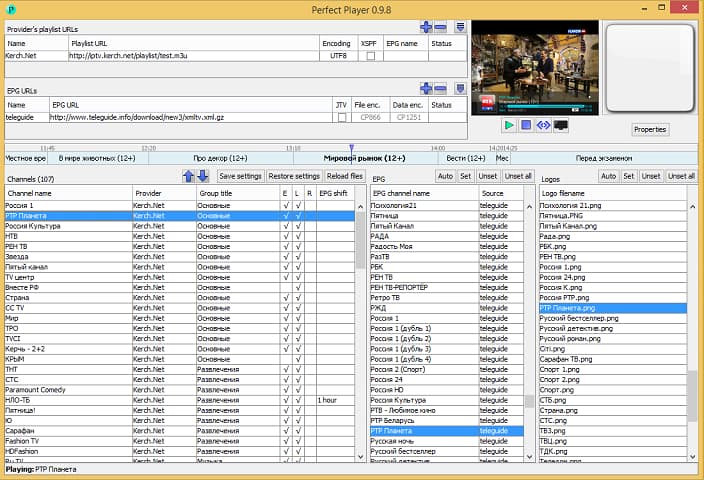
Perfect Player Windows is a free IPTV player that you can try. This player offers amazing digital content right to your PC without charging any money, which is why it is one of the best IPTV players for Windows 10, 11 and previous versions. This is an advanced program that comes with a semi-transparent OSD and a full-screen display option.

How to Use Perfect Player Windows?

Here are the instructions you need to perform to use Perfect Player as IPTV/Media player.

  • Launch the Perfect Player application on your Windows system.
  • Click on the ‘Add Playlist’ button, paste M3U URL, and then choose ‘OK’.
  • As soon as your playlist gets loaded, you can click on the channel name followed by ‘Play’ to begin streaming IPTV content.

Key Features of Perfect Player Windows:

  • You can easily set up the player and use it as per needs, it is a flexible player.
  • You can even enjoy a full-screen display for your favorite content without paying any charges.
  • The player supports multiple languages, which means every human from all around the globe can use this amazing player and stream their favorite content. The supported languages include English, Spanish, Russian, Greek, Portuguese, and many others.
  • The formats which are supported in the player are m3u, and XSPF for playlist and EPG along with the other two.

13. IPTV Smarters for PC

IPTV Smarters for PC

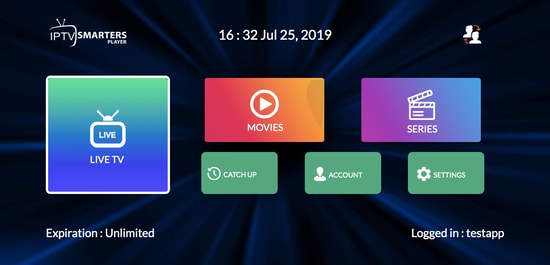
Earlier this player was not available for Windows users but now even Windows users can enjoy their favorite content with IPTV Smarter for PC players. This is one of the best IPTV apps for Windows 10, 11 and older versions.  You can easily stream and enjoy live TV, movies, series, and videos on demand.

How to Use IPTV Smarters for PC?

Below are detailed instructions on how to set up IPTV Smarters for PC.

  • Launch the IPTV Smarters Player application.
  • Select the ‘Load Your Playlist or File/URL’ option, fill out the details (e.g., playlist name, playlist type, and file/URL), and then click on the ‘Add User’ button.
  • Once the M3U content loading is complete, you can click on the ‘Live TV’ button to see the IPTV channel categories.

Key Features of IPTV Smarters for PC:

  • This program works on Xtream codes but still, it can be used in Windows versions including 32 and 64 bit.
  • Other than that you can easily use this program on mobile devices, and Smart TVs.
  • You can record the live programs and enjoy them whenever you want.
  • The best part about this IPTV player is that it supports all major video formats, so you won’t miss any of your favorite content.

14. TiviMate IPTV Player

TiviMate IPTV Player

Next up in the list of Windows IPTV players is TiviMate. The software is basically designed for Android devices. If you wish to use this software then you have to get an Android Emulator. You can use this software on Windows 7, 8, and 10 easily. This was just a short brief about the software.

How to Use TiviMate IPTV Player?

Check below to know more about the process to use the software.

  • Open the Playstore and download the software.
  • Click on the icon when the installation completes.
  • Now click on the icon and search for the name which you wish to watch

Key Features of TiviMate

  • The software offers a clean and simple interface that can be easily adapted
  • The user can add multiple playlists in the software to view
  • It can also schedule a TV guide
  • The user can add favorite channels to the home screen and access them

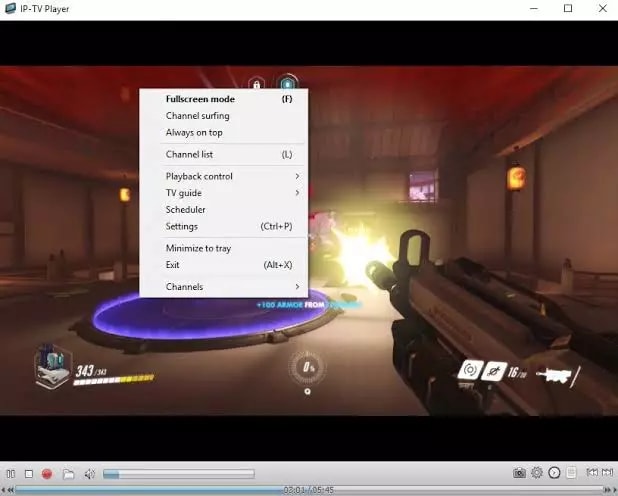
15. IP-TV Player

IP-TV Player

IP-TV Player is another great pick as it offers high-quality video output at very little data consumption. It is very rare to witness this among the other IPTV players in Windows. It truly is a versatile player which can easily support all types of media files.

How to Use IP-TV Player?

IP-TV Player is a very smooth and easy-to-use software, to demonstrate that we have listed the steps below.

  • Install the software from the official website
  • Open the software and tune to the list of M3U format list
  • You can view the channels list in the side panel
  • Tap on the channel to view

Key Features of IP-TV Player

  • The software has a simple and easy interface
  • All major file formats are compatible with this software
  • The user can easily record and take screenshots while viewing
  • The software even offers a feature using which user can control from a smartphone

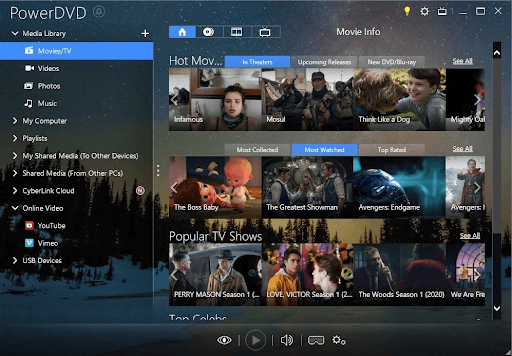
16. PowerDVD

PowerDVD

Next, ’s best IPTV players for Windows with PowerDVD. It is a great IPTV if you wish to access a huge content library. You can use PowerDVD to access local media files, play music, and perform many other tasks. Moreover, its compatibility with Dolby professional audio and rapid play technology sets it apart from similar software.

How to Use PowerDVD?

You can follow the three-step process shared below to use this software.

  • Firstly, install the PowerDVD Windows application.
  • After installing the app, select Media Library from the top left corner.
  • Now you can select the IPTV channels, movies, and shows to watch.

Key Features of PowerDVD

  • 4K and 8K resolution support
  • Supports HDR 10
  • Lets you watch 360-degree videos
  • Supports conversion of video files to MP4
  • In-built support for video casting on media streaming devices
  • Digitalization of media files
  • In-built video editing tools
  • Availability of 100GB of cloud storage

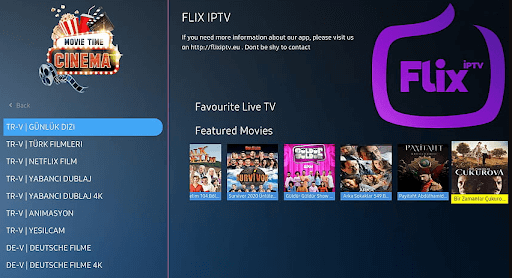
17. Flix IPTV

Flix IPTV

Next, best IPTV players for Windows with Flix IPTV. You can use Flix IPTV on iOS, Android, Mac, Windows, Android TV, and FireStick. Parental controls, M3U link support, a user-friendly interface, and the ability to change themes make this IPTV player a perfect choice for streaming IPTV content. It offers a 1-week free trial, thereafter you can buy the pro version at a one-time fee of about $7.99.

How to Use Flix IPTV?

Listed below are the following methods to download and use Flix IPTV on Windows PC:

  • Download the Flix IPTV APK on your PC.
  • Install the software and open it.
  • Enter the URL and upload your playlist.
  • Now, you can stream IPTV content.

Key Features of Flix IPTV:

  • Easy to use and versatile IPTV player.
  • Supports all screen resolutions of smartphones, sticks, PCs, and tablets.
  • Allows you to add channels and series/movies to Favorites.
  • Get to access features like a sleep timer, subtitles, video details, backward/forward video, and a lot more.

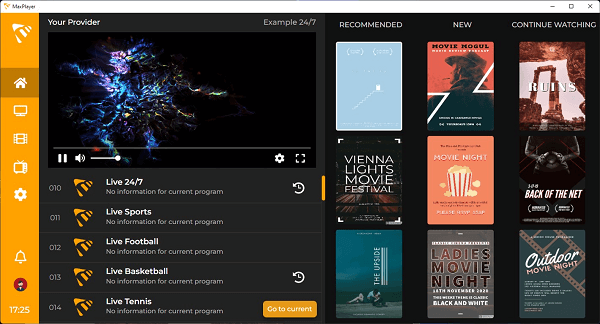
18. MaxPlayer

MaxPlayer

Next on this list of best IPTV players for Windows PC is MaxPlayer. It gives each member of the household the ability to customize their own preferences for their favorite programs, channels, movies, language settings, and viewing time for video on demand (VOD), with support for up to 5 sub-users and 5 devices. In addition, if your TV service provider records show for you, you will have the ability to instantly rewind those shows. If your Internet service provider provides video-on-demand (VOD) material, MaxPlayer can customize it to work with your device. They provide versions that are compatible with LG and Samsung TV, in addition to MacOS and Windows. You get a whole week to test out MaxPlayer without spending a dime.

How to Use MaxPlayer?

  • Visit the official website of MaxPlayer.
  • Create your account on MaxPlayer.
  • Once registered, you get a 7-day free trial.
  • After that, you can continue using the service with one of the provided plans.

Key Features of MaxPlayers:

  • All your information and data are secured and protected.
  • Supports multiple languages.
  • One account can be accessed on multiple devices and platforms.
  • Several customization options are available.

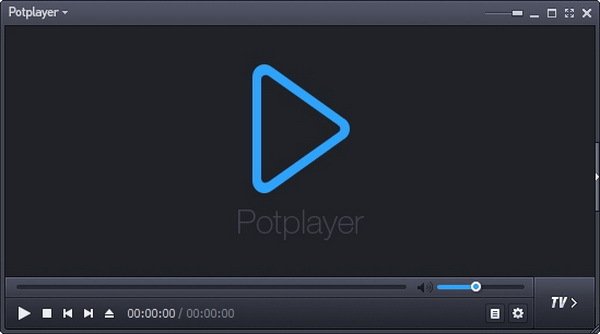
19. PotPlayer

potplayer

Lacking the funds necessary to pay the monthly fee for your membership to the various television channels? We’ve got you covered, and now we’re going to show you PotPlayer, which is one of the top IPTV players for Windows 10, 11, and other PC operating systems.

PotPlayer gives its customers the ability to watch Internet Protocol Television (IPTV) on their mobile devices, tablets, set-top boxes, and televisions, with all of this functionality being controlled centrally via the website. IPTV may come through your internet service provider or any other source. Enjoy some IPTV. Have fun with life.

The abbreviation “IPTV” refers to “Internet Protocol Television.” If you have PotPlayer installed on your computer, you can use it to watch all of your favorite TV stations and programs for free by simply connecting it to the internet.

How to Use PotPlayer?

  • Visit the official website of PotPlayer.
  • Download the PotPlayer.
  • Use the tool as you want with ease.

Key Features of PotPlayers:

  • The playback of the video is fluid and unbroken
  • When you have two sound cards available, choose which one to use.
  • You are able to mark your favorite scene or chapter for later viewing.
  • Take a look at the scene in advance with these photographs.

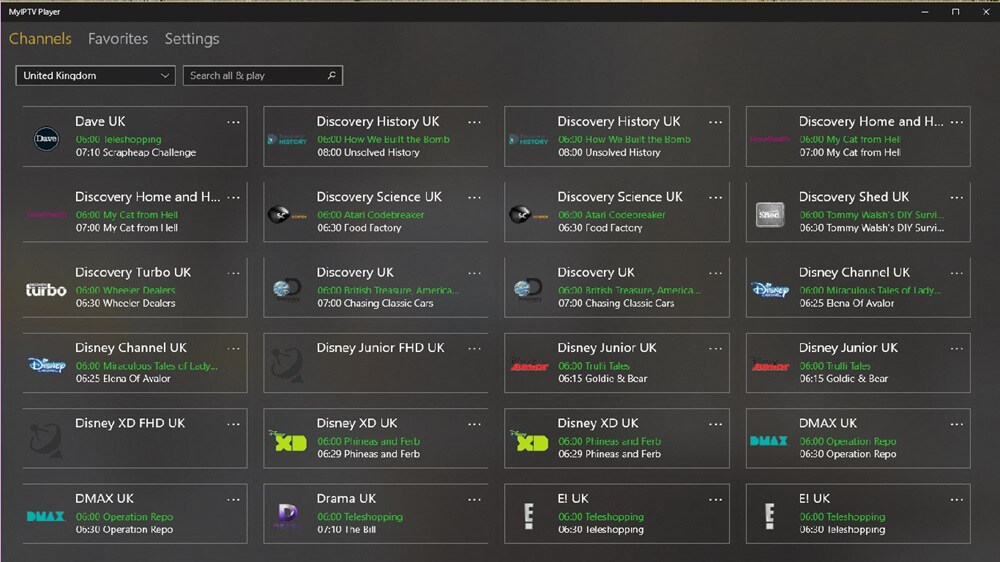
20. MyIPTV Player

MyIPTV Player

The next name on this list of the best IPTV players for Windows 11/10 devices is MyIPTV Player. MyIPTV Player is a free to use tool that has been downloaded and used by over thousands of users. The tool offers a variety of genres and content to watch. From movies, TV shows to so much beyond, you will find everything at MyIPTV Player.

How to Use MyIPTV Player?

  • Visit the product page of MyIPTV Player on Microsoft Store.
  • Download the MyIPTV Player.
  • Use the tool as you want with ease.

Key Features of PotPlayers:

  • There are a variety of channels to select from.
  • You can PIN protect the tool for additional security.
  • The tool comes with an integrated support for EPG.
  • You can even download and save content for later.

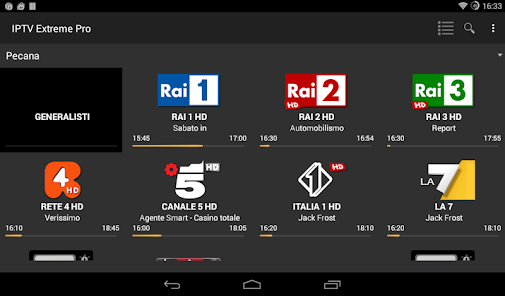
21. IPTV Extreme

IPTV Extreme

You are welcome to test out IPTV Extreme, one of the best free IPTV player tools for Windows. This player’s earlier versions since it delivers incredible digital material directly to your own computer without costing you any money. This is a sophisticated software that comes with an option to show the whole screen as well as opaque operating system display.

How to Use IPTV Extreme?

When you want to utilize IPTV Extreme as an IPTV/Media player, the procedures that you need to follow are as follows.

  • Make sure that the IPTV Extreme program is running on your Windows computer.
  • First, choose the “Add Playlist” button, then paste the M3U URL, and last, select the “OK” button.
  • After your playlist has finished loading, you can start streaming IPTV material by clicking on the channel name and then pressing the ‘Play’ button after that.

Key Features of IPTV Extreme Windows:

  • Russian, Greek, English, Spanish, Portuguese, & a great number of languages are among those that come with support.
  • The player is able to support the m3u & XSPF formats for playlists & EPGs respectively.
  • Additionally, you are not required to pay any fees in order to take use of a full-screen display for your preferred material.
  • Due to the fact that the player supports different languages, it is possible for every single human being from every single part of the world to utilize this incredible player and stream their preferred material.
  • You may simply configure the player and utilize it in accordance with your requirements; it is a versatile player.

22. MegaCubo IPTV Player

MegaCubo IPTV Player

Here’s another one of the best IPTV players for Windows 10 and other operating systems. This is a free alternative that you can try and watch on IPTV. Using this tool, you can easily use your smartphone on the TV.

How to Use MegaCubo?

  • You should first download the tool from the official website.
  • Install it and launch it on the system.
  • Connect the app to your device and use it as required.

Key Features of MegaCubo:

  • Supports a plethora of operating systems
  • You can PIN protect the tool for additional security.
  • Allows you to save any title and record.

23. KeroTV IPTV

KeroTV IPTV

KeroTV IPTV is another best IPTV player for Windows PCs that you can consider to experience seamless entertainment. KeroTV IPTV provides cutting-edge streaming services to deliver an enhanced viewing experience. Not only an IPTV service, but KeroTV can be your go-to destination for entertainment. It will redefine your overall viewing experience on TV of your favorite sports, movies, shows, and IPTV channels.

How To Use KeroTV IPTV:

  • Simply visit the official website of KeroTV IPTV.
  • Download & install the program on your device.
  • Choose an IPTV subscription plan according to your needs.
  • Select the IPTV movies, channels, shows, and more to watch.
  • Now, enjoy seamless entertainment.

Key Features of KeroTV IPTV:

  • Its optimized streaming technology guarantees uninterrupted access to your favorite content and channels.
  • It has powerful streaming servers ensuring you never have to deal with stuttering or buffering issues.
  • Compatible with all your devices – Android devices, iPhone, Mac, Apple TV, etc.
  • This IPTV player is well-known for its secure IPTV service. It keeps your complete viewing experience secure.

24. IPTV Stream Player

IPTV Stream Player

If the above best IPTV players didn’t work for you, then IPTV Stream Player might. This is a free IPTV player that allows you to play offline IPTV videos as well as stream online ones with ease.

How To Use IPTV Stream Player:

  • You first need to visit the official website of IPTV Stream Player to download.
  • Install the software and run it on your system.
  • Surf the library for online streaming and play freely.

Key Features of IPTV Stream Player:

  • The tool is available for Windows, iOS, macOS, Windows, Firesticks, and other devices.
  • IPTV Stream Player Is entirely Multi-DNS Supported for a better viewing experience.
  • The tool comes with integrated parental control services to help you keep the content in check.
  • You can download and use IPTV Stream Player for free but to get the most of its features, you need to get its subscription.

25. IPTV Blink Player

iptv blink player

With IPTV Blink Player, you can easily watch all kinds of content, like movies to live TV on a single platform. The most loved part of this tool is that you can easily create your favored listing of the content in a place. It is the most customizable and brandable product for all service providers.

How to Use IPTV Blink Player?

  • Launch the IPTV Blink Player in your system.
  • Complete the login process if you already have an account, or if you are a new user, then sign in and generate your ID and password.
  • And then you just need to enter the URL of the IPTV network and press Enter.
  • Once done, select the channel you wish to watch and click the ‘Play’ or ‘OK’ button.

Key Features of IPTV Blink Player:

  • This supports parental control, which blocks all the inappropriate content.
  • Supports dynamic language switching.
  • This tool offers you embedded subtitles.
  • Supports more than one language at a time.

Frequently Asked Questions (FAQs) about IPTV Players

Q1. Are IPTV Players Legal?

Yes, ITPV Players are 100% legal. They don’t offer any streaming services or host content of their own. ITPV Players just provides a platform to play multimedia files and streaming protocols.

Q2. Type of IPTV Services

  • Video on demand (VoD)
  • Live TV 
  • Start Over TV
  • Catch-Up TV 
  • Live Media Streaming

Q3. How to Access IPTV from PC?

To access IPTV from a PC, you need to download and install one of the above-listed IPTV Players on your PC.  You can download the above-listed IPTV Players from their official support website. Once you installed your most liked IPTV Players, thereafter, allow all the permissions they asked, to proceed further. Then, follow the wizard instructions and don’t change anything except the installation destination. Now run the installer, then start up the program and add the list of channels in your playlist. That’s how you can easily access  IPTV from your PC and stream your most liked TV shows and movies.

Q4. What are the Main Services Offered by IPTV?

IPTV or Internet Protocol Television is the platform using which users can enjoy television broadcasting on various devices including mobile and computers. It delivers using the traditional terrestrial, satellite, and cable television format.

Q5. Is There Any Alternative to IPTV?

Yes, there are many IPTV alternatives present in the market, some of them are:

  • 1332 Kodi
  • Splash
  • Super Internet TV
  • CoolStreaming
  • FreeTuxTV

Q6. Is an IPTV player available for free?

Yes, there are multiple Internet Protocol Television services that are available for free. We have mentioned some of the best ones in the article. Undoubtedly the best option for an IPTV player is VLC Media Player.

Q7. How to use IPTV Player?

Although the working of each IPTV player varies the general steps to be applied are as follows

  • Download and install any one of the above-mentioned IPTV player alternatives.
  • Launch it on your device and select the network streams option available under media.
  • Paste the URL of the network of your IPTV and press the enter key to run.
  • Now all the channels of IPTV will be visible on the screen of your IPTV player.

Q8. Is IPTV better with VPN?

IPTV can work without a VPN. But if you want to protect your data online from snoopers or ISP, or get access to restricted content in your geographical location, VPN will help you. Moreover, if you use a VPN with your IPTV it offers a reliable experience. As VPN improves the speed of your internet connection, it is followed by a better experience of IPTV.

Also Read: Best Free VPN For Windows


Which is the Best IPTV Player for Windows PC & Laptops?

So, this concludes our rundown of some of the best IPTV players for Windows 10, 8, 7 . There are several other options available as well, but the ones mentioned above are the best in terms of features and usability. 

And if you are looking for our opinion, then we would like to recommend OttPlayer. It is one of the best IPTV players that you can access to stream your preferred TV shows and movies. You can use OttPlayer for live shows and on-demand shows as well. That’s what we think about the best IPTV player, however, the final decision is completely yours. 

So, what are you waiting for? Download any of these free IPTV players now and turn your PC into an amazing entertainment gadget. Lastly, if there is something you think that we might have missed out to mention, then don’t feel hesitate in sharing your suggestions with us. We’ll feel amazed by hearing your suggestions and improve our list of best IPTV Players for Windows PC & Laptops. 

That’s all for the present moment, we’ll back again with yet another crispy tech story, till then, stay connected with us! Primarily, don’t forget to subscribe to our Newsletter to rule the tech world.  

Putlocker Alternative Sites To Stream Movies Free in 2024

21 Putlocker Alternatives in 2024 to Watch Movies and Series Online Free

May 17, 2024
22

Putlocker is no longer operational, but the websites like Putlocker are here to quench your thirst for the best entertainment.

Back in 2011, Putlocker took the world by storm with free media streaming. It allowed ardent binge-watchers to stream their favorite shows and television series without burning a hole in their pockets. However, various legal issues leading to Putlocker’s shutdown brought utter disappointment to many users across the globe. Some users found the best Putlocker alternatives for undisrupted entertainment, whereas several others are still looking for them.

Are you also one of those users searching for Putlocker alternative sites to get their free daily dose of entertainment? If yes, this article will be your favorite read for the day.

Through this write-up, we bring you the best sites similar to Putlocker (perhaps, even better than it), curated after diving deep into the world of streaming sites. Let us begin with them without further ado.

Use NordVPN for Unlimited Streaming of Geo-Restricted Content Worldwide (Recommended) 

Want to unblock geo-restricted streaming sites (Netflix, Amazon Prime, Disney+, etc.) to binge-watch your favorite shows online? Then, get NordVPN now and enjoy exploring the internet without any borders! This globally renowned virtual private network service provider not only lets you enjoy your favorite content away from home but also helps protect your data, encrypt internet connection, mask IP address, block annoying ads, etc.

What’s more? You can try the user-friendly NordVPN application on all major operating systems: Windows, macOS, Linux, Android, iOS, Android TV, Chrome, Firefox, and other platforms.

Windows Download Button

Top 21 Best Putlocker Alternatives in 2024 (Free)

Below is a list that shares the best new websites like Putlocker, which are just the perfect alternative to it.

1. 123Movies

123Movies

Let us now take a look at 123Movies. We have a lot to share and like about this one of the best Putlocker’s alternative sites, such as a user-friendly interface and an enormous collection of shows and movies.

Moreover, it neatly categorizes the movie and shows the catalog in sections based on criteria like date added, most viewed, and year of release. The cherry on top is that it also recommends movies and shows you can watch without registering on the website.

Visit Now


2. Tubi

TubiTV

To be honest, we think Tubi deserves the top spot on our list of the best Putlocker alternatives. It lets you watch your favorite shows and movies without even creating an account on the website. Moreover, it is a VPN-friendly streaming service compatible with VPNs (with split tunneling).

Furthermore, a gigantic collection of movies and shows is another factor justifying Tubi’s position as the best free alternative to Putlocker. You can click the link below to explore the world of anime, Indian films, action movies, documentaries, and much more.

Visit Now

Also Read: Best Free Movie Download Sites


3. Popcornflix

Popcornflix

It is now time to grab your popcorn bags and kill time binge-watching fascinating movies from a wide range of genres on Popcornflix. You can watch a wide variety of classic movies to the latest videos without even registering on Popcornflix, making it one of the best Putlocker alternatives in 2024.

Moreover, another thing we like about Popcornflix is its easy-to-navigate interface. It categorizes the content according to genre and year, making it easier to find your favorite movie.

Visit Now

Also Read: Best Free Music Download Sites (To Get 100% Legal mp3 Music)


4. Megashare

MegaShare

Are you looking for the best sites like Putlocker to watch movies and shows with subtitles? If yes, you can try Megashare. In addition to an extensive collection of subbed and non-subbed shows/movies, it is well-known for its most convenient and straightforward interface, making it easier for you to find the content you want to watch.

Furthermore, it also allows you to watch movies of varying quality depending on your internet speed. Hence, you can check Megashare through the following link.

Visit Now


5. Popcorn Time

Popcorn Time

After Megashare, we have Popcorn Time as the fifth-best Putlocker alternative site. It has a massive library of TV shows and movies to keep you occupied the whole day. In addition to watching movies or shows, you can also download them to watch later at your pace.

Moreover, the neat categorization of the catalog in categories like newly added, upcoming movies, etc., contributes to bringing Popcorn Time to the list of the best sites just like that of Putlocker.

Visit Now


6. SolarMovies

SolarMovies

SolarMovies is yet another Putlocker alternative to watching free movies and shows. It is best known for its massive and highly up-to-date collection of media content you can spend your time watching.

In addition to the huge catalog, what we liked about SolarMovies is its fast-to-stream and clean interface. Furthermore, its interface is highly responsive, making it one of the best websites like Putlocker. However, you can also check SolarMovies alternatives if you do not like this streaming service for any reason.

Visit Now 

Also Read: Best Free Sports Streaming Sites


7. Fmovies

FMovies

We have Fmovies at the seventh spot on our list of the best sites similar to Putlocker. The most likable thing about Fmovies is its modern and sleek interface. It makes navigation across various genres and categories a seamless process. Moreover, using the best VPN with Fmovies can further elevate your streaming experience.

Visit Now


8. Yesmovies

Yes Movies

Next, we have Yesmovies to take this post dedicated to the best Putlocker movies alternatives forward. Offering 9000+ documentaries, TV series, and free HD movies, Yesmovies is among the top places to satisfy your entertainment needs.

Moreover, this favorite website of binge-watchers categorizes the available collection of movies and shows in clean sections, such as country, genre, top IMDB, and TV Series for easy navigation.

Visit Now


9. GoMovies

GoMovies

GoMovies can be your go-to Putlocker alternative in 2024 for its clutter-free design with a highly useful lookup function, allowing you to find all your favorite shows and movies effortlessly. Moreover, you can sort the content based on filters like IMDB rating, most viewed, and trending. Furthermore, there is a nighttime mode that changes the design to a dark color so that you have a pleasing streaming experience at night.

Visit Now

Also Read: Best KissAnime Alternatives


10. Movie4u

Movie4u - Free Online Streaming Site

The tenth spot on the list of 2022 and 2024’s best new sites like Putlocker goes to Movie4u. It lets you watch movies and shows from various periods and genres. Moreover, the interface of this website is quite simple and easy to navigate. You can simply check the genre-wise/year-wise content list on the homepage or search for the movie you want to watch via the search bar option. Below is the link to access Movie4u.

Visit Now


11. Rainierland

Rainierland

Though not one of the cleanest streaming websites on this list, Rainierland is among the best Putlocker’s alternative sites in 2024. It offers top-notch content, both in excellence and quantity. Moreover, it features popular movies on the website so that you can catch up with them effortlessly.

On Rainierland, you can find a wide variety of the latest and most popular shows with additional information like the actor’s name. Furthermore, the website also lets you view movie trailers.

Visit Now


12. FilmRise

FilmRise

FilmRise emerged as 22’s best Pulockers alternatives and continues to be so in 2024. Here, you can find well-categorized movies and TV shows. Some top categories include new releases, classics, documentaries, reality, etc.

In addition to a neat and enormous collection of shows and movies, Film Rise offers an option to filter and sort the available content according to your needs for a seamless experience.

Visit Now 

Also Read: Best Flixtor Alternatives


13. AZMovies

AZMovies

AZMovies is yet another best free Putlocker alternative in 2024. Besides letting you watch shows and movies in excellent HD quality, AZMovies offers a substitute link for all videos.

Hence, if a link does not work, you can use the substitute link to watch a show or movie. Moreover, no need to create an account also contributes to the reasons we like AZMovies.

Visit Now


14. Los Movies

Los Movies

Let us now take a look at another wonderful alternative to Putlocker, i.e., Los Movies. It boasts a tremendous selection of movies and shows in genres like action, comedy, romance, and a lot more. Moreover, it has a decent collection of subbed and trending movies as well. Furthermore, you can search for your favorite content by date, rating, and other filters.

Visit Now


15. MoviesJoy

MoviesJoy

Let us conclude the best websites like Putlocker with MoviesJoy. It can be a perfect choice if you are looking for US content, it has an extensive selection of US content. Moreover, the content here is updated frequently, and you can search for your favorite names by entering the keywords in the bar on the homepage.

Visit Now


16. Watch Online Series- JustWatch

Watch Online Series- JustWatch

The next Putlocker alternative that you can try in 2024 to watch the series for free is Watch Online Series – JustWatch. The platform has a wide variety of titles from different genres and demographics. From the oldest titles to the most recent ones, you will get anything and everything you need on a single platform with JustWatch.

Visit Now


17. Crackle

Crackle

The next name on this list of the best Putlocker alternatives is Crackle. Crackle is an amazing website that offers access to different titles and digital content. On the website, you can easily use the Search feature to look for different titles. Moreover, this platform houses both TV shows and movies from multiple genres.

Visit Now


18. Reqzone

Reqzone

Here’s another one of the best Putlocker alternatives that you can try in 2024. Reqzone is quite similar to Putlocker in terms of both interface and services. Just like Putlocker, the website allows you to stream different titles and even download movies, shows, documentaries, and more. The website also allows you to select the streaming and downloading quality of the required title beforehand.

Visit Now


19. 5Movies

5Movies

The next name on this list of best Putlocker alternatives is 5Movies. It is a great site where you enjoy unlimited HD-quality TV shows and movies. This website is popular because of its minimal ad policy and intuitive design. That clearly means you won’t see any ad pop-up every time you click the mouse. This will also enhance your overall viewing experience.

Additionally, all the TV shows and movie titles are categorized depending on numerous factors like release date, genre, etc. And, this helps you quickly search for specific movies and TV shows. What’s more, 5Movies also provides an official mobile app for Android devices. So, if you don’t want to use it on your computer, you can simply download it on your Android mobile device and enjoy your movie. Overall, this website looks impressive and works smoothly.

Visit Now


20. DailyMotion

Dailymotion

DailyMotion is the next name on this list of the PutLocker alternatives. DailyMotion is one of the best websites and platforms to watch a number of movies, shows, and other forms of content. The content can be informational, entertainment-based, or otherwise. On the website, you can also find several blogs, news, and more.

Visit Now


21. StreamM4u

StreamM4u

StreamM4U is another name on this list of best Putlocker Alternatives in 2024. This website allows you to watch TV shows and movies online for free. You can effortlessly browse through different genres, and countries, or simply look for your favorite movie titles. StreamM4u provides high-quality streaming links from several sources, so you can have instant access to your favorite movies or TV shows, without any interruptions.

The website has a straightforward interface, however, users may be required to use different servers for the best streaming experience. The site also has a Most Popular section, featuring trending or latest movies, TV shows, etc. Overall, it’s a great platform with various streaming options.

Visit Now

Also Read: Best Free Vumoo Alternatives


Summing Up the Best Putlocker Alternatives

This article highlighted the best Putlockers alternative sites to watch free shows and movies. You can go through all these sites to find the content you like the most.

Moreover, if you feel some other Putlocker movies alternative should also feature on the above list or have any questions about this article, please write us a comment.

1 Comment
    Deepak says: Reply
    April 19th 2020, 11:34 am

    Thanks for the movie list

Leave a Reply Cancel reply

Your email address will not be published. Required fields are marked *

Sidebar Image bit G ad1

Latest Posts

  • Best DuckDuckGo Alternative to Use for Privacy 
    Best DuckDuckGo Alternative to Use for Privacy 
    by Niharika / November 2, 2026
  • How to Reset Network Settings in Windows 
    How to Reset Network Settings in Windows 
    by Gunjita Sompura / November 1, 2026
  • How to Turn on FaceTime Photos on Both Devices 
    How to Turn on FaceTime Photos on Both Devices 
    by Niharika / October 30, 2026
  • How to Appear Offline or Invisible on Steam 
    How to Appear Offline or Invisible on Steam 
    by Gunjita Sompura / October 29, 2026
  • How to Turn Off Video Paused Continue Watching YouTube
    How to Turn Off Video Paused Continue Watching YouTube
    by Gunjita Sompura / October 28, 2026

Categories

  • Cyber Security
  • Driver Updater
  • Entertainment
  • Fitness
  • Games
  • How To
  • laptop
  • OS
  • Reviews
  • Tech News
  • Tips & Tricks
  • Top 10
Sidebar Image bit G ad1
application unable to start correctly Solved: Application Unable to Start Correctly 0xc0000142 Errorby Gunjita Sompura / August 7, 2026
29 Best PC Optimizer Software For Windows 11 In 2026by Diksha Lalwani / August 10, 2026Best PC Optimizer Software For Windows 10, 8, 7 In 2024
TechPout Footer Logo

We at TechPout promise to put forth stories that help people to learn and simplify their digital life. Our purpose is to share the true essence of technology with our tech-loving community.

Useful Links

  • About Us
  • Contact us
  • Privacy Policy

Popular Posts

  • Best PC Optimizer Software
  • Best Mac Cleaner Apps
  • Best Driver Updater
  • Duplicate Photo Finder and Cleaner Software
  • Best Free Movie Download Sites
  • Best IPTV Players

Follow us

Copyright © 2026 www.techpout.com. All rights reserved
DMCA.com Protection Status