Main LogoLight Logo
  • Reviews
  • Top 10
  • How To
  • Tech News
  • OS
    • Windows
    • MAC
    • iOS
    • Android
  • Categories
    • Driver Updater
    • Cyber Security
    • Games
    • Fitness
    • Entertainment
    • Tips & Tricks
MAC Top 10
by Snigdha

9 Best Free VPN For Mac in 2024 (Protect Your Mac With Fast VPN)

February 5, 2024
1

Read the complete guide to find out the best free VPN for Mac in 2024 and browse without any risk of getting tracked by hackers or losing your crucial data.

Hackers are increasingly targeting Macs. One of the core attractions of Apple products is the Security of data offered by the developers. But lately, hackers have begun to target Mac users more frequently as the business has grown in popularity. Unfortunately, there are very few VPN Safari extensions available, especially free ones. Therefore, choosing the best VPN for Mac can be a tough choice. If you are also having trouble finding the best VPN for MacBook your search ends here. 

Entire data on your Mac, Mac Mini, or other Apple devices, is protected while using a VPN program, including all of your Safari activity. But before selecting the best free VPN for Mac make sure you have read the data retention policy of the VPN. To make it simpler for you we have summarized and compiled the best free VPN for MacBook that can be used in 2024. 

Table of Contents hide
List of Best Free VPN for Mac
1. PrivadoVPN – Best VPN for Mac
2. Nord VPN – Overall Good Mac VPN
3. Express VPN – Best Free VPN for Mac
4. Surf Shark – VPN for Mac
5. ProtonVPN – Top Mac VPN
6. Private Internet Access – Vpn for Mac
7. Windscribe – Best Free VPN for Mac
8. CyberGhost VPN– Best Free VPN for Macbook
9. Atlas VPN

List of Best Free VPN for Mac

Given below is a well-analyzed list of VPN for Mac. Read the features of each and then make the best choice that is suitable for your device. 

1. PrivadoVPN – Best VPN for Mac
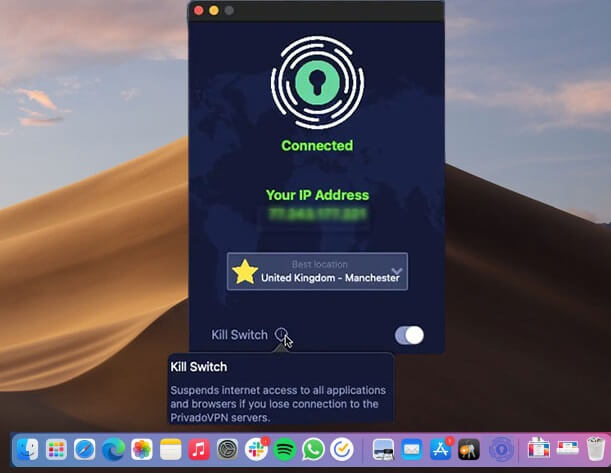
PrivadoVPN for mac

The first one on our list of best free VPN for Mac is PrivadoVPN. This popular free VPN also offers a paid version. Based in Switzerland the Virtual Private Network guarantees the utmost security and privacy. 

With the help of this VPN for Mac, you can browse websites that are not available in your geographical location. Moreover, all your data is safe without any exceptions. Just one click and connect to the server of any other country. Let’s know more about this Best VPN for Mac free below.

Key Features of PrivadoVPN

  • With over 330 servers and 40+ server locations, the VPN offers unlimited device support. 
  • Good internet speed when compared to other VPNs
  • Strict no data log policy to keep your data safe
  • Kill the switch feature to turn off the internet as soon as VPN is interrupted. 
  • User-friendly interface

Pros

  • No logs policy
  • Offers strong data security
  • Unblock Netflix & other video streaming platforms
  • Allows Torrenting
  • Simple and easy interface
  • Complete money-back guarantee
  • Cross-platform i.e compatible with Mac, Windows, iOS, and Android

Cons

  • Free version offers limited features

Mac Download Button

Also Read: Best VPNs For Torrenting And uTorrents


2. Nord VPN – Overall Good Mac VPN
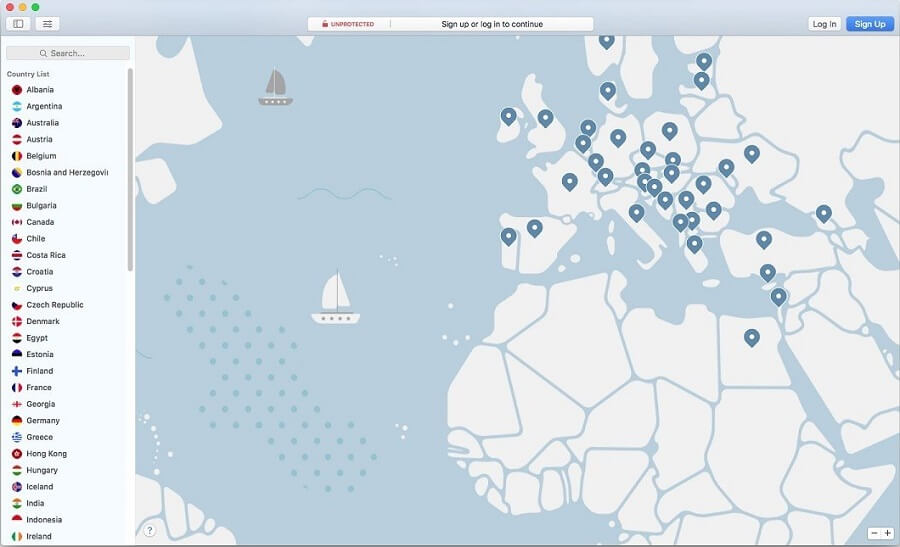
NordVPN for mac

Another one here in our list of best free VPN for Mac is NordVPN. The cross-platform VPN service has proven expertise in obtaining online privacy despite being very simple to use. Access Netflix anywhere using NordVPN and obtain its membership via cash and also through cryptocurrencies. 

With a military-grade encryption facility, this Mac free VPN can offer end-to-end security. No personal information is tracked, recorded, or stored by the Nord VPN.

All forms of information are transmitted using the 256-bit encryption provided by the Advanced Encryption Standard (AES). Your data remains protected by the automatic kill switch even if internet connectivity is suddenly lost. Let’s know more about this free VPN Mac OS

Key Features of NordVPN

  • One of the fastest VPNs for MacBook and Windows devices
  • No data tracking
  • Select from 5400+ servers located in over 60 countries. 
  • Split tunneling and Kill Switch feature
  • Dedicated IP with the ability to mask it. 
  • 24*7 customer support is available

Pros

  • Incredible download & upload speed
  • AES 256 encryption 
  • Simultaneous connection for up to 6 devices
  • Huge Server network
  • Around-the-clock assistance from the customer support team
  • Additional features such as Password Manager, NordLocker, etc with the Premium version.

Cons

  • Paid tool 

Mac Download Button


3. Express VPN – Best Free VPN for Mac
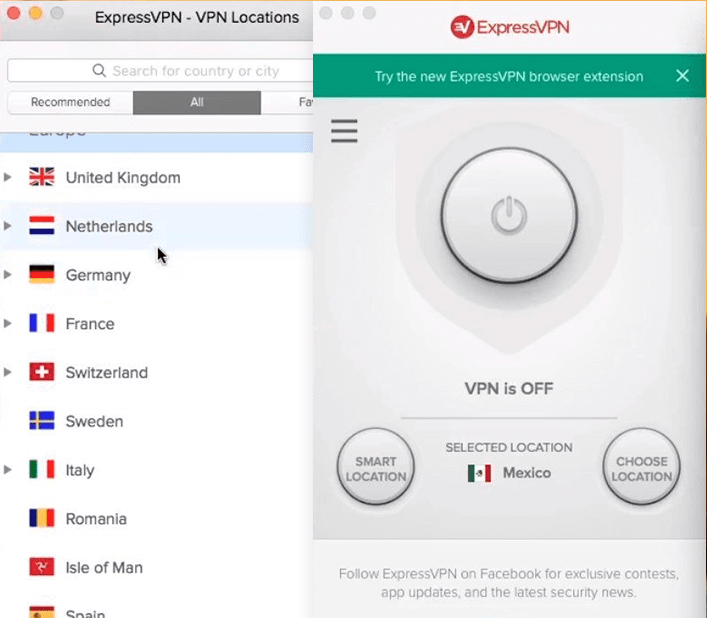
Express VPN for mac

Yet another best free VPN for Mac is ExpressVPN. Despite not being a completely free VPN for Mac, it is a fantastic option because of its user-friendly features and bilingual design. This program is compatible with desktop and mobile versions.

This is the best mac free VPN for getting over geographic restrictions and accessing any content with the best possible data encryption and total data security.

The ability to choose which apps need to access the VPN and which apps can be excluded from the list of choices because they don’t require VPN protection is provided by the split tunneling function.

This best free VPN for Macbook offers superior capabilities for all types of enterprises to safeguard their privacy and delivers a government-grade encryption facility. With a 30-day money-back guarantee and 24-hour technical support, this VPN for Mac is unquestionably the best.

Therefore, if you are looking for the best VPN for MacBook, ExpressVPN can be a great choice. Due to its extended features don’t mind spending an extra amount to switch to the Pro version. Let’s know more about this Best VPN for Mac free below. 

Key Features of Express VPN

  • High-level encryption of data with no logs policy
  • Easy-to-use interface with major platform support. 
  • 24/7 customer support and 30-day money back guarantee
  • Kill Switch, Split Tunneling, and DNS leak protection

Pros

  • Server network in more than 90 countries
  • User privacy maintained through the No logs policy
  • Highly secure Encryption 
  • Ensures anonymity of users
  • 24*7 support
  • Powerful and highly secure VPN

Cons

  • Paid subscription required for additional features 
  • Can’t work with Linux

Mac Download Button

Also Read: Best Free VPN for Spotify


4. Surf Shark – VPN for Mac
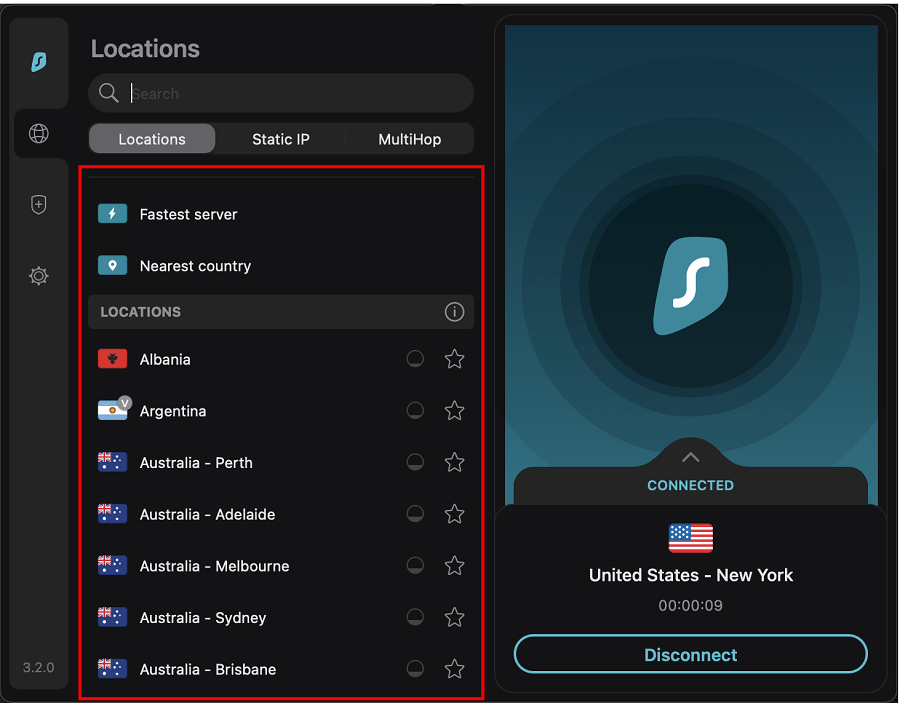
Surf Shark vpn for mac

This is yet another top-notch free VPN for Mac that offers limitless access. While using Surf Shark, even from your internet network provider, your identity is hidden when using the camouflage mode. All you need to do is download it to get started and access different browsing platforms.

In addition to this, the best free VPN for Mac can whitelist the trusted applications or web pages that will automatically be bypassed by the VPN. Your actions are not tracked by it. For complete security, each server has private DNS and IPV4 stack that prevents data leakage. Despite not being a free VPN for MacBook, Surf Shark VPN is very reasonably priced and has a lot to offer. Let’s know more about this free VPN Mac OS.

Key Features of Surf Shark: 

  • Offers high privacy and security to user data
  • Cross-platform support (Windows, Linux, Android, macOS, and iOS)
  • The speed of the VPN is extensively fast when compared to other VPN service providers. 
  • Smooth video streaming of even the blocked content in your geographical location
  • Nifty extraordinary features such as No border mode, CleanWeb, etc. 

Pros

  • Highly safe and secure to use
  • Simple interface
  • Support assistance around the clock
  • Unlimited server support
  • Almost all streaming platforms support

Cons

  • Only Paid version can unlock additional features
  • Free trial available only for Mac & Mobile applications

Mac Download Button


5. ProtonVPN – Top Mac VPN

ProtonVPN for mac

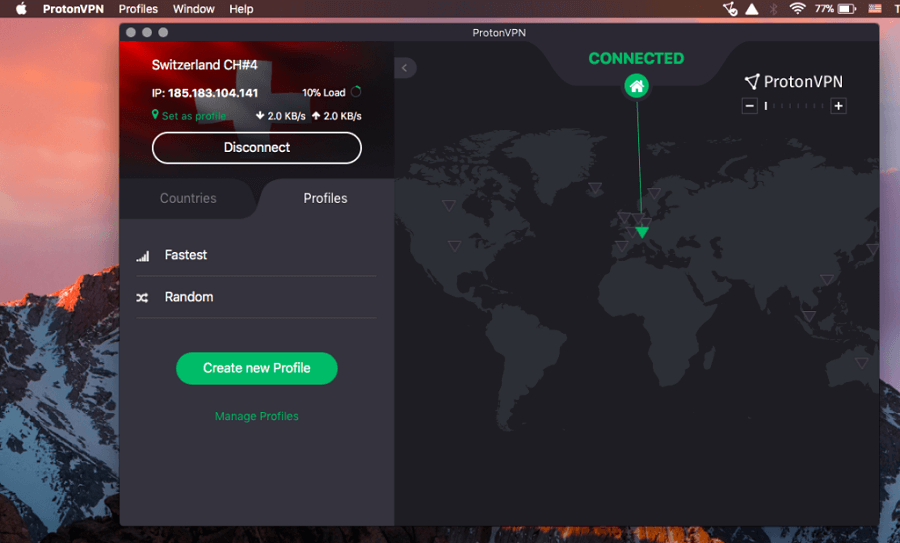
The next one here in our list of best free VPN for Mac is ProtonVPN. It is one of the strongest VPN for Mac. Proton VPN adheres to a no-logging policy. This VPN service provider doesn’t engage in any data retention practices keeping all your data safe from threats and leaks. ProtonMail features powered by a straightforward Interface and DNS leak prevention are some of its key features. Let’s know more about this Best VPN for Mac free below. 

Key Features of ProtonVPN: 

  • Three state kill switch to prevent data leak and Split tunneling
  • Custom profiles to select country, server, and protocol. 
  •  Supports P2P torrenting and downloading by using P2P capable servers
  • Port Forwarding firewall to block ports that are not in use. 
  • Tor over VPN 

Pros

  • Economical pricing with customizable plan options
  • Regular security audits
  • Multihop & Tor connection 
  • Can unblock Amazon Prime, Disney +, iPlayer, Netflix, and other similar browsing platforms. 

Cons

  • Performance issues
  • Restrictions on additional features and servers

Mac Download Button

Also Read: Best Free ChatGPT VPN


6. Private Internet Access – Vpn for Mac
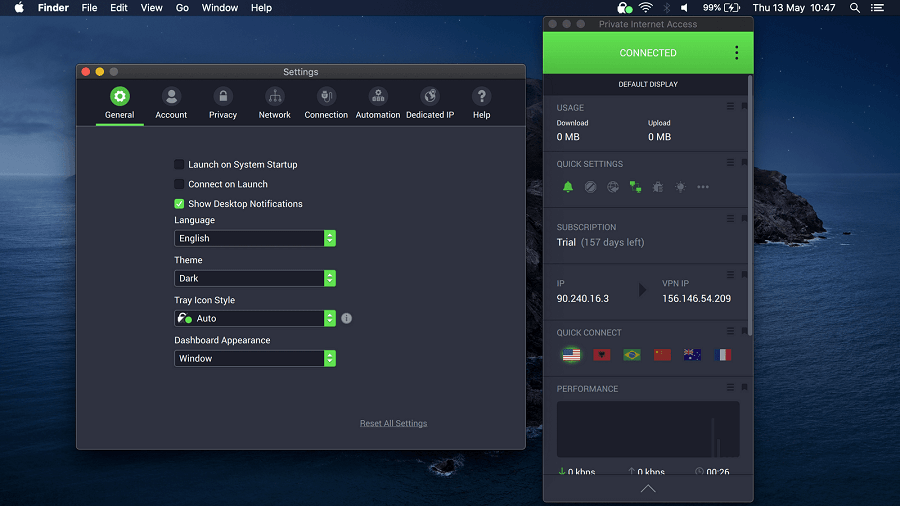
Private Internet Access for mac

Private Internet Access is yet another best free VPN for Mac 2024. It is one of the most trusted VPN with a strict no logs policy. In addition to this, it offers a variety of customizations for your privacy. The best free VPN for Macbook has unlimited device protection without any cost

PIA has a dedicated application for each browser, platform, and OS. To unlock the additional features of the VPN service switch to the Paid plan with a 30-day refund policy if the users are not satisfied. Let’s know more about this free VPN Mac OS. 

Key Features of Private Internet Access

  • It has a strict policy of No logs for your browsing history. 
  • In-built ad blocking to avoid malicious attacks
  • 100% open source VPN that makes it transparent and secure
  • Additional features such as torrenting support, split tunneling, kill switch, and more. 
  • Easy and quick configuration 

Pros

  • Cross Platform support: Windows, macOS, Android, and iOS
  • Lightning fast speed
  • 24*7 customer support
  • 100% open source and transparent
  • 30 day money back guarantee
  • Unlimited device support

Cons

  • Lack of International servers
  • Free version contains ads

Mac Download Button


7. Windscribe – Best Free VPN for Mac

Windscribe for mac

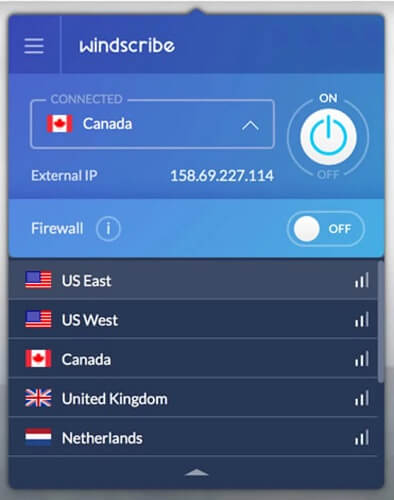
Windscribe, one of the top free VPN for Mac, offers 10 GB of data for use. For individuals who tweet about their app, an additional 5 GB is made available.

For increased security, they also have a firewall and an ad blocker for mac. This free VPN for Mac ensures users can experience great privacy by deleting all of their data within three minutes of logging out.

Your GPS location can be fooled using the Location Warp function. The Time Warp feature does the same thing, adjusting your timezone to that of the country you are connected to. Let’s know more about this Best VPN for Mac free below

Key Features of Windscribe: 

  • Large network spread across servers in 63+ countries. 
  • AES-256 encryption
  • Free version available for users tight on their budget
  • Static IP
  • Port forwarding to access internal resources safely
  • Split tunneling 

Pros

  • Easy to use
  • In-built ad blocker
  • Cross-platform support
  • Highly reliable VPN for MacBook

Cons

  • Consistency issue 
  • No technical support

Mac Download Button


8. CyberGhost VPN– Best Free VPN for Macbook

CyberGhost VPN

The last name on this list of the Best VPN for Mac free is CyberGhost VPN. If you want to use a professional VPN tool with utmost security and privacy, you can take the help of the CyberGhost VPN.

The tool offers unlimited bandwidth to you. Moreover, with the 256-bit AES Encryption feature of the tool, you get strong and unbreachable security. Let’s know more about the best free VPN for Macbook free below.

Key Features of CyberGhost VPN:

  • Strict anti-logging policies
  • Allows streaming and torrenting
  • Integrated Kill Switch
  • Customer Support 24/7
  • Over 100 countries and over 9000 servers

Pros

  • Cross-platform tool
  • Money-Back Guarantee
  • Automatic Wi-Fi Protection
  • Personalization features
  • Multiple plans

Cons

  • Confusing privacy norms
  • Better alternatives available
  • Limited and very short trial period

Mac Download Button


9. Atlas VPN

Atlas VPN

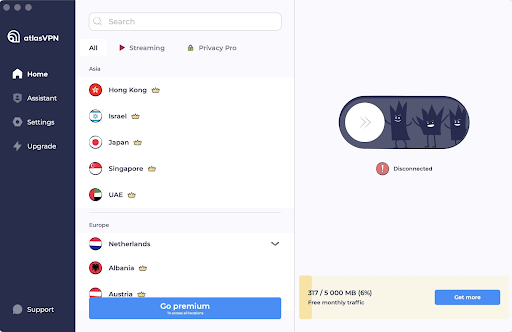
Atlas VPN is an excellent user-friendly VPN service for macOS. Atlas VPN allows you to use as many devices as you want with a free version. It provides over 1000 ultra-fast premium, secure, and video-optimized servers worldwide. Atlas VPN polishes its tunnels in order to provide an uninterrupted and stable experience. Moreover, it comes with a built-in Data Breach Monitor feature that notifies you whether your personal information was leaked in data breaches. In sum, it is the best free VPN for Mac that you can use to control your digital life and keep all your devices safe.

Key Features Of Atlas VPN:

  • Allows you to quickly change your locations.
  • More than 1000 super-fast and secure servers.
  • The Data Breach Monitor feature informs you whether your personal data or details were leaked.
  • Its shield feature prevents you from entering any potentially malicious sites.

Pros

  • Attractive and user-friendly interface.
  • Unlimited simultaneous connections.
  • Network kill switch.
  • Free subscription.

Cons

  • No support for browser extensions.
  • Lack of customization options.
  • 3 free server locations.

Mac Download Button


Closing Lines:

Here we end our descriptive guide on the best free VPN for Mac. Hopefully, you will now have a fair idea to select a suitable VPN for your Mac. If you have any further questions or suggestions don’t hesitate to connect with us in the comments below. 

If you found our list helpful, don’t forget to subscribe to our blog for more informative tech write-ups. Also, to never miss any updates follow us on Facebook, Instagram, Pinterest, and Twitter.

Author

Snigdha

Snigdha is a technical content writer with expertise in the field of science & technology. Though she has a very diverse academic and professional profile yet she finds writing to be a creative form that she was unable to explore so far. When not writing, she can be found indulging in other forms of creativity like painting or travelling.

View all posts

Related Posts
Best Documents Summarizers apps to use

Best Documents Summarizers Apps to Use

October 28, 2024
0

You can understand the core concepts and ideas discussed in large documents and articles without reading them for hours. All you need to do is summarize them with the best AI summarizers in this article.

Sometimes, reading documents is indispensable to extract crucial information necessary for decision-making. However, extracting information from the huge wall of data is often a laborious and time-consuming task. Hence, users usually look for document summarizers that can tackle lengthy documents and summarize their key points in a matter of seconds.

Are you also searching for apps that summarize articles? Then, you are in the right place. This article puts together a carefully curated list of the best AI-powered tools (selected after carefully analyzing their language model, customizations, summary quality, cost, ease of use, and many other factors) you can use to create document summaries. Let us save precious time and dive right into them.

Well-Researched List of the Best Document Summarizers

Below are the AI document summarizers we recommend to extract key points and summarize lengthy documents in seconds.

1. GetDigest

Let us introduce you to GetDigest. It is one of the best free document summarizer apps with a friendly interface and powerful summarization capabilities. The summary mode and length selection options are what we liked the most about this software. Apart from that, it supports multiple text formats, such as PDF, DOCX, and TXT, analyzes over 33 languages, and offers these notable features.

Key features of GetDigest

  • It boasts an extension for Google Chrome and Mozilla browsers
  • You can download summaries in the form of text files
  • It lets you choose the number of keywords to extract from the document or web content

GetDigest

Click here for more information


2. ClickUp

Next, we have ClickUp on our list of the best apps to summarize articles. It is an all-in-one platform for document collaboration, management, and communication with the organization. Moreover, you can use ClickUp Brain to find information, write content, summarize project updates, and translate documents. Furthermore, you can summarize almost anything and everything using ClickUp, including meetings, project threads, and status updates. Additionally, below are a few of the top features of this AI summarizer.

Key features of ClickUp

  • It inserts an automatically generated summary block so you and every teammate get a gist of every document/page
  • You can use ClickUp to review documents, meeting transcripts, and chats to list action items or next steps
  • This app supports multiple languages
  • You can enable ClickUp on your mobile device to automatically summarize your comment threads and messages in the inbox

ClickUp

Click here for more information

Also know: Best Free AI Video Generator from Text


3. Notta

Do you wish to transcribe and summarize audio and video files? Then, Notta is among the summarizers you can use. It is an all-in-one platform that allows you to organize your recordings and transcripts, record Live meetings, and sync from Google Calendar events. Below are a few of its key features.

Key features of Notta

  • It creates chapters for every transcript summary, making it easier for you to read it
  • You can use customizable templates for various kinds of meetings
  • Notta lets you share the summarized text via a link
  • You can save the transcription and summary as TXT, WORD, PDF, or SRT file
  • The transcribed and summarized files are directly shareable on Notion or Salesforce
  • It supports 58 transcription and 42 translation languages

Notta

Click here for more information


4. Scribbr

Here comes Scribbr. It is among the best AI document summarizers if academic research is your goal. It offers a scholar and researcher-friendly tool for academic writing and editing, citations, APA-style editing, and summarization. Moreover, you can check whether or not the generated summary is plagiarism-free with Scribbr’s plagiarism checker. Furthermore, below are a few more attractive features of this summarizer.

Key features of Scribbr

  • You can choose whether you wish to summarize articles as digestible bullet points or concise paragraphs
  • Scribbr lets you customize the summary length
  • It lets you choose keywords to customize your summary’s focus
  • You can download your summaries as a TXT file

Scribbr

Click here for more information


5. Summary Generator

As the name suggests, the Summary Generator lets you summarize almost all forms of content, such as articles, essays, academic and research papers, stories, technical documents, and meeting minutes. Moreover, it can even summarize Word documents online and offers the below features that make it one of the best apps for summarizing articles.

Key features of Summary Generator

  • You can move the output slider to customize the summary length
  • It supports over 16 languages
  • You can upload a Word/PDF file, copy-paste the text, or insert an article’s URL to summarize the article

Summary Generator

Click here for more information


6. Paraphrase.io

Next, we would like you to talk about Paraphrase.io. It is among the best AI document summarizers to summarize large documents. Moreover, you can paraphrase the summary for better understanding, check for grammar mistakes and plagiarism, and benefit from these features of this tool.

Key features of Paraphrase.io

  • It shows the details of the original text, such as the number of characters, words, sentences, and paragraphs, allowing you to compare the summary and the original document
  • You can create summaries in the form of bullet points
  • It supports eight languages
  • You can customize the summary length

Paraphrase.io

Click here for more information

Also know: Best Online Text Editor to Edit Text Online


7. Document Summarizer

Here is another straightforward app that summarizes articles, including long ones. It can even convert a massive 500-page document into a meaningful and concise summary. This user-friendly tool lets you customize the summary length, does not impose any daily word limits, and offers these remarkable features.

Key features of Document Summarizer

  • You can add the Document Summarizer extension on Google Chrome for easy summarizing
  • It lets you download summaries for offline use

Document Summarizer

Click here for more information


AI Document Summarizers: The Conclusion

You no longer need to read huge chunks of text to jot down key points from it. The best apps to summarize articles listed and explained above make your work easier by converting large documents into concise, understandable, and to-the-point summaries. These summaries help you understand the central idea of a document without spending hours reading it. However, if you have any doubts or questions about the list above, you can ask in the comments section. Also, we are open to suggestions, if any, about this article.

Best-Remote-Work-Software-for-Employers

Top 7 Remote Work Software for Employers to Use in 2024

September 4, 2024
0

In the coming sections of this guide, we will have a look at some of the best remote work software and tools for you to try in 2024 and make remote working easy and feasible for yourself and your team members.

For a great number of companies, the shift toward working from home has become not only a trend but also an absolute must. It is now possible for employees to communicate, handle projects, and maintain connections with their coworkers thanks to the technology that enables them to work remotely.

This technology has spanned the gap between traditional office spaces and virtual work settings. Without the appropriate remote work software, this task has the potential to become fragmented, which may result in inefficiency and a lack of productivity.

Work that is performed from a remote location has been shown to lower expenses for businesses, to allow workers more flexibility, and to enable access to a larger pool of talent that is not constrained by geographical constraints. As a result of this, there has been a significant increase in the demand for software and applications that facilitate remote work and are now considered an essential component of the toolset of contemporary professionals.

It is possible for organizations to guarantee that their staff will continue to be productive, engaged, and communicative regardless of where they are located if they make use of the most advanced remote work tools. This makes it possible for a workforce that is more flexible and robust, ready to meet the difficulties that come with a work environment that is always changing.

So, having said that, it’s clear that remote work software is quite crucial for a business. But, there is a pool of remote work tools out there. To help you get the best from the lot, we have curated this article.

Top 7 Best Remote Work Systems in 2024

In the coming sections of this article, we will have a look at the best remote work software for businesses and individuals. We have compared over twenty different tools to come up with the best remote work solution. So, have a look at the tools provided below and select the best one that fits your requirements perfectly.

1. Nextiva

The first name on this list of the best remote work software is Nextiva. Nextiva is a cloud-based service that functions entirely in the cloud, making it possible for your distributed team to easily communicate with one another.

Let’s imagine you have sales representatives that are required to do their duties while traveling or working from home. Without breaking a beat, they are able to move from their desktop software and the mobile app without any problem.

Amongst the remote work tools, Nextiva is an excellent choice for dispersed remote teams since it offers a wide range of features. Through the usage of Nextiva, you will be able to aggregate all of your audio, video, team chat, and collaboration applications into a single platform and with a single user interface.

Nextiva

Check Out the Rest of the Features of Nextiva Here.


2. Asana

Asana is one of the most well-known remote work software in the field of project management, there are a great number of competing tools that provide equivalent functionality and price that is comparable to, or even better than, Asana.

It is without a doubt one of the greatest tools for working remotely, and one of the founders of Facebook is responsible for developing the visually beautiful project management software known as Asana.

The dynamic style and design of this remote work software, which serves as a platform for creatives and teams all over the globe, ensures that users remain interested and active inside the site. Asana is a tool that assists individuals and groups in growing their overall responsibility and improving their communication.

Asana

Check Out the Rest of the Features of Asana Here.


3. Atlassian Trello

Atlassian Trello is an excellent choice for individuals or small teams as remote work software who are searching for a straightforward application for managing projects for their projects. The tool is based on Kanban boards, which is a project management system that was first developed by an industrial engineer in the 1940s.

It is one of the most straightforward remote work tools now available on the market. Cards are the fundamental building blocks of Atlassian Trello, and you may arrange them on the board in a variety of steps.

Additionally, this is one of the few remote work systems that offer the ability to color-code the cards, attach photos or files to them, and invite members of your team to participate with you on a board in order to create a more engaging experience.

Atlassian-Trello

Check Out the Rest of the Features of Atlassian Trello Here.


4. Dropbox

With Dropbox as the remote work software, you are able to organize projects, collaborate on ideas, and take meeting notes in real-time with assigned next actions when you use DropBox Paper, which is a real-time collaborative document.

There is also the possibility of a smooth connection between DropBox and Hive, and there are interfaces between Google Drive and Dropbox as well.

Dropbox is an excellent choice for one of the best remote working tools if you are looking for a solution that has the capabilities of Google Drive in addition to the advantages of a project management application. It is possible to utilize DropBox in the same manner as Google Drive in order to store files, photos, and other types of media.

Dropbox

Check Out the Rest of the Features of Dropbox Here.


5. Google Drive

What makes Google Drive as the best remote work software is that there is a Business edition of Google Drive that is designed exclusively for businesses that store a significant amount of files and materials. When it comes to documents, slideshows, spreadsheets, and other types of files, Google Drive serves as a centralized area where teams can share, edit, and collaborate on them.

On the market, it is considered to be among the best solutions for storing and sharing files. One of the most important tools for remote work that is now available is Google Drive since it can be accessible from any location, even a mobile phone.

This unique feature of this remote work solution not only makes it possible to collaborate easily, but it also makes it one of the most popular tools for working remotely.

Google-Drive

Check Out the Rest of the Features of Google Drive Here.


6. Slack

By user volume, Slack is one of the most popular remote work software. It is also the chat program that we are all familiar with and like. In order to streamline communication within a business, Slack is a real-time chat platform that also allows for the exchange of files and collaboration.

This is one of the few remote work tools in which you may divide the platform into channels for collaborative work, or you can use it to send individual messages to certain coworkers so that you can have a conversation with them. Slack also makes it simple to enable voice and video conversations directly from inside the app, which makes face-to-face communication a snap.

Slack

Check Out the Rest of the Features of Slack Here.


7. Zoom

Let’s sum up this list of the best remote work software with Zoom. In addition to offering free high-definition audio and video, Zoom also offers private messaging and breakout rooms, which allow members of a team to work together on particular projects for extended periods of time.

Zoom is quickly becoming one of the most widely used applications for video and audio conferencing, as well as for working remotely, and for good reason.

This is the most unique name amongst the remote work systems. Your ability to establish a recurrent digital meeting room, host up to one hundred individuals for free, and take use of collaboration tools such as screen-sharing, a whiteboard, and the ability to call in by phone are all advantages that come with using Zoom.

Zoom

Check Out the Rest of the Features of Zoom Here.


Summing Up: How to Choose the Best Remote Work Solution?

When it comes to the best remote work software, there are a lot of factors that come into play. The four walls of an office are no longer the only boundary. As a result of the development of digital technology, working from home has become an alternative that is not only feasible but also often favored by a large number of professionals.

When you are working from home, it is essential to have the appropriate tools to keep your productivity high and to guarantee that communication is uninterrupted. Taking into consideration the various requirements of remote workers, this article examines the most effective productivity tools, applications, and software.

To summarize, the shift to remote work is not as simple as finding the appropriate remote work solution or using the most recent technology for working remotely. Additionally, it is about properly changing one’s work habits and surroundings in order to sustain productivity and a healthy balance between work and personal life.

It is possible for remote work to be just as productive, if not more so, than regular office work via the use of the most effective platforms for remote work and the implementation of a disciplined approach to your daily routine. The purpose of this post is to provide you with guidance and resources that will assist you in navigating the terrain of remote working. These resources and advice will ensure that you continue to be productive, engaged, and fulfilled in your professional life, regardless of where you work.

So, that’s all that we have for you about the best remote work software. We hope that you have found the ideal tool from the lot of the remote work tools. Let us know in the comments which tool you decide to proceed with.

1 Comment
    Fiona_d says: Reply
    May 18th 2020, 4:05 pm

    It would be super nice to find a free service, but it’s quite hard to do that without getting scammed. Out of all the VPNs mentioned above, I have only tried out Surfshark. Pretty decent service. The subscription is about to end, but I’m quite sure I’m going to renew it.

Leave a Reply Cancel reply

Your email address will not be published. Required fields are marked *

Sidebar Image bit G ad1

Latest Posts

  • Best VirusTotal Alternatives for windows in 2026 
    by Dikshika Singh / April 30, 2026
  • Best Ways to Fix Facebook Session Expired Loop Error  (1)
    Best Ways to Fix Facebook Session Expired Loop Error 
    by Gunjita Sompura / April 28, 2026
  • React vs Vue
    React vs Vue Detailed Comparison in 2026
    by Gunjita Sompura / April 23, 2026
  • Top Image Resizing software for Windows PC 
    by Dikshika Singh / April 21, 2026
  • How-To-Download-and-Install-Windows-Fax-And-Scan-In-Windows-11
    How To Download and Install Windows Fax and Scan in Windows 11
    by Dikshika Singh / April 15, 2026

Categories

  • Cyber Security
  • Driver Updater
  • Entertainment
  • Fitness
  • Games
  • How To
  • laptop
  • OS
  • Reviews
  • Tech News
  • Tips & Tricks
  • Top 10
Sidebar Image bit G ad1
Best Free Property Management Software Best Free Property Management Software to Use in 2024by Harshita / February 5, 2024
Best Free VPN for Omegle in 2024 [100% Working]by Akshara Parnami / February 5, 2024Best-Free-VPN-for-Omegle
TechPout Footer Logo

We at TechPout promise to put forth stories that help people to learn and simplify their digital life. Our purpose is to share the true essence of technology with our tech-loving community.

Useful Links

  • About Us
  • Contact us
  • Privacy Policy

Popular Posts

  • Best PC Optimizer Software
  • Best Mac Cleaner Apps
  • Best Driver Updater
  • Duplicate Photo Finder and Cleaner Software
  • Best Free Movie Download Sites
  • Best IPTV Players

Follow us

Copyright © 2026 www.techpout.com. All rights reserved
DMCA.com Protection Status