
Markdown editor is a specialized software tool or web application for writing Markdown (a text-to-HTML markup language). It helps writers write in a distraction-free environment while providing advanced formatting, live previews, and keyboard shortcuts. Whether you are drafting a blog post, taking study notes, documenting code, or keeping a personal journal, Markdown editors can support a variety of common workflows. This article helps you choose the best Markdown editor for your needs, including a preview pane, export options, distraction-free writing, direct publishing to various platforms, and key information (for example, readability scores and word count). Let’s get started.
What Are the Best Markdown Editors for Windows
The best Windows Markdown editors include Obsidian, WriteMonkey, Visual Studio Code, Typora, and MarkText. Each editor offers unique features to meet different needs:
– Obsidian is ideal if you want advanced personal knowledge management with powerful linking, bidirectional connections, and support for numerous plugins, including kanban boards and visual graph views.
– WriteMonkey stands out for its clean, minimalist UI, distraction-free full-screen use, and customizable writing environment. It is best for writers focused on text with minimal need for formatting tools.
– Visual Studio Code is favored by developers and technical writers as an open-source editor, thanks to its robust extension marketplace, integrated Git support, and features for code documentation and collaboration. It also supports a wide range of export formats through extensions.
– Typora is known for a seamless, distraction-free preview experience, especially for linear documents. It excels in clean table editing, real-time formatting, and exporting documents to formats like PDF and HTML, while offering customizable themes.
– MarkText appeals to users seeking a free, open-source tool focused on live, WYSIWYG preview, easy documentation creation, GitHub Flavored Markdown support, and basic export options.
Below are all these editors in detail.
1. Obsidian
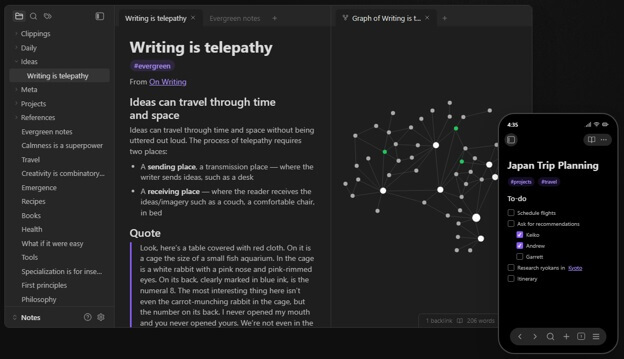
Obsidian, a well-known note-taking app, is also one of the best Markdown editors for Windows. This knowledge-base application saves notes as local Markdown files. Known for linked notes, this editor lets you add a link to another note simply by typing [[note name]]. An excellent choice for teams creating interconnected notes, researchers, and students, Obsidian offers bidirectional links to view notes linked to the current note, graph view to visualize note connections, daily notes with personalizable templates, tag-based note organization, plugin support (supports kanban boards, calendars, spaced repetition, and diagrams), a canvas for visually arranged notes on an infinite board, a source mode or live preview, Obsidian Sync, configurable file-based sync methods, and an option to turn notes into a website.
Also know: Best Photo EXIF Editor
2. WriteMonkey
WriteMonkey is the best Windows Markdown editor for those who don’t need WYSIWYG styles to complete the task but want an excellent editing experience. It lets you change everything from scrolling effects and typewriter sounds to zoom and margins. It also counts your most-used words, lets you set a timer for how long you want to edit, and lets you add word or character limits to avoid writing too much.
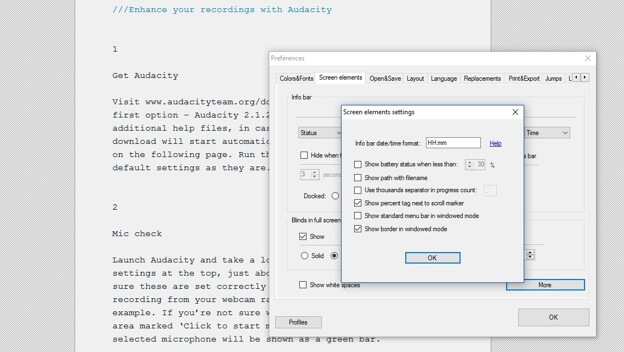
Other cool features of WriteMonkey include word lookups, text replacements, auto-backups, extension support, language packs for translations, Pomodoro timer, thesaurus, UI customizability, and an option to adjust left/right margins within the window.
3. Visual Studio Code
Visual Studio Code is the right choice for developers looking for the best open-source Markdown editor for Windows. It is a code editor that comes with built-in Markdown support, especially helpful when you have Markdown files beside your source code, configuration files, and Git repositories. Moreover, Visual Studio Code is highly rated for features that support documentation teams and developers, such as preview, source control, and extensions for linting, export, and diagrams.
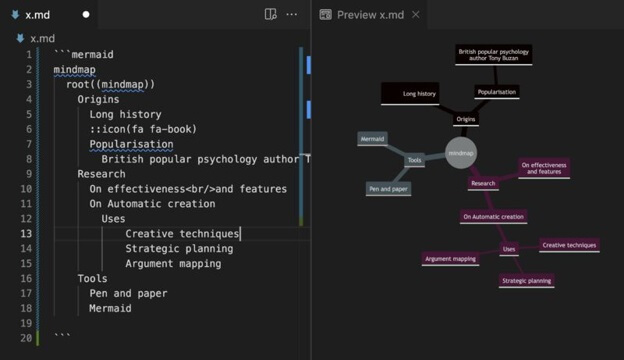
Additionally, Visual Studio Code offers syntax highlighting through links, color-coded headers, and emphasis; optional link validation for local files; Git integration; automatic list continuation; and settings sync across signed-in devices.
4. Typora
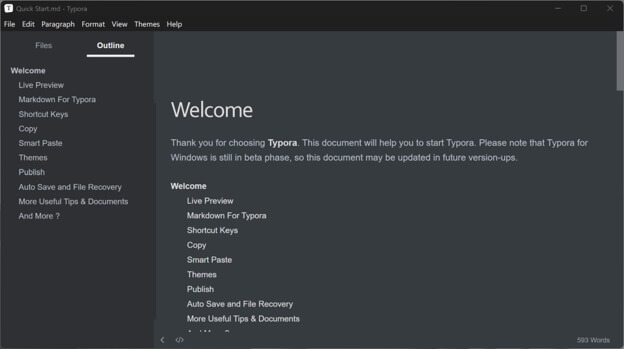
Typora is another Windows Markdown editor that offers a clean writing experience. Known for distraction-free Markdown writing, Typora displays formatted text as the user types instead of a source pane. A perfect choice for linear documents, such as reports, articles, and class notes, Typora offers a visual table editor, drag-and-drop image handling, Math support through LaTeX, customizable themes through CSS, diagram support, and export to HTML and PDF.
5. MarkText
MarkText is an open-source Markdown editor for Windows for users who want clutter-free real-time previews. Instead of the usual split screen, MarkText offers live rendering, i.e., it renders Markdown as you type. Moreover, its separate source mode lets you switch effortlessly between Markdown and a writing view.
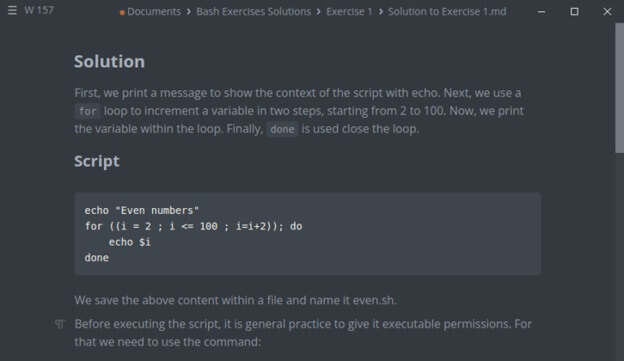
Additionally, MarkText supports GitHub Flavored Markdown, math rendering through KaTeX, diagrams, focus and typewriter modes, HTML and PDF export, and multiple themes.
Also know: Best Free RAW Image Viewer Software
Frequently Asked Questions
Q1. Does Microsoft have a Markdown editor?
Yes, Microsoft supports Markdown editing across SharePoint and OneDrive, Microsoft Notepad, Visual Studio & Visual Studio Code, Microsoft Edge add-ons, and MarkItDown.
Q2. Does Notepad++ support Markdown?
Notepad++ supports Markdown through a plugin for rendering or live preview.
Q3. What is the best free Markdown editor for Windows?
MarkText and Visual Studio Code are among the best free Markdown editors for Windows.
Hope this answers all your questions about the best Markdown editors for Windows. If you have any doubts or confusion, leave us a comment