

Do you not wish to create an X or Twitter account to protect your privacy? Do you want to read a viral tweet, breaking news, or a public statement without an X account? Do you need to check a public profile on X, monitor brand sentiment, or track public event updates without an account? Then, the good news is that you can view X without an account using simple methods in this article.
Learning how to view X or Twitter without making any account helps if you don’t want X to track your activity, need to check something quickly, avoid distracting notifications, see how your posts look to logged-out users, or access content unavailable in your region. Let’s get started.
How to View X without an Account
You can view X or Twitter without an account using third-party viewer tools, the Wayback Machine, or a search engine. Use third-party viewer tools as a private Twitter or X viewer for completely anonymous browsing without interacting with content; if you want to view X but not engage with other users, use the Wayback Machine to view historical data or deleted tweets; use a search engine to find specific posts or tweets on X. Below are these methods explained in detail.
Method 1: Use third-party viewer tools to view Twitter without an account
Dedicated third-party X viewers, such as Postel, function as intermediaries that interact with X to fetch and display the required content without you creating an X account. Here is how to use viewer tools to view X without an account.
- Go to a reliable Twitter viewer service.
- Enter the search term or username of the account you want to view.
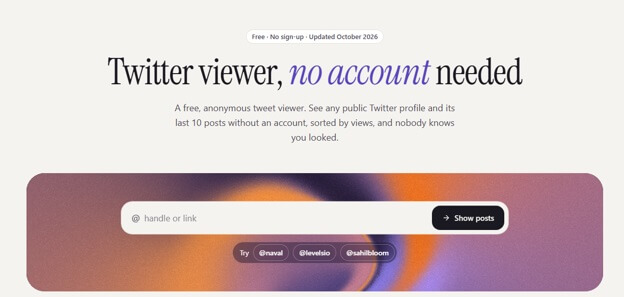
- Browse tweets, media, and profiles without any login.
Also know: How to Reset Network Settings in Windows
Method 2: View X without an account using the Wayback Machine
The Wayback Machine from the Internet Archive lets you view Twitter without an account. It saves old tweets and historical data, allowing you to view tweets from long ago, posts from an account that no longer exists, or deleted tweets. Below is how to use it.
- Go to the Wayback Machine.
- Enter the profile page URL or username of the person whose posts you want to view.
Method 3: Search Twitter without an account using a search engine
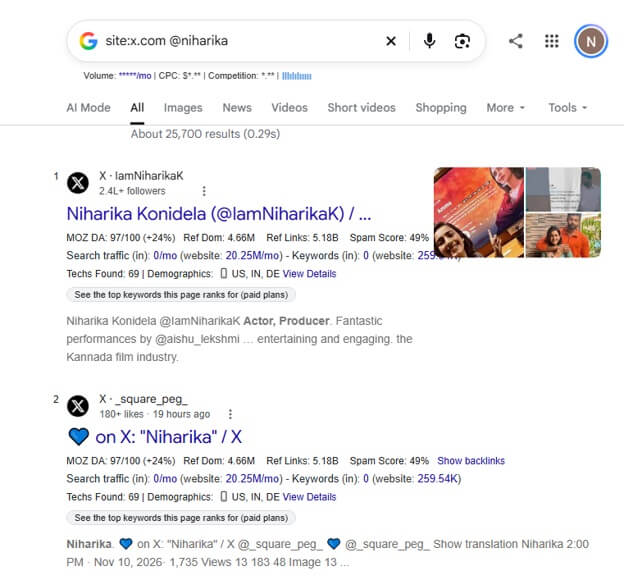
You can use a search engine, such as Google, to view public profiles on X without an account. It is a faster way to find specific content. However, not all content is indexed by search engines; results may be outdated and limited to what the search engine has crawled. Here is how to use a search engine as a Twitter viewer without an account.
- Go to a search engine like Google.
- To search for specific X users, enter site:x.com @username (replace username with the actual username of the profile you are looking for); for topics, enter site:x.com “search term” in the search bar (replace search term with your actual query); for recent tweets, enter site:x.com “keyword” after:2026-01-01 in the search bar.
What You Cannot Do on X or Twitter without an Account
If you view X without an account, you cannot:
- Interact with the content; like, repost, bookmark, or reply to posts.
- Create lists or follow accounts.
- Send or receive DMs.
- Receive activity alerts.
- Use advanced search filters.
Also know: How to Repost on TikTok and Undo a Repost
Frequently Asked Questions
Q1. Can I view private X accounts without logging in?
No, you cannot view private accounts on X without logging in; only approved followers can view private accounts.
Q2. Can I view topics trending on X without an account?
Yes, you can view trending content on X without an account, but access to trending topics without logging in is limited and inconsistent.
Hope this helps you view X without an account. If any confusion or questions persist, you can leave us a comment.