Main LogoLight Logo
  • Reviews
  • Top 10
  • How To
  • Tech News
  • OS
    • Windows
    • MAC
    • iOS
    • Android
  • Categories
    • Driver Updater
    • Cyber Security
    • Games
    • Fitness
    • Entertainment
    • Tips & Tricks
Android iOS Top 10
by Prachi Dani

19 Best Free Instagram Followers Apps (Android/iOS) 2025

November 12, 2025
1

Looking for the best Instagram followers app 2024? Read the full guide to find the applications for Instagram real-time followers and ace up your Instagram game.

Building your connections and getting followers on a Social network giant like Instagram is quite a difficult task. Fortunately, several apps can help you in getting likes and followers on Instagram in seconds.

The default Instagram app does not provide any methods to boost followers; however, few dedicated and free Instagram Followers apps come to your aid in such scenarios.

Get Free Followers on Instagram and manage them effortlessly with the help of these best social media apps. The market is filled with numerous applications, but only a few can meet users’ expectations and are completely safe to use.

Read further to check the list of best and free Instagram followers apps that you may consider in 2024 to increase your account followers.

Table of Contents show
Top Free Instagram Followers Apps for Android & iOS in 2025
1. Social Scan
2. Snoopreport (web): See what your friends, exes, and favorite celebrities
3. InsTrack
4. Crowdfire
5. Followers and Unfollowers
6. Followers+ Followers Analytics for Instagram
7. Insights+ IG Follower Reports
8. Followers Track for Instagram
9. Followers Insight for Instagram
10. Followmeter on Instagram
11. Unfollowers & Followers for Instagram
12. Viewer and Analyzer on Instagram
13. Follower Analyzer
14. Organic Followers For Instagram
15. Real Followers & Likes for Instagram 2024 New
16. Followers Gallery
17. Fast Followers & Likes
18. Ins Followers
19. Unfollowers & Ghost Followers
Frequently Asked Questions (FAQs)
Final Words: Best Apps to Get Real Instagram Followers (2024)

Top Free Instagram Followers Apps for Android & iOS in 2025

Want to become popular on Instagram? The first and obvious thing you need to do is to boost your followers count on Instagram. The following list contains a bunch of the best Instagram follower apps that can help you rapidly gain free followers for your Instagram account.

1. Social Scan 

Social-Scan

If you are looking for an indispensable app that can efficiently manage and monitor your Insta account, then Social Scan can be a good pick. The app is one of the best alternatives when searching for top follower apps for Instagram. It is loaded with multiple features and comes with a minimalistic and pleasant UI.

Use it to know the active users, who are following your account along with your unfollowers. This one of the best social media apps also gives you a single-screen view of the number of likes, comments, posts, followers, and much more.

It is a handy and lightweight application that does not consume too much memory space. Social Scan is fully compatible with iOS platforms and is completely free of cost. 

You can also take the help of the app if your Instagram Music Not Working.

However, if you wish to enjoy some added features you can opt for its premium version. Which support multiple functionalities and allow you to find out: 

  • Your most active posts. 
  • Popular hashtags. 
  • Active users and
  • Details about your followers who do not follow you back and whom from your follower list you don’t know.

Pros

  • The application supports multiple accounts
  • It keeps a track of history and searches for future use
  • Show exact data about the account and posts
  • It suggests the popular and most used hashtags

Cons

  • The application requires a subscription for using it, the plan can vary depending on the time duration

Android and iOS


2. Snoopreport (web): See what your friends, exes, and favorite celebrities
snoopreport

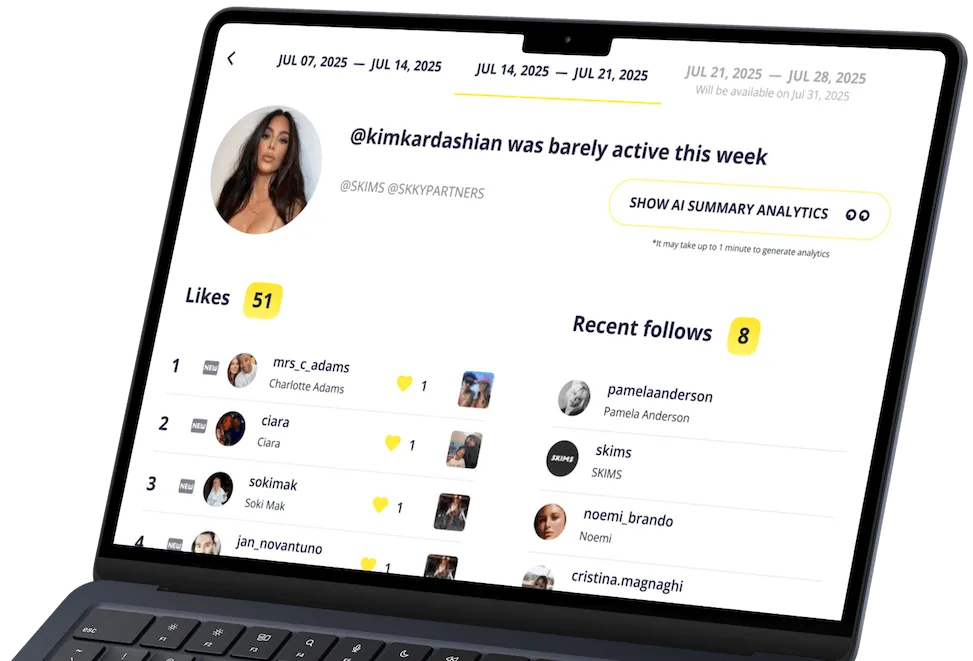
Want to spy on someone’s Instagram activity completely legally and anonymously? Snoopreport Instagram activity tracker shows the likes, new followings, and hashtags of any public profile, including friends, exes, and celebrities, so you can instantly see their interests. Its AI turns that activity into an easy-to-understand summary of interests and psychological profile, plus smart conversation starters and ideas for places they’d probably enjoy. All insights come from public data only – no passwords or access required.

Here’s how it helps you get followers:

  • Borrow content ideas from the posts and topics that your target audience already likes.
  • Mirror the hashtags and creators your audience engages with to expand your reach.
  • Spot trends early by tracking competitors and niche tastemakers.
  • Pick collaborations and shout-outs that your audience is primed to follow.

It’s best for creators, brands, and curious users who want authentic growth and practical insights, not fake-follower apps.

Pros

  • Works with any public Instagram profile (friends, exes, influencers, competitors)
  • Clear AI summaries of interests, personality, conversation starters, and likely hangout spots
  • Ethical, research-first approach to growth (no bots or gimmicks)
  • No target-account login needed.

Cons

  • Report generation takes about a week from the time you begin tracking an Instagram profiler
  • Retrospective reports on user likes and follows available an additional fee

Track Anyone’s Instagram Activity: See Likes & Follows – Snoopreport

See Anyone’s Instagram Activity without app installation. See What Someone Likes and Follows on Instagram with Snoopreport Instagram Activity Tracker


3. InsTrack
InsTrack

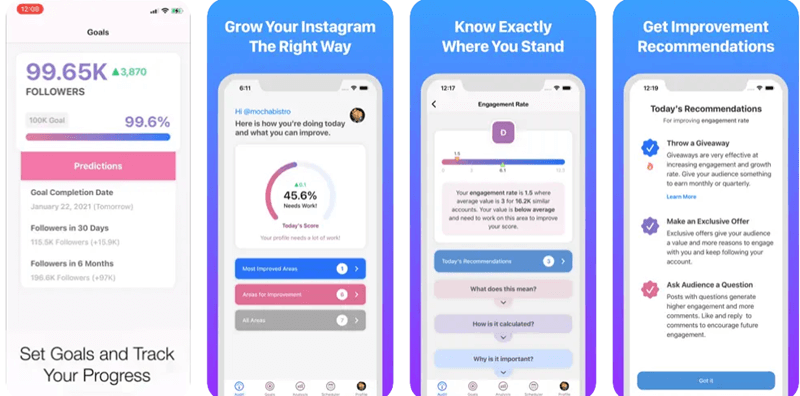
Get free Instagram followers Instantly with this smart and simple to use too. It provides detailed statistics of your Instagram account including followers/ unfollowers data, the total number of likes, comments, and subscribers.

Apart from the main feature to get Instagram followers it also allows you to toggle between multiple accounts.

Pros

  • You can track Facebook as well as Instagram highlights using this application
  • You can use multiple accounts with this application
  • The app track the performance of hashtags
  • It offers personalized recommendations of improvements

Cons

  • To use this application you need to have a professional account
  • It is not free to use software

Android and iOS


4. Crowdfire

Crowdfire Best Free Instagram Followers App for Android

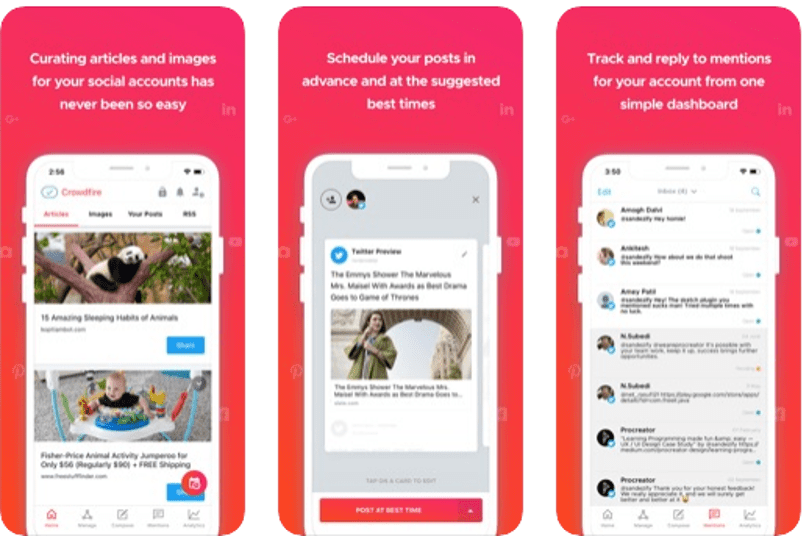
Next on our list of best and free followers app for Android is Crowdfire. Use this freeware application to get Instagram followers for free and enhance user engagements and know about trending posts and hashtags.

Use it to discover details about your new followers, unfollowers, who unfollowed you recently, inactive users and many more.

Loaded with many features Crowdfire compliments your Instagram account perfectly.

Pros

  • It suggests audience-specific images and information that you can share to interest users
  • You can schedule all your posts in advance so that you never miss the peak time
  • Using this app you can share and publish on Pinterest
  • To help you in creating content you can add websites and blogs to favorites using the RSS feature

Cons

  • The app charges monthly/ yearly fees for usage
  • The rating on the Play Store is not so impressive

Android and iOS


5. Followers and Unfollowers

Followers and Unfollowers

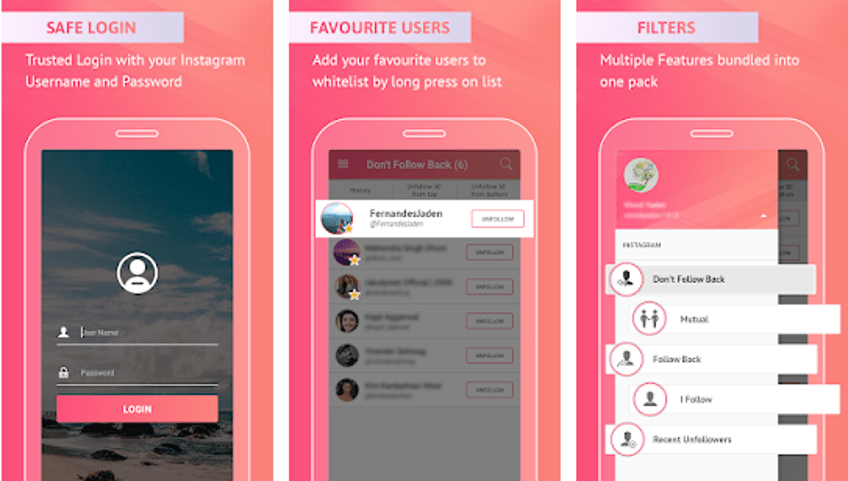
Pick this best app to buy Instagram followers for adding flying colors to your account. Use it to follow new people and to unfollow whom you are currently following. The app enjoys a rich download number along with a 4.6/5 user rating.

This is one of the most stunning and best social media apps, you can get useful insights about your Insta account along with the followers/ unfollowers data. Use this free tool to grow your account followers.

Don’t follow me back, mutual followers, follow back, I follow, Recent Unfollowers and mass unfollow are some of its key features.

It is compatible with Android 4.0 devices. Get this reliable and safe app today with the link below.

Pros

  • The app has an easy interface that lets you track every activity on your page
  • You can track you follower and unfollowers
  • The app has a starred list that lets you add them to your favorite list
  • You can unfollow 50 people in one go

Cons

  • The app has separate charges for every item

Android and iOS


6. Followers+ Followers Analytics for Instagram
Top Instagram Followers App - Reports + Followers

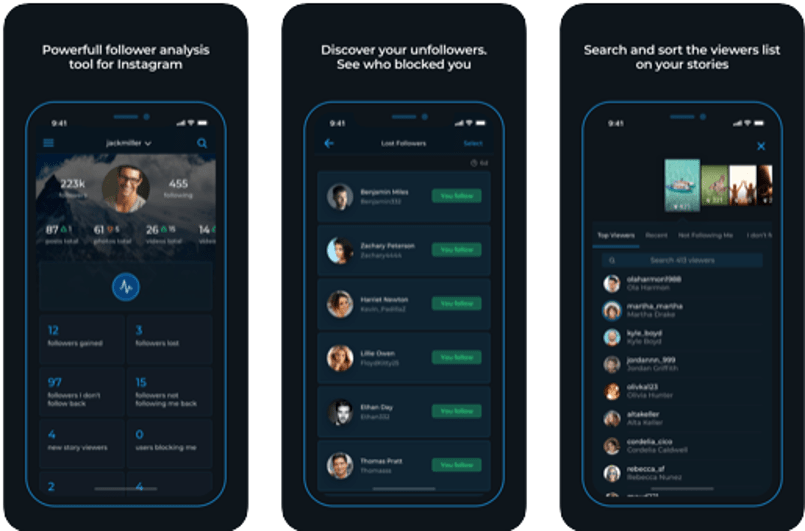
Next on our list of best Instagram followers app is “Followers+ Followers Analytics for Instagram”. It comes with high-end analytics tools and works seamlessly well on both Android and iOS platforms.

Read More: Best Instagram Photos & Videos Downloader Apps

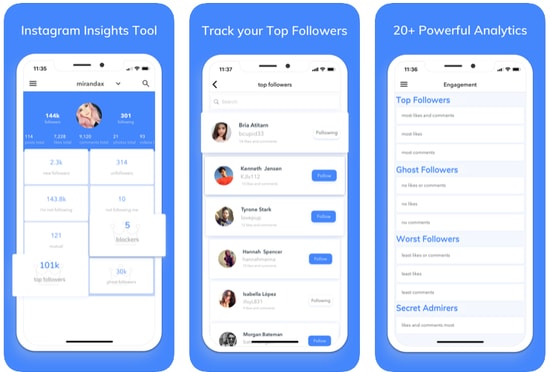
Use it to manage multiple Instagram accounts and monitor the total number of followers, check details of the comments and likes. Apart from this, it also gives you valuable details about the number of posts, videos, comments, photos on your account. 

This app can also be a replacement if the Instagram Not Working error occurs.

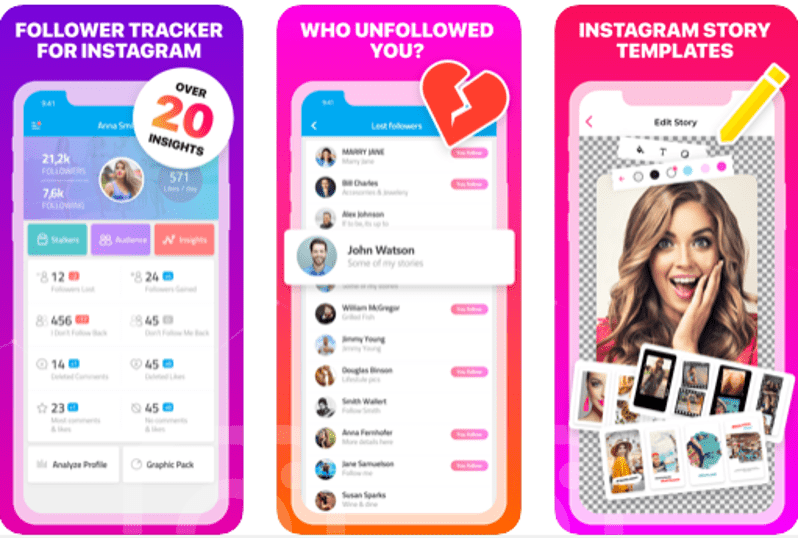
To add on to this it also gives you detailed data about your followers gained/lost, views on a new story, users blocking you, new profile stalkers and followers who do not follow you back along with your followers whom you don’t follow.

Pros

  • Offers all the data related to your account
  • It supports multiple accounts
  • Track who follows you among your friends
  • You can schedule and optimize your posts

Cons

  • Limited features in the free version

Android and iOS


7. Insights+ IG Follower Reports

Insights+ IG Follower Reports

Next on our list is this smart tool to get free Instagram followers instantly. It is an all in one tool for iOS users which provides useful statistics about your account. 

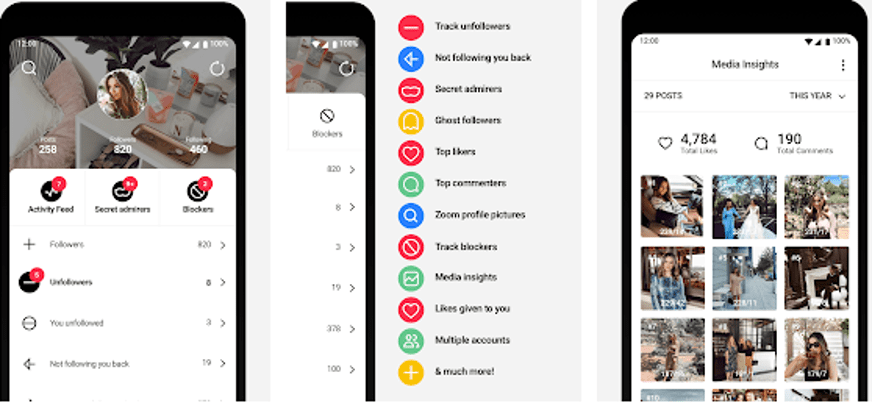
This one of the best social media apps is a useful tool if you need detailed information like the number of followers, who unfollowed you, whom you are not following back, likes and comments on your posts, and who removed their comments and unliked your posts.

Pros

  • It offers a very simple user interface
  • The free version offers all the numbers on the home screen
  • You can unfollow people easily from the app itself
  • The app lets you track ghost accounts who visited your page

Cons

  • You need to have a pro version to use all the features

Android and iOS


8. Followers Track for Instagram

Followers Track, for Instagram

Next on our list of best Instagram followers apps is this incredible app. It allows you to check details related to your account. Who followed who, who unfollowed you, your followers whom you are not following and much more.

It is a free app that comes with a user-friendly interface and simple working. But this tool can not be used to limit your Instagram usage. However, if you wish to enjoy additional features like data about deleted comments, blocked Instagram followers, you will have to take its upgrade pack.

Pros

  • You can watch and repost stories from the app itself
  • The app lets you compare like on each post
  • It shows the most liked and least liked post
  • The app offers analytics of stories as well as posts
  • Supports multiple languages

Cons

  • It is paid application
  • You need to have an iOS 12 or later version to use it

Android and iOS


9. Followers Insight for Instagram

Followers Insight for Instagram

With a rich customer base and a great user rating of 4.5/5, this tool deserves a place on our list. The app comes for free with all basic functionalities.

However, its premium version offers a set of advanced features like: 

  • People who blocked you. 
  • Followers gained and lost on your account.
  • Get details of inactive users, potential spammers, and spies.
  • Find out who are your loyal followers.

Read More: Best Free Ways To Generate Instagram Likes

Pros

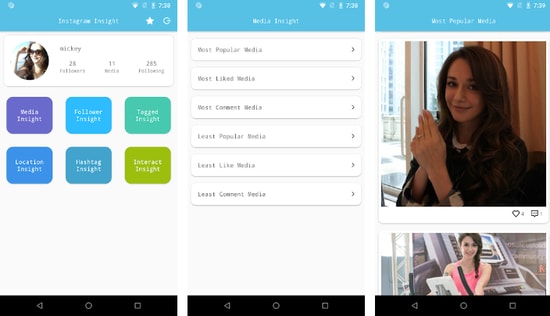
  • The app shows your media popularity rank
  • You can track your followers, unfollowers, and friends
  • It offers information on your hashtags used in the post
  • You can even track the popularity of posts in which you are tagged

Cons

  • It shows false information about followers and unfollowers

Android and iOS


10. Followmeter on Instagram

Free Instagram Followers App -  Followmeter on Instagram

Next on our list is this stunning app powered with an incredible and simple interface. Use it to manage your account effortlessly and get useful insight like:

  • Total likes
  • Number of comments
  • Average of your total likes and comments.
  • A total number of followers gained and lost.

This one of the best social media apps is free to use but if you opt for its premium version you get to access its “Discover Section” too.

Pros

  • You can track who blocked your account
  • It has a separate activity meter to monitor your account engagement
  • You can track unfollowers and accounts not following you back
  • It lets to track the people who viewed your story most of the time
  • The tool can not be used as an Instagram password finder tools

Cons

  • The ratings are not so impressive
  • The app charges for every item differently

Android and iOS


11. Unfollowers & Followers for Instagram
Unfollowers & Followers for Instagram

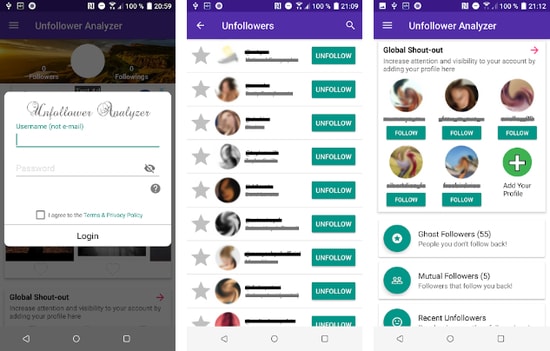
Use this intelligent tracker tool for monitoring your Insta account. It also assists in enhancing follower engagement and provides useful details of who followed you recently and who unfollowed you. Apart from this, you can also use it to check your new followers, non-followers and delete followers. 

Download this Instagram followers app on your Android device using the below link

Pros

  • It has a very interactive interface
  • This app offers descriptive details about your account
  • You can follow new account from the app only
  • It offers features to promote your account

Cons

  • The user ratings are 3.5 only, as compared to competitors it is very less

Android and iOS


12. Viewer and Analyzer on Instagram

InControl Followers Track

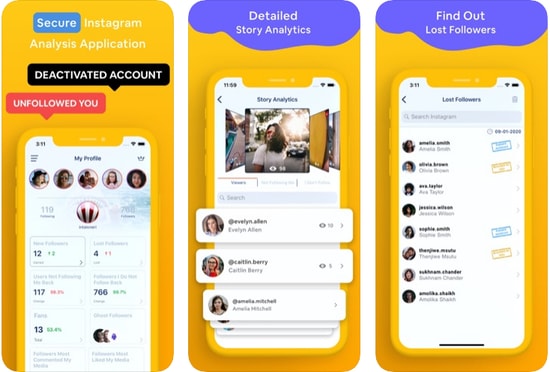
Keep your Instagram account in control and improve your social network with Viewer and Analyzer. It is a simple tool which provides relevant stats like:

  • Your fans
  • Your recent followers and unfollowers.
  • People whom you recently unfollowed.
  • Inactive users, ghost followers, secret admirers, nearest followers and many more.

Pros

  • You can easily track people who followed you and who unfollowed you
  • The app lets you monitor the performance of your account and posts
  • It shows the time when you should post to get more reach
  • You can even track the engagement you got
  • The app is compatible with multiple languages

Cons

  • It is a heavy app that can affect the performance of your device
  • You need to have a plan for using this app

Android and iOS


13. Follower Analyzer

Follower Analyzer

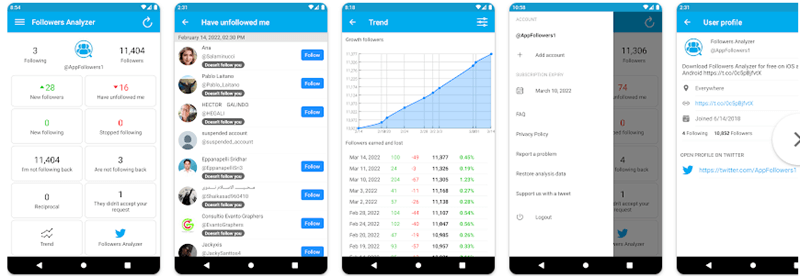
Next on our list of best Instagram followers apps is Follower Analyzer. Use this stunning app to access in-depth data of your Instagram account. Its basic version covers all basic functionalities including followers, unfollowers, block and unblock followers, track new and lost followers.

Read Also: 15 Best Instagram Tools For Marketer

Apart from this, you can also use it to check who blocked you recently and whom you have blocked. With it, you also get access to crucial statistics like a total number of posts, likes, comments, photos, videos and many more on your Insta account.

Pros

  • It has a very simple and descriptive interface
  • The app shows the best performing posts
  • It is a lightweight application that does not affect the processing of your device
  • Using the software you can even analyze your friend’s account

Cons

  • You need to grant permission in order to use it
  • The app has ads that can be annoying
  • This tool can not be used as one of the Instagram password finder tools

Android and iOS


14. Organic Followers For Instagram

Organic Followers For Instagram

The next free Instagram follower app on our list is called Organic Followers. Developed by DikaSoft, this app allows you to define and find your ideal audience based on your Instagram (or other best social media apps) niche or field. You can rapidly grow the reach of your followers and likers using a variety of popular hashtags or keywords related to your niche. This app can also be used as one of the Best Instagram Alternatives.

A remarkable feature of this application that most of the users find helpful is that it lets you find only the followers that will follow you back.

Pros

  • The app automatically follows people from your niche, to help your account grow
  • It even manages the unfollow list
  • You will find a real audience with this app as its searches for the audience which has interest in your account
  • The user ratings are positive as in Play Store it has been rated 4.3 stars

Cons

  • You need to pay some amount for using the item

Android and iOS


15. Real Followers & Likes for Instagram 2024 New
Real Followers & Likes for Instagram 2021 New

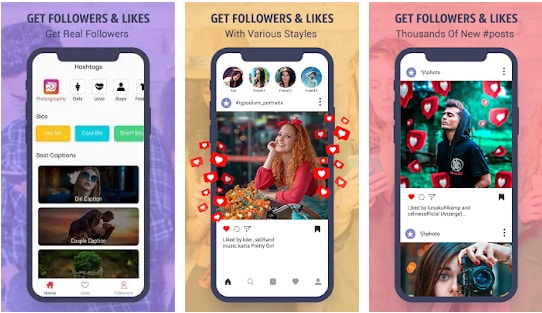
The next application on our list is Real Followers and Likes for Instagram 2024 New. This app helps in offering all the required details that you want to grow your account. The best part about this application is that it has been recently updated, so you can experience a better interface and workflow. It offers various sections or categories to choose from and add to your account.

Pros

  • It offers various categories for hashtags and captions that you can choose and add to your posts
  • You can filter search as per requirement
  • It is free to use application that offers all the required tools
  • The app has been rated 4 stars by more than 8K users

Cons

  • Some users have face lag and issue while using the application

Android


16. Followers Gallery

followers gallery

While it is easy to count the fake followers and likes on your Instagram profile, Followers Gallery makes sure you don’t need to do that. It is among the best Instagram followers apps for the right reasons. First of all, like any decent Instagram follower app, this one is capable of earning you real and active followers along with likes. Besides, you get the coins by following or liking the users and their posts. Available for both platforms, iOS and Android, this Instagram follower does the deed for free and is a must-try.

Pros

  • The app auto like the post that falls under your niche
  • It helps you in getting followers
  • It has 4.2 stars rating in App Store

Cons

  • It takes more than 100 MB of space
  • This tool can never be used as one of the Instagram password-finder tools
  • You need to purchase coins to use this app

iOS


17. Fast Followers & Likes

Fast Followers & Likes

Want to become popular on Instagram? Then, Fast Followers & Likes with artificial intelligence is the best choice. This Instagram follower application claims to provide the easiest way to handle an Instagram profile or increase real followers. The application contains a wide variety of unique quotes that will make your pictures more engaging.

You can use this app for free. The intuitive and functional interface makes it extremely easy to use. Statistics will increase faster due to profile views. The more conversions to the Instagram pages, the more famous it becomes.

Pros

  • Easy to use interface.
  • Real-time profile monitoring.
  • Contains attractive quotes.
  • Different editing options are available.

Cons

  • Not available for iOS devices.

Android


18. Ins Followers

Ins Followers

Do you wish to get Instagram followers for free? If yes, Ins Followers is among the best Instagram followers apps you can use. With this application, you get an organic and fast increase in your followers. Moreover, this app helps you get free likes to add to your Instagram popularity. The only thing you need to do is earn coins and use these coins to get likes and followers for free. Moreover, the following are the pros and cons of this app you should know.

Pros

  • Friendly interface
  • Real and active followers

Cons

  • Earning coins is tough

iOS

Android


19. Unfollowers & Ghost Followers

Here’s yet another app for you in this list of the best free Instagram followers. The Unfollowers & Ghost Followers is one of the best ways to know who is following and unfollowing you or even ghosting you.

Pros

  • Smart UI
  • Easy to use for beginners

Cons

  • Skeptical performance

Android


Frequently Asked Questions (FAQs)

Here are the top Faqs which asked by the Instagram User.

Q.1 Where to buy Instagram followers?

There are infinite alternatives available to buy Instagram followers. To ease your search, we have mentioned the top follower app for Instagram users. Read through the list, find the Poros and Cons of each app and pick the appropriate application to boost Instagram followers for your account.

Q.2 How much does it cost to buy Instagram followers?

Although there are several options both free and paid to buy Instagram followers. Refer to the complete guide above to have an idea of a set of the best app to get Instagram followers for free. The applications will help you gain followers on Instagram.

Q.3 Does buying Instagram followers work?

It is suggested that organic growth on Instagram works well with the algorithm of Instagram. However, there exists Instagram followers increase apps that help you get more likes on Instagram and enhance your engagement rate. Refer to the article to claim knowledge about the best app for Instagram followers and the specific Instagram follower increase websites.

Q.4 Is it safe to buy Instagram followers online?

Not all the free followers Instagram apps are safe to use. Some of the applications might seek your personal information in return for more followers on Instagram. But not anymore as the article provides a comprehensive list of the best app to get followers on Instagram. Thoroughly go through all of them and download the one that matches your requirements.

Q.5 How can I get 10K followers on Instagram?

There are a lot of scams that claim that you can get 10K followers on Instagram in a snap. However, you should not believe these scams and try generic ways like providing quality content, uploading content regularly, and using the top free Instagram followers apps provided above to get the best and long-lasting results.

Q.6 Are Instagram follower apps safe to use?

Yes, all the Instagram follower apps are safe to use, provided that you take the help of a reliable app from a reliable source, like the ones provided above for your ease.

Q.7 How do I get more real followers?

To get more real followers on Instagram, you should try uploading quality and demanded content on the platform. Additionally, you should also keep the viewers engaged with different kinds of content like reels, images, IGTVs, and more at regular intervals. Keep the viewers hooked. Additionally, you may also seek the help of the best apps to get real Instagram followers provided above for ease.

Q.8 Can I get 1,000 followers on Instagram?

Yes, you can get 1,000 followers on Instagram quite easily with the help of a reliable best Instagram followers app. The main purpose of such tools is to provide the required followers to you. Use any of the alternatives as suited to get the desired followers.

Q.9 How to get 10,000 followers on the Instagram app?

The best way to gain or get 10,000 followers on the Instagram app is by using the best Instagram followers app. Such apps are quite reliable and allow you to get the required followers to the users with ease.


Final Words: Best Apps to Get Real Instagram Followers (2024)

So, folks, these are some of the best free Instagram followers apps that you can pick in 2024. Choose one to boost your social network and increase your followers instantly.

Each of the aforementioned applications offers a simple yet effective way to provide instant followers, likes, and comments on Instagram. Just pick one, connect it with your Instagram account and you are good to go.

 

Author

Prachi Dani

Prachi Dani is a technical content writer who specializes in areas of science and technology. She is highly up to date with technological transitions and transformations. Writing is not her passion but the only thing that carries satisfaction in life. If not writing, you may find her engrossed playing action games on her treasured smartphone.

View all posts

Related Posts
Best Free AVI Player for Mac

Top 8 Best Free AVI Player for Mac in 2024

April 2, 2024
0

If you are looking for a free AVI player for Mac, then this list will offer you some of the top alternatives to choose from. Refer to the guide, download any tool as suited, and play AVI files on Mac easily. 

The AVI (Audio-Video Interleaved) format is widely used for playing video files in today’s digital landscape. Watching a movie on your computer or mobile device is a simple and effortless process. Due to its proprietary nature, the AVI format is not supported by default on macOS installations. There are numerous video player options available for Mac that can help you open AVI file on Mac.

You have the option to download a third-party multimedia app in the form of a .dmg file or directly from the App Store. Regardless of the approach, it is important to carefully select a player based on a combination of desirable features. Considering the cost is an important factor to take into account before your step up to watch AVI on Mac.

When searching for AVI players in the market, individuals may encounter various options. However, they may encounter difficulties related to video compatibility or quality when attempting to play their AVI files. In order to optimize your time and provide you with a pleasing experience, we will now present a list of the top players.

List of 8 Best AVI Player for Mac in 2024 (Free & Paid)

Now, we will have a look at various alternatives that you can try to play AVI files on Mac. These tools are the best ones you can try. As different software offers different features, try all of these before determining the best one of your choice. So, let’s proceed further and select the best free AVI player for Mac right away.

1. Movist

Movist

Movist for Mac is a video player specifically designed for Mac devices. It utilizes FFMPEG technology to provide a seamless experience for Mac users. With Movist, Mac users can effortlessly play AVI videos on their devices. This best AVI player for Mac allows you to conveniently control your movie playback using the media keys on your Mac. This software can be used by Mac users in both single-mode and multiple-document modes. The free AVI player for Mac allows you to watch videos with subtitles. This feature enables you to enjoy videos with personalized subtitles.

Also Read: Best Free Video Downloader for Mac


2. Cisdem VideoPlayer

Cisdem VideoPlayer

Cisdem VideoPlayer is a useful tool for playing AVI files on Mac computers. This free AVI player for Mac has the capability to play high-quality video files while maintaining their original quality. The program supports a wide range of video and audio formats, including MP4, MP3, MOV, and more. The interface is free from any advertisements or harmful software, allowing you to effortlessly enjoy videos.


3. Macgo Mac Media Player 

Macgo Mac Media Player 

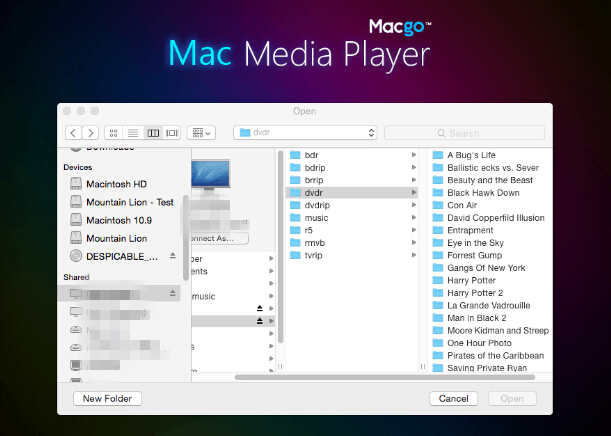
Macgo Mac Media Player is a software application that allows users of both Mac and Windows operating systems to play media files. This is the best AVI player for Mac that’s completely free to use. This software enables users to view a wide range of video files with excellent visual clarity. This Mac AVI player has the capability to stream videos to your iOS devices effortlessly, thanks to the support of AirPlay. This player makes it easy to play Blu-ray discs on Mac computers.

Also Read: Best Free Video Stabilization Software for Mac


4. MPlayerX 

MPlayerX 

MPlayerX is a well-designed and user-friendly AVI player specifically designed for Mac operating systems. MPlayerX is a video player that efficiently opens AVI and other file formats, ensuring smooth playback and maintaining the original video quality. To play AVI files on your Mac, simply drag and drop the desired .avi video file into the player. The program will automatically begin playing the file. The best AVI Player for Mac is equipped with FFmpeg and Mplayer, allowing it to support a wide range of media file formats for seamless playback. This AVI player for Mac allows you to conveniently search for and play your desired videos directly within the player.


5. VLC Media Player

VLC Media Player

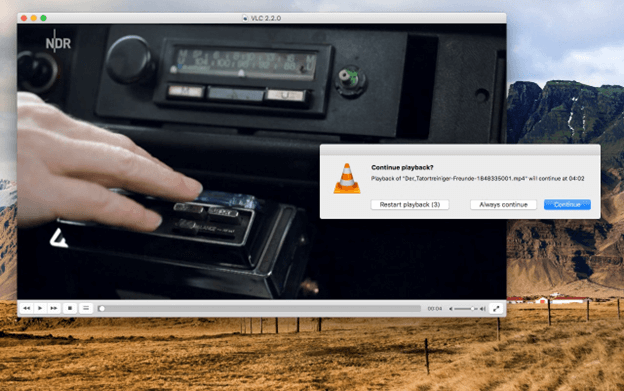
The .avi player mentioned is a highly popular media player used by Mac users worldwide. It is an open-source software that is completely free to use. In the VLC interface, users can directly stream AVI videos to other devices. The VLC free AVI player for Mac is a safe and reliable option for playing AVI files. It is free from any advertisements or malware, allowing you to enjoy your AVI files and also music on your Mac without any interruptions. The software is compatible with multiple operating systems including Windows, Mac, and Android.


6. Total Video Player

Total Video Player

Total Video Player is the next best AVI player for Mac and provides a range of fundamental features, along with additional options that are not commonly found in other players. One standout feature of this product is its capability to play damaged or unfinished files, setting it apart from its competitors. Furthermore, it has the capability to play a wide range of file formats. Additionally, it has Retina support, allowing for seamless playback. Additionally, this free AVI player for Mac has the capability to play Ultra HD films and automatically display subtitles that are assigned to your videos.

Also Read: Best and Free Duplicate Video Finders for Mac


7. Elmedia Player

Elmedia Player

Elmedia Player is a versatile media player that supports various file formats, including AVI files. The Elmedia free AVI player for Mac offers a range of customizable playback options that allow you to adjust various settings and optimize your content according to your preferences. Furthermore, the device is capable of seamlessly integrating with AirPlay, allowing users to effortlessly stream videos and audio onto a separate display. The software is capable of handling a wide variety of file types effortlessly, eliminating the need for any file conversion. This allows you to conveniently access all of your content.


8. JustPlay

JustPlay

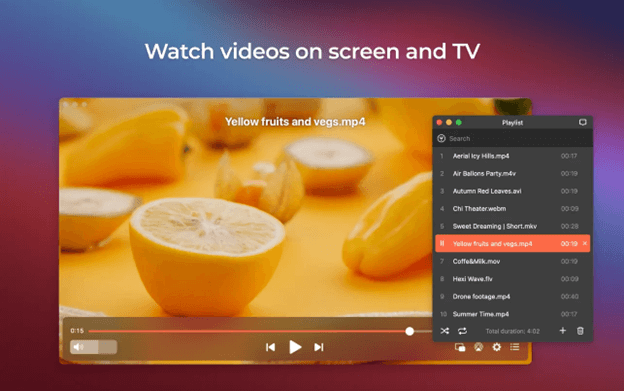
JustPlay is another lightweight best free AVI player for Mac in 2024. This app comes with plenty of much-needed video-playing features. The user interface is neat and simple to use. JustPlay can easily play 8K and ultra HD resolutions.

Not only for AVI, but JustPlay can also be used to play MOV files/ videos on Mac. Bookmarks, playlists, subtitles, audio visualization, etc are all included in this video player. JustPlay supports all major file formats including WMV, MKV, and more. Overall, it is an excellent choice as it supports almost all possible media files.


Popular AVI Player for Mac to Watch Free AVI Videos

We have provided all the necessary information on how to play AVI files on a Mac. We trust that this tutorial fulfilled all of your expectations. By following the alternatives outlined in this guide, you will be able to watch AVI files without encountering any issues. However, questions or concerns may arise.

Also Read: Best Video Compressors for Mac to Compress Video Size

If you are looking for recommendations on the best AVI player for Mac, please feel free to ask your questions in the comments section below. Our team will respond to you with accurate and trustworthy answers. If you enjoyed this guide, you can stay connected with us on various social media platforms such as Facebook, Instagram, Twitter, or Pinterest. Additionally, you have the option to subscribe to our newsletter, which will provide you with the most recent updates and news in the field of technology.

Best Free Spotify to mp3 Converter

14 Best Free Spotify to mp3 Converter in 2024 [Online & Offline]

May 14, 2024
4

Looking for the best free Spotify to MP3 converter? Then, you have come to the right place. Here you will get the details and features of the top 14 converters.

Whether you’re a music lover or just like listening to music occasionally, there’s a likelihood that you’re familiar with Spotify. Spotify is one of the most popular music streaming applications that comes with both a free and a premium plan. Despite being the biggest streaming service in the world, it has some drawbacks too. One of those is that you can only enjoy and listen to music within its platform. And, this could be a major problem for you, especially when you are about to stream Spotify songs & playlists on a generic MP3 player, which means without Spotify’s support.

Another shortcoming of this music streaming app is that users can download songs for offline listening only when they have a premium subscription to Spotify. That clearly shows, if you cancel your Spotify premium plan, then you will surely lose access to your downloaded playlists and songs.

Hence, many people wonder if there’s any sure-shot way to convert Spotify to MP3 so that they can save their favorite songs from Spotify to an MP3 or another device for offline listening.

Fortunately, by converting Spotify songs into MP3 files, you can get rid of this inconvenience. This way, you can be able to listen to your Spotify playlists or songs offline without any restrictions. To help you choose the best Spotify to MP3 converter, we have prepared this guide. Keep reading for further details!

A List of 14 Best Spotify to MP3 Converters in 2024

In order to enjoy Spotify to its fullest potential, we have gathered, tested, and tried a few applications for you. With the help of these best Spotify to MP3 converters online, you can hassle-free download and convert Spotify music into MP3. Without further ado, let’s get started:

1. TuneFab Spotify Music Converter

TuneFab Spotify Music Converter

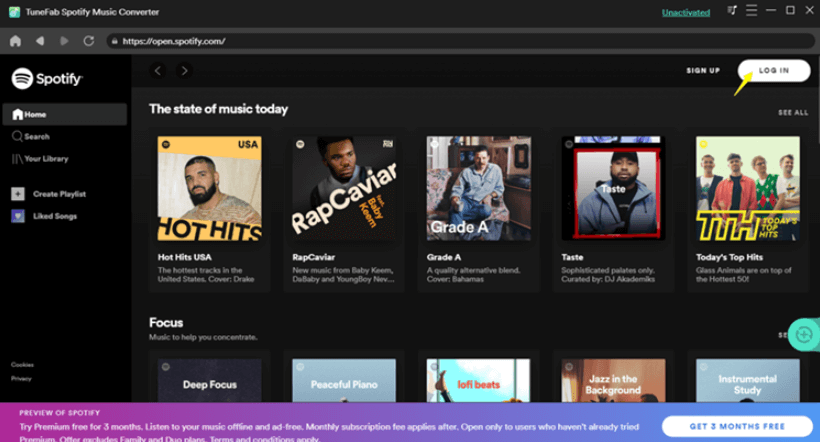
TuneFab is a versatile and robust music converter available for both Spotify’s Free and Premium versions. The tool helps you convert Spotify music or playlist to the best quality. Moreover, it has the ability to bypass the DRM from Spotify, & convert tracks to MP3, FLAC, WAV, or M4A formats.

This music converter also lets you customize the bitrate and sample rate for a better experience. Unlike other software, TuneFab’s batch conversion feature supports 5X faster conversion speed. The best thing about this program is that it comes with a built-in Spotify Web Player, which means, there’s no need for downloading the Spotify application. Without a shadow of a doubt, TuneFab can be a perfect choice for you, if you are looking for the best Spotify to MP3 converter.

Key Features of TuneFab Spotify Music Converter

  • Can easily convert Spotify music or even entire playlists to MP3 or other audio output formats without compromising the original quality.
  • Supports batch download or conversion with fast speed.
  • Good at converting multiple songs and albums in one shot.
  • Automatically detect the Spotify playlist.

Download Now

Also Read: Best YouTube to Mp3 Chrome Extensions


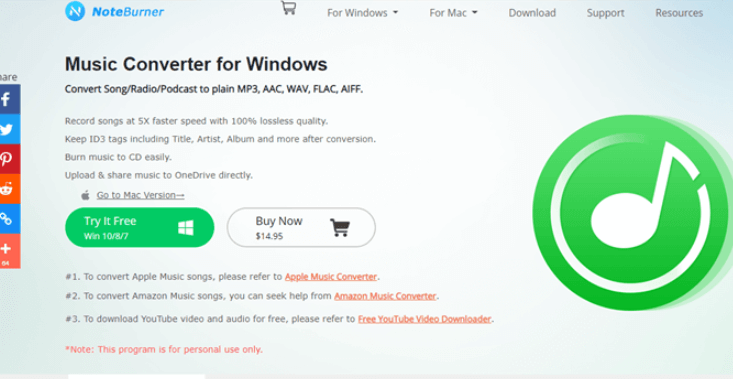
2. NoteBurner Spotify Music Converter

NoteBurner Spotify Music Converter

Another best Spotify to MP3 converter in 2024 that outshines its counterparts is – NoteBurner Spotify Music Converter. It is a user-friendly application that enables you to convert Spotify songs into MP3 files. Apart from that, NoteBurner also helps you convert Spotify songs into a wide range of popular audio formats.

Using this tool, you can convert any song or podcast found on Spotify into any audio format you want, which incorporates MP3, WAC, AIFF, FLAC, and AAC. Furthermore, you can enjoy the downloaded or converted song on any offline device.

Key Features of NoteBurner Spotify Music Converter: 

  • It provides a 5 times faster conversion speed.
  • Convert Spotify songs to multiple audio formats.
  • Possesses drag & drop functionality.
  • While converting the song to MP3, the quality of audio remains the same.

Download Now


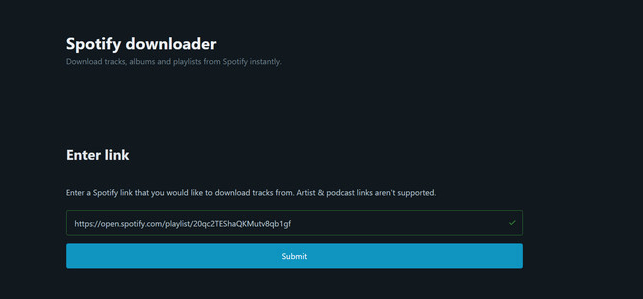
3. Spotify Downloader

Spotify Downloader

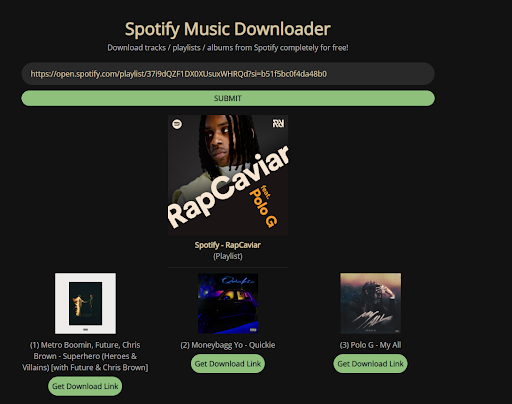
Spotify Downloader is a powerful web tool that lets you download songs/playlists from Spotify. People can download a song either by entering an album, playlist, or track link. Moreover, users can download the full playlist or album in ZIP format. Plus, you’ll get all the metadata like artists, release date, or cover image in the downloaded tracks.

However, the tool will frequently show pop-up ads, but if you have no issues with these annoying advertisements, this Spotify to MP3 converter is a perfect choice.

Key Features of Spotify Downloader:

  • It also offers a web browser extension for Dolphin, Maxthon, Chrome, Kiwi, and XBrowser.
  • Supports batch downloading and conversion.
  • A 100% online free Spotify to MP3 converter.
  • The online tool helps you download and convert Spotify songs, tracks, albums, and even complete playlists in 30kbps high bitrate.

Download Now


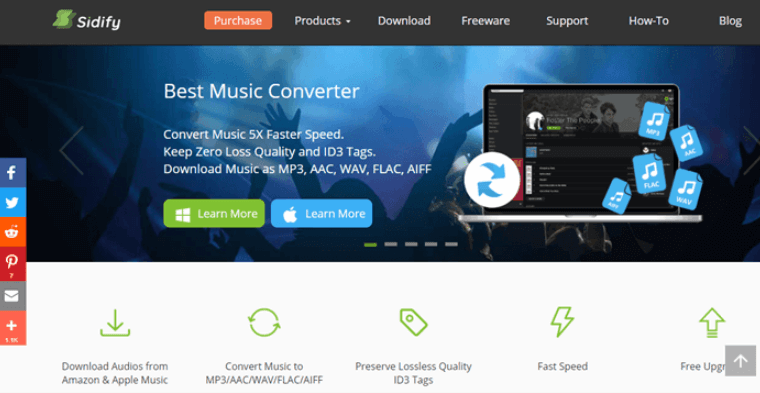
4. Sidify Music Converter

Sidify Music Converter

Sidify is yet another best software for easy and fast conversion. People can use Sidify for free in order to convert Spotify songs to MP3, FLAC, WAV, ALAC, and AIFF formats. It is an excellent option to convert Spotify music and even a full playlist in bulk without any extra charge or ads, which could save you a lot of time. It’s worth noting that the Sidify music converter is only available for Windows operating systems. In sum, Sidify is one of the best free Spotify to MP3 converters, for Windows users.

Key Features of Sidify Music Converter:

  • Capable of converting to several different audio formats.
  • 10X faster conversion speed.
  • Compatibility with popular audio streaming platforms like Spotify, iTunes, and Amazon Music.
  • Easy to use and lightweight tool.

Download Now


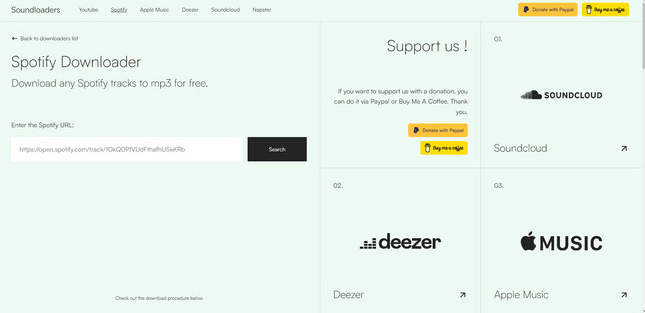
5. Sounloaders Spotify Downloader

Sounloaders Spotify Downloader

Soundloaders is the next application on our list of best free Spotify to MP3 converters in 2024. It is popular online music converting tool and is created as a YouTube Downloader, Spotify Downloader, Apple Music Downloader, Deezer Downloader, SoundCloud Downloader, and Napster Downloader.

Soundloaders lets you easily and quickly convert Spotify music or tracks to MP3 in 320kbps high quality. Plus, it does not ask you to register or give any personal information. Windows, Android, and macOS users can download songs online either from the Spotify desktop application or Spotify Web Player.

Key Features of Soundloaders Spotify Downloader:

  • It is a free and easy-to-use online music converter.
  • ID3 tags will be included on each Spotify music.
  • The service enables its users to convert songs from any music streaming platform without a penny.

Download Now

Also Read: Best Video Converter Software For Windows


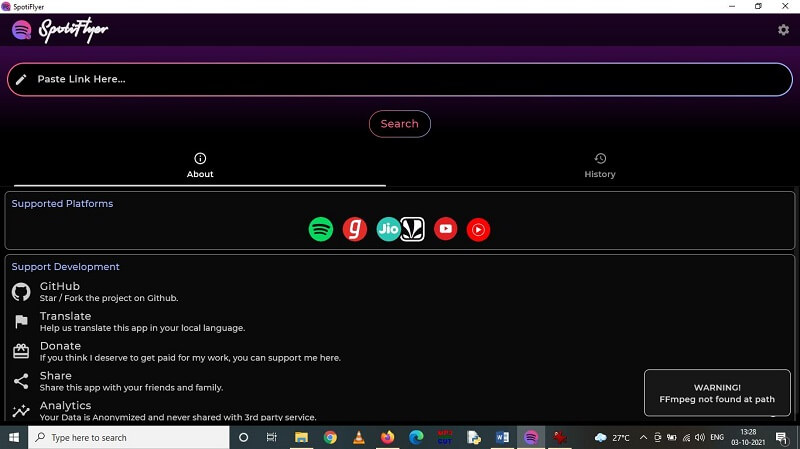
6. SpotiFlyer

SpotiFlyer

Are you searching for the best Spotify to MP3 converter? Then, your search ends here. SpotiFlyer is all you need. It is an intuitive application specially developed for downloading songs or music files from popular streaming services like Spotify, YouTube, and SoundCloud.

Using this converter, you can easily download music, or even entire playlists from Spotify, Gaana, YouTube, Jio-Saavn, and more. It supports 128kbps output quality, later on, it can be increased to 320kbps.

Key Features of SpotiFlyer:

  • It can convert all kinds of Spotify content including Spotify podcasts, Spotify tracks, and more.
  • Music files will be detected directly from YouTube, so you do not need to log in to any music streaming service.
  • Completely free and easy to use Spotify to MP3 converter.

Download Now


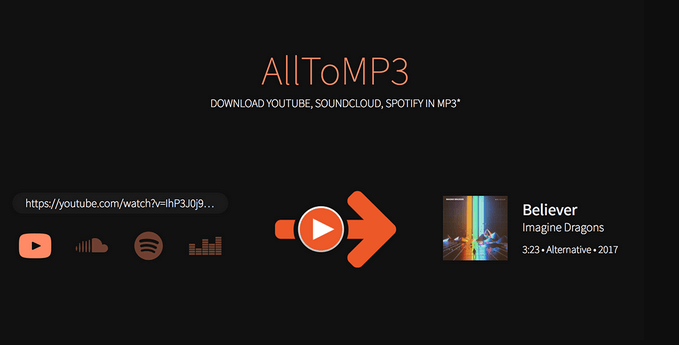
7. AllToMP3

AllToMP3

AllToMP3 is the quickest way to download Spotify music in MP3 within just a few minutes. It is completely a free music converter that not only lets you convert Spotify music but also YouTube Music, Deezer, and SoundCloud music.

The tool can directly pull out the DRM from Spotify’s music server, and later on, convert the track with a single click. Additionally, it automatically saves the converted music file as MP3 256 kbps. To use this software, you simply need to copy & paste the playlist link or song link into the AllToMP3 and hit Enter from your keyboard to begin the process.

Key Features of AllToMP3:

  • It boasts an intuitive and easy-to-use interface.
  • It is a free open-source Spotify to MP3 converter and can work on multiple platforms like Windows, Linux, macOS, and more.
  • The software helps you save the Spotify tracks in batches with full ID3 tags.

Download Now


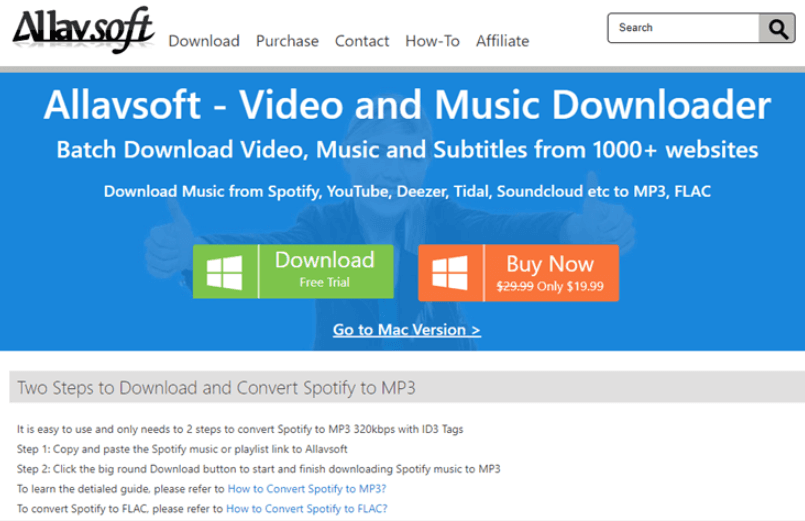
8. Allavsoft

Allavsoft

Allavsoft is another best audio or video converter that you can use to download music from Spotify. It only takes 2 simple clicks – you simply need to copy and paste the song you wish to convert. After that, just click on the download button to start the process. Anyways, the track/music will download in MP3 format by default but you can convert the song into other formats as well like WAV, WMA, AC3, and more. It boasts a batch download & conversion feature, with which users can download and convert numerous Spotify songs/playlists in a single shot. In short, this is the best Spotify to MP3 converter to try.

Key Features of Allavsoft:

  • Allows you to preview files.
  • You can pause and resume the process of conversion any time you want.
  • Supports all major audio formats like AC3, WMA, and more.
  • Batch conversion & download feature.
  • Capable of downloading both video and audio files from more than 1000 streaming websites.

Download Now


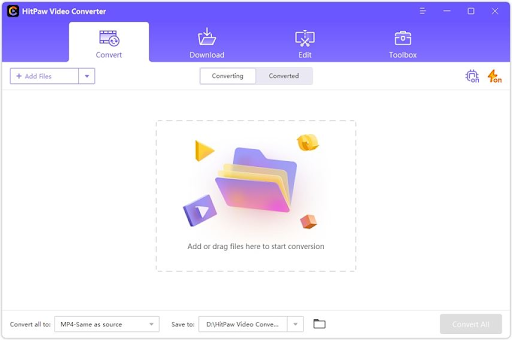
9. HitPaw Video Converter

HitPaw Video Converter

Next, we would like to introduce you to HitPaw Video Converter. It is among the best Spotify converters for its wide range of formats (300+) support and audio transcoding without impacting quality. Moreover, it maintains the original ID3 tags when you transcode the audio.

Furthermore, batch conversion, ease of use, and the following features contribute to making HitPaw Video Converter one of the best Spotify to MP3 converters.

Key Features of HitPaw Video Converter:

  • Hardware acceleration boosts the converting speed
  • Keeps lossless audio quality intact upon conversion
  • Lets you download albums, songs, podcasts, and playlists

Download Now


10. MuConvert Spotify Music Converter

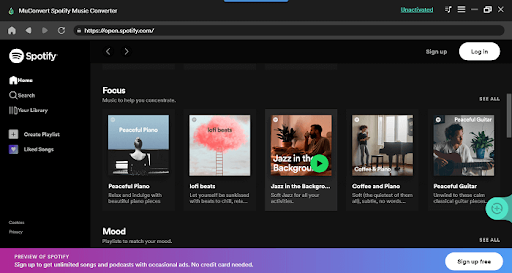
MuConvert Spotify Music Converter

As the next tool, we have MuConvert Spotify Music Converter to conclude our list of the best music converters for Spotify in 2024. Well-known across the globe for its clean and intuitive interface, it allows you to convert all your favorite playlists, songs, and albums without any quality loss to FLAC, WAV, M4A, or MP3 formats.

Additionally, auto-detection of music playlists and the following are some other exciting features of this Spotify converter.

Key Features of MuConvert Spotify Music Converter:

  • Analyzes multiple songs simultaneously
  • Supports batch conversion
  • You can download Spotify podcasts, albums, and songs with a single click
  • The output quality can be customized
  • Allows you to edit metadata and ID3 tags

Download Now


11. Audials

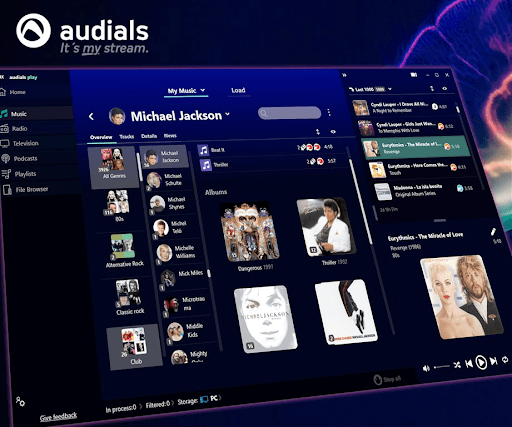
Audials

The next tool on this list of best music converters for Spotify is Audials. Audials is much more than just a traditional converter and allows you to stream music as well. With over 100,000 songs in English and other languages, the tool rules the world of converters. With the help of this solution, you can also run the radio station as well.

Moreover, the tool is cross-platformed and offers the following features as a Spotify converter.

Key Features of Audials:

  • Downloadable on Windows, iOS, and Android
  • Free to download
  • Stream and download music for free
  • Supports Deezer, Vimeo, Apple Music, and More.

Download Now


12. Audacity

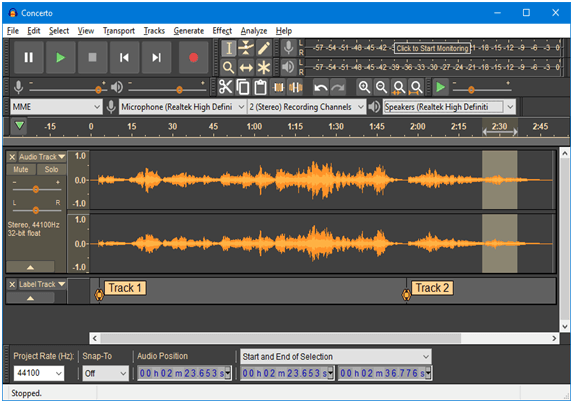
Audacity

Last but not least, Audacity is another best free audio converter and audio editing software that you can consider. The tool can be utilized to record/capture live audio, convert records into CDs or digital recordings, edit audio/sound files, and more. In addition to this, you can use this freeware application to record and convert Spotify songs to mp3. However, beginners find it a bit difficult to operate because it is designed for professional recording purposes. Overall, it’s the best Spotify to mp3 converter for Windows.

Key Features of Audacity:

  • Export/import, edit, and combine different sound files.
  • Simultaneously exports multiple files at the same time.
  • Comes with all editing capabilities like trim, merge, copy, paste, delete, etc.
  • A real-time preview option is available.
  • Supports all major audio formats.

Download Now


13. Spotify Mate

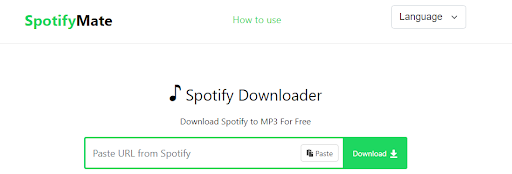
Spotify Mate

Here’s yet another one of the best free Spotify to MP3 converter for you. Spotify Mate is truly a mate for your Spotify account as it allows you to download any song or podcast from Spotify. You can copy and paste the link to any song on the website and download its MP3 with ease.

Key Features of Spotify Mate:

  • Completely online
  • Does not affect the audio quality
  • Allows multiple modes of audio download

Download Now


14. SpotifyDown

SpotifyDown

If you want a better alternative to the best free Spotify to MP3 converter, SpotifyDown is the most optimal one for you. SpotifyDown allows you to download any song or podcast from Spotify using direct links. The website may contain some ads but makes up for it by offering reliable services.

Key Features of SpotifyDown:

  • Smart and basic user interface
  • Allows multiple song downloading at once
  • Can download the entire playlist as well

Download Now

Also Read: Best M4A to MP3 Converter Software


Final Words

Undoubtedly, Spotify is a renowned streaming platform across the globe. It possesses one of the biggest music galleries out there, wherein music lovers can easily find songs or entire playlists of their choice.

However, Spotify does not make it simple to listen to music offline, which can be annoying for numerous people. But luckily, by using the best Spotify to MP3 converter you can play your favorite Spotify song offline on your device. All the above applications provide a unique set of features that lets you capture Spotify audio, podcasts, and entire playlists in MP3 format.

In our opinion, you should either prefer TuneFab Spotify Music Converter or Sidify Music Converter. These tools let you access your Spotify playlist any time anywhere, without any hindrances or restrictions.

Besides, if you have any other better suggestions, please feel free to tell us in the comments below. Apart from that, you can also drop your queries in the comments below.

For more technical information, articles, and news, subscribe to our Newsletter and follow us on Facebook, Twitter, Instagram, and Pinterest.

1 Comment
    moulahichamaitbella says: Reply
    November 18th 2023, 12:44 am

    Is very nice?

Leave a Reply to moulahichamaitbella Cancel reply

Your email address will not be published. Required fields are marked *

Sidebar Image bit G ad1

Latest Posts

  • Best VirusTotal Alternatives for windows in 2026 
    by Dikshika Singh / April 30, 2026
  • Best Ways to Fix Facebook Session Expired Loop Error  (1)
    Best Ways to Fix Facebook Session Expired Loop Error 
    by Gunjita Sompura / April 28, 2026
  • React vs Vue
    React vs Vue Detailed Comparison in 2026
    by Gunjita Sompura / April 23, 2026
  • Top Image Resizing software for Windows PC 
    by Dikshika Singh / April 21, 2026
  • How-To-Download-and-Install-Windows-Fax-And-Scan-In-Windows-11
    How To Download and Install Windows Fax and Scan in Windows 11
    by Dikshika Singh / April 15, 2026

Categories

  • Cyber Security
  • Driver Updater
  • Entertainment
  • Fitness
  • Games
  • How To
  • laptop
  • OS
  • Reviews
  • Tech News
  • Tips & Tricks
  • Top 10
Sidebar Image bit G ad1
Best-ai-photo-cleaner-tools-for-windows Best AI Photo Cleaner Toolsby Meet / November 6, 2025
OpenAI’s Sora App Lands on Android – Here’s What You Need to Knowby Meet / November 12, 2025Open-AI sora for android
TechPout Footer Logo

We at TechPout promise to put forth stories that help people to learn and simplify their digital life. Our purpose is to share the true essence of technology with our tech-loving community.

Useful Links

  • About Us
  • Contact us
  • Privacy Policy

Popular Posts

  • Best PC Optimizer Software
  • Best Mac Cleaner Apps
  • Best Driver Updater
  • Duplicate Photo Finder and Cleaner Software
  • Best Free Movie Download Sites
  • Best IPTV Players

Follow us

Copyright © 2026 www.techpout.com. All rights reserved
DMCA.com Protection Status