Main LogoLight Logo
  • Reviews
  • Top 10
  • How To
  • Tech News
  • OS
    • Windows
    • MAC
    • iOS
    • Android
  • Categories
    • Driver Updater
    • Cyber Security
    • Games
    • Fitness
    • Entertainment
    • Tips & Tricks
Android iOS Top 10
by Snigdha

11 Best Screen Mirroring Apps For Android & iPhone In 2024

January 3, 2024
1

Do you wish to experience your smartphone on a larger than life-size scale? You can certainly consider using the best screen mirroring app for Android and iPhone that you own.

If you are wondering what these apps can do for you then let me enlighten you that they enable you to stream movies from your smartphone onto a bigger screen very conveniently. Additionally, some people also use it for technical support.

This post is about the best screen mirroring apps available for Android and iPhones. Let us brief you on the concept of screen mirroring before taking you through the best screencasting apps available in the Play Store or App Store.

Table of Contents hide
What is Screen Mirroring?
Best Screen Mirroring Apps For Android & iPhone in 2024
1. Google Home
2. Microsoft Remote Desktop
3. ApowerMirror
4. Miracast (Wireless Display)
5. LetsView
6. Team Viewer
7. Chrome Remote Desktop
8. AnyDesk
9. Samsung Smart View
10. Mirroring360 Sender
11. AirServer Connect
Conclusion

What is Screen Mirroring?

A screen mirroring app lets you reflect the contents on your smartphone onto a bigger display screen like that of a television screen or PC. It can prove to be immensely useful for gamers and binge-watchers. 

Additionally, it can also be useful for accessing other files, images, and apps. These apps can also find utility in meeting rooms and can prove to be of immense technical assistance for developers besides serving as a screen recorder. 

Using screen mirroring apps can offer some advantages over the cumbersome manual steps. Therefore, you can easily acquire a satisfactory app for your smartphone to effortlessly transfer media files between your smartphone and PC.

Best Screen Mirroring Apps For Android & iPhone in 2024

Go beyond the boundaries of your smartphone with the best screen mirroring apps described below.

1. Google Home 
Best Screen Mirroring Apps - Google Home

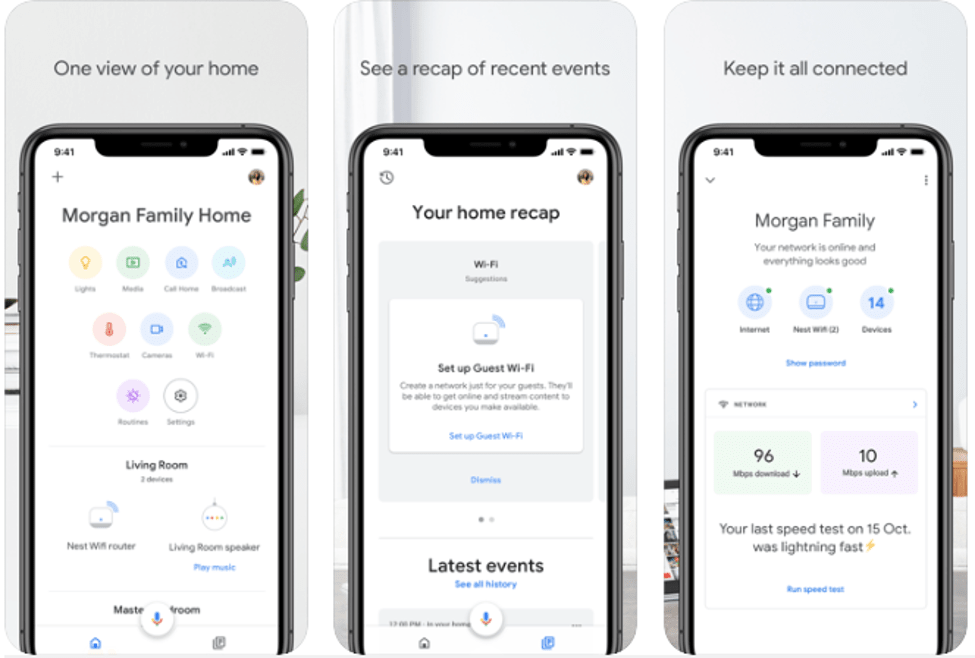
Control your Chromecast from your smartphone or cast your phone screen to the TV with this best screen mirroring app for Android and iOS devices.

If you are thinking about what else you can do with it, then you would be amazed to know that it can let you play music easily. Bountiful music and videos are available with this app. 

Apart from streaming numerous videos, you can also control and customize Chromecast settings easily with this screen mirroring app. This app can also warn you if some anomalous event takes place in the house in your absence.

android ios


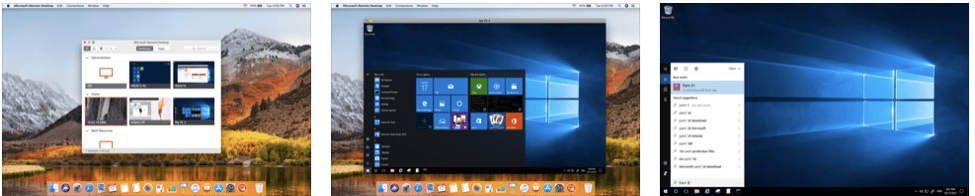
2. Microsoft Remote Desktop

Best Screen Mirroring Apps - Microsoft Remote Desktop

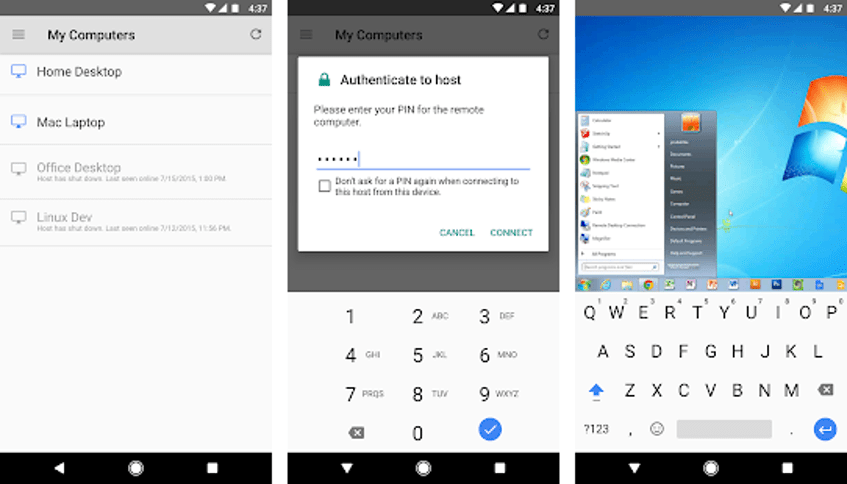
Being a well-known screen mirroring application, it lets you connect your devices easily. It streams videos in high definition and hence can be regarded as the best screen mirroring app for smart TV. 

You can securely establish a connection between your system and the Android or iOS device. You can also transfer data, media files, etc securely. It also offers multi-touch functionality.

android ios

Read More: Best Phone Usage Tracker Apps For Android & iOS 


3. ApowerMirror
ApowerMirror

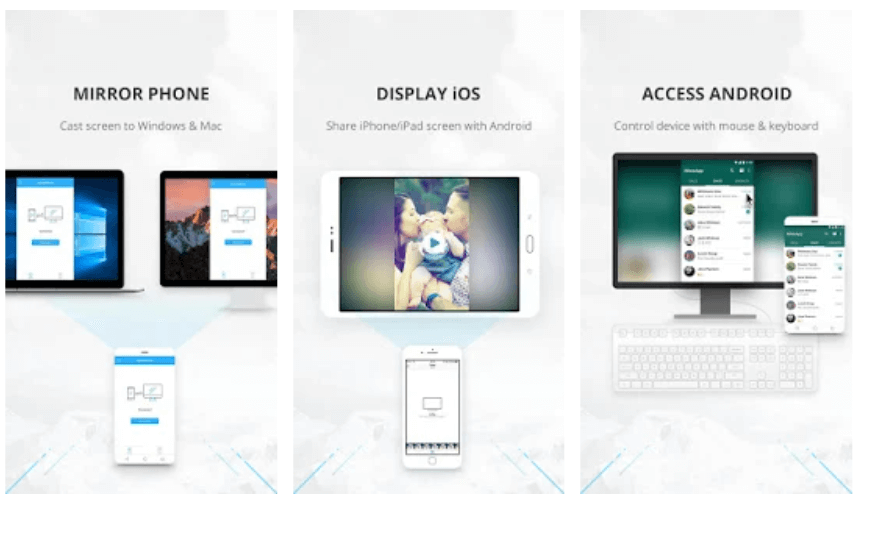
If you are looking for the best screen mirroring app for Android to Windows PC or iOS to Mac screencasting, then here is a wonderful application to suit your needs and preferences.

You can remotely control the Android device with the mouse and keyboard using this application. Thus, the application works both ways. You can record and capture the phone screen, mirror as well as control the Android screen and even type and send messages with your keyboard.

With unlimited and powerful features of this application, you can certainly mirror your phone’s screen easily and do a lot more with it. You can also view the Android notifications on your PC screen.

android ios


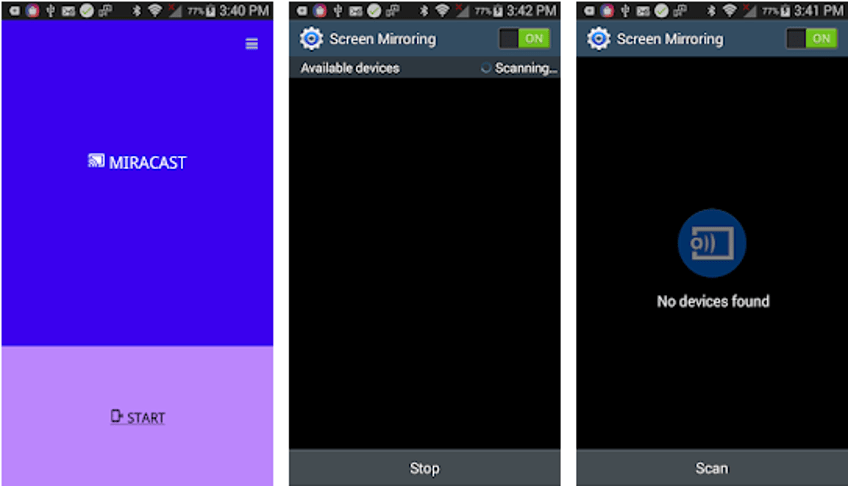
4. Miracast (Wireless Display)

Best Screen Mirroring Apps - Miracast

Project your Android screen on your smart TV in just a single click with this best screen mirroring app. The app can also be used to switch on the Wifi of the phone easily.

You can also share your live screen with any other device or PC on the same network with the help of a media player, web browser, Chromecast, etc.

android


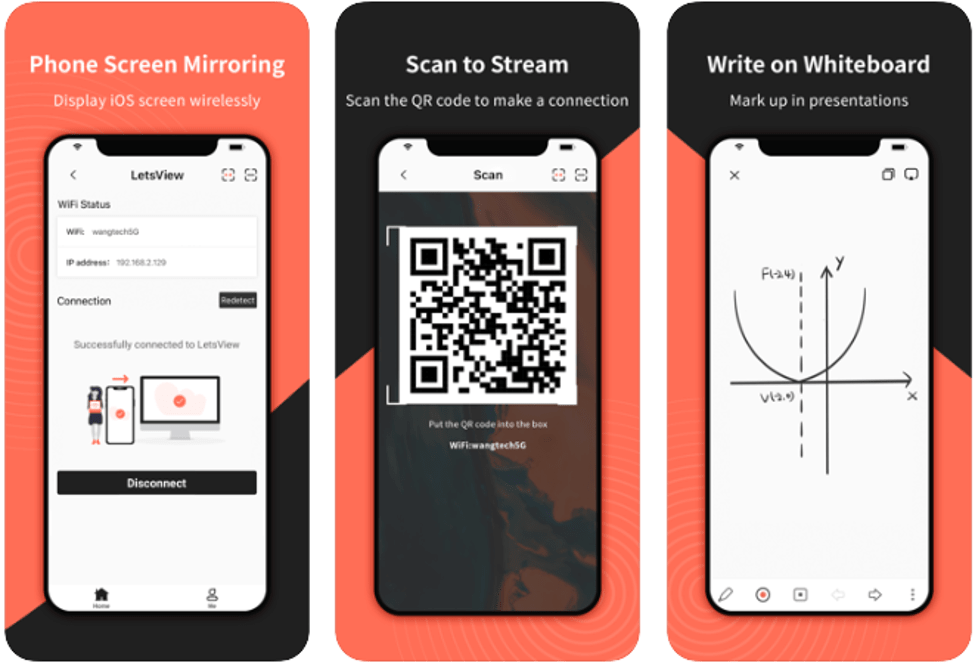
5. LetsView

Best Screen Mirroring Apps - LetsView

A plethora of features and options become available in front of you when you install this best screen mirroring app on your smartphone. Wondering what are they?

Well, you can mirror your smartphone with your laptop. It supports multi-mirroring protocols like Miracast and AirPlay to facilitate live streaming. Another interesting offering is the screen mirroring of AR, virtual reality apps, or drones.

Play PUBG and Clash Royale on your PC with this tool. Further, it allows you to broadcast live videos from the mobile phone.

android ios


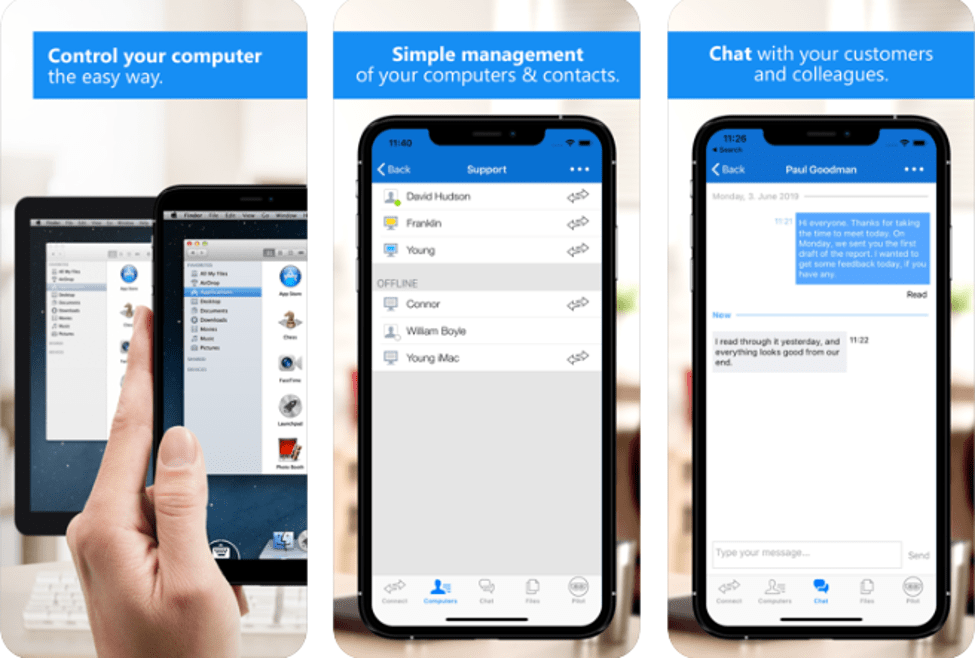
6. Team Viewer

Best Screen Mirroring Apps - Team Viewer

This app presents an adequate way to control computers and mobiles remotely. It offers chat service too. With AES 256 Bit session encoding ability you can securely transfer files. 

You can enjoy HD video and high-quality sound transmission in real-time.  Being an open-source screen mirroring application, it can be easily accessed. This app can also help to connect multiple monitors at the same time.

android ios


7. Chrome Remote Desktop

Best Screen Mirroring Apps - Chrome Remote Desktop

Developed and owned by Google LLC, this is another best screen mirroring app for both Android and iOS devices. This app lets you access your smartphone files from your PC.  

You can open Chrome and visit the Chrome Remote Desktop webpage and gain remote access to other devices. It offers an absolutely fast, simple, and free way of screen mirroring.

android ios


8. AnyDesk

Best Screen Mirroring Apps - AnyDesk

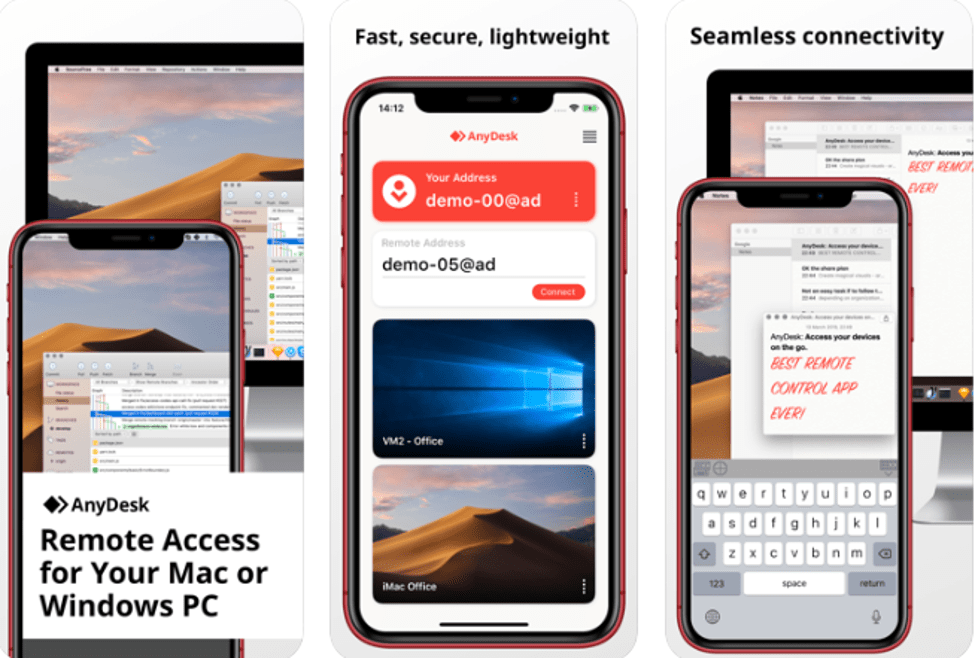
AnyDesk is the best screen mirroring app that can help you to control your files and software remotely. Use your Android or iOS devices for easily accessing Windows, Linux, or Mac systems.

A unique Anydesk ID facilitates the easy connection of your device using the ID and the password.

The 4096-bit RSA Key Exchange and the Erlang Technology can help secure your data and communications. 

android ios


9. Samsung Smart View

Best Screen Mirroring Apps - Samsung Smart View

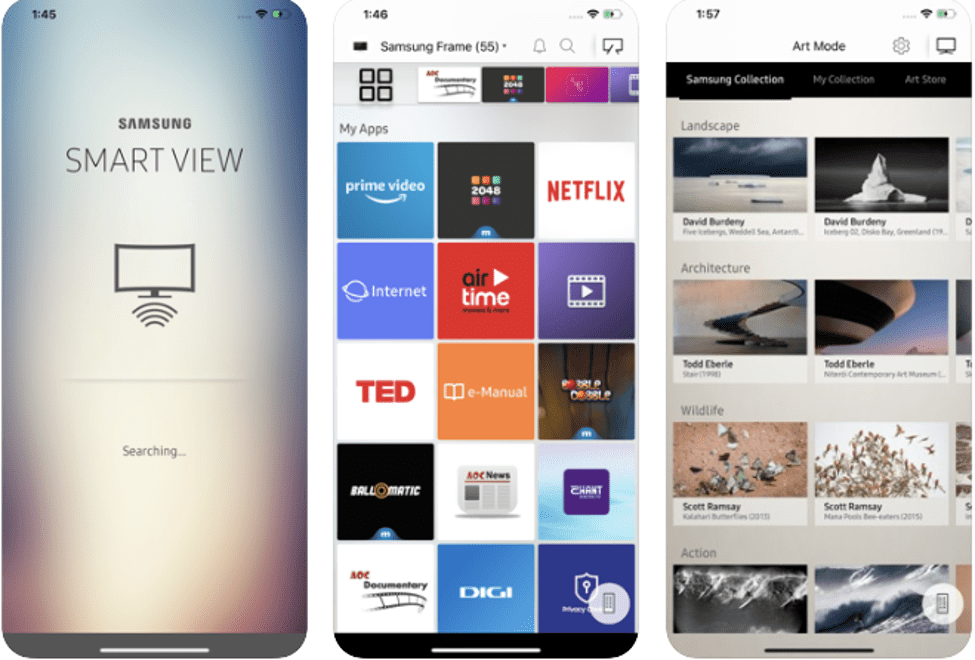
Stream your favourite shows anytime on your smart TV without any hassles. Access movies, music, sports, and games easily from your smartphone and cast them on your TV with this best screen mirroring app. 

This app also lets you turn your TV in standby mode directly from your smartphone.

ios

Read More: 10 Best Free Webcam Software for Windows 10, 8 and 7


10. Mirroring360 Sender
Best Screen Mirroring Apps - Mirroring360 Sender

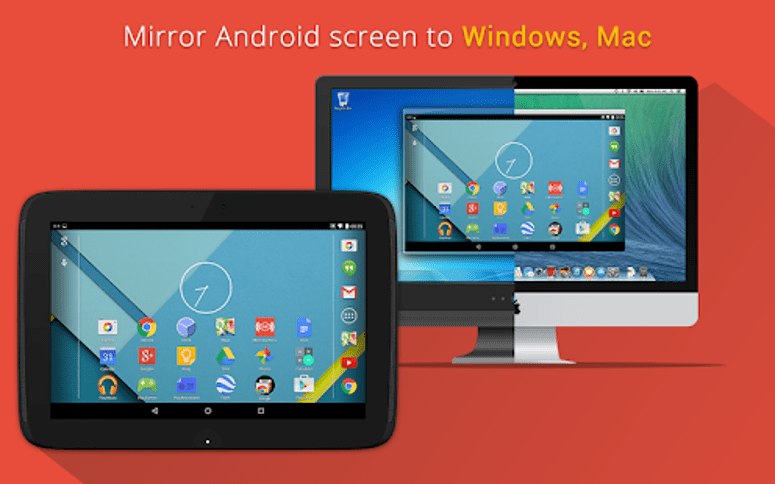
You can do unlimited activities with this best screen mirroring app for Android. You can use it to mirror your phone screen to the Amazon Fire TV, Fire TV Stick, Windows PC, Mac system, and other Android devices.

You can easily share your presentations, education apps, and entertainment apps on your PC screen. Many developers give demo presentations of their apps under development with the aid of this tool.

android


11. AirServer Connect

Best Screen Mirroring Apps - AirServer Connect

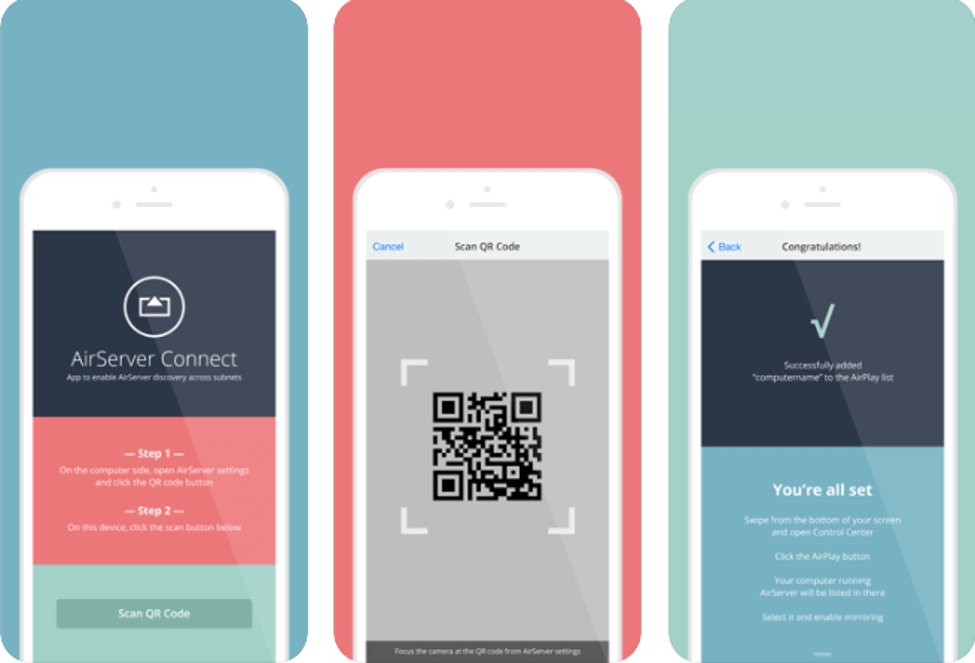
Whether you are in the teaching profession, in business, a software or game developer, or just a regular user, this is the best screen mirroring app for both Android and iOS devices. 

You can project to multiple AirPlay receivers synchronously and simultaneously. With the built-in QR Code scanner, you can connect with AirServer easily even on a restricted network.

android ios


Conclusion 

Thus, this article educated you about the best screen mirroring apps for Android and iOS. These apps can rightfully help educators, business magnates, creative professionals, and also prove to be useful for regular users.

You could pick the most suitable screen mirroring app for meeting your daily needs and no longer suffer because of the dimensional confinements of a small screen smartphone. Do let us know your thoughts and suggestions in the comments section below.

Author

Snigdha

Snigdha is a technical content writer with expertise in the field of science & technology. Though she has a very diverse academic and professional profile yet she finds writing to be a creative form that she was unable to explore so far. When not writing, she can be found indulging in other forms of creativity like painting or travelling.

View all posts

Related Posts
Best-Shiftsmart-Alternatives-or-Similar-Apps

Best Shiftsmart Alternatives or Similar Apps in 2024

September 18, 2024
0

Are you searching for a Shiftsmart alternative? If yes, then you have come to the right place. In this article, you will explore the 6 most dedicated apps like ShiftSmart in 2024. Read on to the entire article for the details!

ShiftSmart is a versatile workforce management solution that helps your business fulfill dynamic and complex staffing needs with a powerful end-to-end technology platform. This flexible job solution empowers people to explore, apply for, and effortlessly manage their work shifts, depending on part-time, short-term term, or full-time.

Workers can seamlessly set their preferences, customize profiles, and access available shifts according to their preferred sectors. ShiftSmart provides convenience to workers with flexible payment tracking and scheduling functionality. Even though ShiftSmart offers a wide range of options and features, there are better alternatives also available, that you can try.

Other apps might provide more flexibility, more shifts, cover distinct jobs or probably have better features. Therefore, looking for a ShiftSmart alternative totally depends on what you like and what suits you better.

6 Top Shiftsmart Alternatives to Try in 2024

Below are top apps like Shiftsmart for flexible gigs, shift work, and managing the overall schedule with ease. Simply go through the list and choose the one that suits your requirements. Now, without further ado, let’s get started!

1. UpShift

UpShift is one of the leading workforce management platforms that easily connects businesses in light industrial & hospitality industries with various qualified and experienced hourly workers. It’s a user-friendly solution available for both Android and iOS. UpShift provides you with a variety of options, especially for people who are looking to earn additional cash.

The best thing about Upshift is it has a “Pick your own schedule” feature. With this feature, you can easily make your own schedule working at local businesses and even get paid daily. UpShift is best for connecting people with businesses in need of extra staff. Overall, it’s a complete game changer for your work-life balance.

UpShift

https://apps.apple.com/us/app/upsh%C4%B1ft-find-flexible-shifts/id1211135806

https://play.google.com/store/apps/details?id=com.upshift.androidcustomer&hl=en_IN


2. JobStack

The next name on this list of best Shiftsmart alternatives is JobStack. Whether you are a business searching for temporary staff or a person looking for flexible jobs, this solution has everything you need. JobStack is an excellent platform where workers and businesses can connect for on-demand labor. You can seamlessly request staff from anywhere at any time.

With JobStack, you can find work in real time. It’s user-friendly and easy to apply for, allowing you to set job preferences, add skills, and set a desired location where you want to work. Managing your work, or finding a job according to your schedule has never been easier.

JobStack

https://apps.apple.com/us/app/jobstack-find-a-job/id1173697964

https://play.google.com/store/apps/details?id=org.peopleready.jobstack&hl=en


3. Wonolo

Find steady, flexible work with Wonolo. The platform connects you with immediate daily shifts and temporary to permanent work opportunities around your region. Wonolo is the place where you no longer need to hassle with interviews and resumes – it makes everything so simple. Wonolo is one of the dedicated Shiftsmart alternatives that provide streamlined staffing and simplified pricing options.

From food production, merchandising, and warehousing to cleaning and washing, You’ll get instant job notifications, quick payments, and different gig types. Wonolo will help you find your next opportunity. It is all about downloading the application, getting started with the gig, picking up shifts immediately, and getting paid.

Wonolo

https://apps.apple.com/us/app/wonolo/id728948811

https://play.google.com/store/apps/details?id=com.wonolodroid&hl=en_IN

Also know: Best Payroll Management Software in 2024 [Automate Process]


4. InstaWork

InstaWork is another Shiftsmart alternative that you can try to manage your work shifts and tasks. With InstaWork, you can quickly find shift-based work that suits your schedule. In addition, businesses can post a gig & shift, quickly match with the workers, and get a low no-show rate of 2%. What’s more, the profiles of workers are there for businesses to check out when they want to pick up a shit. It’s nothing but speedy, reliable, and hassle-free staffing.

InstaWork is a platform that makes it extremely simple for you to find qualified and reliable workers according to your requirements. It’s a leading marketplace for local hourly workers with several other options.

InstaWork

https://apps.apple.com/us/app/instawork-work-when-you-want/id1123819773

https://play.google.com/store/apps/details?id=com.instaworkmobile&hl=en_IN


5. GigSmart

If you are searching for apps similar to ShiftSmart, then GigSmart is an excellent platform for you. GigSmart is revolutionizing how workers and businesses connect for on-demand opportunities or jobs. It provides an effortless contract-free solution. This platform ensures quick shift fulfillment, frequent posting/ uploading, working, and same-day payment.

It functions effortlessly across all 50 states in the USA. Additionally, GigSmart boasts a user-friendly interface, connecting businesses with more than a million qualified and experienced workers in different industries including catering, warehousing, retail, construction, landscaping, delivery, and facility services.

GigSmart can simplify the overall process of hiring through instant worker notifications, shift posting, insurance handling, payment processing, or background checks. With dedicated support and UI features, the GigSmart can be a go-to solution for both workers and businesses.

GigSmart

https://play.google.com/store/apps/details?id=com.gigsmart.worker&hl=en_IN

https://apps.apple.com/us/app/gigsmart-get-gigs/id1321576690


6. WorkWhile

WorkWhile is one of the best companies like ShiftSmart. WorkWhile connects workers with shifts in light industrial and warehouse, food production, event services, hospitality, last-mile delivery, general labor, and a lot more. With WorkWhile, you’ll get reliable and certified workers for your business.

With this platform, you do not need to wait for 1-2 weeks for your payment. That means you’ll be able to transfer your earnings to your account within 24 hours of completing your shift. Their flexible measures enable you to scale your workforce effortlessly. For workers, WorkWhile provides access to full-time, part-time, and flexible jobs, worker-first support, next-day pay, and the capability to earn sick leave credits. The company focuses on one thing i.e., helping workers earn a better living so they can live better lives.

WorkWhile

https://play.google.com/store/apps/details?id=com.workwhilejobs.app&hl=en_IN

Also know: Explore High-Paying Cybersecurity Careers You Could Choose


Best ShiftSmart Alternatives to Try in 2024: Wrapping Up

So, these are some of the best apps like ShiftSmart that you can consider in 2024. Whether you are craving full-time flexibility or just a side hustle, these options are opening new doors to a world where workforce management solutions and opportunities sync seamlessly with life’s various sources. Simply go through the entire list and choose the one that suits you best.

That’s all! We hope you found the list informative and helpful. Do you have any questions or better suggestions regarding the same? If yes, then feel free to drop us a comment in the box below.

Lastly, you can also subscribe to our Newsletter so you can receive daily tech updates.

Best Documents Summarizers apps to use

Best Documents Summarizers Apps to Use

October 28, 2024
0

You can understand the core concepts and ideas discussed in large documents and articles without reading them for hours. All you need to do is summarize them with the best AI summarizers in this article.

Sometimes, reading documents is indispensable to extract crucial information necessary for decision-making. However, extracting information from the huge wall of data is often a laborious and time-consuming task. Hence, users usually look for document summarizers that can tackle lengthy documents and summarize their key points in a matter of seconds.

Are you also searching for apps that summarize articles? Then, you are in the right place. This article puts together a carefully curated list of the best AI-powered tools (selected after carefully analyzing their language model, customizations, summary quality, cost, ease of use, and many other factors) you can use to create document summaries. Let us save precious time and dive right into them.

Well-Researched List of the Best Document Summarizers

Below are the AI document summarizers we recommend to extract key points and summarize lengthy documents in seconds.

1. GetDigest

Let us introduce you to GetDigest. It is one of the best free document summarizer apps with a friendly interface and powerful summarization capabilities. The summary mode and length selection options are what we liked the most about this software. Apart from that, it supports multiple text formats, such as PDF, DOCX, and TXT, analyzes over 33 languages, and offers these notable features.

Key features of GetDigest

  • It boasts an extension for Google Chrome and Mozilla browsers
  • You can download summaries in the form of text files
  • It lets you choose the number of keywords to extract from the document or web content

GetDigest

Click here for more information


2. ClickUp

Next, we have ClickUp on our list of the best apps to summarize articles. It is an all-in-one platform for document collaboration, management, and communication with the organization. Moreover, you can use ClickUp Brain to find information, write content, summarize project updates, and translate documents. Furthermore, you can summarize almost anything and everything using ClickUp, including meetings, project threads, and status updates. Additionally, below are a few of the top features of this AI summarizer.

Key features of ClickUp

  • It inserts an automatically generated summary block so you and every teammate get a gist of every document/page
  • You can use ClickUp to review documents, meeting transcripts, and chats to list action items or next steps
  • This app supports multiple languages
  • You can enable ClickUp on your mobile device to automatically summarize your comment threads and messages in the inbox

ClickUp

Click here for more information

Also know: Best Free AI Video Generator from Text


3. Notta

Do you wish to transcribe and summarize audio and video files? Then, Notta is among the summarizers you can use. It is an all-in-one platform that allows you to organize your recordings and transcripts, record Live meetings, and sync from Google Calendar events. Below are a few of its key features.

Key features of Notta

  • It creates chapters for every transcript summary, making it easier for you to read it
  • You can use customizable templates for various kinds of meetings
  • Notta lets you share the summarized text via a link
  • You can save the transcription and summary as TXT, WORD, PDF, or SRT file
  • The transcribed and summarized files are directly shareable on Notion or Salesforce
  • It supports 58 transcription and 42 translation languages

Notta

Click here for more information


4. Scribbr

Here comes Scribbr. It is among the best AI document summarizers if academic research is your goal. It offers a scholar and researcher-friendly tool for academic writing and editing, citations, APA-style editing, and summarization. Moreover, you can check whether or not the generated summary is plagiarism-free with Scribbr’s plagiarism checker. Furthermore, below are a few more attractive features of this summarizer.

Key features of Scribbr

  • You can choose whether you wish to summarize articles as digestible bullet points or concise paragraphs
  • Scribbr lets you customize the summary length
  • It lets you choose keywords to customize your summary’s focus
  • You can download your summaries as a TXT file

Scribbr

Click here for more information


5. Summary Generator

As the name suggests, the Summary Generator lets you summarize almost all forms of content, such as articles, essays, academic and research papers, stories, technical documents, and meeting minutes. Moreover, it can even summarize Word documents online and offers the below features that make it one of the best apps for summarizing articles.

Key features of Summary Generator

  • You can move the output slider to customize the summary length
  • It supports over 16 languages
  • You can upload a Word/PDF file, copy-paste the text, or insert an article’s URL to summarize the article

Summary Generator

Click here for more information


6. Paraphrase.io

Next, we would like you to talk about Paraphrase.io. It is among the best AI document summarizers to summarize large documents. Moreover, you can paraphrase the summary for better understanding, check for grammar mistakes and plagiarism, and benefit from these features of this tool.

Key features of Paraphrase.io

  • It shows the details of the original text, such as the number of characters, words, sentences, and paragraphs, allowing you to compare the summary and the original document
  • You can create summaries in the form of bullet points
  • It supports eight languages
  • You can customize the summary length

Paraphrase.io

Click here for more information

Also know: Best Online Text Editor to Edit Text Online


7. Document Summarizer

Here is another straightforward app that summarizes articles, including long ones. It can even convert a massive 500-page document into a meaningful and concise summary. This user-friendly tool lets you customize the summary length, does not impose any daily word limits, and offers these remarkable features.

Key features of Document Summarizer

  • You can add the Document Summarizer extension on Google Chrome for easy summarizing
  • It lets you download summaries for offline use

Document Summarizer

Click here for more information


AI Document Summarizers: The Conclusion

You no longer need to read huge chunks of text to jot down key points from it. The best apps to summarize articles listed and explained above make your work easier by converting large documents into concise, understandable, and to-the-point summaries. These summaries help you understand the central idea of a document without spending hours reading it. However, if you have any doubts or questions about the list above, you can ask in the comments section. Also, we are open to suggestions, if any, about this article.

1 Comment
    Maria Baeza says: Reply
    April 13th 2020, 11:56 am

    My phone has no screen mirror option so I have to download one of this app for screen mirroring and then I downloaded Team Viewer after reading this blog and it’s workable for me. These apps are amazing. Thanks for sharing!

Leave a Reply to Maria Baeza Cancel reply

Your email address will not be published. Required fields are marked *

Sidebar Image bit G ad1

Latest Posts

  • Best-Free-Online-Portfolio-Websites-in-2026
    Best Free Online Portfolio Websites in 2026
    by adminuser / March 16, 2026
  • Anytime Astro: Best Website For Online Astrology Consultation
    Anytime Astro: Connect Now For Online Astrology Consultation
    by Somya Shrimal / March 13, 2026
  • Best-Ways-to-Combine-Images-Into-PDF-Files
    Best Ways to Combine Images Into PDF Files
    by Niharika / March 12, 2026
  • Best FREE VPS Hosting Providers
    7 Best FREE VPS Hosting Providers in 2026
    by Devesh / March 12, 2026
  • Best-McAfee-alternative-software-to-use-for-Virus-Protection
    Best McAfee Alternative Software to use for Virus Protection
    by adminuser / February 11, 2026

Categories

  • Cyber Security
  • Driver Updater
  • Entertainment
  • Fitness
  • Games
  • How To
  • laptop
  • OS
  • Reviews
  • Tech News
  • Tips & Tricks
  • Top 10
Sidebar Image bit G ad1
Best Free Icon Packs For Android To Customize Your Phones In 2024 Best Free Icon Packs For Android To Customize Your Phones In 2024by Samuel Mathews / January 3, 2024
7 Best Free YouTube Thumbnail Maker to Increase CTR in 2024by Devesh / January 3, 2024Best Free YouTube Thumbnail Maker to Increase CTR
TechPout Footer Logo

We at TechPout promise to put forth stories that help people to learn and simplify their digital life. Our purpose is to share the true essence of technology with our tech-loving community.

Useful Links

  • About Us
  • Contact us
  • Privacy Policy

Popular Posts

  • Best PC Optimizer Software
  • Best Mac Cleaner Apps
  • Best Driver Updater
  • Duplicate Photo Finder and Cleaner Software
  • Best Free Movie Download Sites
  • Best IPTV Players

Follow us

Copyright © 2026 www.techpout.com. All rights reserved
DMCA.com Protection Status