Main LogoLight Logo
  • Reviews
  • Top 10
  • How To
  • Tech News
  • OS
    • Windows
    • MAC
    • iOS
    • Android
  • Categories
    • Driver Updater
    • Cyber Security
    • Games
    • Fitness
    • Entertainment
    • Tips & Tricks
Android Top 10
by Prachi Dani

5 Best WhatsApp Status Saver Apps for Android in 2024

February 14, 2024
1

Are you looking for a way to save your friend’s WhatsApp status? Well, you are at the right place, keep reading ahead to find out the best apps which can help you save WhatsApp status. 

Snapchat first introduced the idea of disappearing stories. Since then, many other social networking platforms like WhatsApp, Instagram, and Facebook has adopted the same concept. 

WhatsApp has gained enough popularity over the last few years and is used widely by people of all age groups. Besides being a chatting and messaging platform, it is also used to sharing exciting videos and pictures.

Follow this guide to find out which are the best WhatsApp status saver apps. 

Table of Contents hide
What are the Best WhatsApp Status Saver Apps for Android?
1. Status Saver
2. Status Saver- WhatsApp Status Video Download App
3. Status Downloader for Whatsapp
4. Status Save to Gallery: Status Saver
5. Status Saver – Video Download
Conclusion

What are the Best WhatsApp Status Saver Apps for Android?

While some like to research on their own, some prefer taking expert advice. For those who are not interested in research here is a comprehensive list of some of the best Status Saver apps. 

Take a look and pick the most suitable one. 

1. Status Saver
Status Saver

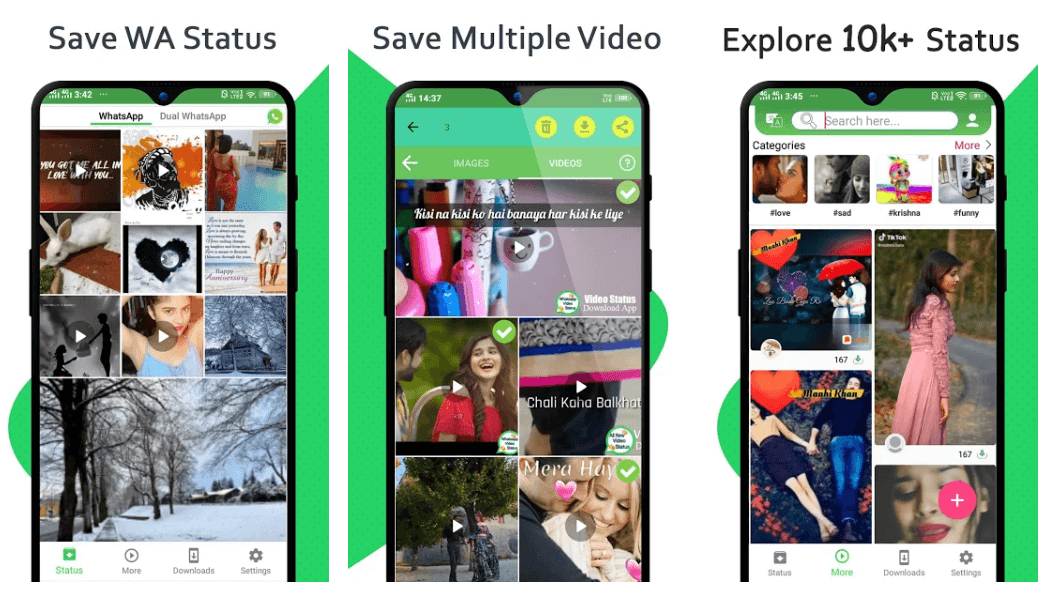
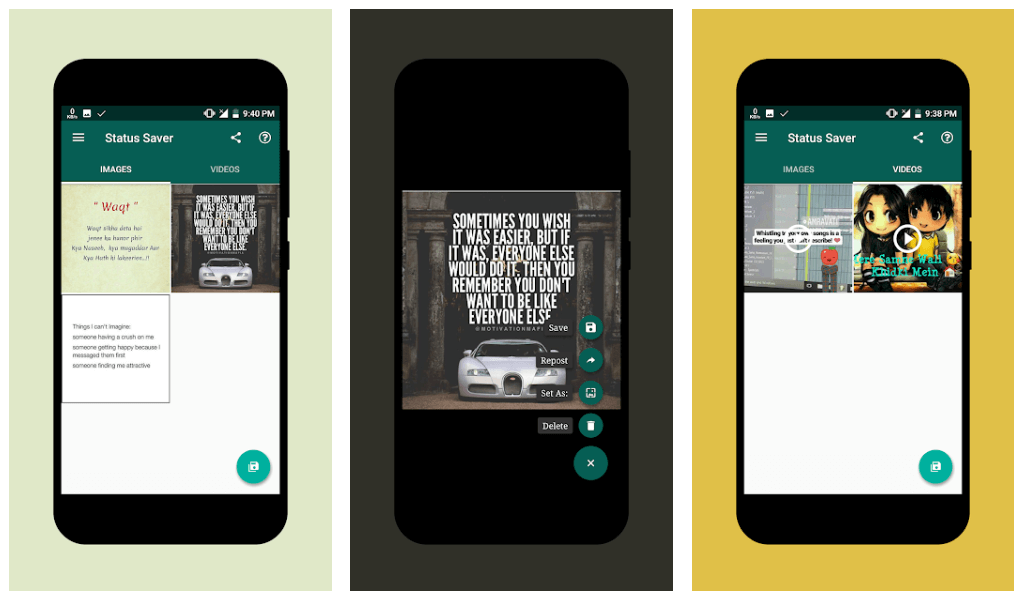
This is one of the simplest and straightforward apps that one could ever find and comes with all the necessary and essential features. 

You can chat with your friends, share videos, save WhatsApp status to your phone gallery, repost a profile status, and many more. 

To access pictures and videos from your friends status, scroll in either left or right direction. The saved video will have the exact length as the one in the app. 

However, there is a small drawback with this application. It does not support status search through contact names. Therefore, you will have to search the videos and images manually, no matter how many contacts you have in your directory.

Keeping aside this small flaw, Status Saver gives a tough fight to its competitors in its category. It’s simple, clean, and user-friendly interface makes it a good contender.

download

2. Status Saver- WhatsApp Status Video Download App
Status Saver- WhatsApp Status Video Download App

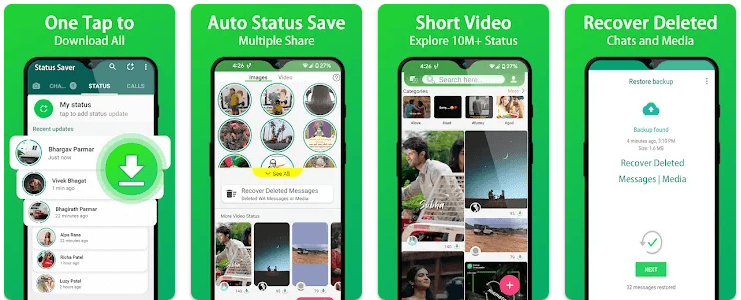
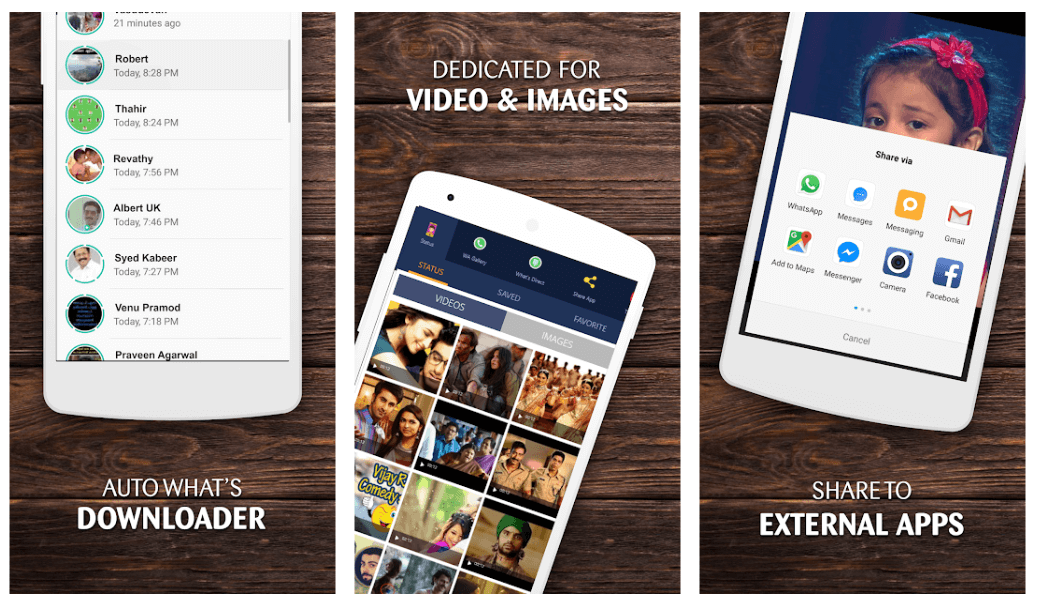
If you want to download a status saver for WhatsApp, this one can be a good pick. Unlike other apps, its interface is not green, so if you’re tired of seeing the green color, this one is a pick for you. 

Just like it any other status saver app, you can copy GIFs and images, and the files are stored in an easy-to-use format. 

It only works on two categories, including videos and images, so if you are thinking of sorting your contacts through names and times, it is not possible. 

You can only do it by scrolling through your contact list.

download

3. Status Downloader for Whatsapp

Status Downloader for Whatsapp

If you are looking for a functional status save app for WhatsApp, this is a perfect choice for you. With this simple to use the application, you can save your friends images, videos, and cherished moments. 

To do so, you need to search for and watch the status from your WhatsApp, then open this application. It will scan and display the status which you can easily save in your phone gallery.

Download it today to save your favorite WhatsApp status.

download

4. Status Save to Gallery: Status Saver
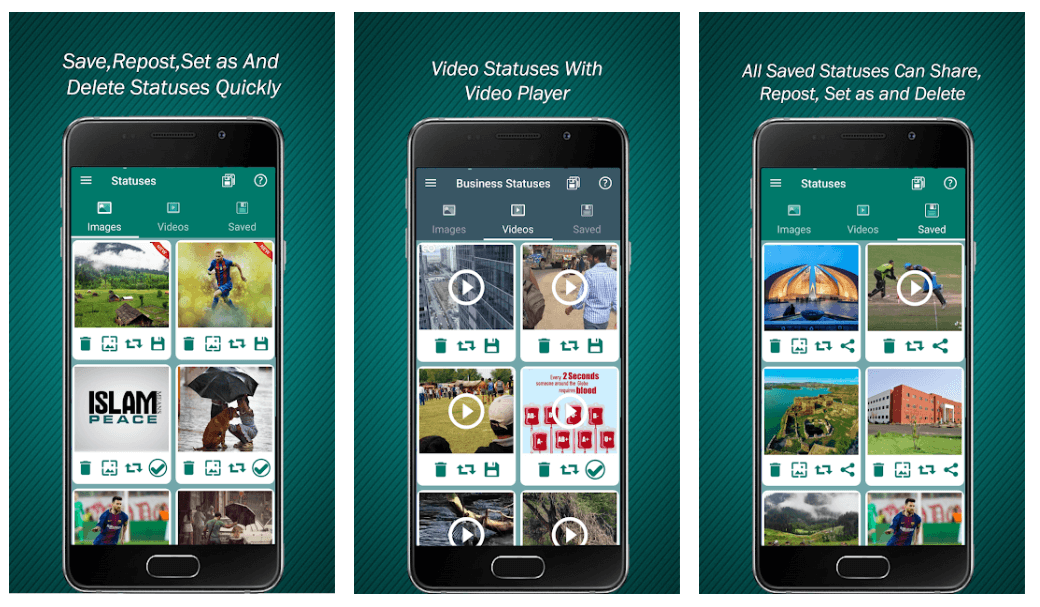
Status Save to Gallery: Status Saver

Save your selected WhatsApp status with this stunning application. It gives you an option to repost status on your profile, and you can also put a picture status on your WhatsApp profile and wallpaper. 

Moreover, it also allows you to share your status on other social media platforms like Snapchat, Instagram, Twitter, and many more. With this stunning tool, you can easily manage your saved statuses by deleting or sharing them. 

You can also swap between various statuses and can check your friends status without letting them know.

download

5. Status Saver – Video Download

Status Saver - Video Download

Are you looking for a simple yet power-packed tool? This one might be an appropriate option for you. It works in two divisions, including Videos and Images.

It displays a list of downloaded videos and images that you have checked. Thus these files disappear when the actual profile status is gone from the status. 

The best part of this application is that the contacts are sorted based on their time of download and contact name, which makes your search relatively easy.

download

Conclusion

Use these power-packed tools to save funny images and videos from your friend’s WhatsApp status. However, ensure that you do not breach anyone’s privacy while doing so.

Similarly, if you’re looking for a way to save WhatsApp Status manually, then you can do that by clicking here!

Image Source: Play Store

download status saver for WhatsAppsave WhatsApp Statussave WhatsApp status videos.WhatsApp Status saver appwhich is the best WhatsApp status saver app
Author

Prachi Dani

Prachi Dani is a technical content writer who specializes in areas of science and technology. She is highly up to date with technological transitions and transformations. Writing is not her passion but the only thing that carries satisfaction in life. If not writing, you may find her engrossed playing action games on her treasured smartphone.

View all posts

Related Posts
Best Free Lightroom Alternatives In 2021

7 Best Free Lightroom Alternatives In 2021

January 11, 2021
0

Lightroom alternatives are a must for budding photographers since Lightroom asks you to pay $9.99 every month and paying so much in the initial stages of one’s career is a tough choice to make. Fortunately, many Lightroom alternatives are now available and that too, for free.

Let us find out more about five of the most popular free Lightroom alternatives used even by some very experienced photographers from around the world.

Let us see if features of the alternative apps are similar to Lightroom.

Features Lightroom Darktable Raw Therapee Microsoft Photos Pixlr Polarr
Nondestructive Originals √ √ √ √ x x
RAW Images √ √ √ √ √ x
Free version x √ √ √ √ Paid & Free
iOS, Android & others platforms √ √ √ √ √ √
Supports a broad range of image files & export of images √ √ √ √ √ √

List of Best Lightroom Alternatives 2021:

Now let’s take a detailed look at the features of the Lightroom alternatives software below.

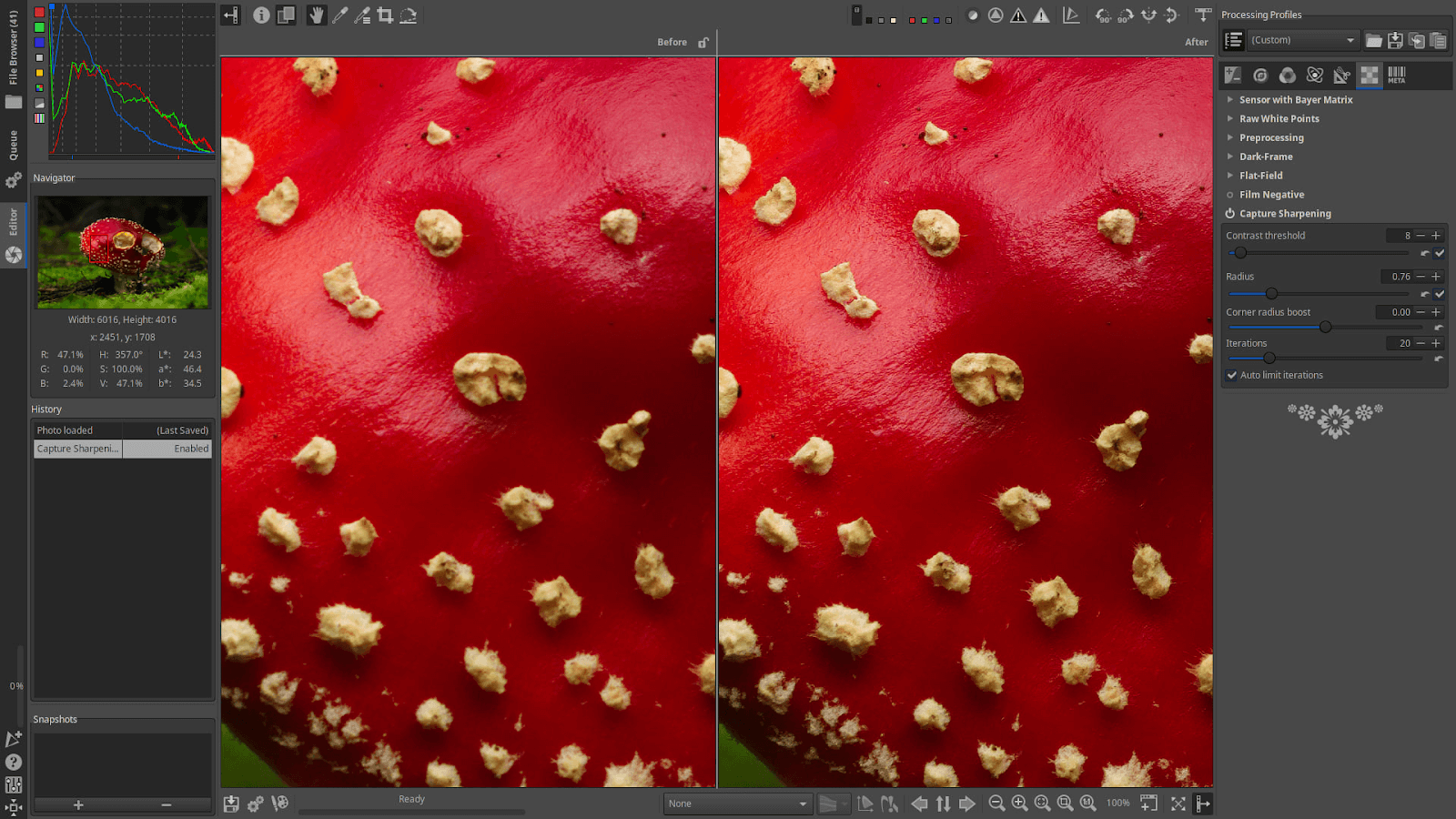
1. Darktable

Darktable - Free Light Room Alternative

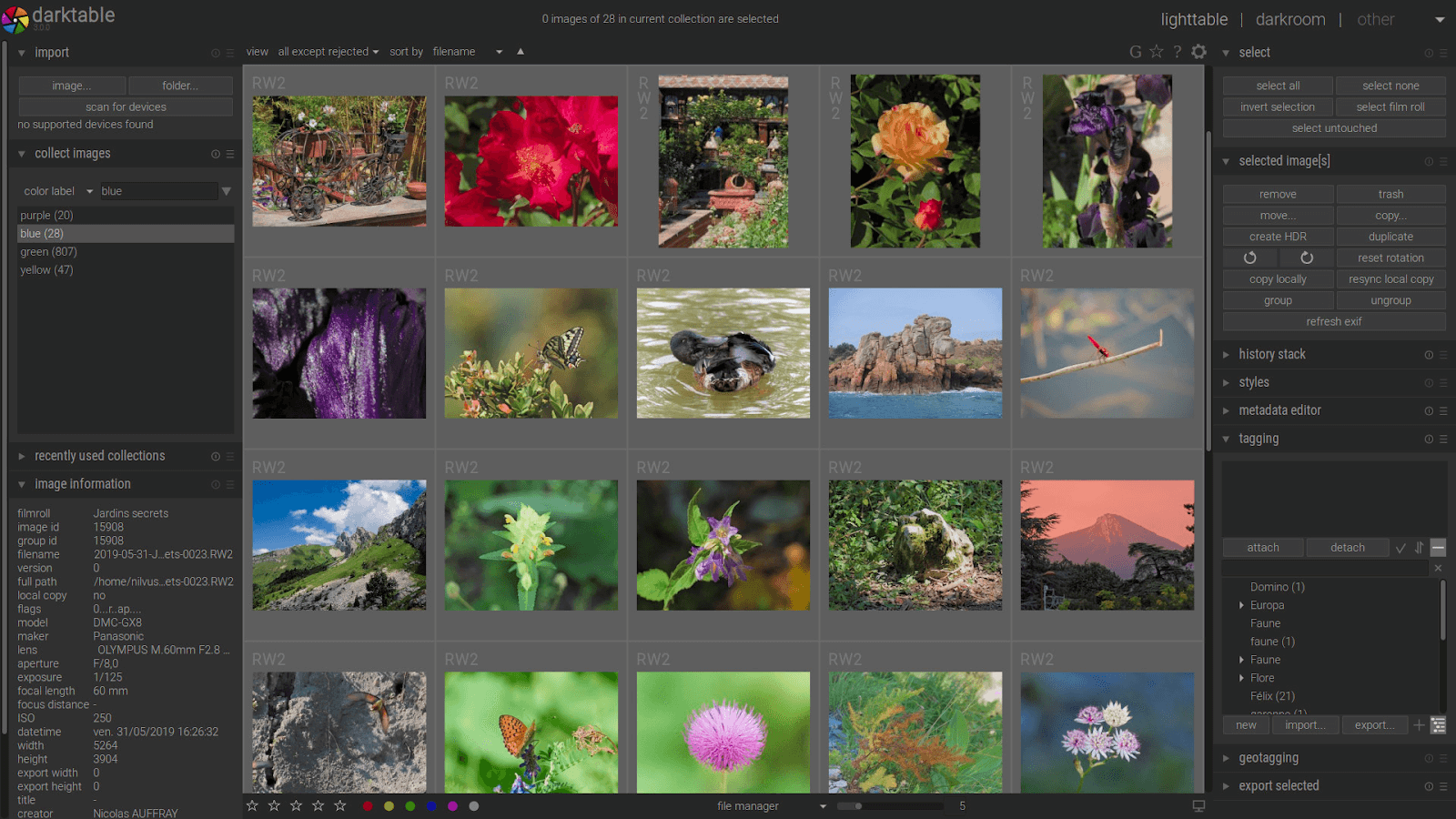
Darktable is one of the best alternatives to Lightroom that combines the features of a virtual darkroom and lighttable for photographers beautifully. It stores your negatives in a darkroom and then lets you zoom using the Lighttable, further helping you to enhance the raw images.

Key features:

  • Your original images are never ever modified and you can always retain the original image while using Darktable.
  • Every Darktable on the core has 4 x 32 bit of floating point pixel buffer and has speedups done using SSE (streaming SIMD extensions) instructions.
  • It supports automated detection of profiles like sRGB, Adobe, XYZ, linear RGB color spaces.
  • It works on Linux, macOS, Windows, Solars11/GNOME platforms.
  • You can use 21 languages for translation while using Darktable.
  • Latency is 0 with Darktable and provides a complete zoomable interface.
  • Images can be exported and shared via your mail, Facebook, G+, or to the simple HTML web gallery.
  • It supports JPEG, PNG, and TIFF formats. Even linear high dynamic range images can also be supported.

There are various other options- color image operations, correction modules, and some beautiful basic image operations with Darktable that are worth exploring. Besides, it is a completely free app, and nonetheless impressive. Darktable with all its features is a good alternative to Lightroom undoubtedly.

Read Also: Best Free Photo Slideshow Software For Windows 

2. Raw Therapee

Raw Therapee - Light Room Free Alternative

Raw Therapee is a Lightroom alternative free tool released in the market, covering a huge range of digital cameras targeted for the newcomers and even satisfying the professional photographers.

Of course Raw Therapee has a lot to offer as a Lightroom alternative.

Key features:

  • Image quality is exceptionally of superior kind, offering you the best editing tools for image development together in one place.
  • It provides you with cross platform support and thus you can use it on Linux, macOS, even on Microsoft Windows.
  • Raw Therapee has a highly interactive community from where you have a lot to learn.
  • RAW Support feature provides the best experience with demosaicing algorithms, flat field corrections and also hot pixel correction provisions with many more other features.

You can do much more with Raw Therapee. Explore to know more.

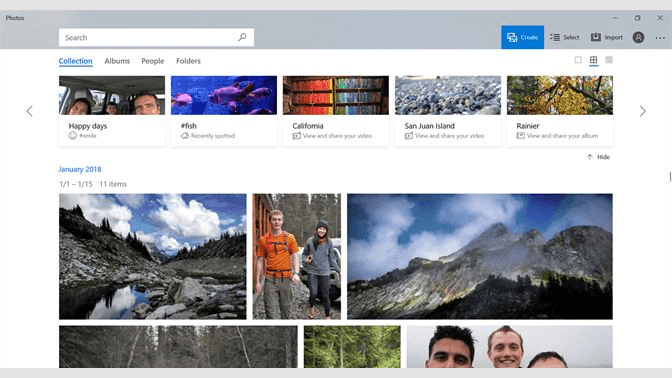
3. Microsoft Photos

Microsoft Windows 10 Photos - Light Room Alternative

Microsoft Windows 10 Photos is another Free Lightroom alternative that offers you some solid image editing and photo enhancement options. Apart from that, with Windows 10 you can do much more like video editing that allows 3D effects and background music addition to the videos. Some of the best features would include:

Key features:

  • Has a clean and clear interface.
  • Facility to view and organize your photos.
  • Editing photos is made richer, be it contrast, saturation, highlights, warm balance and it offers you almost 15 filters to work upon your photos.
  • Colour editing and clarity slider with contrast sharpness and black point are also some of the most enhanced features of Microsoft Windows 10 Photos.
  • Video Editing has been highly improved in Windows 10.
  • Sharing feature helps you comfortably switch your photos from one to the other platform.

Explore Microsoft Windows 10 Photos for more in-detailed features as a Lightroom alternative.

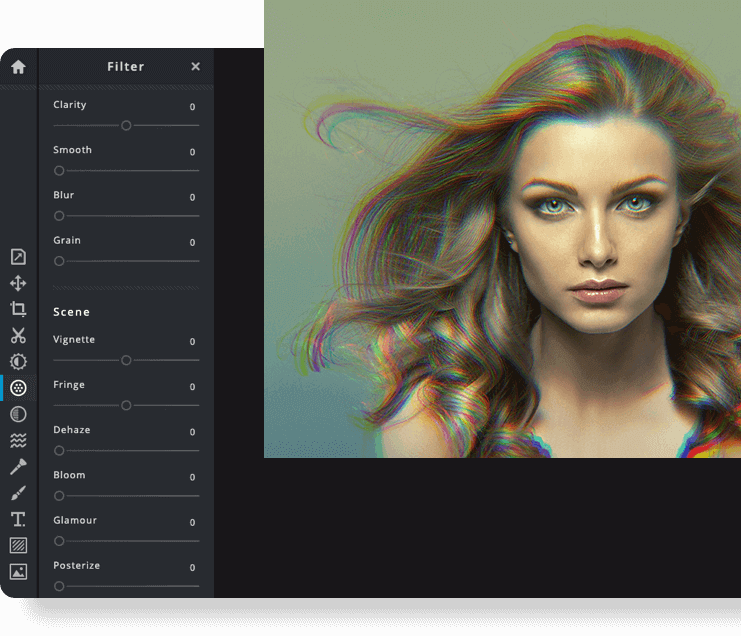
4. Pixlr

Pixlr -Best Alternative to Light Room

Pixlr is a 100% free photo editor that is present online and is a free Lightroom alternative. The best part is, you don’t even need an account to edit your photos online. Only if you’re planning to use the Pixlr library that offers a free cloud storage facility, for which you need an account.

Feature wise Pixlr offers you some good options and is quite an able Lightroom alternative on some front.

Key features:

  1. They offer you a broad range of filters to choose from.
  2. Loaded with Layers and brushes makes editing fun.

Pixlr ensures that you have a simple photo editor that helps you edit to your heart’s content. However, you would constantly need an internet connection to keep editing your photos.

Read Also: Best Free Stock Photo Sites To Use

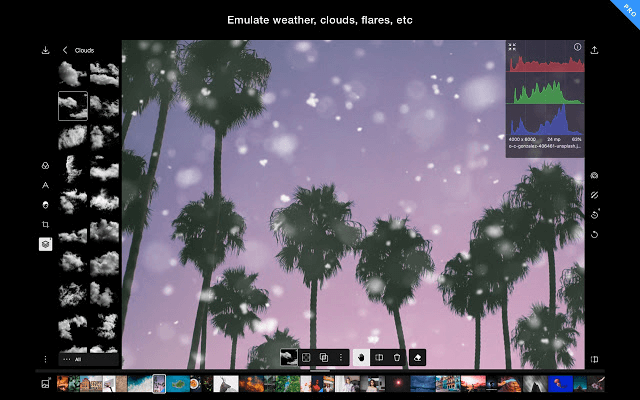
5. Polarr

Polarr - Good Alternative to Light Room

Polarr offers you an image editing facility for Windows, Mac and Linux primarily. This free Lightroom alternative has a paid version ($2.50 per month) and a free version.

Polarr apps are separately available for the iOS and Android platform. You don’t however get the RAW image support with Polarr.

Key features:

  1. Polarr offers dozens of filters to choose from.
  2. You can adjust the intensity of the image with the slider.
  3. It offers you masks and brushes with limited functionality.
  4. If you are looking for simple and easy image editing then you can come up here on your Polarr App.

6. IrfanView

IrfanView

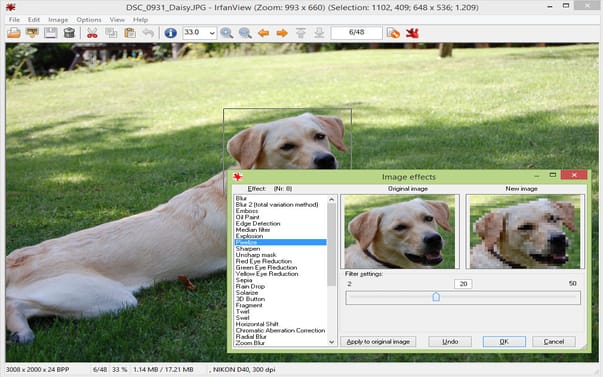
IrfanView is a great software in the list of best Lightroom alternatives. IrfanView offers an advanced image editing system with a great organization and photo management. It is a great tool for professionals but it isn’t the most advanced choice available in the market.

Key Features

  • Batch editing tools is offered by the software
  • With a user friendly interface the software becomes easy to operate. 
  • The software supports different file formats as well as multi language support.
  • IrfanView works smoothly which makes the user experience better. 
  • The software offers the best cataloging option and can also edit metadata.

The list not only stops here, there are other options as well which can help the user in editing effectively and efficiently.  The software also keeps getting regular updates for fixing bugs and errors. 

7. LightZone

LightZone

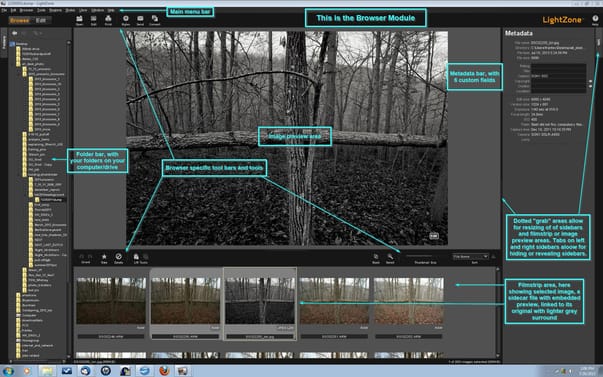
Earlier the LightZone required the user to signup with an account to start processing but now being an alternative of Lightroom the user can directly jump into the processing.

Key Features

  • The LightZone offers the user to stack and organize the filters according to their choice. 
  • Offers many professional tools.
  • It is a non-destructive editing tool.  
  • The user can select vector based tools.

With all these features software also provides excellent Raw files support.LightZone is the best alternative for the Lightroom with its variety of tools and interface. 

Round Off for the Free Alternatives for Lightroom

To bring this article to an end, we can ensure you that the above described apps can be immensely beneficial to you. Whether you are an amateur or an experienced photographer on a shoestring budget, you can always find free apps that do work, and help you a lot better than your expectation.

In order to ensure that you do not lose your valuable time in searching through apps, we have brought to you here five apps that would serve as one of the best Free Lightroom alternatives for you.

Best-PDF-to-Text-Converters-to-Use

Best PDF to Text Converters to Use in 2024

September 3, 2024
0

Text is effortlessly editable and shareable. Hence, you can convert your PDF documents into text form using the software listed in this article to ensure seamless editing and sharing.

Introduced by Adobe, a Portable Document Format or PDF gained immense popularity because of not-so-easy editing. You cannot edit PDFs when you want, as you can do with Word documents, making it difficult to extract and share the required information in the PDF documents with others. Hence, the best PDF-to-text converter tools came into the picture.

These tools allow you to convert PDF to text so that you can extract, edit, and share all the information hassle-free. However, if you need help finding these tools, you can read this article.

In this article, we present a well-researched list of carefully selected tools to extract text from PDF. Let us not dilly-dally and dive right into it.

List of the Best PDF to Text Converters

Below are our top recommendations for those searching for the best software to convert PDF to text.

1. PDF Candy

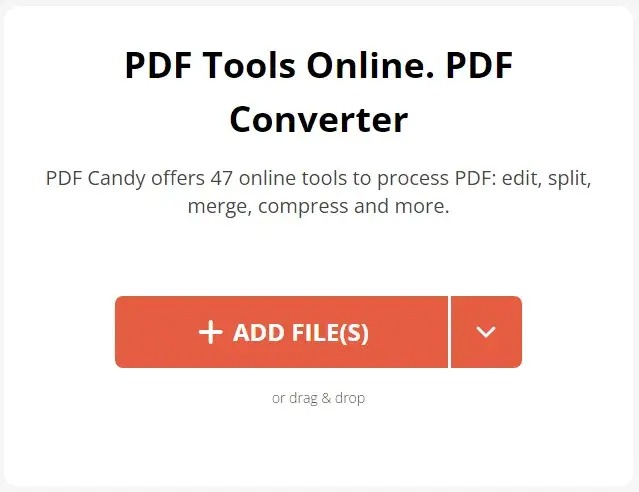
Let us introduce you to PDF Candy, a software that makes PDF-to-text conversion as easy as eating candy. It boasts a clean and friendly interface to help you perform one-click PDF conversions. Moreover, this free online PDF-to-text converter offers a basket of 47 helpful tools, including merging, rearranging, compressing, editing, and protecting PDFs. Furthermore, below are a few other delightful features of this software.

Key features of PDF Candy

  • It boasts OCR capabilities
  • PDF Candy supports bulk PDF editing
  • This software also has a Chrome PDF extension
  • It boasts support for over 20 file formats

PDF-Candy

Click here for more information


2. HiPDF

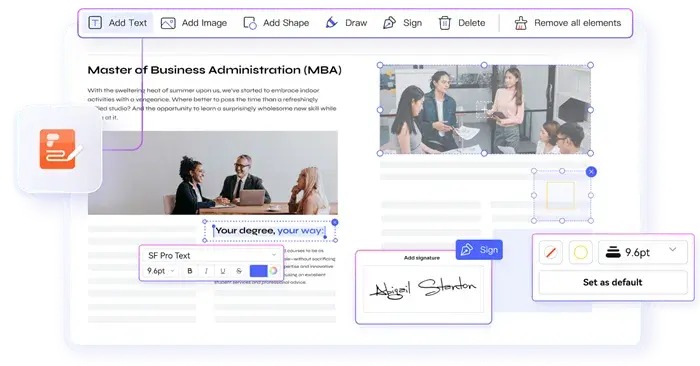
Next, we would like to recommend HiPDF if you are searching for an online tool to convert PDF to text. In addition to text, this easy-to-use software lets you convert PDFs to Excel, ePub, and other formats. Moreover, it brings a myriad of tools, such as AI PDF translator, PDF summarizer, and the following delightful features.

Key features of HiPDF

  • It converts PDF images to text by recognizing the text in the picture using OCR technology
  • You can sign PDFs with HiPDF
  • It recognizes and allows you to replace text in your content
  • This software helps you convert PDFs to pages
  • You can protect your PDFs with a password
  • It allows you to redact PDF
  • HiPDF allows easy document sharing via email, link, and QR code

HiPDF

Click here for more information

Also know: How to Convert PDF To SVG Quick and Easy Guide


3. WPS PDF to Word Converter

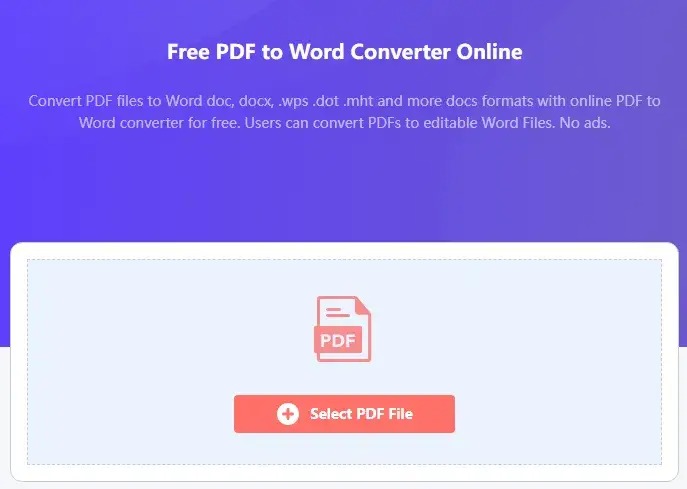
Next, we have WPS PDF to Word Converter as the best PDF-to-text converter. This free software offers batch conversion, retention of original document layout in the converted documents, and the following delightful features to justify its position on our list.

Key features of WPS PDF to Word Converter

  • It boasts cloud support
  • You can use this software to convert password-protected PDFs
  • In addition to text, it allows you to convert to Excel, PowerPoint, and other formats
  • With this software, you can also convert scanned PDFs

WPS-PDF-to-Word-Converter

Click here for more information


4. Zamzar

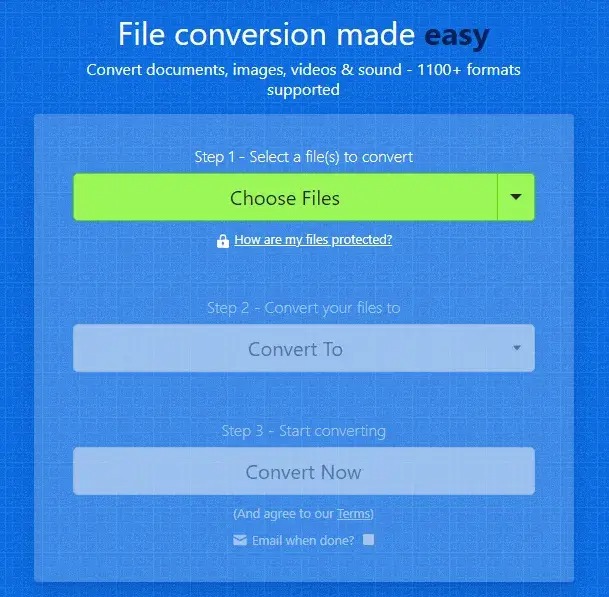
Zamzar is also an excellent tool to convert text to PDF. This online file conversion software supports more than 1200 file formats, offers conversion from URLs, and boasts the following remarkable features.

Key features of Zamzar

  • You can use Zamzar to perform bulk conversion
  • Zamzar can also convert text back to PDF
  • It provides API access to add to tools and apps

Zamzar

Click here for more information


5. PDF to Text

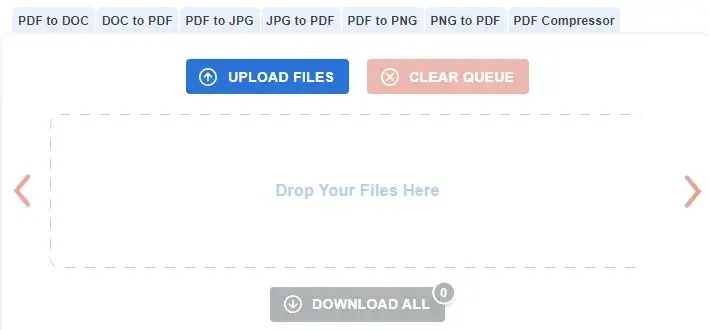
There is no way we can skip PDF to Text when discussing the best software to extract text from PDF files. This online tool performs text extraction and conversion in two simple steps and offers the following notable features.

Key features of PDF to Text

  • It lets you convert up to 20 PDF files at once
  • You can download all converted files in a single ZIP archive
  • This software also offers a useful PDF compression tool

PDF-to-Text

Click here for more information


6. Wide Angle PDF Converter

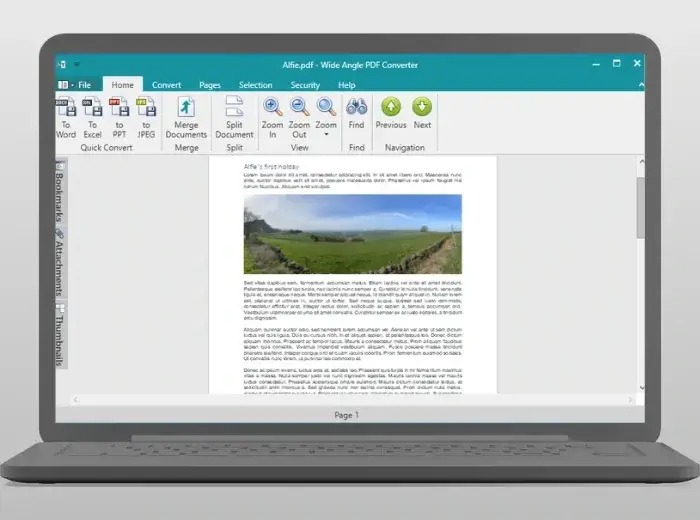
Next, we would like to mention Wide Angle PDF Converter in this article dedicated to the best free PDF-to-text converters. You can use this tool to convert your PDF files to multiple formats, such as Word, Excel, PowerPoint, PNG, and JPG. Moreover, it offers an option to secure your PDF documents with a password, set user permissions for collaborative use and edits, watermark your document, and the following helpful features.

Key features of Wide Angle PDF Converter

  • It allows you to combine multiple PDF documents into one document or append a PDF file to your current document
  • There are options such as PDF document splitting, page removal, document orientation rotation, and bookmarks and attachments for smooth navigation and file sharing
  • It boasts Microsoft Outlook integration so that you can save your emails as PDF files to the computer

Wide-Angle-PDF-Converter

Click here for more information

Also know: How To Copy Text From A Password Protected PDF


7. Nitro PDF to Word Converter

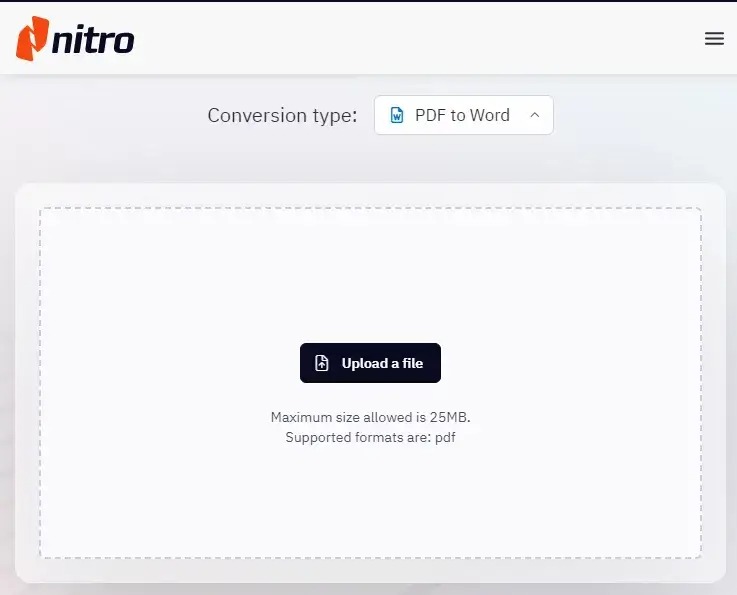
Here comes Nitro PDF to Word Converter to help you convert PDF images and other PDF documents to text. This beginner-friendly software supports batch conversion and document annotation and offers these features.

Key features of Nitro PDF to Word Converter

  • It boasts OCR support, allowing you to convert scanned documents to editable PDFs
  • You can protect your PDFs with a password to keep them safe
  • It lets you merge and combine multiple PDFs into one document
  • You can use this software to fill and sign PDFs

Nitro-PDF-to-Word-Converter

Click here for more information


Concluding the Best PDF to Text Converters

This article listed and explained the best offline and online PDF-to-text conversion tools. You can choose any software from the above list to convert documents in PDF form to text for easy editing and sharing. However, if you need more help or have any suggestions about this write-up, you can leave a comment for us to know.

1 Comment
    Lucy says: Reply
    June 21st 2020, 3:39 am

    Like!! Really appreciate you sharing this blog post.Really thank you! Keep writing.

Leave a Reply Cancel reply

Your email address will not be published. Required fields are marked *

Sidebar Image bit G ad1

Latest Posts

  • How-to-get-help-with-file-explorer-in-windows
    How to Get Help With File Explorer in Windows 11/10
    by Niharika / March 20, 2026
  • Easy Online Video Editors to Try in 2024
    10 Easy Online Video Editors to Try in 2026
    by Remy Thomas / March 20, 2026
  • how-to-export-bookmarks-from-edge
    How to Export Bookmarks From Edge
    by Niharika / March 18, 2026
  • Best-Free-Online-Portfolio-Websites-in-2026
    Best Free Online Portfolio Websites in 2026
    by Niharika / March 16, 2026
  • Anytime Astro: Best Website For Online Astrology Consultation
    Anytime Astro: Connect Now For Online Astrology Consultation
    by Somya Shrimal / March 13, 2026

Categories

  • Cyber Security
  • Driver Updater
  • Entertainment
  • Fitness
  • Games
  • How To
  • laptop
  • OS
  • Reviews
  • Tech News
  • Tips & Tricks
  • Top 10
Sidebar Image bit G ad1
Best Android Camera Apps 9 Best Android Camera Apps For Quality Pictures in 2024by Prachi Dani / February 14, 2024
How to Fix Arch Bluetooth Mouse Not Working in Windows 10, 11by Niharika / February 14, 2024How to Fix Arch Bluetooth Mouse Not Working in Windows 10, 11
TechPout Footer Logo

We at TechPout promise to put forth stories that help people to learn and simplify their digital life. Our purpose is to share the true essence of technology with our tech-loving community.

Useful Links

  • About Us
  • Contact us
  • Privacy Policy

Popular Posts

  • Best PC Optimizer Software
  • Best Mac Cleaner Apps
  • Best Driver Updater
  • Duplicate Photo Finder and Cleaner Software
  • Best Free Movie Download Sites
  • Best IPTV Players

Follow us

Copyright © 2026 www.techpout.com. All rights reserved
DMCA.com Protection Status