Main LogoLight Logo
  • Reviews
  • Top 10
  • How To
  • Tech News
  • OS
    • Windows
    • MAC
    • iOS
    • Android
  • Categories
    • Driver Updater
    • Cyber Security
    • Games
    • Fitness
    • Entertainment
    • Tips & Tricks
Top 10
by Niharika

9 Best Free Network Monitoring Software in 2024 (Open Source)

May 16, 2024
1

This article shares the best free tools for network monitoring so that you can identify and fix network issues before they become serious trouble.

Network monitoring is one of the toughest challenges for network or IT administrators. It is a crucial IT process where the administrators continuously monitor various networking components, such as firewalls, servers, routers, VMs, and switches, for faults to ensure their optimal performance and availability. This task of monitoring helps enterprises of all domains and sizes improve their online presence. And the best free network monitoring software goes a long way in helping you perform this function more efficiently and effectively.

With the help of the best network monitoring tools, you can proactively identify and solve network problems. It helps you prevent downtime and failures in the future.

However, the top network monitoring tools in the marketplace often cost a bomb. Therefore, we dived deep into the world of network monitors and found some cost-effective yet feature-rich free and open-source programs to monitor the network.

Before going through this monitoring tool’s list, let us look at some essential features you should consider when selecting a tool. Knowing what to look for in network monitoring software helps you choose the best one for your requirements.

Table of Contents hide
Essential Features of the Best Free Network Monitoring Software
9 Best Free Network Monitoring Software in 2024
1. SolarWinds ipMonitor
2. Network Bandwidth Analyzer
3. Paessler PRTG Network Monitor
4. Zabbix
5. Nagios Core
6. ManageEngine OpManager
7. Icinga
8. DataDog
9. WhatsUp Gold
Summing Up the Best Free Network Monitoring Software

Essential Features of the Best Free Network Monitoring Software

Below are some core features that the top free open-source network monitoring tools should possess.

  • Ability to perform network monitoring automatically
  • Device discovery routine to automatically create an asset inventory
  • Alerts when any problem occurs
  • Displays the live status of every device with a network mapping service
  • Communicates with the network devices via SNMP

Let us now have a rundown of the best and free network monitoring tools having all or most of the above features.

9 Best Free Network Monitoring Software in 2024

The following are our top picks when it comes to selecting the best free software for network monitoring.

1. SolarWinds ipMonitor
SolarWinds ipMonitor

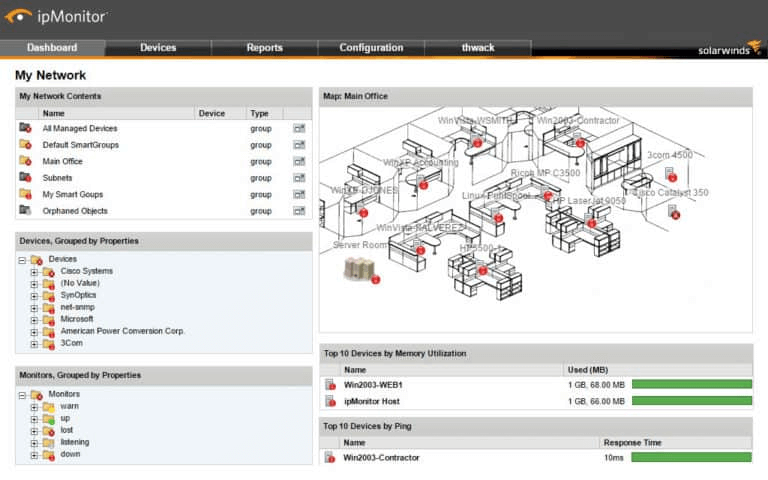
Let us kickstart our list of the best free network monitoring software with SolarWinds ipMonitor. It is a highly attractive choice if you wish to monitor not more than 50 interfaces.

Ideal for small businesses, SolarWinds ipMonitor boasts top-notch visualizations to give you a high-quality user experience. Moreover, the following features contribute to making it one of the best network monitoring tools.

Key Features of SolarWinds ipMonitor

  • Lightweight, fast, and easy-to-use
  • Network devices and server monitoring from a centralized location
  • System problem alerts
  • Network device status tracking
  • Discovery of devices connected to your network
  • Automatically creates a network topology map according to collected devices

Download Now

Also Read: Best Application Performance Monitoring Tools


2. Network Bandwidth Analyzer
Network Bandwidth Analyzer

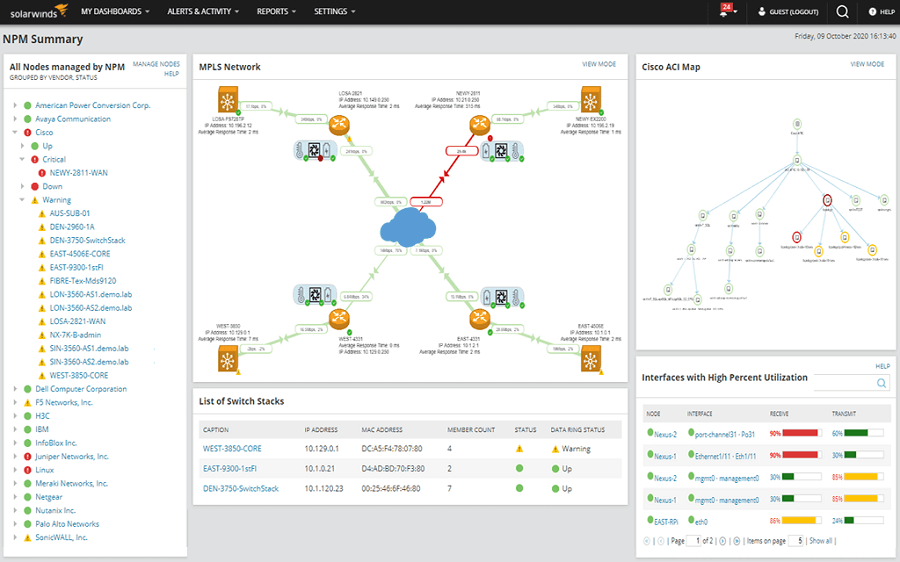
Next on our list is the Network Bandwidth Analyzer, one of the top network monitoring tools. It helps you reduce network outages by quickly detecting, diagnosing, and resolving problems with network performance.

Additionally, features like easy viewing of IPv6 and IPv4 flow records are also a reason for including this software on our list. Furthermore, the following are some other noteworthy features of this software.

Key Features of Network Bandwidth Analyzer

  • Easy monitoring of Juniper J-Flow, IPFIX flow data, Huawei NetStream, and Cisco NetFlow to identify the bandwidth-hungry apps and protocols
  • Alerts you about application traffic activity changes
  • Sends an alert if the network monitoring software is not sharing the network performance data
  • Collects and converts the traffic data into a useable format
  • Supports VMware vSphere switch
  • Boasts support for Cisco NBAR2
  • Easy creation of a schedule, in-depth delivery of bandwidth reports, and network traffic analysis
  • Support for monitoring and management of wireless networks
  • CBQoS policy optimization to measure how effective the pre and post-policy traffic levels are

Download Now


3. Paessler PRTG Network Monitor

Paessler PRTG Network Monitor

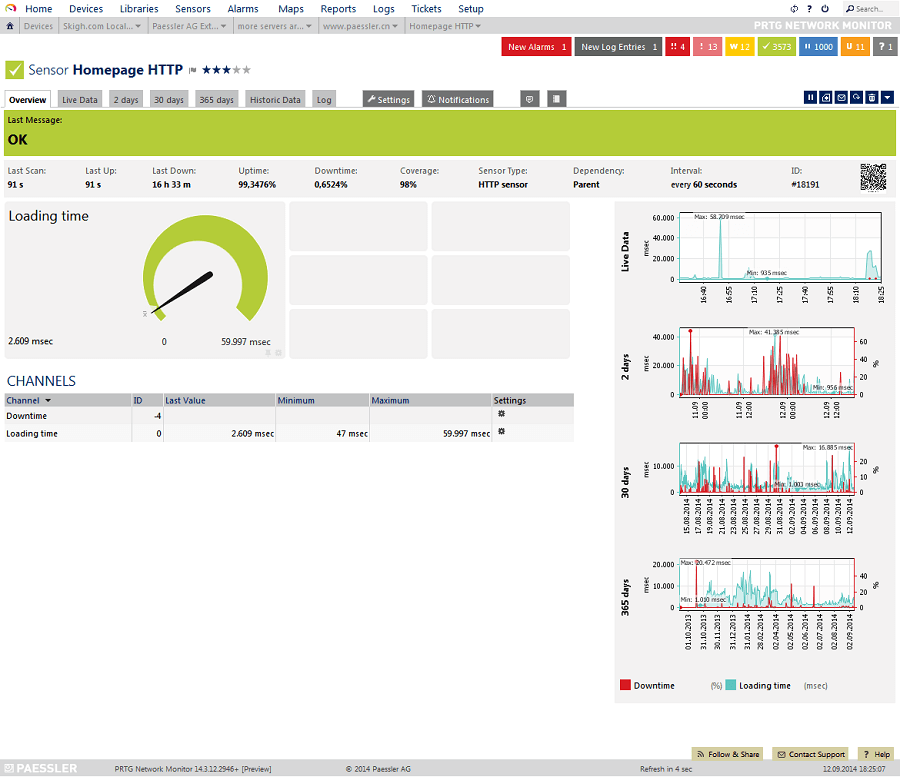
We have Paessler PRTG Network Monitor in the third position on our list of the best free network monitoring software. It is a user-friendly, feature-rich, and fast software you can use to scan connected devices by IP range (it saves you time from manually configuring everything).

Talking about the features, below is what makes Paessler PRTG Network Monitor one of the best network monitoring tools.

Key Features of Paessler PRTG Network Monitor

  • Network autodiscovery
  • Status error alerts
  • Capable of monitoring wireless networks
  • Network, application, traffic, and cloud monitoring
  • Color-coded and user-friendly interface
  • Monitoring of internet connections between locations and remote sites
  • Drag and drop editor to effortlessly create custom reports and views
  • Integration with third-party applications like Slack

Download Now

Also Read: Best Server Monitoring Software


4. Zabbix
Zabbix

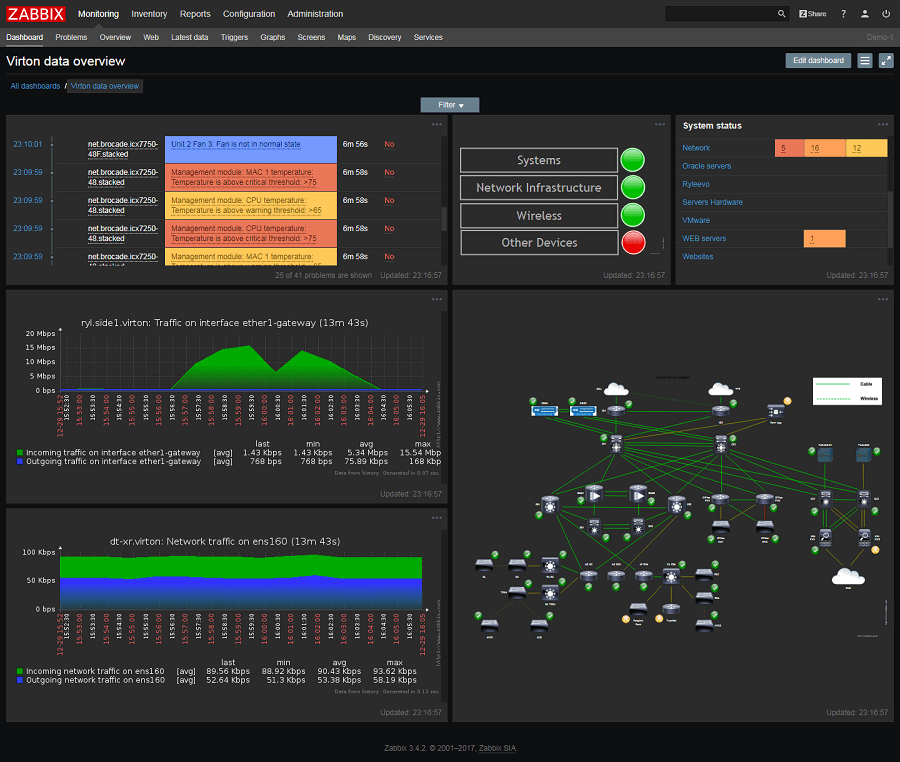
We cannot skip Zabbix when discussing the best free open-source network monitoring software. It uses historical data to predict future behavior. Moreover, this software provides crucial information, such as network utilization, disk space consumption, and CPU load.

Furthermore, automatic detection of device configuration changes and the below features make Zabbix one of the top free network monitoring tools.

Key Features of Zabbix

  • Expandable and flexible Windows data collection
  • Multiple metric gathering protocols and methods
  • Easy monitoring of network bandwidth usage
  • Automatic discovery of networks coming under the purview of Zabbix agents
  • Support for both SNMP protocol and protocol agents
  • Availability of a mobile application and many templates
  • Automatic detection of device configuration changes
  • Predicts bandwidth usage trends, network downtimes, and more
  • Active detection of network connection anomalies
  • Generation of custom report remediation scripts
  • Event correlation feature to reduce the notification noise
  • Customized escalation scenarios

Download Now


5. Nagios Core

Nagios Core

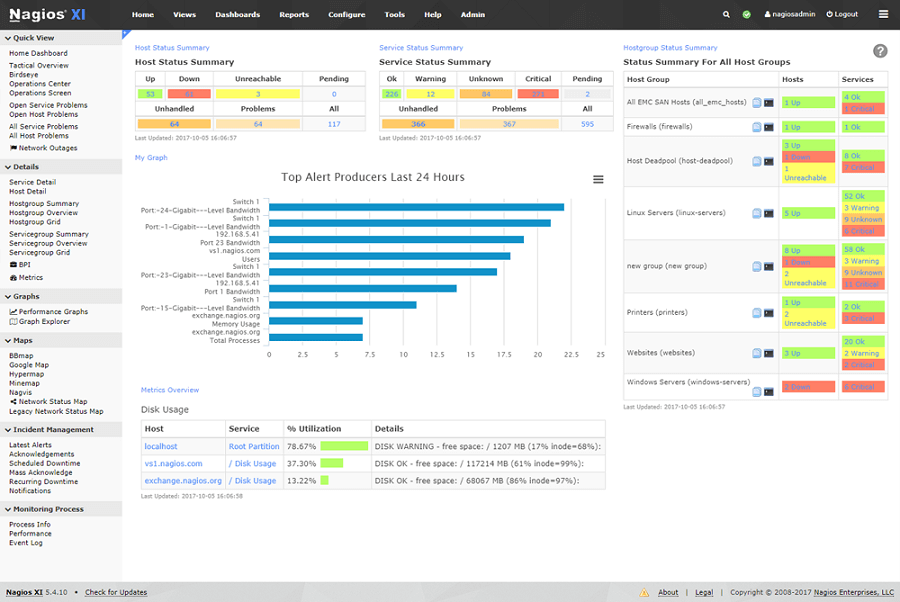
Next, we would like to name Nagios Core as one of the best free network monitoring software with open-source availability. The most attractive thing about this software is its user interface. It sticks to a basic design and web-based GUI to help you analyze the condition of your key services and network infrastructure effortlessly.

Moreover, you should go through the following features of this software before making up your mind about downloading it.

Key Features of Nagios Core

  • Power-packed Nagios Core 4 monitoring engine to ensure top-notch monitoring server performance
  • Powerful dashboards to monitor third-party data and information
  • Its GUI enables layout, design, and preference customization
  • Multi-tenant abilities
  • Lets you easily view and resolve network issues
  • The dashboard provides a customizable overview of network devices, hosts, and services
  • Automated and integrated capacity planning graphs
  • Many infrastructure management tools, such as mass acknowledgment, auto decommissioning, etc.
  • Configuration snapshots feature to save, archive, and revert your configuration

Download Now


6. ManageEngine OpManager

ManageEngine OpManager

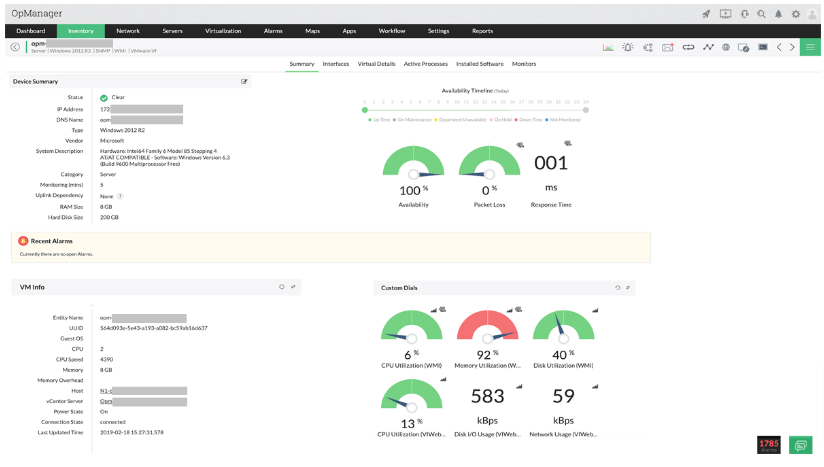
Let us now take a look at ManageEngine OpManager. It is among the best network monitoring tools for its real-time monitoring of multi-vendor network device performance.

Moreover, it boasts many outstanding features, such as active management of physical servers, such as storage arrays, RAID, VMs, etc. Furthermore, the following highlights of this software justify its position on our list.

Key Features of ManageEngine OpManager

  • Over 9500 templates for monitoring network devices
  • Sends advanced notifications and alerts through SMS and emails
  • Custom dashboard through more than 100 performance widgets
  • Easy network management through a mobile application
  • Contextual integrations for complete monitoring of network infrastructure
  • Effective monitoring of latency, packet loss, and WAN/VoIP
  • Availability of automatic troubleshooting
  • Multi-user collaboration and SSL offload

Download Now


7. Icinga

Icinga

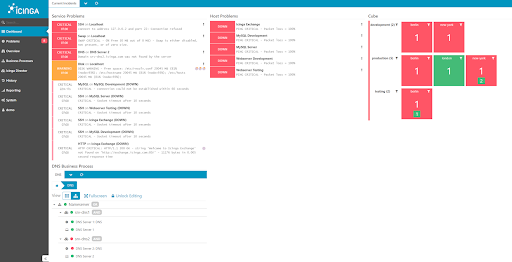
Let us introduce you to Icinga. It is among the best open-source network monitoring software because of its SNMP monitoring, tracking tools for your complete IT infrastructure, auto-discovery, and the following remarkable features.

Key Features of Icinga

  • Availability of pre-configured plugins or templates for easy monitoring
  • Easy monitoring of public, private, and hybrid cloud
  • Metrics collection and direct pattern search in the user’s log management tools and log files
  • Business process modeling, custom dashboards, and reports help gain a fast overview and deep insights
  • Notifies you whenever any important condition is identified

Download Now


8. DataDog

DataDog

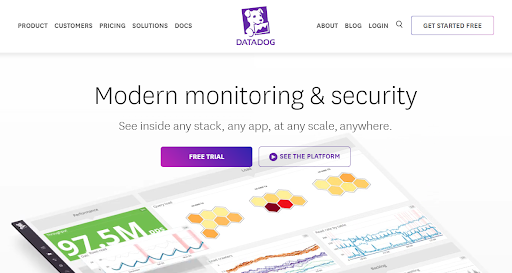
If you are still looking for Network Monitoring Software in 2024, then we recommend DataDog. This is a private and secure alternative that you can try to monitor the network of your enterprise.

Key Features of DataDog

  • Multiple templates to monitor network devices.
  • Downloadable on Android and iOS.
  • Feasible interface
  • Automated and integrated capacity planning graphs
  • Multiple metric gathering protocols and methods

Download Now


9. WhatsUp Gold

WhatsUp Gold

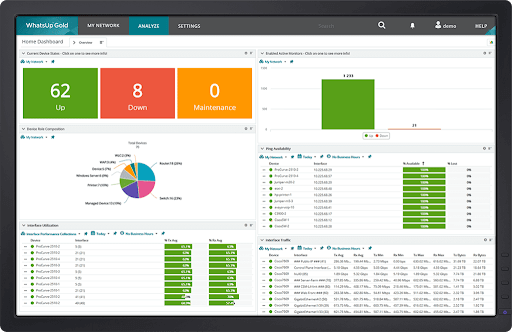
You can try WhatsUp Gold as a networking monitoring software in 2024. The tool is highly-inclusive and offers extensive services and features of network monitoring and storage for personal and professional requirements.

Key Features of WhatsUp Gold

  • Offers Azure, AWS, DevOps, and other platform monitoring
  • Caters to different kind of industries
  • Monitors network performance, usage, and more.
  • Offers real-time monitoring and alerts.

Download Now

Also Read: Best Data Monitoring Apps For Android


Summing Up the Best Free Network Monitoring Software

In this article, we did a rundown of the best network monitoring tools. You can go through the above software and compare their features with your requirements to select the best one.

If you think our list of the best free network monitoring tools misses out on any deserving software, you can mention its name in the comments section. Also, share your views about this article through comments.


Author

Niharika

Niharika is a passionate soul who finds immense satisfaction in putting all her thoughts in writing. Being a technology enthusiast, she loves learning new things about tech and making everyone technologically literate through her articles. When not composing tech articles, you can find her bringing characters to life in her fictional stories, reading something intriguing, or spending time with her near and dear ones.

View all posts | Website

Related Posts
7 Real Life Applications of Neural Networks

7 Real-Life Applications Of Neural Networks

July 26, 2021
0

Deep learning is used in advanced tech nowadays like self-driving cars, visual recognition, and fraud detection. Deep learning is a machine learning method based on artificial neural networks. There are many different types of neural networks, and one of which is the recurrent neural network used for voice search applications.

In a recurrent neural network, the importance of LSTMs or long short-term memory networks should be emphasized because it works as its extension. LSTMs enable the recurring neural network to remember inputs over a long period and store them as information in its memory like a computer can.

There are many interesting things about neural networks that programmers should know. If you want to know what are the different real-life applications of neural networks, read on below.

What Is A Neural Network?

Artificial neural networks are actually inspired and modeled by the real human brain. The human brain has different small units called neurons, that are connected to an extensive collective network. Each unit is relatively simple, but the whole network can solve even more complicated tasks when each neuron functions together.

On the other hand, computers are also composed of networks that are made up of smaller units, much like the layers in a physical human brain. A neural network is a general term used to describe a class of artificial networks that mimics one or more natural human brain functions such as language, judgment, memory, planning, and thought. An artificial neural network can be thought of as a powerful supercomputer that operates by controlling inputs (or information) and producing output (or results) in response.

In essence, it can be thought of as a control unit that takes information and processes it to come up with a programmed response. This function is what makes artificial neural networks such a fascinating tool.

Take the example of a voice recognition software that recognizes a particular speech. The speech is fed through to the first input layer (computed voice recognition database), where it’s analyzed. The second input (or text) is then added to the second hidden layer, and so on until the desired output is obtained.

The beauty of this system is that each voice can be separately extracted, with no concern for the relationship between them. The output layer only needs to be fed with the raw speech data to assist the artificial neural network operation. Once the desired output is obtained, it is passed on to the third input layer, which analyzes the speech more thoroughly.

Where Are Neural Networks Applied?

Artificial Neural Networks

Today, neural networks are revolutionizing daily life and business, delivering amazing new levels of artificial intelligence (AI) to industries everywhere. These networks are being developed for several reasons, This includes improving the efficiency of machine learning and the ability of technology to solve day-to-day human challenges and activities.

Neural networks are developed so a computer or system can work like a human brain. Once the neural network is trained based on given inputs, you can benefit from the desired results. Here are some real-life applications of neural networks you need to know about:

1. Speech And Voice Recognition

Speech recognition can be found in many applications today. Speech and voice recognition can be found in home automation, hands-free computing, video games, and virtual assistance. Just think of Siri and Alexa. These virtual assistants are made possible because of advanced neural networks. Platforms like Google and YouTube also add a voice search option to assist users.


2. Fraud Prevention

In finance, neural networks are used to determine fraudulent transactions. Some neural networks create systems where they study past account transactions and the frequency of the transactions to determine if it’s fraudulent or not. Neural networks also determine fraudulent transactions through the size of the transaction and the kind of retailer involved in the transaction.

Also Read: Top 13 Best Voice Changer Apps For Android & iPhone in 2021


3. eCommerce

The neural network application in this industry focuses more on personalizing the user experience of a site visitor. Large eCommerce platforms use artificial intelligence to show related and recommended products that a person might be interested in purchasing. It also compiles product recommendations based on consumer behavior and past purchases.


4. Cybersecurity

Neural networks are also widely used to protect computers from viruses. Neural networks protect a computer from cyber-attacks by determining if a USB device is faulty or if it contains viruses or malware. It’s also used to exploit zero-day vulnerabilities.


5. Text Classification And Categorization

Text classification is mainly used in web search, information filtering, and language identification. Text classification and categorization can also be used to organize website content and documents on your system. For example, you can organize content by topics or manage them based on priority or urgency.


6. Stock Market Prediction

Many factors affect the performance of the stock market. A neural network can examine different factors and predict prices to help a trader decide on their next move. The development of these applications is still in the initial phase as the network should study a large volume of historical and market data to make a sensible and accurate prediction.


7. Marketing

Neural networks are also used in target marketing. When a marketer tries to define or identify a target market, market segmentation methods are used to divide potential customers into distinct groups based on criteria like consumer behavior, age, location, and other demographics. These neural networks can be programmed to engage with different segments in an appropriate and more personalized manner.

Also Read: 13 Best Marketing Apps To Promote & Drive Your Business


Summary

Neural networks are valuable tools for industries, businesses, and individuals. For marketers, it can help them personalize strategies and encourage repeat purchases from previous customers. It can also help stock traders decide on their next move. Banks have been using neural networks for fraud detection and cybersecurity.

You may not know you’re already using a system that uses neural networks. It can be found in speech and voice recognition apps on your phone or home control system. When you shop online, neural networks provide you with product recommendations based on your recent purchases or behavior.

If you’re wondering why your Facebook feed is suddenly filled with ads about skincare products after purchasing a moisturizer from an online shop, then you’ve just witnessed neural networks at work.

6 Best Ashisoft Duplicate Photo Finder Alternatives For Windows In 2021

Best Ashisoft Duplicate Photo Finder Alternatives For Windows In 2021

February 23, 2021
0

Looking for an alternative to Ashisoft Duplicate Photo Finder? Then, you have come to the right place. The post highlights the 6 top-notch alternatives of the same software.

Ashisoft Duplicate Photo Finder is the first name that comes to our mind when we search for the software to find and delete duplicate files. But, when we talk about the features of this software, it fails to offer high-end offerings.

Apart from that, many users find it a bit expensive in terms of offerings that it promises. One more thing, quite a few users reported the user interface of this application is a little bit confusing.

Comparatively, there are lots of other software available that promise advanced features, plus, comes in the same range or many of them are free as well. In this write-up, we have created a list of the 6 best Ashisoft Duplicate Photo Finder alternatives. After reading the entire write-up, you will know exactly what you all need to get rid of duplicate pictures.

Top 5 Best Alternatives to Ashisoft Duplicate Photo Finder You Could Try in 2021

To rescue you from the heavy task of finding the best alternative to this software, here we have shortlisted the best and well-known applications for you. The below-mentioned tools will help you in managing your complete photo management library. Without any further hustle-bustle, let’s get started with the list!

1. All Dupe

All Dupe

Available For: Windows XP, Vista, Windows 7, 8, or 10 (32-bit and 64-bit)

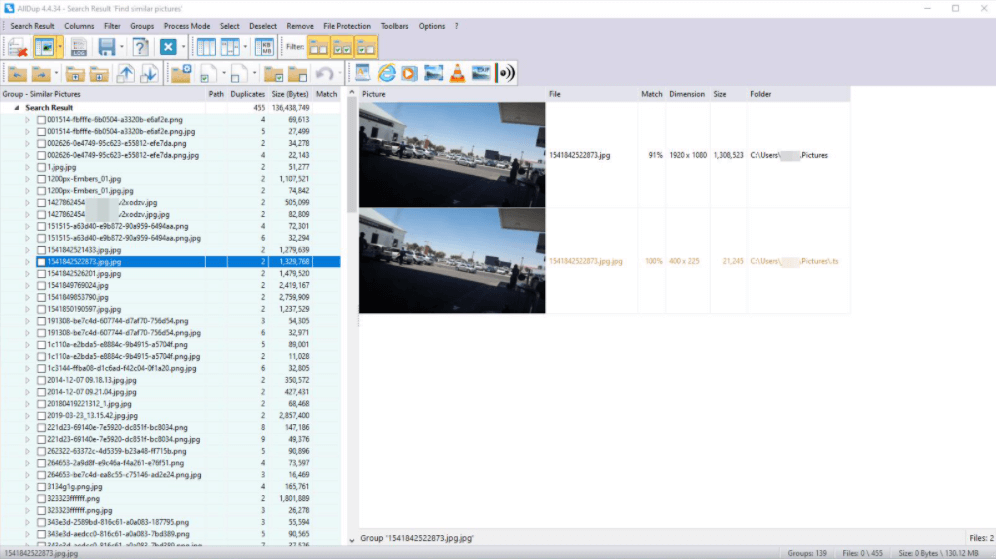
If you are searching for a tool that detects duplicate files at the speed of light, then AllDup is what you need. It is the free software that clears all the chunks from your hard drive. The fast and latest algorithms of this tool search for duplicates of any file type including text, image, video, audio, documents, and many more.

In addition to this, you can even search for almost identical files that are unnecessarily hog-up the storage space. Furthermore, the portable version of this application is also available. You can definitely consider this software a best alternative to Ashisoft Duplicate Photo Finder.

Notable Offerings:

  • The software allows you to move, rename, and hard link the files.
  • Comes with an in-built image viewer tool that lets you preview the image or any other file before you choose to remove them.
  • Whether it is image, text, document, or anything else, the tool can find and delete any type of file.
  • Supports all the major image formats including PSD and RAW.

Pros

  • Completely free to use software.
  • Compatible with any file type.
  • Supports all Windows operating systems.
  • Flexible and comprehensive search filters.

Cons

  • The user interface is a bit confusing.

Download


2. dupeGuru

DupeGuru

Available For: Windows Vista, XP, Windows 7, or later versions

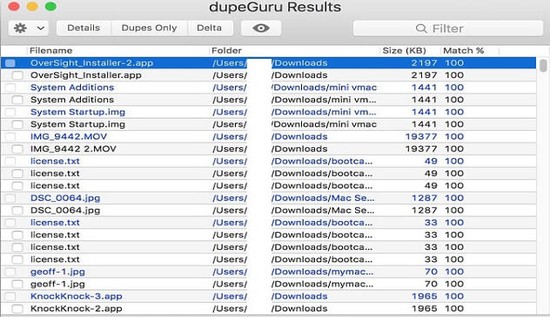
Deleting a massive amount of duplicate files one-by-one is a complete pain and headache task. Plus, it is really very time-consuming. Hence, you can use dupeGuru to do the same task in no time. It is the application that makes your duplicate files finder and cleaner tasks much easier on your computer system.

The application does not only reveal the same file names but also finds the files that have similar file names. With the help of this application, you can also move and edit duplicate files.

Read More: Top 5 Best VisiPics Alternatives For Windows

Notable Offerings:

  • Super quickly finds and deletes the duplicate files.
  • It uses a unique algorithm to deep search for files that are similar in nature.
  • It not only explores or deletes the duplicate files but also allows you to rename, link, or move the files.
  • Can search any type of file including text, document, picture, video, and music.
  • It is a cross-platform GUI application that is fully compatible with Linux and all Windows versions.

Pros

  • Supports all the major image formats.
  • Smooth user interface.
  • Transfer duplicate files quickly.
  • Can scan all types of files.

Cons

  • Fails to delete all the marked duplicates.
  • Improperly marks out some files as dupe shots.

Download


3. Speedy Duplicate Finder

Speedy Duplicate Finder

Available For: Mac, Windows, and Linux

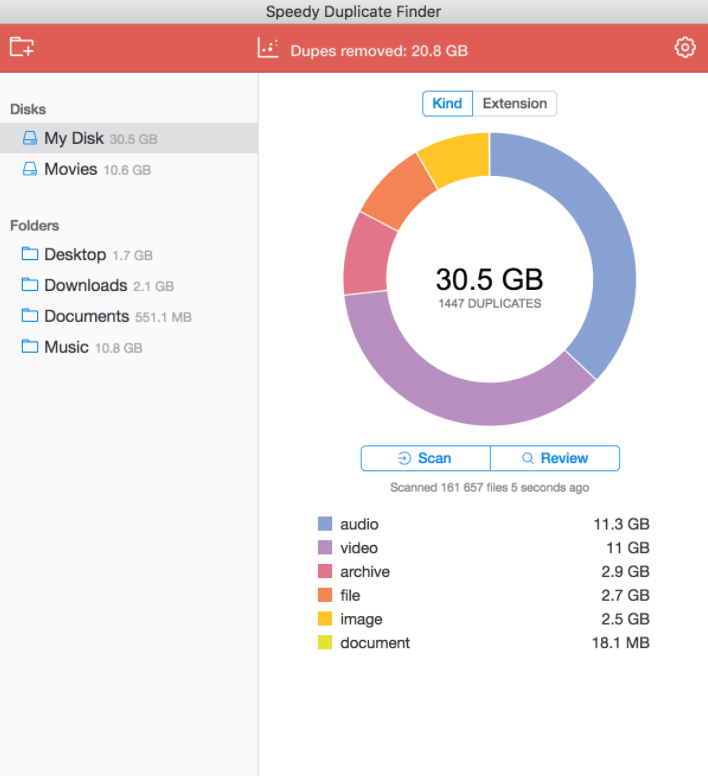
Living up to its name, the software is the fastest way to find and delete duplicate files on Windows, Mac, and Linux. The program has an eye-catching user interface that can clean up your system in a blink of an eye. You need to start with choosing that directory or disk for which you want to run the scan. Then, the app presents you with the list of duplicate files in the main window. You can see each item separately or can perform a check/uncheck operation as per your preference.

And, if you don’t want to examine all the duplicate data then, in that case, you can use filters to vary the data by size. The software has lots of filter options. Moreover, the software can manage your files either by file type or by extension. However, the free version offers limited access to its features. To enjoy an unlimited number of features you need to buy its pro version.

Notable Offerings:

  • Comes with a smooth and eye-catching user interface.
  • Capable of scanning more than 10,000 files in just a second.
  • It can search for duplicates on an entire disk.
  • Uses smart filters to group duplicates by size, type, or extensions.
  • Compatible with major desktop platforms including Linux, Windows, and Mac.

Pros

  • No installation requirement.
  • Smooth user interface.
  • Smart filters to categorize duplicates.
  • Frees ample quantity of storage space.

Cons

  • The free version doesn’t support unlimited removal.
  • No priority assistance.

Download


4. Visual Similarity Duplicate Image Finder

Visual Similarity Duplicate Image Finder

Available For: Windows XP, Vista, 7, 8, 8.1 and 10

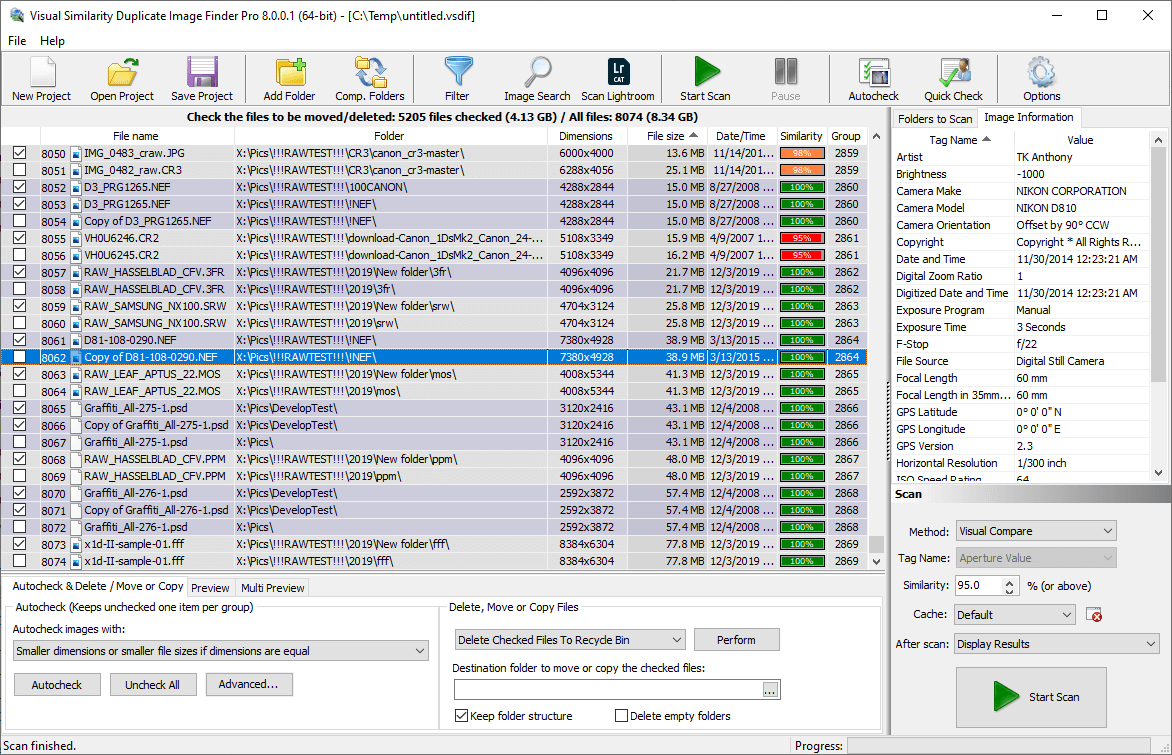
To be able to organize your chaotic digital photo collection with ease, you need a capable software. One that can be considered up to the task is the Visual Similarity Duplicate Image Finder. The software represents a high-quality solution to scan your entire disk and find look-alike and duplicate images even if they are edited, color-corrected, flipped, or rotated. 

One of the most interesting abilities of this program is to scan Adobe Lightroom catalogs. Apart from this, below we enlist a few of its other powerful features that are worth taking a closer look at. 

Notable Offerings:

  • Allows you to automatically mark smaller file size/resolution images.
  • Supports 40 major image file types, including JPG, PSD, TIFF, etc.
  • The software is capable of locating files in Windows Explorer.
  • Allows to run duplicate photo scan on mapped network drives.

Pros

  • Has a simple and intuitive user interface.
  • Flexible search options for accurate results.
  • Scans exact/similar pictures snappily.
  • It lets you specify similarity percentage.

Cons

  • Quite complicated for less experienced users.
  • Free version includes only a basic set of features.

Download


5. Auslogics Duplicate File Finder

Auslogics Duplicate File Finder

Available For: Windows 7, 8.1 or 10

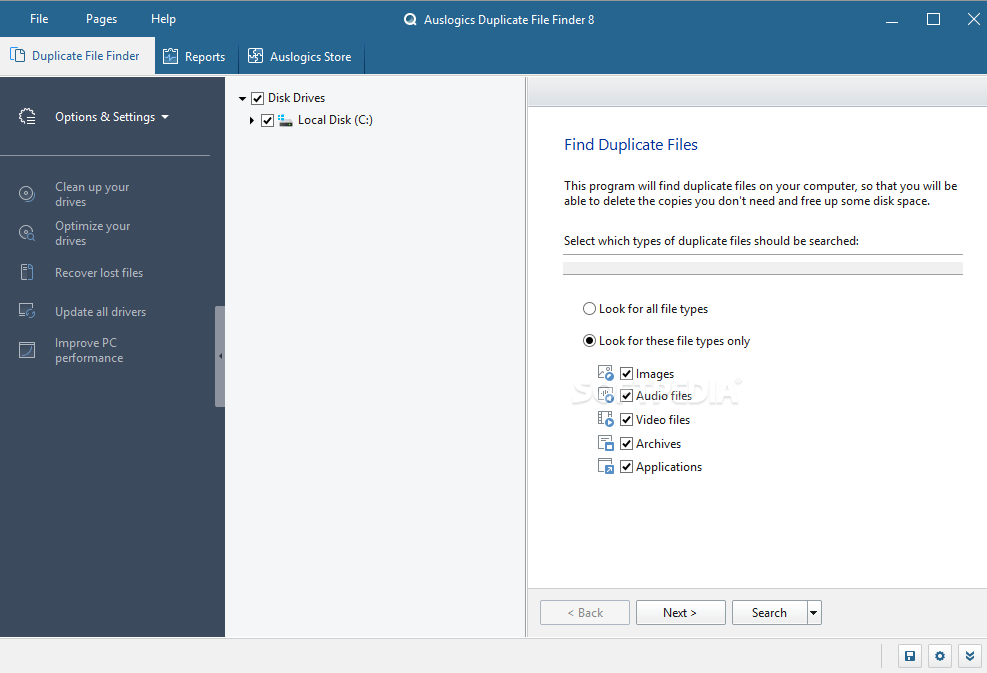
Last but not least, Auslogics Duplicate File Finder is the best way to manage all the digital media collection. In order to save an ample amount of storage space on your hard drive, you can use this amazing tool to find and delete duplicate files. You can use this application at no cost for both commercial and home.

The user interface of this software is pretty clean and easy to use. In addition to this, with the tool, you can set the search criteria to ignore the files which are smaller or larger than a specific size. Moreover, the software gives you the choice of sending the dupes to the recycle bin, recovery center, or removing them permanently from your system. Undoubtedly, it is the best Ashisoft Duplicate Photo Finder alternative.

Read More: Best Free Duplicate File Finder & Remover For Windows 10, 8, 7

Notable Offerings:

  • The software comes absolutely free with no restrictions to the usage of its features.
  • To make sure no faulty search, the app uses intelligent algorithms to compare the files.
  • It not only compares the name of the files but also compares the contents.
  • Gives you complete control over the search results and lets you choose which dupes you want to delete.

Pros

  • Easy to set up.
  • Clean and slick user interface.
  • Can recover the files from backups.
  • Comprehensive search criteria.
  • Absolutely free, no charges included.
  • Free up massive amounts of storage space.

Cons

  • Shows ads of other software.
  • A bit difficult to find which group to keep or which to remove.

Download


That’s a Wrap!

So, that’s all folks, hopefully, our list of best alternatives to Ashisoft Duplicate Photo Finder has helped you a lot to make a choice. However, still, those who are confused in choosing the best one. We would like to recommend you use Photo Finder to clear all the chunks from your system in a hassle-free manner. This tool is a fully automatic tool that also manages the photo library of your system and makes it clutter-free.

Lastly, if you have any suggestions then please tell us in the comment zone below. For receiving more such tech articles do subscribe to our Newsletter. Till then, keep up the good work of your system by making it clutter-free.

1 Comment
    Jimmie Dossett says: Reply
    October 15th 2023, 6:54 am

    Nice post. This list is very helpful to find free network monitoring software.

Leave a Reply Cancel reply

Your email address will not be published. Required fields are marked *

Sidebar Image bit G ad1

Latest Posts

  • Best-Free-Online-Portfolio-Websites-in-2026
    Best Free Online Portfolio Websites in 2026
    by Niharika / March 16, 2026
  • Anytime Astro: Best Website For Online Astrology Consultation
    Anytime Astro: Connect Now For Online Astrology Consultation
    by Somya Shrimal / March 13, 2026
  • Best-Ways-to-Combine-Images-Into-PDF-Files
    Best Ways to Combine Images Into PDF Files
    by Niharika / March 12, 2026
  • Best FREE VPS Hosting Providers
    7 Best FREE VPS Hosting Providers in 2026
    by Devesh / March 12, 2026
  • Best-McAfee-alternative-software-to-use-for-Virus-Protection
    Best McAfee Alternative Software to use for Virus Protection
    by adminuser / February 11, 2026

Categories

  • Cyber Security
  • Driver Updater
  • Entertainment
  • Fitness
  • Games
  • How To
  • laptop
  • OS
  • Reviews
  • Tech News
  • Tips & Tricks
  • Top 10
Sidebar Image bit G ad1
Best Anime Streaming Sites to Watch Anime Online 27 Best Anime Streaming Sites to Watch Anime Online in 2024by Snigdha / May 16, 2024
How to Fix Snapchat Keeps Logging Me Outby Akshara Parnami / May 16, 2024How to Fix Snapchat Keeps Logging Me Out
TechPout Footer Logo

We at TechPout promise to put forth stories that help people to learn and simplify their digital life. Our purpose is to share the true essence of technology with our tech-loving community.

Useful Links

  • About Us
  • Contact us
  • Privacy Policy

Popular Posts

  • Best PC Optimizer Software
  • Best Mac Cleaner Apps
  • Best Driver Updater
  • Duplicate Photo Finder and Cleaner Software
  • Best Free Movie Download Sites
  • Best IPTV Players

Follow us

Copyright © 2026 www.techpout.com. All rights reserved
DMCA.com Protection Status