Developing a new app can take a significant amount of time, even if you don’t know any code. It takes careful planning and foresight to set up data sources. It takes several attempts to create the ideal layout for an intuitive user interface. It also requires careful attention to detail and numerous testing iterations to tie everything together with bug-free app logic.
Here, AI is helpful in two ways. First, you can accelerate setup by converting your prompt into a first-draft application. The other is by using code to create solutions and get them in positioning appropriately. Although it can’t help you completely just yet, it’s getting very, very close.
In this article, we are going to explore the most and the best AI development tools of 2026. Get a look into it. But first know what its benefits.
Benefits of AI development tools
Quick development
AI app builders give users a ready-made foundation for quick, dependable app creation by automating design and testing. After that, users can expand this foundation by customizing workflows, layouts, and features to suit their unique requirements.
This method speeds up updates and repeating cycles, resulting in quicker and more effective improvements. It is much better with best AI coding tools For instance, a retail company could create a customer loyalty app with pre-built interfaces and automated testing, then swiftly add seasonal promotions and customized rewards, launching updates without the delays associated with traditional development.
Accessibility to all users
Additionally, AI app development apps democratize by enabling anyone, regardless of technical proficiency, to do it. Users with little to no coding experience can design and manage apps quickly and effectively thanks to features like drag-and-drop interfaces, natural language prompts, and automated workflows that work with application performance monitoring tools. Small businesses and entrepreneurs will find this especially useful as it allows them to realize their ideas without having to hire costly developers or learn complicated programming languages.
AI powered decisions
Compared to traditional analytics solutions, these tools frequently provide more rapid and comprehensive analysis by tracking metrics like user behavior, engagement trends, and system performance. Through data-driven apps, AI app development analytics enable smarter business operations by providing actionable data as it happens, enabling teams to optimize procedures and make timely adjustments.
Best AI development Tools
1. Google AI
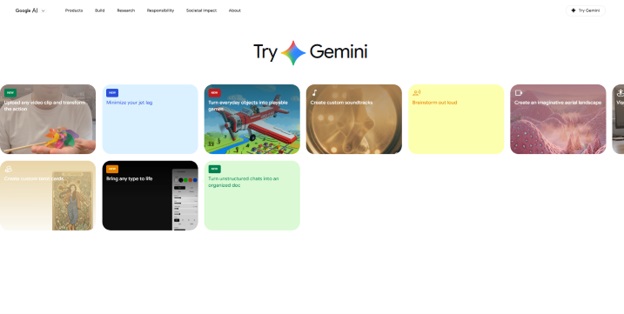
Unknown to some, Google offers a bunch of incredible free AI app development tools and applications. They have a ton of different mini apps for different use cases through Google Labs, their experimental AI app development product hub.
You can experiment with a number of other tools as well. such as email productivity tools with their CC tool. Another option is Mix board, which functions similarly to a floating Pinterest inspiration design board for brainstorming and crafting ideas. Then there is Google AI Studio, a web-based tool that allows you to illustrate and test Google’s Gemini models for free. It is one of the best utility apps For android that works without spending money, you can create speech, create images, test prompts, and even create simple apps. It is currently one of the most unsung free AI app development tools available.
Pros:
- Entirely free to use. You can do almost all the experiments.
- The AI studio of Google gives full access to all Gemini models.
- The most powerful free IDE tool is Antigravity for developers.
- There are many new tools that are being added regularly.
Cons:
- Features get disappear without any notice or notification as they are experimental.
- All experiments are not available in every region.
- It can be confusing to experiment if you do not know what to do.
- Some features seem incomplete as they are still in the testing process.
Also know: Gitlab vs Bitbucket vs GitHub: Complete Comparison
2. Claude
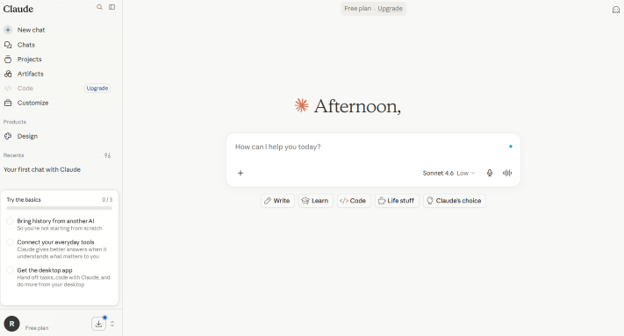
You probably already know what Claude is, but here we will talk about the desktop application in particular. Almost every day, I use Claude to help me refine my ideas, proofread blog posts, and integrate it with MCP servers to retrieve analytics or keyword data for SEO campaigns. You can use Claude for a wide variety of purposes.
However, if you wish to grant Claude access to your desktop, you can also use Claude which can make changes to your files locally on your computer. Additionally, there is a Claude Code. Claude is the best AI app, if you’re searching for a versatile, user-friendly tool that you can use for a variety of purposes in both your personal and professional life.
Pros:
- You can store unique instructions and reference files for each campaign with projects.
- For creating internal tools and scripts, Claude Code is excellent.
- Claude can access your local desktop files through teamwork or coworker.
- The free plan is actually functional.
Cons:
- It does not generate images.
- It can be extremely wary of some requests.
- Even in Pro version, usage restrictions can be annoying.
- There is a big gap in price for pro and max versions.
3. Perp#lexity
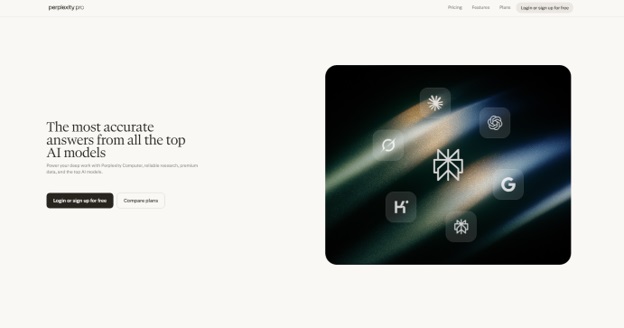
Perplexity is an intelligent AI search tool that provides concise answers to queries and displays its sources. It functions similarly to a research partner who saves your time by pointing out the links and providing clear explanations. It is used to compare product features, finding the most recent information on AI app development regulation, and obtain current statistics. Although you can technically complete all the tasks with Google, this method is quicker and easier to understand. It draws from reliable sources, properly cites all relevant information, and allows you to delve deeper with the source links.
Pros:
- provides you with answers that are cited and sourced rather than merely a list of links.
- Social search gathers information from user-generated content and forums.
- GPT-5.2, Gemini 3.1 Pro, Grok1, and more are available with the Pro plan.
Cons:
- Access to advanced models is restricted in the free plan.
- can occasionally confidently convey information that is out of date.
- Premium plans are expensive for most of the
4. Zite
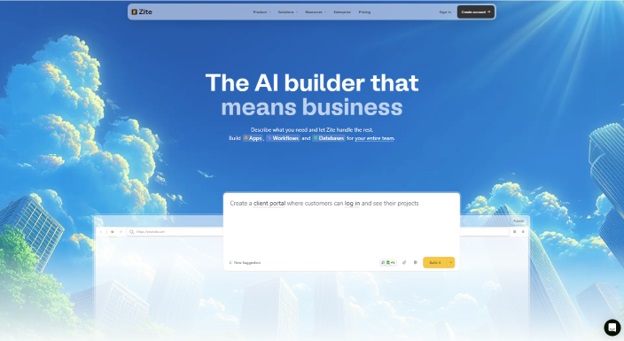
Zite automatically creates business apps and internal tools that are ready for production. It offers access controls, authentication, SOC 2 Type II compliance, and secure hosting. SMBs, operations teams, and support teams that require internal tools, portals, dashboards, and workflows without having to write code. Most AI app builders produce code that you must host, secure, and harden yourself. Zite takes care of production issues so you can concentrate on the real functionality of your app. The platform has built-in authentication, SSO, audit logs, and access controls, and all applications operate on secure hosting. Before releasing your app, you are not required to develop and validate the security layer. Simply instruct Zite to add authentication. I created a vendor onboarding portal by outlining Zite’s functionality in order to test it. In a matter of minutes, the AI app generator produced the user interface, authentication process, and data workflows. I didn’t need to incorporate any external data sources because it has an integrated database.
Pros:
- It has built-in security features so you can ship an app that users can safely use.
- It supports images, documents, websites, social media posts, and all in one tool.
- Since there are no per-seat fees, costs remain constant as usage increases.
- No need to oversee a different hosting stack, UI framework, or database.
Cons:
- Apps remain hosted on Zite (no code export), so you don’t have to worry about ongoing maintenance.
- Not consumer apps or SaaS products, but internal and client-facing tools.
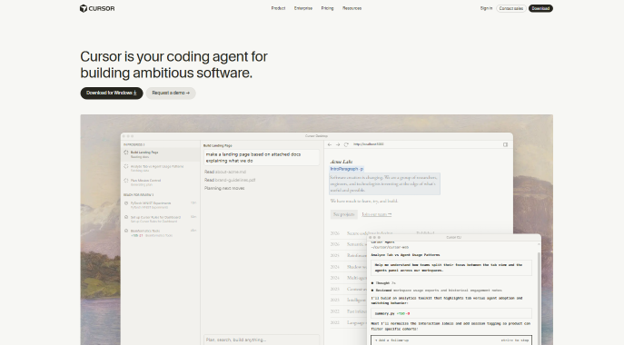
5. Cursor
Cursor is a full-featured code editor with AI support at every stage. For debugging sessions, recoding sprints, and even creating small prototypes, it’s undoubtedly one of the most effective environments. It’s perfect if you enjoy Copilot and Visual Studio Code, but with AI features.
The well-known IDE Cursor uses AI app development to assist you in writing software without requiring you to type code by hand. Although Cursor is a complete development environment because it is built on top of Visual Studio Code, you can use any AI coding model on the platform thanks to its AI app development agent features. Consider Cursor as the ultimate master of vibe coding, offering you total freedom to utilize any model you choose. The most recent Claude Opus models can be used because it is LLM agnostic. For most prominent results, use the Claude Code with Cursor. After that, use the Cursor agent for a few more little coding jobs. The Composer model that Cursor developed, when it comes to various frontend UI tasks, is incredibly quick. In fact, it is much faster than the Claude Code.
Pros:
- You can use ChatGPT, Gemini, Claude, or any model because LLM is agnostic.
- For front-end UI tasks, the Composer model is incredibly quick.
- For backend work, it works perfectly with Claude Code.
Cons:
- If you require higher usage tiers, it can become costly.
- If you are not familiar with Visual Studio Code, this is not the best option.
- For non-technical users, there is a learning curve.
Also know: Best AI humanizer for Content Creation
Frequently Asked Questions
Q1. How are AI developer tools different from traditional developers?
Traditional developers need to enter manual coding which is quite difficult due to error occurrence and very time consuming. On the other hand, AI developed tools help in reducing errors and make the process faster.
Q2. How AI developed tools are helpful and to whom?
The AI developed tools are useful for entrepreneurs, business owners, and organizational students who are working with tech. It helps them to accelerate their workflow and minimize the error risk.
App development is now more accessible than ever thanks to no-code AI app builders, which enable users to create robust, fully functional apps without knowing how to code. Whether it’s an internal tool, a customer-facing application, or a data-intensive workflow, match the platform’s strengths with your intended use case to make the most of these tools.