

Metadata provides the essential information about files, documents, photos, and databases, making them easy to search, organize, and manage. However, you may want to hide certain details, such as author names, GPS coordinates, timestamps, and camera serial numbers, and to do this, you need a metadata remover for Windows.
The best file or photo/video metadata removers for Windows are dedicated tools to strip hidden metadata from files on Windows. This article helps you choose the tool to remove metadata from a carefully curated list of the best removers available currently.
What Is the Best Metadata Remover for Windows
The best metadata remover for Windows includes AI Metadata Cleaner, ExifCleaner, BatchPurifier, Exif Purge, and ExifTool. AI Metadata Cleaner is best for removing metadata from AI-generated images. ExifCleaner is best for easily deleting metadata for the most popular video and image formats. BatchPurifier is best for repeatable, automated metadata removal. Exif Purge is best for those who need a simple application to remove metadata from camera photos. ExifTool is best for users comfortable with a terminal, wanting to delete metadata from thousands of files at once. Below are all these programs in detail.
1. AI Metadata Cleaner
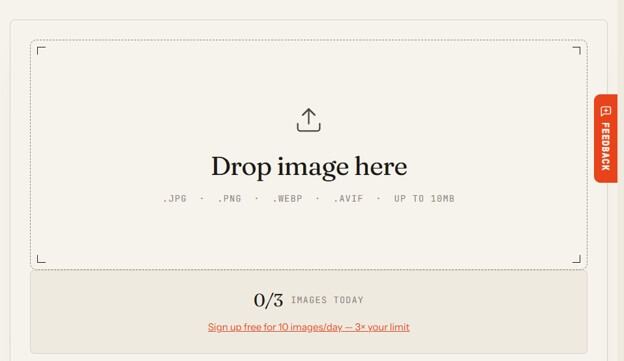
AI Metadata Cleaner is the best free metadata remover for Windows, removing metadata inside your browser. It removes content credentials from tools such as ChatGPT, Gemini, and Photoshop, EXIF data including camera, dates, and GPS, settings, and prompts from Stable Diffusion and Midjourney saved in PNG files, all without altering the color profile and while re-reading the cleaned file to ensure no identifying information is left. It also supports PNG, JPEG, HEIC, and WebP, and cleans metadata from PDFs, videos, and RAW photos.
Also know: Best Free Markdown Editors for Windows
2. ExifCleaner
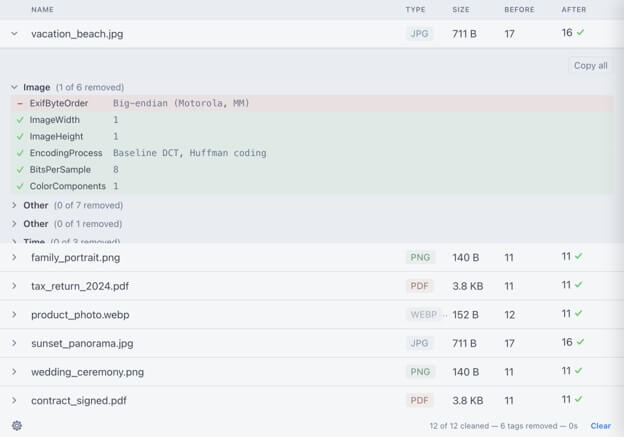
Next on our list of the best PDF, image, and video metadata removers is ExifCleaner. It supports a wide range of formats and makes batch metadata removal easy with its drag-and-drop feature. In addition to batch processing, ExifCleaner supports dark and light modes to match your operating system theme, metadata inspection to help you view the before-and-after differences of removed metadata fields, and orientation preservation when removing metadata.
3. BatchPurifier
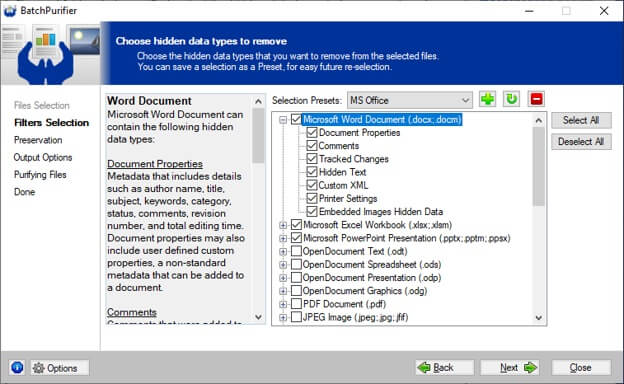
BatchPurifier is another metadata remover for Windows that automatically detects and removes metadata across common media and document formats, with recursive folder scanning for bulk cleanups. Its automation and API-style integration are also ideal for governed, scheduled cleanup workflows. Furthermore, BatchPurifier’s policy-driven sanitization ensures consistent redaction across files.
4. Exif Purge
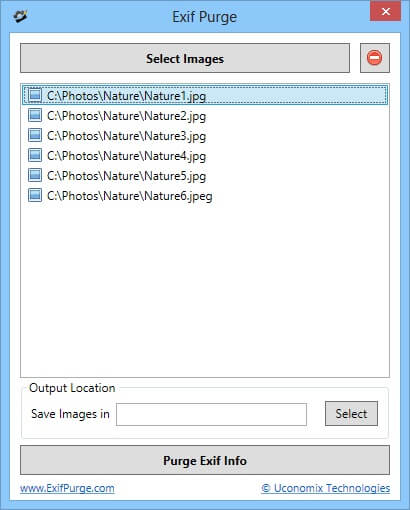
Exif Purge is also one of the best Windows metadata removers with a point-and-click interface to remove EXIF from a batch of images. This simple desktop application for camera photos removes EXIF data, content credentials from AI images, and XMP.
5. ExifTool
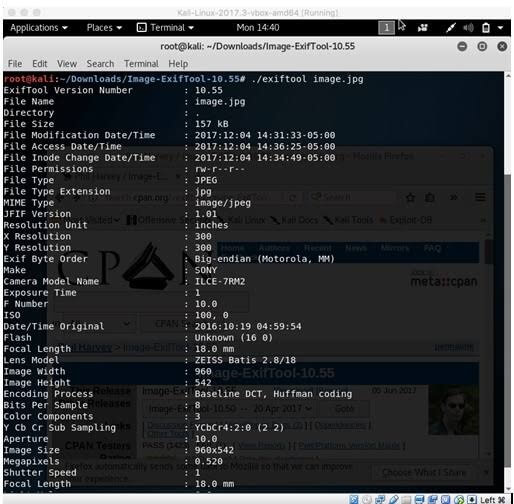
ExifTool is an open-source metadata remover for Windows that can read and write metadata in numerous file formats. You can use it from the command line: “exiftool -all= -tagsfromfile @ -icc_profile photo.jpg” to remove the metadata and preserve the color profile. Moreover, ExifTool edits metadata without re-encoding images, preserving image quality.
Also know: 9 Best Photo EXIF Editor for Mac (Free & Paid)
Frequently Asked Questions
Q1. What is the best metadata remover?
The best metadata remover depends on whether you prefer a command-line utility, a browser-based tool, or a desktop application. Based on your needs, you can choose from ExifCleaner, ExifTool, and other Windows metadata removers in the article above.
Q2. What is the difference between EXIF and metadata?
Metadata is information that describes a file, such as the file name, file size, date created/modified, file format, color profile, keywords and captions, and copyright notice. EXIF stands for Exchangeable Image File Format, a specific type of metadata that includes details such as camera make and model, shutter speed, aperture, ISO sensitivity, focal length, flash, white balance, date and time, image dimensions, and GPS coordinates.
Q3. What is the best EXIF remover tool for Windows?
The best EXIF remover depends on your specific needs, but ExifCleaner and ExifTool are two of the best options available today.
Hopefully, this answers all your questions about the best metadata remover for Windows. If you still have questions or need clarification, leave us a comment.