Main LogoLight Logo
  • Reviews
  • Top 10
  • How To
  • Tech News
  • OS
    • Windows
    • MAC
    • iOS
    • Android
  • Categories
    • Driver Updater
    • Cyber Security
    • Games
    • Fitness
    • Entertainment
    • Tips & Tricks
Android iOS Top 10
by Monil

6 Best Selfie Apps for Android and iPhone 2024

February 5, 2024
1

When it comes to clicking a selfie, you want to put your best face forward.

With the rise of image-centric social networks such as Instagram and Snapchat, an intuitive and easy-to-use selfie app is essential to make yourself look better, plus to add some awesome effects to your photos.

Whether you are trying to get more likes on Facebook or simply looking for the best way to record special moments with friends and family, you can use the best selfie camera apps for Android & iOS to capture better-looking selfies.

With the plethora of free selfie apps available online, it gets tough to choose the right one.

If you don’t know which app is best for taking a selfie, then you don’t need to worry anymore as we’ve done all the heavy lifting to help you pick the best selfie app that can help you turn your ordinary pictures into something extraordinary. 

Here’s the list of the best photo editing apps for selfies which can help you make subtle changes to your face like brighten dark circles, remove pimples and blemishes, whiten teeth, skin tone adjustment, and much more.

Table of Contents hide
5 Best Selfie Apps to Make Your Photos Look Better in 2024
1. AirBrush
2. Facetune2
3. YouCam Perfect
4. Retrica
5. Cymera Camera
6. BeautyPlus

5 Best Selfie Apps to Make Your Photos Look Better in 2024

1. AirBrush

AirBrush

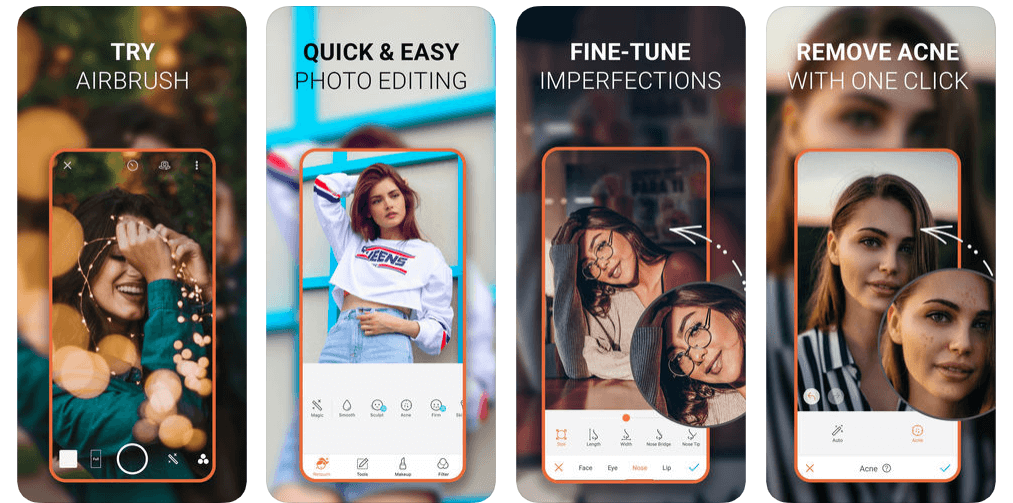
In today’s highly competitive marketplace, AirBrush is undoubtedly one of the world’s best photo editing app for selfies that offers amazing tools and filters to make your photos worth sharing.

With this easy to use photo editor, you get the most natural, user-friendly retouch tools, photo effects, and filter options like celestial & element filters, artistic retouching features, blemish and acne remover, gorgeous bright eyes & light effects, etc.

Read Also: 15 Best Duplicate Photo Finder and Cleaner Software for Windows 

AirBrush allows you to take your selfies to the next level by eliminating pesky imperfections like pimples, blemishes, enlarged eyes, and more to get the perfect selfie every time.

With professional filter and photo effect tools, AirBrush is indeed a huge contender for the top spot in this list of best selfie editing apps.

Download App: iOS


2. Facetune2
Facetune2

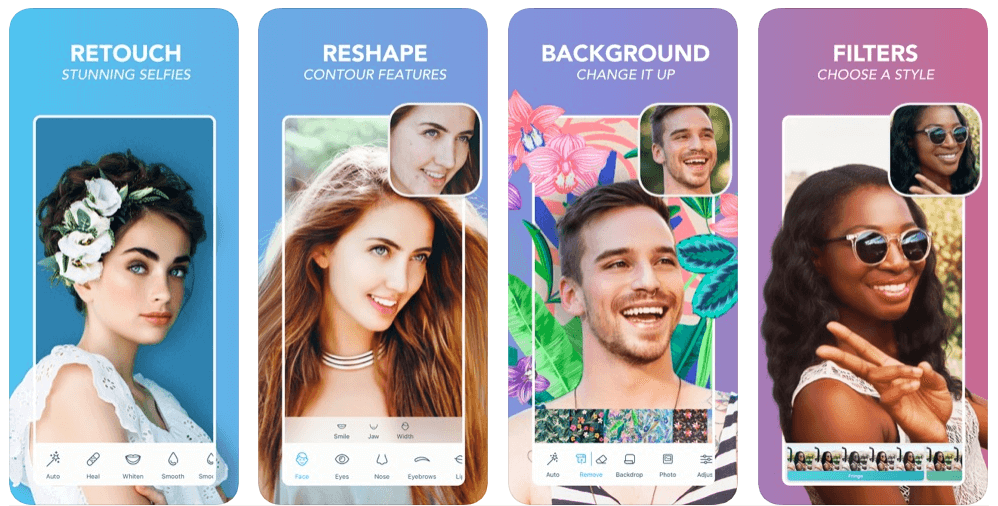
If you’re looking to create the perfect portrait or capture better-looking selfies, then Facetune2 could be the perfect option for you.

Facetune2 is an award-winning selfie camera app that offers amazing photo editing tools to help you get rid of blemishes, pores, and pimples with the few swipes of a finger.

Facetune2 with its super-advanced technology ranks among the best beauty editing apps available on the market, offering every magical retouching feature and editing tools to give your selfies a more natural touch.

Download App: Android and iOS


3. YouCam Perfect

YouCam Perfect

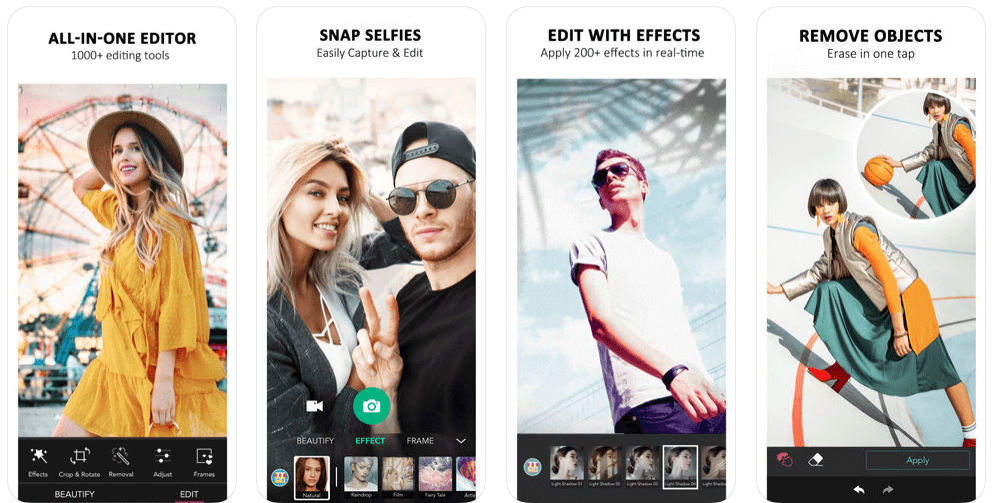
With more than 300 million users, YouCam Perfect is one of the world’s best selfie camera apps which offers an amazing set of photo editing features to turn your basic pictures into masterpieces.

YouCam Perfect brings you the complete photo editing tool kit including 1000+ photo effects, filters, magic brush, stickers, cut-out, watermark, object remover, and more.

So, if you’re looking for a photo editing app with you can beautify your photos, create amazing collages or frames, and capture video selfies in real-time, then YouCam Perfect is a top choice for you.

Download App: Android and iOS


4. Retrica

Retrica

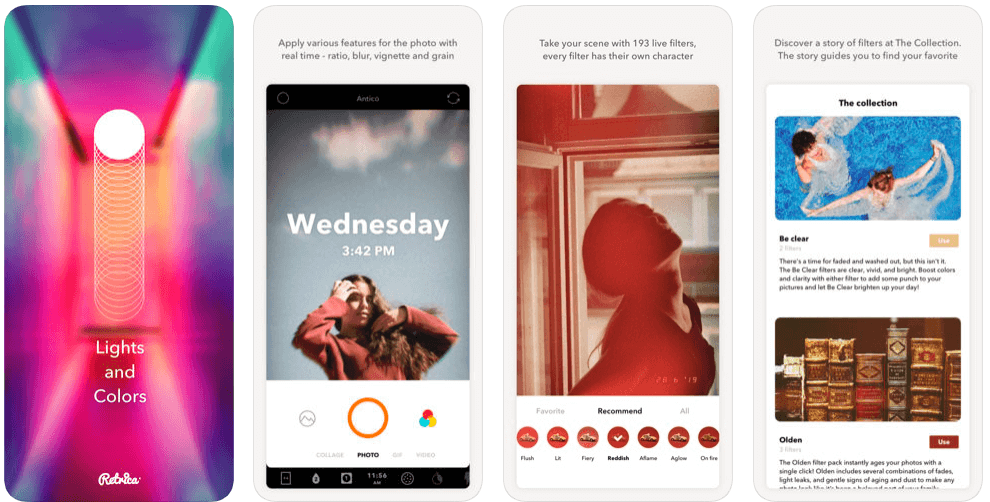
Retrica is one of the most popular selfie editing apps which gives you a variety of beautiful camera filters to make your selfies more special.

Read More: 9 Best Apps To Blur Photo Background on Android & iOS

Retrica also offers a variety of fascinating features like zoom blur effects, time stamping, viewfinder, insight, different colors and lights, and more.

So, if you’re looking to capture better-looking selfies with mesmerizing filters, then Retrica has you covered.

Download App: Android and iOS


5. Cymera Camera

Cymera Camera

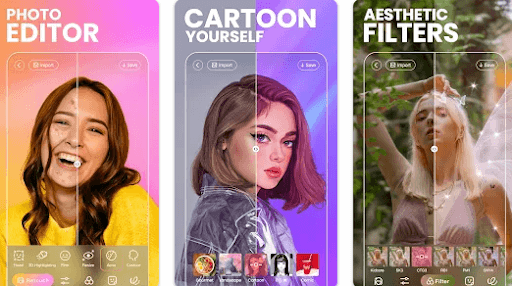
With more than 200 million users, Cymera is a perfect beauty camera app that allows you to turn your basic selfies into wonderful moments.

Cymera gives you all the professional photo editing tools you need – selfie filters, blur & mirror photo effects, face stickers, makeup, hairstyles, tattoos, face & muscle effects, etc.

This smart selfie camera comes with a wide range of camera lenses & beauty tools that gives your face a more natural-looking glow. 

Cymera might come last in the list of best selfie apps, but it is definitely worth a try.

Download App: Android and iOS


6. BeautyPlus

BeautyPlus

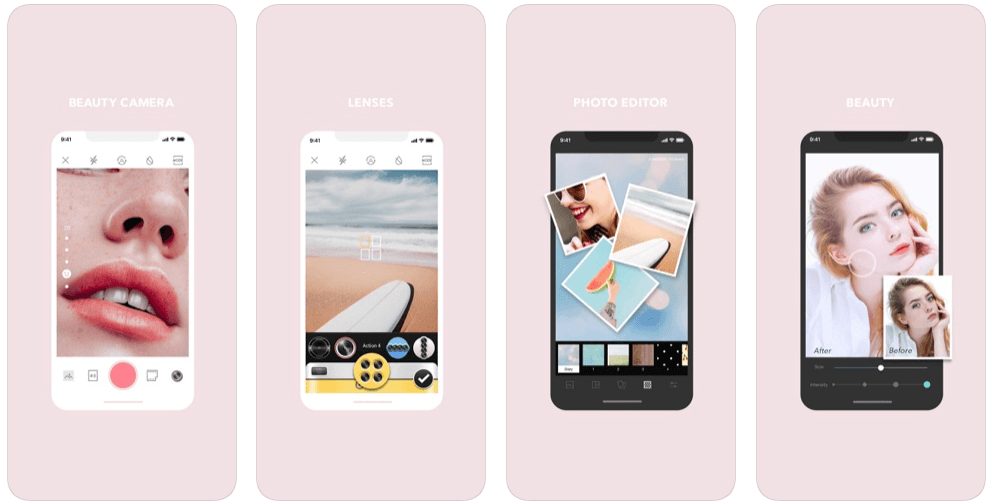
BeautyPlus is yet another best selfie cameras & photo editors and is used by 800 million users worldwide. The app features a wide range of editing tools and totally free-to-use content for video and photos. It has 50+ powerful editing tools for instant and amazing results. Additionally, it is super intuitive and simple for anyone to get started.

The app provides over 200 stunning effects and themed filters to help you make diversified styles with much ease. You can also add patterns or background colors to level up your pictures. Not only that, but with BeautyPlus you can explore numerous templates and recreate trending edits in just one tap. Furthermore, its smart AR technology will automatically identify faces in a picture and apply the effects accordingly. Thus, it makes your selfies unique and attractive. Creating natural and beautiful picture & video selfies has never been so easy. Try BeautyPlus now and instantly capture great-looking perfect selfies.

Download App: Android and iOS


Final Verdict: Best Selfie Apps

The aforementioned apps are some of the best selfie apps for Android & iOS on the basis of ease and popularity.

You can get all of these selfie camera apps on the Google Play and App Store for free; use them and change the look & feel of your selfies with mesmerizing filter & photo effect tools.

So, what are you waiting for? Pick your favorite & make your selfies worth sharing!

Best selfie appsbest selfie camera appsfree selfie appsphoto editing app for selfiesselfie editing appswhich app is best for taking selfie
Author

Monil

Monil is a professional writer whose forte is absorbing a lot of data and help large technical organizations convey their message clearly across multiple products. An engineer by qualification, his affinity for design enables him to write to inspire, energize, and influence various audiences to uncover their true potential. When not writing, Monil is likely to be found listening to music, traveling, or simply excavating into his favourite cuisines.

View all posts

Related Posts
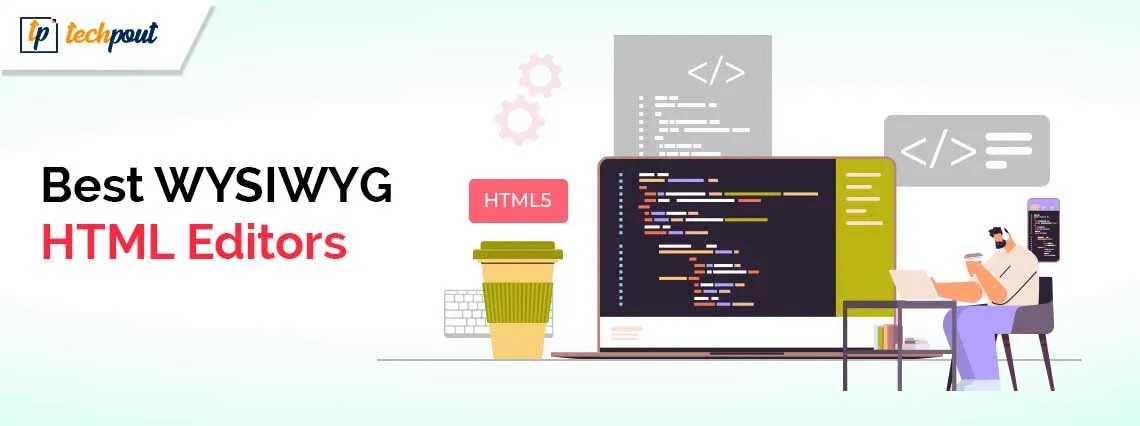
Top 10 Best WYSIWYG HTML Editors to Use in 2024

Top 10 Best WYSIWYG HTML Editors to Use in 2024

September 20, 2024
0

You can read this article to learn more about the best WYSIWYG visual HTML editor tools to build engaging websites faster by editing and previewing them simultaneously.

A web layout impacts websites differently. For instance, the layout we have used for our website does wonders for us. However, it may be disastrous if you use it on your website. The color theme we have applied checks all the right boxes for us. However, it may not look as appealing on your website as it looks on ours. Not everything fits perfectly everywhere. If it makes you wonder, “Am I making the correct changes to my website, are these changes adding value to it,” a WYSIWYG HTML editor is all you need to get your answer.

WYSIWYG tools are What You See Is What You Get programs. They show how the content you add or the changes you make will look on a web page. Though there is a preview option that allows web page previewing before publishing, visual HTML editors are better as they save considerable time and effort.

Hence, this article presents a well-researched list of the best WYSIWYG software to view the impact of your actions in real-time. Let us not beat around the bush and get started right away.

Carefully Curated List of the Best WYSIWYG HTML Editors

Below are the best WYSIWYG tools to make your life easier as a developer by offering an easy preview of the actions you take on your website.

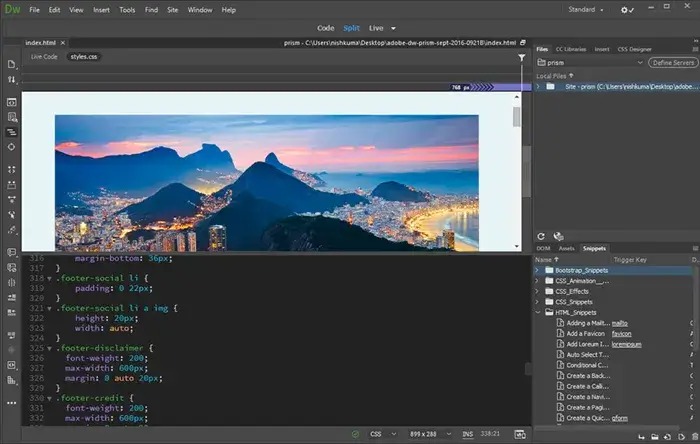
1. Adobe Dreamweaver CC

Adobe Dreamweaver CC needs very little of what is known as an introduction. It is hands down one of the best WYSIWYG editors because of its smart and simplified coding engine that lets you effortlessly learn and edit HTML, CSS, and other web standards, availability of customizable starter templates to build HTML emails, about pages, portfolios, newsletters, and the following remarkable features.

Key features of Adobe Dreamweaver CC

  • It allows you to enhance your sites with assets from your Creative Cloud Libraries and Adobe Stock
  • There are visual aids to help you reduce code errors and speed up website development
  • Adobe Dreamweaver CC boasts multiple monitor support for Windows
  • There is Git support to help you easily manage all your source code and execute all common operations from the Git panel

Adobe Dreamweaver CC

Click here for more information


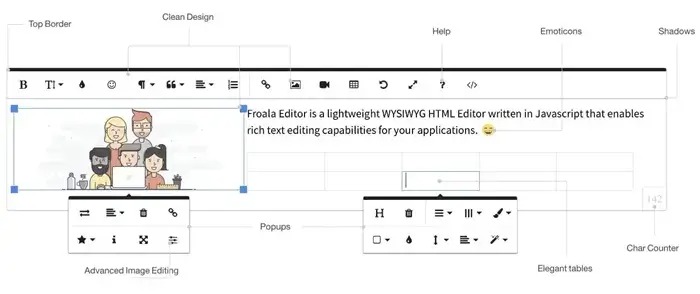
2. Froala

Next, we would like to name Froala as one of the best visual HTML editors. This developer-friendly editor supports more than 15 frameworks for easy integration, boasts excellent customizability, has a clean and elegant design, and offers the following notable features.

Key features of Froala

  • It boasts advanced text and table formatting and around 35 plugins to help you create stunning content
  • There is a detailed guide to help you work your way through the editor
  • Froala speeds up your website development with more than 170 responsive design blocks

Froala

Click here for more information

Also know: Best Free Text Comparison Tools


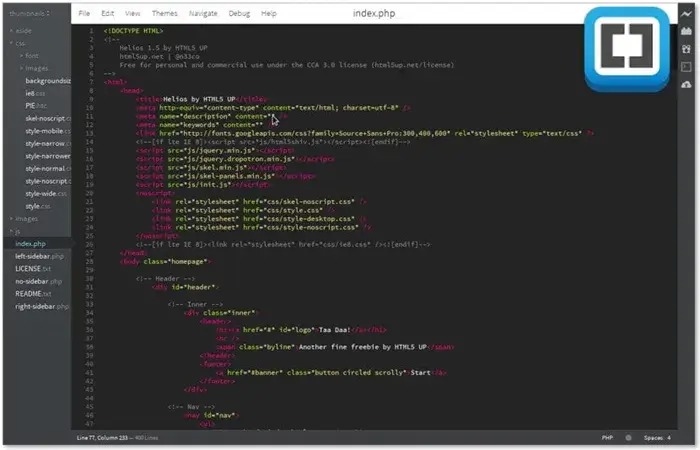
3. Brackets

Next, we have Brackets on our list of the best open-source WYSIWYG HTML editor tools. It is a lightweight and powerful modern text editor with visual code-writing tools. Moreover, inline editors, preprocessor support, Git integration, and the following features justify Brackets’s position in this article.

Key features of Brackets

  • It boasts a clean and appealing interface that beginners find friendly
  • Brackets is customizable with the look and feel of your preferences
  • Extensions help you add more features to the software
  • PSD lens helps you extract logos, pictures, and designs from PSD files with no Photoshop

Brackets

Click here for more information


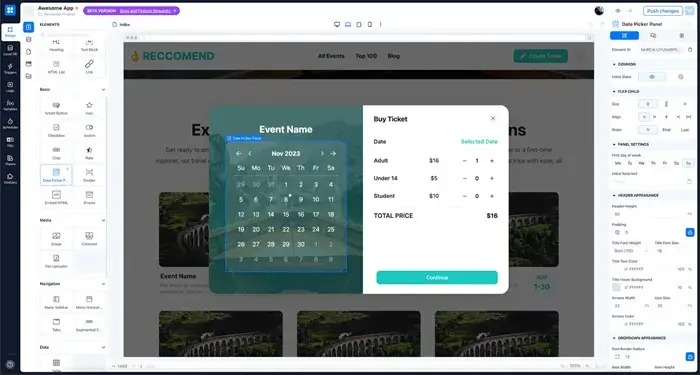
4. AppMaster

AppMaster is another WYSIWYG editor that makes it as easy as pie for developers to create beautiful mobile and web applications. You can simply drag and drop elements and then edit them to build mobile apps, create data models with fields and then leave everything to platform AI, and make the most of the following features.

Key features of AppMaster

  • It automatically publishes your project to AppMaster Cloud, AWS, GCS, Azure, or private cloud with one click
  • There is an ocean of formatting options, such as many fonts, size adjustments, color schemes, etc
  • You can effortlessly embed multimedia content, such as videos, images, and links
  • AppMaster boasts an undo/redo feature to allow users to review or revert changes easily
  • There is a settings panel and integration with other tools to fit all your requirements

AppMaster

Click here for more information


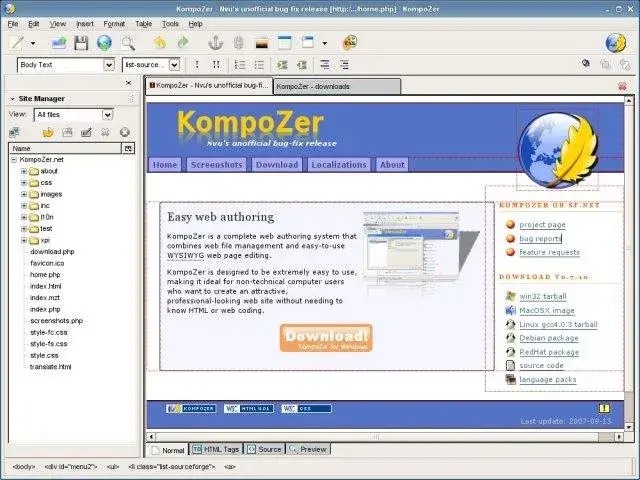
5. KompoZer

Next, we would like to talk about KompoZer. It is among the best WYSIWYG HTML editors that use the Mozilla Composer codebase. This software is popular because of its excellent customization tools, such as an extended color picker, easy style sheet creation, and the following features.

Key features of KompoZer

  • It lets you effortlessly switch between WYSIWYG and regular editing
  • KompoZer is a completely free-to-use software

KompoZer

Click here for more information

Also know: Best OCR Software to Extract Text from Images and PDFs


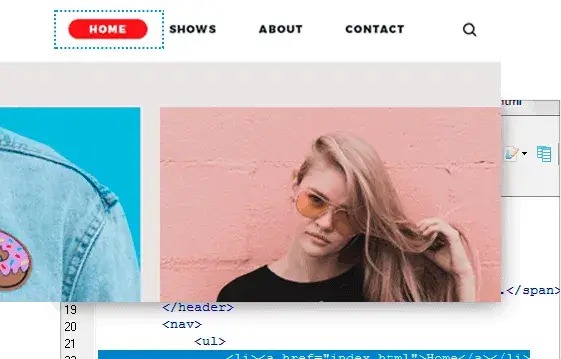
6. CoffeeCup HTML Editor

There is no way we can skip CoffeeCup HTML Editor when discussing the best WYSIWYG tools to create stellar websites. It is an editor rich in features that make quick changes to the website and fix bugs. Components library to save reusable elements, automatic code completion suggestions, and the following features make CoffeeCup HTML Editor stand out from the other names on this list.

Key features of CoffeeCup HTML Editor

  • It boasts many responsive templates that you can effortlessly import
  • There are a lot of preview options, such as the split-screen preview that displays your web page right below the code and an external preview that displays your web page in another window or monitor

CoffeeCup HTML Editor

Click here for more information


7. Shorthand

If you are a content creator, marketer, or journalist searching for the best WYSIWYG HTML editing software, you can try Shorthand. It helps you seamlessly create captivating visual stories without having to learn coding. Moreover, the following features add to the reasons Shorthand is one of our favorites when it comes to creating rich multimedia content.

Key features of Shorthand

  • It boasts seamless integration with your current content management system (CMS)
  • You can effortlessly integrate elements like videos, audio, and animations into your page with Shorthand

Shorthand

Click here for more information


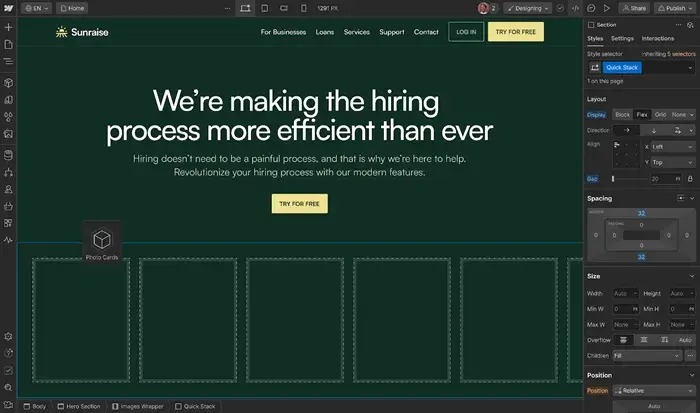
8. Webflow

Webflow is our next pick when it comes to choosing the best visual HTML editor for web development and design. It helps you create, optimize, and scale web experiences with automatic CSS, HTML, and Javascript generation, eCommerce and CMS integration, and the following desirable features.

Key features of Webflow

  • There are many customizable templates you can edit to suit your needs
  • It delights users with high-end animations and interactions
  • Webflow offers comprehensive solutions for hosting

Webflow

Click here for more information


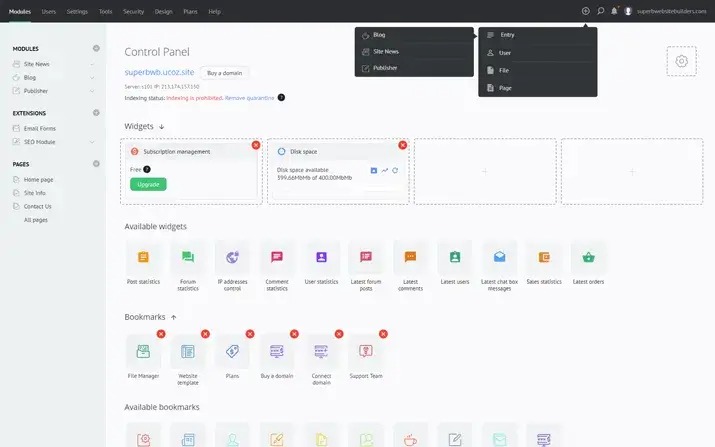
9. UCoz

If user-friendliness and customization are among your top priorities, UCoz can be your best choice. This one of the most popular WYSIWYG tools is well-known for its versatility and personalization options to cater to all your requirements. Moreover, below are the praiseworthy features of this editor.

Key features of UCoz

  • It boasts an easy-to-use drag-and-drop interface
  • UCoz has a lot of customizable templates
  • There is an option to perform A/B testing
  • This tool helps optimize your website for SERPs with an SEO module

UCoz

Click here for more information

Also know: Best Online Text Editor to Edit Text Online


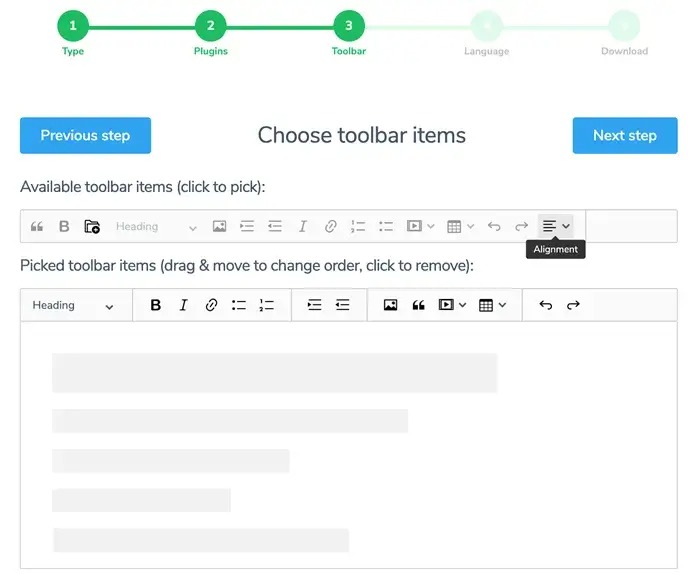
10. CKEditor

CKEditor is another excellent tool for visual HTML editing. It is a browser-based editor with plugin support. You can use this software to design anything and everything, ranging from reports in content to chat messages. Moreover, it promotes seamless content collaboration and the following incredible features.

Key features of CKEditor

  • There are many customization options for language, color, toolbar, etc.
  • You can insert tweets, videos, code snippets, Instagram posts, etc., using media embed plugins
  • It allows you to convert your content into Word files or PDFs with one click, import DOCX files, and paste from Office Enhanced

CKEditor

Click here for more information


Concluding the Best WYSIWYG HTML Editors

This article elaborated on the best WYSIWYG tools you can use to edit and preview web pages simultaneously. You can select any editor from the above list, depending on your requirements. However, if you are confused or need more assistance picking the right tool, feel free to leave a comment in the comments section.

Best Free Gramblr Alternatives You Must Try in 2024

10 Best Free Gramblr Alternatives You Must Try in 2024

February 1, 2024
0

If you are an active Instagram user, you must be well aware of Gramblr. First introduced in 2008, this third-party application was majorly used to upload pictures and videos from your PC to your Instagram account. Since, the popular application has been pulled off from its official site, here are a few Gramblr alternatives that you might want to consider.

If you are looking for a user-friendly yet effective alternative to Gramblr, our blog has got you covered, but before we move on to discuss its possible alternatives, let’s get a quick understanding of Gramblr.

What is Gramblr?

Gramblr is a powerful and free application that works seamlessly well on laptops and computer devices and does not require any support from smartphones. It is used to upload images and videos on your Instagram account directly from your desktop.

List Of Top Gramblr Alternatives In 2024:

Here is a well-researched list of tools that you can pick instead of Gramblr.

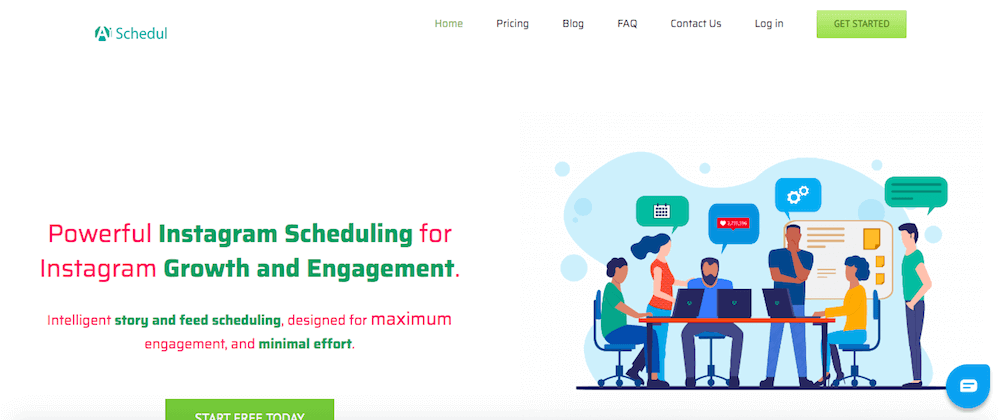
1. AiSchedul

AiSchedul - Best Free Gramblr Alternative

Upload images on your Insta account with this free-to-use application. It helps in preparing stunning and highly engaging Instagram stories with minimal efforts.

Highlight Features of AiSchedul:

  • It can be used to schedule various Insta posts and for days and Weeks.
  • It also supports posting on multiple accounts through a common platform.
  • Use it to schedule, post, and repost your stories in a hassle-free and effortless manner.
  • It also assists you in tagging people, and also supports Geo-Tags.
  • The tool is powered with an advanced Hashtag searcher, which can be used to generate highly engaging content and posts.
  • It can also be used for automated replies to the comments on your Instagram account.

So, if you’re looking at a power-packed tool that you can use instead of Gramblr then AiSchedul can be a good pick for you.

Read Also: Best Free Instagram Followers Apps

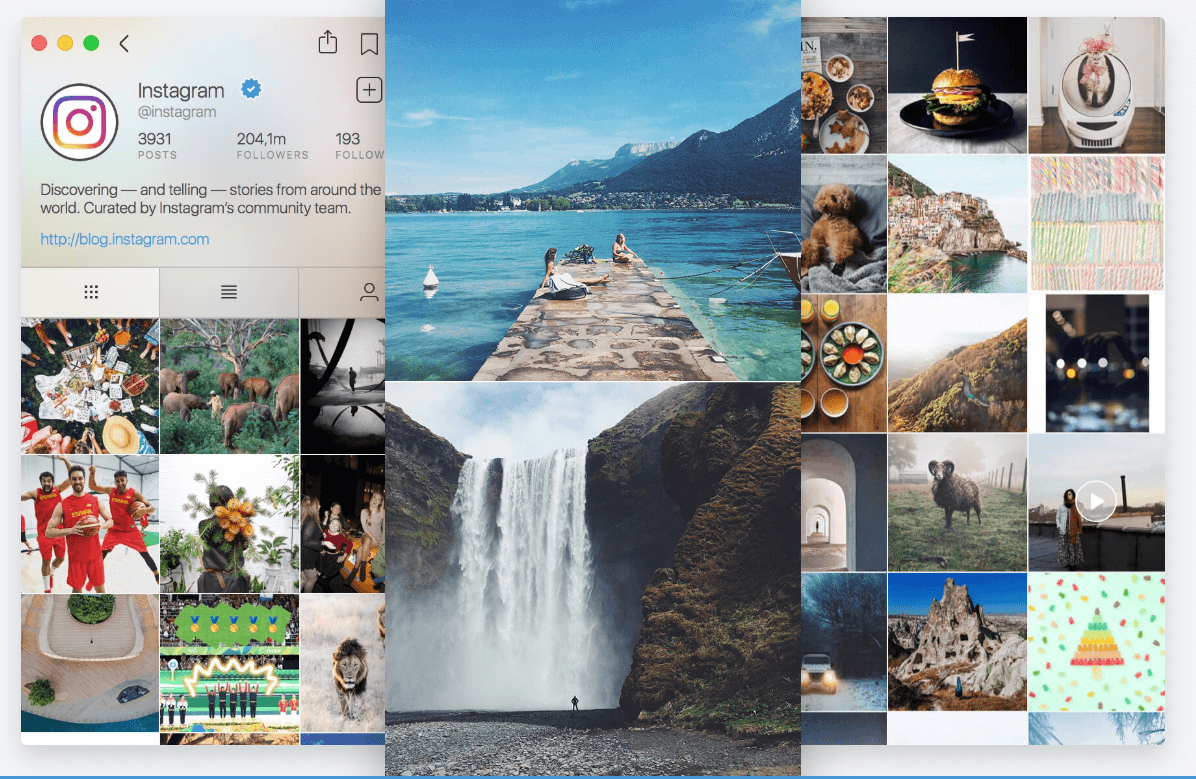
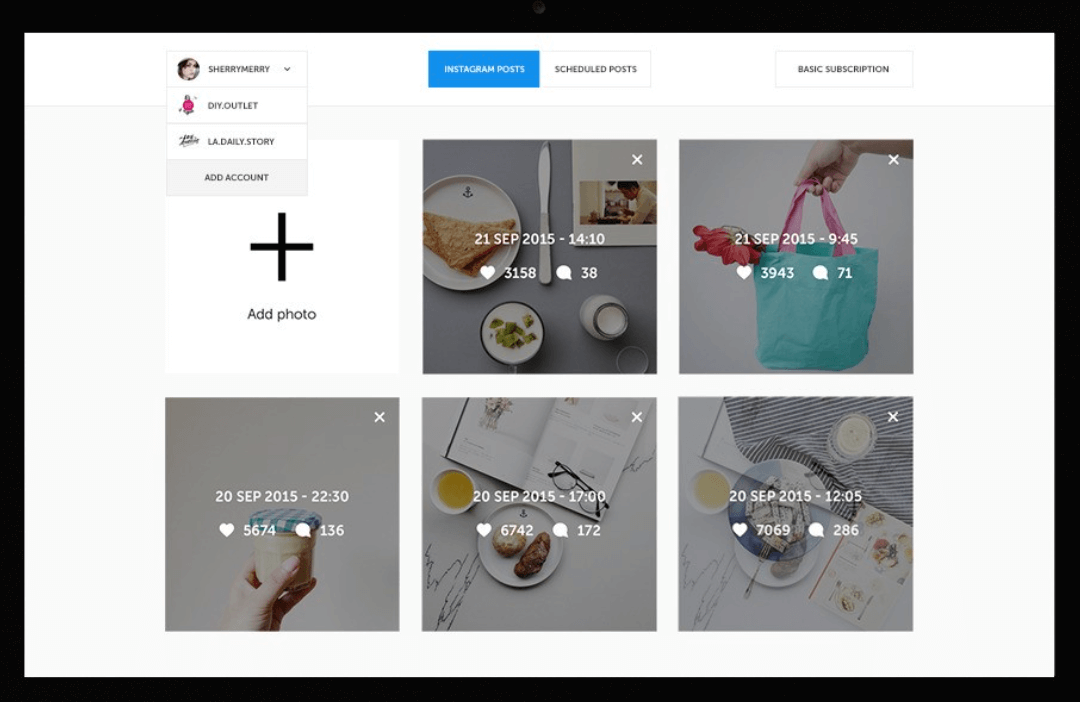
2. Ramme

Ramme - Gramblr Alternatives

Next on our list of best Gramblr alternatives is Ramee. If you don’t want to compromise on the quality of your images and overall app functionality then pick this lightweight desktop application.

Highlight Features of Ramme:

  • Best suited tool for influencers who can’t afford to compromise their image quality.
  • It is a feature-rich tool that can be used for uploading images, creating Insta stories, sending direct messages, and much more.
  • It comes with user-friendly functionality and easy-to-use features.
  • It is a lightweight tool and does not put unwanted pressure on your desktop resources.
  • Upload images within seconds with this powerful tool, simply click on the “-” sign and you are good to go.

3. Flume

Flume - Best Gramblr Alternatives

Lighten up your Instagram account with this impressive tool. With it, you can easily upload images on your Instagram account without using a smartphone.

Highlight Features of Flume:

  • It can effortlessly switch between multiple accounts.
  • Get easy access to direct messaging with full support for square and original formats.
  • It can be used for group conversations and for sharing photographs and videos.
  • Use it to see your latest activities and receive desktop notifications.
  • If you are using an Instagram Business profile, Flume will also help you with useful stats related to your followers and comments.

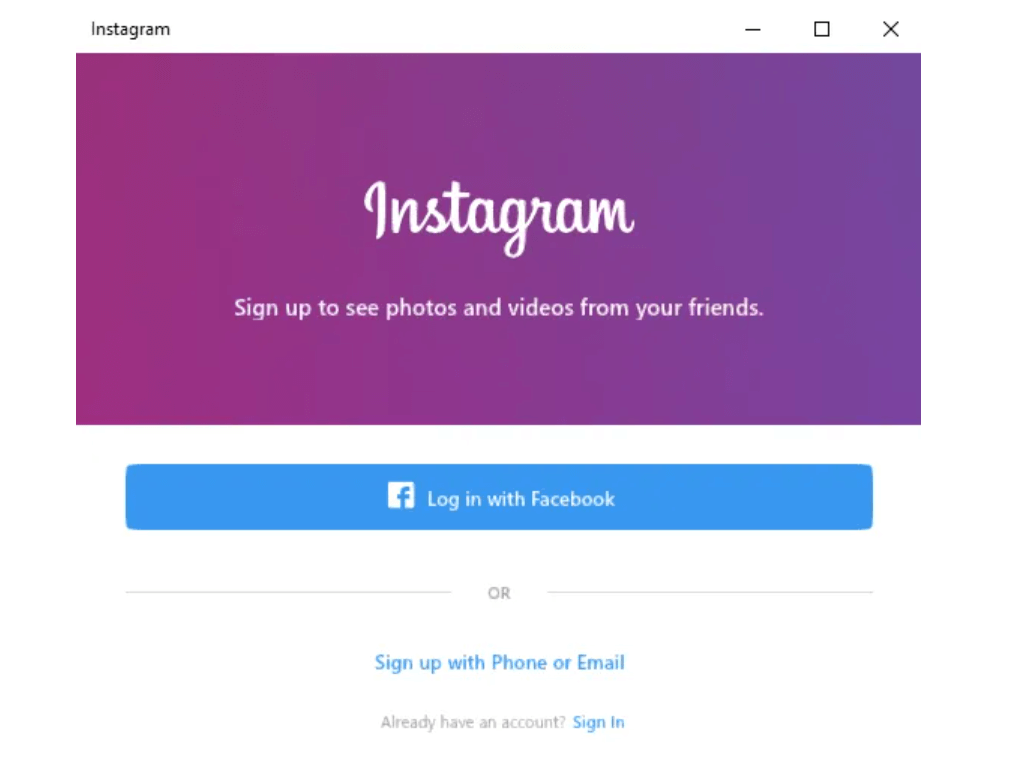
4. Windows Instagram App

Windows Instagram App - Alternative to Gramblr

Windows 10 Instagram app is a great alternative to Gramblr. The tool comes in a lightweight design and can be downloaded for free from Microsoft Store.

Highlight Features Of Windows Instagram App:

  • Use it to access your direct messages, view recent likes and check your profiles
  • Effortlessly add images to your Instagram account directly from your PC. Just right click on the App icon and choose the New Post option. You can
  • use your desktop camera to click a picture or else browse one from your photo gallery by using the Camera Roll.

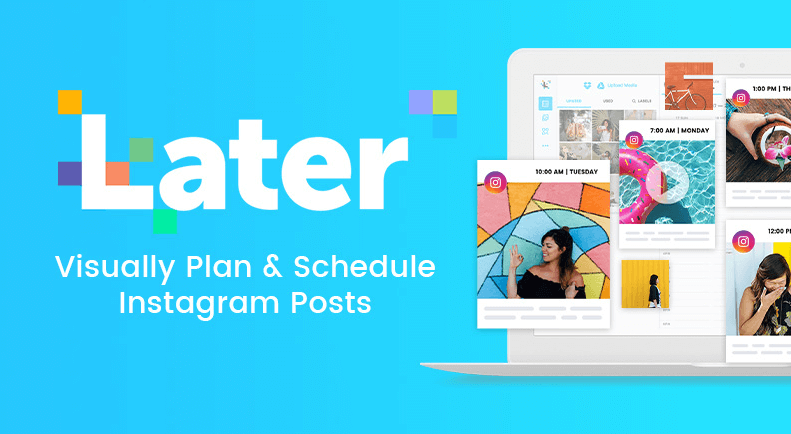
5. Later

Later - Best Alternative to Gramblr

Another best alternative for Gramblr is Later. It provides an easy way to plan and schedule your Instagram stories and content.

Highlight Features Of Later:

  • It can seamlessly switch between various accounts.
  • Plan, schedule and post your Instagram feeds automatically.
  • It comes with a Visual content calendar and schedules your post like a breeze.
  • You can also use it to keep your content organized and enjoy seamless synchronization between your desktop, Dropbox, Google account, and other accounts.

6. Grum

Grum - Best Gramblr Alternative

Post Instagram photos with convenience directly from your desktop with this powerful alternative to Gramblr. The tool helps you to manage multiple accounts without logging in and logging out. It can fulfill all your multi-posting needs.

Apart from this you also get access to several hashtag and images filters.

Read More: Best Instagram Tools For Marketer

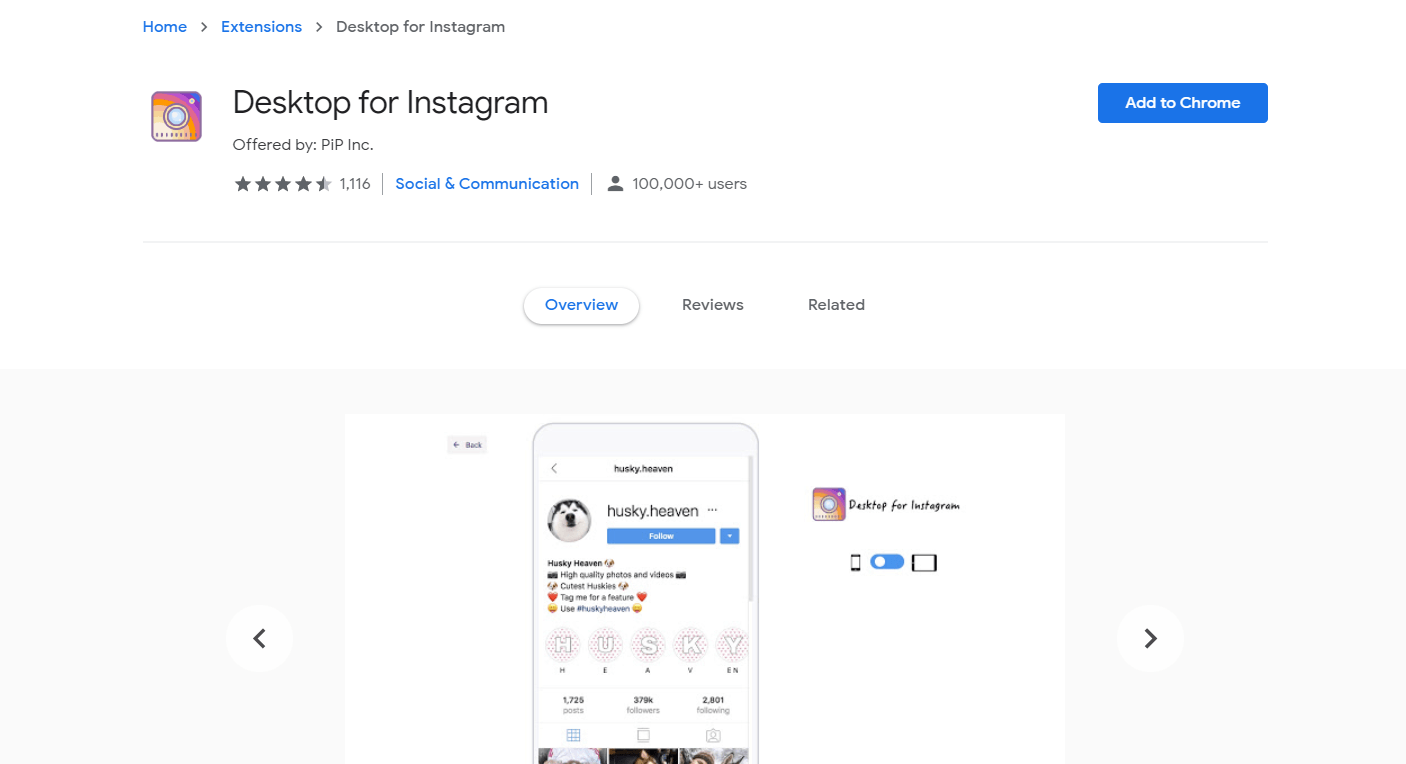
7. Desktop for Instagram

Desktop for Instagram - Best Gramblr Alternative Tool

Use this incredible tool instead of Gramblr. It can assist you to upload, download, and open HD images on your Instagram account.

It comes with a simple and convenient functionality and works just like a mobile app. View notifications, schedule various posts, and share your Insta feed on Facebook and Twitter with a single click.

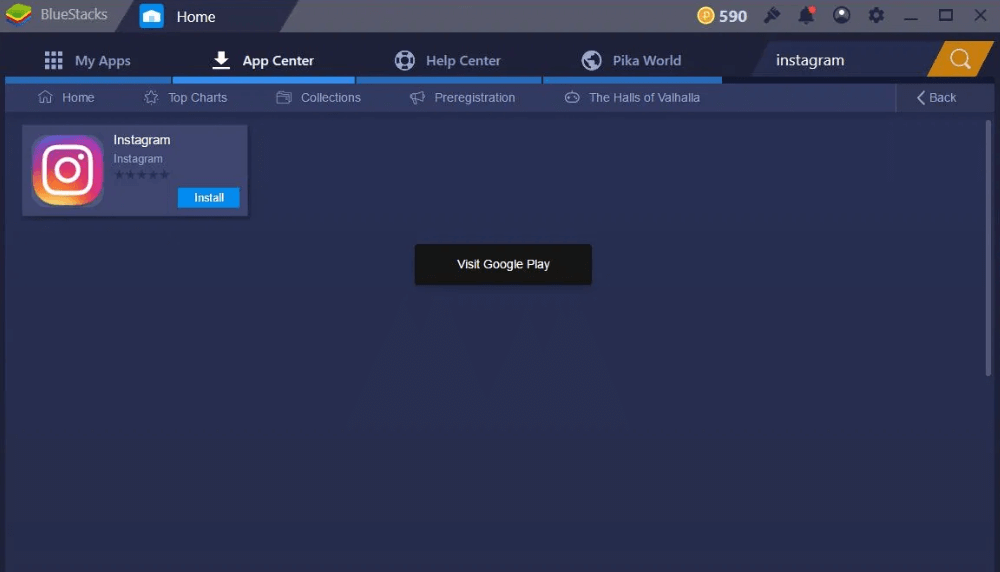
Bonus Pick: BlueStacks

BlueStacks - Popular Tool Like Gramblr

If you have been a regular user of popular tools like Gramblr and Later, then Bluestacks can serve as a good alternative for you. Compatible with both Windows and Mac desktops, BlueStacks can be downloaded free of cost.

Create an account by signing up and enjoy effortless uploading of images directly from your PC. In addition to this, it also promises easy maintenance and management of your Instagram account.

8.InstaZood

InstaZood

Yet another alternative to Gramblr is – InstaZood. One of the most convenient ways to lead your Instagram account from your PC. The built-in Instagram bot promises to give more Instagram followers. You just need to make a reliable and perfect Instagram profile.

Highlight Features of InstaZood:

  • Offers loads of filters and methods of customization, so you can really create awesome stories to get the attention of your followers.
  • The Instagram bot can effortlessly work with mobile devices too, so you can manage all your activities.
  • Provides high-end security to your account.
  • Guarantees to provide full technical assistance to its users.
  • You can automate almost all sorts of activities including likes, comments, follow, and view stories.

In sum, InstaZood is the best way to manage your overall Instagram account even from your mobile devices. So, if you want to get more followers quite easily then you should give a try to InstaZood.

9.GetUplet

GetUplet

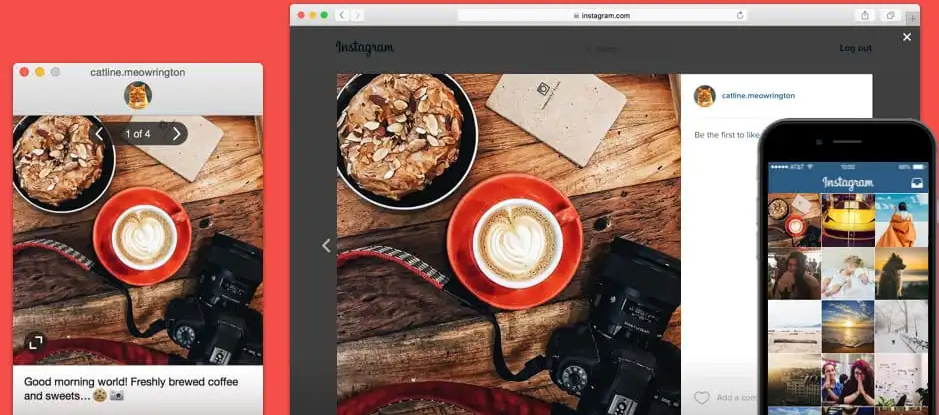
Share every moment that matters most to you through GetUplet! It is a tool for Mac users that brings you closer to your Instagram followers. Uplet is specially designed to empower your persona over Instagram. Without any doubt, it is a handy tool to upload photos and videos on Instagram from Mac.

Highlight Features of GetUplet:

  • It lets you upload photos and videos in high resolution without hazarding their literal quality.
  • You can add the actual captions to the photos and videos from the support of the Mac keyboard.
  • To give a unique look to your photos and videos, it has professional-design editing tools.
  • It lets you switch between all your Instagram accounts pretty quickly and easily without any piece of a hindrance.

Sharing photos and videos on Instagram has never been so easy. So, in our opinion, if you are a go-to user of Instagram and you have a Mac, then you should definitely try this application at least once.

10. IGAssistant

IGAssistant

IGAssistant is another freemium option that might help you enhance the organic growth of your Instagram account. If you want to have a greater influence on social media, this tool will manage your actions. In addition to that, it provides capabilities like auto-like, auto-follow, auto-unfollow, auto-viewing stories, and auto-commenting.

Highlight Features of IGAssistant:

  • Automation of the whole process, including audience targeting to target visitors who could be interested in your content
  • Safe to use and there is no need to download anything.
  • 3 days of free trial available.
  • Can handle an unlimited number of accounts
  • You are able to control your actions whenever and wherever you like.

Frequently Asked Questions (FAQ’s)

1. Is Gramblr Malware?

According to the security researcher at Malware bytes Gramblr is an adware bundler and can be used by cybercriminal to inject harmful viruses and PUP ‘s on your devices.

2. Did Gramblr Shut Down?

Yes, Gramblr has been discontinued. The tool is not linked to Instagram and works as a third-party application, it has been pulled off by its developers.

3. Is Gramblr Dead?

Yes, Gramblr is officially dead and does not support uploading of images on Instagram directly from your desktop. Its official website fails to open or gives a 404 error message stating.

Wrapping Up: Gramblr Alternatives

If Gramblr was your Instagram buddy for uploading images from your desktop, refer to your blog to find out other alternative sites that you can use instead of Gramblr. All the tools mentioned above have some of the other unique account management and image uploading capabilities.

1 Comment
    Btnuj says: Reply
    July 13th 2020, 3:14 am

    Like!! Really appreciate you sharing this blog post. Really thank you! Keep writing.

Leave a Reply Cancel reply

Your email address will not be published. Required fields are marked *

Sidebar Image bit G ad1

Latest Posts

  • Anytime Astro: Best Website For Online Astrology Consultation
    Anytime Astro: Connect Now For Online Astrology Consultation
    by Somya Shrimal / March 13, 2026
  • Best-Ways-to-Combine-Images-Into-PDF-Files
    Best Ways to Combine Images Into PDF Files
    by Niharika / March 12, 2026
  • Best FREE VPS Hosting Providers
    7 Best FREE VPS Hosting Providers in 2026
    by Devesh / March 12, 2026
  • Best-McAfee-alternative-software-to-use-for-Virus-Protection
    Best McAfee Alternative Software to use for Virus Protection
    by adminuser / February 11, 2026
  • What-is-Flip-Flop-in-Circuite-and-it's-Types
    What is Flip Flop in Circuit and its Types
    by Meet / February 6, 2026

Categories

  • Cyber Security
  • Driver Updater
  • Entertainment
  • Fitness
  • Games
  • How To
  • laptop
  • OS
  • Reviews
  • Tech News
  • Tips & Tricks
  • Top 10
Sidebar Image bit G ad1
best free dictation software for Windows and Mac 8 Best Free Dictation Software for Windows and Macby Niharika / February 5, 2024
9 Best Free Video Merger Software in 2024 (Online & Offline)by Harshita / February 5, 2024Best Free Video Merger Software
TechPout Footer Logo

We at TechPout promise to put forth stories that help people to learn and simplify their digital life. Our purpose is to share the true essence of technology with our tech-loving community.

Useful Links

  • About Us
  • Contact us
  • Privacy Policy

Popular Posts

  • Best PC Optimizer Software
  • Best Mac Cleaner Apps
  • Best Driver Updater
  • Duplicate Photo Finder and Cleaner Software
  • Best Free Movie Download Sites
  • Best IPTV Players

Follow us

Copyright © 2026 www.techpout.com. All rights reserved
DMCA.com Protection Status