Main LogoLight Logo
  • Reviews
  • Top 10
  • How To
  • Tech News
  • OS
    • Windows
    • MAC
    • iOS
    • Android
  • Categories
    • Driver Updater
    • Cyber Security
    • Games
    • Fitness
    • Entertainment
    • Tips & Tricks
Android Top 10
by Prachi Dani

10 Best Gallery Apps For Android Smartphones In 2024

December 28, 2023
1

Powered with high-quality camera support, our smartphones have taken over professional DSLR cameras. With time our phones get filled with numerous images and need proper management.  

All Android phones come with a built-in stock gallery app but they certainly aren’t the best and tend to get slow and dull with time. The best gallery apps for android 2024 is what you need in such situations. Apart from this, the default camera of your Android may suffer from low loading time or lack picture sorting capabilities.

So, without wasting any more time, let’s dive into the world of Android gallery apps.

Table of Contents hide
Best Gallery Apps For Android in 2024 (Manage & Organize Pictures)
1. Simple Gallery Pro
2. Google Photos
3. Scene : Organize & Share Photos
4. A+ Gallery
5. Best Gallery (Smart Gallery – Photo Manager)
6. F-Stop Gallery
7. Piktures
8. Slidebox – Photo Organizer
9. Memoria Photo Gallery
10. FOTO Gallery
Final Words

Best Gallery Apps For Android in 2024 (Manage & Organize Pictures)

Here, in this article, we have compiled a list of some of the best gallery apps for Android smartphones that promises unmatched experience and fast response time.

1. Simple Gallery Pro
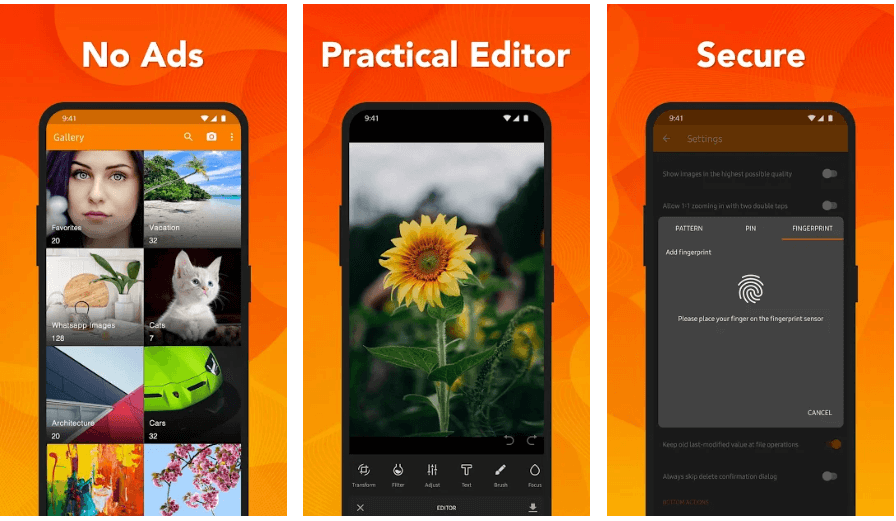
Simple Gallery Pro

Rating on Android – 4.5

Our top pick in the list of top Android gallery apps is Simple Gallery Pro. It is quite similar to QuickPic from heydays but is completely free from bloatware and annoying ads. 

Prominent Offerings:

  • It is a simple and user-friendly app that helps you organize your albums, recover deleted pictures and hide private files and images.
  • You can also use it to crop, edit, rotate, resize various images as per your requirements. 
  • The app is available in almost 30 different languages.
  • The application can work in offline mode and does not require any internet connection. 

2. Google Photos
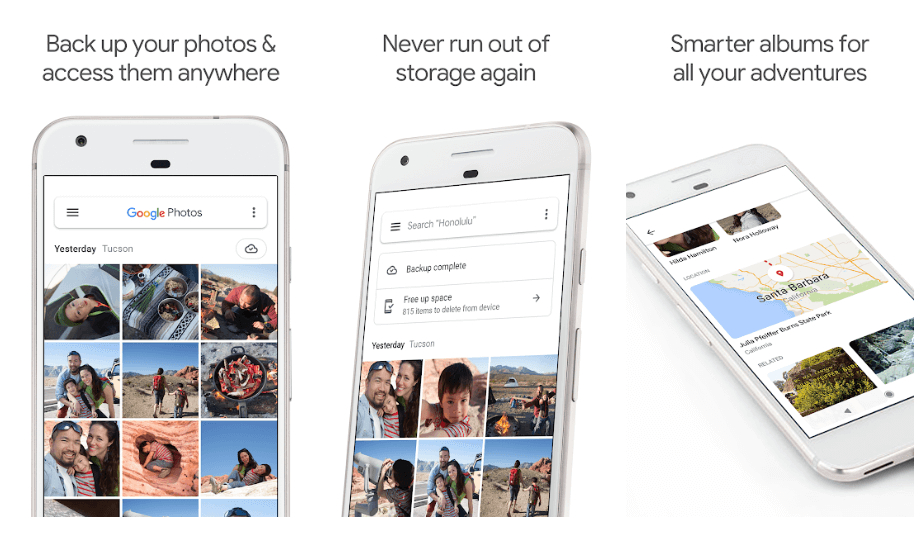
Google Photos - Best Gallery App

Rating on Android – 4.4

Google Photos is certainly the most advanced and feature-rich Gallery app that one can probably find in the market. It is usually pre-installed in most Android devices and offers clean and simple working. 

Prominent Offerings:

  • With Google Photos you can store unlimited pictures and support videos within 1080p and pictures up to 16 megapixels. 
  • It also comes loaded with a backup feature, inbuilt editor, visual search option, trash folder, and integrated Google Assistant. 
  • You can also use it to create stunning albums and collages and categorize your pictures based on people, places and the common things. 

Download this best gallery app directly from the Google play store and enjoy seamless scrolling through your photo gallery. Well, that is not it, you can also edit your images with its powerful photo-editing features.
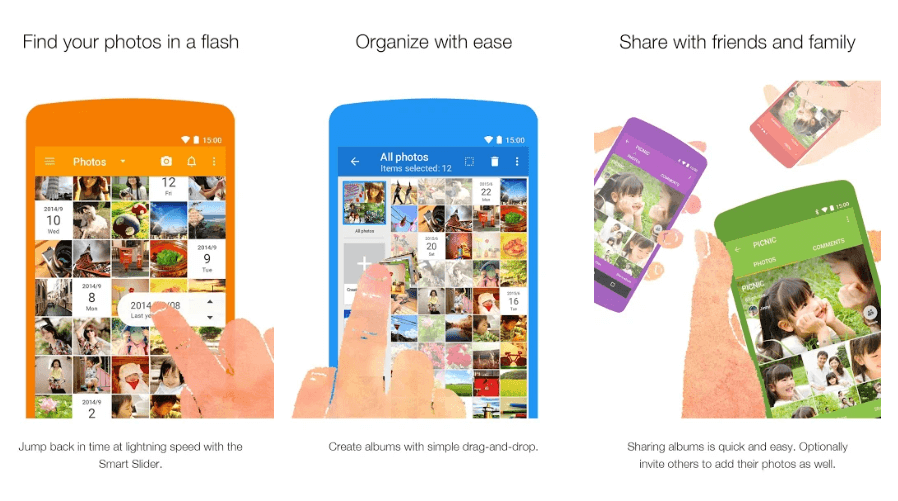

3. Scene : Organize & Share Photos

Scene - Best Gallery App For Android

Rating on Android – 4.4

Manage and Organize Photo Gallery with Scene. You can use it to organize your photo gallery, sort multiple images, add captions and view your albums in a calendar and smart slider view. 


4. A+ Gallery
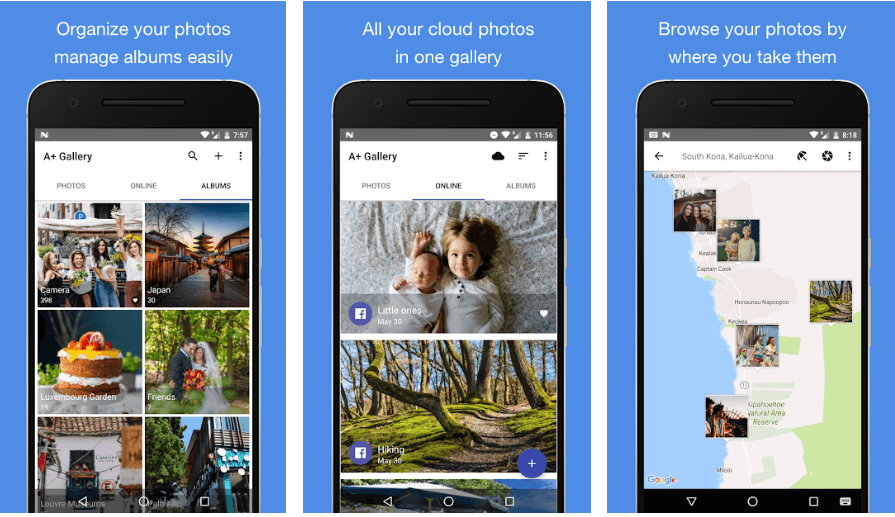
A+ Gallery

Rating on Android – 4.3

Next on our list of most recommended and best Android gallery apps in 2024 is A+ Gallery. It is known for its speed and quick response time. Power-Packed with countless features it can not only support seamless organization but can also be used for viewing, editing and synchronizing your photo gallery. 

Prominent Offerings:

  • Its search engine is quite similar to the one offered by Google Photos which means easy usability and functioning.
  • You can use it to easily sort your pictures based on their location, date, colors, etc. 
  • With A+ Gallery you can also sync your images and videos with online cloud galleries.

5. Best Gallery (Smart Gallery – Photo Manager)
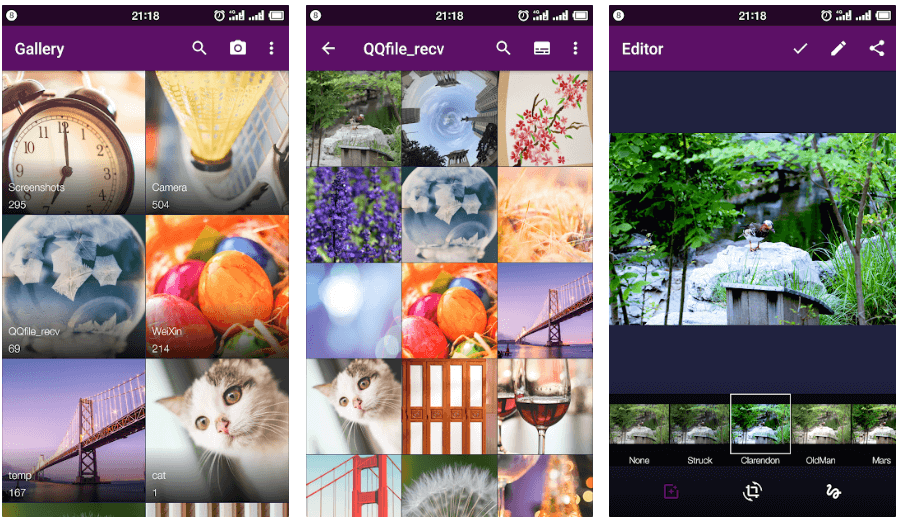
Best Gallery

Rating on Android – 4.2

Enjoy a wide range of image management features with this relatively new app. With it you can easily sort your images, enjoy quick search, multiple editing options, and gesture support. 

Prominent Offerings:

  • Choose this intuitive photo management tool to enjoy a hassle-free image organizing experience. 
  • The app is available in 30 different languages.
  • It is completely free to download.

6. F-Stop Gallery
F-Stop Gallery

Rating on Android – 4.1

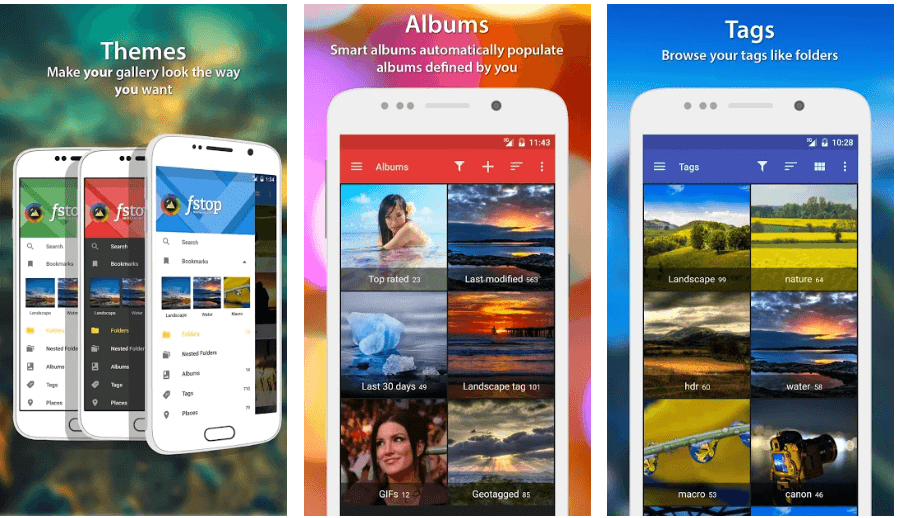
Another fast, simple and powerful Picture gallery app for Android smartphones is the F-Stop Gallery. It offers a perfect way of organizing your ever-increasing image gallery.

Prominent Offerings:

  • It comes with a convenient and straightforward UI.
  • The app is completely free of unwanted ads and is packed with several beautiful material designs and features.
  • Apart from this you can also use this best gallery app to bookmark photos, add folders and save tags for your Android device.
  • With its drag and drop mechanism, you can custom sort various images.
  • With its password protection feature you can hide your private files.

7. Piktures
Piktures - Best Gallery App For Android

Rating on Android – 4.0

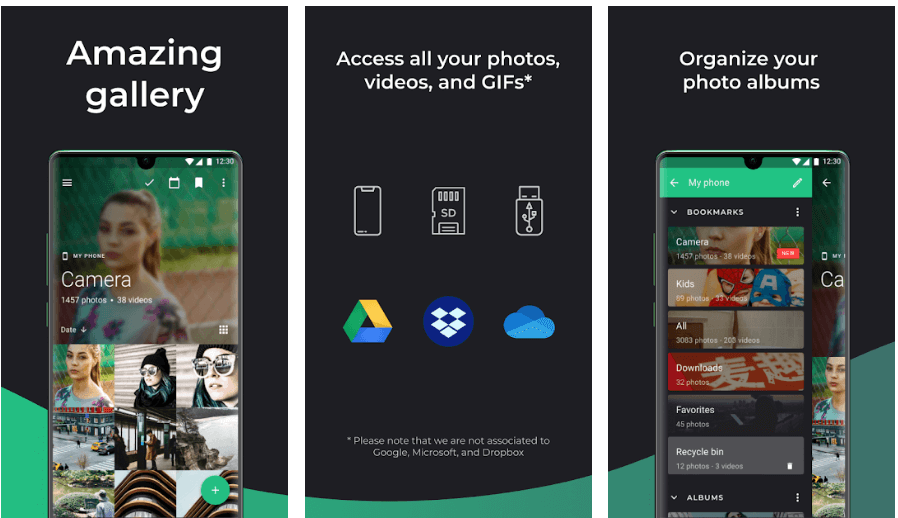
Next on our list of top-rated and best gallery apps for Android is Piktures. It is packed with several intuitive features that support easy navigation. The app screen is divided into two portions, all your albums are displayed on the left side while the right edge displays the tags and filters. 

Prominent Offerings:

  • The Calendar and Location view are two of its most-loved features, which divides and portrays various pictures taken on similar calendar dates and the same locations. 
  • Apart from this, you can also use its Secure Drive functionality to protect your private pictures with a PIN. 
  • GIF player, GIF maker, slideshows are few of its other notable offerings. 

Read Also: Best Photo Stitching Software for Windows 10/8/7


8. Slidebox – Photo Organizer
Slidebox - Best Android Gallery App

Rating on Android – 3.8

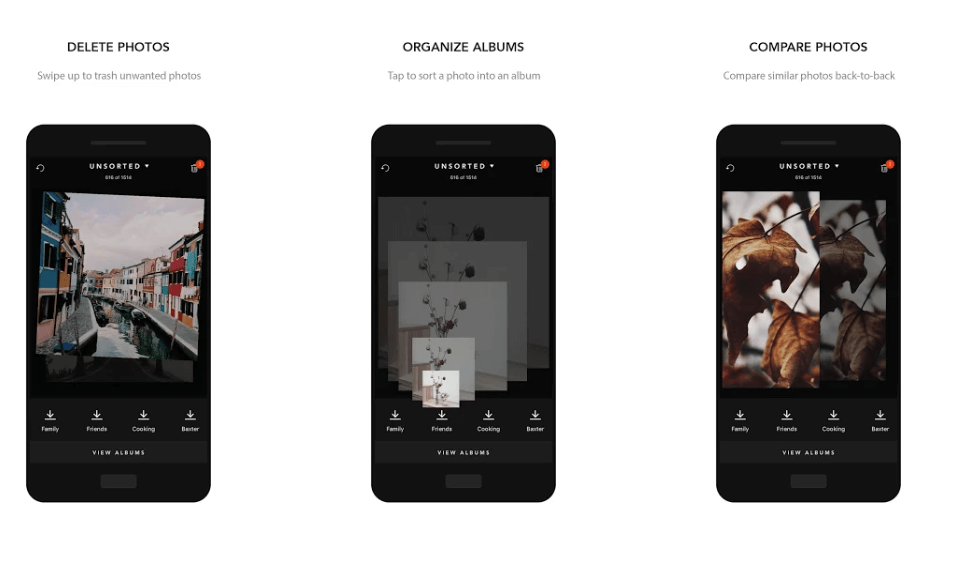
If you are a big fan of gestures, then Slidebox is the tool for you. It provides an easy solution to organize countless photographs.

Prominent Offerings:

  • It can help you identify duplicate images, compare and sort them based on their location, people, color, etc.
  • Enjoy the full-screen view of your favorite images in a single tap with this incredible tool.

9. Memoria Photo Gallery
Memoria Photo Gallery

Rating on Android – 3.4

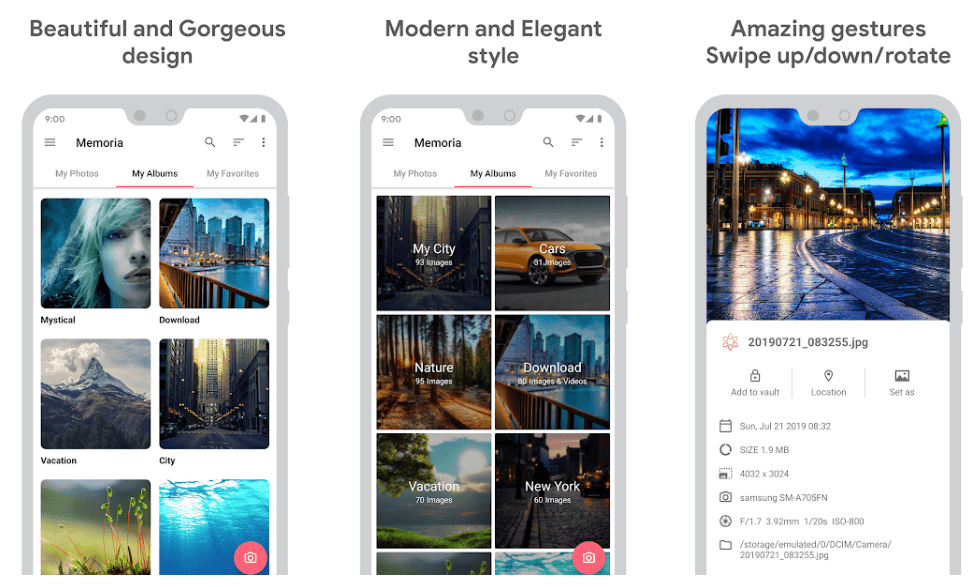
Another best gallery apps for Android that you can try is Memorial Photo Gallery. It comes with smart material design and simple UI which supports smooth, fast and organized browsing. 

Prominent Offerings:

  • With Memoria Photo Gallery you can hide your albums in an encrypted vault and restrict their access only to authorized personnel. 
  • Enjoy watching your favorite images and media With its integrated slideshow feature.
  • Organize your memories with this best gallery app for android smartphones in 2024.

10. FOTO Gallery
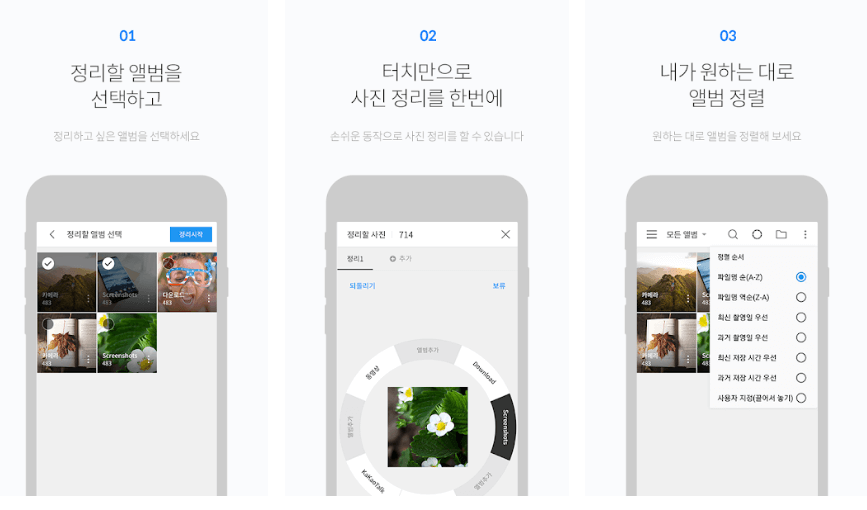
Foto Gallery

Rating on Android – 3.0

If you are looking for a lightweight but feature-rich Photo Management tool that can manage and organize your picture Gallery, then choose Foto Gallery. Enjoy a fast response time and properly arranged albums with this stunning tool. 

Prominent Offerings:

  • The app helps you  transfer and move images within various folders, change app themes, scan folders and much more. 
  • Additionally, it also allows you to sort photos in various orders and supports easy viewing. 
  • Moreover it also comes with an in-built GIF player, photo editor, and video editing tools and can be used to make creative GIFs from your videos. 
  • The tool also gives you a chance to recover accidentally deleted photographs with its trash folder feature making it one of the best android photo gallery apps in 2024.

Read More: Best Free Live Wallpaper Apps For Android


Final Words

These picture gallery apps are certainly the best picks for your Android devices. Each one of the above-mentioned applications is capable of fulfilling your requirements and are packed with cool features. 

So, install your favorite app today & get an organized photo gallery in  just a matter of seconds.

If we missed any of the best gallery apps for Android, tell us about them in the comments, we would love hearing from you. 

Author

Prachi Dani

Prachi Dani is a technical content writer who specializes in areas of science and technology. She is highly up to date with technological transitions and transformations. Writing is not her passion but the only thing that carries satisfaction in life. If not writing, you may find her engrossed playing action games on her treasured smartphone.

View all posts

Related Posts
Seven Best Cheap Mid-Range Smartphones

Christmas Tech: Seven Best Cheap Mid-Range Smartphones

December 21, 2019
0

Do you want to own an incredible smartphone absolutely fitting in your budget? Numerous best cheap mid-range smartphones are available in the market that can suffice your daily requirements. The smartphone industry has rapidly developed in the last few years, with several phone manufacturers developing affordable smartphones in the mid-budget range that can do wonders for you.

Nowadays, some cheap smartphones are also packing great features along with excellent processors and are sometimes only slightly compromised when compared to the premium smartphone models.

In this blog, we will look at seven ideal moderate budget smartphones with faster and better performance.

7 Best Budget-Friendly Smartphones:

Below-mentioned are seven medium-range smartphones that have fabulous camera features in addition to having marvelous display capabilities and performance boosters.

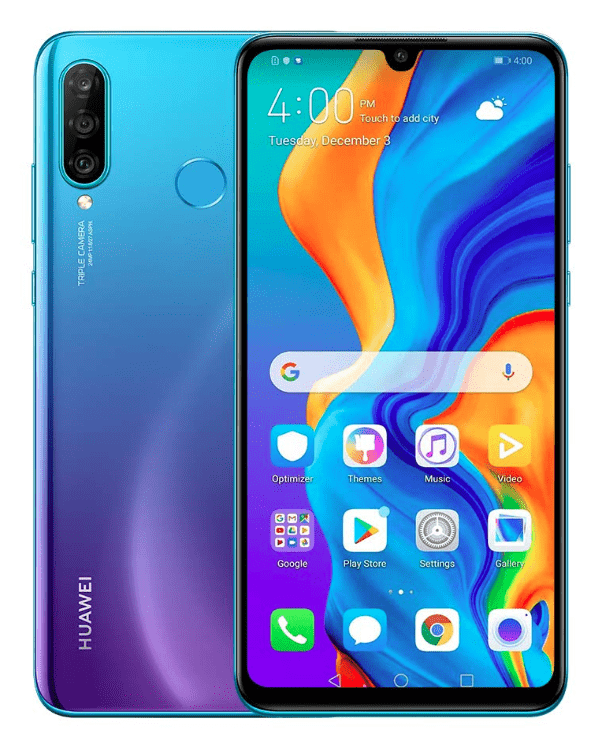
1. Huawei P30 Lite

Huawei P30 Lite
Specifications

OS: Android v9.0 (Pie) powered by Octa-Core processor | Memory & Storage: 4GB RAM, 128GB internal memory expandable up to 512GB | SIM: Dual SIM | Camera Features: 24MP+8MP+2MP triple rear camera, 32MP AI selfie camera | Display: 15.6cm (6.15-inch) FHD multi-touch capacitive touchscreen with resolution of 2312 x 1080 pixels | Battery: 3340 mAH Lithium-polymer battery | Price: $259.99

This phone certainly qualifies as a mid-range phone from Huawei that is available in three colors, i.e., White, Black & Peacock Blue. It has a built-in fingerprint sensor to unlock the phone.

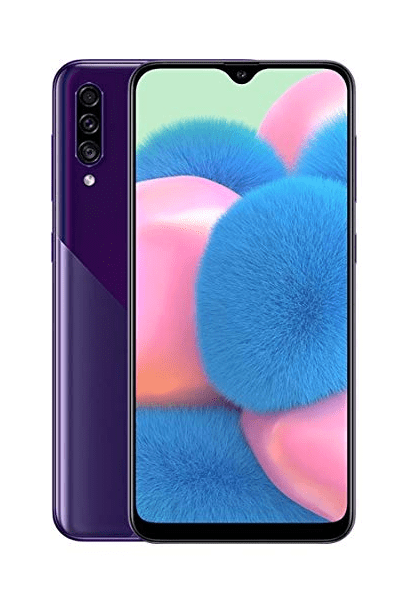
2. Samsung Galaxy A30s

Samsung Galaxy A30s
Specifications

OS: Android v9.0 (Pie) powered by Octa-Core processor | Memory & Storage: 4GB RAM, 64GB ROM expandable up to 512GB | SIM: Dual SIM dual-standby | Camera Features: 25MP+5MP+8MP triple rear camera, 16MP selfie camera | Display: 16.20cm (6.4-inch) FHD resolution of 720 x 1560 pixels with super AMOLED V cut display and capacitive touchscreen | Battery: 4000 mAH Lithium-ion battery | Price: $226.95

This cheap smartphone from Samsung is available in 4 color variants that are Prims Crush Black, White, Violet, and Green. The fingerprint scanner is built on the screen. It is enabled with the Samsung Pay feature. The sleek design, along with the alive screen, makes the product totally eye-catchy.

Read Also: 13 Best Apple Watch Alternatives in 2020

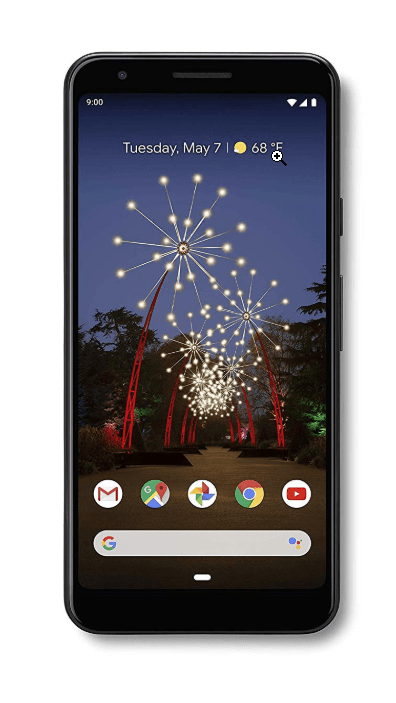
3. Google Pixel 3a

Google Pixel 3a
Specifications

OS: Android v9.0 (Pie) powered by Qualcomm Snapdragon 670 processor | Memory & Storage: 4GB RAM, 64GB ROM | SIM: Dual SIM | Camera Features: 12.2MP rear camera, 8MP front camera | Display: 14.22cm (5.6-inch) FHD+ display | Battery: 3000 mAH Lithium-polymer battery | Price: $299

This is another cheap and best smartphone from Google with stereo speakers and guaranteed Android updates for up to three years. The back camera has a Sony sensor with superb features like Night Sight, Super Res Zoom, and Playground and you also get free Google Photos storage access on this smartphone.

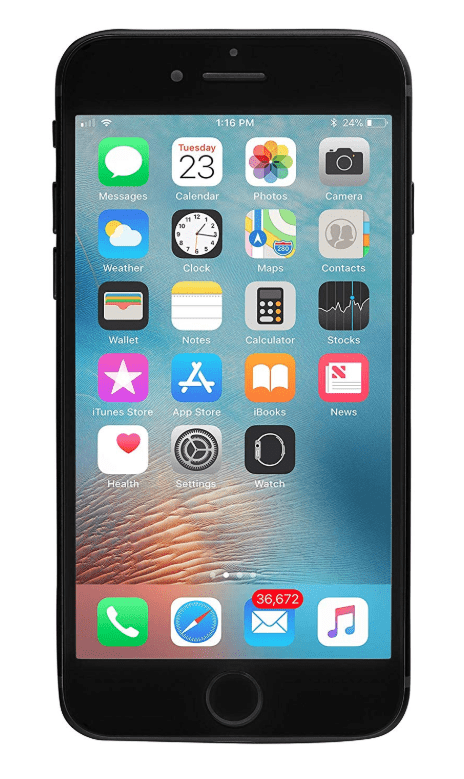
4. iPhone 7

iPhone 7
Specifications

OS: iOS 10 and powered by Quad-Core Apple A10 Fusion processor | Memory & Storage: 2GB RAM, 32GB ROM | SIM: Dual SIM | Camera Features: 12MP rear camera, 7MP FaceTime HD camera | Display: 4.7-inch Retina HD display | Battery: 1960 mAH battery | Price: $297.63

If you are looking for a cheap and best mid-range smartphone with high performance and exclusivity, then this can be a top pick for you. Available in a wide range of colors like Black, Gold, Jet Black, Matte Black, Red, Rose Gold, and Silver, the phone is resistant to water and dust.

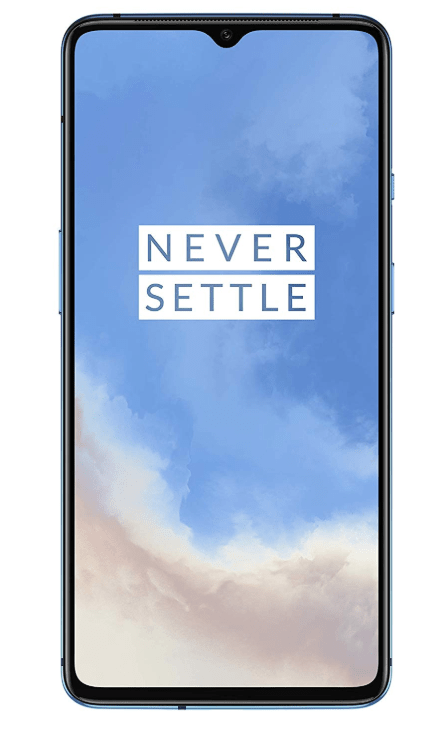
5. OnePlus 7T

OnePlus 7T
Specifications

OS: Android v10 powered by Octa-Core Qualcomm Snapdragon 855 Plus AI processor | Memory & Storage: 8GB RAM, 128GB ROM | SIM: Dual SIM | Camera Features: 48MP+12MP+16MP triple rear camera with telephoto lens, 16MP front camera | Display: 16.63cm (6.55-inch) 90Hz fluid AMOLED display with 2400×1080 pixels resolution and 402 ppi pixel density | Battery: 3800 mAH Lithium-ion battery | Price: $599.43

This is the best budget smartphone currently available in the market. The phone is known for its mind-blowing camera features, screen display and superior looks. With Android 10 OS, the phone comes with customized OxygenOS skin from OnePlus and is available in the bodacious colors of Frosted Silver and Glacier Blue.

Read More:  The 10 Best Bluetooth Earbuds of 2019

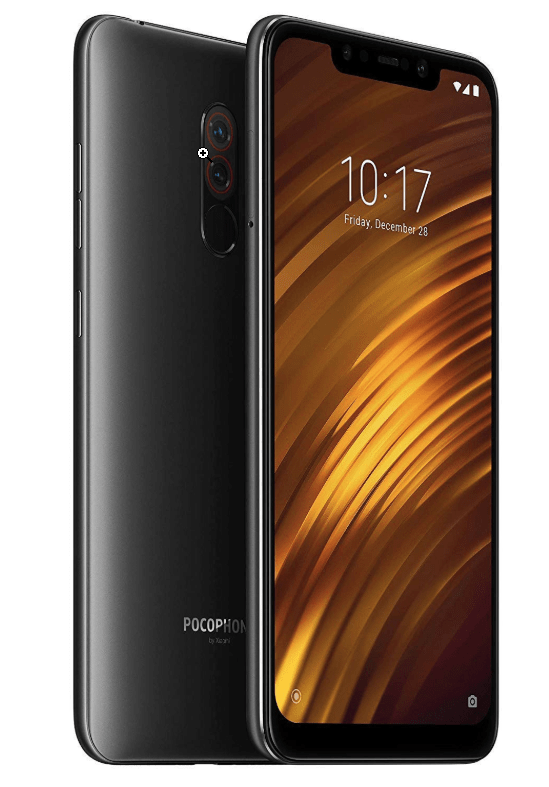
6. Poco F1

Poco F1
Specifications

OS: Android v8.1 powered by Octa-Core Qualcomm Snapdragon 845 processor | Memory & Storage: 6GB RAM, 64GB ROM expandable up to 256GB | SIM: Dual SIM | Camera Features: 12MP+5MP AI dual rear camera, 20MP front camera | Display: 15.69cm (6.18-inch) multi-touch capacitive touchscreen with 2246×1080 pixels resolution and 403 ppi pixel density | Battery: 4000 mAH Lithium-ion battery | Price: $295.00

This is another value for a money mid-range smartphone that has dual speakers, is operable at lightning-fast speed and enabled with commendable camera features. Graphite black, Armoured Edition, Rosso Red, and Steel Blue are the currently available color variants.

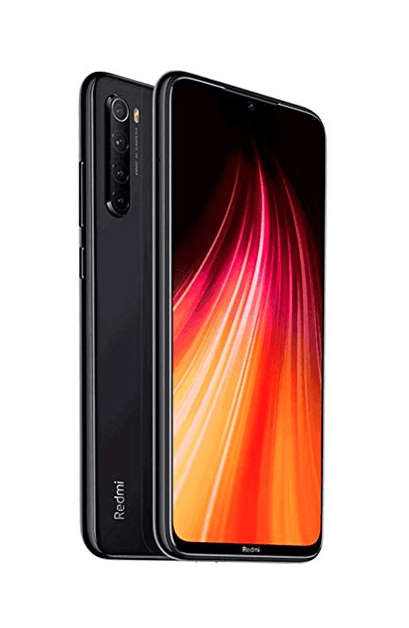
7. RedMi Note 8

RedMi Note 8
Specifications

OS: Android v9.0 powered by Octa-Core Qualcomm Snapdragon 665 processor | Memory & Storage: 3GB RAM, 32GB ROM expandable up to 512GB | SIM: Dual SIM | Camera Features: 48MP+8MP+2MP+2MP AI quad-camera, 13MP front camera | Display: 16.00cm (6.3-inch) LCD multi-touch capacitive touchscreen with 2340×1080 pixels resolution and 403 ppi pixel density | Battery: 4000 mAH Lithium-polymer battery | Price: $159

This is the best mid-budget smartphone from Xiaomi, which has a great rear camera. This phone offers 8 colorful variants to choose from and has long battery life.

Final Thoughts

Smartphones have become an integral part of our lives but the choice varies as per our personal preferences like some of us may be fond of photography and some us may be into gaming while there may be others who want great musical experience.

Therefore, it does not always imply that you have to pay exorbitant prices to avail such features and you just learned about some of the best moderately priced smartphones available in the market from this article.

Image Source: Amazon

Important Things Developers Must Consider When Designing Wearable Technology

6 Important Things Developers Must Consider When Designing Wearable Technology

November 15, 2022
0

Over the last few years, we’ve seen the introduction of some fantastic technology, including wearables. But what is wearable technology? Wearable technology is any type of electronic device that is worn on the body. They come in various forms, including accessories, jewelry, medical devices, and clothing.

Currently, the best and most advanced examples of wearable devices include Microsoft’s HoloLens, Google Glass, AI hearing aids, and a holographic computer in the form of a VR headset. Some of the less complicated forms of wearables include disposable skin patches that are used in hospital settings. These patches transmit patient data wirelessly to a control device within the hospital.

As you can see from the examples above, wearables are being used in almost every area of life. However, developing wearables is not as straightforward as you might think. In fact, wearable developers must consider many things when creating a new product. Here are some of the crucial things wearable developers consider when designing this type of technology:

1. Create a Unique Product

When developing new wearables, it’s essential to try and make them unique. This will help them stand out from the other devices already available on the market. As well as this, it’s also important not to try and replace smartphones and tablets with wearable devices. Instead, wearables are meant to augment these devices.

Also Read: Best Samsung Smartwatches


2. Consider the Power Source

Wearables are often tiny in size, and the batteries used to power them are even smaller. Thanks to this, wearables must use smart technologies that use low-power methodologies. If they don’t, the wearables will constantly need to be recharged.


3. Security is Important

Due to the sensitive nature of data stored on wearable devices, developers need to ensure they are secure. In fact, wearables need multiple layers of security, including device, cloud, and link security. These layers of security need to be enabled both in the software and hardware of the device.


4. Device Testing

Before selling a wearable device on the open market, it’s essential to test it. This involves asking a range of people to try it and tell you honestly what they think of the wearable. Once developers have this information, they can make changes to the device to ensure it is the best it can be.


5. Get the Price Right

Similar to smartphones and tablets, wearables need to adopt a three-tier pricing model. By creating an entry, mid-range, and high-end device, businesses will have more chances of success. This is because they have a product suitable for all budgets.

Also Read: Voice Assistants: A Privacy Guide About the Security


6. Getting the Right Insurance

Once developers have designed a new wearable and know it will be popular with consumers, they can start thinking about selling it. However, before they do, it’s vital to ensure that they have the correct insurance in place, for example, product liability insurance. This type of insurance will protect them from having to pay legal fees if a customer says the product caused them an injury. However, while having insurance in place is essential, it’s also advisable to compare commercial insurance policies as this can help save your business money.

Wearable technology is currently available in many forms, including smart jewelry, VR headsets, and body-mounted sensors. In the future, we expect to see even more types of wearable devices become available for us to enjoy. However, developing wearables isn’t straightforward. In fact, wearable developers must consider all of the things listed above when producing new wearable products.

1 Comment
    Awesome Duplicate Photo Finder Review 2021 says: Reply
    December 30th 2020, 4:09 pm

    […] after using the Awesome Duplicate Photo Finder our verdict has changed completely. Now, you can organize your photo gallery pretty well. And, it is crucial too, as it clutters the hard disk and slows down the overall system […]

Leave a Reply Cancel reply

Your email address will not be published. Required fields are marked *

Sidebar Image bit G ad1

Latest Posts

  • Anytime Astro: Best Website For Online Astrology Consultation
    Anytime Astro: Connect Now For Online Astrology Consultation
    by Somya Shrimal / March 13, 2026
  • Best-Ways-to-Combine-Images-Into-PDF-Files
    Best Ways to Combine Images Into PDF Files
    by Niharika / March 12, 2026
  • Best FREE VPS Hosting Providers
    7 Best FREE VPS Hosting Providers in 2026
    by Devesh / March 12, 2026
  • Best-McAfee-alternative-software-to-use-for-Virus-Protection
    Best McAfee Alternative Software to use for Virus Protection
    by adminuser / February 11, 2026
  • What-is-Flip-Flop-in-Circuite-and-it's-Types
    What is Flip Flop in Circuit and its Types
    by Meet / February 6, 2026

Categories

  • Cyber Security
  • Driver Updater
  • Entertainment
  • Fitness
  • Games
  • How To
  • laptop
  • OS
  • Reviews
  • Tech News
  • Tips & Tricks
  • Top 10
Sidebar Image bit G ad1
Best weather widgets for windows 10,11 6 Best Weather Widgets for Windows 10,11 in 2024by Akshara Parnami / December 28, 2023
Best Live Streaming Apps for Android | Livestream App [2024]by Harshita / December 28, 2023Best Live Streaming Apps for Android | Livestream App
TechPout Footer Logo

We at TechPout promise to put forth stories that help people to learn and simplify their digital life. Our purpose is to share the true essence of technology with our tech-loving community.

Useful Links

  • About Us
  • Contact us
  • Privacy Policy

Popular Posts

  • Best PC Optimizer Software
  • Best Mac Cleaner Apps
  • Best Driver Updater
  • Duplicate Photo Finder and Cleaner Software
  • Best Free Movie Download Sites
  • Best IPTV Players

Follow us

Copyright © 2026 www.techpout.com. All rights reserved
DMCA.com Protection Status