Main LogoLight Logo
  • Reviews
  • Top 10
  • How To
  • Tech News
  • OS
    • Windows
    • MAC
    • iOS
    • Android
  • Categories
    • Driver Updater
    • Cyber Security
    • Games
    • Fitness
    • Entertainment
    • Tips & Tricks
Top 10
by Monil

12 Best Free Music Making Apps to Make Your Own Music in 2024

May 23, 2024
1

Want to create your own music or beats? Then, you’ve arrived at the right destination. Here, at Tech Pout, we’ve brought up the list of best free music making apps. So, stay tuned with us till the end!

Whether you’re a young student and started making music as a leisure activity or planning to become the next Dan Reynolds, it’s always best, to begin with, free online music maker software.

So, if you’re looking to create your own music or band, look no further than your smartphone. Now, you can easily create your own music beats and make your own band just like K-Pop or BTS. Sounds interesting no! Then, jump to our next section to know more in-depth. 

However, if you don’t know how to make your own music online, then you don’t need to worry about it anymore as we’ve done all the heavy lifting to help you pick the best music making apps. So, just have a look at the list below!

Table of Contents hide
List of Best Music Maker Apps for Creating Your Own Band and Music
1. GarageBand
2. BandLab – Music Making Studio
3. Suggester
4. Music Maker JAM
5. n-Track Studio 9
6. Groovebox
7. Audacity
8. Tracktion T7
9. Music Memos
10. Cubasis 2
11. FL Studio Mobile
12. KORG iELECTRIBE
Frequently Asked Questions

List of Best Music Maker Apps for Creating Your Own Band and Music

The following is a well-researched list of the top applications you may use to make your own music.

1. GarageBand

GarageBand - Best Free Music Making App

Price:- Free

Compatibility:- iOS 14.0 or up

The most obvious choice for the top spot, this free online music maker has been a favorite for many years.

Whether you’re a complete beginner or ready to take your music-making to the next level, GarageBand has got you covered.

Apple’s long-standing music-making app offers a wide range of Touch Instruments & Multi-Touch gestures to help you play guitars, keyboards, create beats with DJ-style effects, and much more.

Moreover, we think it is among the best free apps to make your own music for access to the various audio recordings, Apple Loops, and musical instruments with professional mixing effects & sound packs — so you can create your own music anywhere, anytime.

Download


2. BandLab – Music Making Studio

BandLab – Music Making Studio

Price:- Free

Compatibility:- Android 5.0 or up, and iOS 11.0 or up

Read More: Best Free Music Download Sites

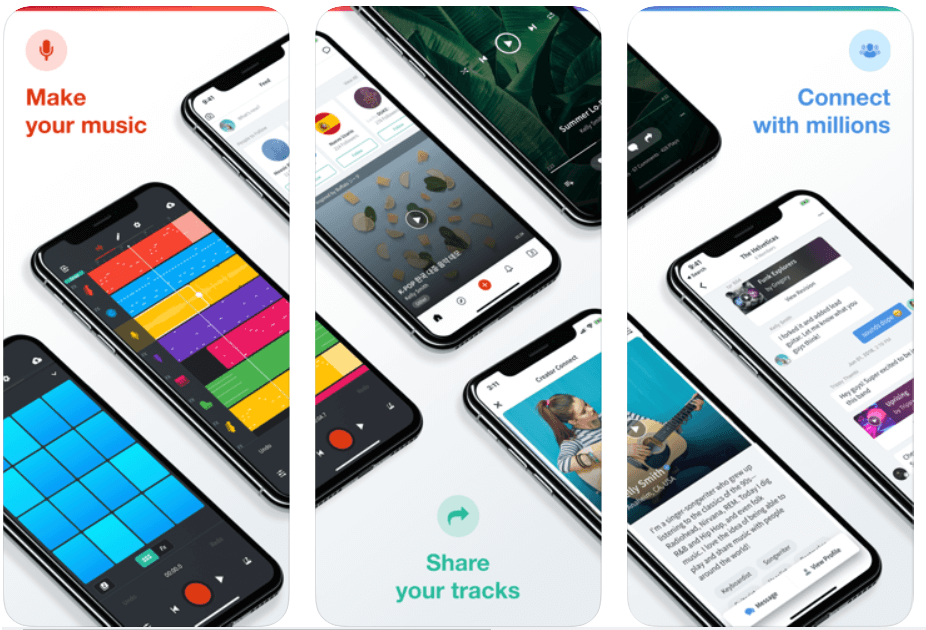
With more than 9 million users, BandLab is the world’s most popular free online music studio to create your own songs and mashups.

With BandLab’s multi-track editor, you can record, produce, edit and remix any fine-tune to perfection while on the go.

BandLab also lets you connect with fellow DJs and artists — so you can start a band with established musicians, rappers, guitarists, and more.

Download


3. Suggester

Suggester

Price: $13.99 (Free version also available)

Compatibility: iOS 13.0 or later and Android 6.0 and up

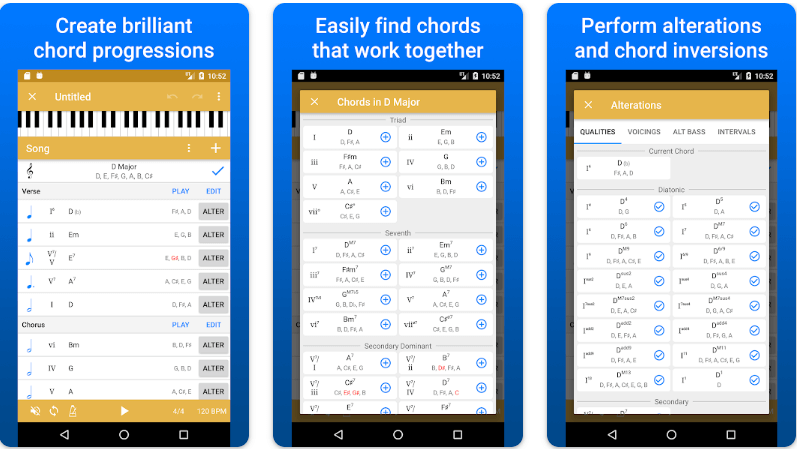
Let us introduce you to Suggester. It is among the best free music making apps for music theory enthusiasts to create new chord progressions. We like the application because of its wide range of chord suggestions within a designated key, easy MIDI export to DAW, the perfect use of Roman numeral notations, effortless chord playing, and quick drag-and-drop chord reordering. You should definitely try this app to unleash your inner musician.

Download for iOS

Download for Android


4. Music Maker JAM 

Music Maker JAM 

Price:- Free, In-app purchases

Compatibility:- iOS 9.3 or above, and all Android versions

Even if you are not a fan of music-making apps, then Music Maker JAM will definitely make you one.

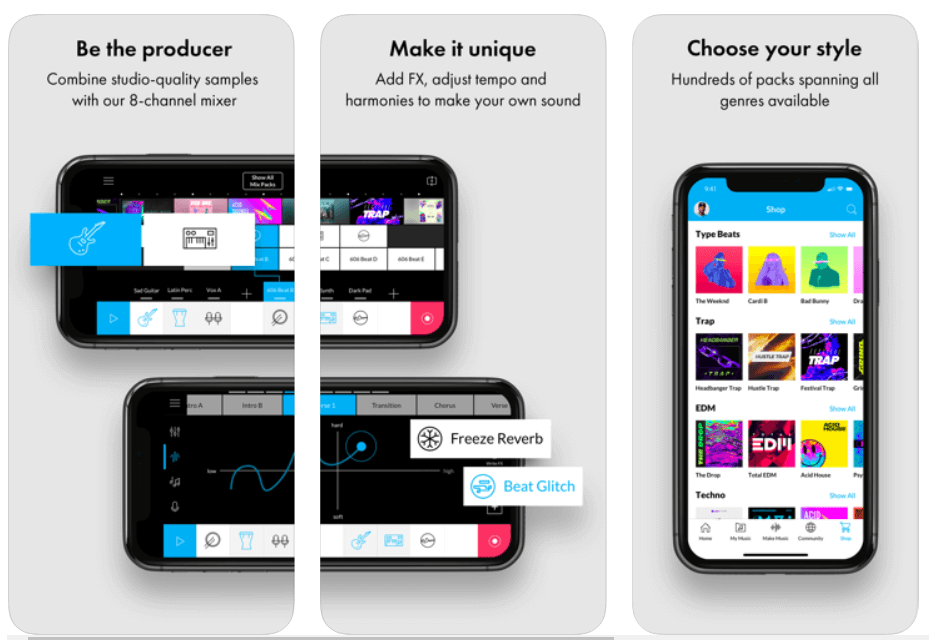
It is one of the best free apps to make music due to its tons of studio-quality loops allowing you to create & share amazing music with the world.

Being a part of this music creation community, you can get access to more than ten free packs with over 2000 loops that can help you produce your own album right on your smartphone.

So, what are you waiting for? Download Music Maker JAM and be a music creator today!

Download


5. n-Track Studio 9 

n-Track Studio 9 - Best Free Music Making App

Price:- Free

Compatibility:- Android, iOS, Windows

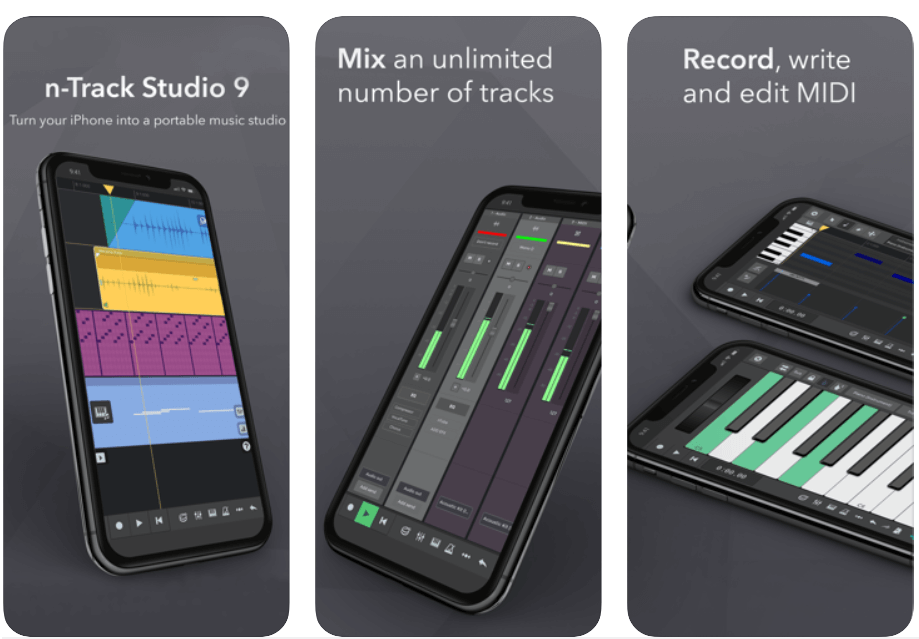
n-Track 9 is an online music studio that lets you record & share an unlimited number of tunes and MIDI tracks (max 11 tracks without in-app purchases) with the Songtree community.

It offers a wide range of creative tools including Piano Roll, Guitar Amp, Screen Drumkit, VocalTune, Surround mixing, Beat doctor, 2d & 3d Sonograms, and much more!

So, if you’re looking to make a name for yourself in the music production industry, then this free online music maker could be the perfect option for you.

Download


6. Groovebox

Groovebox - Music Making App

Price:- Free

Compatibility:- iOS 13.0 or above

Read More: Best Lyrics Apps to Learn The Lyrics of Your Favorite Song

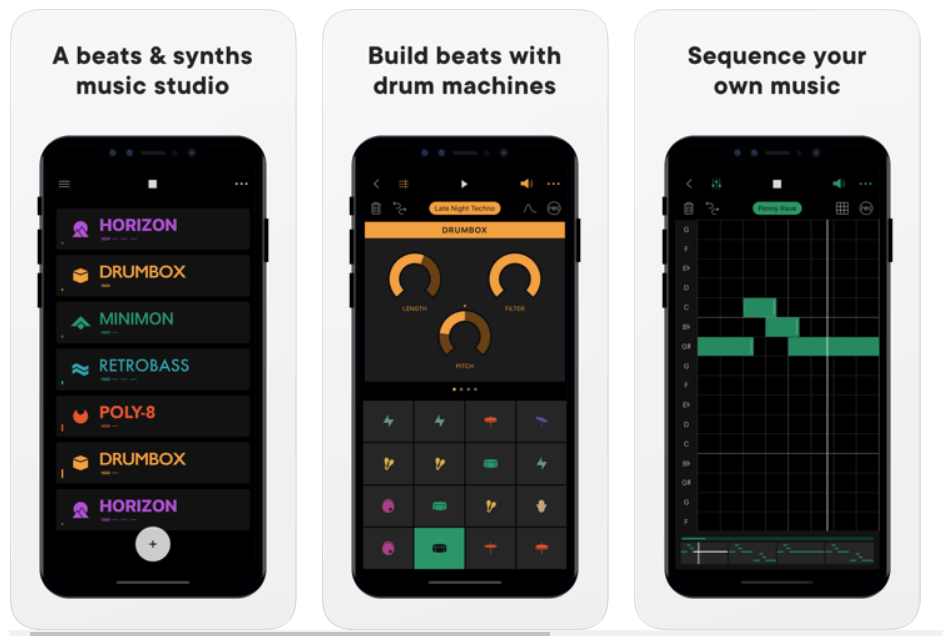
Groovebox is a beautifully designed and one of the top free music-making apps with an inspiring synth, presets, and world-class touchable instruments.

With this free music maker application software, you can instantly create, remix and record your own tunes and melodies.

So, what are you waiting for? Download Groovebox today and tune your iPhone or iPad into an online music studio. 

Download


7. Audacity

Audacity - Best Music Making App

Price:- Free

Compatibility:- iOS 11.4 or up

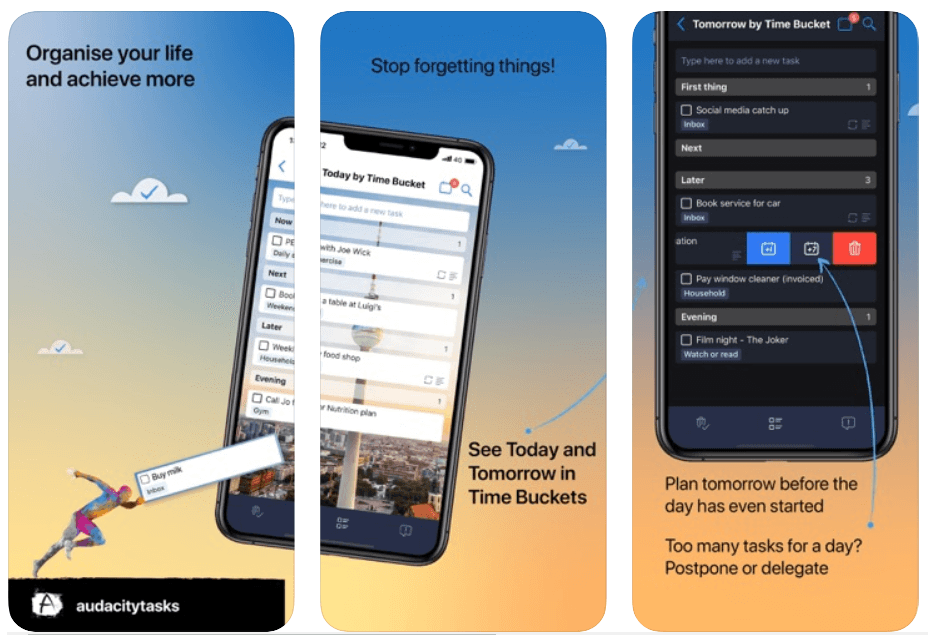
Audacity is a free, open-source music making software that offers an amazing set of editing features and real-time effects to help you make your own music.

The music production software is available for free download on Windows, Mac OS X, and Linux operating systems.

Audacity is one of the most used multi-track audio editors with you can instantly record live audio through a microphone or mixer. Moreover, it is one of the best free music-making apps for the iPhone.

Download


8. Tracktion T7

Tracktion T7

Price:- Free

Compatibility:- macOS 10.11 or above (64-bit) and Windows 8 & 10 (64-bit)

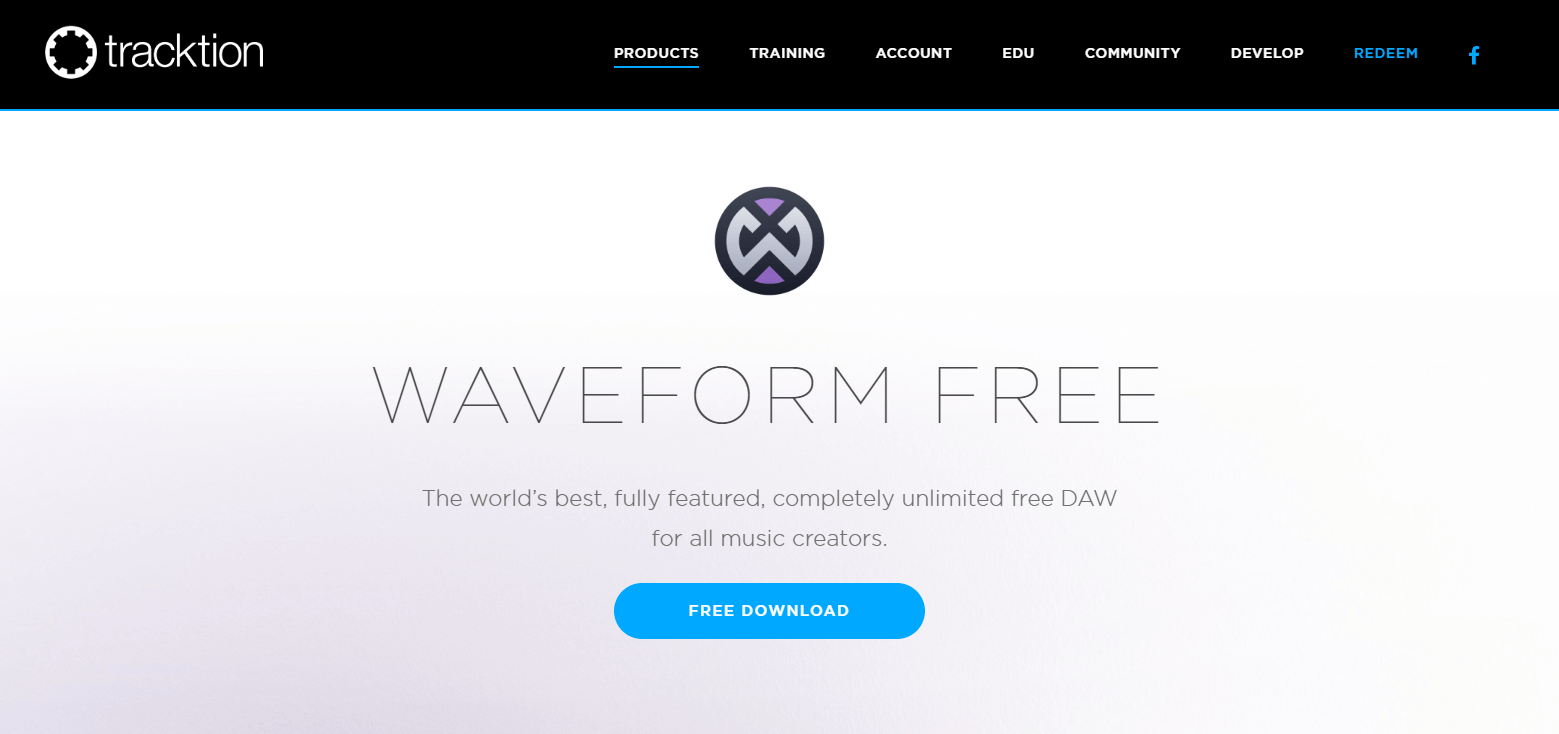
Tracktion T7 is a free digital audio workstation (DAW) for recording, producing and sharing your own music.

Tracktion T7 offers unlimited free audio and MIDI tracks with a wide range of powerful editing and recording features like clip layer effect, automation pattern, LFO modifier, freeze point technology, and more – so you can easily record, edit, and produce your own beats with ease.   

This free DAW is available for download on Windows, Mac, and Linux operating systems.

Download


9. Music Memos

Music Memos

Price:- Free

Compatibility:- iOS 11.0 or above

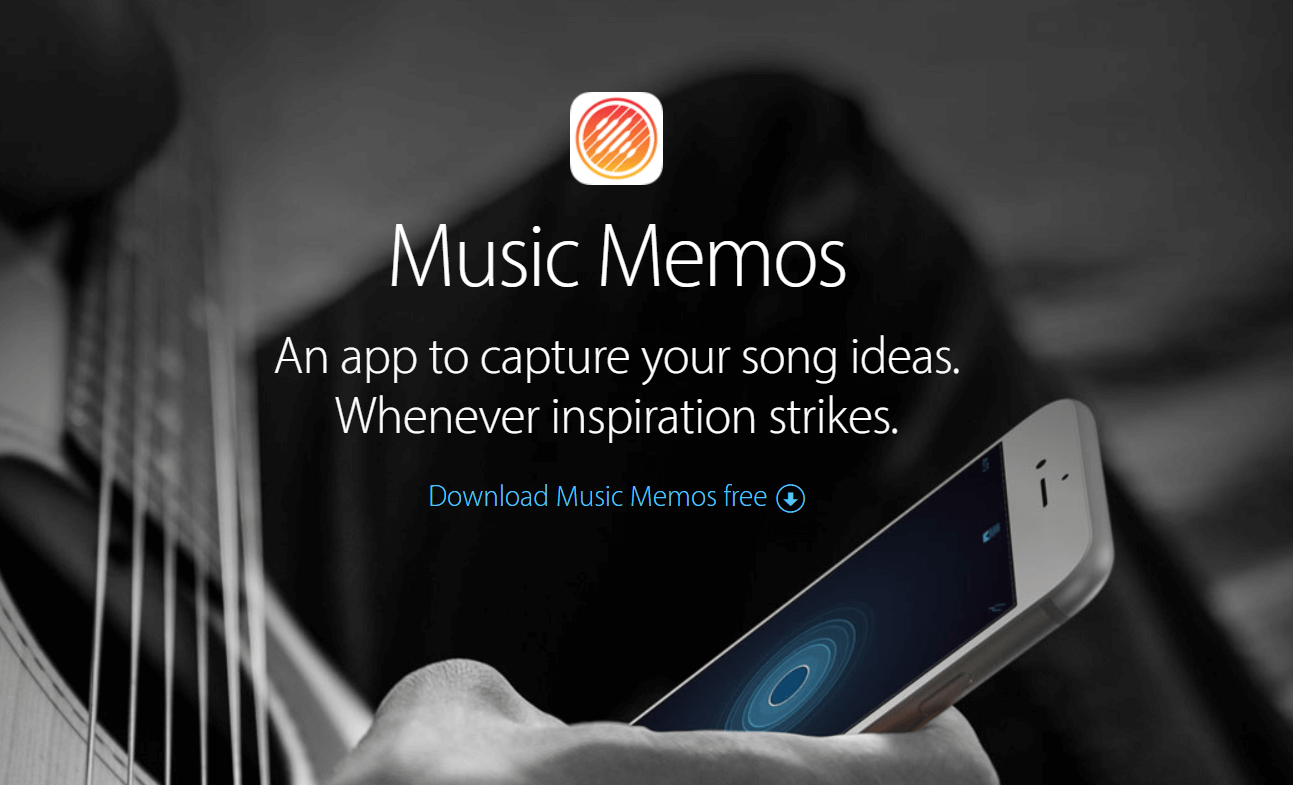
Music Memos, developed by Apple Inc. is one of the best free music-making apps for music writers to capture & organize your new song ideas.

Music Memos helps you record piano, acoustic guitar, voice, or any other musical instrument in high-quality on your iPhone & iPad.

It also allows you to take your song ideas into GarageBand on your iPhone device – so you can use an additional instrument to make yourself sound like a Pro!

Download


10. Cubasis 2

Cubasis 2

Price:- $49.99, 

Compatibility:- iOS 13.0 or up and Android 8.0 or up

Read More: Best Free Movie Download Sites

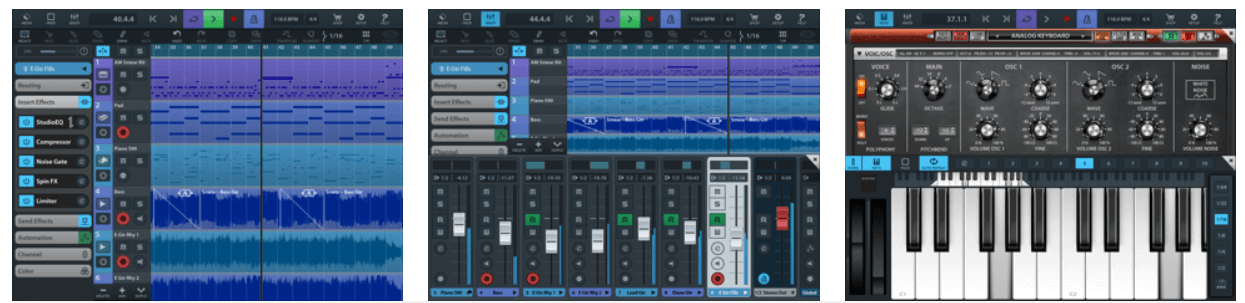
Cubasis, developed by Steinberg, is an iOS-based online music studio that lets you record, edit, mix, and produce an extensive collection of songs with ease.

It features amazing touch-optimized tools like real-time pitch-shifting and time-stretching, spin FX, mini sampler, virtual analog synthesizer, and much more, making it one of the best apps to make a song for free! Cubasis is one of the most worthy music-making apps for both iOS and Android devices. 

Cubasis with its wide range of built-in instrument sounds and performance features ranks among the best music-making apps in the world right now.

Download


11. FL Studio Mobile

FL Studio Mobile

Price:- $13.99

Compatibility:- iOS 8.0 or later and Android 4.1 or plus

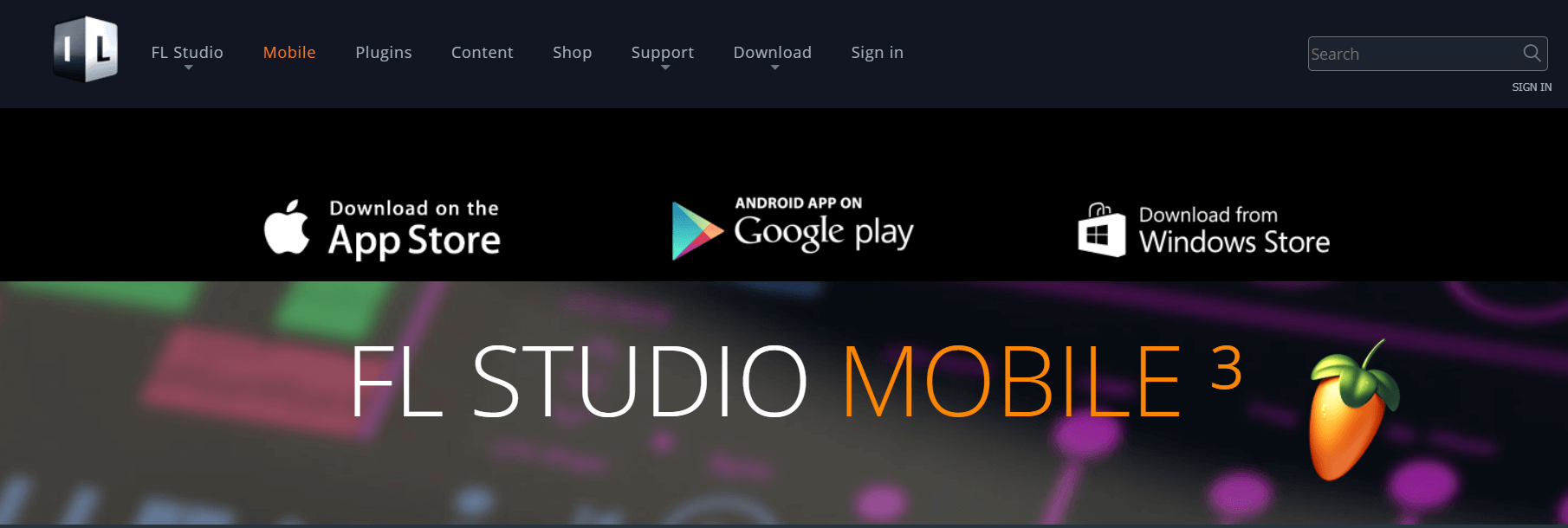
The beautifully designed user interface has made FL Studio Mobile the world’s most popular free music maker software in the world.

FL Studio Mobile offers a vast number of built-in features like advanced sound creation, touch controllers, high-quality synthesizers, mix effects, and more – so you can take your music to the next level.

It might come last in the list of best music-making apps, but it is definitely worth a try.

Download


12. KORG iELECTRIBE

KORG iELECTRIBE

Price:- $13.99

Compatibility:- iPadOS 8.0 or later

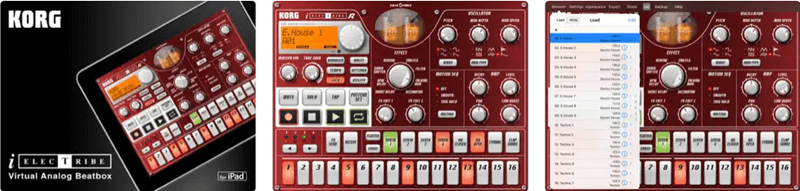
KORG iELECTRIBE is an advanced and not-so-traditional free music-making app. This app is available for iPadOS only. Using this app, you can use its 8 parted synthesizer notes to create the required music tone. The tool is very easy to use as well as advanced at the same time. The app also allows you to use a variety of patterns for audio generation.

Download


Above, we shared our top picks for the best free apps to make your own music. If you have any persisting doubts, you may go through the below section to clear them. 

Frequently Asked Questions

Below we try to answer all the common questions about the best free music-making apps to clear the doubts you may have. 

Q1. What app can I use to make my own music?

In this article, we shared many free music-maker applications. You may use any of them to make a song or music. However, below are some of our favorites to help you select one easily. 

  • GarageBand
  • BandLab
  • n-Track Studio 

Q2. How to make your own song for free? 

It is not a tough task to make your own song. You can use the applications shared in this article to compose your song easily. 

Q3. How to make your own music app? 

You may use applications like GarageBand and Groovebox to make your music app on the go. They are extremely easy to use and help you create music perfectly. 

Also Read: Best Music Player Apps for iphone


Create Your Own Music Using Best Free Music-Making Apps 

The apps listed above are some of the best music-making apps on the basis of ease and popularity.

You can get all of these online music studios for free; use them and make your own music anywhere, anytime. Through this post, we’ve tried to make your selection of music-making apps quite easier.

So, what are you waiting for? Pick your favorite & create your own album right on your phone. Plus, if you think that the list should include some other music-making software then do tell us in the comment box below. We’ll make changes to it. Subscribe to our Newsletter for getting the latest Tech updates instantly!


Author

Monil

Monil is a professional writer whose forte is absorbing a lot of data and help large technical organizations convey their message clearly across multiple products. An engineer by qualification, his affinity for design enables him to write to inspire, energize, and influence various audiences to uncover their true potential. When not writing, Monil is likely to be found listening to music, traveling, or simply excavating into his favourite cuisines.

View all posts

Related Posts
Best Disney Plus Browser to Stream Videos

6 Best Disney Plus Browser to Stream Videos in 2024

February 5, 2024
0

Disney Plus is compatible with the majority of browsers, yet many users are curious about which browser works best with it. Even though you can watch videos with any browser you want, there are some browsers that have certain advantages over others.

So, we have put the currently available web browsers to the test, and in this piece, we will discuss some of the top browsers that we found to be compatible with streaming content from Disney Plus.

Web browsers do not yet allow playing at 4K resolution for Disney Plus. Due to the absence of Widevine DRM, the maximum resolution that can be supported by a browser is 720p.

This is not exclusive to Disney+; rather, it applies to any and all streaming services that you access using your web browser.

We have compiled a list of the most effective fastest web browsers that are capable of streaming content from Disney Plus for your ease of use.
Nordvpn1

List of 6 Best Disney Plus Browsers to Stream Videos in 2024

The following section consists of the best Disney plus browsers to stream your favorite movies, web series, and video content online.

1. Firefox

Mozilla Firefox

You may also improve the quality of your Disney Plus streaming experience by using Firefox, which is a great browser that supports the service.

You may dramatically boost the quality of your video-watching experience by using a browser that gives you access to a wide variety of add-ons that can be downloaded.

It is of the utmost importance to ensure that you are using the most recent version of the browser since newer versions always come with capabilities that have been upgraded.

In addition, Mozilla Firefox protects your privacy when you are online. Because of this, you may use it without having to be concerned about any of these issues.

Key Features:

  • Not based on the Chromium User interface that prioritizes privacy and may be customized
  • Lightweight

Download Here

Also Read: Best Free VPN for Disney Plus to Watch Disney+


2. Chrome

Google Chrome

It should come as no surprise that our next choice for using Disney Plus is Google Chrome, which is one of the most popular internet browsers currently available.

You won’t have any trouble streaming movies if your web browser has robust support for HTML5 and keeps up with the most recent web technology.

Additionally, when it comes to speed, Google Chrome is one of the fastest browsers for streaming videos. If you want to watch videos online, use Google Chrome.

In addition, you have the option to add video extensions to your videos hosted on YouTube. Some examples of these extensions are Magic Action and YouTube Plus.

Key Features:

  • The most widely used web browser in the world Extensive add-on and plugin support
  • Simple to operate
  • Accessible on any and all platforms

Download Here


3. Edge

Microsoft Edge

Edge is a web browser that many people do not use, despite the fact that it is included with Windows 11 and 10 and comes with a number of features that are rather impressive.

After doing our own tests and analyzing the findings, we have determined that you are able to utilize Edge to stream content from Disney Plus in high-quality.

Edge is a unique browser that works with all HTML5 videos. Since it uses PlayReady DRM technology, it also supports complete HD videos. Edge is the only browser that supports HTML5.

Key Features:

  • Pre-installed on Windows device.
  • In Accordance with Chromium Supports PlayReady DRM is included in Chrome addons.

Download Here

Also Read: Everything You Need To Know About Disney+ (New Streaming Service)


4. UR Browser

UR Browser

When it comes to internet streaming and viewing Disney Plus online, UR Browser is another significant browser that you should use.

We would like to suggest that you give this browser a try since it comes with some very remarkable features that will compel you to choose it each and every time.

This web browser, like Opera, Chrome, and Chromium-Edge, is powered by the Chromium web browser engine.

Second, the capability for playing HTML5 videos will guarantee that the videos will be able to be seen without any difficulties. There are several web browsers that do not have this capability in their software.

The UR Browser comes with a virtual private network (VPN) that will protect your privacy and safeguard your online safety since this aspect of security is just as crucial, if not more so.

Key Features

  • Simple in its operation
  • Privacy-oriented
  • Contains its own advertisement blocker
  • Built-in VPN for increased protection

Download Here


5. Opera

Opera Browser

Because of the one-of-a-kind capabilities it has, Opera is often considered to be among the most superior web browsers in terms of providing a high-quality streaming experience.

You may conserve bandwidth while viewing videos by using the available turbo option, which will help speed up the surfing process.

In addition, Opera comes with a pop-up that you may use to relocate the video, if necessary, off the web page and into a new frame. This feature is included in the standard installation. You are even free to move it about anywhere you choose on the Windows desktop.

In addition, Opera is a web browser that protects your online privacy by including a VPN tools, tracker blocker, and ad blocker right into the program itself.

This ensures that you won’t have your streaming time disrupted by advertisements, so you can focus on watching the content that Disney Plus has to offer.

Key Features:

  • Various enhancements
  • Built-in Virtual Private Network with Adblocker
  • Chromium-based
  • It is compatible with all Chrome addons.

Download Here


6. Apple Safari

safari browser

Apple Safari is the default iOS and Mac web browser and is also an excellent choice. Safari is a quick, well-designed, and customizable browser that also supports Google Chrome extensions, tab previews, and simple translations using the menu bar. And, when it comes to streaming Disney Plus videos, Safari comes as the best alternative when compared to others on this list. On Safari, you can enjoy unlimited content on Disney Plus in high quality. If you have an iOS or Mac, then Apple Safari is a great choice for you.

Key Features:

  • It works seamlessly and lets you stream videos in good quality.
  • Fast download speed and utilizes very low memory.
  • Comes with standard functions such as Reader View, Private Browsing, and Multiple Tabs.

Download Here

Also Read: Best Web Browsers for Your Roku device


Difference Between App & Browser for Disney Plus

Wondering what the main difference is between the DisneyPlus experience on the app and the browser? This completely depends on the gadget you use.

The Windows app does not provide access to the 1080p or 4K quality that is available on other platforms, such as smartphones, tablets, smart TVs, and game consoles. These platforms also provide a superior user experience.

On the other hand, there is no discernible difference between the app and browser version when viewed on a desktop computer.

Notably, neither macOS nor Linux users can access Disney Plus service via a dedicated app. Nevertheless, there is a user-friendly application available for Windows 11 or 10 devices.


Closing Lines: Best Disney Plus Browser to Steam Videos

We have high hopes that the list presented here will assist you in making an educated choice about alternatives to watch Disney Plus on web browser.

Leave a comment telling us what was your pick and your experience with it. For more guides and tech tips subscribe to our blog. Never miss any tech news and update by following us on Facebook, Instagram, Twitter, or Pinterest.

Best Free Video Conferencing Software 2024

12 Best Free Video Conferencing Software in 2024

June 13, 2024
0

With the current outbreak of the coronavirus (aka COVID-19) disease, video conferencing software have become the need of the hour. In light of this, a large number of companies from around the world are now accommodating remote working to maintain productivity during this unprecedented global crisis.

As telecommuting, or working from homeis becoming a common trend in the workforce, having a reliable video conferencing and messaging solution has become more important than ever.

Video conferencing services can empower employees to communicate with other team members that are situated in diverse locations. And you must be amazed to know that these apps can be used for more than just face-to-face interactions.

These services can be utilized by users to conduct live audio and video conferencing sessions, webinars, and comes with a wide array of built-in features such as screen sharing, recording, chat, remote desktop sharing, exchange files, presentations, reports, and lots more.

With the plethora of video conferencing software apps available in the marketplace, it gets extremely difficult to choose an ideal one for your business.

To help you with the process, we’ve prepared a well-researched list detailed around the best free video conferencing software so you can make the right decision.

12 Best Video Conferencing Software for Your Business In 2024:

The marketplace is filled with plenty of best-in-class video conferencing services that allows you to connect with your virtual teams, no matter where you are in the world.

1. GoToMeeting

GoToMeeting - Best Video Conferencing Software
Image Credit: GoToMeeting

It is undoubtedly one of the best video conferencing platforms, trusted by a wide spectrum of users for seamless communicationand collaboration solutions. Developed by LogMeIn, GoToMeeting focuses on providing fast and reliable online meeting solutions for businesses of all sizes.

Users can join and host a video or audio meeting sessions, share screens and presentations, chat with team members from anywhere in the world, all with one-single click of a button.

Notable Offerings:

  • One-click online meeting sessions with up to 250 people
  • Conduct live webinars
  • High-definition video conferencing with up to 25 faces at once
  • Instant business messaging
  • Real-time screen sharing with other attendees
  • Supports PC, Mac, Linux, Chromebook, and both Android and iOS mobile platforms

Read More: 11 Best Free Video Call Software For Windows PC

2. Zoom Meetings

 Zoom Meetings - Best Video Conferencing Software in 2020
Image Credit: Zoom

Zoom has recently managed to garner a great deal of positive feedback from millions of people around the world, making it the most popular web conferencing solution for its user-friendly interface, collaboration features, and affordability.

Apart from regular huddle, training and online meeting rooms, it provides an intelligent and professional video conferencing and messaging solution to help you collaborate with people that are not even situated in the same geographical location.

Users who want to host or attend personal meetings can use its ‘Basic’ plan which is free of cost. ‘Pro’ plan is available for a monthly cost of $14.99 for teams with fewer members and includes all basic features along with few additional controlsfor admin and user management.

The ‘Business plan costs $19.99 per month per host and includes all the pro features, plus offers dedicated phone support, custom emails and increases the number of participants to 300.

Notable Offerings:

  • Audio and video conferencing, trainings, and face to face interactions
  • Easy-to-use video webinars
  • Desktop, application, and screen sharing
  • Private and group messaging options
  • Cloud recording and custom emails
  • Active speaker view options

Read More: Zoom Cloud Meeting App Review (Best Video Conferencing App)

3. Google Meet

Google Hangouts Meet - Video Conferencing Software
Image Credit: Google Meet

Google Meet is part of the G Suitecollaboration and productivity tools and currently ranks among the best video conferencing software available in the world right now. Meet aims to offer easy-to-join, secure video meetings, so you can communicate with your team right from the comfort of your home without wasting time on soul-crushing commute.

Google Meet includes three pricing plans. Though it does not have a free tier but it does offer a fully functional 14-day free trial.

The ‘Basic’ plan is available for a monthly cost of $6 per user and includes up to 100 people at a time. The ‘Business’ plan costs $12 per user per month and allows users to host live group meetings involving up to 150 people at once. The ‘Enterprise’ package costs $25 per month and allows users to have up to 250 participants and conduct video webinars involving up to 100,000 viewers at a time.

Notable Offerings:

  • Video conferencing and online meeting sessions are encrypted
  • Meet is integrated with G suite
  • Share screen, presentations, documents, etc. with other attendees of meeting
  • Live streaming your marketing and other virtual events with up to 100,000 participants
  • Host or join meetings via conference room, computer, or mobile devices

4. Cisco Webex Meetings

Cisco Webex Meetings - Video Conferencing Software
Image Credit: Cisco Webex Extension

Cisco Webex Meetings brings together all the premium video conferencing and collaboration tools into this easy-to-use platform to aid users host or join high-definition video meetings, engaging webinars, live training sessions using any supported device.

The best thing about Cisco Webex Meetings is that it comes with an intuitive and user-friendly interface that gives users the accessibility and reliability to hold virtual meetings with fellow teammates, managers, or customers, no matter where the participants are physically situated.

Notable Offerings:

  • Host large-scale, interactive web and virtual events for up to 100,000 viewers
  • Conduct live webinars with HD video support for up to 3,000 participants
  • Video conferencing, live chat support, and remote desktop control options
  • Speedy real-time technical support for customers

5. Skype

Skype - Best Free Video Conferencing Software
Image Credit: The Verge

Skype is a Microsoft’s renowned video chat tool used by millions of people around the world to send instant messages and make audio and video calls to friends, family, or fellow coworkers, all for free.

Skype also enables users to host or join unlimited video meetings involving up to 50 people without the need of any sort of registration or signing up process, making it the best video conferencing for small businesses.

Also, you don’t need to install the Skype app on any of your devices as it comes with a web version which you can access via Microsoft Edge or Google Chrome browser.

Skype is indeed an excellent free video conferencing app, but if you need to host large-scale video meetings with more than 50 attendees, then you can use its paid subscription service ‘Skype for Business’ for a small monthly fee.

Notable Offerings:

  • Free conference calls and video meetings from anywhere in the world
  • Share your screen and exchange photos, spreadsheets, presentations, etc.
  • Interesting ‘Live Subtitles’ feature for speech-to-text conversion
  • Users can encrypt the conversions to keep them private
  • Record your meeting calls for future references

6. RingCentral Video

RingCentral Video - Best Video Conferencing Software
Image Credit: RingCentral Video

You can’t talk about the free video conferencing services without including RingCentral Video. This cloud-based video collaboration platform comes with a plethora of powerful tools necessary for engaging face to face meetings and quality communications.

In terms of pricing, it has an essential plan for small and growing businesses which costs $14.99 per month and includes almost all standard features required for effective online meetings.

An advanced plan is available for large business enterprises for $19.99 per month which increases the number of call me minutes (Outbound PSTN minutes for local Meetings) to 2500 and includes SLA and real-time dashboard for reporting.

Notable Offerings:

  • Unlimited one-on-onemeetings
  • Desktop and screen sharing
  • Host video meetings in high-definition with up to 100 participants
  • In-meeting chat options for private and group messaging
  • Allows users to connectusing desktop, laptop, and mobile devices

7. Lifesize

Lifesize - Best Software For Video Conferencing
Image Credit: Lifesize

Founded in 2003, Lifesize has been long recognized as the world’s first-ever 4K video conferencing software, designed to provide best-in-class features such as cloud-based video collaboration solution, wireless presentation, live meeting insights, and lots more.

People who want to host video conferencing for small businesses with up to 25 participants can use its ‘Basic’ tier which is available free of cost for 6 months. The ‘Standard’ plan is available for small teams for $16.95 per month per host, allowing users to host group meetings involving up to 100 people.

The Lifesize Plus plan is excellent for small and medium-sized businessesavailable for a monthly cost of $14.95per host but requires a minimum of 15 hosts. It allows to host unlimited meetings with up to 300 people, along with phone and email support, Microsoft product integrations, and delivers real-time meeting insights.

The Lifesize Enterprise plan is suitable for large companiesand costs $12.95per host per month but requires a minimum of 50 hosts. It allows users to live stream events involving up to 1000 viewers and offers additional features like unlimited US voice phone calls, unlimited meeting or session recordings, premium voice conferencing support, etc.

Notable Offerings:

  • Unlimited free video conferencing meetings
  • Easy-to-manage tools for live streaming events
  • Integrates almost all Microsoft products
  • Dedicated apps for desktop and mobile devices

Read More: 13 Best Audio Recording Software For Windows PC

8. BlueJeans

BlueJeans - Best Cloud-Based Video Conferencing Software
Image Credit: BlueJeans

Founded in 2009, BlueJeans occupies a prominent position in the list of the best video conferencing software available in the marketplace today.

The company is headquartered in San Jose, California, and aims to provide cloud-based video conferencing solutions and collaboration tools to help users stay connected and productive even when they are working outside of an office environment.

BlueJeans has three priced versions of their product. The ‘Standard’ plan is available for a monthly cost of $9.99 per user, when paid annually. It allows users to host or attend online meetings with up to 50 members, plus includes smart video, web, and mobile conferencing features required for seamless communication.

The ‘PRO’ plan is available for a monthly cost of $13.99 per user (when paid annually) and includes all Standard features along with Canvas & CirQLive integrations, 25 hours of cloud storage for recordings, command center analytics, unlimited meetings involving up to 75 participants.

The ‘Enterprise’ package is suitable for large organizations and includes all the Pro features along with a few additional ones like unlimited meetings recordings, live command center, H.323/SIP room system and up to 100 Participants. Users need to contact the company and submit a request for quotation in order to get this plan.

Notable Offerings:

  • Unlimited private and group meetings
  • Real-time meeting highlights
  • Video conferencing features like active speaker view, Dolby audio, content slider, etc.
  • Web conferencing features like remote desktop, annotation, chat, etc.
  • Advanced encryption algorithms to keep meetings secure and private
  • 24/7 phone and chat support for customers

9. Microsoft Teams

Microsoft Teams - Best Video Conferencing Software
Image Credit: Microsoft News

Microsoft’s video conferencing app offers a fast, professional and secure communication and collaboration platform to let employees chat, meet, call effectivelyfrom anywhere on any device. This video conferencing service is a part of Microsoft’s office 365 suite.

Microsoft Teams does have a free tier but it includes only basic chat and collaboration features. However, the company offers three-priced versions of their office 365 suite for customers to choose from: Business Essentials, Business Premium, and Office 365 E3.

Notable Offerings:

  • Unlimited audio and video conferencing meetings
  • Private and group chat, file sharing, 250+ integrated apps, etc.
  • Screen sharing, record and schedule meetings, host large-scale online events, etc.
  • Office 365 productivity apps and services including SharePoint, Stream, and Yammer
  • Advanced data encryption, multi-factor authentication, auditing and reporting, etc.
  • Round-the-clock phone and chat support for customers

10. Jitsi Meet

Jitsi Meet - Free Video Conferencing Software
Image Credit: Jitsi Meet

Jitsi Meet is a completely free video conferencing software that provides easy-to-use instant messagingand online meeting solutions aimed to accommodate small and midsize businesses.

Unlike other premium video conferencing solutions, it’s a fully encrypted, 100% open-source VoIP platform that enables users to meet face to face, chat with colleagues, share desktop, all without the need of having an account.

Available for Mac OS X, Windows, Linux, Android and Web platform, Jitsi Meet has pretty much everything you need to get started.

Notable Offerings:

  • Instantly share your desktop, photos, documents, spreadsheets, presentations, etc.
  • Invite other members of your team to an online meeting using a simple custom URL
  • Edit all your business documentstogether in real-time using Etherpad
  • In-meeting private and group chat options

11. Dialpad AI Meetings

Dialpad AI Meetings
Image Credit: Dialpad

The next best free video conferencing software that you can try is Dialpad Meetings. This is also a very reliable solution to conduct and attend conferences, meetings, and more with feasibility.

Notable Offerings:

  • Allows you to add or remove background
  • Conducts personal or professional meetings and calls.
  • Multiple chat and call options

12. GoTo Connect

goto connect video conference
Image Credit: GoTo Connect

Here’s another best free video conferencing software for you to try. If you are a working professional, then you will be greatly benefitted from GoTo Connect. This tool allows you to create rooms and attend conferences to and from anywhere.

Notable Offerings:

  • Offers personalization features
  • Easy to use for all, even beginners
  • Safe because of end-to-end encryption

So, this was all folks! These are some of thebest video conferencing software on the basis of popularity, ease-of-use, and affordability.

All of these aforementioned paid & free video conferencing services offer a wide range of flexible solutions necessary for professional online video meetings, seamless virtual communication, and effective team collaboration.

So, this concludes our guide, download your favorite application now and host or join video meetings from anywhere in the world in just a matter of seconds.

1 Comment
    16 Best Free Audio Editing Software For Windows in 2021 says: Reply
    January 2nd 2021, 2:51 pm

    […] Read More: 10 Best Free Music Making Apps to Make Your Own Music […]

Leave a Reply to 16 Best Free Audio Editing Software For Windows in 2021 Cancel reply

Your email address will not be published. Required fields are marked *

Sidebar Image bit G ad1

Latest Posts

  • Anytime Astro: Best Website For Online Astrology Consultation
    Anytime Astro: Best Website For Online Astrology Consultation
    by Somya Shrimal / February 13, 2026
  • Best-McAfee-alternative-software-to-use-for-Virus-Protection
    Best McAfee Alternative Software to use for Virus Protection
    by adminuser / February 11, 2026
  • What-is-Flip-Flop-in-Circuite-and-it's-Types
    What is Flip Flop in Circuit and its Types
    by Meet / February 6, 2026
  • Best-Data-Labeling-Software-to-use-in-2026
    Best Data Labeling Software to Use in 2026
    by Meet / February 2, 2026
  • Best-Google-Slides-tools--to-add-as-extension-in-2026
    Best Google Slides Tools to Add as Extension in 2026
    by Meet / January 30, 2026

Categories

  • Cyber Security
  • Driver Updater
  • Entertainment
  • Fitness
  • Games
  • How To
  • laptop
  • OS
  • Reviews
  • Tech News
  • Tips & Tricks
  • Top 10
Sidebar Image bit G ad1
30 Best Online Games For PC (Free & Paid) In 2024 31 Best Online Games For PC (Free & Paid) In 2024by Prachi Dani / May 23, 2024
6 Best Free Twitch Emote Maker in 2024by Harshita / May 23, 2024Best Free Twitch Emote Maker
TechPout Footer Logo

We at TechPout promise to put forth stories that help people to learn and simplify their digital life. Our purpose is to share the true essence of technology with our tech-loving community.

Useful Links

  • About Us
  • Contact us
  • Privacy Policy

Popular Posts

  • Best PC Optimizer Software
  • Best Mac Cleaner Apps
  • Best Driver Updater
  • Duplicate Photo Finder and Cleaner Software
  • Best Free Movie Download Sites
  • Best IPTV Players

Follow us

Copyright © 2026 www.techpout.com. All rights reserved
DMCA.com Protection Status