Main LogoLight Logo
  • Reviews
  • Top 10
  • How To
  • Tech News
  • OS
    • Windows
    • MAC
    • iOS
    • Android
  • Categories
    • Driver Updater
    • Cyber Security
    • Games
    • Fitness
    • Entertainment
    • Tips & Tricks
Top 10
by Monil

12 Best Free Music Making Apps to Make Your Own Music in 2024

May 23, 2024
1

Want to create your own music or beats? Then, you’ve arrived at the right destination. Here, at Tech Pout, we’ve brought up the list of best free music making apps. So, stay tuned with us till the end!

Whether you’re a young student and started making music as a leisure activity or planning to become the next Dan Reynolds, it’s always best, to begin with, free online music maker software.

So, if you’re looking to create your own music or band, look no further than your smartphone. Now, you can easily create your own music beats and make your own band just like K-Pop or BTS. Sounds interesting no! Then, jump to our next section to know more in-depth. 

However, if you don’t know how to make your own music online, then you don’t need to worry about it anymore as we’ve done all the heavy lifting to help you pick the best music making apps. So, just have a look at the list below!

Table of Contents hide
List of Best Music Maker Apps for Creating Your Own Band and Music
1. GarageBand
2. BandLab – Music Making Studio
3. Suggester
4. Music Maker JAM
5. n-Track Studio 9
6. Groovebox
7. Audacity
8. Tracktion T7
9. Music Memos
10. Cubasis 2
11. FL Studio Mobile
12. KORG iELECTRIBE
Frequently Asked Questions

List of Best Music Maker Apps for Creating Your Own Band and Music

The following is a well-researched list of the top applications you may use to make your own music.

1. GarageBand

GarageBand - Best Free Music Making App

Price:- Free

Compatibility:- iOS 14.0 or up

The most obvious choice for the top spot, this free online music maker has been a favorite for many years.

Whether you’re a complete beginner or ready to take your music-making to the next level, GarageBand has got you covered.

Apple’s long-standing music-making app offers a wide range of Touch Instruments & Multi-Touch gestures to help you play guitars, keyboards, create beats with DJ-style effects, and much more.

Moreover, we think it is among the best free apps to make your own music for access to the various audio recordings, Apple Loops, and musical instruments with professional mixing effects & sound packs — so you can create your own music anywhere, anytime.

Download


2. BandLab – Music Making Studio

BandLab – Music Making Studio

Price:- Free

Compatibility:- Android 5.0 or up, and iOS 11.0 or up

Read More: Best Free Music Download Sites

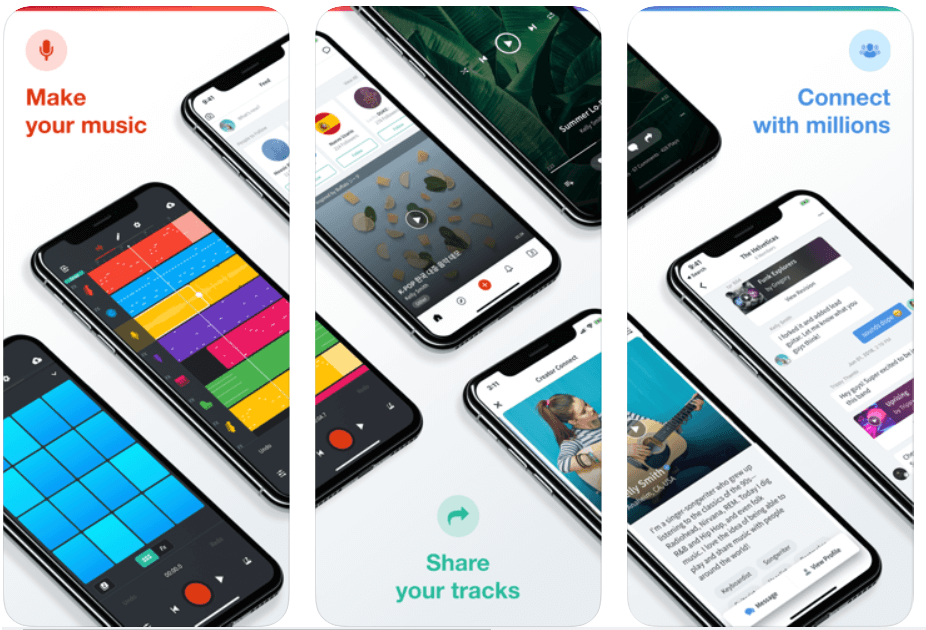
With more than 9 million users, BandLab is the world’s most popular free online music studio to create your own songs and mashups.

With BandLab’s multi-track editor, you can record, produce, edit and remix any fine-tune to perfection while on the go.

BandLab also lets you connect with fellow DJs and artists — so you can start a band with established musicians, rappers, guitarists, and more.

Download


3. Suggester

Suggester

Price: $13.99 (Free version also available)

Compatibility: iOS 13.0 or later and Android 6.0 and up

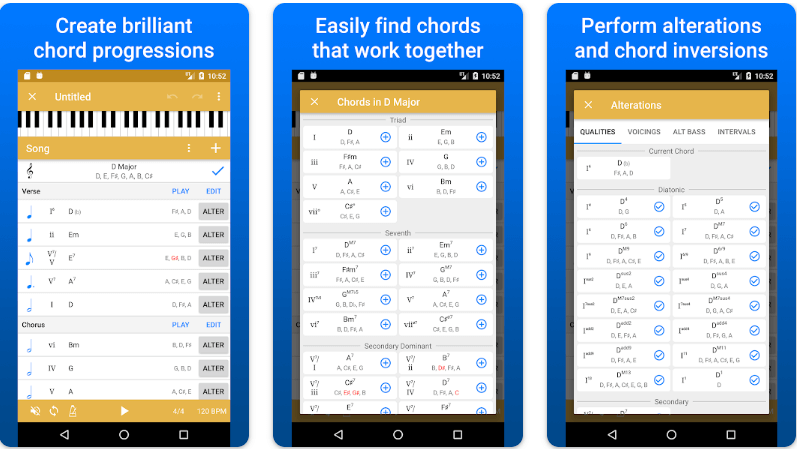
Let us introduce you to Suggester. It is among the best free music making apps for music theory enthusiasts to create new chord progressions. We like the application because of its wide range of chord suggestions within a designated key, easy MIDI export to DAW, the perfect use of Roman numeral notations, effortless chord playing, and quick drag-and-drop chord reordering. You should definitely try this app to unleash your inner musician.

Download for iOS

Download for Android


4. Music Maker JAM 

Music Maker JAM 

Price:- Free, In-app purchases

Compatibility:- iOS 9.3 or above, and all Android versions

Even if you are not a fan of music-making apps, then Music Maker JAM will definitely make you one.

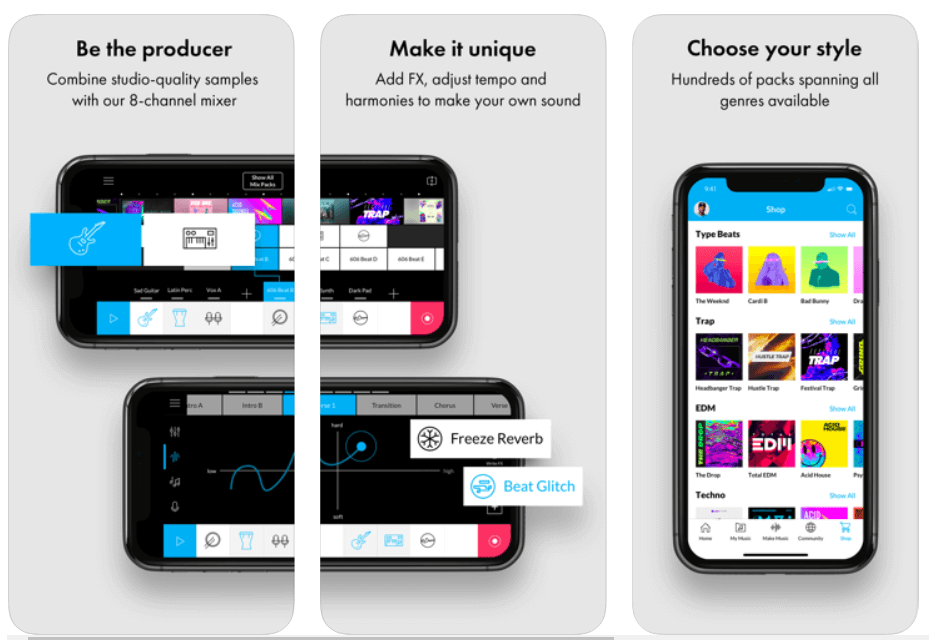
It is one of the best free apps to make music due to its tons of studio-quality loops allowing you to create & share amazing music with the world.

Being a part of this music creation community, you can get access to more than ten free packs with over 2000 loops that can help you produce your own album right on your smartphone.

So, what are you waiting for? Download Music Maker JAM and be a music creator today!

Download


5. n-Track Studio 9 

n-Track Studio 9 - Best Free Music Making App

Price:- Free

Compatibility:- Android, iOS, Windows

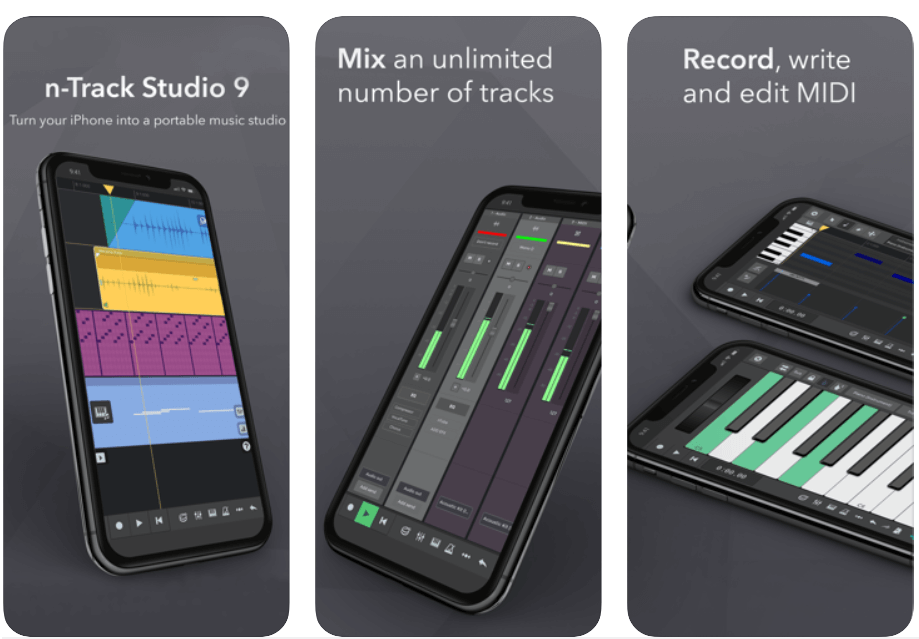
n-Track 9 is an online music studio that lets you record & share an unlimited number of tunes and MIDI tracks (max 11 tracks without in-app purchases) with the Songtree community.

It offers a wide range of creative tools including Piano Roll, Guitar Amp, Screen Drumkit, VocalTune, Surround mixing, Beat doctor, 2d & 3d Sonograms, and much more!

So, if you’re looking to make a name for yourself in the music production industry, then this free online music maker could be the perfect option for you.

Download


6. Groovebox

Groovebox - Music Making App

Price:- Free

Compatibility:- iOS 13.0 or above

Read More: Best Lyrics Apps to Learn The Lyrics of Your Favorite Song

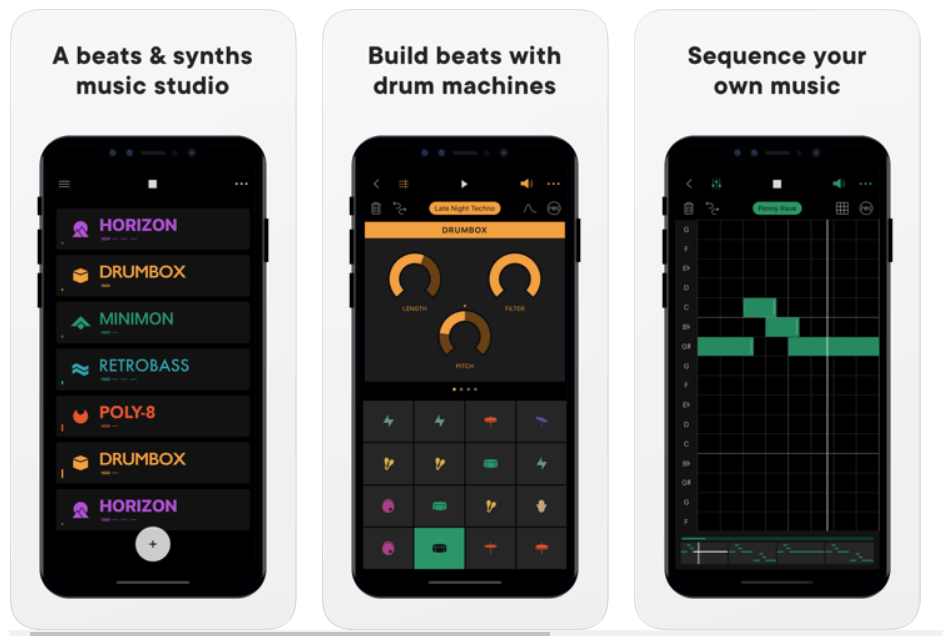
Groovebox is a beautifully designed and one of the top free music-making apps with an inspiring synth, presets, and world-class touchable instruments.

With this free music maker application software, you can instantly create, remix and record your own tunes and melodies.

So, what are you waiting for? Download Groovebox today and tune your iPhone or iPad into an online music studio. 

Download


7. Audacity

Audacity - Best Music Making App

Price:- Free

Compatibility:- iOS 11.4 or up

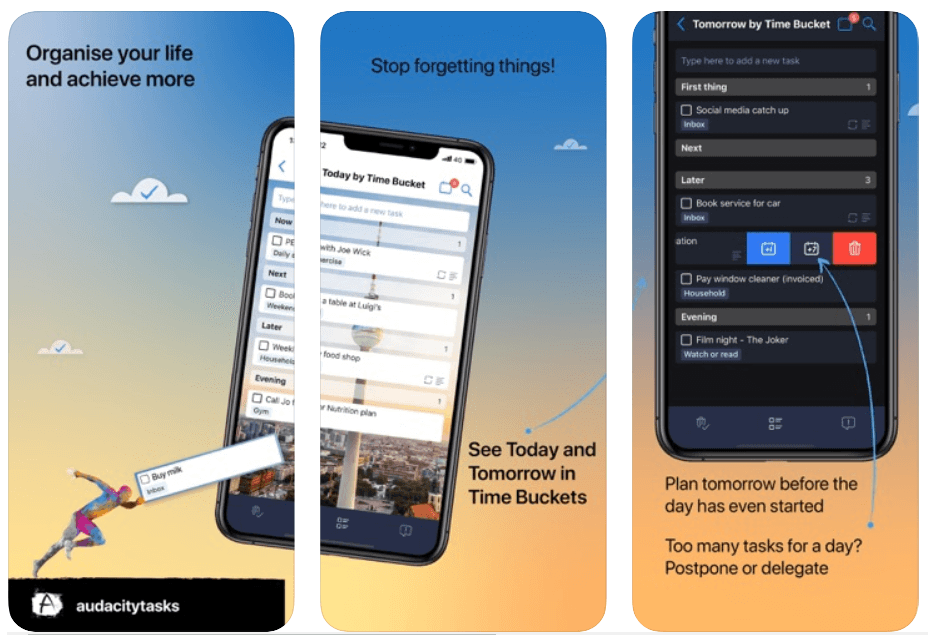
Audacity is a free, open-source music making software that offers an amazing set of editing features and real-time effects to help you make your own music.

The music production software is available for free download on Windows, Mac OS X, and Linux operating systems.

Audacity is one of the most used multi-track audio editors with you can instantly record live audio through a microphone or mixer. Moreover, it is one of the best free music-making apps for the iPhone.

Download


8. Tracktion T7

Tracktion T7

Price:- Free

Compatibility:- macOS 10.11 or above (64-bit) and Windows 8 & 10 (64-bit)

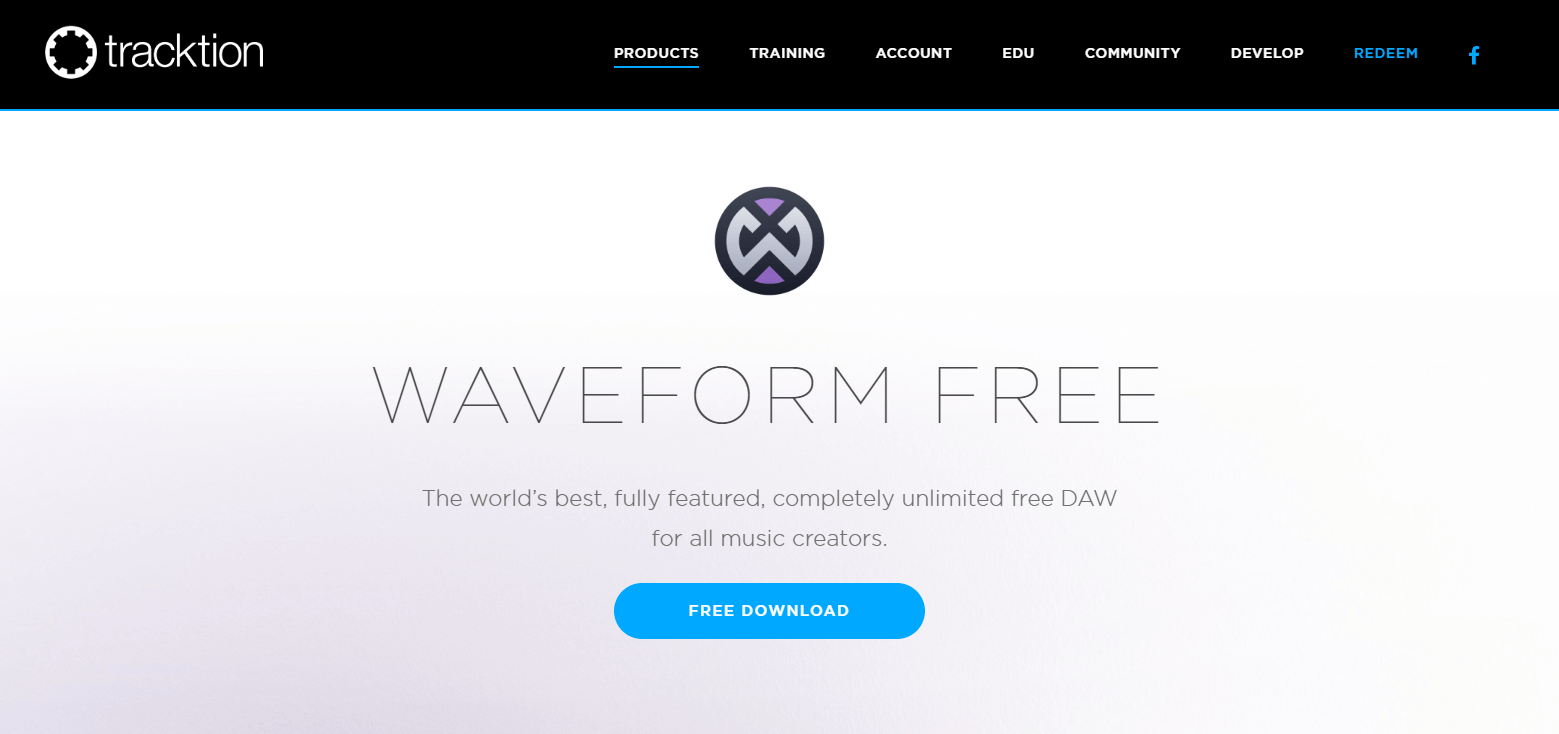
Tracktion T7 is a free digital audio workstation (DAW) for recording, producing and sharing your own music.

Tracktion T7 offers unlimited free audio and MIDI tracks with a wide range of powerful editing and recording features like clip layer effect, automation pattern, LFO modifier, freeze point technology, and more – so you can easily record, edit, and produce your own beats with ease.   

This free DAW is available for download on Windows, Mac, and Linux operating systems.

Download


9. Music Memos

Music Memos

Price:- Free

Compatibility:- iOS 11.0 or above

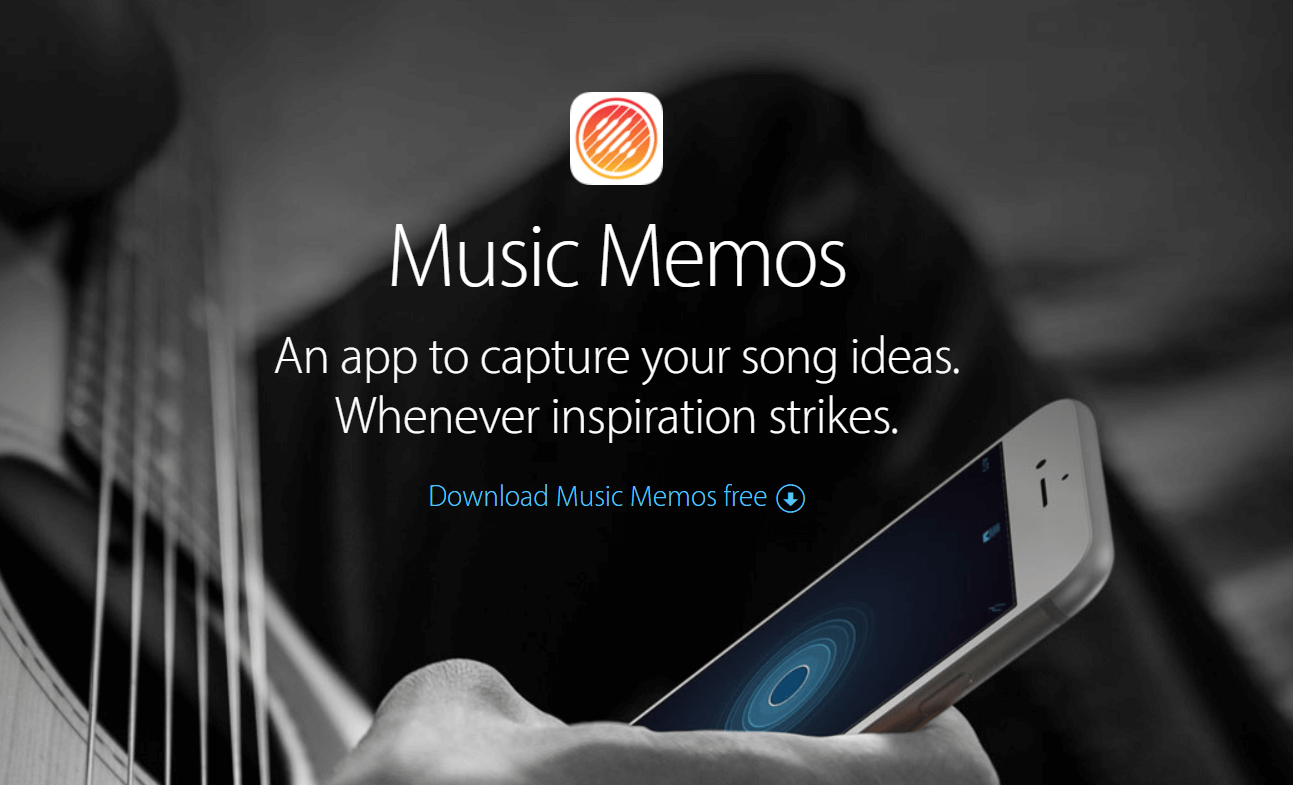
Music Memos, developed by Apple Inc. is one of the best free music-making apps for music writers to capture & organize your new song ideas.

Music Memos helps you record piano, acoustic guitar, voice, or any other musical instrument in high-quality on your iPhone & iPad.

It also allows you to take your song ideas into GarageBand on your iPhone device – so you can use an additional instrument to make yourself sound like a Pro!

Download


10. Cubasis 2

Cubasis 2

Price:- $49.99, 

Compatibility:- iOS 13.0 or up and Android 8.0 or up

Read More: Best Free Movie Download Sites

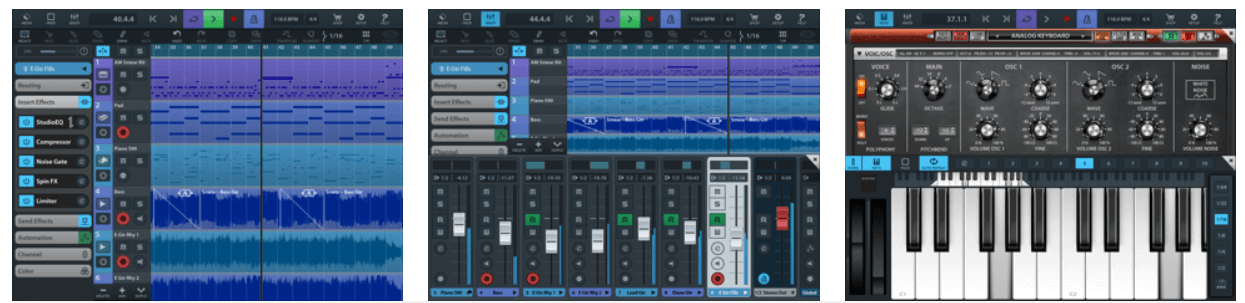
Cubasis, developed by Steinberg, is an iOS-based online music studio that lets you record, edit, mix, and produce an extensive collection of songs with ease.

It features amazing touch-optimized tools like real-time pitch-shifting and time-stretching, spin FX, mini sampler, virtual analog synthesizer, and much more, making it one of the best apps to make a song for free! Cubasis is one of the most worthy music-making apps for both iOS and Android devices. 

Cubasis with its wide range of built-in instrument sounds and performance features ranks among the best music-making apps in the world right now.

Download


11. FL Studio Mobile

FL Studio Mobile

Price:- $13.99

Compatibility:- iOS 8.0 or later and Android 4.1 or plus

The beautifully designed user interface has made FL Studio Mobile the world’s most popular free music maker software in the world.

FL Studio Mobile offers a vast number of built-in features like advanced sound creation, touch controllers, high-quality synthesizers, mix effects, and more – so you can take your music to the next level.

It might come last in the list of best music-making apps, but it is definitely worth a try.

Download


12. KORG iELECTRIBE

KORG iELECTRIBE

Price:- $13.99

Compatibility:- iPadOS 8.0 or later

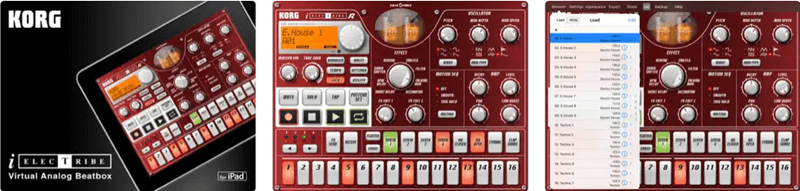
KORG iELECTRIBE is an advanced and not-so-traditional free music-making app. This app is available for iPadOS only. Using this app, you can use its 8 parted synthesizer notes to create the required music tone. The tool is very easy to use as well as advanced at the same time. The app also allows you to use a variety of patterns for audio generation.

Download


Above, we shared our top picks for the best free apps to make your own music. If you have any persisting doubts, you may go through the below section to clear them. 

Frequently Asked Questions

Below we try to answer all the common questions about the best free music-making apps to clear the doubts you may have. 

Q1. What app can I use to make my own music?

In this article, we shared many free music-maker applications. You may use any of them to make a song or music. However, below are some of our favorites to help you select one easily. 

  • GarageBand
  • BandLab
  • n-Track Studio 

Q2. How to make your own song for free? 

It is not a tough task to make your own song. You can use the applications shared in this article to compose your song easily. 

Q3. How to make your own music app? 

You may use applications like GarageBand and Groovebox to make your music app on the go. They are extremely easy to use and help you create music perfectly. 

Also Read: Best Music Player Apps for iphone


Create Your Own Music Using Best Free Music-Making Apps 

The apps listed above are some of the best music-making apps on the basis of ease and popularity.

You can get all of these online music studios for free; use them and make your own music anywhere, anytime. Through this post, we’ve tried to make your selection of music-making apps quite easier.

So, what are you waiting for? Pick your favorite & create your own album right on your phone. Plus, if you think that the list should include some other music-making software then do tell us in the comment box below. We’ll make changes to it. Subscribe to our Newsletter for getting the latest Tech updates instantly!

Author

Monil

Monil is a professional writer whose forte is absorbing a lot of data and help large technical organizations convey their message clearly across multiple products. An engineer by qualification, his affinity for design enables him to write to inspire, energize, and influence various audiences to uncover their true potential. When not writing, Monil is likely to be found listening to music, traveling, or simply excavating into his favourite cuisines.

View all posts

Related Posts
Best Free Media Players For Windows

17 Best Free Media Players For Windows in 2024

January 30, 2024
0

With the advent of technology and the internet, enjoying easy and accessible media is no longer a difficult task. Over a period of time, the importance of media has grown at an exponential rate. We stream music and video almost every day. But, for uninterrupted enjoyment, we need the best media players. 

The market is filled with an ocean of options, however, to make your task easy we have handpicked some of the best media players in 2024 that you can consider. 

Why is a Best Free Media Player Required in 2024? 

Well, the answer is quite simple. Busy in our daily lives we often fail to take out time for ourselves and going out to movies has become quite impossible. The open-source media player is what comes to our rescue in such scenarios and provides readily available media at the tip of your fingers. 

You may either use the built-in player or choose to pick a good media player For Windows to keep your thirst for good media at bay.

The article below will talk about some of the best PC Media players that you can get in 2024 for your Windows PC. 

17 Best Media Players For Windows in 2024

1. VLC Media Player

Best Media Players For Windows - VLC Media Player
Image Source: VideoLan

Well, this one deserves first place on our list of the best video player for PC for several good reasons. It is not only the most popular but also the oldest in the lot. It is a go-to option for all media lovers which can support multiple types of media files. 

It can play almost anything and everything that one can probably think of. The freeware tool comes with a list of features and can support 360-degree videos, compressed video formats, and clips and movies with up to 8K resolution.

It also allows you to tweak its settings and add filters for better audio quality and user experience. 

What sets this market giant apart from other competitors?

  • It can play almost everything.
  • It is compatible with multiple platforms including Windows 10/8.1/7/XP and Vista.
  • It is a free and open-source Media player.

Also Read: Best Free TV Streaming Sites To Watch Online TV Shows


2. GOM Media Player

Best Media Players For Windows -  GOM Media Player
Image Source: GOMlab

Gretech Online Movie Player or commonly known as GOM player is known to offer an incredible user experience. In most cases, it also works as the best alternative for people who don’t like the default Windows Player. 

It is loaded with all basic functionalities with Screen capture, Media player capture, speed control, and A-B repeat being the most prominent ones. 

It can support multiple video formats including MP4, FLV, AVI, MKV, and many more. Apart from this, it comes with several customization features to suit users’ requirements. 

All-in-all with its easy navigation and user-friendly interface, GOM makes a perfect choice for people looking for a completely free Windows media player. 


3. PotPlayer

Best Media Players For Windows - PotPlayer
Image Source: Pot Player

If you are looking for a fast and user-friendly Media player, then PotPlayer can be a good pick for you. It is packed with modern features like hardware acceleration and many more.

The application, however, cannot support as many formats as VLC but still supports plenty of formats. Its ability to support 3D viewing makes it everyone’s favorite and can seamlessly work with a TV with the necessary support. 

Choose it to enjoy a theatre-like feel at your home tv. 


4. 5K Player

Best Media Players For Windows - 5K Player
Image Source: 5KPlayer

If we go as per the user’s review, 5K Player is a powerful yet easy-to-use Open-Source media player that one can currently find. The freeware tools come with a comprehensive list of features and offer an easy way to manage your video collection.

It can support multiple video formats including 8K and 360-degree resolution videos. Its ability to download videos from Youtube and send it to your TV via Airplay completely sets it apart.

Apart from this, you can also use it to adjust the brightness of your movie. The only downside of this incredible media player tool is that it supports ads which can get annoying at times.


5. Real Player

Best Media Players For Windows - Real Player
Image Source: Real

Real players are one of the oldest Media Players that one can find for their Windows system. Its ability to keep selected videos private earns it a place on our list of best Video Player For PC. Access is only allowed with a preset PIN. 

The software comes in a free version but if you wish to enjoy some added features you may opt for its paid subscription. Use it to convert video to different formats, and stream HD content on your TV via Chromecast. 

Enjoy soulful media with utmost ease with Real Player.


6. Media Player Classic

Best Free Media Players For Windows - Media Player Classic
Image Source: MPC-HC

Loaded with modern and effective functions Media Player Classic comes with a convenient interface and simple work. With this Best Free Media Players For Windows Operating System, you can easily tweak and customize various settings as per your requirements. 

It can seamlessly play DVD and VCD files and is fully compatible with various Windows versions including 10/8/7.

It is completely free and is very simple to use. 


7. Kodi

Best Free Media Players For Windows - Kodi
Image Source: Kodi

Next on our list of best free and open-source media players in 2024 is Kodi. The application comes with several customization options to give you a media-center-like experience.

It supports almost all formats of music and video files, podcasts, and other digital media files. With its massive list of features and offerings, it gives tough competition to all the top contenders along with a smooth user experience.

You can also use its plug-ins to enjoy multiple functionalities like Hulu, Netflix, and much more. It is compatible with Windows 10/8//7 versions.

Read more: Best Free Music Download Sites


8. SM Player

Best Media Players For Windows - SM Player
Image Source: SM Player

Experience the greatest pleasure of online content and media with this powerful platform. It is highly popular for its ability to remember different music settings and comes at no cost at all.

It also allows you to resume a movie if you have to leave it in between for some reason. Apart from this, its built-in codec support allows it to play multiple media formats. It comes in around 30 different languages for catering to the needs of global audiences. 

Use it to play your favorite video from Youtube with subtitles. 


9. Plex

Best Media Players For Windows - Plex
Image Source: Plex.TV

Plex is a relatively new addition but works incredibly well for a new one. Use it to manage and organize your files and enjoy easy access. The thing which sets it apart from other players is its ability to stream media simultaneously on two devices.

Its installation process is simple. You may also use its pre-renaming styles to organize your music store and directory properly.


10. DivX Player

Best Media Players For Windows - DivX Player
Image Source: DivX

Get complete control over online media with this incredible and free Windows Media Player. It is known to support as many video formats that you can think of. 

Its biggest highlight is its ability to support HEVC videos which ensures premium quality media experience.

It is completely free from annoying ads and has several advanced converter features to offer. 


11. Media Monkey

Best Free Media Players For Windows - Media Monkey

Image Source: Media Monkey

Media Monkey is a giant and well-known media platform. Loaded with smart functioning it can support over 100,000 video and audio files. 

Moreover, its auto-file renaming and auto-tagging features support easy media management. It can also sink smoothly with your home media set-up. 

In addition to its free version, a paid version with advanced features is also available.


12. MPlayer

Best Media Players For Windows - MPlayer
Image Source: MPlayer HQ

Mplayer is known for its compatibility across various platforms. Besides, it also supports a massive range of video drivers making it a good choice for Windows 10 and earlier versions. 

It’s a great pick for users who want simple yet efficient software for all their media needs. 

Read More: Best IPTV Players For Windows PC


13. UMPlayer

Best Media Players For Windows -  UMPlayer
Image Source: Source Forge

The next on our list of the best video player for PC is a universal media player, also known as UMPlayer. 

It comes with a lot of distinctive features with simple working and user interface. Use it to stream and watch online media. It is a lightweight but powerful tool that you can use to listen to your favorite stream.


14. KM Player

KM Player
Image Source: KM Player

Another best media player for Windows in 2024 is KM Player. It is one of the most preferred videos playback media players. With record viewers, the player is highly rated on the app store and other downloading platforms. It supports UHD, 3D, 4K, and 2K videos. The only drawback is you can come across some annoying ads in the middle of your music sessions.


15. Zoom Player

Zoom Player
Image Source: Inmatrix

The next name on this list of the best media players for Windows for free is the Zoom Player. The interface of the Zoom Player app is quite simple but a little unattractive. However, the tool makes up for its outdated UI by offering ease of access. Any beginner or professional user can easily take the help of the tool and play anything as required with ease.


16. Leawo Blu-ray Player

Leawo Blu-ray Player

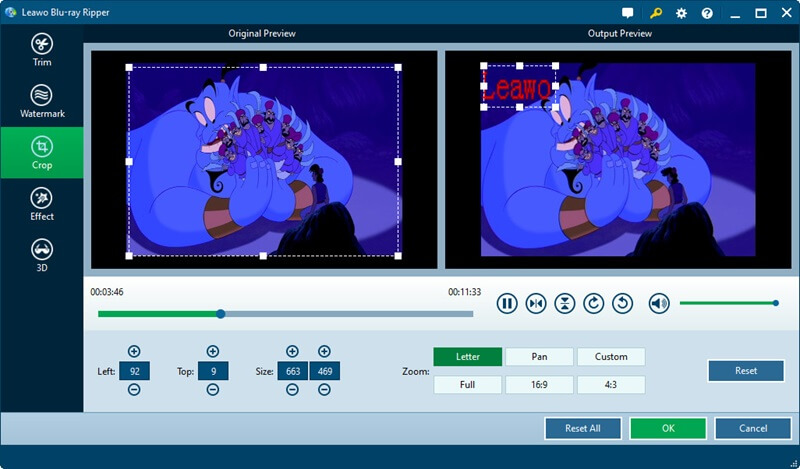
Let us introduce you to the Leawo Blu-ray Player. It is yet another user-friendly and one of the best free media players for Windows because of its Dolby, TrueHD, AAC, and DTS-HD support, customizable background and skins, and multi-angle feature to play videos.

Moreover, it is well-known for conserving CPU and battery life with a highly useful power management tool, full-screen video playing, effortless subtitle adjustment, and an easy option to change audio and video settings.

Furthermore, you can use this software to play HD videos, DVDs, audio files, ISO files, and Blu-ray (including 4K UHD). Additionally, it allows you to capture video screenshots and save them in a plethora of formats.


17. PowerDVD

PowerDVD

If you want the best free media player for Windows to run DVD files on your device, then you should try PowerDVD. This is a simple yet effective alternative to the above tools. The tool allows you to run videos and audio files of multiple formats with ease. Moreover, you can even set the dimensions and screen ratios of the videos with this app. PowerDVD also offers feasible and uninterrupted playback options for both videos and audio.


Wrapping Words

So, these are some of our top picks of the best media players for you. Choose the best-suited one to experience the utmost media satisfaction at your home TV. 

We hope that the article was of enough help to you. Refer to our well-researched rundown and check which Best Video Player you can eye for your PC. 

Best Drag Clicking Mouse (Gaming, Wireless & Cheap)

Best Drag Clicking Mouse in 2024 (Gaming, Wireless & Cheap)

May 23, 2024
0

Are you looking for the best drag-clicking mouse? Then, you have come to the right place. In this article, you will find the 8 most popular gaming mouse. Continue reading!
Wireless gaming mice provide the same level of accuracy as excellent gaming mouse without the inconvenience of wires. There is no dragging, and there is no pulling on the cable when it gets trapped under the corner of your display; there is only action that is cable-free to accommodate your gaming style.

The necessity for quicker click rates is something that you may have observed if you play video games regularly. You must deal with the damage more rapidly than your opponent, and that too correctly. It is one of the more effective methods for doing this, although it does need the use of a specialist mouse that is capable of withstanding the intensity of the gesture.

In this post, we will discuss the best mouse for drag clicking that you can use in 2024 to enhance your overall gameplay.

8 Top-Rated Drag Clicking Mouse in 2024

After thorough research, we have compiled a list of the 8 most powerful gaming mice that will surely take your gaming experience to the next level. Our list of best drag-clicking mouse helps you make an informed decision. Without further ado, let’s get started!

1. Roccat Kone Aimo Remastered

Roccat Kone Aimo Remastered

Roccat Kone Aimo Remastered is one of the intelligent gaming mice for drag-clicking. The Roccat Kone Aimo Remastered may be very pricey, particularly due to the number of features that it has. To begin, it enables players who have a decent amount of experience with drag-and-drop clicking to achieve frame rates of about sixty.

In addition to your skill and the outstanding accuracy it provides, the fact that the CPS is so good may be because it is large and made of a material that is gripping, which its predecessor does not have. If you are particular about cleanliness, this best gaming mouse for drag-clicking can be a good choice for you since it is resistant to dirt.

It is possible to program it to store up to 24 different functionalities, despite the fact that it only has 12 buttons. Additionally, you have the ability to customize its five different light zones to suit your preferences.

The fact that it makes use of optical switches, makes it more resistant to wear and has a longer lifespan. It is important to note, however, that these switches do not depend on a physical mechanism but rather on electric stimuli.

Get it Now

Also Read: Pictek Gaming Mouse Driver Download and Update


2. Redragon M711 Cobra

Redragon M711 Cobra

With around 20 clicks per second, the M711 Cobra from Redragon is another best drag-clicking mouse that you can use. Furthermore, in addition to its relatively large size, this mouse has two buttons on the side, which not only make it simple to reach them but also provide a good grip for your hand. It also has a reasonable latency rate, which is particularly impressive considering how sensitive it is to clicks.

This mouse with a drag-clicking mechanism has two onboard switches that allow for simple modifications to the DPI. While the first one saves predetermined DPI settings, the second one gives you the ability to modify it using the software that comes included with it. You can download the corresponding software online because it does not come on a CD.

Not only does it come with DPI switches, but it also has seven programmable buttons that allow you to save macros and actions. Please take note that the program is only compatible with PCs running Windows; nevertheless, you may still use it as a mouse on macOS.

Get it Now


3. Logitech’s G502 HERO

Logitech’s G502 HERO

Not only does Logitech’s G502 HERO excel in terms of its customizable buttons, but it also excels in terms of its grip and its immersive experience.

You may set it with a variety of instructions using the Logitech G HUB, which comes with eleven buttons. Furthermore, you are able to store five distinct profiles thanks to its onboard memory resources. In this manner, you can continue to utilize the mouse settings you want on every computer you operate.

To discover the weight profile that best suits your needs, you can attach or detach five weights weighing 3.6 grams each. It is essential to have a more comfortable hold on your mouse to achieve high CPS rates. Together with its high DPI range of up to 25,600, it also provides for improved cursor mobility, and it does so without taking acceleration into account.

The lighting system of the Logitech G502 HERO is able to synchronize with the colors and themes that you choose inside the game, which may assist in creating an atmosphere that is more conducive to an immersive experience. Overall, it is the best mouse for drag clicking available in the market.

Get it Now

Also Read: Best Game Boosters and Optimizers for Windows PC


4. Glorious Model O 2 Wireless

Glorious Model O 2 Wireless

Glorious Model 0 2 Wireless is another best drag-clicking mouse. This wireless gaming mouse is competitive because it not only comes with all of the essential features and specifications that are required for this industry, but it also comes at a price that is quite reasonable.

The maximum pixel density (DPI) of the BAMF 2.0 optical sensor is 26,000, which is much higher than the DPI of the Model O, which did not come out until 2020. As far as the appearance and sensation are concerned, the whole mouse is amazing. If a mouse with holes can be considered traditional, then the style is more traditional than other mouse designs.

In terms of its design, this mouse has a honeycomb pattern that ensures fine airflow for your palms. However, despite the fact that it may result in some clutter on your setup (unless you appropriately arrange your cables), its cable is also resistant to dragging.

Get it Now


5. Logitech G305 Lightspeed

Logitech G305 Lightspeed

The Logitech G305 Lightspeed is the company’s most affordable wireless gaming mouse, and it is known for its excellent performance. An affordable peripheral that offers good performance without breaking the bank. The pricing is in the middle of the spectrum, which puts it in competition with some excellent wired mouse; nevertheless, there is no compromise in terms of either performance or design.

Although components like the scroll wheel and buttons do not have the same luxury feel as those found in the G502, they are still much superior to anything that can be found in a low-cost gaming mouse. It can operate on a single AA battery for more than two hundred hours, which helps to keep the cost low in comparison to being rechargeable.

For many years, Logitech has been using a tiny, ambidextrous design, which served as the inspiration for the form of the G305. When compared to its pricing, the G305’s quality and performance are two of its most notable characteristics.

Get it Now

Also Read: Best Free PC Games Downloading Sites 


6. Razer Basilisk V3 Pro

Razer Basilisk V3 Pro

If you are seeking a mouse that can do a variety of tasks, the Razer Basilisk V3 Pro can be a fantastic option for you. Wired or Bluetooth connectivity is available for usage with this device. Apart from its suitable connectivity prospects, it also has other robust edges.

With its wireless charging design, it takes the term “wireless” to a whole new level; all you have to do is place it on the charging station that it comes with. Even more impressive is the fact that the battery may endure for a very long time. Compared to other mice, this one is a little bit more expensive; nonetheless, the features that it comes with make it well worth the money.

For instance, it provides capabilities like the sniper button and unlimited scroll, which are not available on other mouse models. These functions are not available on other mice. With a maximum DPI of 30,000, this device’s outstanding DPI range allows for rapid cursor movement as well as precision.

Get it Now


7. Razer Viper 8KHz

Razer Viper 8KHz

The next name on this list of the best drag-clicking mouse is the Razer Viper 8KHz. It is difficult to locate mice suitable for left-handed persons – the Razer Viper 8KHz is a fantastic option for left-handed users due to its neutral physical factor.

The construction of this mouse is such that it is not only lightweight but also comes with rubber on its sides, which provides an extraordinary grip. There is also a wireless version of it, in addition to the fact that it often comes with a sturdy braided cable.

In addition to this, it comes with a customized RGB lighting system and eight programmable buttons, all of which may be saved to the onboard memory of the device. It is also possible to modify its DPI to a maximum of 20,000. In addition to this, its polling rate of 8000 Hz results in insignificant latency rates, which in turn allows you to experience faster response times.

Get it Now


8. Logitech G303 Shroud

Logitech G303 Shroud

If you are still looking for the best drag-clicking mouse, then you may consider using the Logitech G303 Shroud mouse. The mouse uses the Delta Zero sensor technology for navigation. This mouse is quite lightweight and allows you to play games, work like a professional, and do a lot more with ease. The small and soothing LED light of the tool is also quite easy on the eyes and useful at night.

Get it Now

Also Read: Best Free Game Recording Software for Windows PC


Closing Words

When putting out your gaming setup, there are a lot of things to think about, particularly about the keyboard and mouse that you will be using. A good example would be to think about whether or not you want a keyboard that is specialized to macOS and a mouse that allows you to drag and drop. After all, it is your gameplay on the bar.

You will have an advantage over your opponents and targets if you utilize the right gaming mouse for drag-clicking. This will allow you to deal with damage more swiftly and precisely. The Logitech G502 HERO is, in our opinion, the greatest mouse for drag-and-drop clicking. Roccat’s Kone Aimo Remastered, on the other hand, can be just what you need if you are seeking the most value for your money.

Thus, you can choose the best drag-clicking mouse depending on your gaming requirements. Hopefully, you found the above-provided list helpful. If you have any questions or better suggestions, do tell us in the comments section below.

For more tech-related tips and other stuff, you can subscribe to our Newsletter.

1 Comment
    16 Best Free Audio Editing Software For Windows in 2021 says: Reply
    January 2nd 2021, 2:51 pm

    […] Read More: 10 Best Free Music Making Apps to Make Your Own Music […]

Leave a Reply Cancel reply

Your email address will not be published. Required fields are marked *

Sidebar Image bit G ad1

Latest Posts

  • Best Ways to Fix Facebook Session Expired Loop Error  (1)
    Best Ways to Fix Facebook Session Expired Loop Error 
    by Gunjita Sompura / April 28, 2026
  • React vs Vue
    React vs Vue Detailed Comparison in 2026
    by Gunjita Sompura / April 23, 2026
  • Top Image Resizing software for Windows PC 
    by Dikshika Singh / April 21, 2026
  • How-To-Download-and-Install-Windows-Fax-And-Scan-In-Windows-11
    How To Download and Install Windows Fax and Scan in Windows 11
    by Dikshika Singh / April 15, 2026
  • How-To-Run-Control-Panel-As-Administrator
    How To Run Control Panel as Administrator in Windows 10/11 
    by Dikshika Singh / April 14, 2026

Categories

  • Cyber Security
  • Driver Updater
  • Entertainment
  • Fitness
  • Games
  • How To
  • laptop
  • OS
  • Reviews
  • Tech News
  • Tips & Tricks
  • Top 10
Sidebar Image bit G ad1
30 Best Online Games For PC (Free & Paid) In 2024 31 Best Online Games For PC (Free & Paid) In 2024by Prachi Dani / May 23, 2024
6 Best Free Twitch Emote Maker in 2024by Harshita / May 23, 2024Best Free Twitch Emote Maker
TechPout Footer Logo

We at TechPout promise to put forth stories that help people to learn and simplify their digital life. Our purpose is to share the true essence of technology with our tech-loving community.

Useful Links

  • About Us
  • Contact us
  • Privacy Policy

Popular Posts

  • Best PC Optimizer Software
  • Best Mac Cleaner Apps
  • Best Driver Updater
  • Duplicate Photo Finder and Cleaner Software
  • Best Free Movie Download Sites
  • Best IPTV Players

Follow us

Copyright © 2026 www.techpout.com. All rights reserved
DMCA.com Protection Status