Main LogoLight Logo
  • Reviews
  • Top 10
  • How To
  • Tech News
  • OS
    • Windows
    • MAC
    • iOS
    • Android
  • Categories
    • Driver Updater
    • Cyber Security
    • Games
    • Fitness
    • Entertainment
    • Tips & Tricks
Android iOS Top 10
by Monil

11 Best Dating Apps For Android and iOS in 2024

February 7, 2024
1

In today’s interconnected world, when everything else has gone digital, why not dating?

However, finding the perfect soulmate that lives to your potential isn’t an easy task; but, dedicated best dating apps come in handy for young enthusiasts when it comes to meeting new people.

With the plethora of free dating apps available online, it gets tough to choose the right one. However, you don’t need to worry anymore as we have done all the heavy lifting to help you pick your perfect online dating experience.

From insouciant hook-ups and romantic relationships to expanding your social network or just new intimate friendships, the best free mobile dating apps are here to help.

Table of Contents hide
List of Top Online Dating Apps to Find Your Perfect Relationships in 2024
#1. Tinder – Dating & Meet People
#2. Happn – Dating app
#3. OkCupid – Online Dating App
#4. Badoo – Dating. Chats. Friends
#5. Bumble – Dating, Friends & Bizz
#6. JAUMO – Flirt Chat & Dating
#7. Hinge – Dating & Relationships
#8. Grindr – Gay chat
#9. Mingle2 – Free Online Dating for Singles
#10. Asiandate – Free Online Dating Asians
11. Coffee Meets Bagel Dating App
Final Verdict

List of Top Online Dating Apps to Find Your Perfect Relationships in 2024

Let’s Jump Right into The World of Best Dating Apps.

#1. Tinder – Dating & Meet People

Tinder - Best Dating App

Compatibility: Android 6.0 & up and iOS 11.0 or later

Cost: Free (In-app purchases)

Installs: 100,000,000+

With nearly 30 billion perfect matches to date, Tinder has been rated as one of the world’s most popular dating app for meeting new people.

The app offers an interesting Swipe feature, meaning 2 people will only match when there’s a mutual interest.

Read Also: Best Instagram Followers Apps For Android and iOS

The app displays new profiles in your area every time you load it, and you can easily swipe the photo to the right if you like someone or swipe left to pass if you are not interested in them.

If you and another person have both swiped right, then it’s a match and you’ll be able to chat online with your new friend and set something up in real-world with Tinder as one of the best free dating apps in 2024.

Download App: Android and iOS


#2. Happn – Dating app

Happn Dating App

Compatibility: Android 5.0 & up and iOS iOS 10.3 or later

Cost: Free (In-app purchases)

Installs: 50,000,000+

With more than 50 million users, Happn is one of the most impressive online dating app which lets you find the people you’ve crossed paths with IN REAL LIFE.

Maybe you smile at your secret crush every day when you burn your calories while morning walk but you can’t build up the courage to approach? If so, Happn could be the perfect option as one of the best free dating apps 2024 for you.

Download App: Android and iOS


#3. OkCupid – Online Dating App

OkCupid

Compatibility: Android 5.0 & up and iOS iOS 11.0 or later

Cost: Free (In-app purchases)

Installs: 10,000,000+

With an easy-to-use and user-friendly interface, OkCupid has managed to garner a great deal of positive feedback across a wide spectrum of online daters.

This app offers unique experiences of dating by helping you find a match based on who you really are and what you love.

Whether it’s casual dating or a long-term relationship, OkCupid can help you find love, build emotions and go on great dates. Use this one of the best and free dating apps 2024 today!

Download App: Android and iOS


#4. Badoo – Dating. Chats. Friends

Badoo

Compatibility: Android 5.0 & up and iOS 12.0 or later

Cost: Free (In-app purchases)

Installs: 100,000,000+

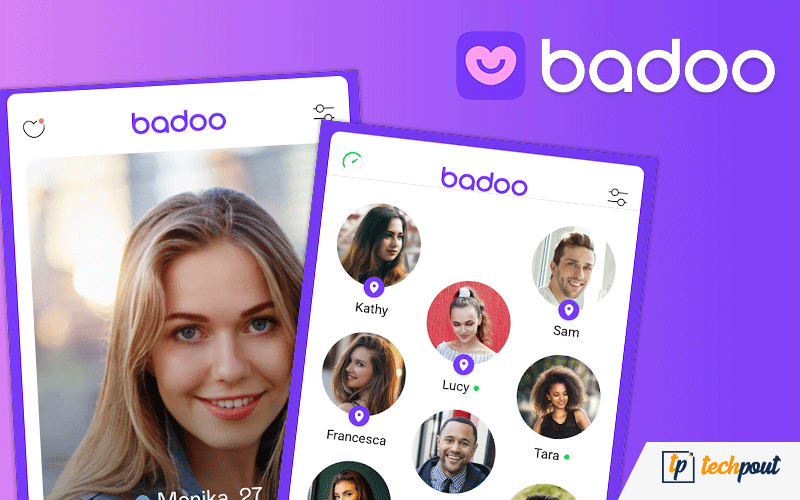
With over 400 million users in 190 countries, Badoo is currently rated as the world’s largest free dating app to meet your new favorite person.

This app offers an outstanding set of features to help you find interesting matches of nearby users, from a Tinder-like swiping system.

While this one of the top best online and most popular dating apps 2024 is free to use, you can also subscribe to its premium version for additional “superpowers” to stand out from the crowd.

Download App: Android and iOS


#5. Bumble – Dating, Friends & Bizz

Bumble

Compatibility: Android 5.0 & up and iOS 12.0 or later

Cost: Free (In-app purchases)

Installs: 10,000,000+

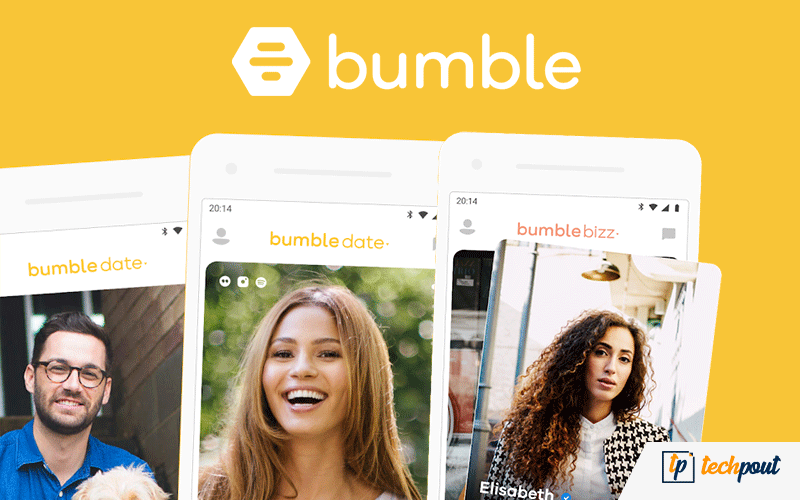
Bumble is a location-based online dating app that can help you build esteemed relationships, find new friends, and make meaningful connections.

Unlike other free dating apps, Bumble has a womanish approach and allows a woman to make the first move and start the conversation after two persons connect.

Read More: Best Zumba Apps to Get a Toned Body

This app does an excellent job of saving time by giving only 24 hours to respond or the connection expires forever.

In homosexual matches, either person has to make the first move within 24 hours, while the other individual has 24 hours to make a riposte or else, the connection disappears. Hence this one of the best and free dating apps 2024 allows you to move smartly.

Download App: Android and iOS


#6. JAUMO – Flirt Chat & Dating

Jaumo

Compatibility: Android 5.0 & up and iOS 10.0 or later

Cost: Free (In-app purchases)

Installs: 50,000,000+

Jaumo, as one of the top best online and most popular dating apps 2024, aims to improve your social life by giving a platform to establish new bonds and meaningful relations with singles and people near your area.

Jaumo is a user-friendly free dating app with over 30 million Jaumo members.

With this best-rated dating app, you can flirt your way to discovering new friends or true love with ease.

Download App: Android and iOS


#7. Hinge – Dating & Relationships

Hinge Dating App

Compatibility: Android 5.0 & up & iOS 11.3 or later

Cost: Free (In-app purchases)

Installs: 5,000,000+

Unlike other online dating apps, Hinge is refusing to follow the footsteps instigated by swipe-driven apps like Tinder.

In today’s online dating world, Hinge relies on Facebook to find the best matches showing you, potential dates with common friends & interests.

Hinge has a smooth Tinder-like interface to answer a bunch of questions with the Swipe function, making it an excellent mobile dating app to find the best matches.

Hinge might come later on the list of best dating apps, but it is definitely worth trying as it is one of the best-rated dating apps.

Download App: Android and iOS


#8. Grindr – Gay chat

GRINDER

Compatibility: Android 5.0 & up & iOS 13.0 or later

Cost: Free (In-app purchases)

Installs: 10,000,000+ 

If you are looking for a dating app for homosexuals or gays, then Grindr is the best dating app for you. 

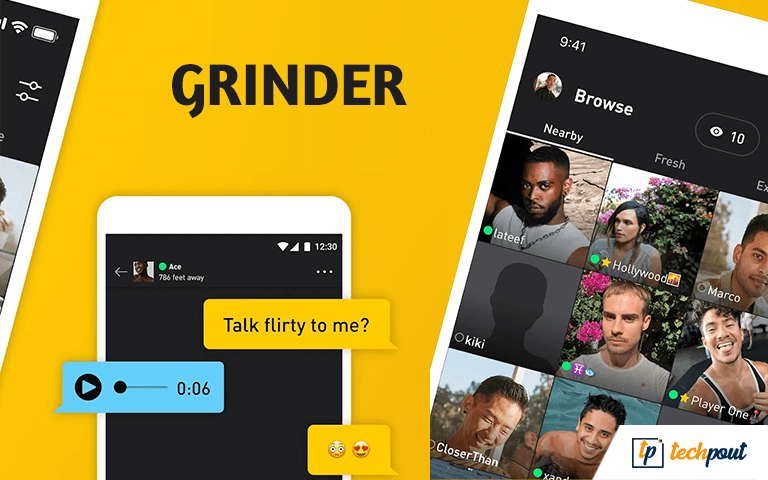
The app allows you to explore potential matches on the app very easily. Then you can chat with the selected profile if the other person is also interested. 

You can see the profiles of other users on Grindr according to their and your location. Additionally, the app allows you to block or star the profiles as you like with a single tap. 

Grindr is one of the best free dating apps in 2024  that is customizable. The more information you provide, the more the chances of getting potential suggestions and matches with ease.

Download App: Android and iOS


#9. Mingle2 – Free Online Dating for Singles 
Mingle2

Compatibility: Android 5.0 & up & iOS 13.0 or later

Cost: Free (In-app purchases)

Installs: 5,000,000+

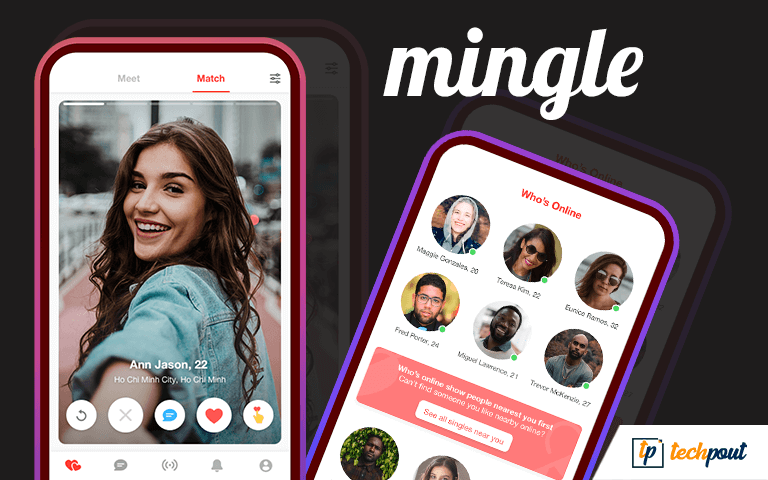
The next on our list of the best free dating apps in 2024 is Mingle2. This is one of those few apps that allow you to find dates online for free. It does not charge anything for dating. 

The app provides recommendations for your profile according to your profile. You can easily grab the attention of a user with Mingle2. For this, you need to send them a SuperLike, Wink, or other reactions. 

Why this is one of the best dating apps because of its safest norms. These norms allow you to block anyone you want with a single tap. 

Download App: Android and iOS

Also Read: Best Online Video Chat Websites


#10. Asiandate – Free Online Dating Asians

Asiandate - Free Online Dating Asians

Compatibility: Android 4.1 & up & iOS – unavailable 

Cost: Free (In-app purchases)

Installs: 5,000,000+

The last on this list of the best free dating apps in 2024 is Asiandate. Just like its name, the app is specially designed to provide dating online services in Asia. Hence, Asians can easily find the partner they are looking for here. 

The app allows you to get dates according to your region and interests. You can join the app and see the profiles of others for free. 

One of the best features of this one of the best dating apps is that it is one of the new dating apps that actually work. 

Download App: Android


11. Coffee Meets Bagel Dating App
Coffee Meets Bagel Dating App

Compatibility: Requires Android 7.1 or above

Costs: Free (In-app purchases)

Installs: 5M+

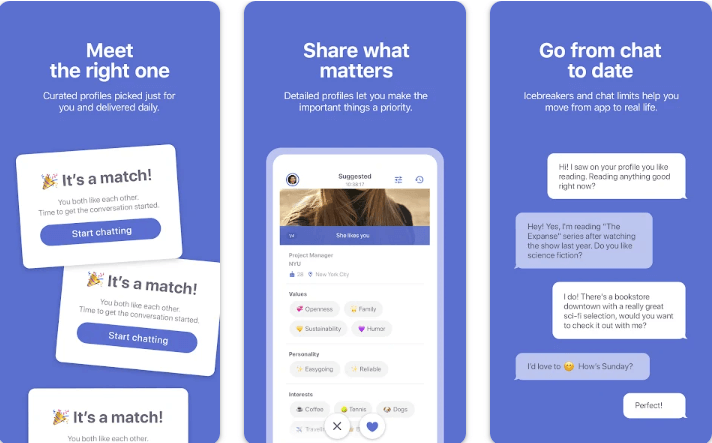
Coffee Meets Bagel is another ideal dating app, especially for those tired of dating games and looking for something serious. The app’s smart algorithm only focuses on quality over quantity and inspires people to rather get to know each other before meeting in person.

Moreover, the application’s Ladies Choice unique feature empowers women out there to initiate the first move and only receive messages from men they have approved. Coffee Meets Bagel is a free dating app, however, you can always upgrade to the Premium version to unlock its full potential. In sum, it is one of the best dating apps to consider, if you want to go on real dates.

Download App: Android


Final Verdict

In today’s digital era, good dating apps are transforming the way people make meaningful connections and find their perfect match in the real world.

The dating apps listed above are some of the top dating apps for Android and iOS on the basis of ease and popularity.

You can get all of these best dating apps on the Google Play and iTunes App Store for free; use them and find new friends or potential romantic partners in your area just using a fingertip.


Best Dating AppsBest Dating Apps For Android & iOSBest Free Dating AppsDating AppsDating Apps For AndroidDating Apps For iOSFree Mobile Dating AppsOnline Dating AppsTop Dating Apps
Author

Monil

Monil is a professional writer whose forte is absorbing a lot of data and help large technical organizations convey their message clearly across multiple products. An engineer by qualification, his affinity for design enables him to write to inspire, energize, and influence various audiences to uncover their true potential. When not writing, Monil is likely to be found listening to music, traveling, or simply excavating into his favourite cuisines.

View all posts

Related Posts
Best Clipboard Managers for Mac

8 Best Clipboard Managers for Mac in 2024 (Free and Paid)

April 1, 2024
0

The best paid and free Mac clipboard managers help you effortlessly copy, paste, and access copied content. Hence, you may read this article to know about them.

Copy and paste are among the most performed tasks on a computer. We often copy/paste a variety of content, such as text, images, etc., from one location to another. However, this task becomes tedious and time-consuming without efficient clipboard managers.

Therefore, if you are looking for the best clipboard managers for Mac to make copying and pasting an effortless activity, you should read this article.

Through this write-up, we present an exhaustive list of the best paid and free clipboard managers for Mac available currently. Let us proceed toward the same without any further ado.

List of the Best Clipboard Managers for Mac in 2024

The following are the best paid and free clipboard managers for Mac you may use to make content copying and pasting an effortless task.

1. Flycut

Flycut

Let us begin the list of the top clipboard managers for Mac with Flycut. It is an open-source application used mainly by developers.

With this application, you can copy and paste URLs, code snippets, and basic text. All you need to do is click on the icon to access the snippet and then control-click the snippet to work with it.

Moreover, integration with Dropbox to create clipboard history backups is among Flycut’s best features, making it one of the worth trying free clipboard managers for Mac.

Download Now

Also Read: Best Free Mac Cleaner Apps to Clean and Optimize Your Mac


2. Paste

Paste

You should try Paste if you are looking for the best clipboard managers for Mac. It supports all kinds of content, such as links, images, files, and text.

The most likable thing about Paste is that it stores all the content you copy on your device and lets you find it effortlessly using the search function. Moreover, you can categorize whatever you have copied into neatly organized pins.

Furthermore, there are options like pasting with no formatting, selecting and pasting items at once, and rule-setting to simplify the content pasting.

In addition to it, Paste also supports data syncing through iCloud so that all clippings are available on all your devices.

Download Now


3. CopyClip

CopyClip

CopyClip is also a great choice for the best free clipboard managers for Mac if you wish to copy-paste tables and other plain text.

Some of the most attractive features of CopyClip include limits on the snippets the software can store (it saves disk space) and the exclusion of some apps from getting saved to the clipboard history.

However, if you wish to maintain formatting while copying data, you should consider other applications on this list of the best clipboard managers.

Download Now

Also Read: Best Task Management Apps for Mac


4. CopyClip 2

CopyClip 2

When discussing the best clipboard management apps for Mac, we cannot skip CopyClip 2. It is an advanced version of CopyClip with several useful features.

Recording formatted text, saved snippet editing, clip pinning, limiting the number of saved clips, and exclusion of content saving from certain apps are some of the top CopyClip 2 features.

Additionally, CopyClip 2 also boasts touch bar integration on MacBook Pro for easy clip access.

Download Now


5. Maccy

Maccy

Maccy is among the most popular free clipboard managers for Mac due to its simple yet modern UI and design. Moreover, this open-source and lightweight application comes with a variety of useful features.

Some notable features of Maccy include hotkey support, lower resource consumption, and customization options like content pasting with no formatting.

Download Now


6. Copy ‘Em

Copy ‘Em

Copy ‘Em is a wonderful choice when it comes to the best clipboard managers for Mac. You may use this application to cut/copy/paste all forms of data, such as photos, text, documents, HTML, PDFs, code snippets, and a lot more.

Moreover, Copy ‘Em supports batch copying and pasting of items, screenshot capturing, data collection, permanent storage of favorite entries, and shortcuts to paste snippets.

Furthermore, this application boasts organization, sorting, and labeling options for copied items. If this is not enough to delight you, there are other features like content syncing between various devices and an ignore list to exclude the content you don’t wish to copy.

Download Now

Also Read: Best Uninstaller for Mac


7. PasteBox

PasteBox

Let us conclude the list of the best clipboard managers for Macs with PasteBox. It is a lightweight application that boasts many features, such as easy copying of various data types like text, photos, web pages, and more.

In addition to effortless copying, PasteBox provides easy access to the copied content with a keyboard shortcut. Moreover, there is a snippet management tool to aid efficient snippet organization and management.

Furthermore, there are many other highly-useful options like the exclusion of apps from data copying, persistent history, snippet export/import, and a lot more.

Download Now


8. Anybuffer

Anybuffer

Let us introduce you to Anybuffer. It is among the best free applications for clipboard management on Mac because of its effortless organization of all things, allowing you to organize and store all your documents, plain text, and image and video links so that you never lose them.

Moreover, it syncs all things you copy to iCloud so that you can access it from all your Apple devices. Furthermore, it boasts a highly useful search tool to help you effortlessly find all your saved content.

Download Now


Summing Up the Clipboard Managers

This article introduced you to the best paid and free clipboard managers for Mac. You may go through them and choose the appropriate application for your requirements.

If you think any other application also deserves a spot on this list of the best Mac clipboard managers, you may share it through the comments section. You may also leave comments in case of any doubts, questions, or suggestions related to this article.

12 Best Email Clients For Windows 10 PC In 2021 (Free & Paid)

14 Best Email Clients For Windows 10, 11 PC In 2024

December 27, 2023
0

We are living in a modern age of information where emails have a huge impact on our daily work life – they are among the most reliable forms of communication in the world of business.

However, keep in mind that communicating via emails isn’t all rainbows and unicorns.

If you’re using multiple email accounts, you must have been aware of how hard and overwhelming it can get to manage your chaotic inbox from a web-based interface. 

An email client can come in extremely handy, especially if you want to manage and sync all your emails from multiple accounts in one unified Inbox.

A number of email clients available in the marketplace come only with a blend of basic features, while a few paid ones support exceptional things like data encryption, phishing protection, auto-backups, direct messages, etc.

While shortlisting the best email client for Windows 10, it is important that you pay close attention to the productivity-boosting features that it claims to provide. 

To help you decide which is right for you, we made a comprehensive list of the best Windows email clients 2024 has to offer. 

Before we move on to them, let’s take a glimpse at the email client usage data of some of the most popular email service providers:

Email Client Market Share

According to the Litmus Email Analytics report, here are the top leading email clients used by people around the world (Statistics as of 1 December 2020):

  1. Apple iPhone – 38%
  2. Gmail – 27%
  3. Apple Mail – 12%
  4. Outlook – 9%
  5. Yahoo! Mail – 5%
  6. Samsung Mail – 2%
  7. Apple iPad – 2%
  8. Google Android – 1%
  9. Windows Live Mail – 0%
  10. Outlook.com – 0%

These email clients can be used for both personal and commercial purposes. Now, without further ado, we present you our choices for the best email programs for Windows 10. Let’s check them out.


Best Free & Paid Desktop Email Clients For Windows In 2024

Below are some of the best email clients for Windows 10 available in the industry. Let’s scroll through the list! 

1. Gmail (Free)

Gmail - Best Email Clients for Windows 10

Supported platforms: Windows, Mac, Linux, Mobile, and Web

Google’s webmail juggernaut, Gmail first came into existence in 2004 and now after almost 16 years still ranks among the world’s leading free email services available today. 

Gmail is available completely free of charge for personal use, but if you want to enjoy additional business-oriented collaboration tools, you can purchase a G Suite license for a cheap price, starting at $6 per user.

Read More: 11 Best Email Marketing Software To Grow Your Business

Notable Offerings: 

  • 15GB of free storage space
  • Automatically blocks spam messages to keep your account clutter-free
  • It lets you manage multiple accounts through a single inbox, including non-Gmail ones such as Yahoo, Outlook, etc.
  • Social and marketing messages are neatly sorted into different categories

2. Mailbird (Paid)

Mailbird - Best Windows Email Clients
 

Supported platforms: Windows 7, 8 and 10

In today’s competitive marketplace, Mailbird is one of the world’s best Windows email clients, trusted by millions of users for managing multiple accounts effortlessly.

An intuitive and beautifully designed interface that comes with a lot of useful features and lets you connect with all of your favorite apps (Facebook, WhatsApp, Twitter, Google Docs, etc.) from one screen. 

Notable Offerings: 

  • Unified inbox 
  • Email speed reader
  • Connect via Linkedin in just one-click
  • The excellent attachment search option
  • Powerful inline reply feature
  • Multi-language support
  • Round-the-clock email support for free

3. Microsoft Outlook (Paid)

Microsoft Outlook
 

Supported platforms: Windows, Mac, Mobile, and Web

Microsoft Outlook, originally known as Hotmail, is a globally renowned email client program, used by many of the world’s largest corporate firms to stay connected and conduct business. 

The program is a part of the office 365 suite, and can either be used as a standalone service or work with Microsoft SharePoint and Exchange Server for a wide spectrum of users in an organization.

Notable Offerings:

  • Easy access to emails and calendar 
  • 15GB of mailbox storage with 5GB of OneDrive space 
  • Office app integrations (Microsoft Word, Excel, PowerPoint, etc.)
  • Data encryption and protection from ransomware and dangerous links
  • Create and register domains for your email accounts

4. eM Client (Paid)

eM Client


Supported platforms: Windows and macOS

Developed in 2006, eM Client is another famous name in the world of best email apps for Windows and Mac devices. 

What’s great about this software compared to its competitors is that it includes a unique sidebar option that provides quick access to the communication and attachment history, live chat, and agendas. 

Notable Offerings:

  • The application has a modern, user-friendly interface
  • Fast and customizable search options
  • Supports PGP encryption to provide the utmost security 
  • Automatically takes a complete backup of your data while you’re working
  • Multilingual support

5. Thunderbird (Free) 

Thunderbird
 

Supported platforms: Windows, Mac, and Linux

The perfect combination of potent features and an easy-to-use interface makes Thunderbird one of the best email programs for Windows 10 available in the current marketplace. 

Developed by Mozilla Foundation in 2003, Thunderbird attempts to make the email experience better for you by bringing lightning-fast speed and top-notch security together in one place.

Being a free email client, it focuses on ease of use instead of providing a jumble of needless features.

Notable Offerings:

  • Tabbed email option to let you open multiple emails at the same time
  • Quick filter toolbar to help you filter your emails instantly
  • It lets you optimize your inbox by archiving your messages
  • Amazing attachment reminder option

6. Hiri (Paid)

Hiri
 

Supported platforms: Windows, Mac, and Linux

Hiri is a business-centric premium email client service that was launched in 2012 as an effective alternative to other best email apps (such as MS Outlook and Thunderbird) of that time. 

It’s easy to use and configure and has a highly responsive interface that makes it one of the best Windows email clients of all time. 

Read More: 15 Best Social Media Apps For Your Business Marketing

Notable Offerings:

  • Task list to ensure you never forget your important emails
  • Split your emails effectively with Action/FYI filters
  • Decent subject lines
  • Snooze emails for a later time

7. Inky (Paid)

Inky
 

Supported Platforms: Windows, Mac, Mobile

INKY is a cloud-based email client program that’s designed primarily to protect your emails against phishing attacks with the help of artificial intelligence (AI) and machine learning. 

The intuitive and seamlessly designed interface with top-notch security solutions against emerging phishing threats makes INKY one of the best email clients for Windows 10 and older editions. 

Notable Offerings:

  • Easy-to-use, modern dashboard that provides you with complete visibility 
  • Blocks malware, spyware, and other harmful infections
  • Next-generation email protection with computer vision, AI, and machine learning algorithms
  • INKY is easy to integrate into Exchange, Office 365, and G Suite

8. Mailspring (Free)

Mailspring
 

Supported platforms: Windows, Mac, and Linux 

One of the most prominent options for the best email clients for PC is Mailspring. It offers a host of features, including link tracking, quick search, customizable themes and layouts, and many others.

The interface of the program is clean and is available in 9 languages, including French and Russian. For a free email client program, Mailspring definitely offers more than it should. 

Notable Offerings:

  • It supports all popular email service providers (such as Gmail, Outlook, Yahoo, etc.)
  • It lets you create beautiful signatures with your pictures
  • Automatic spell-check  features to easily spot misspelled words
  • Advanced search, Undo and dark mode theme options 

9. Spike

Spike
 

Supported platforms: Windows, Mac, Web, Android, and iOS

If you are looking for the best email client for Windows 10, you should definitely consider exploring the features of Spike’s conversational email app. Unlike other desktop email clients, it focuses on a unique concept that allows users to manage emails via a messenger chat app-like format.

Notable Offerings:

  • Conversational email format
  • Saves a lot of time by allowing you to communicate in real-time
  • Live, group chat options
  • Voice and video calls
  • Powerful file management features, including drag and drop

10. Claws Mail (Free)

Claws Mail
 

Supported platforms: Windows and Linux

Anyone unsure about where to look for managing multiple email accounts should try out Claws Mail. It offers a wide array of features despite the fact that it’s a free tool. That’s why Claws Mail has become a quite popular name among a wide spectrum of Windows users. And that’s the main reason behind it being rated as the best Windows email client program.

Notable Offerings:

  • A lightweight program with a user-friendly interface
  • Anti-spam and anti-phishing protection 
  • Multiple templates for emails
  • Email archiving, customizable toolbars, themes, and search filters options 

11. Loop Email (Paid)

Loop Email
 

Supported platforms: Windows, Mac, Android, and iOS

Are you still searching for the best email clients for Windows 10? If you’ve come this far, you should definitely give Loop Email a shot. It’s packed with a lot of tempting features that not only allow you to chat with your coworkers but also let you email your clients in the most efficient manner. Loop Email makes working remotely simple and that’s why it is considered one of the best email apps for Windows.

Notable Offerings:

  • Manage multiple email accounts with its easy-to-use features
  • It lets you integrate virtual assistants 
  • It seamlessly works with your existing email services such as Gmail, Outlook, etc.

12. Postbox – The Power Email App (Paid)

Postbox - The Power Email App

Supported Platforms:- Windows and macOS

Now, next on this rundown, here is one of the powerful email apps – Postbox. It is the perfect bet for professionals. Effortlessly, you can manage all your email accounts in one place i.e, Postbox. The impressive but simple and clean user interface of Postbox makes it easy to understand the functionality, even for beginners as well. Moreover, Postbox lets you personalize templates directly to the recipients. Undoubtedly, it is one of the best email apps for both Mac and Windows. Write like a pro with PostBox – The Power Email App. 

Notable Offerings:

  • Natively integrated with OneDrive and Dropbox.
  • Equipped with the in-built HTML editor.
  • Allows you to create personalized templates.
  • Attarctive and simple UI.
  • Comes with a professional-class composition tool that enhances writing efficiency and style as well. 
  • Task list to make sure all-important emails.

13. Mail and Calendar (Free)

Mail and Calendar

Supported Platforms:- Windows

The last name on this list of the best email clients is Mail and Calendar. This is a free alternative from the house of Microsoft. With the help of this tool, even a beginner can easily manage all the emails received. Additionally, the interface of the software is quite simple and minimalistic. The app works in integration with other platforms like Microsoft Outlook, MS Office 365, Gmail, Yahoo, and more.

Notable Offerings:

  • Easy to use.
  • Shows all emails unitedly.
  • Interface Customization options.
  • Multiple handy features and buttons.
  • Easy to access and maintain multiple accounts.
  • Shows important emails at the top.

14. Spark Email (Paid)

Spark Email

Supported Platforms: Windows, Mac, Android, iOS

Spark Email is a powerful and user-friendly email client available for Windows PCs. It offers an intuitive and seamless communication experience. This email client is designed to nurture the focus through Smart Inbox and Home Screen with the forte to refine your overall workflow. With its powerful features and sleek design, Spark Email stands out as an ideal solution for handling your emails efficiently. This program not only streamlines the inbox but also provides smart features that quickly adapt to your desired communication style.

Notable Offerings:

  • This email client for Windows automatically categorizes & prioritizes emails, ensuring efficient email inbox management.
  • Great team collaboration by letting multiple users collaborate, contribute and easily edit email drafts.
  • Allows you to schedule emails for better communication.
  • Spark Email provides personalized gestures to instantly manage emails, improving the overall user experience.

Also Read: Best Email Extractor Online Tools


Manage Your Multiple Email Accounts with Best Email Clients

Now that you know how to manage all your contacts and emails from multiple accounts through a unified inbox, we advise you to compare different email apps from the aforementioned list and choose the one which is best suited for you. 

We hope our curated list helped you sort out the best email client for your Windows 10 PC. 

So, which email client did you end up getting? Let us know in the comments section below! 

1 Comment
    Dice says: Reply
    August 12th 2019, 5:54 pm

    I was studying some of your articles on this internet site and I think this website is real informative! Keep posting.

Leave a Reply Cancel reply

Your email address will not be published. Required fields are marked *

Sidebar Image bit G ad1

Latest Posts

  • How to Fix Monitor Ghosting – 2021 Step by Step Guide
    What Is Monitor Ghosting and How Do I Fix It?
    by Niharika / April 9, 2026
  • 14 Best Free Tools & Utility Apps For Android in 2024
    15 Best Utility Apps For Your Android Smartphones in 2026
    by Snigdha / April 8, 2026
  • windows 11 installation assistant download
    Windows 11 Installation Assistant Download 
    by Niharika / April 7, 2026
  • Best-vistaprint-alternatives
    Best Vistaprint Alternatives to Use in 2026 
    by Gunjita Sompura / April 1, 2026
  • Best-Data-Labeling-Software-to-use-in-2026
    Best Data Labeling Software to Use in 2026
    by Niharika / March 27, 2026

Categories

  • Cyber Security
  • Driver Updater
  • Entertainment
  • Fitness
  • Games
  • How To
  • laptop
  • OS
  • Reviews
  • Tech News
  • Tips & Tricks
  • Top 10
Sidebar Image bit G ad1
Best Free AI Content Generator & AI Writers 6 Best Free AI Content Generator & AI Writers For 2024by Devesh / February 7, 2024
5 Best Free VPN for Craigslist in 2024by Akshara Parnami / February 7, 2024Best Free VPN for Craigslist
TechPout Footer Logo

We at TechPout promise to put forth stories that help people to learn and simplify their digital life. Our purpose is to share the true essence of technology with our tech-loving community.

Useful Links

  • About Us
  • Contact us
  • Privacy Policy

Popular Posts

  • Best PC Optimizer Software
  • Best Mac Cleaner Apps
  • Best Driver Updater
  • Duplicate Photo Finder and Cleaner Software
  • Best Free Movie Download Sites
  • Best IPTV Players

Follow us

Copyright © 2026 www.techpout.com. All rights reserved
DMCA.com Protection Status