Main LogoLight Logo
  • Reviews
  • Top 10
  • How To
  • Tech News
  • OS
    • Windows
    • MAC
    • iOS
    • Android
  • Categories
    • Driver Updater
    • Cyber Security
    • Games
    • Fitness
    • Entertainment
    • Tips & Tricks
Android iOS Top 10
by Monil

11 Best Dating Apps For Android and iOS in 2024

February 7, 2024
1

In today’s interconnected world, when everything else has gone digital, why not dating?

However, finding the perfect soulmate that lives to your potential isn’t an easy task; but, dedicated best dating apps come in handy for young enthusiasts when it comes to meeting new people.

With the plethora of free dating apps available online, it gets tough to choose the right one. However, you don’t need to worry anymore as we have done all the heavy lifting to help you pick your perfect online dating experience.

From insouciant hook-ups and romantic relationships to expanding your social network or just new intimate friendships, the best free mobile dating apps are here to help.

Table of Contents hide
List of Top Online Dating Apps to Find Your Perfect Relationships in 2024
#1. Tinder – Dating & Meet People
#2. Happn – Dating app
#3. OkCupid – Online Dating App
#4. Badoo – Dating. Chats. Friends
#5. Bumble – Dating, Friends & Bizz
#6. JAUMO – Flirt Chat & Dating
#7. Hinge – Dating & Relationships
#8. Grindr – Gay chat
#9. Mingle2 – Free Online Dating for Singles
#10. Asiandate – Free Online Dating Asians
11. Coffee Meets Bagel Dating App
Final Verdict

List of Top Online Dating Apps to Find Your Perfect Relationships in 2024

Let’s Jump Right into The World of Best Dating Apps.

#1. Tinder – Dating & Meet People

Tinder - Best Dating App

Compatibility: Android 6.0 & up and iOS 11.0 or later

Cost: Free (In-app purchases)

Installs: 100,000,000+

With nearly 30 billion perfect matches to date, Tinder has been rated as one of the world’s most popular dating app for meeting new people.

The app offers an interesting Swipe feature, meaning 2 people will only match when there’s a mutual interest.

Read Also: Best Instagram Followers Apps For Android and iOS

The app displays new profiles in your area every time you load it, and you can easily swipe the photo to the right if you like someone or swipe left to pass if you are not interested in them.

If you and another person have both swiped right, then it’s a match and you’ll be able to chat online with your new friend and set something up in real-world with Tinder as one of the best free dating apps in 2024.

Download App: Android and iOS


#2. Happn – Dating app

Happn Dating App

Compatibility: Android 5.0 & up and iOS iOS 10.3 or later

Cost: Free (In-app purchases)

Installs: 50,000,000+

With more than 50 million users, Happn is one of the most impressive online dating app which lets you find the people you’ve crossed paths with IN REAL LIFE.

Maybe you smile at your secret crush every day when you burn your calories while morning walk but you can’t build up the courage to approach? If so, Happn could be the perfect option as one of the best free dating apps 2024 for you.

Download App: Android and iOS


#3. OkCupid – Online Dating App

OkCupid

Compatibility: Android 5.0 & up and iOS iOS 11.0 or later

Cost: Free (In-app purchases)

Installs: 10,000,000+

With an easy-to-use and user-friendly interface, OkCupid has managed to garner a great deal of positive feedback across a wide spectrum of online daters.

This app offers unique experiences of dating by helping you find a match based on who you really are and what you love.

Whether it’s casual dating or a long-term relationship, OkCupid can help you find love, build emotions and go on great dates. Use this one of the best and free dating apps 2024 today!

Download App: Android and iOS


#4. Badoo – Dating. Chats. Friends

Badoo

Compatibility: Android 5.0 & up and iOS 12.0 or later

Cost: Free (In-app purchases)

Installs: 100,000,000+

With over 400 million users in 190 countries, Badoo is currently rated as the world’s largest free dating app to meet your new favorite person.

This app offers an outstanding set of features to help you find interesting matches of nearby users, from a Tinder-like swiping system.

While this one of the top best online and most popular dating apps 2024 is free to use, you can also subscribe to its premium version for additional “superpowers” to stand out from the crowd.

Download App: Android and iOS


#5. Bumble – Dating, Friends & Bizz

Bumble

Compatibility: Android 5.0 & up and iOS 12.0 or later

Cost: Free (In-app purchases)

Installs: 10,000,000+

Bumble is a location-based online dating app that can help you build esteemed relationships, find new friends, and make meaningful connections.

Unlike other free dating apps, Bumble has a womanish approach and allows a woman to make the first move and start the conversation after two persons connect.

Read More: Best Zumba Apps to Get a Toned Body

This app does an excellent job of saving time by giving only 24 hours to respond or the connection expires forever.

In homosexual matches, either person has to make the first move within 24 hours, while the other individual has 24 hours to make a riposte or else, the connection disappears. Hence this one of the best and free dating apps 2024 allows you to move smartly.

Download App: Android and iOS


#6. JAUMO – Flirt Chat & Dating

Jaumo

Compatibility: Android 5.0 & up and iOS 10.0 or later

Cost: Free (In-app purchases)

Installs: 50,000,000+

Jaumo, as one of the top best online and most popular dating apps 2024, aims to improve your social life by giving a platform to establish new bonds and meaningful relations with singles and people near your area.

Jaumo is a user-friendly free dating app with over 30 million Jaumo members.

With this best-rated dating app, you can flirt your way to discovering new friends or true love with ease.

Download App: Android and iOS


#7. Hinge – Dating & Relationships

Hinge Dating App

Compatibility: Android 5.0 & up & iOS 11.3 or later

Cost: Free (In-app purchases)

Installs: 5,000,000+

Unlike other online dating apps, Hinge is refusing to follow the footsteps instigated by swipe-driven apps like Tinder.

In today’s online dating world, Hinge relies on Facebook to find the best matches showing you, potential dates with common friends & interests.

Hinge has a smooth Tinder-like interface to answer a bunch of questions with the Swipe function, making it an excellent mobile dating app to find the best matches.

Hinge might come later on the list of best dating apps, but it is definitely worth trying as it is one of the best-rated dating apps.

Download App: Android and iOS


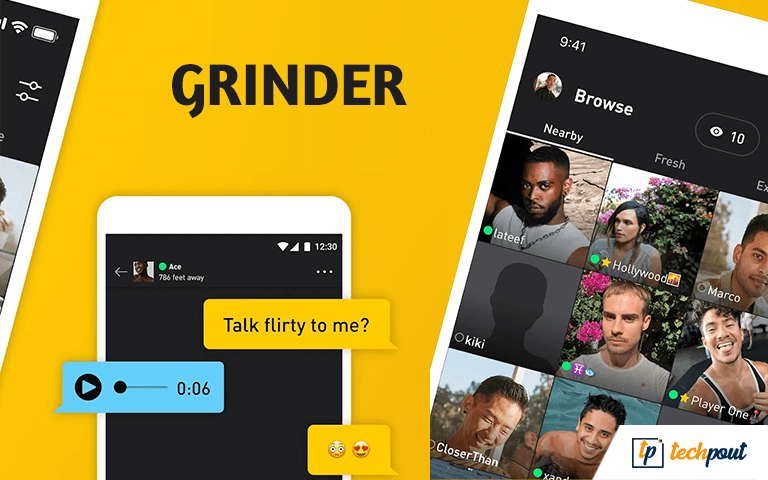
#8. Grindr – Gay chat

GRINDER

Compatibility: Android 5.0 & up & iOS 13.0 or later

Cost: Free (In-app purchases)

Installs: 10,000,000+ 

If you are looking for a dating app for homosexuals or gays, then Grindr is the best dating app for you. 

The app allows you to explore potential matches on the app very easily. Then you can chat with the selected profile if the other person is also interested. 

You can see the profiles of other users on Grindr according to their and your location. Additionally, the app allows you to block or star the profiles as you like with a single tap. 

Grindr is one of the best free dating apps in 2024  that is customizable. The more information you provide, the more the chances of getting potential suggestions and matches with ease.

Download App: Android and iOS


#9. Mingle2 – Free Online Dating for Singles 

Mingle2

Compatibility: Android 5.0 & up & iOS 13.0 or later

Cost: Free (In-app purchases)

Installs: 5,000,000+

The next on our list of the best free dating apps in 2024 is Mingle2. This is one of those few apps that allow you to find dates online for free. It does not charge anything for dating. 

The app provides recommendations for your profile according to your profile. You can easily grab the attention of a user with Mingle2. For this, you need to send them a SuperLike, Wink, or other reactions. 

Why this is one of the best dating apps because of its safest norms. These norms allow you to block anyone you want with a single tap. 

Download App: Android and iOS

Also Read: Best Online Video Chat Websites


#10. Asiandate – Free Online Dating Asians

Asiandate - Free Online Dating Asians

Compatibility: Android 4.1 & up & iOS – unavailable 

Cost: Free (In-app purchases)

Installs: 5,000,000+

The last on this list of the best free dating apps in 2024 is Asiandate. Just like its name, the app is specially designed to provide dating online services in Asia. Hence, Asians can easily find the partner they are looking for here. 

The app allows you to get dates according to your region and interests. You can join the app and see the profiles of others for free. 

One of the best features of this one of the best dating apps is that it is one of the new dating apps that actually work. 

Download App: Android


11. Coffee Meets Bagel Dating App

Coffee Meets Bagel Dating App

Compatibility: Requires Android 7.1 or above

Costs: Free (In-app purchases)

Installs: 5M+

Coffee Meets Bagel is another ideal dating app, especially for those tired of dating games and looking for something serious. The app’s smart algorithm only focuses on quality over quantity and inspires people to rather get to know each other before meeting in person.

Moreover, the application’s Ladies Choice unique feature empowers women out there to initiate the first move and only receive messages from men they have approved. Coffee Meets Bagel is a free dating app, however, you can always upgrade to the Premium version to unlock its full potential. In sum, it is one of the best dating apps to consider, if you want to go on real dates.

Download App: Android


Final Verdict

In today’s digital era, good dating apps are transforming the way people make meaningful connections and find their perfect match in the real world.

The dating apps listed above are some of the top dating apps for Android and iOS on the basis of ease and popularity.

You can get all of these best dating apps on the Google Play and iTunes App Store for free; use them and find new friends or potential romantic partners in your area just using a fingertip.

Best Dating AppsBest Dating Apps For Android & iOSBest Free Dating AppsDating AppsDating Apps For AndroidDating Apps For iOSFree Mobile Dating AppsOnline Dating AppsTop Dating Apps
Author

Monil

Monil is a professional writer whose forte is absorbing a lot of data and help large technical organizations convey their message clearly across multiple products. An engineer by qualification, his affinity for design enables him to write to inspire, energize, and influence various audiences to uncover their true potential. When not writing, Monil is likely to be found listening to music, traveling, or simply excavating into his favourite cuisines.

View all posts

Related Posts
best-free-pdf-compressor-to-compress-pdf-in-2024

Best Free PDF Compressor to Compress PDF in 2024

January 23, 2024
0

Here’s a list of some of the best free PDF compressor tools for you in 2024 that will help you compress any PDF with ease and without affecting the quality of its content.

In this day and age, if you are not familiar with the concept of a PDF file, you must be living under a significant rock. For many years, the Portable Document Format (PDF) has been available, and it has shown to be an extremely useful and strong file format that you can use to store your important data. They are just as popular and extensively used as they were many years ago when people were only beginning to get accustomed to the idea that computers would become the new normal.

There are no problems with using PDFs across a variety of systems since they are a file format that is globally compatible. PDF is one of the most convenient file formats for transfer between mobile and computer devices with the help of email or other means. This is due to the clever aspects that make PDFs so easy. But sometimes, even PDFs can be troublesome because of their huge size. Compressing the PDFs is an effective solution to this problem. So, here’s a list of some of the best free PDF compressor tools to ease your problems.

List of the Best Free PDF Compressor Tools (Online and Offline)

Here’s a compiled list of alternatives to the best PDF compressor for free in 2024. You are free to try and test all of these tools as required and decide which one of them is the ideal and best PDF compressor software that meets your needs perfectly.

1. SmallPDF

small pdf

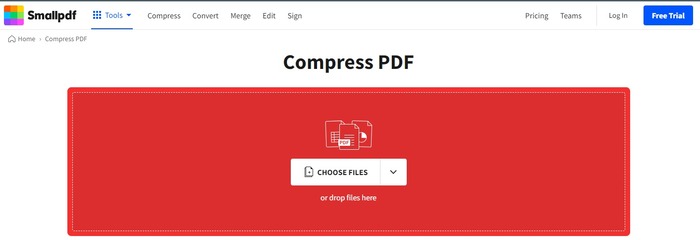
SmallPDF is the best free PDF compressor that can also be useful in processing and comes with a wide range of features. If you choose to purchase the premium edition of Small PDF, you will have access to a number of useful features, like eSign, file conversion, desktop accessibility, and mobile app access, amongst others.

When it comes to its execution, the best PDF compressor tool is not only simple to use but also lightning-quick. It gives its consumers a free trial period of fourteen days during which they may test out their user-friendly PDF compression in addition to other features. On the other hand, in order to use its more complex features, you will need to pay a small fee.

Visit the Official Website


2. iLovePDF

iLovePDF

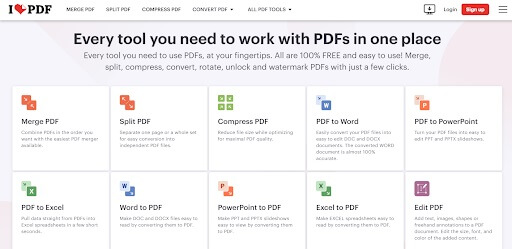
The name of this best free PDF compressor, iLovePDF, gives away the fact that it is a fully-featured program that can change your PDF file in accordance with your preferences. The PDF compression program is a thing of practical magnificence, delivering an easy-on-the-eye interface that compresses your file while giving you the ability to select the final quality of your file.

This is a good PDF compressor and a tool of practical magnificence. iLovePDF is the program you should use if you find yourself in need of merging or splitting your PDF file. Should you be interested in converting your PDF file, the utility is available to assist you.

Visit the Official Website

Also know: Best Free PDF Split and Merge Software


3. PDF Compressor

PDF compressor

In terms of file compression tools, PDF Compressor is about as straightforward as it gets. This best free PDF compressor does not bombard you with unnecessary information or other features (other than the ability to convert PDF files), which are often found in conjunction with PDF compression tools.

This best PDF compressor online indeed enables the uploading of PDF files in batches is the most appealing aspect of it. At a time, it is capable of processing up to twenty PDF files. It gives users access to a program that allows them to upload their PDF files, compress them, and store them anywhere they want inside the system.

Visit the Official Website


4. Free PDF Convert

Free PDF convert

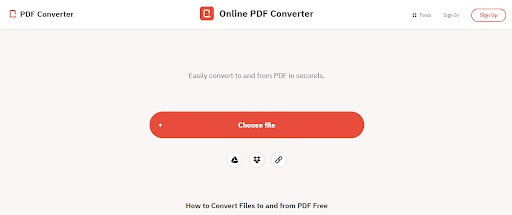
Free PDF Convert, another of the best free PDF compressor tools, is accessible from any device; all that is required is a reliable connection to the internet of your choice. Not only does the utility provide free PDF compression, but it also provides a variety of other capabilities, such as the ability to convert PDF files, merge and divide PDF files, and much more.

Not only does the best PDF compressor software duplicate your files, but it also removes all traces of the document that you have provided. It uses 256-bit encryption to encrypt all of the PDF documents that are submitted, making it difficult for anybody to break in and steal the information that is included in the documents that are posted.

Visit the Official Website

Also know: Best Free PDF Editor for Windows


5. PDF2Go

PDF2Go

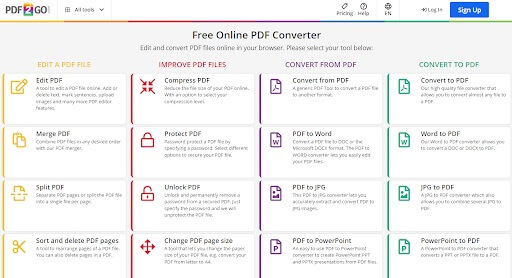
PDF2Go welcomes its users with a user interface that is startling, assaulting them with all of its functions and bragging about all of the things it can do to your PDF files. PDF2Go is the best free PDF compressor for managing your PDF files, and in addition to compressing, it offers a number of other valuable functions. You have the ability to convert your PDF files into a variety of formats, such as Docx and JPEG.

Additionally, you have the ability to edit your PDF files and rotate them in an inverted position from any device that you have in your possession. This is a fairly competitive best PDF compression tool, provided that you are able to accept the lousy design. It gives you the ability to manually drag and drop PDF files into the dashboard, as well as upload them from your computer or storage.

Visit the Official Website


6. Adobe Compressor

Adobe Compressor

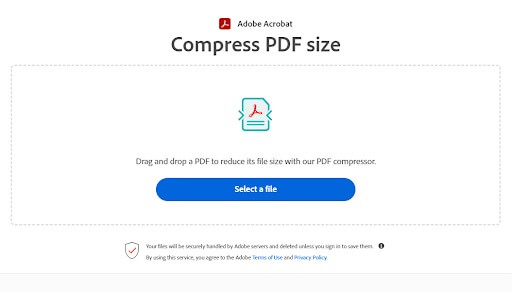
Here’s another one of the best free PDF compressor software. Adobe’s compression is incredibly easy to use, and even a layperson who has no prior experience with the program can do the task. In a matter of seconds and without exerting any effort, Adobe may minimize the size of your file. The browser itself will provide you with the option to compress your PDF file straight from inside the browser. You may also make use of a straightforward drag-and-drop option, which will make the procedure much simpler and more straightforward to comprehend.

There is a good chance that Adobe is the most well-known and extensively used PDF compressor with the best quality on our list. The vast majority of people have Adobe Reader installed on their personal computers or mobile devices, which enables them to view and handle PDF files with ease. On the other hand, you can also utilize the free online tool that Adobe provides in order to execute a range of actions in order to alter your PDF download.

Visit the Official Website


7. LightPDF

LightPDF

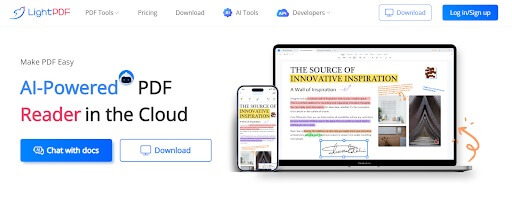
The last best free PDF compressor is LightPDF. The time it takes to compress a PDF file might range anywhere from one minute to less than ten seconds. Not only can you compress PDF files with LightPDF, but you can also use it to edit PDF files in a thousand different ways, sign a PDF, annotate it, add a watermark to it, and convert a PDF file into a variety of various output formats.

LightPDF is the best PDF compressor and editor that gives you the ability to compress a PDF file in addition to its other capabilities. In just three easy actions, you may reduce the size of a PDF file by as much as two to five percent. In spite of the fact that the file size is reduced, the compression quality of the original PDF file is preserved. This is an interesting fact to take into consideration. It is also extremely astonishing how quickly the compression occurs.

Visit the Official Website

Also know: How To Fix PDF File Not Opening


Which is a Good PDF Compressor: Summing Up

Now it’s time to sum up the list of the best free PDF compressor software in 2024. A list of multiple tools is offered above. To ensure that you make the right choice while selecting the best PDF compressor software, you should first determine what your needs are. For those who are just interested in basic PDF compression, a tool that has an easy-to-use interface will be an excellent choice. On the other hand, if you want more complex tools, such as those for editing PDF files and converting files, your choices will be rather different.

In the event that you do not want PDF compression on a regular basis, it would be more prudent to use the best PDF compressor online rather than acquiring a complete application that is just devoted to compressing. In a similar vein, if you compress a large number of PDFs on a regular basis and prioritize the preservation of their quality, it is more prudent to use premium software.

So, that’s all. Don’t forget to subscribe to our newsletter before you go-go. Also, follow us on Instagram, Facebook, Twitter, and other social media platforms, and never miss any update.

Best Free Mac Windows Manager to Use in 2023

9 Best Free Mac Windows Manager to Use in 2024

April 1, 2024
0

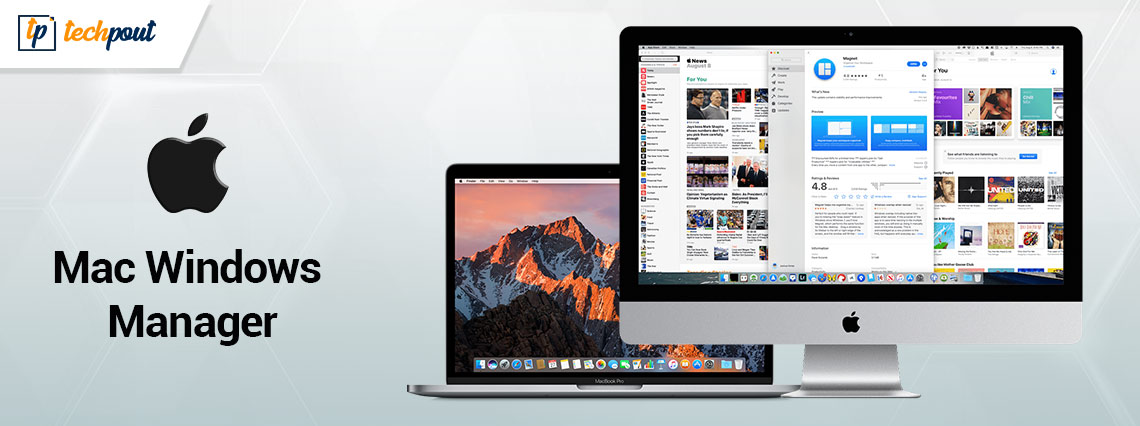
Managing numerous windows on a Mac may be a difficult and time-consuming chore. Your display will rapidly get crowded. Furthermore,  you will lose important workspace as a result of their tendency to overlap one another. Sadly, the built-in macOS Windows manager does not have a lot of tools that can help fix this issue.

You may, however, arrange and resize windows on a Mac using built-in keyboard shortcuts, mouse clicks, and gestures. This can be done with the help of third-party free Mac window manager software. These programs are available for download from the Mac App Store.

Although the list of best window manager Mac free options is endless, we have curated a list of some of the most effective and best window managers for macOS that you can use to keep your desktop in order.

9 Best Alternatives for Free Mac Window Manager in 2024

The following macOS window manager can be used to declutter your space. No need to download them all just move down the list and select the most suitable alternative for your Mac device.

1. Moom

Moom

You may get Moom, a free Mac window manager, on your Mac by paying roughly ten dollars to get it from the app store, or you can go straight to the developer and buy it from them. This app’s rating is quite near to a perfect five stars, and it has a very good standing among utility applications. Moom has fundamentally altered the manner in which people interact with Mac. After Moom has been installed on your Mac laptop, you have the option of using it as an app that is located in the dock, as an icon in the menu bar, or as an app that is completely invisible to the user but still running in the background. You may customize the experience to your liking by going inside the Mac window manager for free itself and selecting the appropriate parameters. If you find yourself in the settings menu, the zoom button control is a good place to start looking at options. When you move your mouse over the green zoom button on any window, it will activate the Moom.

You may define a specified dimension for a window and then manually resize it using this best window manager Mac free, which is another useful feature of this program. You also have the option to “Arrange windows,” which lets you capture a screenshot of the windows in exactly the configuration that they were in at the very last second.

If you usually use the same programs and like to configure them in the same manner, this feature is helpful for you. Simply set up your screen in the manner in which you feel most comfortable and then save your photo using this free Mac window manager. After that, when you launch the programs in the future, choose the specific picture, and Moom will handle the remainder of the processing.

In addition, if you want to make things easier for yourself by employing shortcut keys, you may do that too. Simply pick the keyboard you want to use in the settings area, enter the hotkeys you like to use, and choose the action you want it to take.

Moom is a powerful best free Mac Windows manager that won’t break the bank and will transform the way you use your Mac.

Download Here

Also Read: Best Free Mac Cleaner Apps to Clean and Optimize Your Mac


2. Rectangle

Rectangle

When it comes to managing Windows on a Mac, Rectangle is a free Mac window manager we suggest. It is both cost-free and open-source, making it the ideal option available for anybody who is just beginning their journey with a window manager for the very first time. Because it is open-source, Rectangle has several benefits that are typical of open-source software that its closed-source competitors do not have. To begin, there is no charge associated with making use of it. And secondly, it enables anybody who has some understanding of coding to make improvements to existing bugs and add new features to the program.

The rectangle has a comprehensive variety of features as a free Mac window manager, all of which are more than enough for the majority of users. The fact that it is so simple to use is another facet that enriches the whole experience. Either by clicking on the appropriate window setting from the menu bar or by utilizing customized keyboard shortcuts, you may rearrange windows any way you see fit on your screen. The second method in this Mac window manager for free needs you to commit to memory the keyboard keys for the various window configuration layouts; nevertheless, if you are familiar with them, you will be able to organize your desktop in a rapid and effective manner. If you already have a lot of keyboard shortcuts programmed into your Mac and you want to alter the ones that come pre-programmed with this best free Mac Windows manager, you may do so in the options.

Download Here


3. Magnet

Magnet

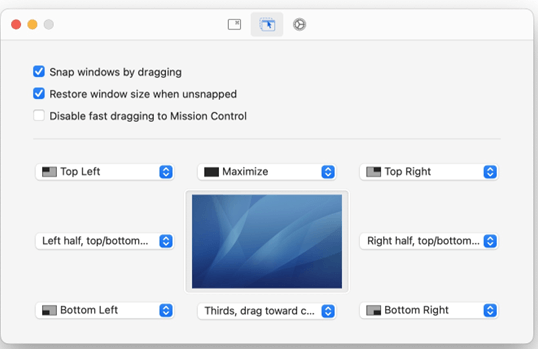
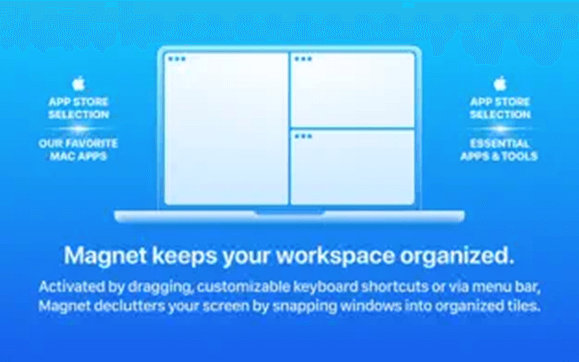
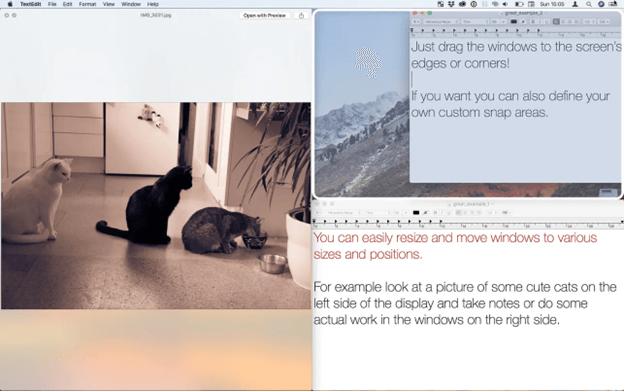
On the Mac, the Magnet free Mac window manager is among the finest of its kind. After installing Magnet on your Mac, you will be able to resize apps by dragging them to the edge of the display. This will cause the program to fill up half of the screen.

You may snap app windows into quarters by dragging them to the edges of the screen with this Mac window manager for free. On ultra-wide displays, you may divide the screen into thirds or even sixths by sliding your finger along the bottom border. After you have achieved the perfect configuration, you will no longer need to toggle between different applications. In addition, you may rearrange program windows by utilizing keys on the keyboard with this free Mac window manager.

Although getting acclimated to keyboard shortcuts might take some time to get used to, we strongly recommend doing so for the purpose of increasing the productivity of your workplace. This best free Mac Windows manager may be downloaded from the Mac App Store at any time for a fee of $8 and is easily accessible.

Download Here

Also Read: Best Free Scanning Software For Mac


4. Hazeover

Hazeover

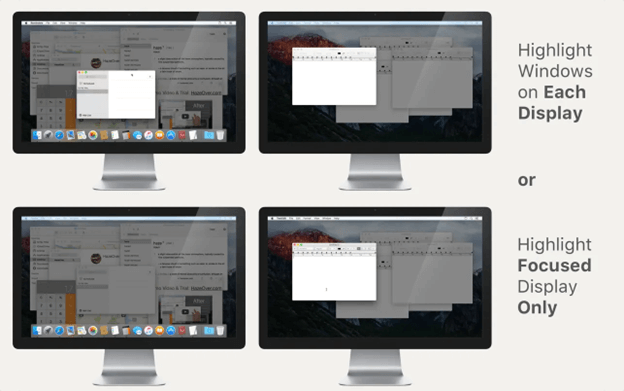
If you tend to become sidetracked quickly and want to have numerous windows open at the same time, but you want to concentrate solely on one of them, then Hazeover is an excellent free Mac window manager to accomplish this task. The other windows that are behind the one or ones that you are now working on will have their brightness reduced by HazeOver.

It is particularly helpful for maintaining your attention while you are writing anything or producing any visual or creative work since it highlights the window that is now active. When you transition to a different window, the one you were previously looking out of has its brightness automatically reduced. You can get this best free Mac Windows manager for only $4.99 from either the App Store or the developer themselves if you purchase it straight from them.

What other services does Hazeover, a free Mac window manager provide for its customers? It enables you to concentrate on one task at a time; the window that is readily focused on is the one that has the keyboard focus. Because there is no need to travel to the windows and minimize them several times, you can spend more time working efficiently. This best window manager Mac free will highlight a window on each monitor to help you know which one is presently active if you are working with many displays at the same time.

Download Here


5. Divvy

Divvy

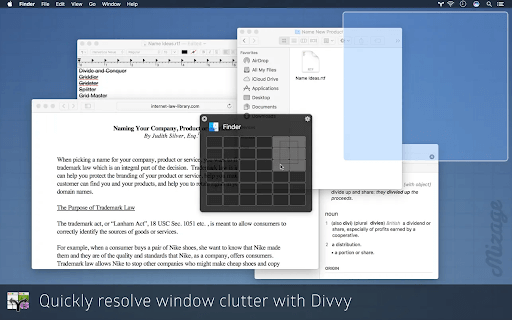
Divvy is an additional free Mac window manager that is available for the macOS operating system. The program is not very difficult to use, and you will not need to become proficient in the usage of a large number of keyboard shortcuts in order to make the most of its features. You receive a rapid layout configuration interface on the screen when you use Divvy, which is one of the finest features of this program. The interface of this macOS Windows manager makes it possible for you to simply control the placements of Windows on your desktop without having to manually drag and drop them into position.

Divvy’s rapid setup interface not only helps users save time but also makes window management more accessible to those who are just starting out in the field. Keyboard shortcuts are another technique for quickly snapping windows into place, and they are available to more experienced users with this free Mac window manager. In addition, it goes without saying that the program enables the user to personalize the keyboard shortcuts, alter their preferences for the various look settings, and configure separate shortcuts for the various requirements of window resizing. Support for a multi-monitor configuration comes in last, but it is by no means the least important feature. This best free Mac windows manager feature enables you to boost your productivity by allowing you to organize and arrange Windows on desktops that span all of your external monitors.

Download Here

Also Read: Best Task Management Apps for Mac


6. Mosaic

Mosaic

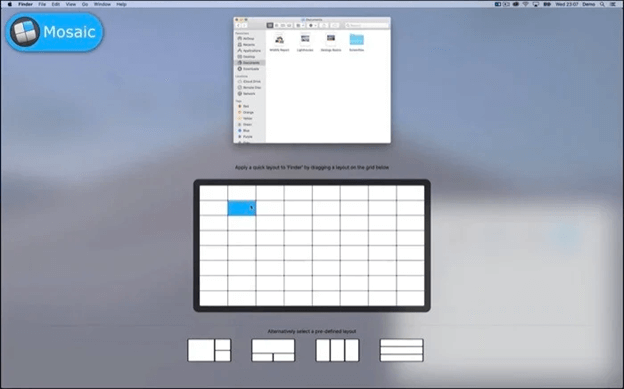
Mosaic is an additional free Mac window manager that is available for Windows as well. It makes adjusting the size of windows quite simple. You have the ability to boost your productivity by organizing several windows, seeing multiple documents simultaneously, and doing so. Mosaic gives you the flexibility to build as many different layouts as you need, and this best window manager Mac free also gives you the tools to manage all of those layouts so that they meet your ideal workflow. Simply toggle between the several layouts, and remove the unused ones in a matter of seconds.

In addition, Mosaic, a free Mac window manager, provides compatibility with Apple’s TouchBar, which puts all of the layouts at your fingertips. You have the option of signing up for a free trial that lasts for seven days, but after that, the full version will cost you ten pounds (you also have the option of subscribing to Setapp). This best free Mac Windows manager is a component of the SetApp subscription, which provides access to more than 200 applications for the price of a single monthly payment.

Download Here


7. BetterSnap Tool

BetterSnap Tool

If it isn’t clear from the name, BetterSnapTool is a free Mac window manager for Mac computers that allows for the easy placement and resizing of windows, with the goal of resolving issues related to window management. Within the program’s predefined layouts, the app gives you the ability to modify the window locations and sizes.

In addition to that, you have the ability to customize the layout of your desktop in any way that you see fit with this macOS windows manager. You are able to define application-specific snapping sizes for each of the various programs, which is one of its most useful features. When you need to have more than two program windows open on your desktop at the same time and you want particular applications to take just a specified portion of your screen estate, this feature of Mac window manager for free might come in helpful.

windows may be “snapped” into place by dragging and dropping them into certain areas of the screen. You also have the option of speedily doing the same activities by making use of the shortcuts on your keyboard.

Speaking of which, BetterSnapTool, a free Mac window manager, gives users access to a sizable number of configuration settings, enabling them to alter a significant number of the resizing and snapping capabilities of the program.

You have the ability to pick behavior for what occurs when you double-click the title bar of a window. This is similar to the previous option. BetterSnapTool provides support for multiple screens, making it suitable for use in environments with multiple monitors. You may use the best free Mac Windows manager to manage Windows across all of your displays if you have a configuration like this. Some of its distinctive characteristics include adaptability in terms of window size and location.

Download Here


8. Amethyst

Amethyst

Amethyst is another best open-source Windows Manager for Mac in 2024. The tool provides multiple much-needed features including various preset options, custom shortcuts, and many more. Utilizing the macOS Terminal, you can easily download and install it. In addition to this, you can download it from the official website.

This utility tool lets you cycle among several different window layouts, without any hassles. However, layouts can also be enabled or disabled in order to control the cycle sequence. Amethyst automatically places your windows according to one of its predefined layouts. By making use of hotkey, you can also make a switch between programmer windows. The automatic mouse cursor snapping function for immersed windows makes it worth giving a try. Overall, this is an easy-to-use, robust, and user-friendly Mac Windows Manager app.

Download Here


9. Phoenix

Phoenix

Let us introduce you to Phoenix. It is among the best free Mac windows managers if you are looking for an open-source and highly customizable tool to manage windows on your Mac.

In addition to being a scriptable app with JavaScript, Phoenix allows you to bind keyboard shortcuts and system events to the callback functions to make it easier for you to interact with your macOS.

Download Here

Also Read: Best Free Mac Menu Bar Apps


Closing Lines:

There is no shortage of third-party solutions available from the internet, despite the fact that macOS does not give a native way to manage program windows. The ability to personalize keyboard shortcuts is standard across each free window manager Mac. We recommend taking some time throughout the app setup process, whether you use Moom or any other aforementioned Windows manager for Mac.

If you think we missed out on your favorite free Mac window manager, do update us in the comments below. Also, if the guide did the needful don’t forget to subscribe to our blog for more tech guides, updates, and news.

1 Comment
    Dice says: Reply
    August 12th 2019, 5:54 pm

    I was studying some of your articles on this internet site and I think this website is real informative! Keep posting.

Leave a Reply to Dice Cancel reply

Your email address will not be published. Required fields are marked *

Sidebar Image bit G ad1

Latest Posts

  • Best-Free-Online-Portfolio-Websites-in-2026
    Best Free Online Portfolio Websites in 2026
    by adminuser / March 16, 2026
  • Anytime Astro: Best Website For Online Astrology Consultation
    Anytime Astro: Connect Now For Online Astrology Consultation
    by Somya Shrimal / March 13, 2026
  • Best-Ways-to-Combine-Images-Into-PDF-Files
    Best Ways to Combine Images Into PDF Files
    by Niharika / March 12, 2026
  • Best FREE VPS Hosting Providers
    7 Best FREE VPS Hosting Providers in 2026
    by Devesh / March 12, 2026
  • Best-McAfee-alternative-software-to-use-for-Virus-Protection
    Best McAfee Alternative Software to use for Virus Protection
    by adminuser / February 11, 2026

Categories

  • Cyber Security
  • Driver Updater
  • Entertainment
  • Fitness
  • Games
  • How To
  • laptop
  • OS
  • Reviews
  • Tech News
  • Tips & Tricks
  • Top 10
Sidebar Image bit G ad1
Best Free AI Content Generator & AI Writers 6 Best Free AI Content Generator & AI Writers For 2024by Devesh / February 7, 2024
5 Best Free VPN for Craigslist in 2024by Akshara Parnami / February 7, 2024Best Free VPN for Craigslist
TechPout Footer Logo

We at TechPout promise to put forth stories that help people to learn and simplify their digital life. Our purpose is to share the true essence of technology with our tech-loving community.

Useful Links

  • About Us
  • Contact us
  • Privacy Policy

Popular Posts

  • Best PC Optimizer Software
  • Best Mac Cleaner Apps
  • Best Driver Updater
  • Duplicate Photo Finder and Cleaner Software
  • Best Free Movie Download Sites
  • Best IPTV Players

Follow us

Copyright © 2026 www.techpout.com. All rights reserved
DMCA.com Protection Status