Main LogoLight Logo
  • Reviews
  • Top 10
  • How To
  • Tech News
  • OS
    • Windows
    • MAC
    • iOS
    • Android
  • Categories
    • Driver Updater
    • Cyber Security
    • Games
    • Fitness
    • Entertainment
    • Tips & Tricks
Android iOS Top 10
by Prachi Dani

11 Best Apps To Blur Photo Background On Android & iOS (2024)

December 13, 2023
1

Keeping the subject in focus and making the background blur can make your dull photographs exciting and appealing. But how to perform this task on your android and iOS gadgets? 

Well, Blur Background apps offer the ultimate solution to this issue. In this article, we will discuss some of the best apps to blur the background of your pictures. 

We are living in a tech-driven century where clicking stunning pictures using your mobile phones is extremely easy.

Smartphones offer fantastic camera quality, along with several editing tools. Every second day a new tool makes its way to the app store, including the blur background apps. 

Many smartphones come with in-built photo editing apps, but some need a dedicated app to add a blur effect to your pictures. 

Here is a list of some of the best apps that can blur the background and add life to your boring and dull images. Go through the list of apps to blur background and pick the one that fits in well with your requirements.

Table of Contents hide
Best Blur Background Apps for Android and iPhone in 2024
1. Square Pic- Photo Editor, Blur Image Background
2. Snapseed – Blur Photo Background App
3. After Focus – Blur Picture App
4. Motionleap by Lightricks – Photo Animator
5. Instagram
6. PicsArt Photo Editor
7. Facetune 2 – Selfie Photo Editor
8. Cymera – Best Blur Effect & Filters
9. Blur Image Background – Blur Background Blur Photo
10. Blur Photo & Background
11. DSLR Blur Photo
App to Blur Background – FAQs

Best Blur Background Apps for Android and iPhone in 2024

Adding a blurred background to your pictures without a professional camera seemed impossible in earlier times. 

But in the last couple of years, several blur picture apps have been developed that can assist you well in blurring the background of your dull images. These apps offer an excellent way to transform your images and showcase your creativity. 

1. Square Pic- Photo Editor, Blur Image Background 
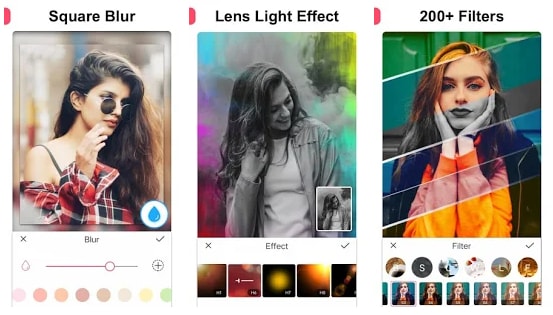
Square Pic- Photo Editor, Blur Image Background

Editing photos and making blur backgrounds is easy with the Square Pic app. The user can easily change the image the way they want with its amazing features. Using the app user can adjust the blur strength, add effects, filters and stickers. 

The interface which the app offers is really simple, any user can edit and add effects to the image. All you need to do is select the image to import and add filters or effects from the list. That’s it you have changed your image successfully. 

Android

Must Read: Best Free Passport Size Photo Maker


2. Snapseed – Blur Photo Background App 
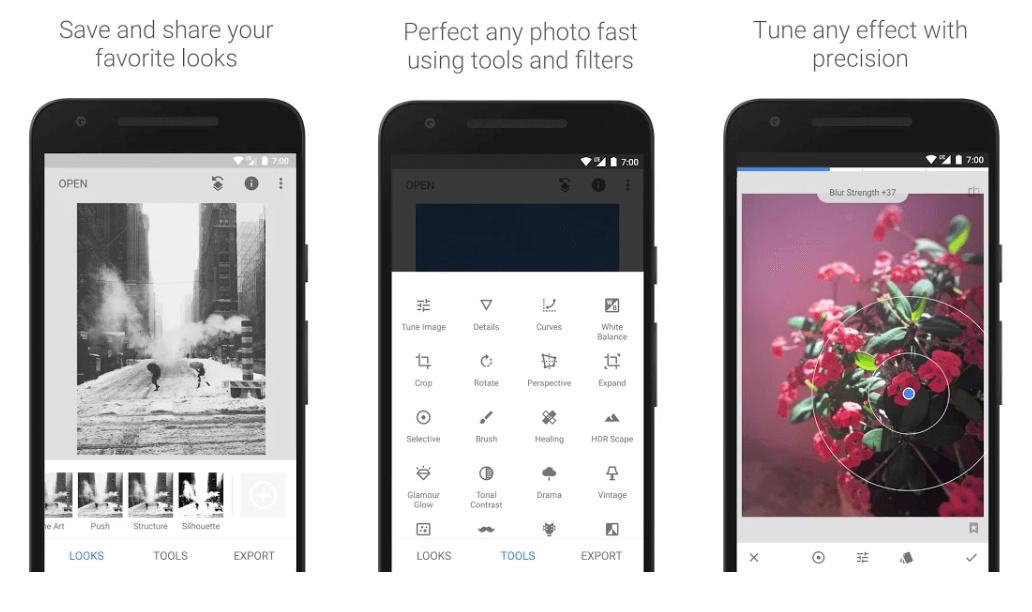
Snapseed - Blur Photo Background App 

Snapseed is a popular name among smartphone users who love photography. It is a product of Google and offers several picture editing tools.

You can use this Blur photo Background App to bring the main object in focus by adding an out-of-focus background to your images. 

Become a self-taught photographer with this stunning app to blur background and add more clarity to your images. Use the below download links to try this app today.

Android iOS


3. After Focus – Blur Picture App

After Focus - Blur Picture App

Next in the list of blur picture apps is After Focus. Use it to apply Zoom, motion, and Lens effects to your pictures. You can either choose to take a new picture or edit an existing image from your photo gallery. 

It is a stunning app that can effortlessly blur the background of your images with intricate edges.

Must Read: Best Android Camera Apps For Quality Pictures

To select a focus area, draw a boundary, and then choose the type of blur you wish to add. It comes for free. However, if you want an ad-free working, you can choose to use its Pro version at $1.83. 

Android iOS


4. Motionleap by Lightricks – Photo Animator

Enlight Pixaloop - Photo Animator

If you are looking for an app with professional-level edits, then Motionleap can be a decent option for you. You can use it to edit, adjust, and animate your boring images. You can use it to edit, adjust, animate your boring images and as blur background app for android.

Motionleap is compatible with both Android and iOS platforms and has several useful editing tools to offer. You can use it to put the main object in focus by adding a blur effect to the background. 

Linear, radial, and mirrors are some tilt-shift styles that you can apply to your images using this Blur Background App. 

Android iOS


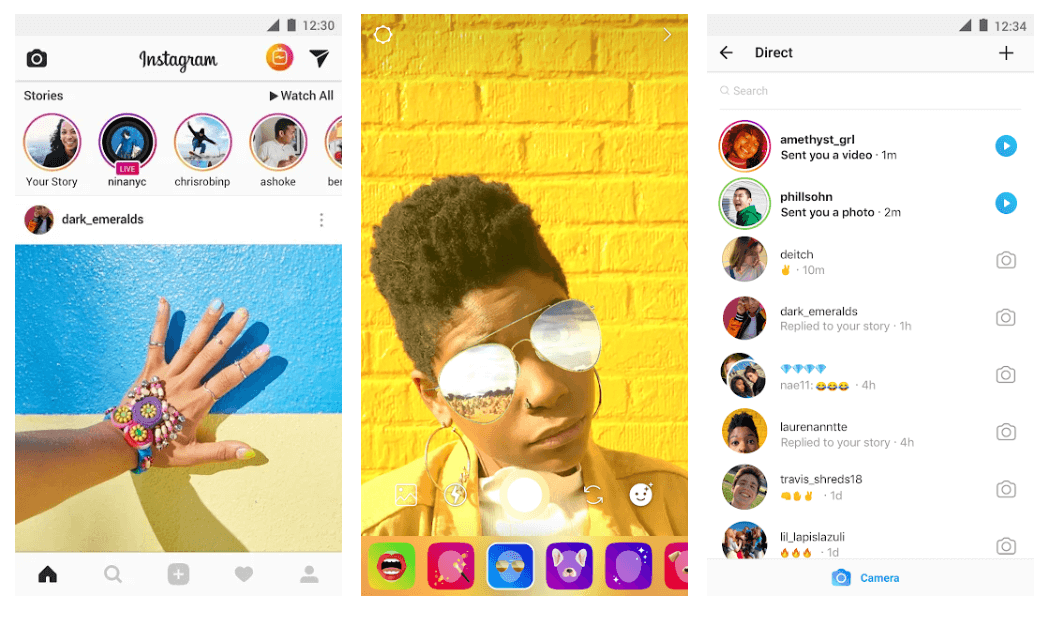
5. Instagram

Instagram - Blur Photo Background App

Besides being one of the most loved social media platforms, Instagram also has many stunning image editing tools to offer. Edit your pictures and share them on your profile for your friends to see. 

You can add a blurred background and apply a bokeh effect to bring the main object of your picture in focus. Use its Edit section to add a Tilt-shift to your photographs, Radial and linear are the other two options that you may consider. 

To download this Blur photo Background App for your smartphones, use the below links.

Android iOS


6. PicsArt Photo Editor

PicsArt Photo Editor Apps

Next one in the list of best app to blur background is Picsart. The Photo Editor application is one of the most popular apps for making the background blur. It enjoys over 500 million satisfied users. 

This power-packed app offers a massive basket of stunning features and effects, including Motion, Smart, normal blur, and many more. You can use it to edit, alter, and crop your picture the way you want. 

Besides being one of the most efficient apps to blur the background of your images, it can also be used to make custom stickers. It is compatible with both iOS and Android devices and is exceptionally easy to use. 

Android iOS


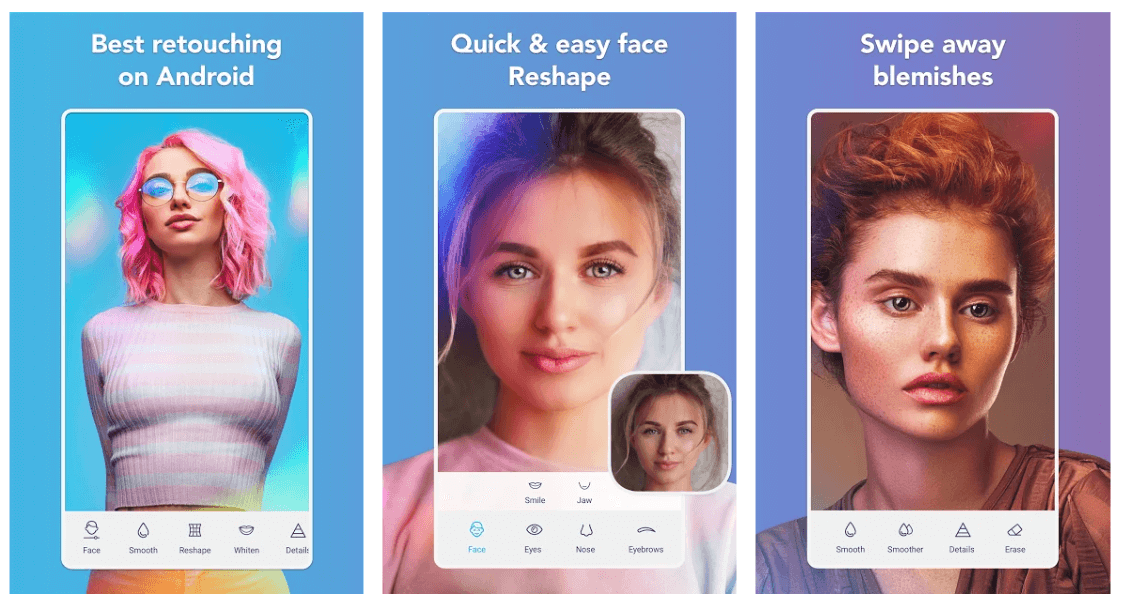
7. Facetune 2 – Selfie Photo Editor

Facetune 2 - Selfie Photo Editor App

If you are addicted to selfies, then Facetune2 can be the right choice for you. The app provides you with several options to retouch and alter your images by adding a blurred background to them. 

Apart from being a trusted app for blurring background, you can also use it to add glitter, makeup filters, and whiten teeth in your selfie pictures. The blur background feature works on a real-time basis, but you can also use it for your existing images. 

Android iOS


8. Cymera – Best Blur Effect & Filters

Cymera - Best Blur Effect & Filters Apps

Capture and edit pictures with this feature-rich blur picture application. It has different lenses, which you can choose to take better photos. It also provides multiple blur effects and filters. 

Use it to blur the background, adjust the contrast and brightness of your pictures in a fast and secure manner. You can also choose to add some makeup effects to your images with Cymera. 

Android iOS

Must Read: Best Photo to Cartoon Picture Apps For Android & iOS


9. Blur Image Background – Blur Background Blur Photo

Blur Image Background - Blur Background Blur Photo

Blur Image Background Editor is another excellent app that blurs background, designed specifically for users who loves to give their favorite photos and selfies a breathtaking look. With the help of this simple to use application, you can effortlessly blur the background of your images or unwanted objects without having to pay a single penny.

However, similar to other blur photo background apps, this application also offers in-app purchases in order to provide access to the highly advanced photo editing tools.

Android


10. Blur Photo & Background

Blur Photo and Background

Blur Photo & Background is a fast and easy to use application to blur image background for free. You can effortlessly change the look and feel of your pictures using its amazing blurry effects.

Moreover, this blur picture editor comes with a wide variety of photo editing tools like curve control, color adjustment, and many others to help you turn your beautiful shots into masterpieces. These features are add on to its functionality of the photo app to blur background of your images. You can get this excellent application for free by clicking on the link given below.

iOS


11. DSLR Blur Photo

DSLR Blur Photo

Another one in the list of best background blur apps is DSLR Blur Photo. It is a dedicated app that offers the user to blur their images. The user can blur the images, change the blur strength, and can also select the area where they want the effect to be. The app is very simple to use. Moreover, Android users can enjoy this amazing app for blurring the background pretty easily. While other apps offer many other features this app is dedicated to blurring the background only, which can make you think before installing it. But you can easily create blur images with this app. Android users have rated this app 3.8 out of 5.

Android


App to Blur Background – FAQs

Q1. How can I blur a picture for free?

There are a lot of apps both free and paid available online that allow users to blur their pictures for free. We have mentioned the best blur photo background applications for Android and iOS. Use any of the above-listed apps that fit in well with your requirements.

Q2. How can I blur the background of a photo?

Pick any of the above applications and allow access to your picture. Follow the in-app steps to blur the background. The above list has applications for both Android and iOS users to blur the background for any picture.

Must Read: Best Photo Recovery Apps


Wrapping up – Blur Photo Background Apps

Explore and discover the world of photography with various picture editing apps. Use them to polish your images by adding a blur effect to them. 

Do not settle for less when you can add a new life to your dull pictures. Use various blur effects to highlight the subject and add a creative touch to your images. 

Refer to our list of some of the best Blur photo Background App and start with your creative journey.


Author

Prachi Dani

Prachi Dani is a technical content writer who specializes in areas of science and technology. She is highly up to date with technological transitions and transformations. Writing is not her passion but the only thing that carries satisfaction in life. If not writing, you may find her engrossed playing action games on her treasured smartphone.

View all posts

Related Posts
Cyber Threat: Latest Computer Viruses & Malware Threats 2020

Cyber Threat: Latest Computer Viruses & Malware Threats 2020

April 8, 2020
0

In a world full of cybercriminals and hackers, protecting your system from the latest computer viruses, malware threats, Trojans, and other network volumetric attacks should be one of your top priorities.

These destructive viruses can easily infiltrate the security vulnerable system without the users’ knowledge and steal sensitive information like IP address, browser history, username, passwords, banking details, etc.

Cybercriminals later use this personal data for their malicious purposes which can lead to serious privacy violations, financial loss or even identity theft.

Malicious computer viruses and ransomware like Cryptolocker, ILOVEYOU, RaaS, Melissa, and Emotet are some of the famous and latest threats to your PC. 

Today, in this blog, we will discuss about the latest computer viruses to help you understand their behavior so you can neutralize them before they cause any harm to your system. 

How to Stay Secure from a Computer Virus Attack?

The best way to stay safe and secure from malicious and recent computer viruses is to use an advanced antivirus protection suite. In addition to this, using a malware removal tool is also strongly recommended. 

These programs create a protective shield around your PC against the deadly threats like malware, viruses, ransomware, trojans, worms, PUPs, rootkit, browser hijackers, etc.  

Top 25 Latest Computer Viruses 2020 You Must Not Overlook:

Threat of the Month: COVID-19 Malware

Cybercriminals and black hat hackers are recently found taking the advantage of current outbreak of the coronavirus disease to distribute new COVID-19 malware to the security vulnerable systems.

After successfully invading the targeted computer, it silently rewrites the system’s master boot record (MBR) and wipes out the entire stored data without the knowledge of its owner.

This coronavirus-theme malware strain is designed with a sole intention to cause destruction to the millions of infected machines all across the globe.

Cybercriminals are constantly evolving new tactics to make their malware more adaptable, resilient and damaging than ever to exploit system and network vulnerabilities. Take a look at some of the top cybersecurity threats:

1. CryptoMix Clop Ransomware

It is the new variant of a well-known CryptoMix ransomware family that aims to exploit the whole computer network instead of individual users. Cybersecurity researchers discovered this variant at the end of February 2019. After gaining persistence in the targeted system, this vicious ransomware encrypts all the stored files by appending .CLOP or .CIOP extension to the end of all victim’s file names. 

Whenever the victims’ tries to open an encrypted file, it displays a ransom note informing the users about the attack and compels them to pay the ransom amount in Bitcoin or other cryptocurrencies for the alleged restoration of their encrypted files.

CryptoMix Clop Ransomware - Latest Computer Virus

Image Credit: Malware Hunter

Read More: 15 Best Free VPN For Windows 10


2. Gandcrab Ransomware

GandCrab, one of the most destructive ransomware crypto viruses which was first introduced in January of 2018. GandCrab family variants have been employing various distribution techniques such as Fallout exploit kits, malicious URLs, keygens, GradSoft, RIG, etc. to make an entry into targeted computers. 

Once executed, it terminates all the active tasks and processes running on the system and starts encrypting all kinds of files and folders available on your hard drive. Also it appends .GDCB extension to the end of all file names and displays a ransom message CRAB-DECRYPT.txt with instructions regarding the payment method.

Creators of such infections use advanced AES–256 and RSA-2048 encryption methods and store the decryption key on command and control servers hosted on .bit domains.

Gandcrab Ransomware - Latest Computer Virus

3. Trojan Glupteba

One malicious program that should never exist in your computer is Trojan.Glupteba as it has a tendency to bring several other malicious programs with itself. Cyber criminals often distribute the Trojan.Glupteba infection through exploit kits. 

The primary purpose of this latest computer virus is to redirect the users to malicious and third-party sites so that it can download and install more harmful software. Mostly the malware infection enters as a service on the affected Windows system and authorizes various processes on the system by masquerading as a legitimate or authentic software.

After doing this, it gathers users’ data for various IP addresses and then generates the traffic by routing the users towards several malicious domains such as sportpics.xyz, bigdesign.website, kinosport.top, ostdownload.xyz, etc. To prevent such threats, avoid visiting unsafe websites, downloading junk attachments and enable your popup blocker.


4. Cyborg Ransomware

Aids Info Disk Trojan (AIDS), also known as the PC Cyborg ransomware virus, was the first of their kind, introduced via floppy disk back in 1989. The malicious program was designed to count the number of times the operating system of a computer turned on, once the tally reached 90, it used to encrypt all the victim’s data and change the desktop wallpaper with ransom message Cyborg_DECRYPT.txt. 

The ransom note informs the victims about the encryption and asks for a huge sum of money in return if they want to decrypt their files. In addition, recently cyber crooks used an executable file disguised as a .jpg image format to distribute the variant of Cyborg through a fake Microsoft Windows 10 update.

To protect yourself from this ransomware, never click or download any kind of attachment files with .jpg extension coming from an unknown or unsolicited sender.

Cyborg Ransomware - Latest Computer Virus

5. Melissa Virus

The Melissa was one of the most dangerous macro viruses, developed by a software programmer named David Lee Smith back in March, 1999. The virus was distributed through an e-mail attachment titled list.doc. When the users opened the document with Microsoft Word, the Melissa virus was injected onto the victim’s computer. 

It was specifically designed to take control of the victim’s Microsoft Outlook program and then mass mail itself to another 50 individuals present in the user’s mail list.

Melissa Virus - Latest Computer Virus

6. ILOVEYOU

ILOVEYOU, also known as the Love Bug, is one of the deadliest computer worms that exploited more than 10 million systems since it was first discovered in May, 2000. Hackers distributed it via an email message with a document titled as “LOVE-LETTER-FOR-YOU.txt.vbs”.

Upon clicking the interpreted file, it executes the Visual Basic script and starts overwriting a wide array of stored files, including Microsoft Office, media files, and backup files. And then it makes the most of the vulnerabilities of Microsoft Outlook by mass mailing a copy of itself to all other recipients available in the Windows Address Book. 

It allowed malware authors to cripple millions of internet-connected systems and due to the fact many governments and large organizations around the world were forced to shut down their mail delivery systems.

ILOVEYOU - Latest Computer Virus & Malware Threats

Image Credit: Wikipedia


7. Storm Worm

Storm Worm is another dreadful Trojan horse which was first dubbed by the company named F-Secure in the first month of 2007. The malware attack began affecting hundreds of computer using Windows operating systems through an email message with following subject lines:

  • 230 dead as storm batters Europe.
  • War with Iran is the reality now.
  • Occupation of Iran.
  • Naked teens attack home director.
  • A killer at 11, he’s free at 21 and kill again!

When the user clicks on such attachments, the Storm Worm activates the wincom32 service and downloads several other malware-infected software, turning the compromised system into a bot or zombie computer. In addition, the hackers behind such attacks can remotely control the botnet and further use it to send spam messages and viruses to other computer users.

Storm Worm - Latest Computer Virus & Threats

Image Credit: Wikipedia 

Read More: 13 Best File and Folder Lock Software For Windows 7, 8, 10


8. Emotet Malware

Emotet, also known as the Mealybug, is an extremely harmful banking Trojan that acts as a downloader of other malicious programs. Emotet malware is one of the most dangerous malware threats of 2019.

Recently cybersecurity researchers discovered that hackers are now exploiting the fear of global epidemic Coronavirus to spread Emotet malware through malicious email attachments in Japan.

The spam email messages claim to provide the latest information about the outbreak of the Coronavirus and once the users clicks on the document, the Emotet malware gets installed onto their computer. After gaining access to the victim’s computer, it steals both personal and financial information and later trades it on the dark web marketplace. 

Emotet Malware

9. B0r0nt0k Ransomware

A new cryptovirus of ransomware family called B0r0nt0k is targeting thousands of Linux and Windows web servers and encrypting all of the available files with an advanced cipher algorithm.

Instead of directly locking them, the ransomware places .rontok extension at the end of file names. Unlike other ransomware viruses, it makes false entries in the Windows registries, modifies various start-up and browser settings, disables security programs, and locks down the entire system.

The sole purpose of developing such dreadful file-encrypting malware is to extract a hefty amount of ransom money from innocent computer users. And if the victim fails to pay the ransom within a given time, the attacker deletes all the stored files and folders permanently. 

B0r0nt0k Ransomware

10. Jigsaw Ransomware

Jigsaw is one of the most dangerous and well-known ransomware families with hundreds of variants of the malware. Cybercriminals often distribute this type of malicious program via junk attachments, free software updates, pirated movie download links, unsafe third party domains, etc.

After successfully invading the targeted system, it encrypts the victim’s files with extensions such as .Fun, .Beep, .FuckedbyGhost, .Game, etc. After doing this, it shows a ransom note which contains information about the payment method and threatens to delete some files permanently every hour if the user fails to transfer the money within a given time period.

However, a company named Emsisoft is now claiming that they’ve managed to develop a decrypting tool for Jigsaw ransomware variants. 

Jigsaw Ransomware

11. Thanatos Ransomware

It is another highly dangerous malicious computer virus that belongs to a ransomware family called Thanatos. Similar to other cryptovirus, it encrypts the user’s data and appends .THANATOS extension at the end of each compromised file name. For example, file named luck.txt will be encrypted and renamed to luck.txt.THANATOS. 

After encrypting, it starts blackmailing victims’ by not allowing them to access their files until they pay the ransom amount demanded by the attackers. It is suggested that you should never trust such cybercriminals because once you paid the ransom amount, there’s no guarantee that you would be able to retrieve the lost or encrypted files.

To keep your system secure from such harmful malware infections, it is recommended to install a good antivirus program so you can protect yourself from any future computer virus attacks.

Thanatos Ransomware - Latest Computer Virus 2020

Image Credit: iobit


12. Jokeroo

Jokeroo is one of those recent computer viruses that cybercriminals are now using as ransomware-as-a-service (RaaS) to offer various membership packages with compact malicious kits to launch ransomware attacks. 

Hackers are promoting Jokeroo RaaS via Twitter and on various underground hacking forums, allowing other people to become an affiliate, distribute the ransomware, and then split the ransom amount that they would receive from the victims. 

To keep your data and online identity secure, it is recommended to avoid clicking suspicious websites, pop-up ads, junk attachments, etc. and make sure that all your security programs are up and running.

Jokeroo - Latest PC Threat

13. Gameover ZeuS

GameOver Zeus (GOZ) is a peer-to-peer (P2P) credential-stealing Trojan-malware of the Zeus family that also acts as a downloader and dropper of the CryptoLocker ransomware. 

The cybercriminals started spreading Zeus malware through phishing and spam email campaigns and once injected to the target system, they constantly monitor or control its activities via command and control servers.

After gaining access to the victim’s computer, the malware steals the user’s financial details, including username, passwords, credit card information, etc. Apart from that, scammers used it to download and launch other malicious executables and hide essential confidential files in order to make profits via blackmailing innocent users. 

Gameover ZeuS - Latest Computer Virus

Read More: 12 Best Privacy Apps For Android in 2020


14. GoBrut

GoBrut is one of the latest computer viruses that made its first appearance in March, 2020. This new emerging malware threat is written in the Golang programming language with the sole intention to cause damage on thousands of Linux and Windows-based machines.

Even though the malware is in its early stage of development, it is still capable of exploiting the vulnerabilities of the computers running without the proper antivirus program or using weak passwords. Thus, it is extremely important to use a strong and hack-proof password along with an updated antivirus suite to prevent such kinds of dangerous malware attacks.

GoBrut - Latest PC Threats

15. MyDoom

The Mydoom worm, also referred as the W32.MyDoom@mm, Shimgapi and Novarg, is the fastest-spreading virus, surpassing earlier records set by the ILOVEYOU malware.

Mydoom computer was first surfaced in January, 2004 and distributed via mass mailing with subject lines such as transmission error, test, mail delivery system, message could not be delivered, etc. in many different languages.  

When the user downloads the attachment, the worm gains access to the victim’s system and resends itself to more people found in the user’s contact lists.

MyDoom - Latest Computer Virus

Image Credit: Computer Virus


16. Ryuk Ransomware

Ryuk ransomware is one of the most lucrative ransomware attacks being witnessed by the large organizations and high-profile business leaders today. The ransomware is operated by a threat group named WIZARD SPIDER that focuses on infiltrating the computer networks of the large group of companies so that they could get a large sum of ransom amount in exchange for their encrypted data.

The hackers behind such ransomware attacks use strong encryption algorithms such as AES-256 and RSA-4096 to encrypt the files which means using any other free decryption tools available online would not be able to help you retrieve your data.

According to recent reports, the ransomware is now exploiting the fear of the global Coronavirus epidemic and targeting large health organizations and other healthcare facilities to trigger high-value malware attacks.

Ryuk Ransomware - Latest Computer Virus

17. Astaroth Trojan

Astaroth Trojan is one of the recent malware threats that is capable of stealing both personal and sensitive information such as login credentials, passwords, credit card details from the compromised system without the knowledge of its owner.

This information stealer is typically delivered via massive spam campaigns in Brazil and some parts of Europe near the end of 2018.  The Astaroth Trojan malware poses a dangerous threat to security of all operating systems. Therefore, never click on spam emails from unknown senders because it may contain harmful modules of various malware infections.

Astaroth Trojan - Latest PC Threats

18. LockerGoga Ransomware

The LockerGoga ransomware is one of the nastiest cryptoviruses that made its presence felt when it attacked the systems of one of the largest aluminium manufacturer companies worldwide, Norsk Hydro.

Unlike other ransomware families, the main objective of LockerGoga ransomware is to cause damage and disrupt general operations. Once injected into the targeted system, it locks the victim out of the compromised computer by changing the credentials of its accounts.

The only way to keep yourself safe from this ransomware is to keep your Windows OS and security programs updated at all times. 

LockerGoga Ransomware

19. Sasser & Netsky

Sasser & Netsky are two dangerous computer worms developed by a 17-year-old student of computer science, Sven Jaschan. The Sasser worm was designed to scan the random IP addresses and exploit the PCs running on vulnerable versions of the Windows 2000 and Windows XP operating systems.

Whereas the Netsky was designed to spread via mass email campaigns. However, it is really easy to neutralize the effects of such computer worms, all you need to do is update your system through Windows Update and you’re your firewall properly configured.

Sasser & Netsky - Latest Computer Virus

20. Anna Kournikova

The Anna Kournikova virus is another computer worm created by a 20-year-old student named Jan de Wit in February, 2001. The worm was designed to entice users into clicking a picture of the well-known tennis player Anna Kournikova, distributed via spam email attachment titled as “Here you have, ;0)”. 

Upon clicking the message, it installs a malicious VBScript program which would then auto-send itself to other contacts available in the victim’s address book. However, the computers running on Linux and Macintosh operating systems were not affected by this dangerous computer virus.

Anna Kournikova - Latest PC Virus

Read More: 11 Best Free Adware Removal Tools For Windows


21. CDPwn

One of the latest computer viruses in 2020, CDPwn is a combination of five extreme, zero-day vulnerabilities discovered by cybersecurity researchers in the Cisco Discovery Protocol (CDP). Cisco Discovery Protocol acts as a data link layer and obtains info about the associated Cisco equipment.

In addition, the five CDPwn vulnerabilities can allow remote attackers to take control of millions of Cisco devices such as routers, cameras, switches, IP phones, firewalls, NCS systems.

Four of the five vulnerabilities are remote code execution (CVE-2020-3119, CVE-2020-3118, CVE-2020-311, and CVE-2020-3110) whereas one is a Denial of Service vulnerability (CVE-2020-3120).

CDPwn - Latest Computer Virus

Image Credit: Help Net Security


22. Stuxnet

The Stuxnet Worm was originally developed by the United States in collaboration with the Israel government with the sole intention to cause substantial damage to Iran’s nuclear facilities.

However, neither government has taken the responsibility of such actions, the malicious computer virus appeared to take control of Iranian supervisory control and data acquisition and programmable logic controller systems to cause damage to gas and nuclear centrifuges. 

As a result, the Stuxnet virus attack reportedly ended up infecting Iran’s thousands of industrial control systems.

Stuxnet

23. Conficker

Conficker, also referred as the Kido and Downup, is the largest computer worm, infecting more than 9 million Windows computers in over 190 countries since its first ever appearance in November, 2008.

It exploits the vulnerability of Windows operating systems and turns the compromised machine into a botnet to launch high-profile distributed denial-of-service attacks (DDoS), steal victim’s data, run spam campaigns, etc.

To protect yourself from such computer worms, keep your Microsoft Windows software and other programs up-to-date.

Conficker

Image Credit: F-secure


24. Sobig

The Sobig worm, classified as a type of computer malware, infected millions of internet connected devices running on Microsoft Windows operating systems.

Similar to other computer worms, it was distributed via spam email with one of the following subject lines:

  • Re: Details
  • Re: Thank you!
  • Re: Approved
  • Re: Your application
  • Your details
  • Re: Wicked screensaver
  • Re: That movie

The email message was also appeared to contain a document by one of the following titles:

  • document_all.pif
  • your_details.pif
  • movie0045.pif
  • application.pif
  • document_9446.pif
  • wicked_scr.scr

Once users open the attachment, the worm gets installed on the system and starts forwarding itself to other email addresses available in the victim’s computer. To prevent such dangerous computer viruses from entering into your system, avoid clicking on the spam email messages and run its attachments that are coming from the unsolicited sources. 

Sobig - Latest Computer Virus

25. Kuik Adware

Kuik, an advertising-supported software, commonly known as the ‘Adware’, is now infecting Windows users by masquerading itself as a legitimate update of Adobe Flash Player. 

Developers of such programs are dropping Kuik adware in three different segments that are documented as legitimate flash player, upp.exe file, and certificate. After gaining access to the victim’s computer, it builds connectivity and adds the domain name system (DNS) 18.219.162.248 to all established network interfaces.

After doing this, it gathers all the victim’s data, including financial details and sends it to the hosting server named ‘kuikdelivery.com’. And once the domain server acquires the victim’s data, Kuik adware triggers other malicious programs such as harmful chrome extensions, coin miner applications, etc. on the compromised system.

Having talked about the most dangerous and latest threats to your PC, below are the top trending cybersecurity attacks and newest computer viruses that you need to protect yourself from in 2020.


The Top CyberSecurity Trends & Latest Malware Threats of 2020 You Need to Watch Out For:

1. Hackers Abusing WordPress Sites to Deliver Backdoor Malware 

Hackers are recently found exploiting the vulnerabilities of one of the most popular content management systems, WordPress to distribute backdoor malware to news blogs and corporate websites. As per cybersecurity expert reports, the malware was disguised as the legitimate Google Chrome update with the intention to drop other payloads such as Trojan, information stealers on sites based on WordPress CMS.

2. Rapid Surge in IoT Device Attacks

As we become more dependent on IoT (Internet of Things) devices such as video doorbell cameras, speakers, alarm clocks, we can see a massive growth in IoT-based attacks. The number of internet-connected devices doesn’t come with a strong in-built firewall security, leaving them vulnerable to large scale attacks. 

As per the researchers report, almost 98% traffic of IoT connected devices worldwide is unencrypted, putting the privacy and confidential data of the users at stake.

3. Operation ShadowHammer That Leveraged Asus Live Update Software

ShadowHammer, a supply chain attack that allowed cybercriminals to hijack the Asus live update utility software and distribute a secret backdoor malware to millions of compromised machines.

4. Hackers Using Fake Bitcoin QR Code Generator to Steal $45000

Bitcoin QR code generator allows users to convert their Bitcoin address to a QR code for quick and easy money transfers. Recently cyber thieves or scammers have managed to create a malicious barcode generator to steal 7 BTC (Bitcoins) worth of approx. $45000 from the victims. 

So, if you own some bitcoins or any other types of cryptocurrencies, think twice before making any payment through BTC to QR Code websites.

5. Android Banking Trojan Gustuff Stealing Money From Your Bank Account

Another banking Trojan known as Gustuff has targeted more than 130 Android banking, messaging, and cryptocurrency applications. These applications open the door for hackers to get into your smartphone and steal your financial details and transfer money out of your account. 

Popular targeted bank, messaging, and payment apps include Bank of America, J.P.Morgan, PayPal, Walmart, WhatsApp, Skype, and many others.

6. Phishing Attack: Fake Covid-19 Antivirus to Install Backdoor Malware

Phishing is by far one of the most common and top cyber threats that you need to be aware of in 2020. In light of this, security experts have recently discovered a few websites that are taking advantage of the global COVID-19 pandemic to target computer users using a fake ‘Corona Antivirus’ software.

This fake antivirus solution claims to provide physical protection to users through a Windows application. When users fell for the bait, it injected a malware payload and turned the victim’s system into a botnet by using a BlackNET RAT (remote access Trojan).

7. Cyborg Ransomware Found in the Windows Update

Cybersecurity experts have recently uncovered a malicious spam campaign that informs the targeted users about a ‘critical Microsoft Windows update’ and upon clicking the message, it infects the victim’s machine with Cyborg ransomware.

It is suggested not to open or run email’s attachment claiming to be from Microsoft regarding a new Windows update.

8. WinRAR Bug is Being Exploited to Inject Malicious Payloads

With more than 500 million active users, WinRAR is one of the world’s most popular file archiver utility software for Windows available in the marketplace today. Recently security researchers have discovered a 19-years-old WinRAR code-execution flaw that hackers are exploiting to trigger dangerous malware attacks on Windows machines.

Therefore, it is recommended to keep your WinRAR application updated to avoid such harmful infections.

9. Ransomware-as-a-Service (RaaS) Attacks are on the Rise

With each passing year, ransomware attacks are increasing at an alarming rate. RaaS aims to provide malware exploit kits to other people who want to carry out sophisticated attacks but don’t have the sufficient knowledge of coding. In short, it offers everything a novice hacker needs to unleash ransomware attacks on businesses.

10. Hackers Stealing User’s Credentials Via Password Managers 

Recently many cybersecurity experts reported a vulnerability in popular password managers due to which cybercriminals started gaining access to the users’ credentials stored in the password encrypted vaults. The security flaw also left them vulnerable to PIN brute force attacks.

So, these are some of the trending threats of 2020 from which you need to protect your computer. Now, below take a look at the best security practices and tips that can help you prevent them:

Tips to Prevent Dangerous Malware & Computer Virus Attacks In 2020:

Your computer is susceptible to many highly dangerous malicious computer viruses. To neutralize them, it is important to keep yourself ready against such intrusions. Below we’ve listed all the necessary web practices and prevention tips that you should follow to stay safe and get the best, trouble-free PC experience.

1. Get the Best Antivirus & Anti-Malware Software for Your PC

Nowadays, the latest computer virus and malware infections poses a dangerous threat to your system, financial data, and even online identity. Therefore, it is essential to have an antivirus protection suite and an anti-malware tool to keep your system safe from the latest malicious threats.

2. Always Keep Your Windows OS & Other Programs Updated

An outdated version of an operating system or a program could be the hacker’s doorway to your computer. Thus, it is important to keep your system updated through Windows update at all times. By doing this you can protect your PC from virus attacks.

3. Be Cautious About Downloading Third-Party or Freeware Software

Try to avoid third-party download or visiting suspicious sites that offer freeware because they often come bundled with other malicious programs.

4. Don’t Click On Any Pop-up Ads & Things Shouting About Free Rewards

While browsing a website you must have come across numerous online ads that pops up out of nowhere. Cybercriminals often use those tempting advertisements to provoke users to click on them, i.e. spin the wheel to win a brand new iPhone X. 

Never respond to such luring offers and popups in any way. Simply close the site by clicking on the ‘Close’ icon at the upper right corner.

5. Beware of Spam Email Attachments from an Unknown Source

It’s 2020, but still cybercriminals greatly depend on spam and junk email attachments to trigger virus and malware attacks. So, avoid opening any suspicious or spam emails from an unknown sender that asks you to download and run its attachment.

6. Always Use Strong and Hack Proof Passwords

Using weak and easy-to-crack passwords is just like giving your house keys to a thief. Therefore, it is recommended to use a strong and unique password that is easy to remember and hard to guess. Also, turn on multi-factor authentication whenever available.

7. Take Regular Backup of Your Files

Regularly backing up your computer can help you keep your valuable data safe from prying eyes. Therefore, it is suggested to take a regular backup of your important files to an external or cloud drive to prevent any kind of data loss problems.

8. Enable Your Microsoft Defender Firewall 

If your device is connected through a network or the Internet, it is important to keep your Windows firewall turned on to prevent cybercriminals and malicious programs from gaining access to your system.

Writer’s Tip:  If you find a suspicious file on your system, you can upload it on the VirusTotal website and see if it contains any kind of virus and malicious content. VirusTotal, a subsidiary of Google’s parent company Alphabet Inc., is a free online service that aggregates dozens of top antivirus applications to help you analyze suspicious URLs and files in the most efficient manner. 

That’s all folks! These were some of the most dangerous malware and latest computer viruses of 2020. The best way to protect yourself from such malicious threats is to use an updated antivirus program along with a powerful anti-malware tool.  

Apart from that, follow all the aforementioned prevention tips and online safety practices to keep your system secure and safe, always.

Best WiFi Hacking Apps For Android

14 Best WiFi Hacking Apps For Android 2024

May 14, 2024
0

If you have an innate interest in becoming an ethical hacker, then you must learn how to hack WiFi networks around you. Many WiFi hacking apps for Android are available in the market today, which can help you to crack the WiFi passwords and gain easy access to the WiFi network. Many hacking apps can function either by rooting the Android device, or there are some which can also work on an unrooted device.

In this blog, we will read about the best WiFi hacking apps for Android available in 2024. It is advisable to test these apps on your WiFi network and not to pose a problem to others while doing so.

14 best WiFi hacking apps are listed below, out of which we will first take a look at the WiFi password hacker apps without root followed by the WiFi hacking Android apps that need device rooting.

Best WiFi Hacker Apps for Android Devices Without Root:

1. WiFi WPS WPA Tester

WiFi WPS WPA Tester

This app can help in hacking a Wifi pin with the help of multiple algorithms (like Dlink, Arris, Zhao, etc.). Below are the features that make it one of the best WiFi hack apps for Android 11.

  • This app is available for free and is very easy to use.
  • If your device is working on an Android version 5.0 or higher than that, then there is no need to use root tools for your device.
  • Breaks the Wifi password very swiftly.

Download


2. AndroDumper

AndroDumper

This is an app that can work best for routers that are enabled with the WPS pin feature. This app can provide extra support in the case of Wifi routers of well-known companies like Huawei, Vodafone, Dlink, and Asus, to name a few. Moreover, the following features are also a reason we listed it as the best WiFi hacker app for Android without root.

  • All you need to do is download the app from Google Play Store, and then upon starting its interface, it will display all the Wifi networks located around.
  • Then the password of the selected Wifi network can be seen after the app runs the algorithms in the background.
  • This app works on Android devices without the need to root the device if the Android version is 5.0 or above it.
  • This is free to use an app that can break open the Wifi password within the blink of an eye.
  • This app can work for rooted devices, as well.

Download


3. WPS Connect

WPS Connect

This app can again work for all device routers that are using the WPS pin feature. Not only does it help in cracking open Wifi passwords of other networks, but it also helps in protecting your Wifi network by monitoring and detecting any hacking attacks, making it one of the best WiFi hacking apps for Android.

  • This Wifi hacking app is not compatible with all sorts of Android devices, although it has been tested across the most commonly used Android devices.
  • Download the app from Play Store.
  • It can use various pins and also use many popular passwords cracking algorithms like Zhao or easy box PIN.
  • Once you have recognized the Wifi network that you wish to hack, then you can use the app to detect the password. But there is no provision of identifying or connecting to a Wifi network automatically.

Download


4. WiFi Master Key APK

WiFi Master Key APKThis is a popularly used Wifi hacking app used all across the world. This app is available in 19 languages currently and extremely safe and easy to use. The best part of using this app is that it is completely legal and ethical to use.

  • Go to Play Store and then download this Wifi hacking app. 
  • You can search easily for all the available Wifi networks around with a single tap. Then choose the Wifi network that you wish to connect to and retrieve the security key of that network within the blink of an eye.
  • What it does is not really hack the password of the network but rather shares the different networks that it can identify from its directory with the users.
  • This app also lets you create and share hotspots among other users.
  • But there is no encryption support provided, and this app cannot crack the password of an unregistered network.

Download

Read More: Ways To Protect Yourself Against Cybercrime


Best WiFi Hacker Apps for Android With the Need of Rooting The Device:

5. Free WiFi Password Router Key

Free WiFi Password Router Key

Have you forgotten your router’s password? Well, worry no more. This Wifi password hacker for Android provides you with a complete list of all default passwords of Wi-Fi routers. Below are some of the notable offerings that make it one of the best Wifi router password finder apps in 2024.

  • Fast, lightweight, and easy to use application.
  • Provides support for renowned router brands like Cisco, Asus, Belkin, etc.

Download


6. Penetrate Pro

Penetrate Pro

It works only with rooted devices. Moreover, it is among the best hacking apps for Android due to these features.

  • This app can scan the Wifi networks available around and then crack open the security key.
  • It can work with different kinds of Wifi routers and is also able to calculate the WEP/WPA keys.

Download


7. Reaver

Reaver

Also known as RfA, this Wifi hacking app has a simple graphical user interface. This app functions on a lot of devices. All the settings are also easily visible due to the GUI.

  • Reaver can detect WPS wireless networks automatically and then retrieve the WPA/WPA2 password in 2-5 hours.
  • External scripts are also supported by this app.

Download


8. WiFi Kill

WiFi Kill

This is an application that you can use for ethical hacking. This hacking app is handy to protect your Wifi network from other hackers. Your device has to be rooted to use this app.

Read Also: How to Enable WiFi Calling on Android & iOS Smartphones

  • When the app scans the network, it can display various users connected to it. You can then use the kill button to terminate the internet connection of the device itself. This way, you can prevent other users from using your network.
  • This application has a simple user interface.
  • The other features include displaying the network names, displaying the traffic consumed by a device, and also seizing the traffic of websites visited by the other devices.

Download


9. Aircrack-ng

Aircrack-ng

Using this hacking app also offers the advantage of protecting your network. This app has been recommended by many Android developers as well as other hackers. This app is available on both Android and Ubuntu platforms and based on the Linux kernel. This app was developed at XDA Developers.

  • This app needs a Wifi chipset that can support the monitor mode to run on your Android device.
  • You will also need a wireless USB adapter and a USB OTG adapter.

Download


10. Nmap

Nmap

This app can function in various operating systems and also on the Android platform. Mostly used by ethical hackers to find network vulnerability points, this app can function on rooted as well as unrooted devices, but rooted devices have accessible features to use.

  • Convenient to use with various available features like finding ports and system details.
  • This is an open-source app that can help you get all the latest updates for free.

Download


11. Shark for Root

Shark for Root

This hacking app belongs to the Wireshark open-source packet analyzer, which is popular for its use as an analyzer of network traffic and communications protocol development.

  • This is tcp dump-based app that works only on rooted Android devices.

Download


12. Fing – Network Tools

Fing – Network Tools

Hackers cannot hide when the Fing Network Tools is active. The app finds all the devices which are connected to the Wi-Fi network in a few seconds only. The software uses professional tools for analyzing the network which is used by security analysts and professional hackers. All your network-related issues will be solved with this app as it will evaluate the security level and block the intruders. 

  • The software has a simple and easy interface that can be used by all Android users.
  • Easily finds and blocks intruders
  • It offers high-level security to restrict the intruders
  • It has been used by more than 40 million users worldwide

Download


13. Router Keygen

Router Keygen

The Router Keygen is great hacking software as it will detect the key or password of the neighboring Wi-Fi, it is compatible with several router models including Pirelli Discus, Eircom, Verizon FiOS, and many more.  It works better when used once per router. Once the key is generated you can easily connect with the network. 

  • Simple interface for the user 
  • Hack the passwords of neighboring routers pretty easily. 
  • A lightweight app that doesn’t requires much space of the phone
  • Satisfactory user rating on Google Play Store

Download


14. WiFi Warden

WiFi Warden WiFi Map & DNS

WiFi Warden is the next name on this list of the best Wifi hacking apps for Android. The tool allows you to find out the password for any Wifi network with ease. Moreover, you can even find out the free and open networks around your location with ease and connect automatically.

  • Connects to any network or hotspot easily
  • Allows total control of your Wifi network
  • Allows you to access blocked websites and other platforms.

Download


Final Words: Best WiFi Hacking Apps for Android 2024

To conclude this article, we recommend you to use hacking apps for Android from the list of the 14 Wifi hacking apps mentioned above. These apps can be used to test your network as well as protect your network from hackers. Ensure to use the above-listed Wifi breaker apps only for ethical purposes as this article is not in favor of promoting illegal Wifi hacking of other private networks.

1 Comment
    Ritika Jain says: Reply
    May 28th 2021, 11:16 am

    Blur Background – Blur image app best tool for set the blurry image effect on your photo to using the android phone. Auto blur shapes effect & blur image background easily after using this blur app.

Leave a Reply Cancel reply

Your email address will not be published. Required fields are marked *

Sidebar Image bit G ad1

Latest Posts

  • Anytime Astro: Best Website For Online Astrology Consultation
    Anytime Astro: Connect Now For Online Astrology Consultation
    by Somya Shrimal / March 13, 2026
  • Best-Ways-to-Combine-Images-Into-PDF-Files
    Best Ways to Combine Images Into PDF Files
    by Niharika / March 12, 2026
  • Best FREE VPS Hosting Providers
    7 Best FREE VPS Hosting Providers in 2026
    by Devesh / March 12, 2026
  • Best-McAfee-alternative-software-to-use-for-Virus-Protection
    Best McAfee Alternative Software to use for Virus Protection
    by adminuser / February 11, 2026
  • What-is-Flip-Flop-in-Circuite-and-it's-Types
    What is Flip Flop in Circuit and its Types
    by Meet / February 6, 2026

Categories

  • Cyber Security
  • Driver Updater
  • Entertainment
  • Fitness
  • Games
  • How To
  • laptop
  • OS
  • Reviews
  • Tech News
  • Tips & Tricks
  • Top 10
Sidebar Image bit G ad1
How to Download Playlist from YouTube Using IDM [Step by Step] How to Download Playlist from YouTube Using IDM [2024]by Tanmay Sharma / December 13, 2023
14 Best Football Games For Android In 2024 (Online/Offline)by Prachi Dani / December 13, 202314 Best Football Games For Android In 2024 (Online/Offline)
TechPout Footer Logo

We at TechPout promise to put forth stories that help people to learn and simplify their digital life. Our purpose is to share the true essence of technology with our tech-loving community.

Useful Links

  • About Us
  • Contact us
  • Privacy Policy

Popular Posts

  • Best PC Optimizer Software
  • Best Mac Cleaner Apps
  • Best Driver Updater
  • Duplicate Photo Finder and Cleaner Software
  • Best Free Movie Download Sites
  • Best IPTV Players

Follow us

Copyright © 2026 www.techpout.com. All rights reserved
DMCA.com Protection Status