Main LogoLight Logo
  • Reviews
  • Top 10
  • How To
  • Tech News
  • OS
    • Windows
    • MAC
    • iOS
    • Android
  • Categories
    • Driver Updater
    • Cyber Security
    • Games
    • Fitness
    • Entertainment
    • Tips & Tricks
Top 10
by Jay Galiyal

12 Best Free 3D CAD Software In 2024

December 28, 2023
1

CAD software is a helpful method to make mechanical or industrial plans. It gives you a hand in designing 3D objects and helps prepare a blueprint in an orderly fashion. Different industries like aerospace, architecture, 3D modeling, mechanical designs, automobile industry etc. incorporate this tool.

This section has brought you a selection of the best CAD software for 3D printing and modeling that can be used by both beginners as well as advanced users. If you are confused which one is for you then this article may just ease your mind.

Table of Contents hide
What is the Best 3D CAD Software For Beginners & Professionals?
1. Nano Cad
2. 3D Crafter
3. Adobe Dimension CC
4. Daz Studio
5. KiCAD
6. Autodesk 3ds Max
7. Solid Works
8. Blender
9. FreeCAD
10. Mesh Mixer
11. Vectary
12. SketchUp
Bonus 3D CAD Software
3DReshaper

What is CAD Software? 

CAD is a useful way to create mechanical or industrial plans and blueprints. It assists you with designing 3D objects and preparing a blueprint in an orderly fashion. 

CAD software is used in different industries including aerospace, architecture, 3D modeling, mechanical designs, automobile industry and many more spaces.

Several tools help you render various functions like creating, contouring, applying textures and many more. If you want to enhance your 3D design skills. 

In this guide, we have compiled some of the best CAD software for 3D printing and modeling for both beginners and advanced users.


What is the Best 3D CAD Software For Beginners & Professionals?

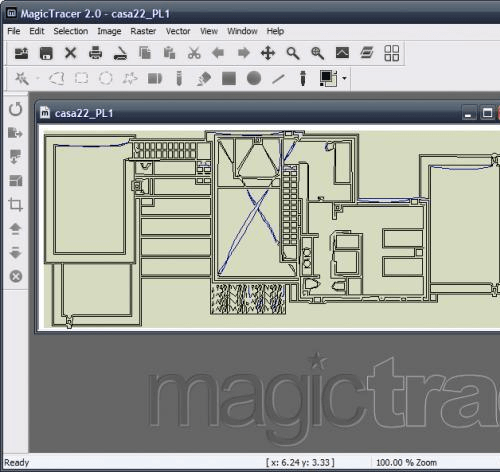
1. Nano Cad
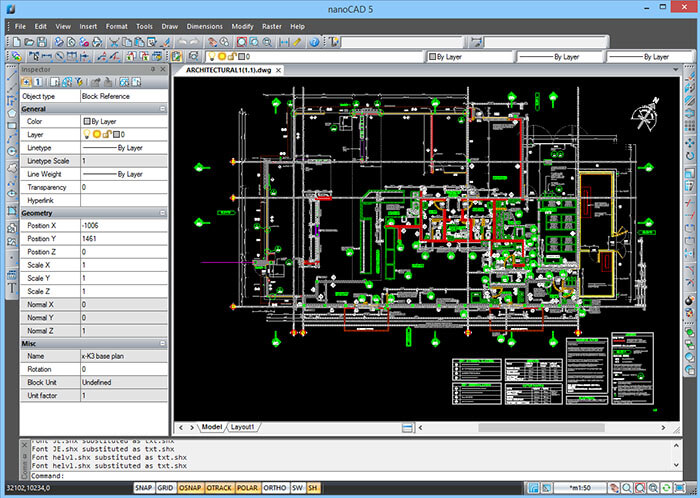
Nano Cad - Best 3D CAD Software

If you are looking for CAD tools that come with the complete “.dwg” support, then Nano CAD is what you are looking for. 

You can enjoy the premium features including SNAP, ONSAP, precision tools along with Command Line Tool. Whether you are new to 3D CAD software or are a professional architect, you would find NanoCAD extremely useful.

Read More: Best Whiteboard Animation Software

The free version comes with several features and provides a good base for the new users thereby making it an excellent 3D CAD software for beginners. But if you are a professional then you need to pay to unlock the professional features.

Nano CAD supports Windows.


2. 3D Crafter
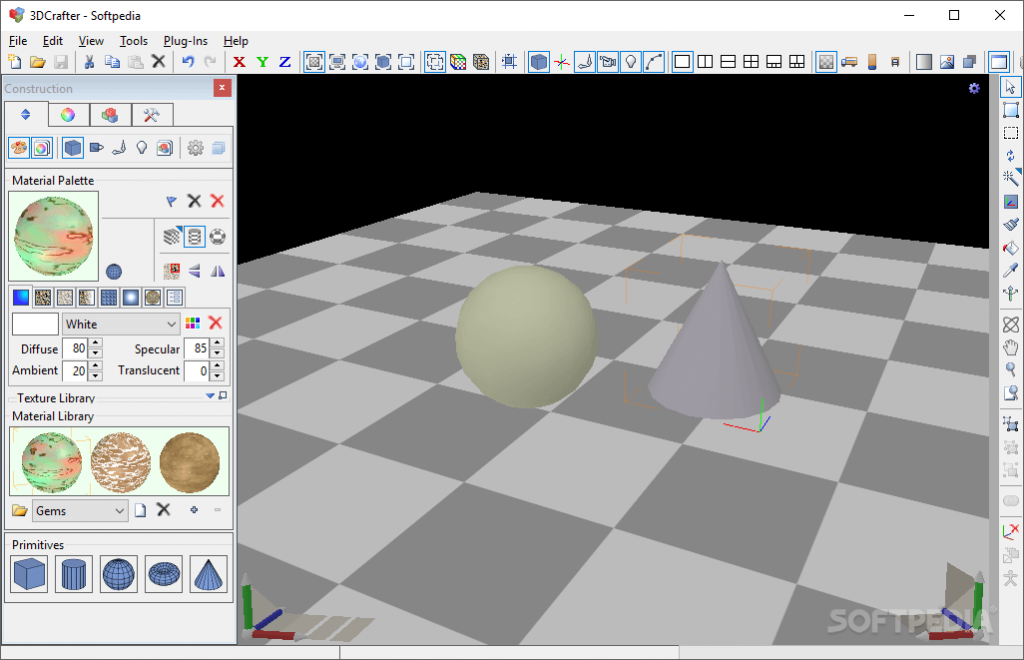
3D Crafter

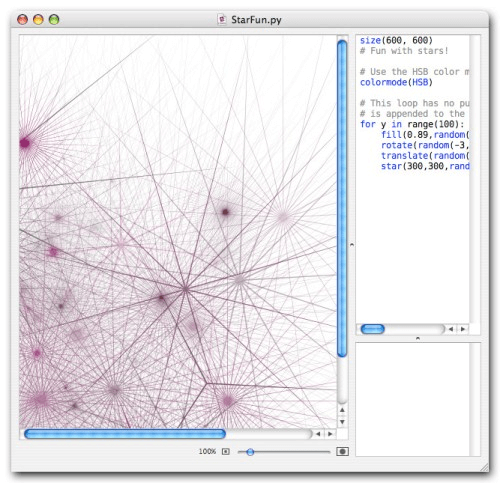
3D Crafter is a real animation and 3D modeling tool that allows you to plan out your 3D models on the computer. The easy to use drag and drop option is something that makes it a must-have tool.

It comes with built-in 3D shape crafting tools and primitive utilities that help you create complex designs and models easily.

This software also allows you to apply animation and effects on the models and shapes. You just need to place the object at each point thereby, making sure that the animations are smooth.

3D Crafter is compatible with Windows.


3. Adobe Dimension CC
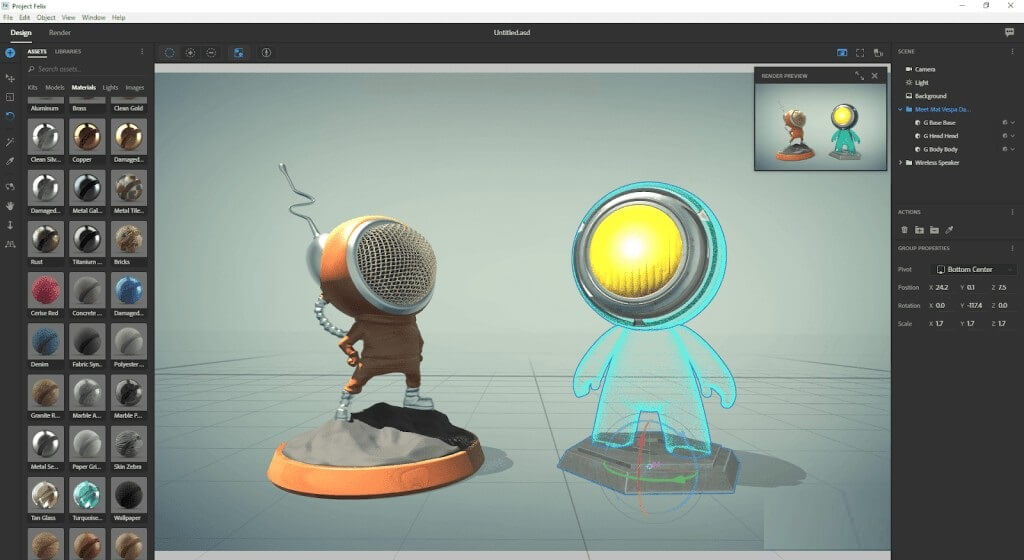
Adobe Dimension CC

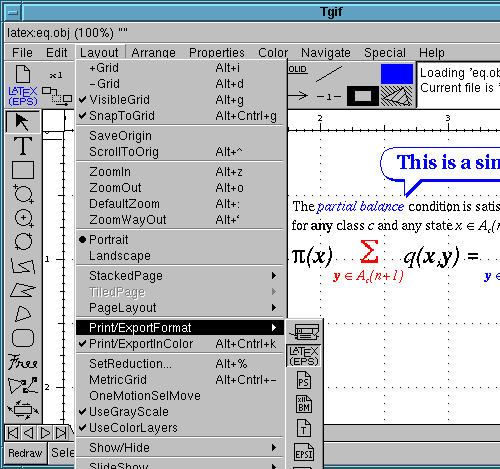
Adobe Dimension CC is a part of the Creative Cloud Suite that brings new dimensions into your project and design.

The features such as lighting and high-quality models allow you to build and craft some engaging 3D models easily within seconds. The navigation options along with the drag-and-drop features make this app, one of the best CAD software for 3D printing.

You can easily craft superfine 3D prints using an image or vector graphics onto a model. Adobe Dimension CC delivers unbeatable performance by helping you create realistic three-dimensional images with perfect texture, contour and lighting effects.

Adobe Dimension CC is fully compatible with macOS and Windows 10.


4. Daz Studio
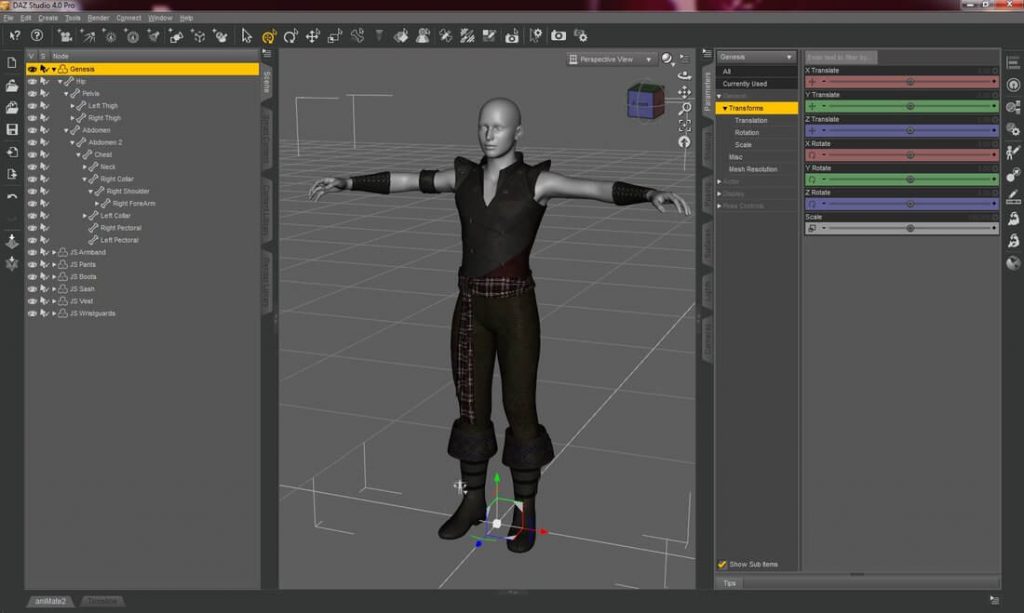
Daz Studio

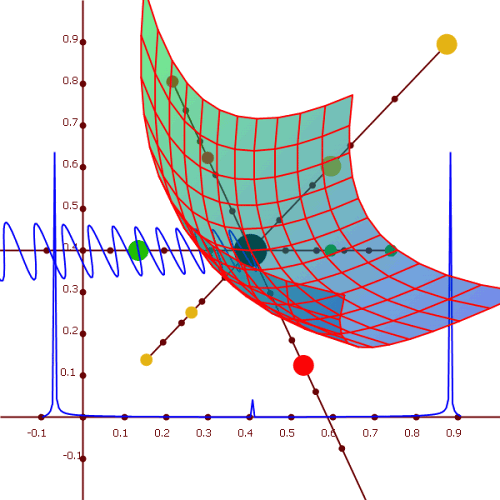
Daz Studio is a free-to-use 3D CAD software that is full of features and is geared more toward professionals.

Besides these features such as morphing, animation after-effects, and posing, the software also enables you to enhance your skills with a list of in-app interactive tutorials and learning modules.

Daz Studio runs seamlessly well on Windows and Mac OS X platforms.


5. KiCAD
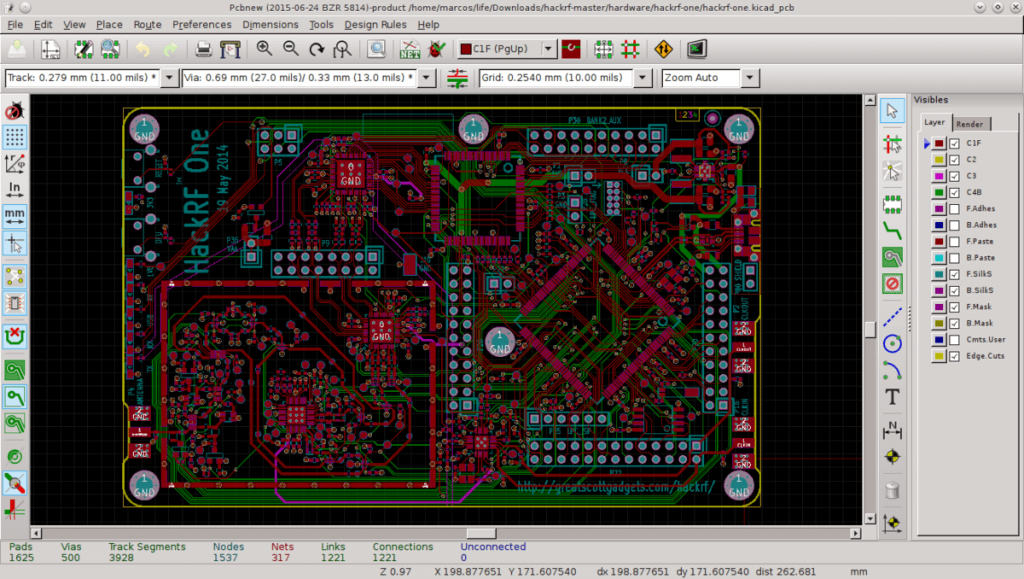
KiCAD

If you are looking for ways to design your next Printed Circuit Board (PCB) then KiCAD will do the job. It is one of the best free CAD software systems that is loved by engineers and electricians around the world.

It is an open-source PCB design software that comes with a built-in project manager and four powerful utilities including a printed circuit board editor, schematic editor, footprint selecting tool, and the GERBER file viewer/editor.

Read More: Best GoPro Editing Software For Windows & Mac

There are a few additional features that include:

  • Two library component editors that allow you to create and edit the schematic components.
  • A 3D viewer and editor to render your PCB in 3D space.

KiCAD performs smoothly on Windows, macOS, Linux, and Ubuntu.


6. Autodesk 3ds Max
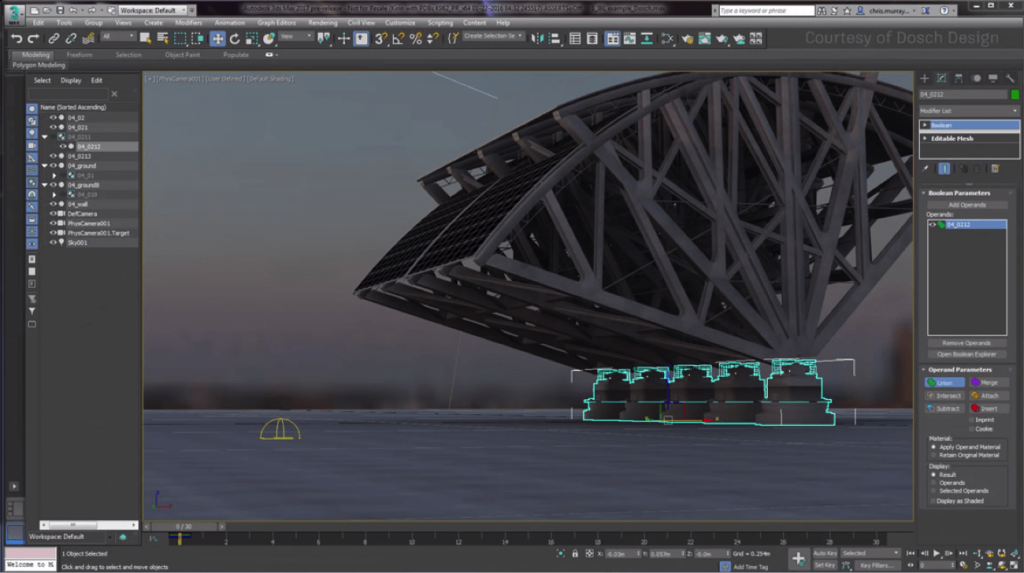
Autodesk 3ds Max

It is a function rendering and modeling program that offers tons and tons of 3D modeling options and tools. You can create, design and animate 3D characters and models for HD games.

This is one of the best 3D CAD software that comes with some features that help you in:

  • Modeling hard surfaces.
  • Applying contour.
  • Creating animations for 3D effects.
  • Applying after effects.
  • Texturing to create superfine designs.

This software comes with many learning modules you can use if you want to learn the basics of 3D modeling.

Auto Desk 3ds Max supports Windows, Linux, and iOS.


7. Solid Works
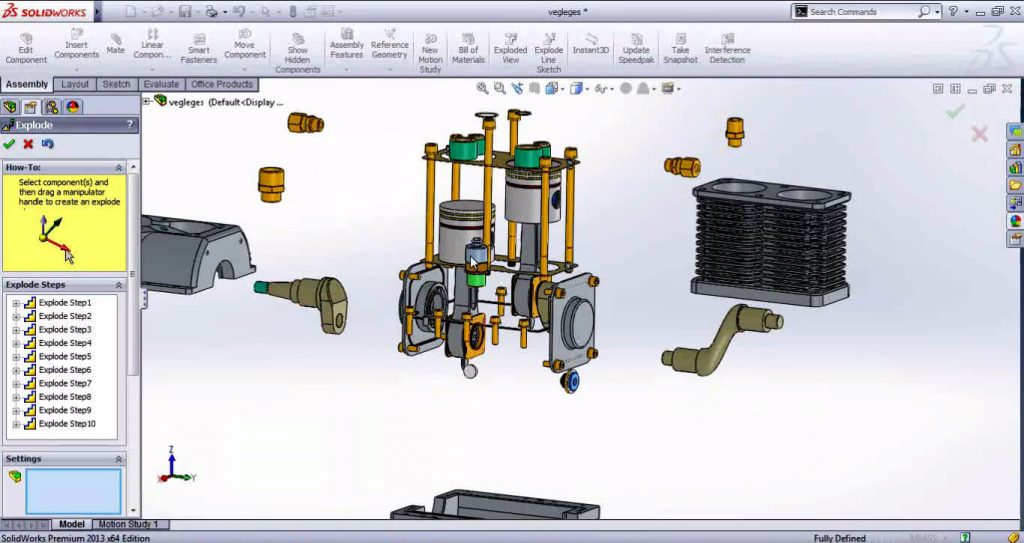
Solid Works

Solid Works is a 3D CAD software that comes with tons and tons of powerful features making it one of the best 3D modeling software.

It is a program that is developed by Dassault Systemes and runs on Windows. If you are new to three-dimensional modeling and design crafting, this software is not for you. A huge collection of tools and tons of features make it a perfect choice for professional artists and architects.

This program is easy to use if you know the depths of designing and modeling. The PDF guides and essential options help you modify the quality of your designs and models.

Solid Works runs smoothly on Windows.


8. Blender
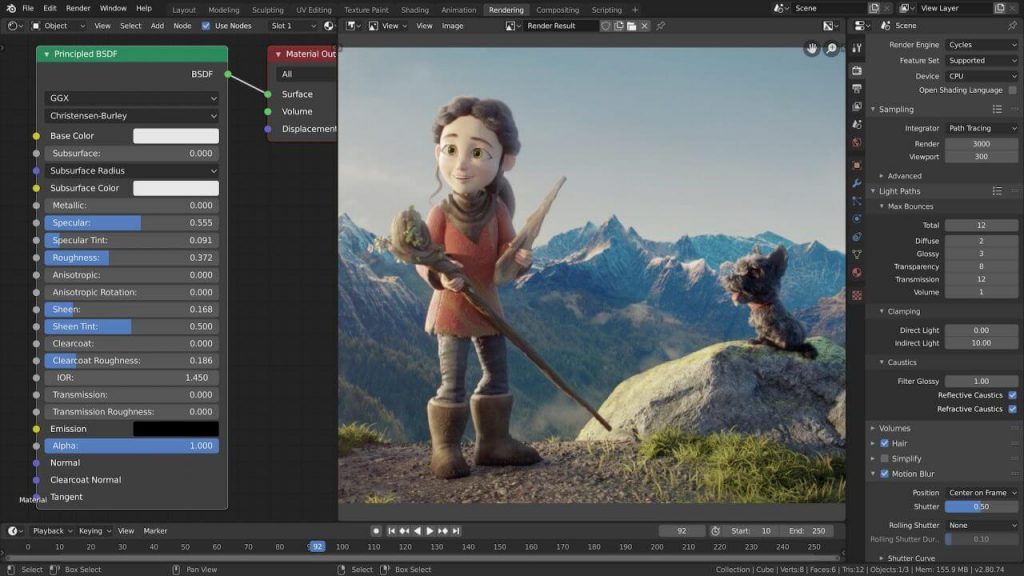
Blender

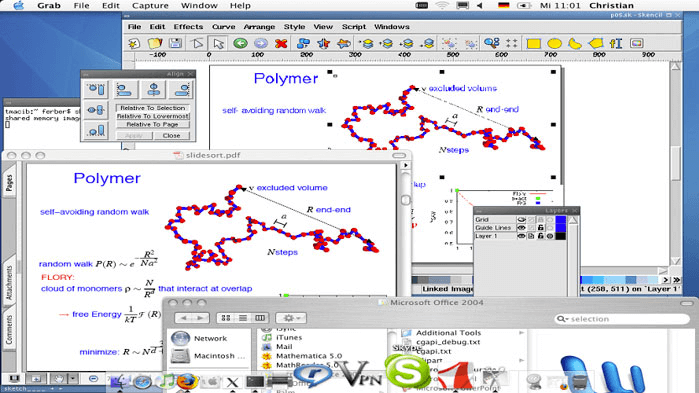
Blender is a free-to-use open-source CAD software that assists you with 3D designing, shaping and modeling, and rendering functions, thus making it a versatile program.

You can do much more than just handling projects, animations, applying after-effects, three-dimensional printing, and whatnot. This is undoubtedly an excellent CAD software for 3D printing. 

You can also install certain add-ons to unlock several functions, options, and features depending on your assignment.

Blender is highly Windows macOS and Linux.


9. FreeCAD
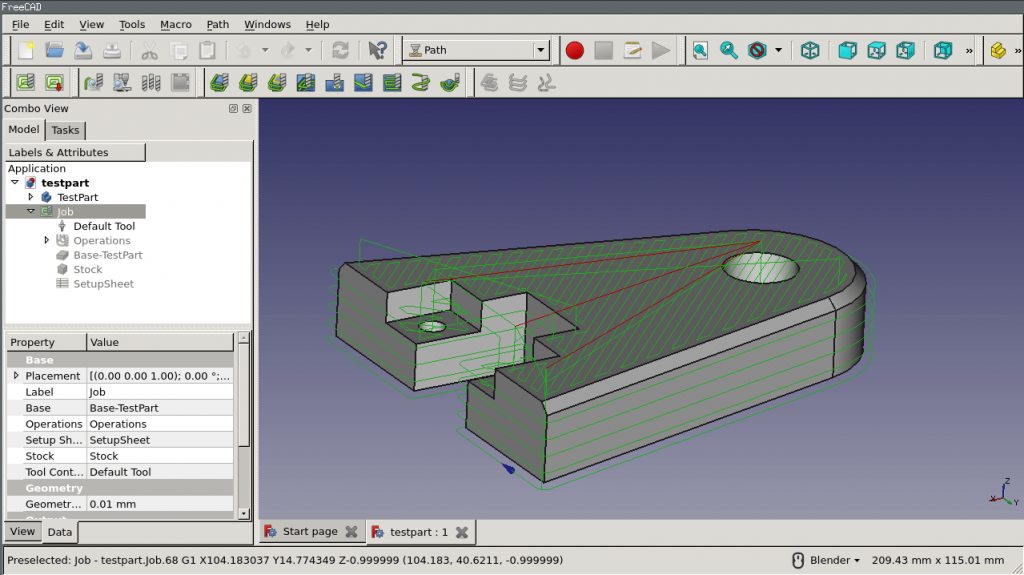
FreeCAD

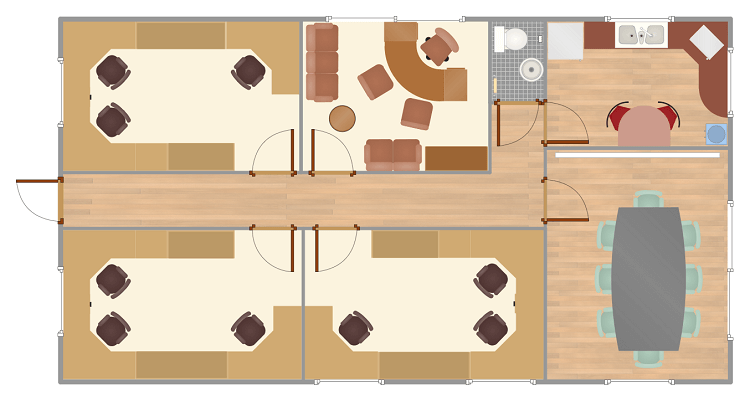
FreeCad is a 3D CAD program that allows you to design real objects of any size in 3D space. It is a dynamic parametric modeling program and you can easily change the dimensions and parameters of your models or designs using its model history menu.

You can use this software to create:

  • Fantastic 3D characters, locations, and areas for game projects.
  • Architectural models and designs.
  • Animations and after-effects.
  • Industrial designs.

There are some primitive options and features that make FreeCAD one of the best CAD software tools for professionals:

  • Sphere
  • Cone
  • Box
  • Cylinder
  • Torus

It is a multiplatform performer and can process multiple file-formats including DAE, STEP, IFC, OBJ, DXF, STL, and many more.

FreeCAD syncs well with Windows, macOS, and Linux devices.

Read More: Top Best GIF Maker & Editor for Windows 10/8/7


10. Mesh Mixer
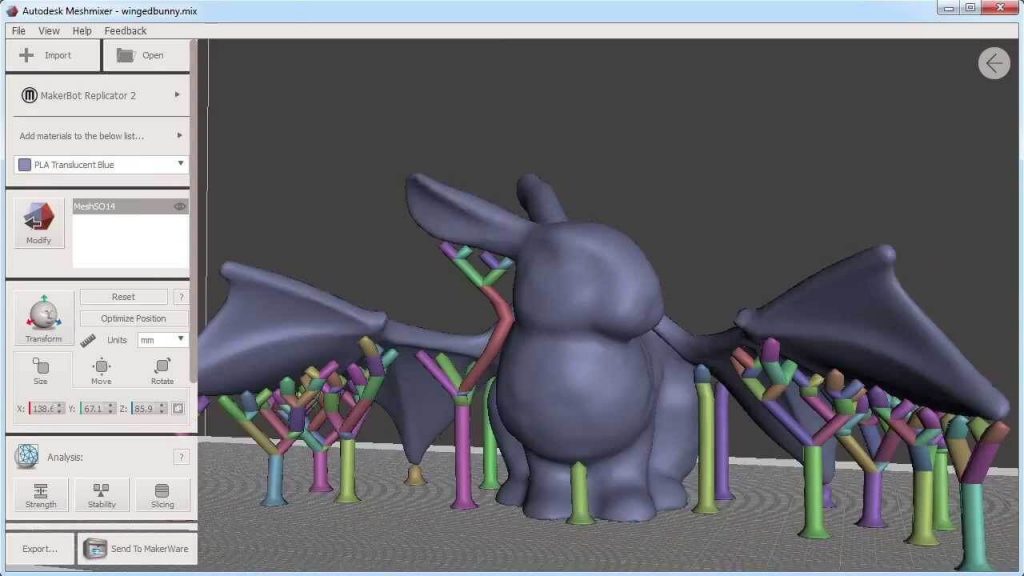
Mesh Mixer

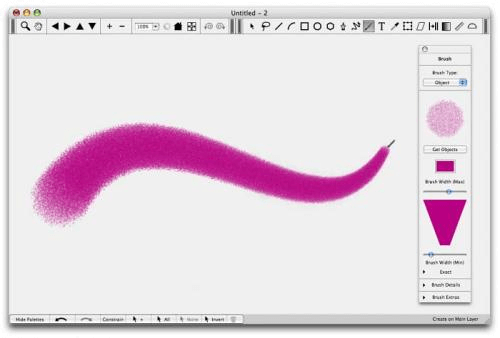
MeshMixer is a top-notch 3D CAD program that you can use for shaping and modeling excellent 3D designs. It is geared more towards handling professional models in 3D space, thereby making it a good choice for artists and architects.

You can also use it to build, edit and modify models from scratch as the program provides all the necessary tools. 

If your assignment is all about 3D modeling, crafting and printing then this program will assist you in your projects. All this makes Mesh Mixer one of the best CAD software for 3D printing.

These are some features it offers:

  • Tools for brushing.
  • Tools for measuring thickness and stability.
  • Mesh smoothing tools.

MeshMixer works well on Windows, Mac OS X, and Linux.


11. Vectary
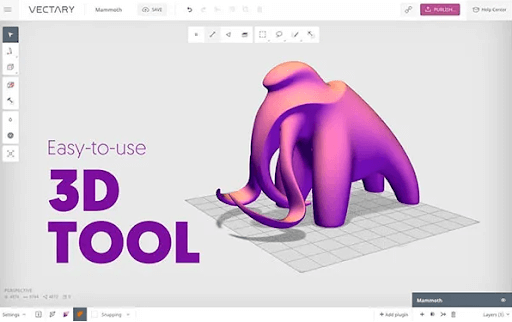
Vectary

The next on our list of best CAD software is Vectary. The web browser-based tool has some advanced features when compared with other alternatives. If you are looking for quick and easy tools for 3D modeling this can be one of the best picks for you. Use the program to customize templates, objects, and projects to create the desired model.

With the Free version of the CAD software, you can create 3 projects. However, if you wish to export these models you must subscribe to their Paid plans. The upgraded version improves the interface and overall functionality of the program.

Also, the educational version of the program is available free of cost for teachers and students.

Features of Vectary:

  • Bring creativity to your 3D designs via Browser without any coding or downloads.
  • Enables users to try existing assets from the huge library to create customized 3D models.
  • Imports are quick without any file size band.
  • Simplifies workflow with a simple and easy interface to concentrate only on your creativity.
  • Add labels, and descriptions, edit colors, and parts, or switch among element libraries depending upon the need of your 3D model.

12. SketchUp
SketchUp

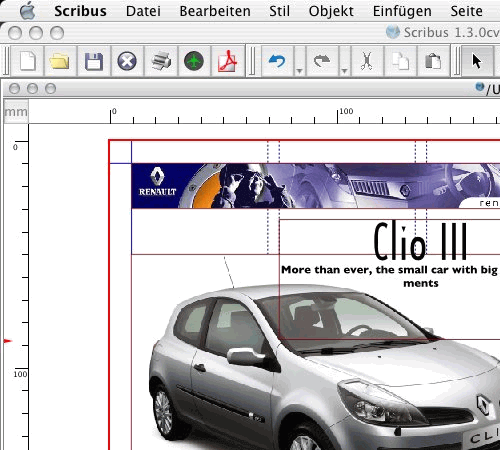
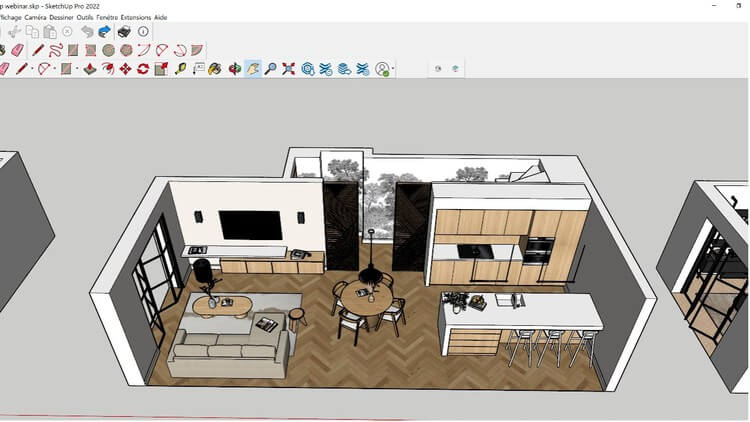
When it comes to 3D modeling, SketchUp is a the Best Free 3D CAD Software that may assist in the creation of both tiny, individualized designs and full-fledged, commercial 3D design projects. Email and telephone help are also available. Additionally, it is available as a mobile application for both Android and iOS smartphones.

With SketchUp’s user-friendly tools, you can easily alter the design geometry and construct a three-dimensional object of any size or form you can imagine. For the purpose of facilitating the generation of design ideas, it offers a 3D model library that contains pre-built templates. When you are presenting your ideas to clients, you may also use animations, movies, and photographs into your designs in order to clarify concepts and exhibit different iterations of a project.

With the assistance of the design tools of this Best Free 3D CAD Software, the program gives you the ability to create three-dimensional models and to personalize the appearance and feel of your projects. It interfaces with virtual reality devices and gives you the ability to examine your projects realistically, which provides you with the ability to identify design errors, prevent expensive changes, and assist customers in evaluating design possibilities.

So these are some best 3D CAD software systems to get if you are a civil engineer, architect, graphic designer or a 3D artist.


Bonus 3D CAD Software

Based on the recommendations and user ratings from our study we are also revealing an excellent CAD software for 3D printing. 

3DReshaper
3DReshaper

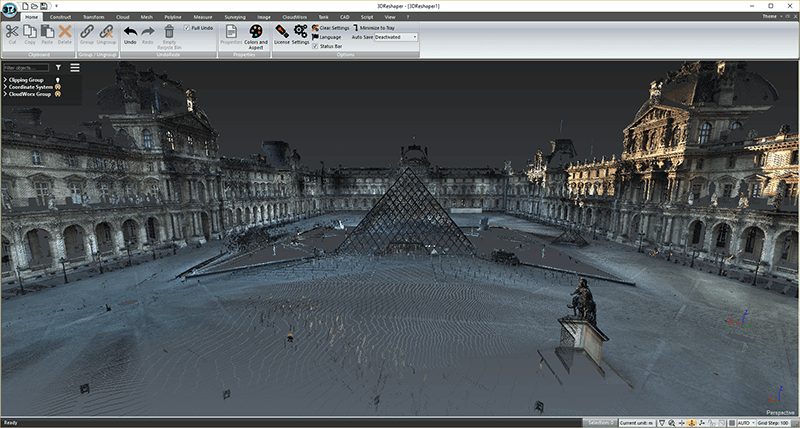
3DReshaper is a wonderful 3D CAD program that helps you in processing the models. If you are a professional artist with years of experience in modeling, after-effects, and three-dimensional printing then this is the program you are looking for.

It is a flexible app that caters to several industries including shipbuilding, automobile, civil engineering, arts, gaming, and many more sectors. It packs a punch of features and supports several scripts for hassle-free modeling.

If you are interested in getting an app that can save your time and assist you in your complex projects, then this is one of the best CAD software for 3D printing

This is a unique program that easily processes 3D point clouds from various sources including:

  • Digital devices.
  • Laser scanning.
  • 3D scanners.
  • Other sources such as UAVs.

Since point-cloud processing is the most difficult step to manage and handle, the software offers powerful tools and functions such as Automatic Segmentation to manage and process point clouds and Fusion to simplify your tasks.

3DReshaper works perfectly fine on Windows 10.


Conclusion

This brings an end to our guide and concludes the list of best CAD software. It is difficult to answer which CAD software is the best as each of the above-mentioned programs comes with its own set of advantages and useful features. 

It is worth suggesting that running animation and 3D effects on your computer require powerful hardware.  Most of the apps discussed in this guide are free and are undoubtedly the best CAD software tools for professionals that will assist you in your assignments and projects. We hope that you select the program that suits your needs and works the best for you.

Author

Jay Galiyal

Jay is an incredible writer who loves to give life to words. He is always carrying out some research and likes to keep himself updated with the happenings around him. Writing runs in his blood makes him happy. When not working, you can find him singing, composing poetry, writing horror stories, playing action games on the laptop and munching on food.

View all posts

Related Posts
Best Free Terminal Emulator for Mac

8 Best Free Terminal Emulator for Mac in 2024

December 18, 2023
0

With your Mac device, you get a nice terminal program with MacOS, and it is responsive. This terminal is also capable of handling practically any command line job you throw at it. However, some users aren’t really satisfied with the default terminal as no personalization options are offered when compared with other terminal emulator options.

There are a variety of emulator options available online. Below we have curated a list of 8 best terminal emulator for Mac. Go through the list and pick the most suitable option for your device. However, before proceeding with the alternatives we must learn how you can launch a terminal on your Mac device.

Options to Launch on Mac:

There are four alternative methods to launch the terminal on macOS.

If you wish to launch Terminal on a Mac, you should be aware that you may do so in a variety of ways, including the same way that you open any other application, as well as several additional methods. You can find a comprehensive set of instructions for opening Terminal on your Mac machine further down this page.

1. Launch Terminal from Finder

The quickest approach is to launch Mac Terminal from the general list of apps on your computer. To do this, launch the Finder application, click the Applications menu item, and then look for the Utilities folder in the list of all applications that appears. You’ll find the program Terminal.app in this section. To open it, just click on it twice.

2. By utilizing Search bar in Spotlight

Launch Spotlight by simultaneously pressing and holding the Command key and the space bar shortcut, and in the pop-up window that appears, begin entering the phrase “Terminal.” You will be able to locate the program that you want; all it takes is a click to launch Terminal.

3. Through Launchpad

Launchpad may be accessed from the Dock; once it’s open, go to the “Others” folder. You’ll find the Terminal app in this section. To open it, click on it.

4. Use Siri

Naturally, utilizing Siri is yet another and maybe the quickest method to launch Terminal on a Mac. You may access Siri either by selecting its icon in the menu bar or by launching it from the Applications folder. Simply stating “Open Terminal” will do in this situation. The end of it

List of Best Terminal Emulator for Mac

The following section explains in detail about MacOs best terminal emulators. Read the description, pros, and cons of each to select the most suitable alternative.

1. ZOC

ZOC

The first option on our list of Mac best terminal emulators is ZOC. It is often recommended as the method of choice for individuals with higher experience. You will receive excellent support for tabs with this Terminal. Moreover, you will easily be able to operate numerous terminal sessions at the same time through ONX, SSH, telnet, or other terminals.

In addition to that, the emulator is very modifiable and is considered reliable by Mac users. Support for the mouse and keyboard, pass-through functionality, and line graphics are some of the most important features.

Pros

  • Pleasant point of contact
  • Automatic

Cons

  • Costly when compared to other options

Get ZOC Here

Also Read: Best Free Mac Cleaner Apps to Clean and Optimize Your Mac


2. Kitty

Kitty

Next one on our list of the best terminal emulator for Mac is Kitty. It comes packed with a variety of features. These include multiple copy-and-paste buffers, attention tracking, bracketed paste, and many more. Additionally, it makes advantage of the graphics card to provide a swifter and more even performance.

Pros

  • Provides support for various hotkeys.
  • Capacity to generate directives on an individual basis.
  • Quick action and performance

Cons

  • Occasionally sluggish
  • There will not be a configuration refresh.

Get Kitty Here


3. iTerm2

iTerm2

iTerm2 is the next MacOs best terminal emulator on our list. It is a free amazing Terminal for Mac, and it auto-completes the commands. Moreover, this fastest terminal emulator for Mac allows numerous profiles, gives you the option to conduct high-end modifications, and a lot more.

This terminal emulation software for Mac is the greatest program available, regardless of whether you are a novice or an experienced user. You may also increase your productivity by dividing a single window into many tabs by using this functionality.

Pros

  • Playback begins immediately
  • Effective in one’s job
  • There is a large amount of room for personalization.

Cons

  • Mac OS 10.14 or a later version is required.
  • Lack of support for RTL

Get iTerm2 Here

Also Read: Best Image Viewer for Mac


4. MacWise

MacWise

MacWise is another best terminal emulator for Mac on our list. It has a relatively streamlined appearance. It was developed to be compatible with a diverse range of communication protocols and network configurations.

This MAc best terminal emulator is versatile and can simulate a wide variety of terminals. These include the Wyse 50, ADDS Viewpoint, DEC VT100, Prism, VT20, Wyse 60, Wyse 370 and many more. You even have the option of adding some specialized functionality to this terminal emulator for Mac.

Pros

  • Makes it possible to log in to the Mac Unix Shell.
  • Maintain compatibility with a wide variety of network protocols and connection types.
  • Minimal design

Cons

  • Occasionally sluggish
  • Comparatively expensive

Get MacWise Here


5. Commander One

Commander One

The next best Mac terminal emulator for Mac is known as Commander One. It is quite powerful. It is a highly effective Mac Terminal emulator in addition to being a very quick file manager. You can run commands without leaving the app’s UI by bringing up Terminal with the use of hotkeys and bringing it into focus. In addition to providing support for cloud storage, FTP, and SFTP, this fastest terminal emulator for Mac also has a highly configurable interface.

Pros

  • Endless capacity for tabs.
  • Offers support for FTP, SFTP, and FTPS
  • Compatible with mobile devices running iOS, Android, and MTP

Cons

  • There is no support for a feature that allows multiple renaming.
  • Lacks directories.

Get Commander One Here

Also Read: Best Widgets for Mac to Use


6. Power Term InterConnect

Power Term InterConnect

The next one here on our list of Mac best terminal emulator is PowerTerm InterConnect. It is an excellent choice as it offers extensive support for more than 30 different languages. Additionally, it works with a wide variety of hosts. The robust support for SSH and SSL security is the highlight of this MacOS best terminal emulator.

Pros

  • Free of Charge
  • Provides support for more than 30 different languages
  • Security provided by SSH and SSL

Cons

  • Outdated

Get Power Term InterConnect Here


7. Hyper

Hyper

If you want complete command over your Mac, you should give considerable thought to using the Hyper Terminal program. This best Terminal emulator for Mac enables you to simultaneously access a number of tabs.

The user interface is quite standard. This is because HTML, CSS, and JavaScript were used in the development of the emulator. In addition to that, it comes with the plugins that may boost the overall productivity of the program.

Pros

  • Offer a variety of shortcuts
  • You won’t have any trouble splitting the terminal.
  • Availability to add one’s own custom CSS

Cons

  • Occasionally sluggish
  • Requires multiple resources

Get Hyper Here


8. Putty

Putty

Let’s have a look at the next best free terminal emulator for Mac this year. Putty is one of the best SSH and telnet client platforms ever created for Mac. This tool is completely free to use and safe for Mac as well.

The interface of the software is quite simple and similar to that of the Windows Command Prompt.

Pros

  • Multiple shortcuts to support
  • No crashes

Cons

  • Better alternatives available
  • Get Putty Here

Get PuTTY Here

Also Read: Best Free Mac Windows Manager


Closing lines on Best Terminal Emulator for Mac

You are now familiar with all of the great terminal emulators for Mac that you may use in lieu of the Terminal. However, if you think we missed out on your recommended alternative, do let us know in the comments. In case, you have any questions or suggestions regarding the content drop them in the section below.

If you found the guide helpful, don’t forget to subscribe to our blog to get updates directly delivered to your email. For more, tech updates, news, tips, and tricks follow us on Facebook, Pinterest, Twitter, and Instagram channels.

Best Video Calling Apps for Android to Choose in 2021

14 Best Video Chat and Calling Apps for Android in 2024

March 4, 2024
0

We have listed some of the best video calling apps for Android devices. You can try them to connect with your close one easily. Read more about the applications below.

Android phones have a list of applications for every work. You can find applications on Play Store and on the internet as well. Out of the many applications, some of them are waste while some of them work the best for the user. Similarly, in the case of video calling apps, you can find hundreds of applications but there are only a few of them which can help you connect with your close ones easily.

While video calling a user wants to have a chat without disturbance and with full clarity. If the app is unable to deliver that then it is useless to have such an app. In this article, you will find the best video chat apps for Android that you can try and have the best video calling experience. So without any delay let’s take a look at the list of best video call apps for Android.

14 Best Video Calling Apps for Android to Choose in 2024

Here is the list of video calling apps that you can use to stay connected with your relatives and friends without any limitations.

1. Google Duo

Google Duo

Google has many apps for mobile phone users, out of the many applications Google has a Video calling app too. Google Duo is the app that is considered the best video call app for Android. The application has a very simple interface that can be adapted by every mobile user. To use this app all you need to do is just log in with your mobile number.

The best part about this app is that it offers the best video quality video calling. Other than this the app has many other features that can be useful while video calling your close ones. The feature list includes low light, effects, and board to type like other features. Using the low light feature you can even video call in the darkroom and you will be visible. This is a great feature that is very rare to find among video calling apps.

The app also has a ‘Knock Knock’ feature which lets the receiver preview the caller’s actions. Other than this the app is available on both Android and iOS devices. You can use the same id or number for both the device and keep the data saved. You can capture a screen while video calling, the image will be saved in the gallery and you can even check them under the caller’s name.

Apart from video calling the app also offers a voice calling feature over the internet. The voice quality of the call is rated the best. You can definitely try this app if you are looking for a free video calling app for Android.

Visit Here


2. Skype

Skype

Skype is another app in the list of the best video calling apps for Android. This app has crossed 1 billion downloads on the Google Play Store. Skype is not just a video calling app but is a complete package that includes chatting, voice calling, official meetings. This is one of the oldest video calling apps for mobile as well as computers.

It is a free-to-use app that can be downloaded easily on your Android and iOS devices through the stores. You can keep your data secured and access it through any device. All you need to do is just log in with your email or number.

Using the app you can make a video call of up to 25 people, you can even schedule a meeting and send invites to the people. In the chatting section, you can use voice notes, emojis, and images to chat with other individuals easily.

If you make a call using this app, then you might observe that the application is taking more internet. The app does not compromise on the quality which is why the app consumes more data as compared to other applications. But if your internet connection speed is slow then you can try other options from the list as this app requires good speed to perform to the fullest.

Visit Here

Also Read: Best Offline Shooting Games for Android (No Internet Required)


3. Viber

Viber

Viber is also a very famous and one of the best video call apps for Android and iOS devices. This app can never be out of the list, it offers the best features which a video call app should have. The best feature of this app is that it is free to use, you can easily connect with your loved ones using this app for free. Other than just using the app on Android and iOS, you can even use it on Windows and Blackberry devices too.

The app does not hinder the privacy of the user and keeps the message safe. The app encrypts the messages, video calls, voice calls, and other elements of chat. Moreover, the apps have a very simple and neat interface. Other than the features of the app it offers the user various games that can be played among friends and other connected accounts.

Visit Here


4. IMO Free Video Call and Chat

IMO Free Video Call and Chat

IMO is another free video chat Android app that you can try.  This is a video and voice calling app which can be used with every device and every internet connection including 2G, 3G, 4G, 5G, or WiFi. This free video calling app for Android and iOS offers text features only other than video and voice calling. Whereas other alternatives or competitors may offer more features.

The app encrypts the call and messages sent through it. The privacy of the user is always taken care of by this app. In the chat section, you can share photos, send stickers and use other chatting features. The best part which the users claim is that the app uses less data as compared to other video calling apps. Though this is a free app so while using the app you might witness some advertisements.

Visit Here

Also Read: Best Siri Alternatives for Android 


5. Facebook Messenger

Facebook Messenger

Facebook is one of the biggest social media platforms that the majority of mobile phone users use. Facebook has a supporting/ dedicated app that can be used to message and connect to Facebook friends. Facebook Messenger is one of the best video calling apps for Android that offers many other features other than just video calling. The app offers features including messaging to all your Facebook friends and other Facebook accounts.

It is a free-to-use app that is compatible with Android, iOS, and web browsers. You can make group video calls using the app. You can also use this app for business purposes too. The app is tried and trusted by more than 1 million users

Visit Here


6. Houseparty

Houseparty

Houseparty is the most popular and one of the best video calling apps for Android. This app was a savior for most of the people during the pandemic. This is not the usual video calling app but it has some amazing offerings which you may love about this app. Using the app you can play games with your friends and family members while video calling. Other than games you can enjoy karaoke sessions, add frames and enjoy other activities too.

You can call up to 20 people with this app and enjoy a great quality video calling experience. While the app has a downside as compared to the other competitors i.e., it doesn’t offer end-to-end encryption. So if you are looking for an app that protects your privacy then definitely this is not the ideal pick for you.

Visit Here

Also Read: Best Root Apps For Android Smartphones 


7. WhatsApp

WhatsApp

WhatsApp is one of the most popular chatting and best video calling apps for Android and iOS devices. This application is present in almost every smartphone. The app got popular because of its simple and easy interface and various other features to ease the work of users. Using this app users make millions of video calls in a day.

Other than just being an ideal app for video calling, it offers features for easing chatting with other users. While chatting with this app the user can send photos, videos, stickers, GIFs, location, contact and can even make payment through it. The app keeps getting better and better with the updates. Using the app you can switch between voice calls and video calls effortlessly.

The best part about the app is that it is secure and takes care of the privacy of the user. The app has been downloaded by more than 5 billion people.  It is a free-to-use app and does not have any ads. The offerings and ease make the app the best video chat app for Android and iOS.

Visit Here


8. Signal

Signal

Signal is the biggest competitor of WhatsApp and is also one of the best video call apps for Android and iOS phones. The app got popular after the privacy controversy with Whatsapp. This is a great app to choose from, the app not only offers a video calling feature but also offers voice calling, chatting, and other features.

The app supports up to five people’s video calls whereas Whatsapp has now upgraded from 4 to 8. The app has a privacy policy as compared to other competitors so you can blindly trust this app for keeping your privacy intact.

The app has no tracker and no ad disturbance, so you can enjoy this app without any interruption. Though the app does not have as many features as other apps it offers the best video calling experience for its users. The app has been downloaded by more than 10 million people.

Visit Here

Also Read: Best Weight Loss Apps For Android & iOS 


9. Line

Line

Line is a very popular messaging app that is considered the best video call app for Android and iOS too. This is a free-to-use application that offers features like free voice calls, video calls, and chatting. With more than 500 million users trust you can also try this app and enjoy its amazing features using which you can connect to people easily.

The app offers a high-quality video calling experience at no cost which makes it one of the best video chat apps for Android and iOS. While video calling you can use multiple filters/ effects to express feeling and joy with others. Using this application you can make calls through your phone as well as from the computer too.

The app can be used to video call 200 people at the same time. Most of the competitors fail to deliver this feature, while Line stands out differently by delivering it. The app is free but you might witness some in-app purchases and ads while you use it.

Visit Here


10. Tango

Tango

Tango is another messaging app on the list of best video chat apps for Android and iOS. The app has undergone several updates and now it has become a full-fledged messaging app. It offers a high-quality video call experience, which every user wants.

Other than just offering a high-quality video calling experience the app has many other messaging features that you may like. The features include sharing photos, videos, location, GIFs, stickers, audio, and many more.

The app can be used to broadcast live videos and play games while your video calls with others. The app has public chat rooms for casual conversations and the best part is it consumes less data while calling as compared to other video calling apps.

Visit Here

Also Read: Best Free Adult Coloring Apps For Android & iPhone


11. Google Hangout

Google Hangout

Google has many applications you can use, we have already mentioned Google Duo above in the article. Next up in the list of best video call apps for Android and iOS is another Google app. Google Hangout is a great app that offers useful features like messaging, video calling, and voice calling.

The app was launched in 2013 as a universal messaging application which later turned out to be a great app for video calling. Google is currently working on rebranding this application. It is the safest option to try that keeps your privacy intact.

Using the app you can video call with up to 10 people and share photos, videos, and other elements through the messaging section in the app. The app offers a high definition video calling experience to its user, if you are looking for the best video chat app for Android then this is the ideal app that you should pick.

Visit Here


12. Instagram

Google Hangout

Instagram is the fastest growing social media platform. This social media platform other than offering the usual features it offers video calling features too. The app can be used to chat, video call, share life activities.  Using the app you can follow your favorite people and check their activity by their posts.

Using the app you can video call up to 4 users at the same time. It moreover offers a dark mode too which most of the users like to have in their app.

Visit Here

Also Read: Best WiFi Hacking Apps For Android


13. Snapchat

Snapchat

Snapchat is another great application that you can use. This app is also considered the best video calling app for Android and iOS as it offers loads of features. This app is most preferred by teenagers. It offers a very unique feature in which you can send snaps to your contacts regularly and make streaks.

The app can be used as a secret chatting platform too as the messages delete after you refresh the window. In the messaging section, you can share photos, videos, and emojis.  For video calling with your contacts, you get various filters to use. The app offers great quality video calls for all its users, you can try this app for a unique video calling experience.

Visit Here


14. Zoom

Zoom

Although considered as a meeting platform, Zoom can work quite well for you as the best video chat and calling app for Android. Using this app, you can schedule a meeting and connect with anyone you want using the meeting link. The tool offers high-quality video conferencing and, hence, is considered to be the best on the list.

Visit Here


Conclusion: Top 14 Best Video Chat and Calling Apps for Android in 2024

The above-mentioned applications are the best video calling app for Android and iOS that you can try in the year 2024. The apps offer various other features other than just offering video calling. You can read the description and choose the best video chat app according to your requirements. We hope that you found this article useful. Before leaving, don’t forget to tell us which app you choose and why in the comments section below.

1 Comment
    Despina Umphenour says: Reply
    December 26th 2020, 2:47 am

    Fantastic website. Lots of helpful info here. Thanks for sharing!!

Leave a Reply to Despina Umphenour Cancel reply

Your email address will not be published. Required fields are marked *

Sidebar Image bit G ad1

Latest Posts

  • Anytime Astro: Best Website For Online Astrology Consultation
    Anytime Astro: Connect Now For Online Astrology Consultation
    by Somya Shrimal / March 13, 2026
  • Best-Ways-to-Combine-Images-Into-PDF-Files
    Best Ways to Combine Images Into PDF Files
    by Niharika / March 12, 2026
  • Best FREE VPS Hosting Providers
    7 Best FREE VPS Hosting Providers in 2026
    by Devesh / March 12, 2026
  • Best-McAfee-alternative-software-to-use-for-Virus-Protection
    Best McAfee Alternative Software to use for Virus Protection
    by adminuser / February 11, 2026
  • What-is-Flip-Flop-in-Circuite-and-it's-Types
    What is Flip Flop in Circuit and its Types
    by Meet / February 6, 2026

Categories

  • Cyber Security
  • Driver Updater
  • Entertainment
  • Fitness
  • Games
  • How To
  • laptop
  • OS
  • Reviews
  • Tech News
  • Tips & Tricks
  • Top 10
Sidebar Image bit G ad1
Best PDF Search Engine Sites to Get Free PDF eBooks 11 Best PDF Search Engine Sites Get Free PDF eBooks in 2024by Harshita / December 28, 2023
16 Best File Compression Software in 2024 [Top File Archiver]by Prachi Dani / December 28, 2023Best File Compression Software in 2021
TechPout Footer Logo

We at TechPout promise to put forth stories that help people to learn and simplify their digital life. Our purpose is to share the true essence of technology with our tech-loving community.

Useful Links

  • About Us
  • Contact us
  • Privacy Policy

Popular Posts

  • Best PC Optimizer Software
  • Best Mac Cleaner Apps
  • Best Driver Updater
  • Duplicate Photo Finder and Cleaner Software
  • Best Free Movie Download Sites
  • Best IPTV Players

Follow us

Copyright © 2026 www.techpout.com. All rights reserved
DMCA.com Protection Status