Main LogoLight Logo
  • Reviews
  • Top 10
  • How To
  • Tech News
  • OS
    • Windows
    • MAC
    • iOS
    • Android
  • Categories
    • Driver Updater
    • Cyber Security
    • Games
    • Fitness
    • Entertainment
    • Tips & Tricks
Top 10
by Monil

12 Best Free Music Making Apps to Make Your Own Music in 2024

May 23, 2024
1

Want to create your own music or beats? Then, you’ve arrived at the right destination. Here, at Tech Pout, we’ve brought up the list of best free music making apps. So, stay tuned with us till the end!

Whether you’re a young student and started making music as a leisure activity or planning to become the next Dan Reynolds, it’s always best, to begin with, free online music maker software.

So, if you’re looking to create your own music or band, look no further than your smartphone. Now, you can easily create your own music beats and make your own band just like K-Pop or BTS. Sounds interesting no! Then, jump to our next section to know more in-depth. 

However, if you don’t know how to make your own music online, then you don’t need to worry about it anymore as we’ve done all the heavy lifting to help you pick the best music making apps. So, just have a look at the list below!

Table of Contents hide
List of Best Music Maker Apps for Creating Your Own Band and Music
1. GarageBand
2. BandLab – Music Making Studio
3. Suggester
4. Music Maker JAM
5. n-Track Studio 9
6. Groovebox
7. Audacity
8. Tracktion T7
9. Music Memos
10. Cubasis 2
11. FL Studio Mobile
12. KORG iELECTRIBE
Frequently Asked Questions

List of Best Music Maker Apps for Creating Your Own Band and Music

The following is a well-researched list of the top applications you may use to make your own music.

1. GarageBand

GarageBand - Best Free Music Making App

Price:- Free

Compatibility:- iOS 14.0 or up

The most obvious choice for the top spot, this free online music maker has been a favorite for many years.

Whether you’re a complete beginner or ready to take your music-making to the next level, GarageBand has got you covered.

Apple’s long-standing music-making app offers a wide range of Touch Instruments & Multi-Touch gestures to help you play guitars, keyboards, create beats with DJ-style effects, and much more.

Moreover, we think it is among the best free apps to make your own music for access to the various audio recordings, Apple Loops, and musical instruments with professional mixing effects & sound packs — so you can create your own music anywhere, anytime.

Download


2. BandLab – Music Making Studio

BandLab – Music Making Studio

Price:- Free

Compatibility:- Android 5.0 or up, and iOS 11.0 or up

Read More: Best Free Music Download Sites

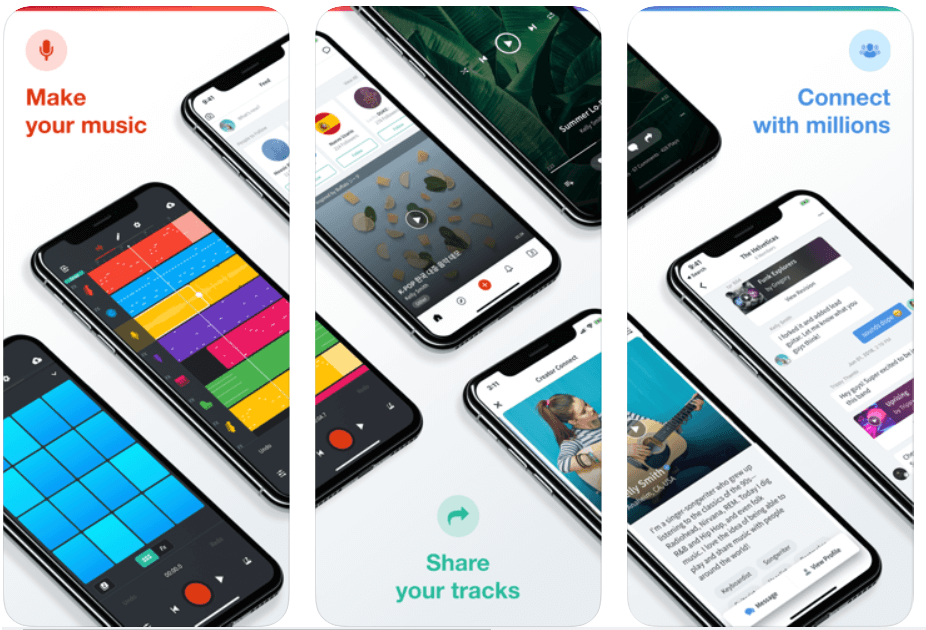
With more than 9 million users, BandLab is the world’s most popular free online music studio to create your own songs and mashups.

With BandLab’s multi-track editor, you can record, produce, edit and remix any fine-tune to perfection while on the go.

BandLab also lets you connect with fellow DJs and artists — so you can start a band with established musicians, rappers, guitarists, and more.

Download


3. Suggester

Suggester

Price: $13.99 (Free version also available)

Compatibility: iOS 13.0 or later and Android 6.0 and up

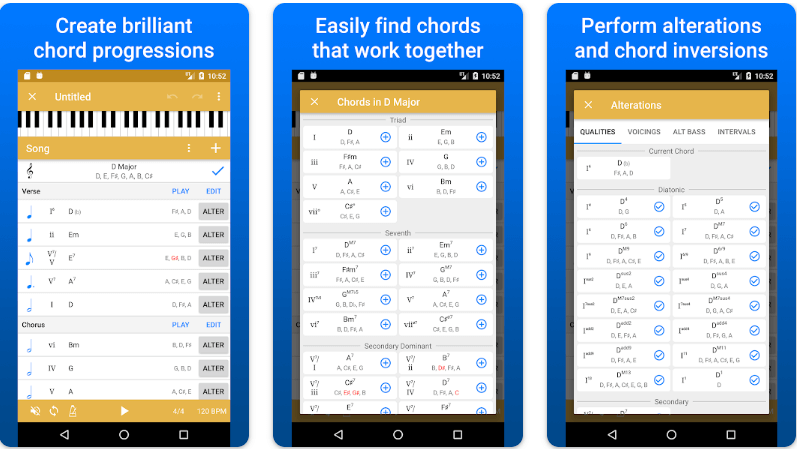
Let us introduce you to Suggester. It is among the best free music making apps for music theory enthusiasts to create new chord progressions. We like the application because of its wide range of chord suggestions within a designated key, easy MIDI export to DAW, the perfect use of Roman numeral notations, effortless chord playing, and quick drag-and-drop chord reordering. You should definitely try this app to unleash your inner musician.

Download for iOS

Download for Android


4. Music Maker JAM 

Music Maker JAM 

Price:- Free, In-app purchases

Compatibility:- iOS 9.3 or above, and all Android versions

Even if you are not a fan of music-making apps, then Music Maker JAM will definitely make you one.

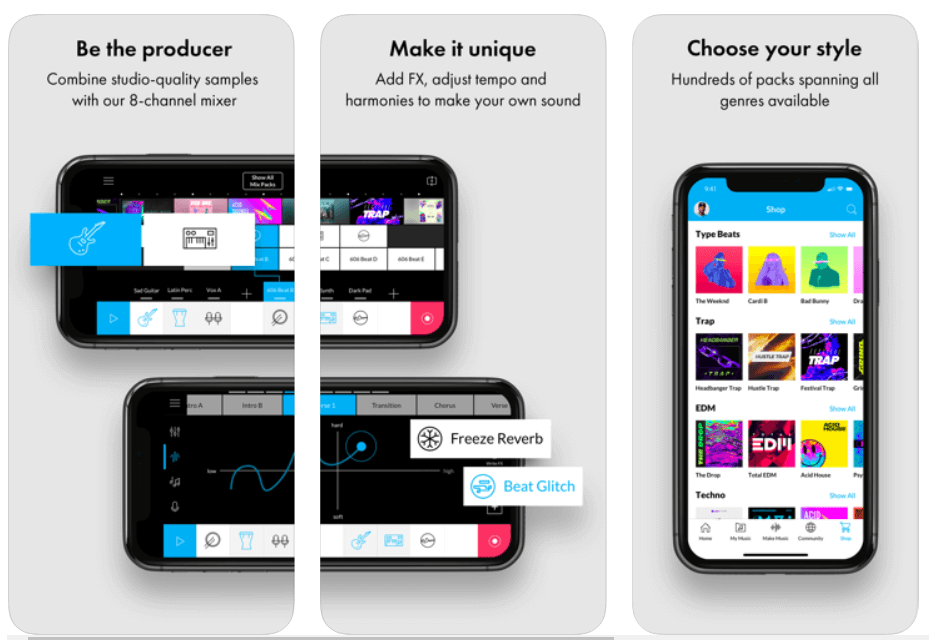
It is one of the best free apps to make music due to its tons of studio-quality loops allowing you to create & share amazing music with the world.

Being a part of this music creation community, you can get access to more than ten free packs with over 2000 loops that can help you produce your own album right on your smartphone.

So, what are you waiting for? Download Music Maker JAM and be a music creator today!

Download


5. n-Track Studio 9 

n-Track Studio 9 - Best Free Music Making App

Price:- Free

Compatibility:- Android, iOS, Windows

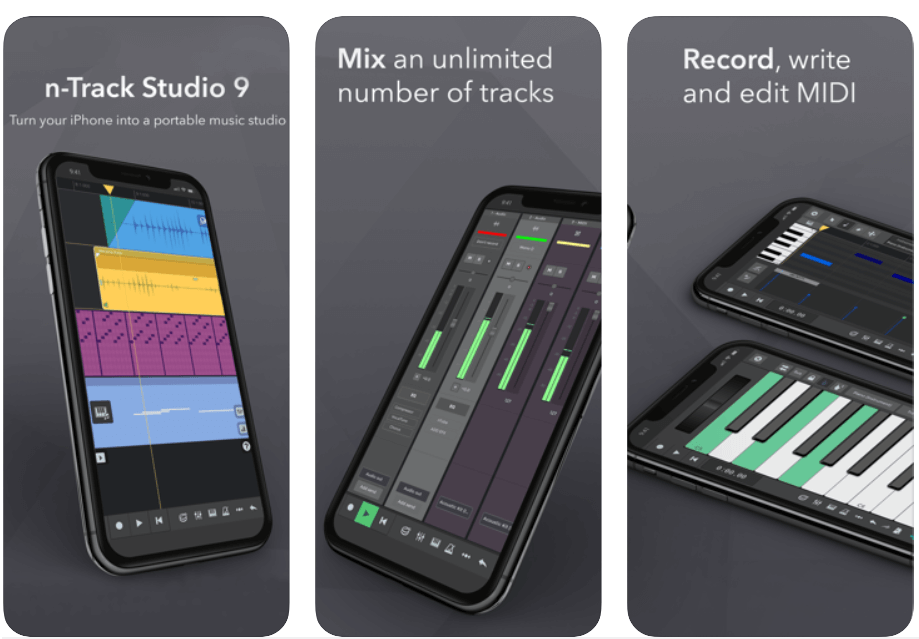
n-Track 9 is an online music studio that lets you record & share an unlimited number of tunes and MIDI tracks (max 11 tracks without in-app purchases) with the Songtree community.

It offers a wide range of creative tools including Piano Roll, Guitar Amp, Screen Drumkit, VocalTune, Surround mixing, Beat doctor, 2d & 3d Sonograms, and much more!

So, if you’re looking to make a name for yourself in the music production industry, then this free online music maker could be the perfect option for you.

Download


6. Groovebox

Groovebox - Music Making App

Price:- Free

Compatibility:- iOS 13.0 or above

Read More: Best Lyrics Apps to Learn The Lyrics of Your Favorite Song

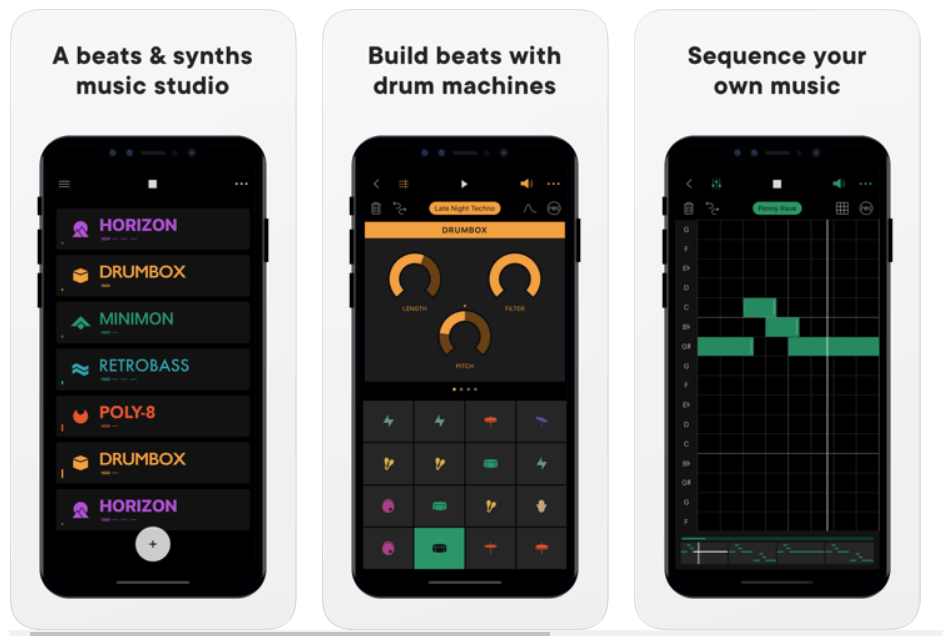
Groovebox is a beautifully designed and one of the top free music-making apps with an inspiring synth, presets, and world-class touchable instruments.

With this free music maker application software, you can instantly create, remix and record your own tunes and melodies.

So, what are you waiting for? Download Groovebox today and tune your iPhone or iPad into an online music studio. 

Download


7. Audacity

Audacity - Best Music Making App

Price:- Free

Compatibility:- iOS 11.4 or up

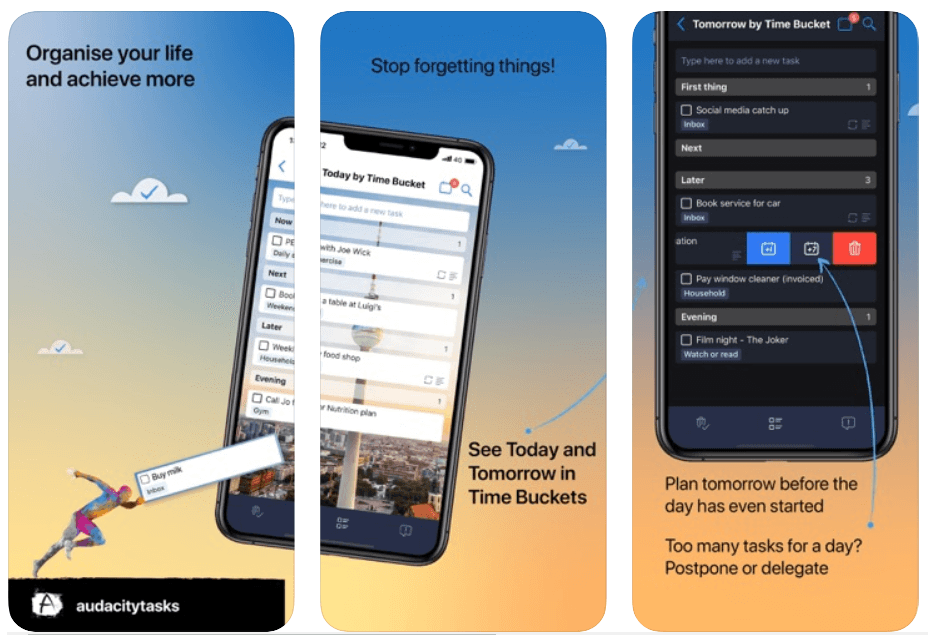
Audacity is a free, open-source music making software that offers an amazing set of editing features and real-time effects to help you make your own music.

The music production software is available for free download on Windows, Mac OS X, and Linux operating systems.

Audacity is one of the most used multi-track audio editors with you can instantly record live audio through a microphone or mixer. Moreover, it is one of the best free music-making apps for the iPhone.

Download


8. Tracktion T7

Tracktion T7

Price:- Free

Compatibility:- macOS 10.11 or above (64-bit) and Windows 8 & 10 (64-bit)

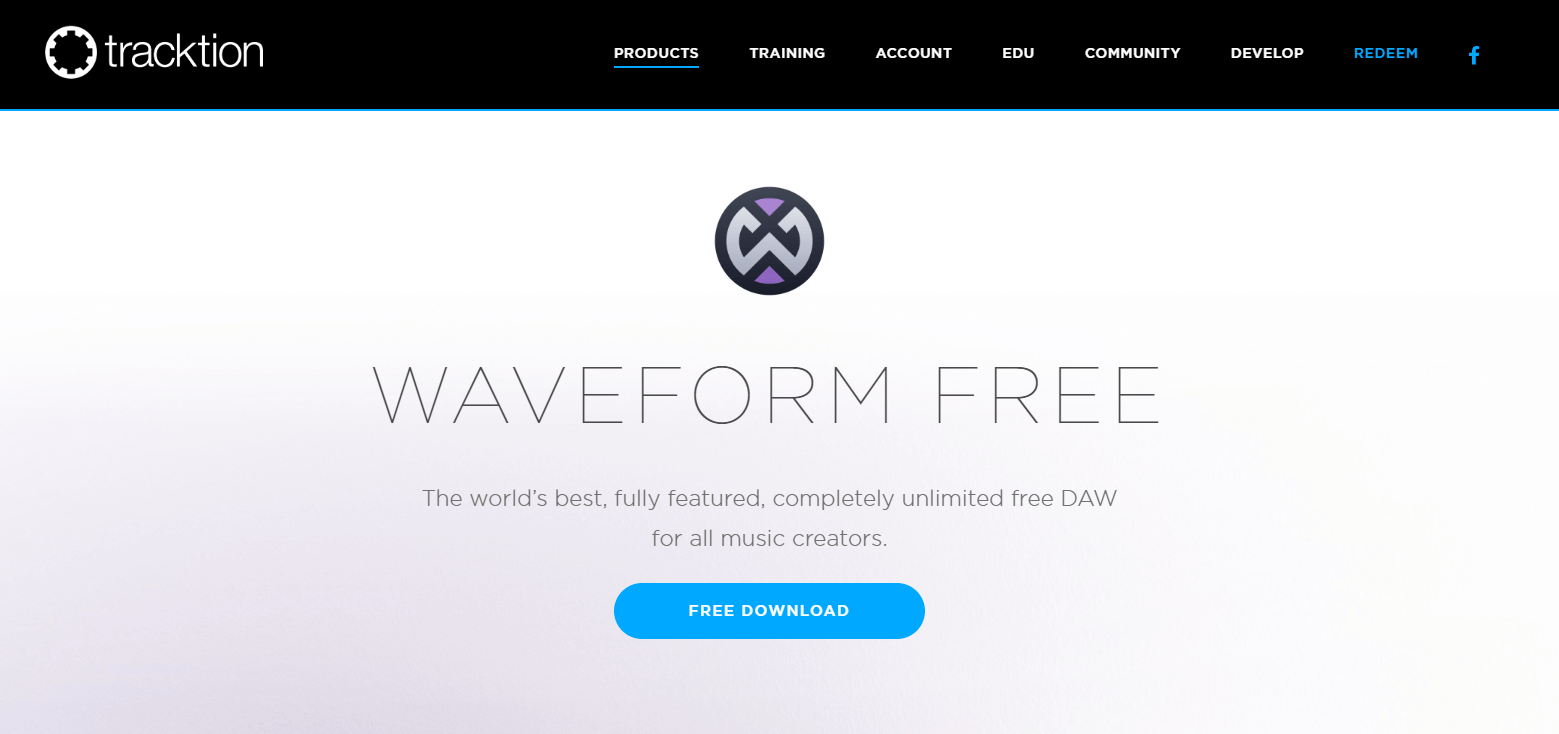
Tracktion T7 is a free digital audio workstation (DAW) for recording, producing and sharing your own music.

Tracktion T7 offers unlimited free audio and MIDI tracks with a wide range of powerful editing and recording features like clip layer effect, automation pattern, LFO modifier, freeze point technology, and more – so you can easily record, edit, and produce your own beats with ease.   

This free DAW is available for download on Windows, Mac, and Linux operating systems.

Download


9. Music Memos

Music Memos

Price:- Free

Compatibility:- iOS 11.0 or above

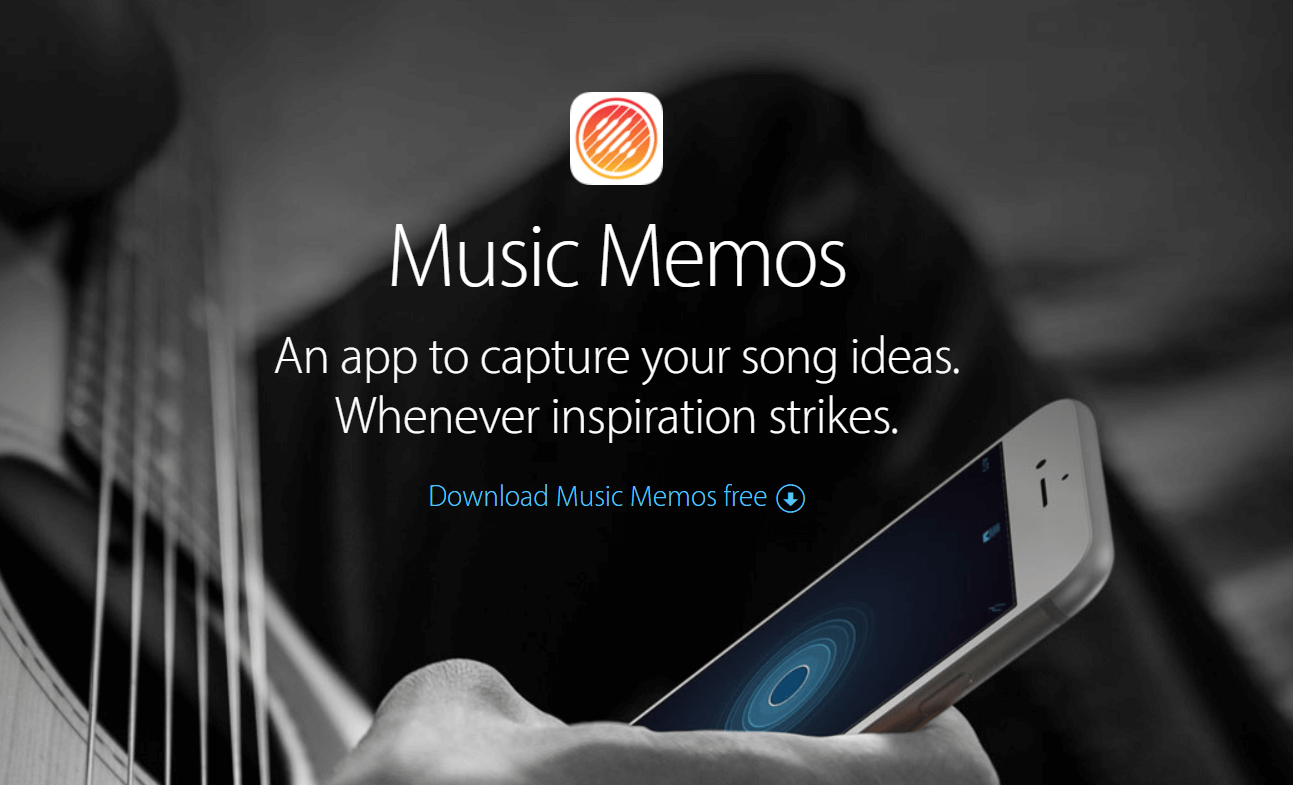
Music Memos, developed by Apple Inc. is one of the best free music-making apps for music writers to capture & organize your new song ideas.

Music Memos helps you record piano, acoustic guitar, voice, or any other musical instrument in high-quality on your iPhone & iPad.

It also allows you to take your song ideas into GarageBand on your iPhone device – so you can use an additional instrument to make yourself sound like a Pro!

Download


10. Cubasis 2

Cubasis 2

Price:- $49.99, 

Compatibility:- iOS 13.0 or up and Android 8.0 or up

Read More: Best Free Movie Download Sites

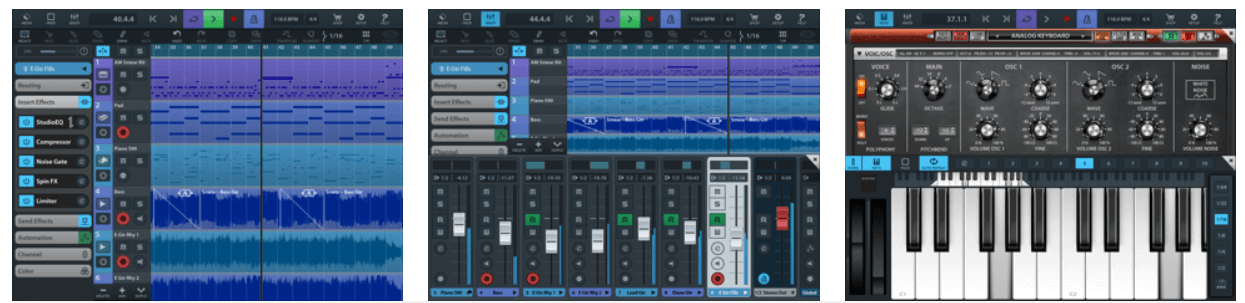
Cubasis, developed by Steinberg, is an iOS-based online music studio that lets you record, edit, mix, and produce an extensive collection of songs with ease.

It features amazing touch-optimized tools like real-time pitch-shifting and time-stretching, spin FX, mini sampler, virtual analog synthesizer, and much more, making it one of the best apps to make a song for free! Cubasis is one of the most worthy music-making apps for both iOS and Android devices. 

Cubasis with its wide range of built-in instrument sounds and performance features ranks among the best music-making apps in the world right now.

Download


11. FL Studio Mobile

FL Studio Mobile

Price:- $13.99

Compatibility:- iOS 8.0 or later and Android 4.1 or plus

The beautifully designed user interface has made FL Studio Mobile the world’s most popular free music maker software in the world.

FL Studio Mobile offers a vast number of built-in features like advanced sound creation, touch controllers, high-quality synthesizers, mix effects, and more – so you can take your music to the next level.

It might come last in the list of best music-making apps, but it is definitely worth a try.

Download


12. KORG iELECTRIBE

KORG iELECTRIBE

Price:- $13.99

Compatibility:- iPadOS 8.0 or later

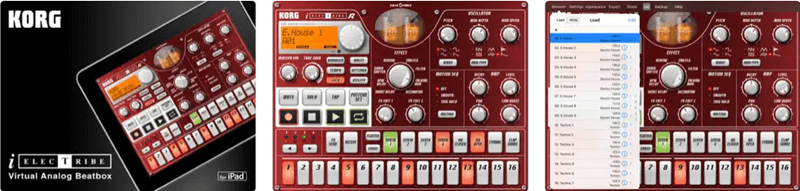
KORG iELECTRIBE is an advanced and not-so-traditional free music-making app. This app is available for iPadOS only. Using this app, you can use its 8 parted synthesizer notes to create the required music tone. The tool is very easy to use as well as advanced at the same time. The app also allows you to use a variety of patterns for audio generation.

Download


Above, we shared our top picks for the best free apps to make your own music. If you have any persisting doubts, you may go through the below section to clear them. 

Frequently Asked Questions

Below we try to answer all the common questions about the best free music-making apps to clear the doubts you may have. 

Q1. What app can I use to make my own music?

In this article, we shared many free music-maker applications. You may use any of them to make a song or music. However, below are some of our favorites to help you select one easily. 

  • GarageBand
  • BandLab
  • n-Track Studio 

Q2. How to make your own song for free? 

It is not a tough task to make your own song. You can use the applications shared in this article to compose your song easily. 

Q3. How to make your own music app? 

You may use applications like GarageBand and Groovebox to make your music app on the go. They are extremely easy to use and help you create music perfectly. 

Also Read: Best Music Player Apps for iphone


Create Your Own Music Using Best Free Music-Making Apps 

The apps listed above are some of the best music-making apps on the basis of ease and popularity.

You can get all of these online music studios for free; use them and make your own music anywhere, anytime. Through this post, we’ve tried to make your selection of music-making apps quite easier.

So, what are you waiting for? Pick your favorite & create your own album right on your phone. Plus, if you think that the list should include some other music-making software then do tell us in the comment box below. We’ll make changes to it. Subscribe to our Newsletter for getting the latest Tech updates instantly!


Author

Monil

Monil is a professional writer whose forte is absorbing a lot of data and help large technical organizations convey their message clearly across multiple products. An engineer by qualification, his affinity for design enables him to write to inspire, energize, and influence various audiences to uncover their true potential. When not writing, Monil is likely to be found listening to music, traveling, or simply excavating into his favourite cuisines.

View all posts

Related Posts
Top 9 Alternative Tools like “Keywords Everywhere” and How to Use It

Top 9 Alternative Tools like “Keywords Everywhere” and How to Use It

August 20, 2020
6

The secret of getting organic and search traffic is the proper usage of keywords. The most helpful strategy to potentially rank your articles on the first page of Google is by choosing a keyword with moderate-high search and comparatively less competition. 

The number of searches for a particular keyword defines the traffic it can get. So, choosing the right keyword forms a crucial part of any SEO activity. Here in this article, we have listed some of the best Keyword research tools which can function equally well, like the most used tool, “Keywords Everywhere.”

Let’s take a look at some of the best alternatives of “Keywords Everywhere” to choose the right keyword.

What Are the Best Free Alternatives to Keywords Everywhere in 2020?

Below you find some of the best Keywords Everywhere alternatives that you can use in 2020 to generate effective keyword ideas to optimize your content and improve Google search engine result pages (SERPs) rankings.

 1. Google Keyword Planner

Google Keyword Planner

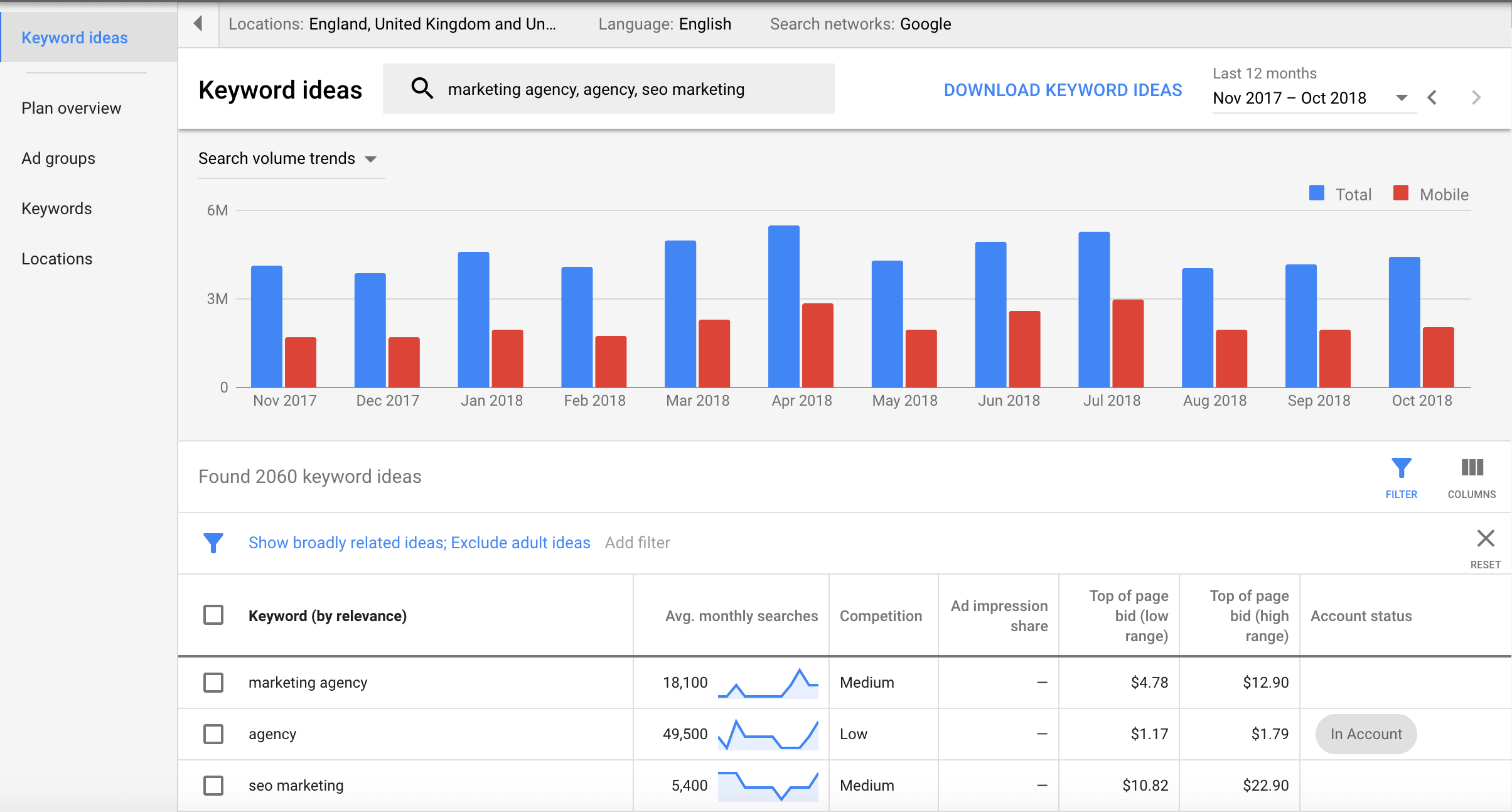
Google Keyword Planner is a well-known name in the SEO industry. This free tool helps you find the most appropriate keywords for your blog and is one of the most trusted tools in its category. 

It offers an easy yet effective way to produce more useful and result-oriented content; it has two primary uses. Firstly, you can use it to find new keywords, and you can use it to review the search volume of your present keyword based on various measurements. 

Secondly, it can also help you find the monthly search parameters along with the competition.

How to Use Google Keyword Planner: 

To use this incredible tool, follow the simple steps mentioned below:

  • Log into your Google Ads account. 
  • Click on the Tools icon from the upper right corner of the window. 
  • Choose Keyword Planner under Planning.
  • In the “Find new keyword” box, type a relevant phrase to your advertising or a related URL and press Enter.
  • Finally, click on Get Started to get a list of useful keywords.

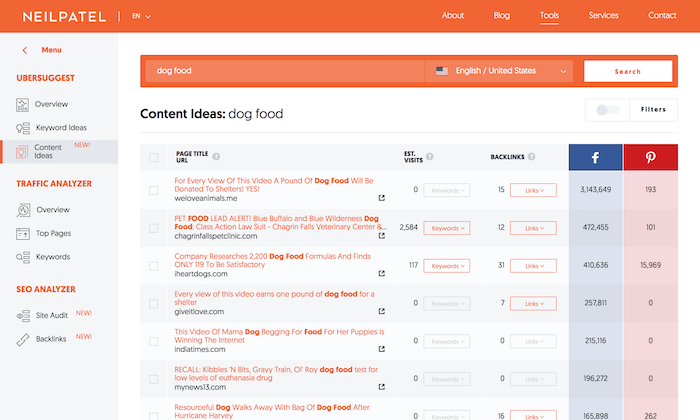
2. Ubersuggest

Ubersuggest - Best Keywords Everywhere Alternative

If you want to find low-competition and high-interest keywords, there is no better tool than Ubersuggest. It is the most popular tool to find LSI keywords for your content. It’s a free tool that is based on real users’ queries from all over the world. 

How to Use Ubersuggest:

  • Visit https://ubersuggest.io/.
  • Enter the preferred keyword in the Search Bar and press enter.
  • A list of suggested keywords will appear.
  • You may also use the drop-down list to select a preferred source.

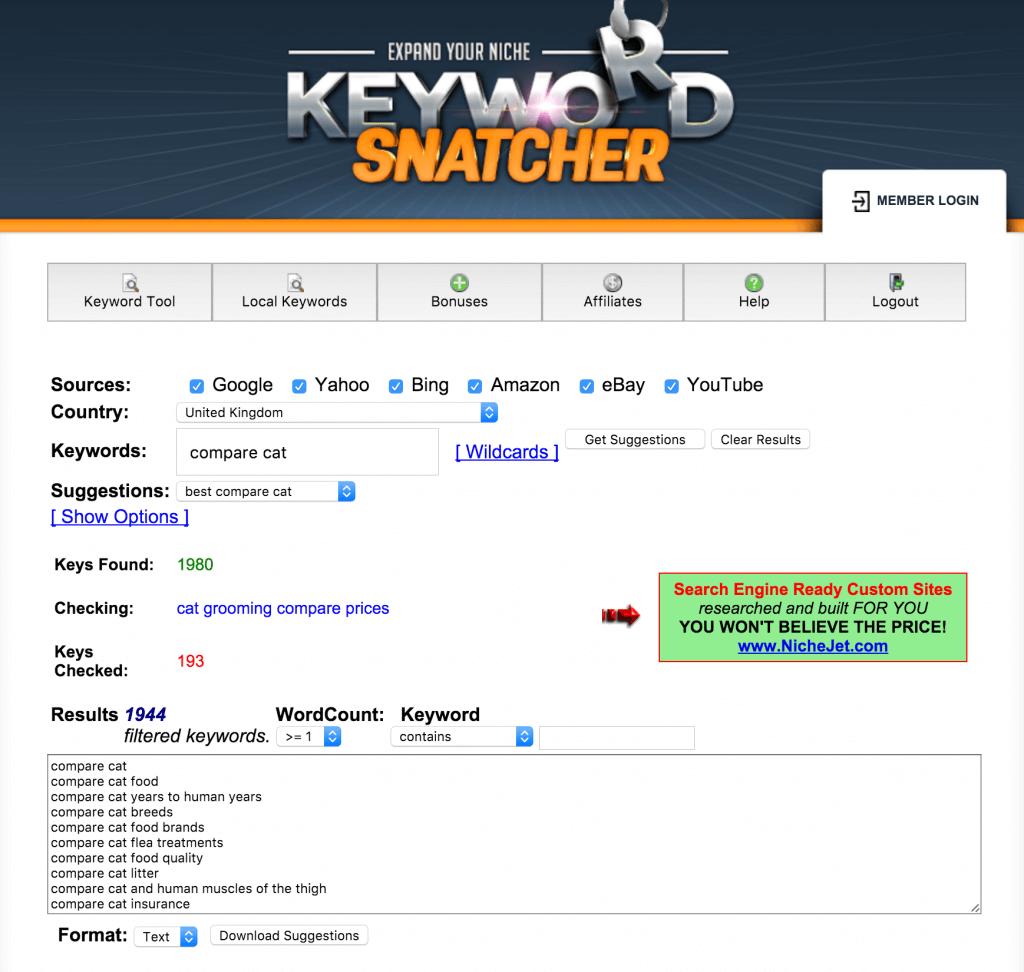
3. Keyword Snatcher

Keyword Snatcher

If you are looking at generating a massive number of keywords from a single seed keyword, then there is no better tool than Keyword Snatcher. 

How to Use Keyword Snatcher:

  •  Open https://keywordsnatcher.com/ and select a source for the tool to work upon. The good idea is to keep all checkboxes ticked. 
  • Next, enter the main seed keyword and click on the Get Suggestions button. A massive list of suggestions will pop-up on your screen.
  • Next, click on Download suggestions to extract the list of keywords.

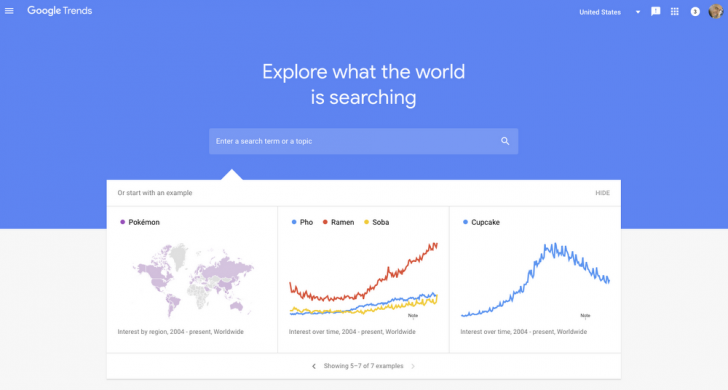
4. Google Trends

Google Trends - Best Alternative Tools of Keywords Everywhere

Use this stunning tool to find new keywords and lookout for current and ongoing trends. The device can be used in two different ways.

How to Use Google Trends:

  • First, you start by searching for a particular keyword and then look at the current trend and related queries.
  • Secondly, you can also use it to check the growing popularity of a particular keyword. 

Also Read: Best CPU Temperature Monitor Tools For Windows


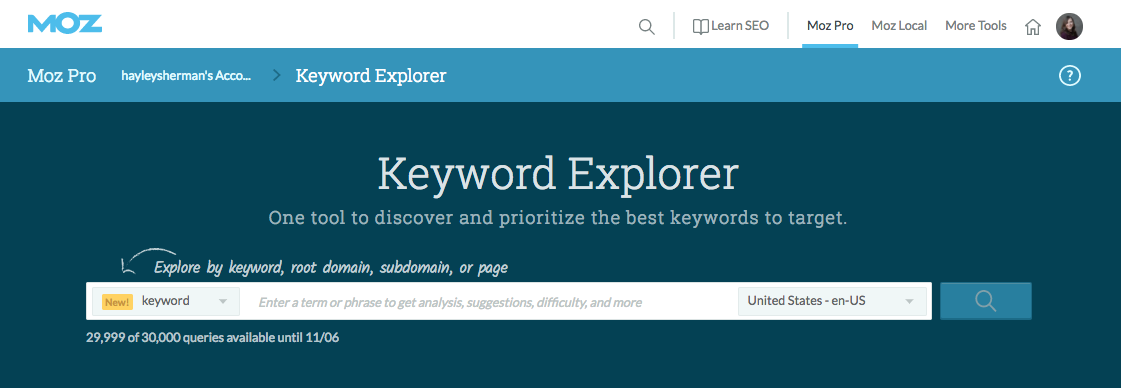
5. Keyword Explorer by Moz

Keyword Explorer by Moz

If you need just 10 searches per month free of cost, then Keyword Explorer by MOZ can serve your purpose. It comes with a user-friendly interface and is extremely easy to understand. 

You can also use it to see which website is ranking in your search category. 

How to Use Keyword Explorer:

  • Visit the official site using the link: https://moz.com/explorer
  • Next, enter a keyword or URL for which you wish to search for the targeted keywords.
  • Create your very own MOZ account to explore keywords.
  • Get an email notification to verify the email id.
  • Enjoy a detailed keyword analysis and suggestions.

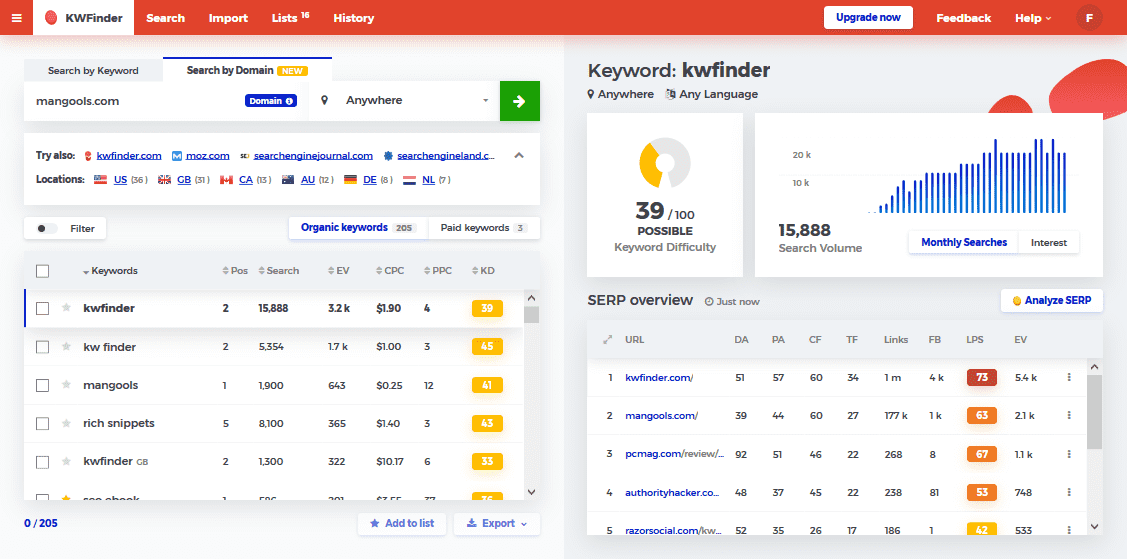
6. KWFinder

KWFinder - Keywords Everywhere Alternative Tool

KWFinder is a go-to-tool for people who want quick results. It provides quick yet effective criteria for keyword research using autocomplete and question based search ideas. You can use it for free for three searches per day. 

It comes with a slick interface and is exceptionally easy to use. 

How to Use KWFinder:

  • Create an account on  https://mangools.com/users/sign_up
  • In the Enter Keyword box, enter the keyword that you think can help increase your traffic. If you wish, you can also specify the location and language. 
  • A detailed list of data will be displayed on your screen.
  • Analyze the data to learn how to rank your keyword, its difficulty level, and ranking. Use it today to take the complexity out of your keyword research job.

7. LongTailPro 

LongTailPro - Alternative Tool like Keywords Everywhere

LongTailPro is often named as a certain kind of keyword research tools. It is highly popular for its accurate search traffic information and difficulty analysis. 

Enter a keyword to search for related long-tailed keywords that can help you rank your content and have a relatively low difficulty score.

How to Use LongTailPro:

  • Enter your seed keyword in the search box to find relevant suggestions. 
  • Run the competitor analysis and keyword report. 
  • Check keyword profitability along with its current ranking.

Read Also: Best Free YouTube Keyword Tool


8. Wonder Search 

Wonder Search 

Wonder Search is an incredible tool that helps you to find out related terms to your root keyword. Just enter the keyword and leave the rest to Wonder Search.

How to Use Wonder Search:

  • Launch https://wonder.cdc.gov
  • Enter a related word or phrase in the search database box and press the Search box.
  • Your results will be displayed on the main screen.

9. LSI Graph

LSI Graph - LSI Keyword Generator

LSI Graph, aka LSI Keyword Generator, is another popular substitute of Keywords Everywhere, used by millions of content creators to find effective semantically related keywords for better on-page SEO optimization. 

All in all, LSI Graph is a great alternative for Keywords Everywhere and is highly suggested for providing unlimited free LSI keywords and competitive semantic analysis reports.

How to Use LSI Graph / LSI Keyword Generator (Free): 

  • First, go to the official website of LSI Graph using the given link: https://lsigraph.com/
  • Now, type in your focused or targeted keyword to generate a list of LSI keywords.
  • From the generated list of keywords, find and choose the ones that suites relevant to your content.

Conclusion: Best Keyword Everywhere Alternatives 2020

If you are looking for a perfect keyword finder tool, rank your article and boost keyword traffic, refer to our well-researched list. 

In the above article, We have listed some of the best alternatives of “Keyword Everywhere”. Choose one today for a wholesome and fruitful experience. 

Best-Remote-Work-Software-for-Employers

Top 7 Remote Work Software for Employers to Use in 2024

September 4, 2024
0

In the coming sections of this guide, we will have a look at some of the best remote work software and tools for you to try in 2024 and make remote working easy and feasible for yourself and your team members.

For a great number of companies, the shift toward working from home has become not only a trend but also an absolute must. It is now possible for employees to communicate, handle projects, and maintain connections with their coworkers thanks to the technology that enables them to work remotely.

This technology has spanned the gap between traditional office spaces and virtual work settings. Without the appropriate remote work software, this task has the potential to become fragmented, which may result in inefficiency and a lack of productivity.

Work that is performed from a remote location has been shown to lower expenses for businesses, to allow workers more flexibility, and to enable access to a larger pool of talent that is not constrained by geographical constraints. As a result of this, there has been a significant increase in the demand for software and applications that facilitate remote work and are now considered an essential component of the toolset of contemporary professionals.

It is possible for organizations to guarantee that their staff will continue to be productive, engaged, and communicative regardless of where they are located if they make use of the most advanced remote work tools. This makes it possible for a workforce that is more flexible and robust, ready to meet the difficulties that come with a work environment that is always changing.

So, having said that, it’s clear that remote work software is quite crucial for a business. But, there is a pool of remote work tools out there. To help you get the best from the lot, we have curated this article.

Top 7 Best Remote Work Systems in 2024

In the coming sections of this article, we will have a look at the best remote work software for businesses and individuals. We have compared over twenty different tools to come up with the best remote work solution. So, have a look at the tools provided below and select the best one that fits your requirements perfectly.

1. Nextiva

The first name on this list of the best remote work software is Nextiva. Nextiva is a cloud-based service that functions entirely in the cloud, making it possible for your distributed team to easily communicate with one another.

Let’s imagine you have sales representatives that are required to do their duties while traveling or working from home. Without breaking a beat, they are able to move from their desktop software and the mobile app without any problem.

Amongst the remote work tools, Nextiva is an excellent choice for dispersed remote teams since it offers a wide range of features. Through the usage of Nextiva, you will be able to aggregate all of your audio, video, team chat, and collaboration applications into a single platform and with a single user interface.

Nextiva

Check Out the Rest of the Features of Nextiva Here.


2. Asana

Asana is one of the most well-known remote work software in the field of project management, there are a great number of competing tools that provide equivalent functionality and price that is comparable to, or even better than, Asana.

It is without a doubt one of the greatest tools for working remotely, and one of the founders of Facebook is responsible for developing the visually beautiful project management software known as Asana.

The dynamic style and design of this remote work software, which serves as a platform for creatives and teams all over the globe, ensures that users remain interested and active inside the site. Asana is a tool that assists individuals and groups in growing their overall responsibility and improving their communication.

Asana

Check Out the Rest of the Features of Asana Here.


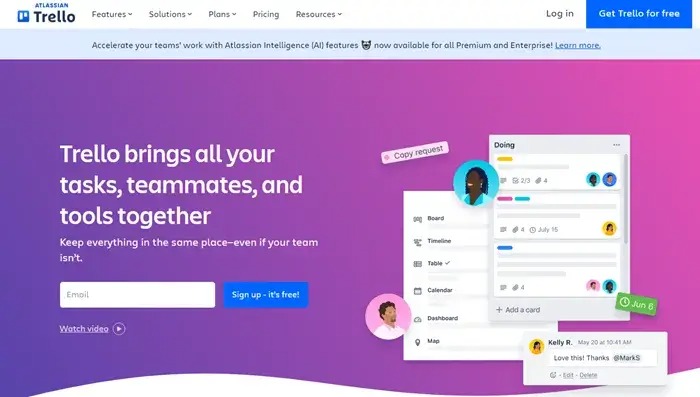
3. Atlassian Trello

Atlassian Trello is an excellent choice for individuals or small teams as remote work software who are searching for a straightforward application for managing projects for their projects. The tool is based on Kanban boards, which is a project management system that was first developed by an industrial engineer in the 1940s.

It is one of the most straightforward remote work tools now available on the market. Cards are the fundamental building blocks of Atlassian Trello, and you may arrange them on the board in a variety of steps.

Additionally, this is one of the few remote work systems that offer the ability to color-code the cards, attach photos or files to them, and invite members of your team to participate with you on a board in order to create a more engaging experience.

Atlassian-Trello

Check Out the Rest of the Features of Atlassian Trello Here.


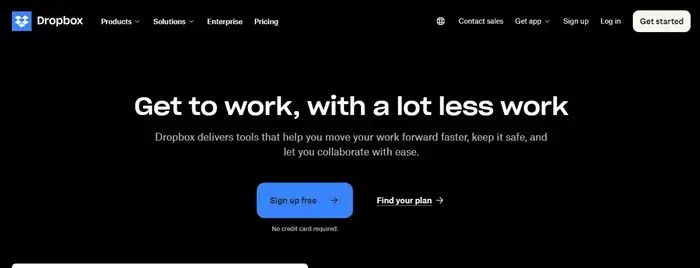
4. Dropbox

With Dropbox as the remote work software, you are able to organize projects, collaborate on ideas, and take meeting notes in real-time with assigned next actions when you use DropBox Paper, which is a real-time collaborative document.

There is also the possibility of a smooth connection between DropBox and Hive, and there are interfaces between Google Drive and Dropbox as well.

Dropbox is an excellent choice for one of the best remote working tools if you are looking for a solution that has the capabilities of Google Drive in addition to the advantages of a project management application. It is possible to utilize DropBox in the same manner as Google Drive in order to store files, photos, and other types of media.

Dropbox

Check Out the Rest of the Features of Dropbox Here.


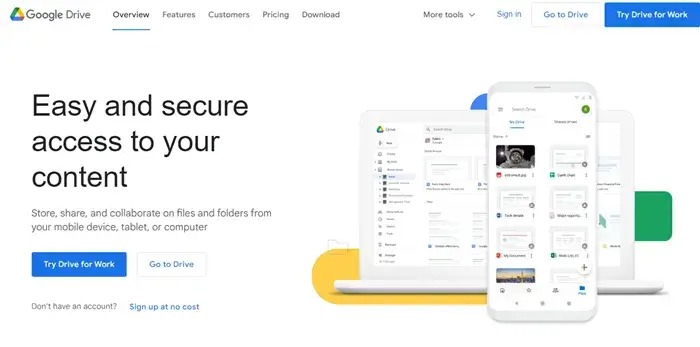
5. Google Drive

What makes Google Drive as the best remote work software is that there is a Business edition of Google Drive that is designed exclusively for businesses that store a significant amount of files and materials. When it comes to documents, slideshows, spreadsheets, and other types of files, Google Drive serves as a centralized area where teams can share, edit, and collaborate on them.

On the market, it is considered to be among the best solutions for storing and sharing files. One of the most important tools for remote work that is now available is Google Drive since it can be accessible from any location, even a mobile phone.

This unique feature of this remote work solution not only makes it possible to collaborate easily, but it also makes it one of the most popular tools for working remotely.

Google-Drive

Check Out the Rest of the Features of Google Drive Here.


6. Slack

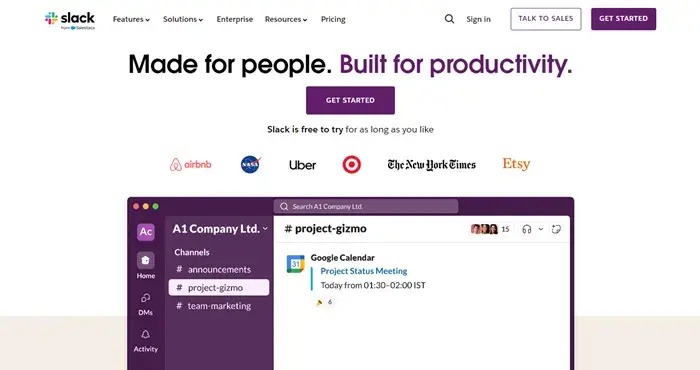
By user volume, Slack is one of the most popular remote work software. It is also the chat program that we are all familiar with and like. In order to streamline communication within a business, Slack is a real-time chat platform that also allows for the exchange of files and collaboration.

This is one of the few remote work tools in which you may divide the platform into channels for collaborative work, or you can use it to send individual messages to certain coworkers so that you can have a conversation with them. Slack also makes it simple to enable voice and video conversations directly from inside the app, which makes face-to-face communication a snap.

Slack

Check Out the Rest of the Features of Slack Here.


7. Zoom

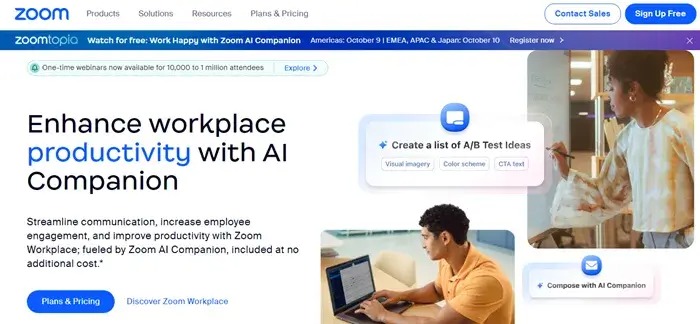
Let’s sum up this list of the best remote work software with Zoom. In addition to offering free high-definition audio and video, Zoom also offers private messaging and breakout rooms, which allow members of a team to work together on particular projects for extended periods of time.

Zoom is quickly becoming one of the most widely used applications for video and audio conferencing, as well as for working remotely, and for good reason.

This is the most unique name amongst the remote work systems. Your ability to establish a recurrent digital meeting room, host up to one hundred individuals for free, and take use of collaboration tools such as screen-sharing, a whiteboard, and the ability to call in by phone are all advantages that come with using Zoom.

Zoom

Check Out the Rest of the Features of Zoom Here.


Summing Up: How to Choose the Best Remote Work Solution?

When it comes to the best remote work software, there are a lot of factors that come into play. The four walls of an office are no longer the only boundary. As a result of the development of digital technology, working from home has become an alternative that is not only feasible but also often favored by a large number of professionals.

When you are working from home, it is essential to have the appropriate tools to keep your productivity high and to guarantee that communication is uninterrupted. Taking into consideration the various requirements of remote workers, this article examines the most effective productivity tools, applications, and software.

To summarize, the shift to remote work is not as simple as finding the appropriate remote work solution or using the most recent technology for working remotely. Additionally, it is about properly changing one’s work habits and surroundings in order to sustain productivity and a healthy balance between work and personal life.

It is possible for remote work to be just as productive, if not more so, than regular office work via the use of the most effective platforms for remote work and the implementation of a disciplined approach to your daily routine. The purpose of this post is to provide you with guidance and resources that will assist you in navigating the terrain of remote working. These resources and advice will ensure that you continue to be productive, engaged, and fulfilled in your professional life, regardless of where you work.

So, that’s all that we have for you about the best remote work software. We hope that you have found the ideal tool from the lot of the remote work tools. Let us know in the comments which tool you decide to proceed with.

1 Comment
    16 Best Free Audio Editing Software For Windows in 2021 says: Reply
    January 2nd 2021, 2:51 pm

    […] Read More: 10 Best Free Music Making Apps to Make Your Own Music […]

Leave a Reply Cancel reply

Your email address will not be published. Required fields are marked *

Sidebar Image bit G ad1

Latest Posts

  • Anytime Astro: Best Website For Online Astrology Consultation
    Anytime Astro: Connect Now For Online Astrology Consultation
    by Somya Shrimal / March 13, 2026
  • Best-Ways-to-Combine-Images-Into-PDF-Files
    Best Ways to Combine Images Into PDF Files
    by Niharika / March 12, 2026
  • Best FREE VPS Hosting Providers
    7 Best FREE VPS Hosting Providers in 2026
    by Devesh / March 12, 2026
  • Best-McAfee-alternative-software-to-use-for-Virus-Protection
    Best McAfee Alternative Software to use for Virus Protection
    by adminuser / February 11, 2026
  • What-is-Flip-Flop-in-Circuite-and-it's-Types
    What is Flip Flop in Circuit and its Types
    by Meet / February 6, 2026

Categories

  • Cyber Security
  • Driver Updater
  • Entertainment
  • Fitness
  • Games
  • How To
  • laptop
  • OS
  • Reviews
  • Tech News
  • Tips & Tricks
  • Top 10
Sidebar Image bit G ad1
30 Best Online Games For PC (Free & Paid) In 2024 31 Best Online Games For PC (Free & Paid) In 2024by Prachi Dani / May 23, 2024
6 Best Free Twitch Emote Maker in 2024by Harshita / May 23, 2024Best Free Twitch Emote Maker
TechPout Footer Logo

We at TechPout promise to put forth stories that help people to learn and simplify their digital life. Our purpose is to share the true essence of technology with our tech-loving community.

Useful Links

  • About Us
  • Contact us
  • Privacy Policy

Popular Posts

  • Best PC Optimizer Software
  • Best Mac Cleaner Apps
  • Best Driver Updater
  • Duplicate Photo Finder and Cleaner Software
  • Best Free Movie Download Sites
  • Best IPTV Players

Follow us

Copyright © 2026 www.techpout.com. All rights reserved
DMCA.com Protection Status