Main LogoLight Logo
  • Reviews
  • Top 10
  • How To
  • Tech News
  • OS
    • Windows
    • MAC
    • iOS
    • Android
  • Categories
    • Driver Updater
    • Cyber Security
    • Games
    • Fitness
    • Entertainment
    • Tips & Tricks
MAC Top 10
by Prachi Dani

13 Best Audio Recording Software For Mac in 2024

May 2, 2024
1

If you are looking for good audio recording software, our blog here has listed some of the most popular and top recording software for macOS. 

Known for its performance, ease of use and stability, Mac is the most preferred platform for audio and video professionals. Although a Mac comes with built-in audio recording software it cannot support high-end recordings like podcasts and music production. 

The powerful macOS together with the best audio recording software will satisfy all your requirements smoothly. So without wasting any more time let’s have a look at some of our picks.

Table of Contents hide
Best Audio Recording Software For macOS 2024
1. Apowersoft
2. WavePad
3. QuickTime
4. Adobe Audition
5. Audacity
6. GarageBand
7. Record Pad
8. Ardour
9. Macsome Audio Recorder
10. Logic Pro
11. Audio Hijack
12. Movavi Screen Recorder
13. Ocenaudio

Best Audio Recording Software For macOS 2024

Here, we have listed the best bunch of sound recorder software that will work perfectly on your Mac device. You can refer to our list and choose one as per your desire.

1. Apowersoft 
Apowersoft 

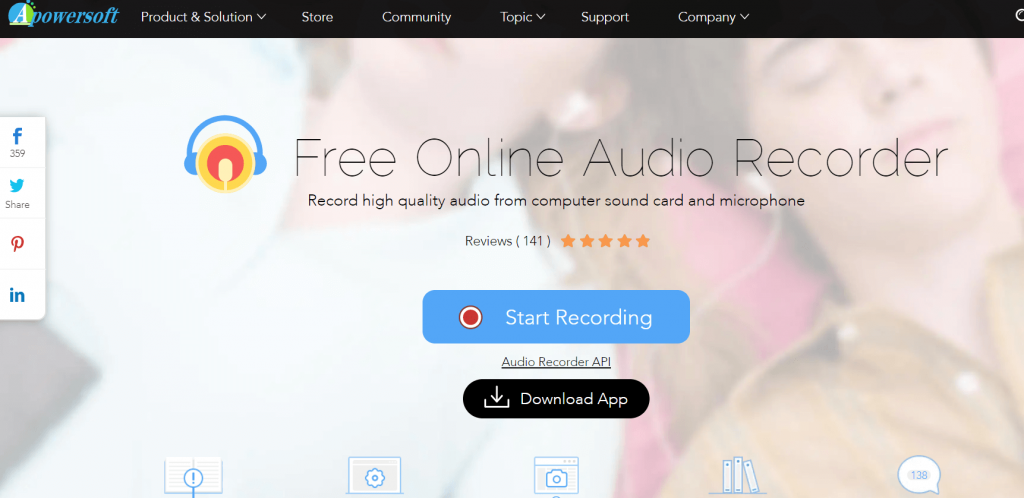
Suitable for both beginners and professionals Apowersoft is great audio recording software for various sorts of sounds. OCG, WAV, AAC are a few file formats supported by it.

It is an indisputable winner in creating and editing HD audio recordings and can also work seamlessly well as a CD ripper and audio converter tool. It is even capable of recording radio, VoIP calls, and streaming audio files. 

It can support audio recording for up to 3 minutes in a go and allows you to download music from online music platforms. Apart from this, you can also use it to add music files to iTunes.

Features of Apowersoft:

  • The app offers unlimited audio recording for free.
  • Apowersoft does not charge any extra money for subscriptions or usage.
  • Whether it is a meeting or a lecture, or any other event or audio, Apowersoft offers advanced recording outputs for all.
  • With the help of the app, you can also play the recorded audio.

Pros

  • Allows audio trimming
  • Simplistic UI
  • Zero cost

Cons

  • Lacks some features that are available in paid alternatives.
  • Low reliability.

Download


2. WavePad

WavePad - Best Audio Recording Software

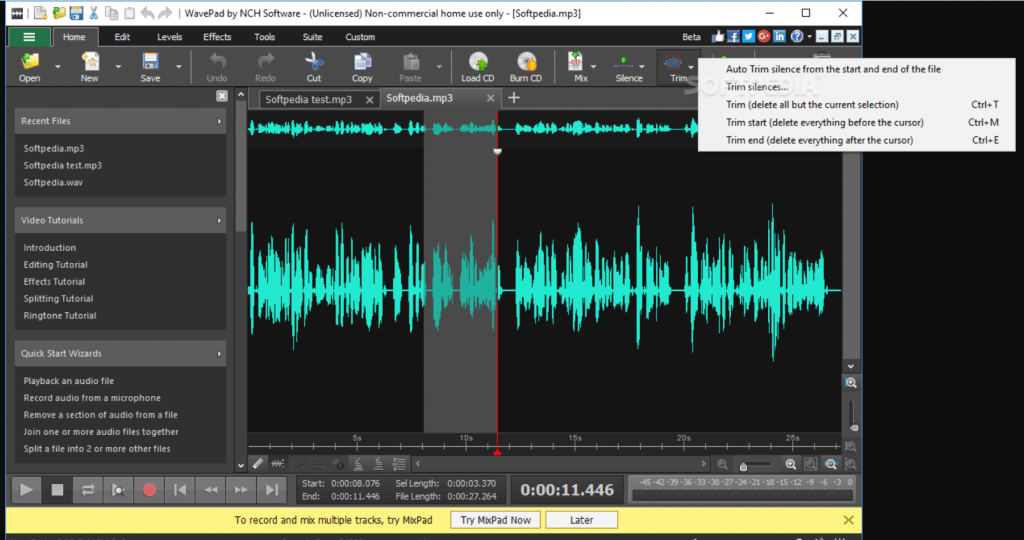
Wavepad tops our list of best audio recording software for Mac for fairly good reasons and is loaded with an array of professional features. It is a great tool if you want to edit and update your audio in a hassle-free manner. 

Read More: 15 Best Free Video Player Apps For MacOS

With its huge basket of editing tools, you can cut, copy, delete, paste compress tour recordings along with pitch shifting. Apart from this it also supports various other audio effects like amplify, reverb, equalizer, and many more. 

This incredible recording software for Mac you can also princess batch files and enjoy noise removal techniques. WMA, VOX, AIF, MP3 are a few of the file formats supported by WavePad.

Features of WavePad

  • The interface of the app is quite understandable.
  • On the app, you will see the inputs in the form of waves for ease that are easy to manage and helps you create precise outputs.
  • You can choose the output frequency from various values ranging from 6 to 192kHz.
  • You can get precise inputs with the help of the app using various filters and effects.

Pros

  • Beginner-friendly UI
  • Smart and helpful features
  • Supports various audio formats
  • 8, 16, 24, and 32-bit audio
  • Autortrim and audio merging features

Cons

  • May contain ads
  • Lacks some effects

Download


3. QuickTime

QuickTime

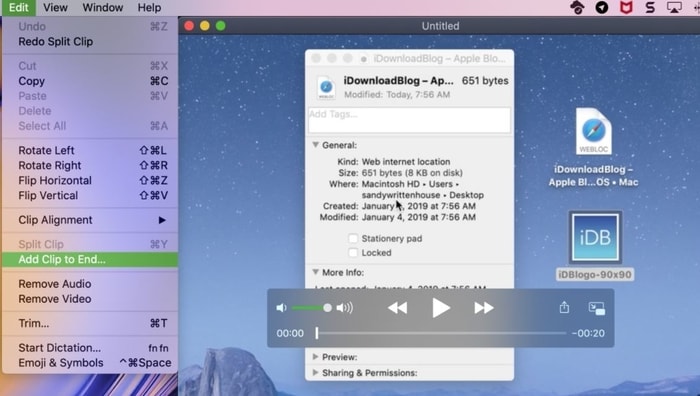
QuickTime is undoubtedly the best audio recording software for Mac. And, as you may know, it is an in-built utility in Mac that is commonly accessed for video or audio playback. With QuickTime, you can also record your own content as well. QuickTime also allows you to record a video using any connected device or a webcam. Everything is super easy to implement with QuickTime. With minimal customization options, QuickTime’s user interface is really very impressive, clean, and easy to use. Plus, whatever you record will be available in a sole file.

Features of QuickTime:

  • This app is more than just a regular audio recording app but a full-fledged multimedia player.
  • The cross-platform tool is available for Windows, Mac, and other operating systems.
  • You can easily navigate to various features and use them.
  • The QuickTime app allows you to use the keyboard for maximum ease.

Pros

  • Multilingual UI
  • Easy to access and use
  • Smart options
  • Various OS version compatibility.

Cons

  • No advanced recording features

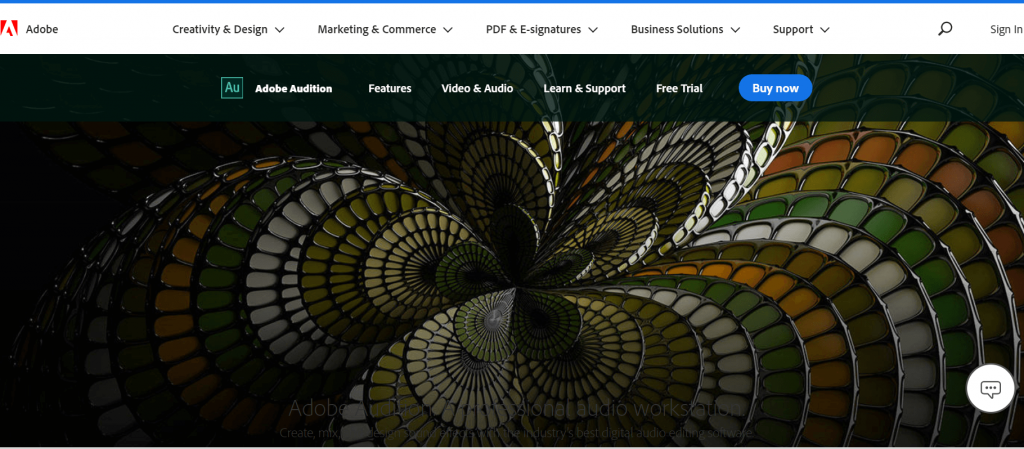
4. Adobe Audition
Adobe Audition

If you are looking for multi-purpose audio recording software for your mac that can help you in recording, editing, and creating background score then there is no better option than Adobe Audition. Its high-end recording and editing capabilities make it a perfect pick for not only home users but also for digital audio stations.

Its restoration tools, audio clean-up feature, and a massive array of plug-ins make it a highly powerful tool. Use its various plug-ins to add audio effects, remove noise with precision, and much more. 

A great waveform editing environment powered with audio ducking features and AI-enhanced tool is perfect for making your audio recording life easy. Its clean and convenient UI also deserves a mention.

Features of Adobe Audition:

  • The app is solely developed for recording and managing audio files.
  • The app is perfect for professional music artists, interviewers, and other such personnel.
  • A couple of clicks on the app allow you to do so much more than any traditional recording app.
  • You can use other audio files as well to remix.
  • You can integrate the app and use it with other ones for better results.

Pros

  • Smart interface perfect for professionals
  • Free sound effects
  • Audio mixing features
  • Noise-reducing options

Cons

  • Limitedness of the trial version
  • Can be tough for beginners

Download


5. Audacity

Audacity

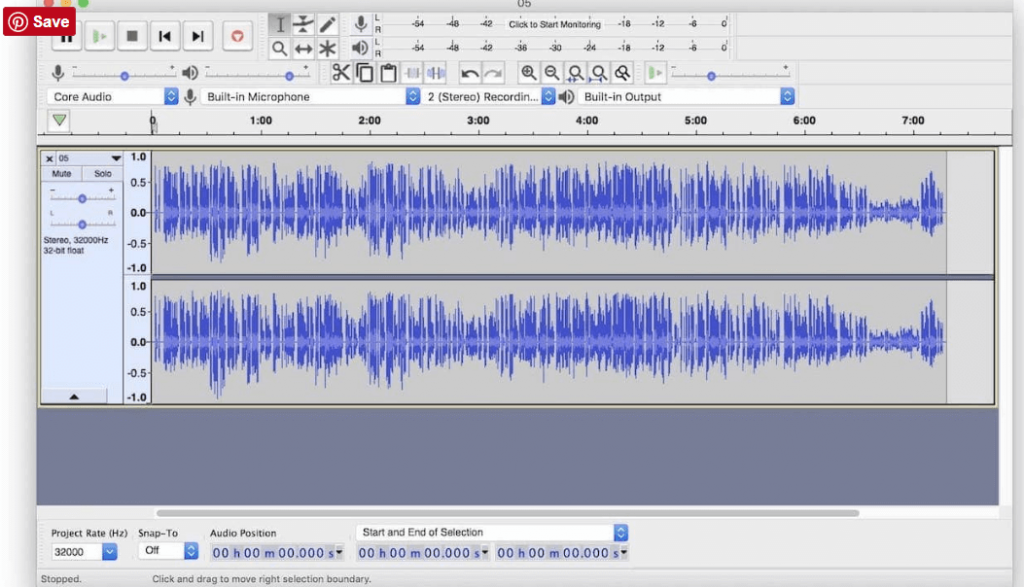
Next on our list of best sound recorder software for Mac is Audacity. It is an open-source freeware tool. In addition to expert features, it is also loaded with live recording capabilities and multi-track editing. If you want to do the audio recording in CD’S, convert various types of audio files and enjoy a hassle-free digital recording experience, then there is no better tool than Audacity.

Use it to cut, copy, paste, and track various audio tracks within seconds. FLAC, MP2, MP3, WAV, WMA, AAC are few file formats supported by this stunning Mac audio recording software.

Features of Audacity:

  • If you want an open-source tool, then Audacity is the best.
  • This cross-platformed solution is perfect for Windows, macOS, GNU/Linux, and various other operating systems.
  • The tool is completely free to use without any hidden or direct charges.
  • You can import or export recordings or other audio files using this tool.
  • The app shares a plethora of effects that you can use and apply.
  • Smart editing options of Audacity are a must to try.

Pros

  • Option to select various audio outputs
  • Keyboard and shortcut compatibility
  • Supports plugins and more
  • Easy to use
  • Multiple themes of the UI

Cons

  • Lack of features than some paid tools
  • Complex at times

Download


6. GarageBand

GarageBand

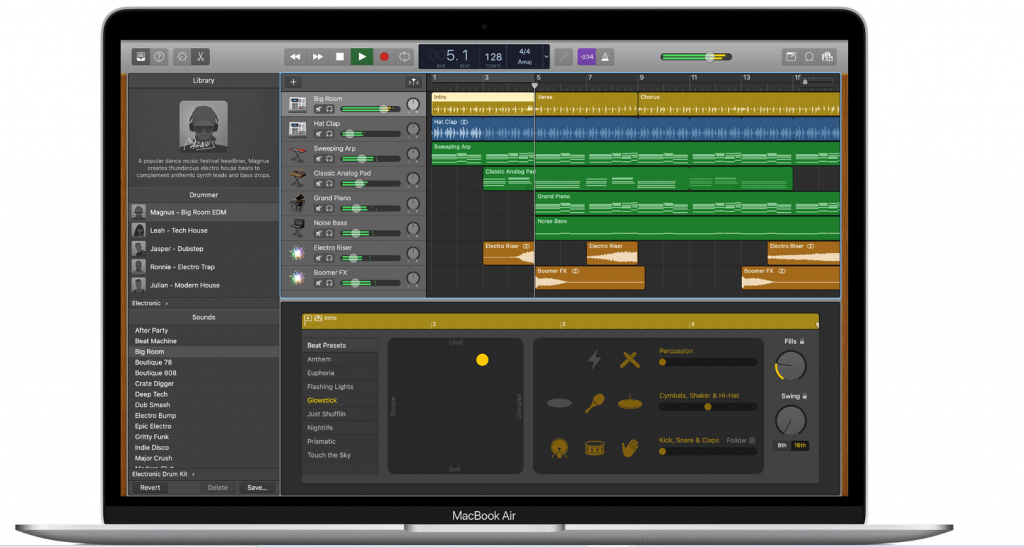
Powered with a professional and convenient user interface, Apple GarageBand surely deserves a spot on our list of best audio recording software for mac in 2024. 

Read More: 13 Best Audio Recording Software For Windows PC

It is a great tool for music enthusiasts if you want to learn online piano and guitar. Enjoy class-apart free artist lessons and instrument classes with this incredible tool. It comes as an in-built feature with every mac device and can be used by both beginners and professionals.

Use it to record and mix audio music with ease. Apart from all the features mentioned above it also supports third-party plug-in along with a 24-bit recording.

Features of GarageBand:

  • GarageBand is a well-designed app with tons of different features and accessibility options.
  • The app allows you to select the sound of your favorite instruments and play their notes for enhanced audio creativity.
  • You can select from a variety of modes for the perfect audio outputs.
  • The app is the perfect choice if you want to use metal audio for outputs.

Pros

  • All-inclusive interface
  • Well-put features and filters
  • A multilingual base for your ease
  • Select multiple audio files

Cons

  • Not for Android

Download


7. Record Pad

Record Pad

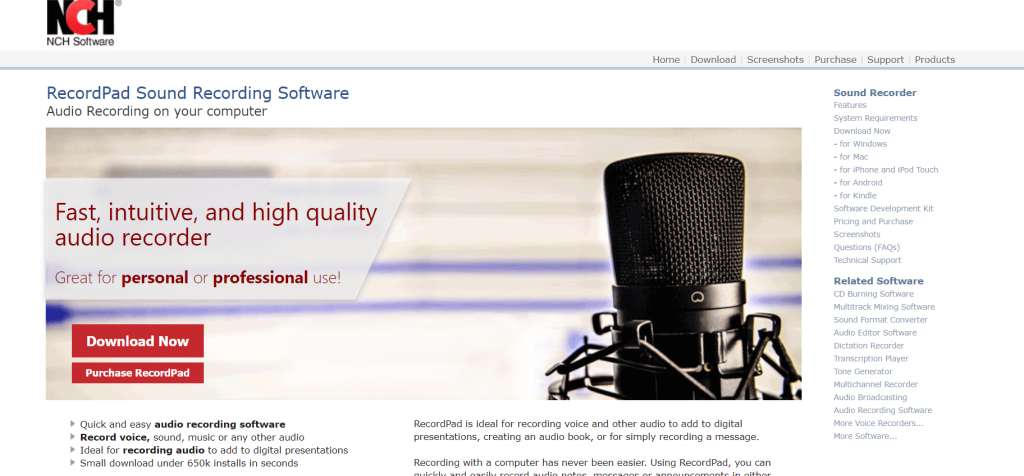
Developed by NCH Software, RecordPad is an ideal choice for all your audio recording needs. It works seamlessly with Mac devices and is fully compatible with Android, Windows, and Linux. 

It is a great tool for recording music and audio files which can be saved in your hard drive as mp3 and AIFF files. You can also share your recordings with others via email. Burn your recording on CD with its built-in express burn feature and use its massive basket of editing features for noise reduction, editing silence, and equalizing your audio clip.

Its clean and convenient UI along with an easy-to-navigate design also deserves a fair mention. It is compatible with multiple music formats including FLAC, MP3, AAC, and WAV.

Features of Record Pad:

  • Both free and paid versions of Record Pad are available to you.
  • You can download and use the tool on Windows, macOS, iPhone, and other operating systems.
  • The app allows you to record fresh audio or edit, merge, trim, or modify existing files in other ways.
  • You can even burn the audio to a CD using the ExpressBurn feature.
  • You get a variety of output options.

Pros

  • Smart encoding with MPEG Layer-3
  • Automated system
  • Supports FTP server

Cons

  • Complicated for beginners
  • Outdated UI

Download


8. Ardour

Ardour

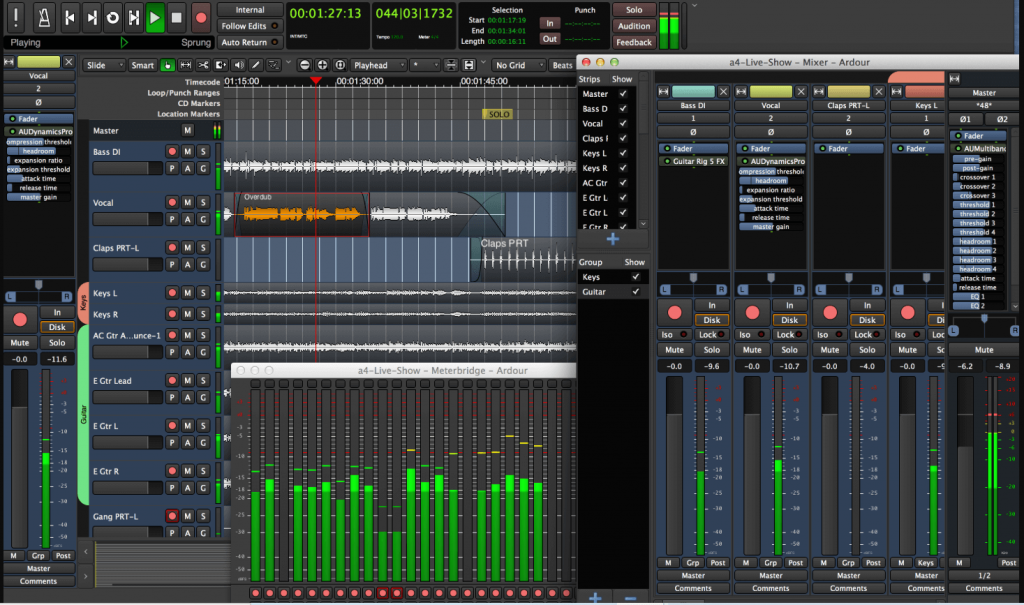
If you are a musician, track editor, or composer, then look no further, Ardour is the ultimate tool for all your audio recording and editing needs. It is highly suitable for MIDI projects and multi-track recording. 

The tool is compatible with a wide range of formats and systems and adds the utmost ease to the tour audio recording experience. 

Features of Ardour:

  • Using Ardour, you can easily record, edit, or modify audio files.
  • The crossfading options of the tool are some of the smartest and strongest you will ever find.
  • The easy undo and redo features are a lifesaver that allows you to try anything and everything.
  • Ardour’s automotive features are top-notch.
  • The interface of the software has numerous external control options.

Pros

  • Supports drag and drop.
  • Flexible mixer settings
  • Supports plugins
  • Open-source

Cons

  • Limited output formats
  • No paid version

Download


9. Macsome Audio Recorder

Macsome Audio Recorder

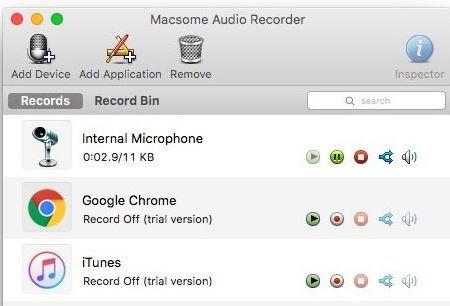
Macsome Audio Recorder is one of the best audio recording software for Mac in 2024. It is an ideal option for recording audio from multiple sources. Macsome Audio Recorder is good enough for organizing all your recording files as well. Plus, you can also use the ID tags to organize your recording files. Apart from this, you can also add distinct recording profiles for applications and hardware. And, within a single click, you can start the recording procedure. Isn’t it something very nice? Without a single doubt, YES! However, the UI of Macsome Audio Recorder is very simple and not so impressive, but it offers productive yet effective features. It is all-in-one audio recorder software for Mac users.

Features of Macsome Audio Recorder

  • Apart from the Mac, you can also install the tool in the form of a browser extension and plugin.
  • The tool allows you to record the audio of your choice in MP3 and/or AAC formats.
  • The software allows you to filter audio files into formats and other settings.

Pros

  • Easy to use
  • Fast interface
  • Quite useful for beginners
  • Advanced options

Cons

  • Offers trial with limited features
  • Not the best tool on the list

Download


10. Logic Pro

Logic Pro

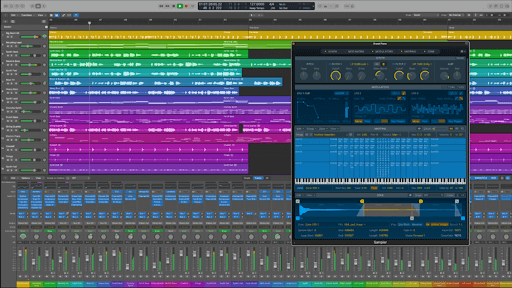
Logic Pro is the next name on this list of the best audio recording software for Mac in 2024. The tool is quite amazing and boasts an easy-to-use interface for all Mac users. Hence, even if you are a beginner to the tool, you can easily understand its performance patterns. Additionally, the learning curve of the software is also quite steep. You can use this all-in-one audio recorder software for Mac to show off your creativity on all kinds of projects.

Features of Logic Pro:

  • Logic Pro is more than just a basic recording tool but an advanced solution for audio creation.
  • The outputs of the software are Dolby Atmos compatible for better quality.
  • The software contains a 3D Object Panner that makes editing feasible.
  • This is an advanced solution with multiple helpful solutions for you.

Pros

  • Support Plug-ins
  • Contains multiple samples
  • Easy to use

Cons

  • The trial version has limited features

Download


11. Audio Hijack

Audio Hijack

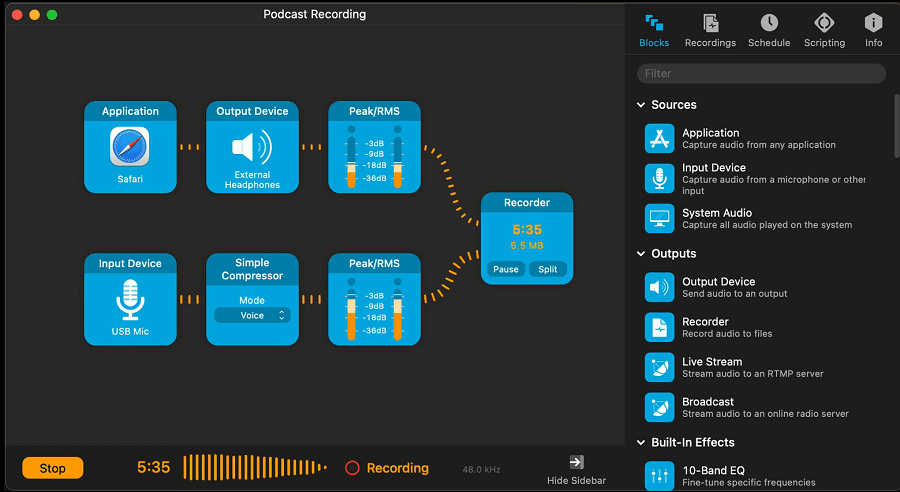
Audio Hijack is the last name on this list of the best audio recording software for Mac in 2024. The tool is suitable for both beginners and professionals for recording and editing audio. You can easily use the tool to create podcasts as well as record your artistic talents with ease. The app also allows you to stream the audio using various spectrums and sources.

Features of Audio Hijack:

  • If you want to extract the audio from some app, then Audio Hijack is the perfect choice for you.
  • You can even record audio from third-party websites for the best results.
  • If there is too much noise in the audio, the tool allows you to remove it.
  • The tool is even more helpful for gamers who want to record live streaming of games and their audio.

Pros

  • Both free and paid versions are available
  • Allows audio recording scheduling
  • Internet broadcasting compatible
  • Smart Scriptwriting features

Cons

  • Only for macOS

Download


12. Movavi Screen Recorder

Movavi Screen Recorder

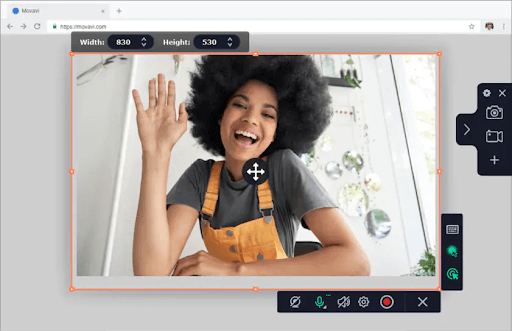
Movavi Screen Recorder is the next best audio recording software for Mac in 2024. The software is an advanced alternative to the tools provided above. Although the tool is a screen recorder, it can also be used to record audio on your Mac without video or screen.

Features of Movavi Screen Recorder:

  • Allows you to apter the screen and audio in multiple ways
  • Supports screenshots.
  • Helps in enhancing videos

Pros

  • Both free and paid versions are available
  • Offers scheduling options
  • Works on Windows and Mac

Cons

  • Limited options in the free version
  • Limited trial period

Download


13. Ocenaudio

Ocenaudio

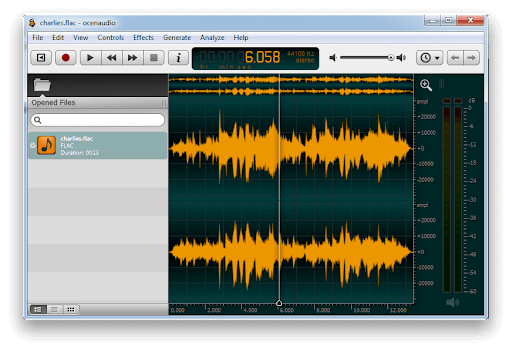
Ocenaudio is another of the best audio recording software for Mac in 2024. The tool is quite efficient and allows you to record real-time audio on your Mac device. The tool offers a plethora of options for recording and more.

Features of Ocenaudio:

  • Free to download and use
  • Offers audio editing
  • Feasible control
  • Play and pause functionality

Pros

  • Entirely free to download
  • Works on Windows and Mac

Cons

  • Lacks some features as available in paid tools

Download


Time to Make a Good Choice For Yourself

The audio recording software mentioned above are some of the best available options for both beginners and professionals. 

We hope that our list of best audio recorder tools for mac has been of great help to you and has been able to answer your questions around “What is the best software that you can use to record audio on your Mac device ”. 

Author

Prachi Dani

Prachi Dani is a technical content writer who specializes in areas of science and technology. She is highly up to date with technological transitions and transformations. Writing is not her passion but the only thing that carries satisfaction in life. If not writing, you may find her engrossed playing action games on her treasured smartphone.

View all posts

Related Posts

Send/Receive Android Text Messages on Windows or Mac

December 3, 2022
0

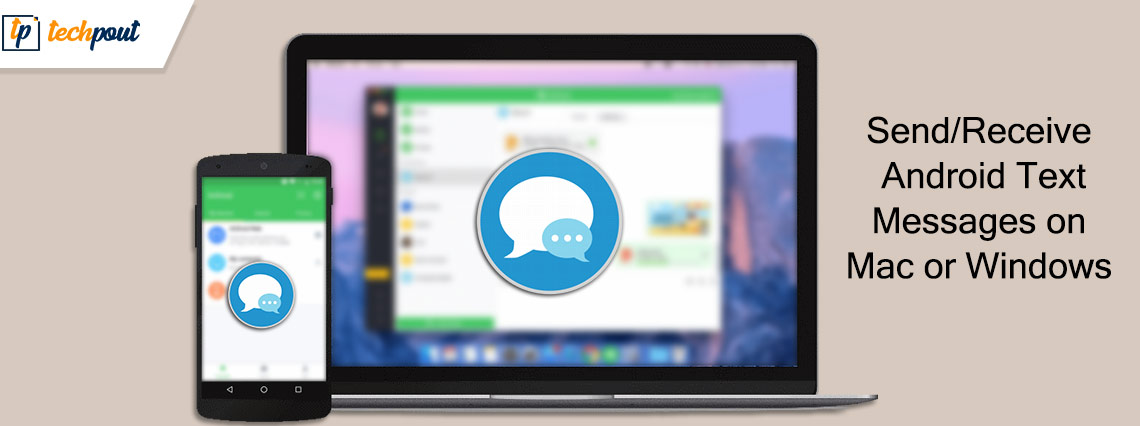
You may go through this write-up to get acquainted with simple ways to send Android messages on Windows/Mac and receive them.

Checking the mobile device when working on a laptop/desktop/Mac often hampers the workflow. Hence, many users feel that it would be great if they could send and receive Android messages on their computers. Well, if you also feel the same, you should read this article with the utmost attention.

Through this piece of writing, we introduce you to the best possible ways to receive and send Android messages on Mac and Windows computers.

Let us begin with the methods to send/receive Android messages on Mac and Windows without any further delay.

Methods to Receive/Send Android Messages on Mac and Windows

You may follow these methods to send Android messages and receive them on your Mac or Windows device.

Method 1: Use Google Messages to send and receive Android messages on Mac/Windows

The Google Messages application allows you to send Android messages and receive the same on your Mac. You may follow the below step-by-step process to use it.

  • Firstly, if your Android phone does not have Google Messages preinstalled, download it from here.
  • After installing the application on your phone, open the browser on your Mac/Windows computer.
  • On your computer, navigate to Google’s Messages website.
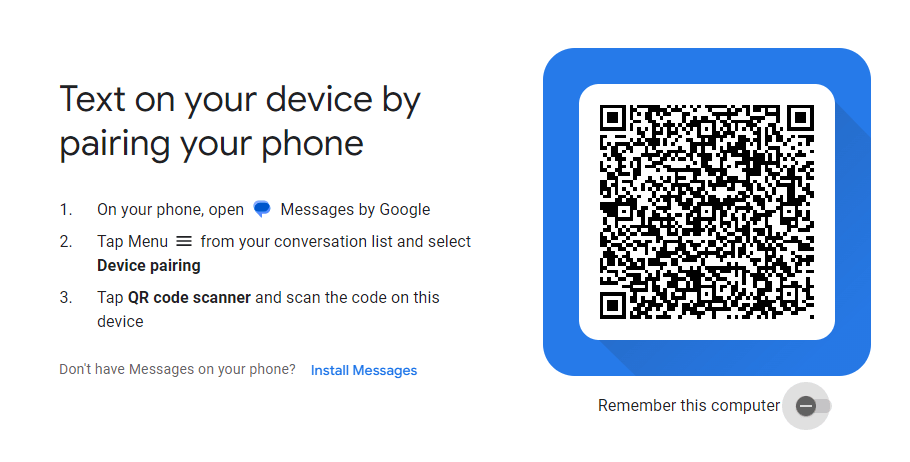
  • Scan the on-screen QR code to pair your Mac/Windows device to the phone.Scan the on-screen QR code to pair
  • Now, you may send and receive Android messages on your device when you stay signed in to the Google Messages application.

Also Read: How To Force Quit Applications On Mac


Method 2: Use Microsoft’s Your Phone application (Only for Windows)

If you wish to send or receive Android messages on Windows, you may use the Your Phone application of Microsoft. The following is the step-by-step process to do it.

  • Get the Your Phone application (also called Link to Windows) on your Android phone from the Play Store.
  • Perform the application setup and sign in using your Microsoft account.
  • Search the link www.aka.ms/linkphone and open it on your computer.
  • Scan the on-screen QR code using your phone’s camera.
  • Allow permissions on your Android phone to receive and send messages.
  • After completing the process given above, choose Messages on your Phone’s desktop application.
  • Now, you may send Android messages on Windows and receive them.

Method 3: Use a third-party application

There are various third-party applications like Tenorshare Phone Mirror and DeskSMS. You may try using these apps to send and receive Android messages on your Mac or Windows computer.

After learning ways to send Android messages on Windows/Mac and receive them, if you have any questions, you may read the following section to find the needed answers.

Also Read: How to Mute Tabs in Chrome on Mac and Windows PC


Frequently Asked Questions

The following are the answers to some questions users often ask about sending and receiving Android messages on Mac/Windows.

Q1. How do I sync my Android text messages to my Mac?

You may use Google Messages or other third-party applications like DeskSMS to sync your Android text messages to the Mac device. The above section guided you through how to do it.

Q2. Can you see Android texts on the computer?

Yes, it is possible to view Android messages on your computer. You may take the help of the above guide to doing it.

Q3. Can a Mac receive text messages?

Yes, Mac devices may receive text messages using Google’s Messages website and various other third-party apps.


Summing Up

This article acquainted you with some methods to send/receive Android messages on Mac or Windows. You may follow them so that you can view and reply to messages without disturbing your workflow.

If any doubts or questions persist about this article, you can contact us through comments to clear the same. We will return with another tech guide soon.

Best-Kids-Search-Engines-That-Are-Safe-to-Use

Best Kids Search Engines That Are Safe to Use

February 14, 2025
0

If you wish to keep your children safe from accessing and coming across unwanted and adult material on the web, take the help of one of the best kid-friendly search engines offered in this guide.

Through the use of the internet, it is possible to locate almost everything that one would want in this day and age. The difficulty is that there is a great deal of content that is not suitable for children and is categorized as “not suitable for work.” You have the ability to activate Google’s SafeSearch filters; but, you will need to do so on each and every device that your children may use.

It is of the utmost importance to use kid-friendly search engines that are designed exclusively for children; since it is the best way to safeguard youngsters from stuff that is harmful and improper. It is beneficial to you to provide your pupils access to the internet by utilizing a search engine designed specifically for young students. This is because the material that is able to pass past the filters of the school may be suitable for sixth graders but maybe not for second graders.

One kind of system or search engines for kids, are specifically built to display filtered material to children when they do a search related to any topic. When our children use the internet to discover the world, we have a responsibility to ensure that they are not exposed to any information that may be considered unsuitable or irrelevant, as well as any potential cyber risks.

Exactly at this point is when the significance of using kid-friendly search engines becomes apparent. Children are able to conduct a secure search in an atmosphere that is conducive to their needs thanks to these custom-made platforms. But that’s enough said, we know you understand the importance of a safe kids search engine. So, allow us to offer you some of the best ones out there.

Top Best Search Engines for Kids in 2025

In the coming sections of this guide, we will have a look at some of the best and most reliable kid-friendly search engines that are safe to use for kids. You can choose any of these search engines and offer them to your kids to access the web.

1. Kidtopia

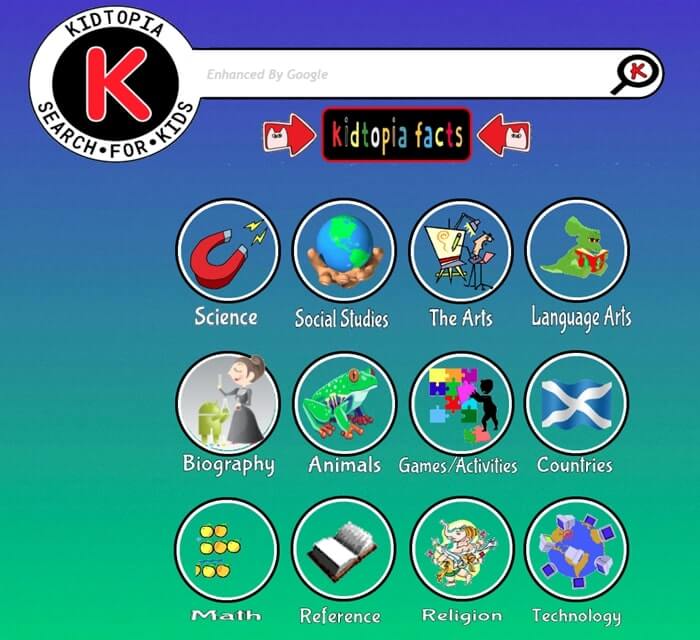
Kidtopis is one of the best kid-friendly search engines out there. Schoolteachers are the ones who developed this engine. Children are the target audience, and it provides a selected selection of websites that are both safe and informative.

Educators take great care in selecting the material, making certain that students are guided to trustworthy resources that are suitable for their age group. Because of its emphasis on educational quality, Kidtopia is one of the best search engines for kids who are seeking information for school assignments or for their own personal learning objectives.

Kidtopia

Use and Test The Search Engine Here


2. Wacky Safe

Wacky Safe is one of the best kid-friendly search engines that is powered by artificial intelligence and places an emphasis on safe surfing while also providing a broad variety of educational information. Through the utilization of artificial intelligence, it aids in guaranteeing that the search results are appropriate and secure for consumers of a younger age.

In order to encourage children to study and explore in a safe online environment, this kid’s search engine has been intended to be both interesting and user-friendly in its design. With its cutting-edge method of content screening, the platform stands out as an exceptional option for parents who are seeking the necessary.

Wacky Safe

Use and Test The Search Engine Here

Also know: Best Free AI Search Engine


3. GoGooligans

When it comes to the best kid-friendly search engines, you can not skip GoGooligans. GoGooligans is an engine built specifically for educational purposes, with the goal of removing improper information and concentrating on educational topics and resources. Its purpose is to cater to the educational requirements of children by offering them a secure online environment in which they may do research on school assignments and subjects that are of interest to them.

Therefore, GoGooligans is the best kids search engine for those who are interested in education since it has an emphasis on educational material. This guarantees that children have access to information that is of high quality and relevant to their needs.

GoGooligans

Use and Test The Search Engine Here


4. KidRex

Allow us to offer the next name on this list of the best kid-friendly search engines. With extra screening to guarantee that all search results are suitable for young users, KidRex is a platform that is both enjoyable and safe for children. It is powered by Google Custom Search and has additional filtering.

Colorful visuals and straightforward navigation are two of the features that make its user experience suitable for children. As a result of KidRex’s ability to make internet searching a pleasant and safe experience for children, it has become a popular option among parents who are seeking a kid-safe search engine that combines fun and safety.

KidRex

Use and Test The Search Engine Here


5. Fact Monster

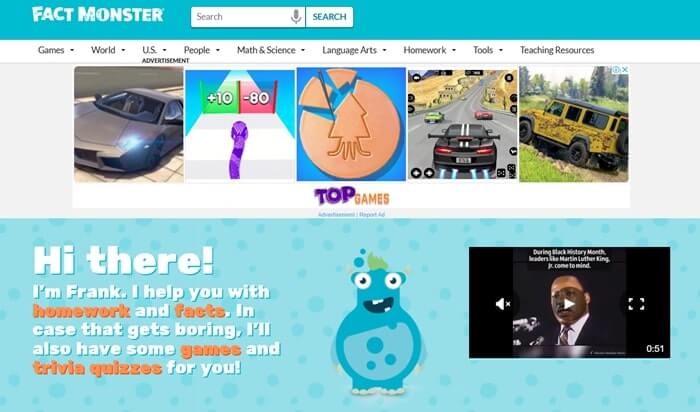
Fact Monster is another one of the best kid-friendly search engines that focus on offering kid-safe facts. The qualities of this platform are combined with a wide variety of educational materials. To put it simply, it is one of the greatest platforms for those who are eager to learn and are inquisitive about a broad variety of topics since it provides information, games, and quizzes on a wide range of topics.

This is one of the best safe search engines for kids that is intended to be both interesting and educational, with the goal of assisting youngsters in expanding their knowledge in a variety of disciplines while they are having a good time. What makes Fact Monster such a complete educational platform is the fact that it combines search capabilities with learning tools.

Fact Monster

Use and Test The Search Engine Here


6. KidInfo

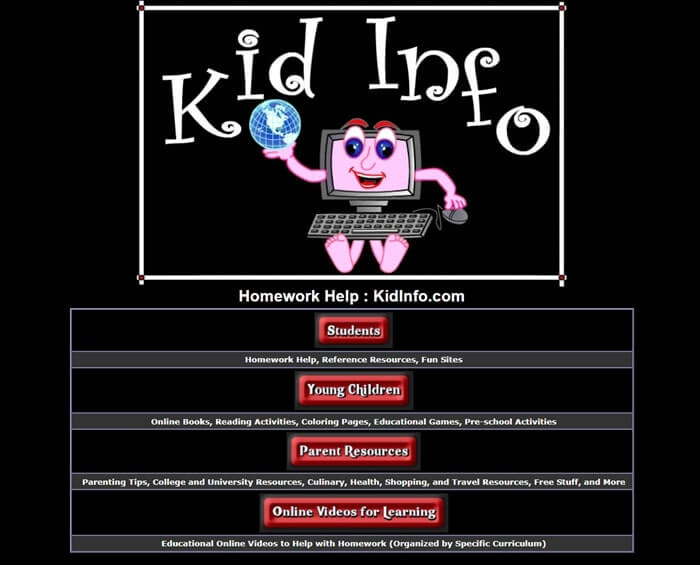
The comprehensive resource known as KidInfo provides users with a variety of instructional resources, making it one of the best kid-friendly search engines. This resource is intended to serve as a one-stop shop for students who are looking for information on a variety of subjects.

As a result of its comprehensive collection of materials, this is one of the best search engines for kids that’s appropriate for a wide range of ages, making it an invaluable resource for both younger children and students in their teenage years. KidInfo stands out as an excellent option for youngsters who want trustworthy information for academic reasons.

KidInfo

Use and Test The Search Engine Here

Also know: Best Reverse Image Search


7. Swiggle

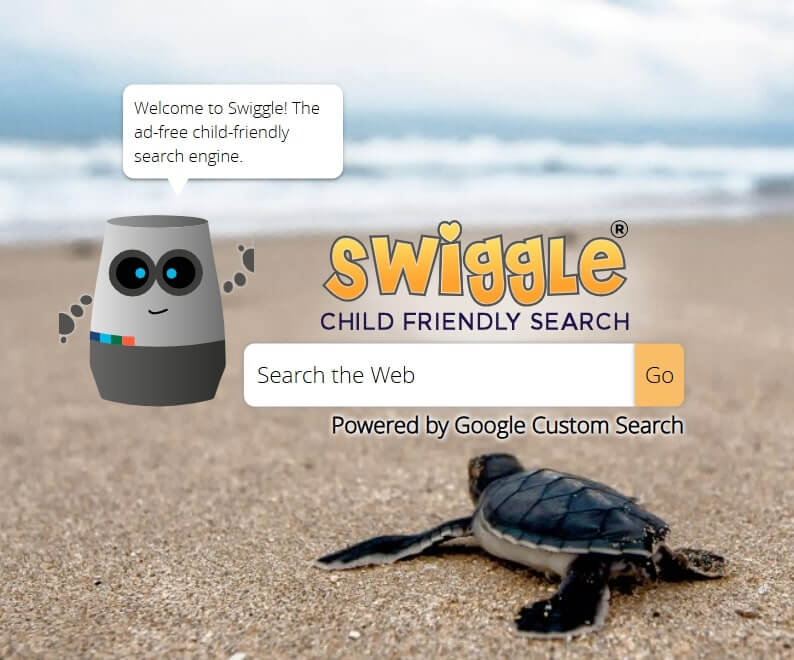
Swiggle is a website that caters to younger children and provides them with a secure surfing experience that focuses on educational subject matter. This is one of the best kid-friendly search engines for students who need assistance with their schoolwork since it filters search results to exclude stuff that is deemed improper and gives connections to educational resources.

The interface of this kids’ search engine is meant to be user-friendly for children, with buttons that are big and navigation that is simple. Swiggle also provides a child-safe picture search, which makes it simpler for children to locate photos relevant to their projects without coming across anything that is inappropriate for them.

Swiggle

Use and Test The Search Engine Here


8. Duck Duck Go!

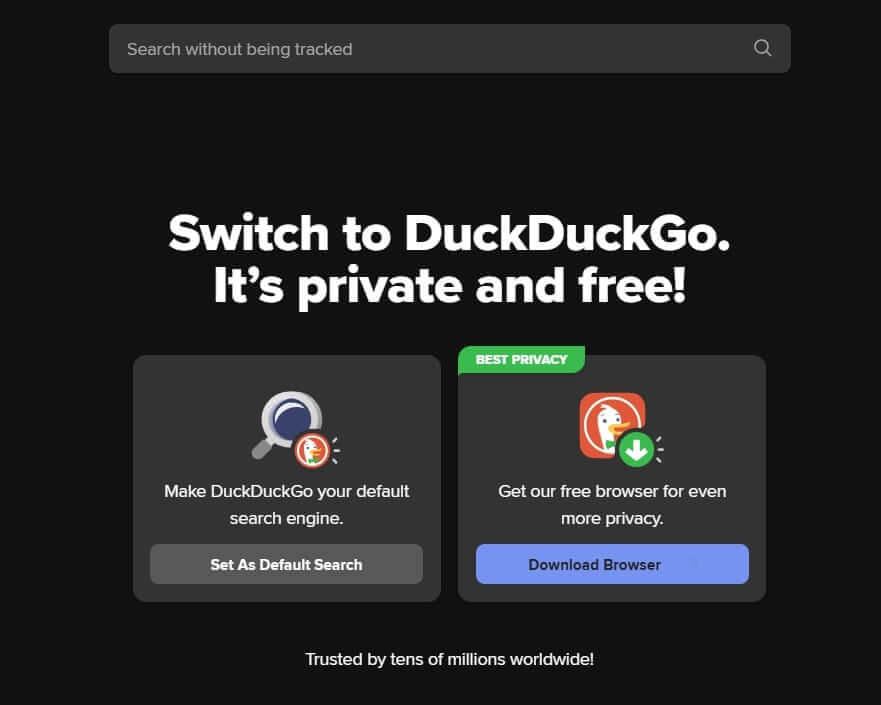
Despite the fact that Duck Duck Go is not like other kid-friendly search engines, it does have features that make it appropriate for use by families. One of these features is a safe search filter that prevents adult material from appearing in search results. Because it does not monitor users or their queries, it provides a safer and more private surfing experience.

This is a feature that stands out because it is primarily focused on giving consumers privacy. This kid-safe search engine is perfect for older children and teens who are more concerned about their privacy. It is advised that parents supervise their children to ensure that the material is in line with the values that the family holds.

Duck Duck Go!

Use and Test The Search Engine Here


9. Safe Search Kids

Safe Search Kids, just like its name, is one of the best kid-friendly search engines. But it is much more than just that; it is an all-encompassing online safety tool that includes filtered search results, instructional materials, and articles on internet safety. Safe Search Kids is powered by Google.

Due to the fact that the platform is meant to guarantee that all of the stuff that is accessible is suitable for youngsters, it is a dependable choice for both parents and teachers. In addition, this is one of the best safe search engines for kids that offers advice and materials on digital citizenship, which assists children in gaining an understanding of how to use the internet in a responsible manner.

Safe Search Kids

Use and Test The Search Engine Here


10. Kiddle

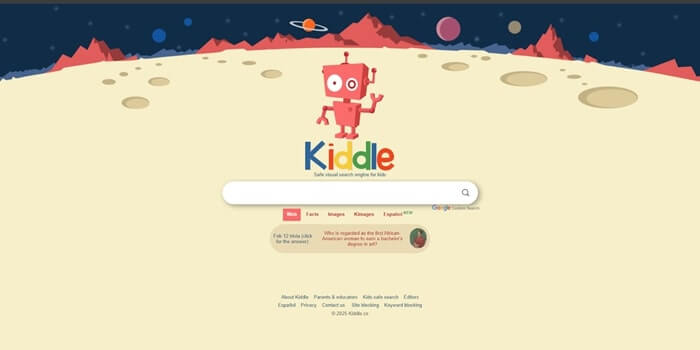
We are ending this list of the best kid-friendly search engines with Kiddle. Due to the fact that it is visually appealing, Kiddle is an ideal alternative for children. In order to guarantee that the results are suitable for children, it employs Google’s Safe Search technology, but it goes even further by adding additional levels of screening. In Kiddle, search results are arranged according to their relevance for children.

The first few results are straightforward and easy to read, and they are intended specifically for children. After that, more thorough material that is suitable for parents or teachers is shown. Large thumbnails and a bright backdrop are used in the user interface of this kid’s search engine, which makes it appealing to youngsters and simple for them to browse across.

Kiddle

Use and Test The Search Engine Here

Also know: Best PDF Search Engine Sites


Safe Search Engines for Kids: Final Thoughts

The majority of the most prominent search engines, including Google, Yahoo, Bing, and others, include safe search options that may be enabled via the settings menu of the respective search engine. However, being a parent or a teacher, you can not rely on these filters completely as there are ways to bypass them.

Thus, kid-friendly search engines are in place for you. These platforms are specifically developed for children of various ages. These search engines include user interfaces that are intentionally meant to be bright and appealing, with the goal of attracting the attention of children.

You can choose any one of the safe alternatives offered above and allow your children to browse the web safely. If you need any help with the kid-friendly search engines offered above, you can communicate with our tech experts using the comments section below. Lastly, follow us on social media channels and subscribe to our newsletter for such daily updates.

1 Comment
    Damien says: Reply
    August 1st 2020, 8:22 am

    Great list! This was really helpful for me to select a program to use with my daughter, I think we will start with Audacity.

Leave a Reply Cancel reply

Your email address will not be published. Required fields are marked *

Sidebar Image bit G ad1

Latest Posts

  • Anytime Astro: Best Website For Online Astrology Consultation
    Anytime Astro: Connect Now For Online Astrology Consultation
    by Somya Shrimal / March 13, 2026
  • Best-Ways-to-Combine-Images-Into-PDF-Files
    Best Ways to Combine Images Into PDF Files
    by Niharika / March 12, 2026
  • Best FREE VPS Hosting Providers
    7 Best FREE VPS Hosting Providers in 2026
    by Devesh / March 12, 2026
  • Best-McAfee-alternative-software-to-use-for-Virus-Protection
    Best McAfee Alternative Software to use for Virus Protection
    by adminuser / February 11, 2026
  • What-is-Flip-Flop-in-Circuite-and-it's-Types
    What is Flip Flop in Circuit and its Types
    by Meet / February 6, 2026

Categories

  • Cyber Security
  • Driver Updater
  • Entertainment
  • Fitness
  • Games
  • How To
  • laptop
  • OS
  • Reviews
  • Tech News
  • Tips & Tricks
  • Top 10
Sidebar Image bit G ad1
Goodix Fingerprint Driver Download and Update for Windows Goodix Fingerprint Driver for Windows 11, 10 (Download & Update)by Devesh / May 1, 2024
14 Best Calendar Apps for Mac in 2024 [Free & Paid]by Niharika / May 2, 2024Best Calendar Apps for Mac
TechPout Footer Logo

We at TechPout promise to put forth stories that help people to learn and simplify their digital life. Our purpose is to share the true essence of technology with our tech-loving community.

Useful Links

  • About Us
  • Contact us
  • Privacy Policy

Popular Posts

  • Best PC Optimizer Software
  • Best Mac Cleaner Apps
  • Best Driver Updater
  • Duplicate Photo Finder and Cleaner Software
  • Best Free Movie Download Sites
  • Best IPTV Players

Follow us

Copyright © 2026 www.techpout.com. All rights reserved
DMCA.com Protection Status