Main LogoLight Logo
  • Reviews
  • Top 10
  • How To
  • Tech News
  • OS
    • Windows
    • MAC
    • iOS
    • Android
  • Categories
    • Driver Updater
    • Cyber Security
    • Games
    • Fitness
    • Entertainment
    • Tips & Tricks
Tech News
by Jay Galiyal

Uhive: A New Social Networking Platform that Shares Its Earnings

March 12, 2020
1

You must have heard of Facebook, Twitter, Youtube, and many other content marketing platforms. But have you ever come across a platform that gives you credits just for liking the posts, commenting on them or disliking others’ posts?

With the sole aim to include everyone and encourage active participation in the society, Uhive was designed. This platform strongly believes in sharing the profits and earnings it generates, to the users who contribute. In short, it operates by distributing wealth amongst its users

Uhive is a mobile-based social media platform. There is no website where you can log in and enjoy the content on a big screen. 

Table of Contents hide
Uhive: A New Way to Earn Money
How Does Uhive Share Earnings Amongst Its Users?
Top-notch Features of Uhive
#1. Spaces
#2. Interests
#3. Two Worlds: Free and Civilized
Free World:
Civilized World:
Final Words

Uhive: A New Way to Earn Money

Uhive - A Mobile Based Social Media Platform
Image Source: Uhive

Uhive works on the popular Ethereum blockchain technology. With every like, dislike on a post, comments on any post, you are actually earning some Uhive Tokens. This platform has capped it four hours a day so people can enjoy their real lives as well.

The more time you spend on this platform, the more tokens you will earn. Not only will you earn the credits, but you can also experience premium features of this free platform.

How Does Uhive Share Earnings Amongst Its Users?

Uhive is assigning around 8 billion tokens of net worth $24 million to its users. The system works on blockchain technology and there are combo multipliers. With the help of these multipliers, users can earn up to 50,000 tokens.

Users interact with others, share content, like or dislike the posts and in this way, they keep earning the tokens. There are daily rewards and anyone can earn the tokens on a daily basis. On the seventh day, tokens get doubled, on the 14 days the multiplier increases by one unit, tripling the tokens.

On the 21st day, the multiplier increases by one more unit and quadruples the tokens earned. This is how Uhive works and shares the profits among its users.

These special tokens can be exchanged for real money in the near future. The present value of a Uhive token is $0.003 and it aims to reach $1 by 2021. 

The more users the platform gathers, the more tokens it will give away. Uhive strongly believes that social media platforms are owned and managed by the users and they have complete rights to generate certain wealth. 

Top-notch Features of Uhive

Apart from sharing your content across this platform and earning free tokens, there are some features that make this platform even more interesting and distinct. 

#1. Spaces

Spaces act as your personal profile or interest-based profiles. These are the unique features of this platform that make it stand out from the others.

Features of Uhive - Spaces
Image Source: Medium

One profile is enough for a user to begin this wonderful journey. There are multiple interests and so a user can have multiple interests in each space or dedicate one space to each interest.

Furthermore, you can purchase the spaces with tokens, you can give the spaces on rent and can also sell the spaces for a price.

#2. Interests

Uhive works on the mechanism of showing the users the content they select while choosing their interests. You can see the posts and newsfeed from the particular ‘interests’ you selected.

You can choose from a huge selection of 26 interests:

  • Music
  • Beauty and makeup
  • Movies and TV shows
  • Astronomy
  • Business
  • Education
  • News and politics
  • Technology
  • Autos
  • Pets and animals
  • Travel
  • History
  • Science
  • Comics and anime
  • Comedy and fun
  • Photography
  • Parenting
  • Home and lifestyle
  • Religion
  • Sports
  • Health and fitness
  • Food and drink
  • Fashion
  • Books and literature
  • Gaming
  • Art and architecture

Just like any other social media platform, you can follow these interests and get the relevant feed. Depending on the interactions with the posts, you will get even more posts from that particular interest. This platform generates interest-based content for its users.

Read More: Top Positive And Negative Effects Of Social Media

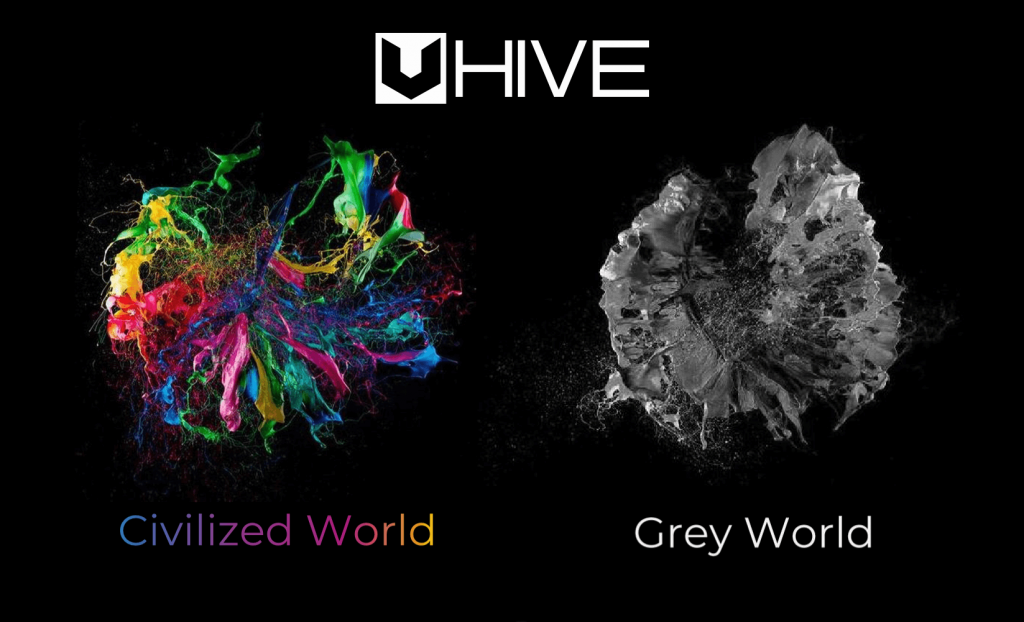
#3. Two Worlds: Free and Civilized

Free World:

Here you can stay anonymous and hide your identity and location. This world gives the user, freedom to display or show limited information. You can share your thoughts and express yourself without any hesitation.
Two Worlds: Free and Civilized
Image Source: Medium

Civilized World:

Civilized World is where you share your thoughts with users from around the world, connect with your friends, family members and colleagues. You can enjoy every element of social media networking like liking or disliking a post, commenting on it or sharing a post.

The best part about this feature is that you can easily switch between either of these worlds seamlessly. 

Final Words

Uhive is an amazing platform that introduces a new way of social media experience to the users who are looking for better ways to share the content. With better experience, it also brings a new way to earn money by spending more and more time online. 

The success factor of this platform depends on the total number of users it can gather and till now things are going pretty well. Beta is out and above 100,000 users have joined this platform. This platform was launched recently and boasts of about 2 million posts from users worldwide. Uhive has implemented a revenue share model with its users and also offers a digital economy within the spectrum of social media.

Author

Jay Galiyal

Jay is an incredible writer who loves to give life to words. He is always carrying out some research and likes to keep himself updated with the happenings around him. Writing runs in his blood makes him happy. When not working, you can find him singing, composing poetry, writing horror stories, playing action games on the laptop and munching on food.

View all posts

Related Posts
Google Starts Task Mate Testing in India - All That You Should Know!

Google Starts Task Mate Testing in India – All That You Should Know!

November 26, 2020
0

Google is being recognized as one of the biggest tech companies all over the world and Google has reached this title by providing world-class service to its users with its various useful applications and search engine. Customers are the key factor of any business and google knows it and that’s why Google always has taken every decision in favor of their customers. Google always had a soft corner for its users and they have proved this in every app or project they work on. Google has recently launched an app called, ‘Task Mate’. Helping users to earn money by completing simple tasks. 

In which users can earn money by performing some simple tasks while they are sitting idle. The app is currently available in beta version and its accessibility has limited by a referral code system. This app is available to only those users who have an invitation code sent by Google and cannot be accessed without the referral code. 

Google task mate has classified their tasks into two categories, which are sitting tasks and field tasks. Sitting tasks include transcribing a document, taking a survey, and other tasks that can be done in the comfort of your house. Feild tasks are different, in this, you are told to go outside and do some outdoor tasks like taking pictures of restaurants, visiting a shop, etc. Tasks like taking pictures of a shopfront or adding a route or new location will help google to increase the accuracy of its mapping services. 

Read More: Google Brings Lending DocAI For Enhanced Data Structure

These tasks are posted by various business owners from all around the globe to ease their work and make their customers earn money. You can also see the price of tasks with them. If you are not able to perform a task you can simply skip it. Google can also ask you for a task directly which can be provided to you by seeing your potential and past performance. 

Withdrawals of the earnings are the most hectic part of every money-related app but not with Google. Users can withdraw their earnings easily with their respective E-wallet and other digital payment options. For these payment features the users have to link their E-wallet account with the task mate app. The money will be provided in the local currency of the respective country. 

Task mate is also meant to help its users by simplifying their tasks by helping its users. For eg, if you have to go somewhere for the completion of a task then the task mate app will show you the direction to reach your destination in minimal time.

Differences - Google Chrome vs Mozilla Firefox

Google Chrome vs Mozilla Firefox: Which Web Browser is Better

October 26, 2019
0

Nowadays our daily life starts running only when our browser starts running. Gone are the days when Internet Explorer was our only browser option. But when it comes to deciding which web browser is the best, most of us prefer going with Google Chrome as it is a household name nowadays.

However, in this article, we present a clear comparison between Google Chrome and Mozilla Firefox by looking at the performance of both the browsers in various categories. 

Firefox vs Chrome: Design Comparison

Chrome – Although both browsers have a similar design, yet Chrome has an accessible user interface but with fewer customization options available from the Chrome store. 

Firefox – Firefox is more user-friendly as it has the following features like the larger back button, customizable menu bars, and simpler setting options. The default interface is accessible and navigable, but customization capability is moderate.

Recommended: Top 5 Ways to Speed up Your Web Browser & Internet Speed

Firefox vs Chrome: Speed and Performance

Chrome – With faster benchmarks, the pages load quickly and give the user a smoother operational experience. Users can also start interacting with the page before it is loaded completely.

Firefox – With slow benchmark performance, slowness is observed in page loading. Also, users need to wait before beginning interaction with the page until it is completely loaded. 

Firefox also uses more RAM than Chrome, hence slows down the computer, although the claim of RAM usage is lesser than that of Chrome. 

Firefox vs Chrome: Rendering and Accuracy

Chrome – Chrome renders most pages accurately with fewer rendering bugs and errors.

Firefox – Pages can sometimes not be rendered accurately. Users can’t fix the rendering bugs by themselves. Websites are tested lesser in Firefox in comparison with Chrome.

Firefox vs Chrome: Privacy and Security

Chrome – User tracking activities on this browser is too extensive. Though some of the tracking activities can be turned off manually from the settings of the browser, yet it is cumbersome and time-consuming. Even using the incognito mode doesn’t offer a complete shield. 

Firefox – This browser doesn’t track the user activities and it has its own built-in support for “Do Not Track” and built-in tools for online tracking protection. In Firefox, the browsing history is private. Firefox’s company Mozilla is a non-profit organization that aims to protect the people who use it.

Firefox vs Chrome: Video Streaming

Chrome – As Google owns YouTube, therefore the video streaming features and delivery quality is better optimized in Chrome. The desktop browser performs better in streaming high definition videos while in comparison to the laptop due to high power consumption on the laptop. Additionally, Chrome has a “casting” feature which supports sending videos on a page, or the whole page to cast on a Chromecast TV. For instance, if you want to play your favorite YouTube videos, then you can cast it on your Chromecast TV by tapping on the casting button labeled as “Play on TV” within the video frame on YouTube.

Firefox – The “casting” feature is not supported on this browser.

Firefox vs Chrome: Extensions and Customization

Chrome – The number of available extensions is more however, customization is minimal. One major drawback here is that the Chrome Store often becomes an easy target for hackers and scammers due to the large size of the store and more popularity of the Chrome browser among users across the globe.

Firefox – Customization options are more here when compared to the availability of extensions.

You can find a wide range of extensions like password managers, VPNs, ad blockers, video downloading software etc. in both the stores.

Firefox vs Chrome: Additional Features

Chrome – It lets the user create multiple accounts and switch between them easily. Also, it helps to sync various devices with the same Google account.

Firefox – The reader mode can be easily customized. The “Pocket” feature helps in suggesting posts and “save-for-later” features too. Also, the screenshot tool can help take screenshots of the full screen easily.

Firefox vs Chrome: Modern Standards Support

Chrome – Supports most web standards efficiently. This browser also supports HTML/CSS features.

Firefox – This browser supports lesser web standards and doesn’t support HTML/CSS features.

See Also: Chrome will Use AI To Describe Images For Users With Sight Impairment

Firefox vs Chrome: Search Autocompletion

Chrome – This browser helps in searching about queries directly from the address bar. The address bar is basically “Google.com”. Chrome has a better AI suggestion feature for words and phrases to complete our search queries and thus eases our typing efforts. Chrome also lets you use other search engines but for this, one has to search for the same in the browser settings.

Firefox – The desktop version of Firefox does provide a separate search box option which is located on the right side of the address bar. But the AI function here is not too great. Toggling between different search engines is easier here, as it appears in the drop-down of the menu system.

Firefox vs Chrome: Mobile Compatibility

Chrome – Chrome lets the user easily sync everything from their desktop or laptop browser to their mobile phone via their Google account.

Firefox – Syncing through devices is also available even in this browser by creating an account.

Chrome no doubt still wears the tag of being the best web browser, yet Firefox is often considered to be the best Chrome alternative especially when it comes to privacy and security matters. However, as a user, you can decide for yourself about the browser that works best for your daily web use.

1 Comment
    Sally says: Reply
    April 16th 2020, 1:14 pm

    I learned something new with this interesting article, I´m going to try Uhive!

Leave a Reply Cancel reply

Your email address will not be published. Required fields are marked *

Sidebar Image bit G ad1

Latest Posts

  • Best-Free-Online-Portfolio-Websites-in-2026
    Best Free Online Portfolio Websites in 2026
    by adminuser / March 16, 2026
  • Anytime Astro: Best Website For Online Astrology Consultation
    Anytime Astro: Connect Now For Online Astrology Consultation
    by Somya Shrimal / March 13, 2026
  • Best-Ways-to-Combine-Images-Into-PDF-Files
    Best Ways to Combine Images Into PDF Files
    by Niharika / March 12, 2026
  • Best FREE VPS Hosting Providers
    7 Best FREE VPS Hosting Providers in 2026
    by Devesh / March 12, 2026
  • Best-McAfee-alternative-software-to-use-for-Virus-Protection
    Best McAfee Alternative Software to use for Virus Protection
    by adminuser / February 11, 2026

Categories

  • Cyber Security
  • Driver Updater
  • Entertainment
  • Fitness
  • Games
  • How To
  • laptop
  • OS
  • Reviews
  • Tech News
  • Tips & Tricks
  • Top 10
Sidebar Image bit G ad1
The Best Way To Crawl The Web The Best Way to Crawl the Webby Remy Thomas / March 11, 2020
DuckDuckGo Tracker Radar Exposes Online Tracking; Shares List of Web Trackersby Monil / March 12, 2020DuckDuckGo Tracker Radar Exposes Online Tracking
TechPout Footer Logo

We at TechPout promise to put forth stories that help people to learn and simplify their digital life. Our purpose is to share the true essence of technology with our tech-loving community.

Useful Links

  • About Us
  • Contact us
  • Privacy Policy

Popular Posts

  • Best PC Optimizer Software
  • Best Mac Cleaner Apps
  • Best Driver Updater
  • Duplicate Photo Finder and Cleaner Software
  • Best Free Movie Download Sites
  • Best IPTV Players

Follow us

Copyright © 2026 www.techpout.com. All rights reserved
DMCA.com Protection Status