Main LogoLight Logo
  • Reviews
  • Top 10
  • How To
  • Tech News
  • OS
    • Windows
    • MAC
    • iOS
    • Android
  • Categories
    • Driver Updater
    • Cyber Security
    • Games
    • Fitness
    • Entertainment
    • Tips & Tricks
Android Top 10
by Prachi Dani

9 Best Free Collage Maker Apps For Android Smartphones [2024]

January 8, 2024
1

Posting a single picture on your Social media profile can get a bit boring at times. Making a photo collage can, however, be a more creative and better way of sharing your good times with your friends and relatives. 

For better results, you can take the help of a collage maker app to compile various pictures into one stunning piece. 

Luckily, there are many Collage making apps available on the app store, which are exceptionally easy to use. These apps work seamlessly well on both Android and iPhones. 

Here, we have listed some of the best collage maker apps for Android, which can help you bring together a collage in a matter of seconds. 

So, without any delay, let’s have a look at some of the most popular apps. 

Table of Contents hide
Collage Maker Apps For Android In 2024
1. Moldiv
2. Collage Maker
3. Pic Collage
4. Pic Stitch
5. Fotor
6. Photo Collage Maker
7. Canva
8. Layout from Instagram
9. Pixlr

Collage Maker Apps For Android In 2024

1. Moldiv 

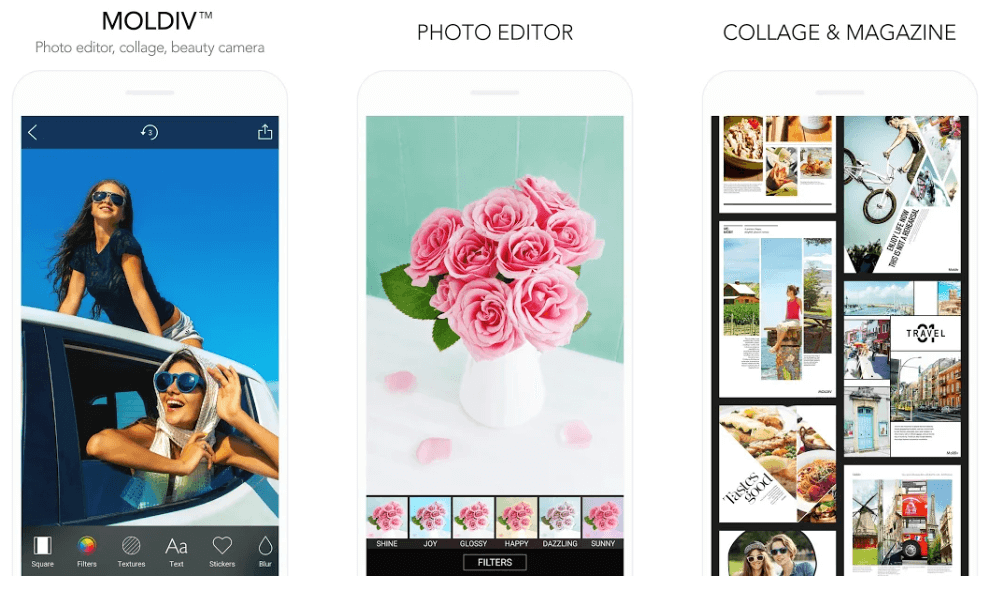
Moldiv - Best Free Collage Maker App

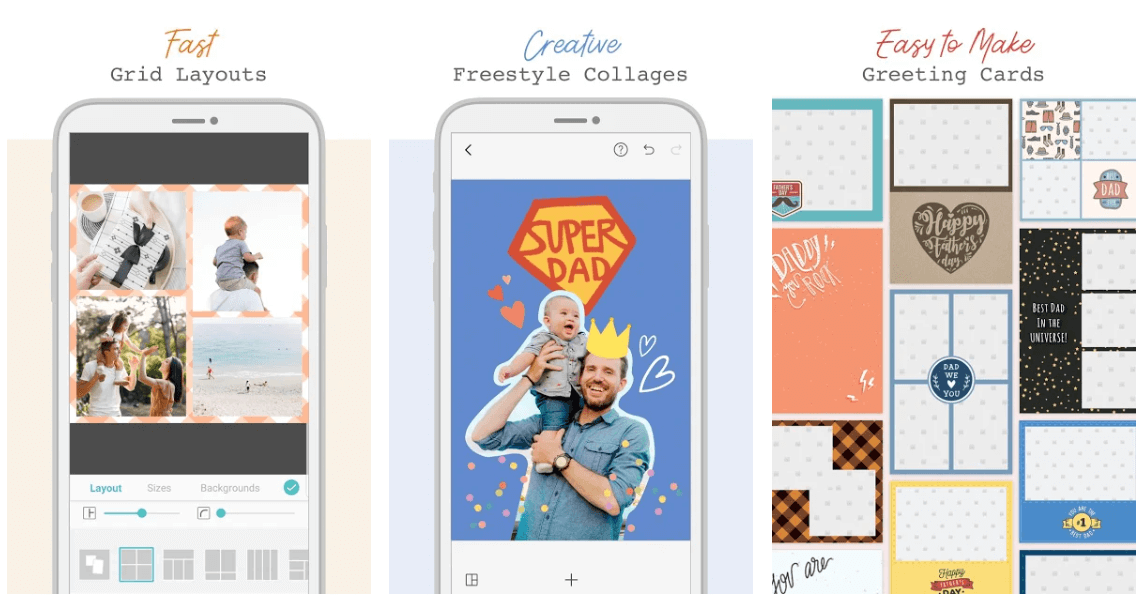
Moldiv is a feature-rich Collage making an app that can take care of all your photo editing requirements. It’s an all-in-one application and comes with several useful templates, editing tools, and filters. 

Additionally, it’s also has a built-in camera which adds on to its overall working. For people who love clicking selfies, they can make good use of its beauty function. 

This Collage Maker App has an extensive list of different layouts that works in a reasonably straightforward manner. You can use it to switch together up to nine pictures at a time. 

download from play store

Must Read: 9 Best Apps To Blur Photo Background on Android & iOS


2. Collage Maker
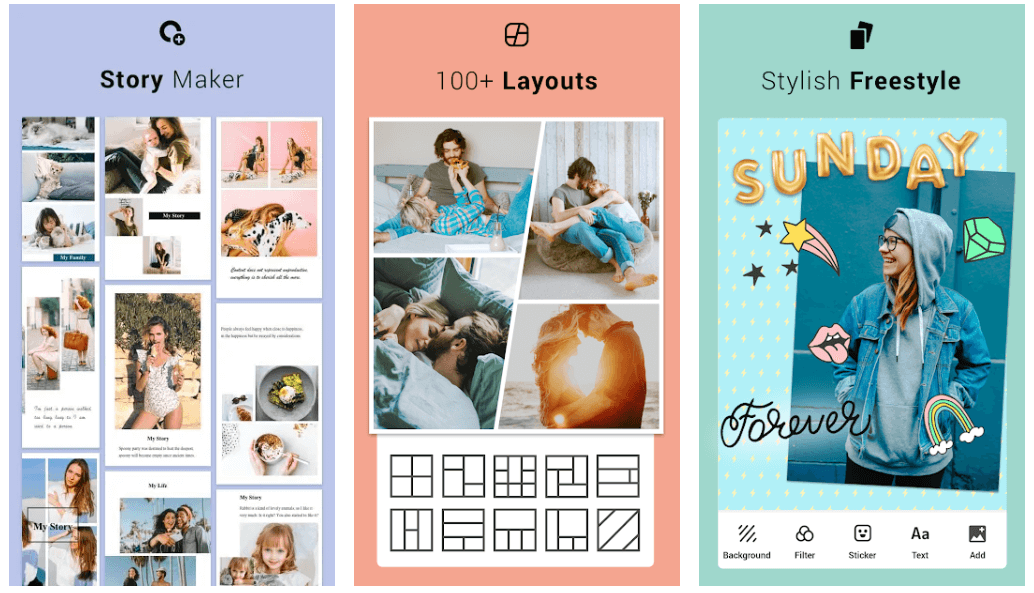
Collage Maker - Best Collage Maker App For Android

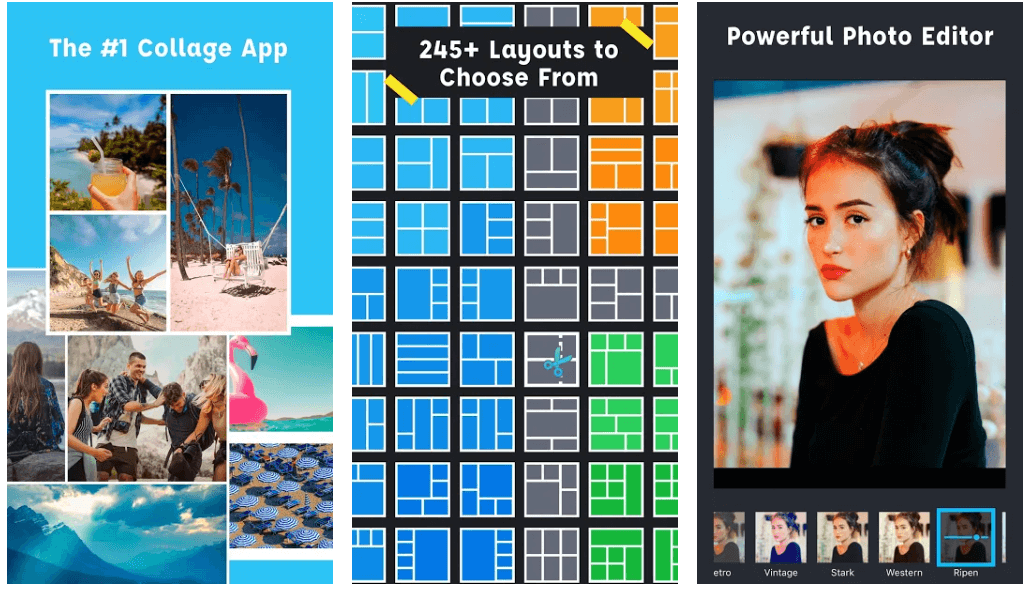
Collage maker is one of the cleanest interfaces that you will find on the play store. InShot Inc develops this free photo collage app. 

It lets you alter and edit the pictures to make a collage, and you can club around 18 photos at a time using this incredible tool. It comes with several customization functionalities like you can choose and change the grid dimensions as per your requirement. 

It also comes with a Freestyle feature and inbuilt-editor with which you can re-polish your images and make them perfect for social media worthy. 

download from play store

3. Pic Collage

Pic Collage - Free Collage Maker App

Use this convenient and straightforward app to make a stunning collage. Use it to add different texts, stickers, images, and frames to your Collage.

If you like posting your stories on Social media platforms, then its stories feature can be of great use to you. You may also try its Freestyle mode to customize your work by adding a personal touch to it.

Another best part about this stunning app is, it does not require any login and comes with a minimal interface. 

download from play store

4. Pic Stitch

Pic Stitch - Android Collage Maker App

Another highly popular and recommended app for collage making is Pic Stitch. It comes with multiple unique features that are hard to find in other apps. 

The most beautiful thing about Pic Stitch is that you can use it to resize individual pictures so that they can easily fit in your Collage. It also allows you to alter the aspect ratio. 

With over 300 different layout options, it is a sound collage making an app for your android device.

download from play store

5. Fotor

Fotor - Best Free Collage Maker App

If you are looking for a photo collage app with a clean and simple interface, then Fotor can be the right choice for you. Its free version comes with all necessary and essential functionalities. Moreover, if you wish to enjoy advanced features, you can opt for its premium version. 

This stunning application comes with an array of customization features to best suit your requirements. Use it to alter the shape, color, size, prints, and shadow of your pictures. 

download from play store

6. Photo Collage Maker

Photo Collage Maker

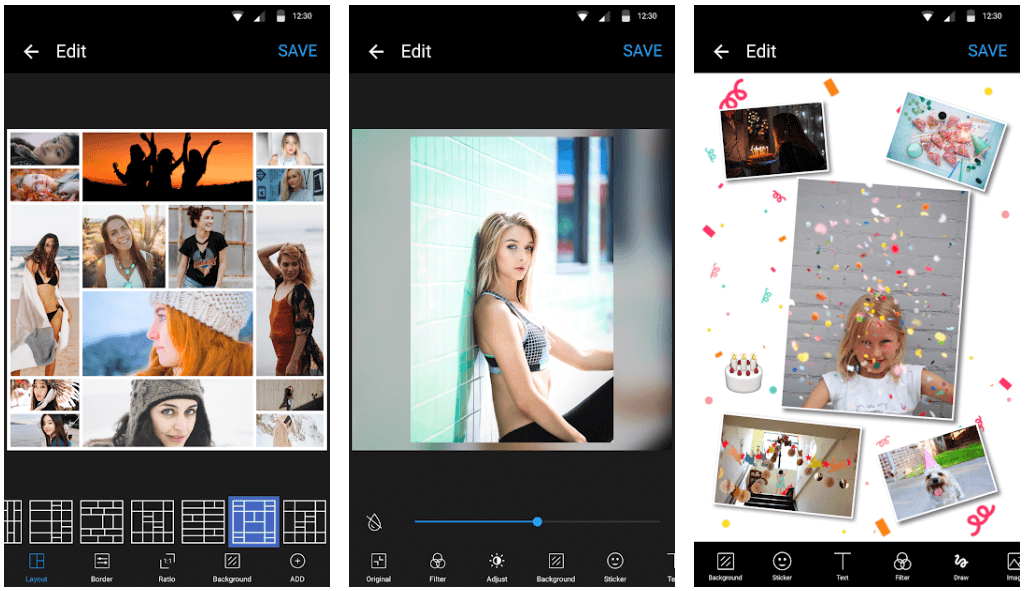
Use this stunning piece of software to change the aspect ratio of your pictures. With Photo Collage Maker, you also get the power to edit your images, add filters and background to them.

You can also change the brightness, saturation, and contrast of your Collage using this incredible app. 

download from play store

Must Read: 10 Best Photo to Cartoon Picture Apps For Android & iOS


7. Canva
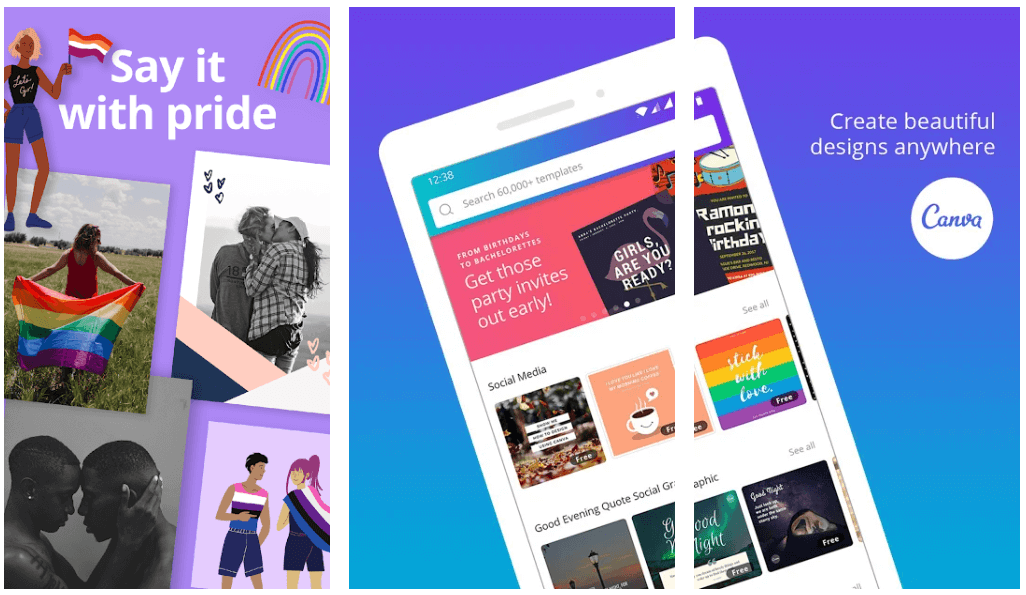
Canva

Another most popular name in the category of Collage Making Apps is Canva. This browser-based application comes in both a free and paid version and runs seamlessly well on the Android and iOS platforms.

You can trim, resize and crop your images for them to fit appropriately in your Collage. If you wish you can even add bleed space and crop marks to your creation. 

download from play store

8. Layout from Instagram

Layout from Instagram

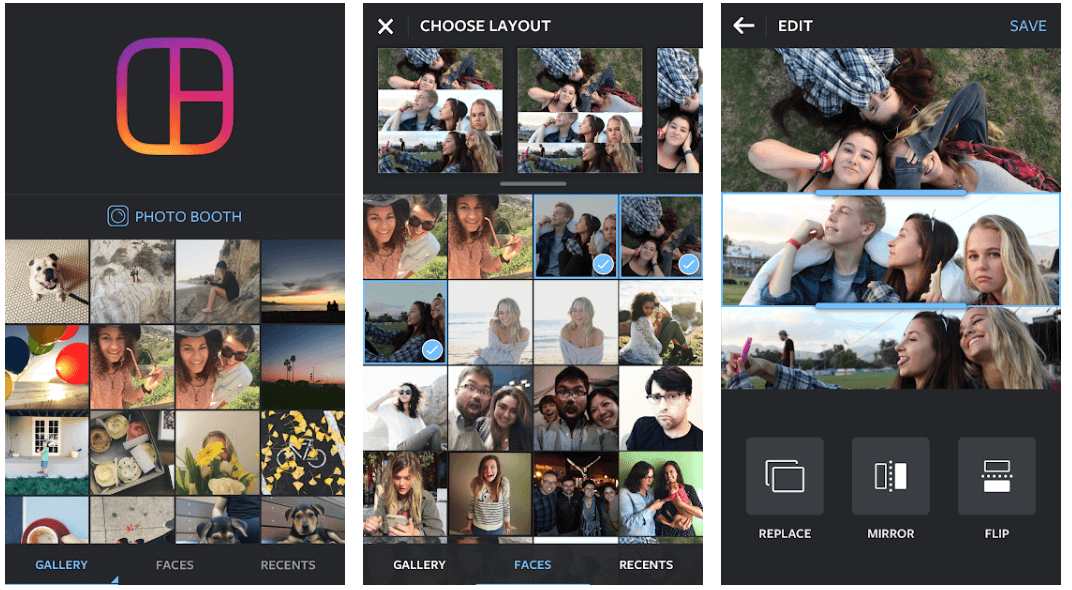
Created by the developers of Instagram, Layout from Instagram surely deserves a spot on the list of best collage maker apps. You can select various pictures, drag and drop them, tweak and edit them to fit into your creation. 

Overall it is a stunning app and does what it promises. 

download from play store

9. Pixlr

Pixlr

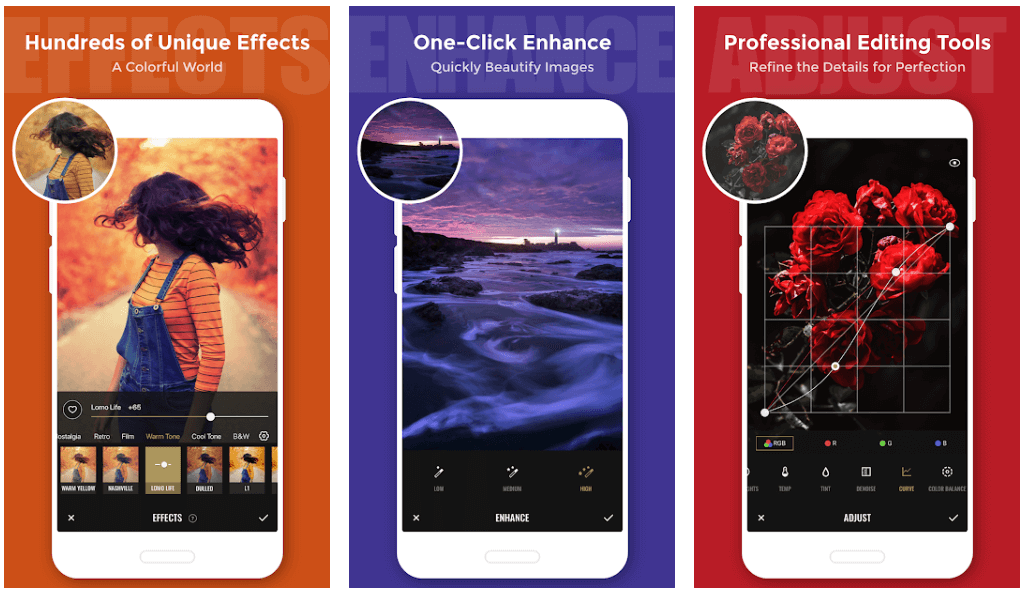
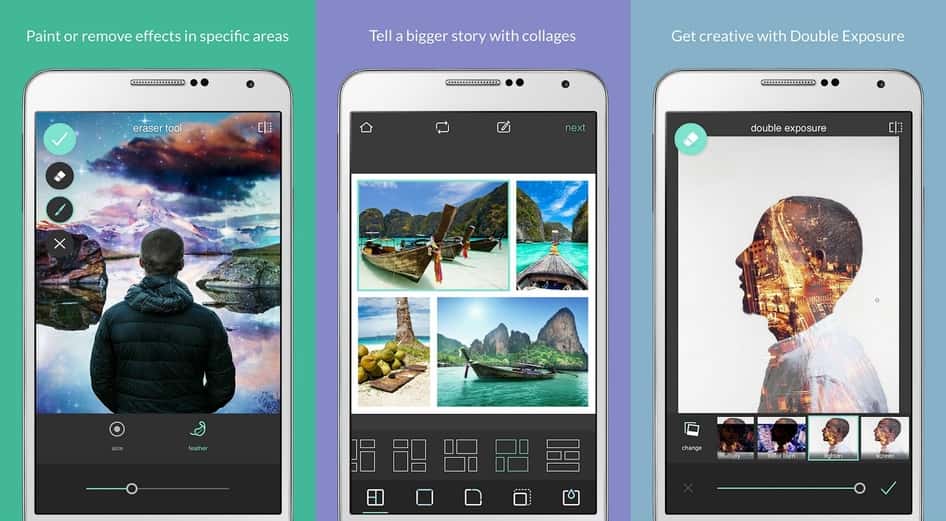
Pixlr offers the user to adjust the collage the way they want. The user while using this app can change every aspect of the collage according to their choice. The freedom offered to the user makes the app the best collage maker in the league. Irrespective of all the features the app is available for free on Google play store. The app has autoFix features which adjust the images to the best automatically including the brightness, contrast and saturation.

download from the play store


Final Words 

Now that you are aware of the top collage maker apps for Android make sure that you choose one to give a boost to your creative instinct. 

Pick the one which best suits your needs and start stitching your favorite pictures. 

Author

Prachi Dani

Prachi Dani is a technical content writer who specializes in areas of science and technology. She is highly up to date with technological transitions and transformations. Writing is not her passion but the only thing that carries satisfaction in life. If not writing, you may find her engrossed playing action games on her treasured smartphone.

View all posts

Related Posts
Upwork Alternative Sites

13 Best Alternative Sites Like ‘Upwork’ for Outsourcing in 2020

October 11, 2019
0

Upwork is a popular marketplace for businesses seeking for freelancing options. Whether small or big, every entrepreneur needs affordable digital services, including graphic designers, website developers, writers, and many more. 

Upwork is a great platform to find quality assistance, but there are a lot of sites like Upwork, which works incredibly well. 

Here, in this article, we have listed some of the best Upwork Alternatives that you can consider for your freelancing and outsourcing requirements. 

List of Upwork Alternative Sites for Outsourcing:

1. SEOClerks

SEOClerks - best Upwork Alternatives

Initially created to offer online SEO services, SeoClerks has grown with time. It now functions to cover a wide range of online outsourcing activities, including mobile app development, eBook ghostwriting, article writing, and many more. 

These services fall between a pocket-friendly price range depending on the complexity and difficulty level of the project. 

It uses a clean and straightforward interface to evaluate freelancers’ skills and employers’ needs. All in all, SEOClerks has all the necessary ingredients which are required for day to day business activities. 

visit website

Read More: 11 Best TikTok (Musical.ly) Alternatives Apps 2019

2. Gigbucks

Gigbucks - best Upwork Alternatives

Another online platform that fulfills the outsourcing requirements of businesses is Gigbucks. Similar to various freelance marketplace sites like Upwork, you can set your price range for the services offered. 

Freelancers can set their prices to range from $5- $50. It’s a perfect place to hire digital marketers and offers services in a wide variety of job categories. 

Besides standard digital requirements and service, you can also find categories like gift ideas, silly stuff, and fun. 

visit website

3. YouTeam

YouTeam - Best Alternative Sites Like ‘Upwork’

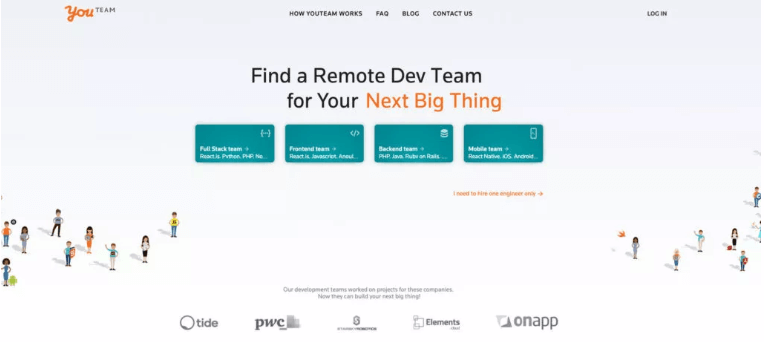
If you are looking for a freelancing site like Upwork, YouTeam can be a decent choice for you. Use it to hire the best developers from trusted sources to build your remote teams. 

It is highly popular for its quality services and full-time freelancers at an exceptionally pocket-friendly rate. 

YouTeam houses a massive talent pool that has been selected through a tough due-diligence and vetting process.

visit website

4. Guru

Guru - Best Sites Like Upwork

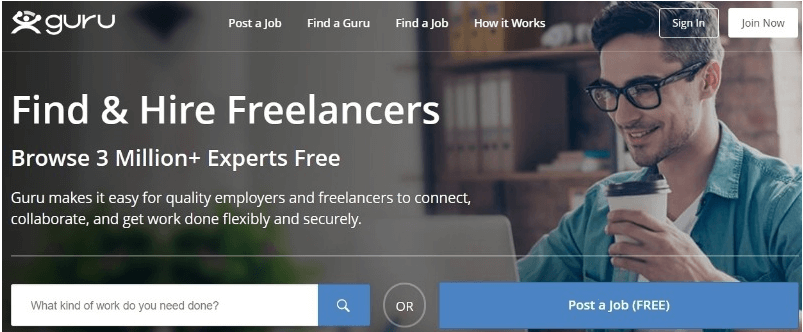
Initially established in 1998, Guru is one of the oldest freelancing job sites, and give a fierce competition to the most famous Upwork. 

It started with its primary aim in helping tech workers looking for short term online assistance. However, over the years, it has grown massively to various other categories as well. 

Since the site is quite old; it has millions of active job seekers along with a considerable workforce of freelancers. 

It offers affordable services in various categories, including writing, SEO, graphic design, app development, and website creation. 

visit website

5. WorkHoppers

WorkHoppers - Upwork Alternative Sites

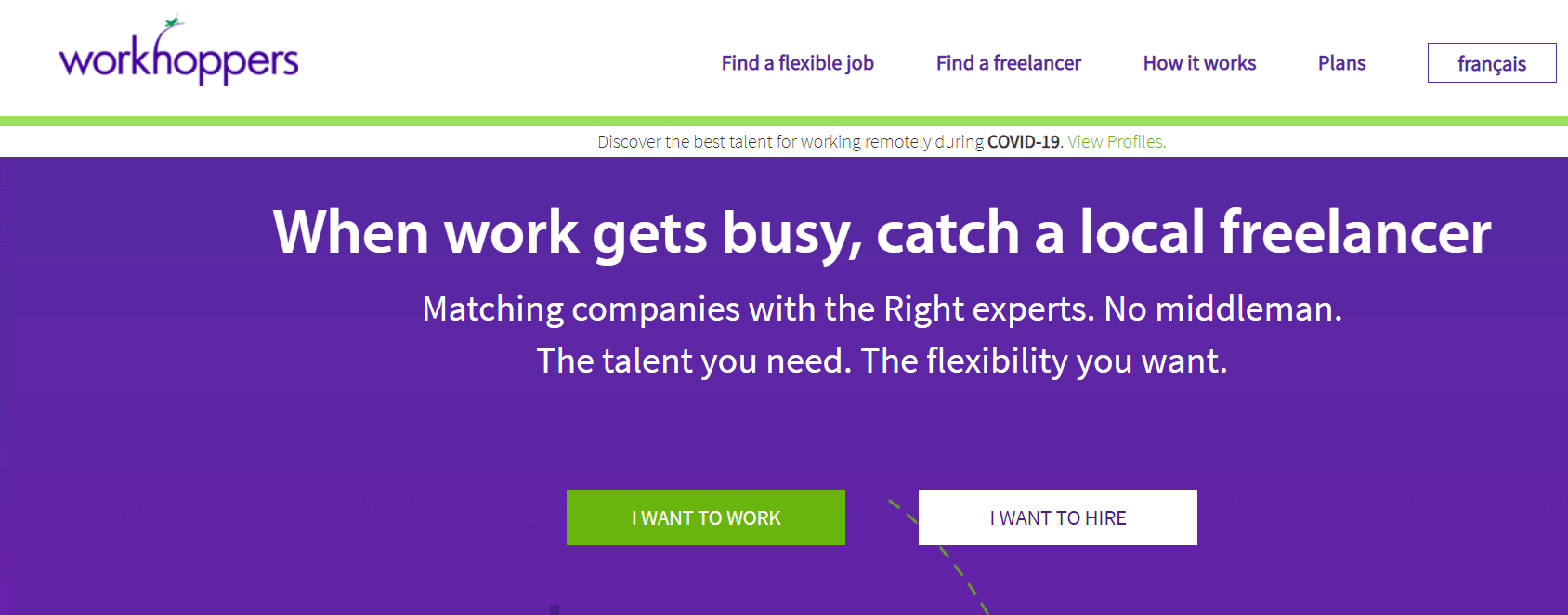
Use WorkHoopers to hire the perfect matching freelancers for your business. It is considered as an excellent alternative to Upwork and offers various services ranging from web development to graphic designing. 

The most highlighted feature of WorkHoppers is that it opens a global community of digital workers for you and does not charge you anything for it. 

visit website

6. Fiverr

Fiverr

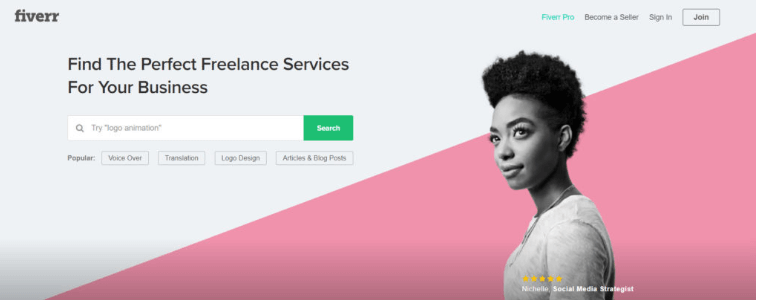
Known for its affordable service, Fiverr offers an excellent platform for freelancing services. It covers various outsourcing categories, including Animation, Podcast editing, Simple Graphic design, and Voiceovers. 

If you wish to get hassle-free customizes digital services, then Fiverr is a decent pick. 

visit website

7. Microworkers 

Microworkers 

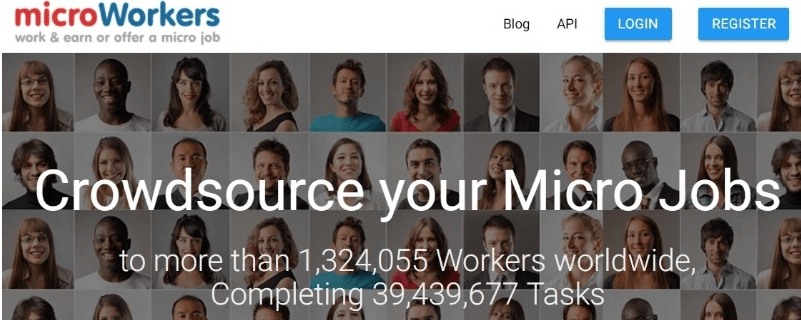
Microworkers is a great platform for businesses looking for skilled workers. As a business, you can create your customized job posting and use its preset templates to post new project requirements. 

It currently enjoys over a million users looking for micro-jobs. Users can also post their reviews so that businesses can compare various freelancers before hiring them. 

visit website

Read Also: Top 8 Alternative Tools like “Keywords Everywhere” and How to Use It

8. Task Army 

Task Army 

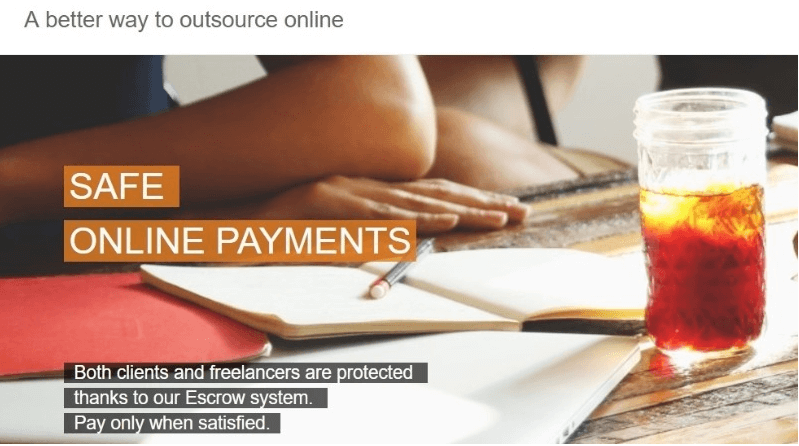
TaskArmy is one of the best alternatives for Upwork and allows various freelancers to post their job offerings along with the pricing. 

Entrepreneurs can browse and compare various options until they find the right choice. Furthermore, you only need to pay when you are satisfied with the services through an Escrow system. 

It follows a robust on-boarding process for freelancers, and Taskarmy diligently reviews each post before getting uploaded. 

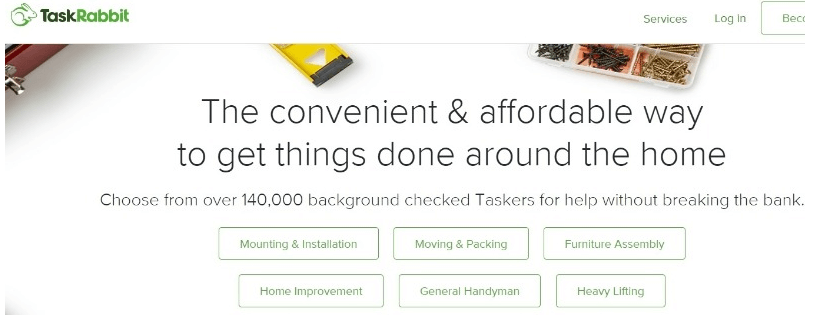
9. TaskRabbit

TaskRabbit - Upwork Alternatives

TaskRabbit is a dedicated outsourcing site for delivering professional digital services. It allows job seekers to list themselves in various categories, including Home Improvement, Moving & packing, housekeeping, and many more. 

It offers same-day assistance and is apt for business looking for last-minute support. TaskRabbit follows a strict background check process to ensure the complete safety of its users. 

visit website

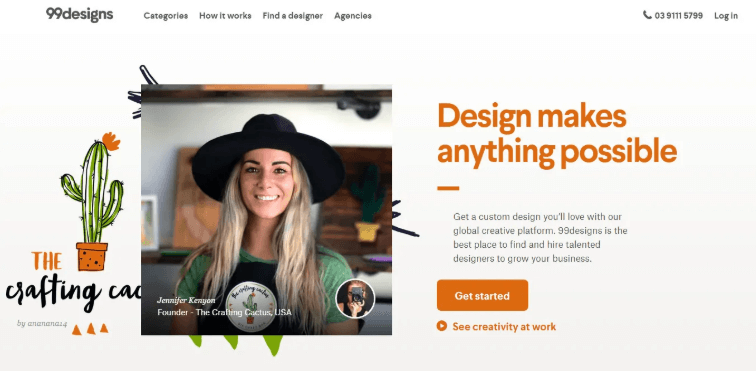
10. 99Designs

99Designs - Best Alternative Sites Like ‘Upwork’

If you are looking for the best designers on the globe, 99Designs can be considered as the best alternative for Upwork. It is undoubtedly the best place to consider if you want the best designs. 

The site also runs various competitions, where designers can submit their work and win stunning prices. 

visit website

11. FiverUp

FiverUp

Next in our list of best sites like Upwork is Fiverup. The site claims to charge 20% less than its competitors and offers online writing and marketing services. 

Besides the general categories, it also provides digital services in a Tarot reading, and Fun & Bizarre category. 

visit website

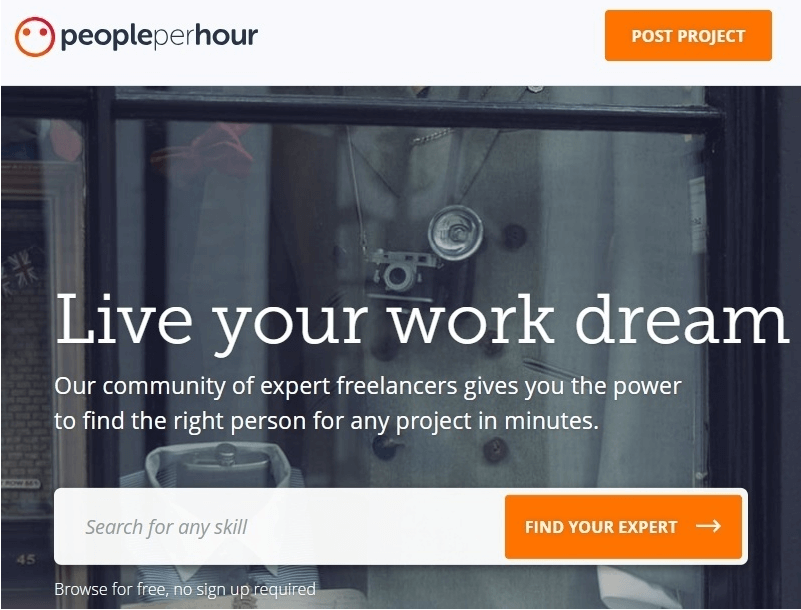
12. People Per Hour

People Per Hour

Find the right person for your work using People Per Hour. It is one of the most used marketplaces in the UK and is only open to limited freelancers. Each job seeker has to go through a tough acceptance test, post which they can create their profile. 

Due to its stricter guidelines, People Per hour is known for its quality services. 

visit website

13. Credo

Credo - Best Upwork Alternative Sites

Use Credo to find and hire the best in class SEO’s, digital marketers, and PPC workers. It is known for its stringent hiring process and employs only verified and vetted freelancers. 

Credo works incredibly well to match various business requirements and connect them with the most appropriate freelancer. 

visit website

Final Words 

So, these are some of the best outsourcing and freelancing sites like Upwork. From small to big businesses, these sites are useful to all and provide unmatched digital services. 

Pick the one which suits you best and get connected with the massive digital workforce for getting your work done.

Best GoPro Editing Software For Windows & Mac in 2022

13 Best GoPro Editing Software For Windows & Mac in 2024

December 28, 2023
0

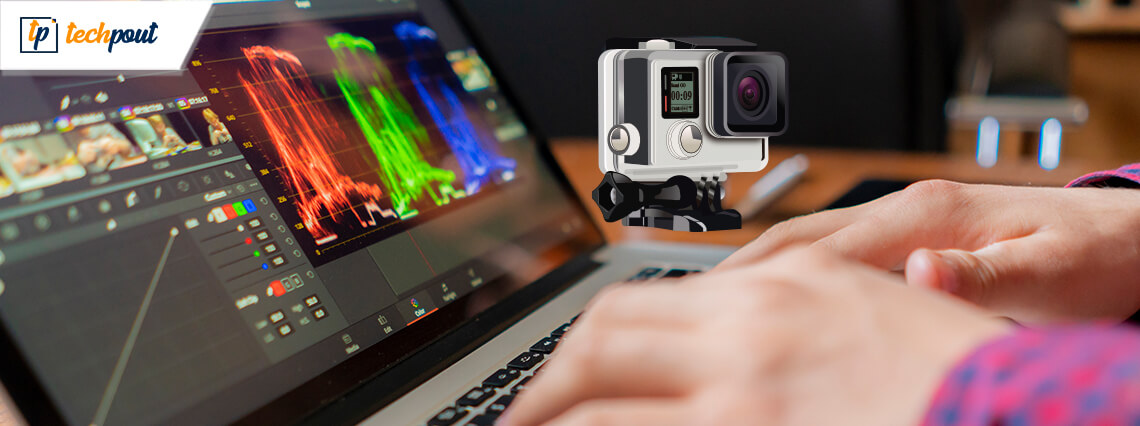
The GoPro editing software is a much-sorted tool for many video makers. Shooting videos is a breeze with GoPro but editing those GoPro video clips to make them appealing and shareable depends on GoPro apps for PC.

GoPro editors have the ability to stabilize shaky footage, add background music, remove fisheye effect, trim videos, denoise videos, and a lot more.

The key features that one should look for in a GoPro app for PC are:

  • Offering support for video stabilization.
  • Video trimming feature to concise a video.
  • Ability to support a large variety of common video formats.

Therefore, in this blog, we have rounded up 11 GoPro editing software that can help you edit videos in the most effective ways.

What Are the Best Editing Software For GoPro?

Let us now understand how to edit GoPro videos with the below-given tools.

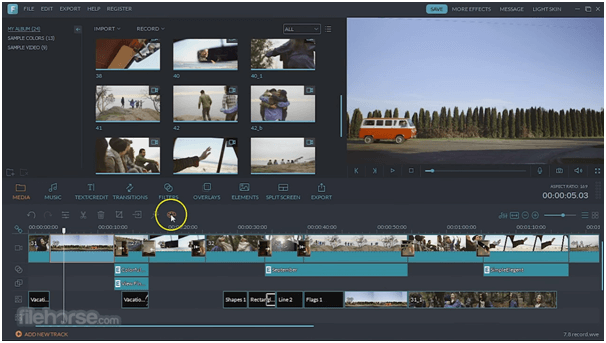
1. Wondershare Filmora X

Wondershare Filmora 9 - Best Free GoPro Editing Software
Image Source: FileHorse

Give wings to your imagination with this best GoPro editing software that lets you customize your videos by embedding text or titles into it. You can add music to your videos and share it on social media platforms.

With this GoPro editor you can layer your video clips. Apart from 4K support to enhance details, you can fine-tune your adventures by fixing fisheye problems, stabilize a video, slow motion as well as reverse the video progression direction.

Features of Wondershare Filmora X:

  • The app allows you to add as many animations as you want to the video
  • Wondershare Filmora 9 can track the objects on your video for perfect editing’
  • You can fade out the audio if it is unclear
  • You can use the software with the help of different hotkeys and shortcuts
  • The app allows you to edit and add two or more videos to split-screen
  • You can change the speed of the videos as required

download_btn_2


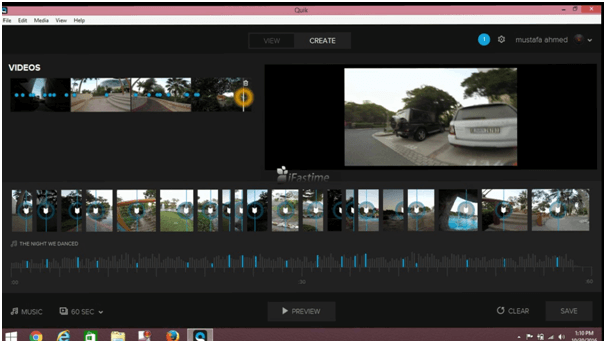
2. GoPro Quik

GoPro Quik - Best GoPro Editing Software
Image Source: YouTube

If you want to know how to edit GoPro videos on PC, then here is an app for you that makes editing video footage an awesome experience. You can enjoy your GoPro photos and videos by importing them quickly, editing GoPro videos, syncing them to music, and doing a lot more with just a few clicks.

You can add photos and time-lapse sequences to your videos, making them come alive with panning effects.

Additionally, it offers graphs and gauges, the creation of short video clips, editing bursts, and time-lapse photos. Besides this, users can backup their photos and videos on the cloud with GoPro Plus and share them on social media.

Features of GoPro Quik:

  • One of the best features of the app is that you can update the video directly on the cloud
  • The app allows you to edit the playback speed of the videos quite easily
  • You can also use the HiLight tags to mark important moments of the video
  • You can download and use the software on Windows as well as on Mac
  • The app provides regular updates for you to get more and more features regularly
  • You get to enjoy advanced features of editing with the app

Read More: Top 10 Best Video Editing Software for Windows


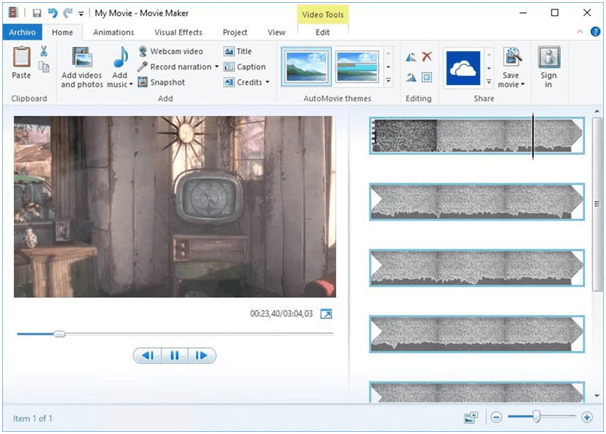
3. Windows Movie Maker

Windows Movie Maker - Best GoPro Editing Software
Image Source: Softonic

Next in line is this best free GoPro editing software that supports a huge range of video input formats. Users can import the video footage that needs to be edited and convert them into a suitable input format first in order to proceed further.

Windows Movie Maker is the GoPro video editor for beginners as it is immensely easy-to-use.

With this GoPro editing software for Windows you can add multiple effects to your videos and share them on social media platforms.

Features of Windows Movie Maker:

  • You can do a voice-over to the pre-recorded video in the app
  • There are lots of integrated soundtracks in the app
  • The app supports HEIC to edit and work on images
  • You can add titles, composer, album, and other attributes to the video as required
  • There are tons of transition effects in the app that can take your video up a notch
  • The app supports multiple input and output formats for video, audio, etc.
  • You can also adjust the background volume as you want

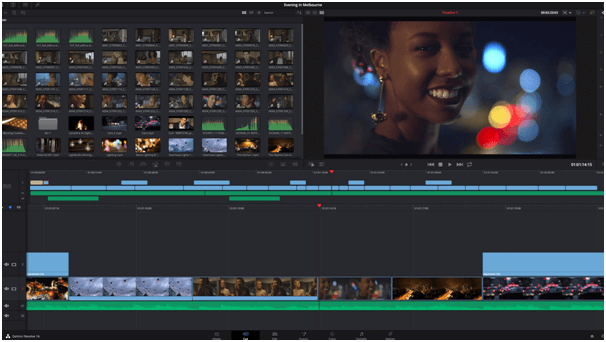
4. DaVinci Resolve 16

DaVinci Resolve 16 - Best GoPro Editing Software For Windows & Mac
Image Source: Y.M. Cinema

DaVinci Resolve 16 made it to our list of best GoPro editing software for Windows or Mac because of its unbeatable advanced set of features. It is in fact, claimed to be the world’s only solution capable of combining professional 8K editing, color correction, with visual effects and audio synchronization perfectly.

An all-in-one GoPro editing software lets you do everything with a single click. Designed for multi-user collaboration, this tool is suited for high-end post production editing including Hollywood, TV shows and commercials.

Featuring a cut page with streamlined interface and revolutionary tools, you can trim a video with the dual timeline function, edit videos intelligently, stabilize, retime, and quickly export videos to YouTube and Vimeo.

Features ‘of DaVinci Resolve 16:

  • One of the most advanced video editing software with highly customizable features
  • You can add various filters to the videos and even animate them
  • The app allows you to adjust the color tone of the video as per your requirements
  • Additionally, the tool provides an option to remove, add, or modify the background
  • Adjust the lighting of the video as you want and make the videos clear
  • The software supports a wide array of audio, image, video, and other file formats for you to edit.
  • The tool provides automatic solutions and ideas for your videos

5. Magix Movie Edit Pro

Magix Movie Edit Pro Software
Image Source: YouTube

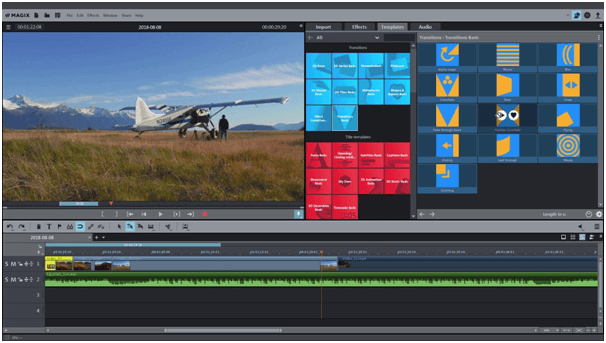
Edit GoPro videos with Magix Movie Edit Pro’s 900 plus templates, 32 unique editing tracks and motion tracking feature.

This is a useful GoPro editing software for Windows offering advanced features in the premium version. It has an impressive interface to edit videos effectively. Another impressive offering is Multicam editing apart from the basic editing tools.

Features of Magix Movie Edit Pro:

  • In four easy steps, you can create the desired video with the app quite easily.
  • The app allows you to split the video as per your requirements
  • Magix Movie Edit Pro works in integration with your GPU for better results
  • The app can be used to stabilize the objects in the video for better output
  • Change the color of the video as you want with the help of the app.
  • You get to select from a list of over 650 different transition styles
  • With a single click, you can share the final output anywhere you want

Read More: 14 Best Video Converter Software For Windows


6. Adobe Premiere Pro

Adobe Premiere Pro - GoPro Editing Software
Image Source: YouTube

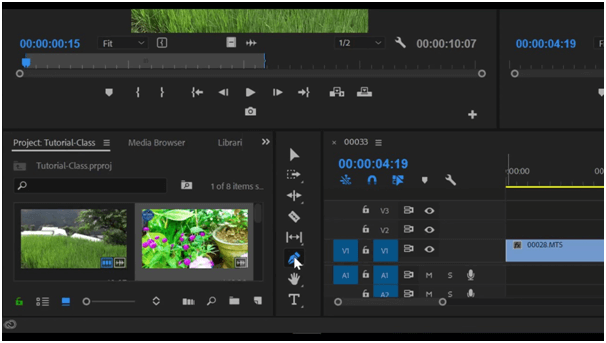
Guess what! Here is the best GoPro editing software to edit videos. Enabled with an intuitive interface and easy-to-use features, Adobe Premiere Pro is a comprehensive and powerful tool that is fast, has excellent video stabilization capability, and supports unlimited video tracks.

With this GoPro editor, you can access Adobe’s cloud, Creative Cloud for storing the footage and edit footage from a cinema-level camera.

Features of Adobe Premiere Pro:

  • The allows you to use the free trial of the pro version to get a taste of advanced features
  • From a wide plethora of templates, you can select the desired one to customize the video,
  • The app offers drag and drop and other functionalities that make editing super easy and fun
  • Add as many audios you want to your video and delete them if required
  • The app allows you to control the volume of different audios in the video

7. Final Cut Pro X

Final Cut Pro X - Best GoPro Editing Software
Image Source: Apple Support

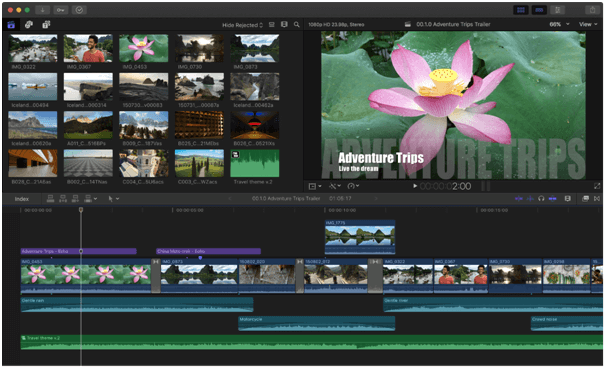
If you are a Mac user, then this GoPro Editing Software for Mac can tend to your video editing needs. It’s a powerful tool that includes magnetic, trackless timeline, useful organizational tools, support for 360degree video and HDR videos, etc.

This GoPro editor is compatible with all Mac computers and is in fact, the best post production tool for advanced colour grading, audio, and motion graphics delivery.

Features of Final Cut Pro X:

  • One of the best video editors for mac with a special cinematic mode
  • The app allows you to track objects and edit the same if required
  • You get so many advanced features with the Final Cut Pro X that allows you to get the desired outputs very quickly
  • You can adjust the color of the videos as per your requirements and preferences
  • The app receives regular updates with better features and bug fixes

8. iMovie

iMovie - GoPro Editors
Image Source: CNET

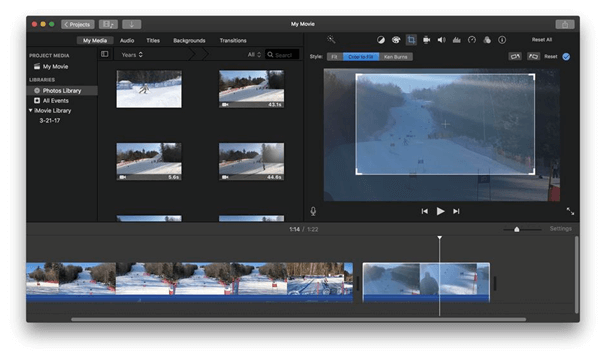
Another excellent GoPro editing software is iMovie that is a product of Apple and is available for download from the Mac App Store. This free tool for GoPro editing purpose is a must have for those who are new to video editing.

A perfect GoPro editor for Mac users, it features a well-designed interface, colour matching features, superb audio tools and a lot more advanced features.

Features of iMovie:

  • You can use the iMovie app in Apple iPhone, Apple iPads, as well as Macs.
  • The app allows you to change the focus of the video as required.
  • You can work on the app and use the picture in picture mode for better videos
  • The app allows you to use over 10 different video filters for advanced outputs
  • In the app, you will find customizable soundtracks
  • You can add background to the video very easily with iMovie

9. Blender

Blender - Best GoPro Editing Software
Image Source: Blender

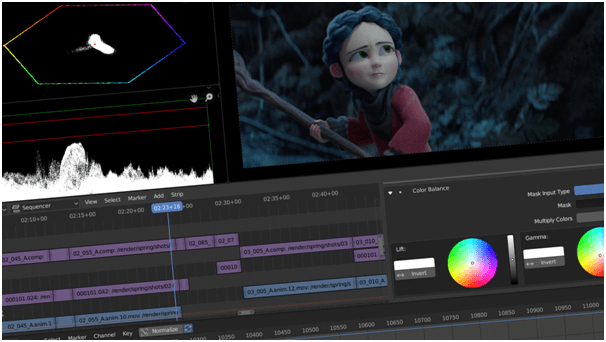
Blender is the best & free GoPro video editing software for PC that is capable of 3D modeling, photo-realistic rendering, game creation, animation making, sculpting, besides video editing.

It is enabled with 32 slots for videos, audio, images, etc.

Fetaures of Blender:

  • From video editing to rendering, from modeling to sculpting, the Blender app allows you to do a lot
  • You can add the desired VFX to the video quite easily
  • The app offers highly customizable features and filters to make the desired output
  • The interface of the app is quite simple and easy to follow for all kinds of users/
  • You can download the app and use it to add 32 different types of videos, audio, images to the slot.
  • With different keyframes and filters, the Blender app provides all the power in your hands.

10. Lightworks

Lightworks - Best Free GoPro Editing Software for Windows
Image Source: IDG Connect

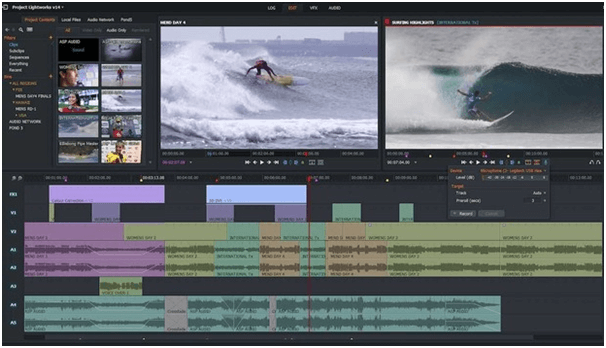
With an intuitive and easy UI, Lightworks is the best free GoPro editing software for Windows users that can edit videos apart from timeline editing capability. It can edit 4K videos too and comes with multiple editing tools as well as various export formats.

Features of Lightworks:

  • The app boasts an unmatched format support service for you
  • With a single click, you can share your video outputs with different social media platforms
  • You can also change the frame rate of the video to make it compatible
  • The app has a cross-platform base that allows you to download and use it on Windows, Linux, and Mac
  • While working on Lightworks, the app auto-saves the work for you for ease.

Read More: Best Photo Editing Apps & Software For Mac


11. CyberLink PowerDirector

CyberLink PowerDirector Software
Image Source: PCMag

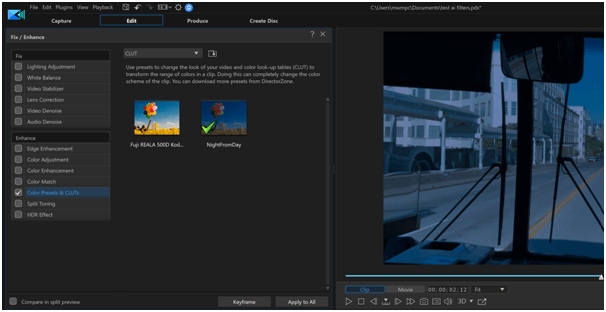
Another best free GoPro editing software is CyberLink PowerDirector. It is a comprehensive and high-quality video editing tool with a clean UI and multiple powerful tools.

It has multi-cam editing feature, 3D and 4K video editing capability, and motion tracking feature.

Features of CyberLink PowerDirector:

  • You can download CyberLink PowerDirector on Mac or Windows PC for video editing
  • The latest version of the software is compatible with Windows 11 as well
  • There are over 3,000 different filters, transitions, and templates for you to choose from
  • The app gets regular updates with bug fixes and other features
  • The app supports all kinds of new and old video and audio formats
  • As the app provides keyframing options, the videos become very smooth
  • The app can track the motion of the object and edit it quickly

12. HitFilm from FXHome

HitFilm from FXHome
Image Source: FXHome

The next name on this list of the best free GoPro editing software is HitFilm from FXHome. The smart interface of the tool allows you to get the perfect output from your GoPro recordings with ease.

The tool is loaded with features like basic editing features, smart audio sync, text addition options, and more.

Features of HitFilm from FXHome:

  • The performance of the tool is quite amazing on all Windows devices.
  • You can use the drag-and-drop feature of the tool to add and remove video transitions.
  • The tool contains tons of features and filters for you to try on the video.
  • You can find a plethora of audio and video templates on the tool for a better creation.
  • You can even apply edits to the GoPro images with HitFilm from FXHome.

13. VideoProc Vlogger

VideoProc Vlogger
Image Source: VideoProc Vlogger

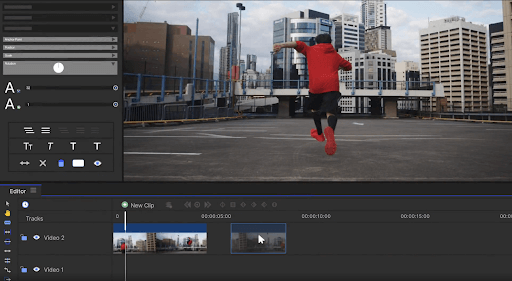
Here’s another GoPro editing software for your Windows and Mac devices. With the help of this tool, you can easily edit any type of video from your GoPro and any other recording device.

Features of VideoProc Vlogger:

  • The tool helps you in removing fisheye from the video and makes it amazing.
  • The tool also supports audio recording and removing features for your ease.
  • VideoProc Vlogger can work precisely and generate videos in SplitScreen with ease.
  • The developers of the software offer active tech support for you.

Also Read: Best Video Repair Software


Wrapping Up

Thus, you have now understood the features and offerings of the best GoPro editing software for Windows or Mac mentioned in this article and that has hopefully helped you zero out the GoPro editing software that can help you edit GoPro videos easily.

1 Comment
    Menoyo says: Reply
    June 1st 2020, 3:19 pm

    Amazing article, I like it.

Leave a Reply Cancel reply

Your email address will not be published. Required fields are marked *

Sidebar Image bit G ad1

Latest Posts

  • Best-Free-Online-Portfolio-Websites-in-2026
    Best Free Online Portfolio Websites in 2026
    by Niharika / March 16, 2026
  • Anytime Astro: Best Website For Online Astrology Consultation
    Anytime Astro: Connect Now For Online Astrology Consultation
    by Somya Shrimal / March 13, 2026
  • Best-Ways-to-Combine-Images-Into-PDF-Files
    Best Ways to Combine Images Into PDF Files
    by Niharika / March 12, 2026
  • Best FREE VPS Hosting Providers
    7 Best FREE VPS Hosting Providers in 2026
    by Devesh / March 12, 2026
  • Best-McAfee-alternative-software-to-use-for-Virus-Protection
    Best McAfee Alternative Software to use for Virus Protection
    by adminuser / February 11, 2026

Categories

  • Cyber Security
  • Driver Updater
  • Entertainment
  • Fitness
  • Games
  • How To
  • laptop
  • OS
  • Reviews
  • Tech News
  • Tips & Tricks
  • Top 10
Sidebar Image bit G ad1
Best Free VPN for Firestick 10 Best Free VPN for Firestick in 2024 (Totally Free VPN)by Devesh / January 8, 2024
9 Best Ludo Game Apps For Android and iPhone In 2024by Jyotsana / January 8, 2024Best Ludo Game Apps for Android and iPhone in 2024
TechPout Footer Logo

We at TechPout promise to put forth stories that help people to learn and simplify their digital life. Our purpose is to share the true essence of technology with our tech-loving community.

Useful Links

  • About Us
  • Contact us
  • Privacy Policy

Popular Posts

  • Best PC Optimizer Software
  • Best Mac Cleaner Apps
  • Best Driver Updater
  • Duplicate Photo Finder and Cleaner Software
  • Best Free Movie Download Sites
  • Best IPTV Players

Follow us

Copyright © 2026 www.techpout.com. All rights reserved
DMCA.com Protection Status