Every workplace has tasks that repeat over and over again. They take up time, break focus, and make teamwork harder than it needs to be. These small tasks might not seem like much at first, but together, they slow down productivity in a big way. This is where workflow automation software makes a real difference.
By turning routine steps into automated actions, teams can move faster and work with fewer mistakes. Messages get sent on time, updates happen instantly, and processes follow the same reliable path every single time. This means less manual work and more time for the tasks that actually drive results.
Automation also helps teams stay connected. Everyone can see what is happening, what is pending, and who is responsible. This clarity improves communication, builds accountability, and keeps projects on track.
In this blog, you will explore how automation improves day-to-day operations and discover the best tools you can use to upgrade your workflows in 2025.
Understanding Workflow Automation Software
Workflow automation software is designed to simplify everyday business processes by turning manual steps into automatic ones. Instead of relying on individuals to repeat the same action every day, the software follows clear rules and sequences to complete tasks on its own. This makes work faster, cleaner, and far more organized.
By using workflow automation tools, companies can free employees from routine tasks so they can focus on creative, strategic, on high-value activities. It also strengthens teamwork by bringing communication, task updates, and shared workflows into one place. This leads to smoother information flow and quicker decision making across the team.
With modern process automation tools, organizations reduce errors, improve accuracy, and boost overall productivity. In short, automation helps businesses work smarter, not harder.
Top Workflow Automation Tools
Using the right workflow automation software can completely change how your team manages tasks. It reduces repetitive work, improves team collaboration, and ensures processes run smoothly. Here are some of the top workflow automation tools you can use in 2025 to save time and boost productivity.
1. monday.com
monday.com is a highly visual workflow automation platform that lets teams set up automated workflows quickly. You can create rules so that when a task is completed, notifications are sent, statuses are updated, or new tasks are automatically created. This reduces repetitive manual work and keeps everyone on the same page.
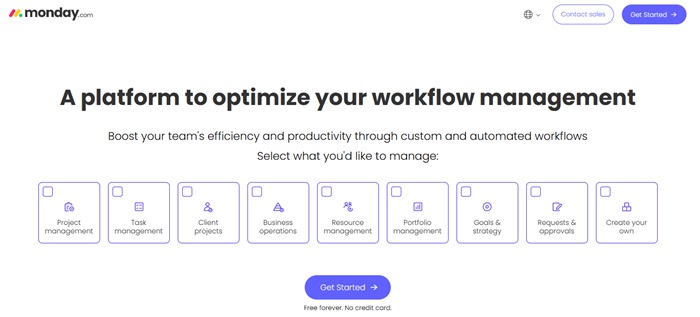
This workflow automation software is suitable for teams of all sizes. It offers a free plan for small teams, and paid plans start at affordable monthly rates, unlocking more automation features, integrations, and storage. monday.com’s flexibility and integration options make it one of the best workflow automation tools for businesses looking to simplify processes.
Pros
- Simple to set up notification flows for tasks and updates.
- Supports a wide range of integrations with other apps.
- Easy to customize workflows or boards to match team needs.
- Offers both a free plan and affordable paid plans.
Cons
- Might not be the best fit for highly complex workflows.
- Could feel too strong for very small teams.
Also know: Best Free Email Automation Tools and Software
2. ClickUp
ClickUp combines task management, documents, dashboards, and workflow automation tools in a single platform. You can automate task assignments, due dates, status updates, and storage transitions with simple triggers. This workflow automation software saves time and ensures work flows efficiently.
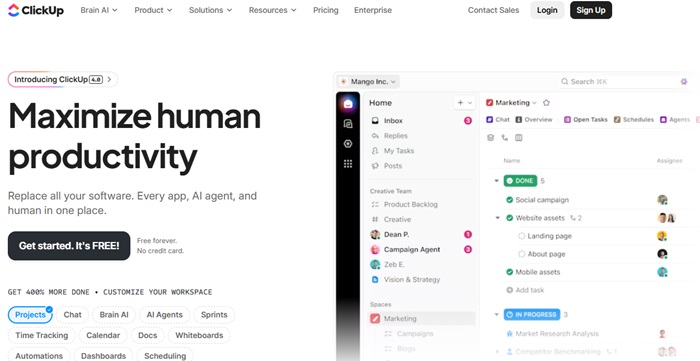
ClickUp offers a free version, while paid plans add more automation actions, reporting, and storage. Its flexibility makes it ideal for small teams as well as growing organisations. By using ClickUp as your automation software, you can standardize tasks and create reliable workflows without complicated setups.
Pros
- Pre-built automation templates make workflow setup faster.
- Dynamic task assignment ensures work goes to the right team members.
- Automations are flexible with triggers, conditions, and actions.
Cons
- Free plan has limited automation capabilities.
- Some automations may run with slight delays at times.
3. Smartsheet
Smartsheet is a spreadsheet-style workflow automation software designed for teams that manage data-heavy projects. You can create rules for reminders, approvals, and record updates automatically, reducing errors and speeding up project completion. These workflow automation tools help maintain clarity across multiple teams and complex processes.
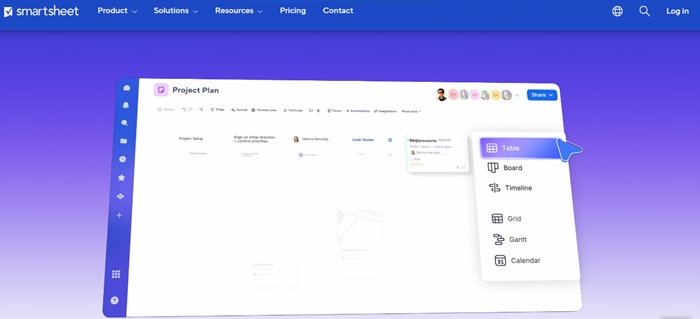
While Smartsheet does not offer a free plan, it provides trial access. Paid plans include advanced automation, reporting, and enterprise-level security. For businesses that need robust process automation tools, Smartsheet ensures consistency and efficiency across tasks.
Pros
- Spreadsheet-style logic makes it easy to handle data-heavy projects.
- Provides grid and table views for clear organization of tasks.
- Automation can trigger multiple actions at once, saving time.
Cons
- Requires oversight to ensure automations stay organized and effective.
- Branching workflow options are somewhat limited compared to other platforms.
4. Wrike
Wrike is a versatile workflow automation platform for teams managing complex projects. It allows you to set up custom workflows, automated approvals, and multi-step processes. This workflow automation software reduces manual bottlenecks and provides clear visibility into project progress.

Wrike has a free version for small teams, while paid plans unlock advanced automation features, custom dashboards, and team collaboration tools. It is a strong choice for organisations looking for reliable workflow automation tools that can scale with growth.
Pros
- Simplifies and automates approval processes to save time.
- Workflows can be customized extensively to match team requirements.
- Offers a wide range of features for different types of projects.
Cons
- Too many notifications if settings are not adjusted properly.
- The platform has a learning curve and may take time for teams to become fully comfortable
5. Screendragon
Screendragon is a specialised workflow automation software designed for teams with complex, multi-step workflows that require precision and consistency. It allows users to automate approvals, create tailored project stages, and configure detailed workflows that closely match real business operations. This platform helps reduce errors, ensures tasks move smoothly, and keeps large or intricate projects on track without constant manual oversight.
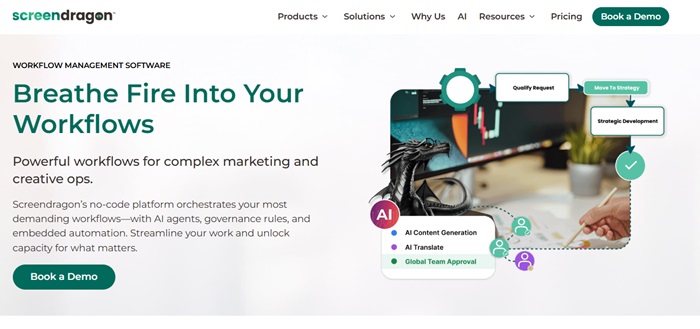
Screendragon’s pricing is usually customised based on company needs, making it flexible for different team sizes and industries. Its advanced automation capabilities make it a top choice for businesses seeking professional process automation tools to handle sophisticated workflows without wasting time and effort.
Pros
- AI agents help automate tasks within project workflows.
- Includes tools for managing resources and budgets.
- Workflows can be customized for complex team needs.
Cons
- Too complex for small teams or simple projects.
- Initial setup can take time, delaying immediate use.
Also know: Best Network Management Software
Benefits of Using Workflow Automation Software
Integrating workflow automation software into your business processes offers several key advantages:
- Employees can dedicate more time to complex and strategic work, as repetitive tasks are handled automatically.
- Tasks are executed more consistently and accurately, reducing errors across the team.
- Collaboration improves, as teams can share information and communicate through centralized platforms.
- Decision-making becomes faster because shared communication channels provide instant access to critical information.
- Overall productivity rises due to streamlined processes, fewer mistakes, better teamwork, and efficient use of resources.
Conclusion
In the modern work environment, teams need tools that help them stay organized, reduce manual effort, and work with greater clarity. The right workflow automation software brings all these benefits together by simplifying everyday tasks and allowing employees to focus on meaningful work. Whether your team is small or part of a large organization, automation can simplify processes, improve communication, and reduce errors that slow projects down.
Ultimately, automation is not just about saving time; it is about creating a work environment where individuals can perform at their best and contribute to real progress.