Main LogoLight Logo
  • Reviews
  • Top 10
  • How To
  • Tech News
  • OS
    • Windows
    • MAC
    • iOS
    • Android
  • Categories
    • Driver Updater
    • Cyber Security
    • Games
    • Fitness
    • Entertainment
    • Tips & Tricks
MAC Top 10
by Snigdha

8 Best Disk Cloning App For Mac in 2024

January 17, 2024
1

Mac is one of the most efficient machines built till date. Despite that a disk cloning app can help your Mac computer in multiple ways.

Haven’t you ever wondered how you would create a backup of your Mac system conveniently?

How can you transfer data from your Mac system to another system swiftly?

How can you transform the hard drive to SSD hassle-free?

A cloning app for Mac is the answer to these several pertinent questions. Disk cloning tools help in the conversion of Mac hard drive to SSDs and vice versa. A disk cloning software for Mac also helps in backing up your macbook apart from facilitating data transfer.

In this blog, we will look at 8 best disk cloning apps for Mac that can help you achieve the above-mentioned requirements easily.

Table of Contents hide
8 Best Disk Cloning Apps For Mac in 2024:
1. Stellar Drive Clone
2. EaseUS Todo Backup For Mac
3. Chronosync
4. Carbon Copy Cloner
5. Backblaze
6. Carbonite
7. SuperDuper
8. Acronis True Image
Things to Consider in the Cloning Apps for Mac:
Concluding Words

8 Best Disk Cloning Apps For Mac in 2024:

So, here is the elaboration about the 8 powerful cloning apps for Mac that are enabled with exciting features and functions.

1. Stellar Drive Clone
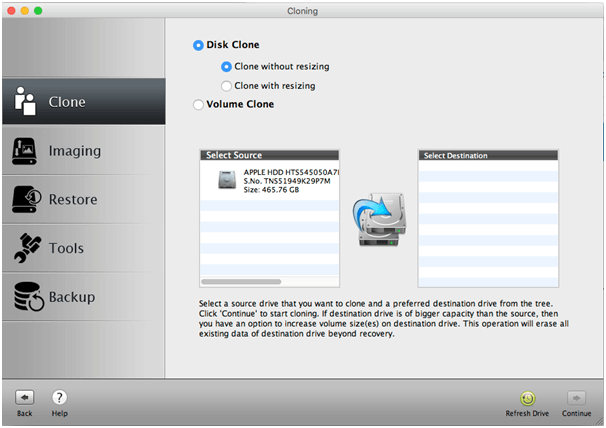
Stellar Drive Clone - Best Disk Cloning App
Image Source: Stellar Clone Drive

Are you in need of a disk cloning app that can duplicate the hard drive of your Mac system perfectly? Stellar Drive Clone is a standout amongst other cloning applications for Mac.

The clone program makes partitions similar to that of the original hard drive. The cloning tool supports different sorts of cloning like HFS-to-HFS, FAT-to-FAT and NTFS-to-ExFAT formats.

You can take a reinforcement of any file or folder as per your needs. You can also use it to clone encrypted Mac drives and volumes. With this app you can clone the Mac Hard drive from Hard Drive to SSD and it also goes the other way around.

Download for MAC OS

Read More: 13 Best Data Recovery Software For Windows


2. EaseUS Todo Backup For Mac
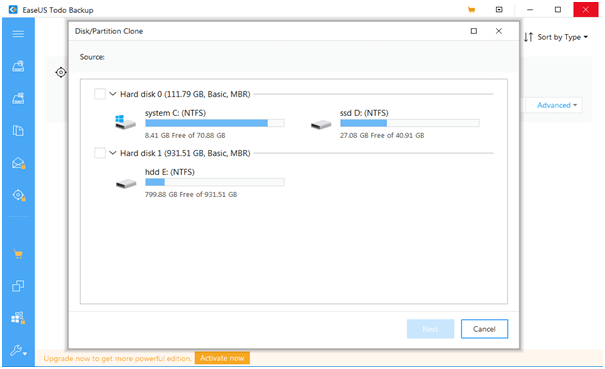
EaseUS Todo Backup - Best Disk Cloning Apps For Mac
Image Source: CNET

A commendable disk cloning app with multitudes of robust and scalable features is available with the EaseUS Todo Backup tool for Mac.

If you are looking for a free Mac cloning software, then this can be your best chance to acquire a cloning app that comes with a 30-day free trial in addition to 30-day money-back guarantee.

Backup data from any Mac device with automated backup schedule feature in stealth mode. Save storage space and also encrypt your backed up data.

Clone the disk volume that can be booted any time with this cloning app for Mac. You can easily restore your system even when the macOS fails with this brilliant cloning app.

Download for MAC OS


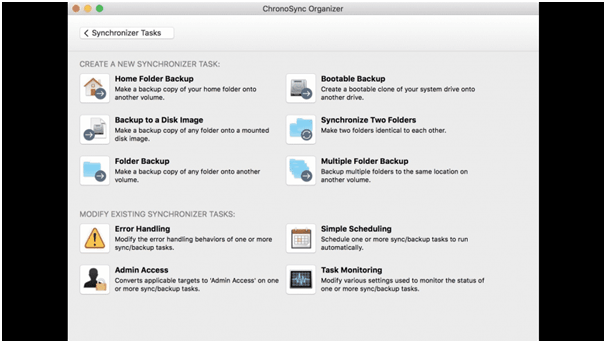
3. Chronosync

Chronosync - Best Disk Cloning App For Mac 2020
Image Source: Mac Update

A brilliant application to clone macOS, ChronoSync makes an incredible choice for the best disk cloning app for Mac.

Clone the hard drive, make backups of all the excess documents on the cloud to create more space on the computer with this impeccable disk cloning app. This cloning app can be utilized to backup close photographs and various other significant data.

Having a straightforward and intuitive UI makes this app simple to utilize. This cloning app for Mac permits users to schedule an auto disk cloning process every once in a while.

Perhaps the best component of ChronoSync is that it permits users to move optimized files with the help of Chrono Agent.

Download for MAC OS


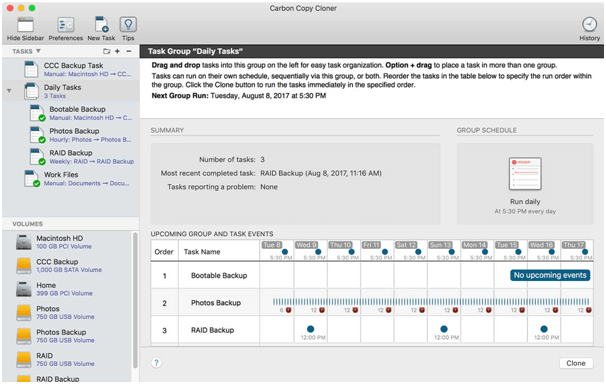
4. Carbon Copy Cloner

Carbon Copy Cloner - Best Mac Disk Cloning App
Image Source: Bombich

Create bootable backups as well as regular backups with this best disk cloning app for Mac. A minimal and beautiful UI facilitates transfer of files from one to another system with ease.

The cloning coach is an unique feature of this cloning app for Mac for users who are new to the concept of cloning. Schedule automatic backups with this tool and even archive the older versions of files.

Download for MAC OS

Read More: 10 Best Photo Organizer For Mac


5. Backblaze
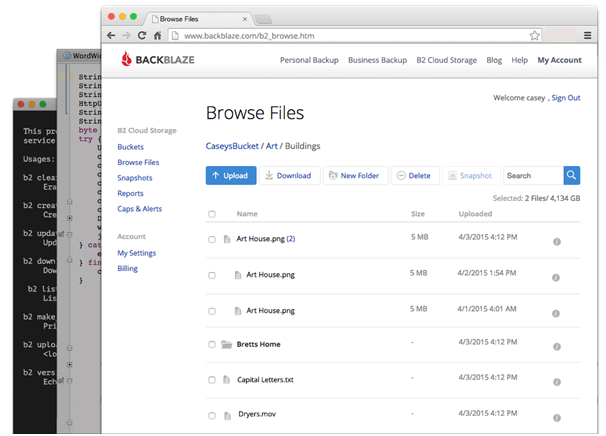
Backblaze - Best Disk Cloning Software
Image Source: Fortune

Backblaze is the best disk cloning software because for a mere $5/month you can duplicate every system in a robust and efficient manner. With Backblaze you can set the data transfer limit and also schedule backups for your Mac system once the system is idle.

The vital information of your system gets uploaded to Backblaze’s secure servers. Thus, this disk cloning app lets you keep all of your files safe and secure.

Download for MAC OS


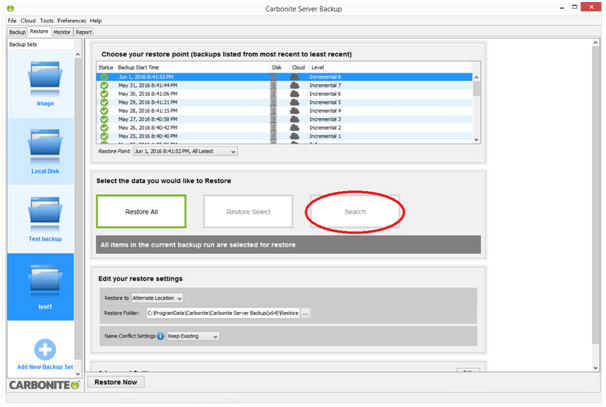
6. Carbonite

Carbonite - Best Disk Cloning App For Mac in 2020
Image Source: Carbonite

Carbonite offers a bunch of consistent assistance and has hence made it to our list of best disk cloning apps. A free 30 day trial is available for new users. This best disk cloning app for mac has a nominal yearly subscription payment to support you in innumerable ways.

What can you do with this cloning app for Mac?

You can save an infinite amount of information from one machine to their servers. Whenever you sign in, you can restore single files or everything conveniently from their servers to your system.

Thus, the personal cloud backup never lets you worry about losing your precious data. It offers scalable and flexible on-site, offsite, cloud or hybrid data protection solutions available.

Download for MAC OS

Read More: 11 Best Free PDF Editors For Mac


7. SuperDuper
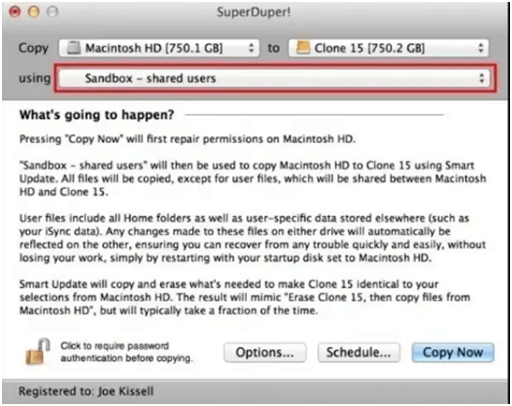
SuperDuper - Disk Cloning App
Image Source: Mac Update

SuperDuper is one amongst the simplest disk cloning apps that  has a free version with all the options and also a premium version. You can create copies of the critical apps and files of your Mac safely just with a few clicks.

This best free cloning software can act as an everyday backup app that copies files and folders to a different Winchester drive, however the key strength of this cloning app lies in the fact that it is capable of making bootable clones.

Download for MAC OS


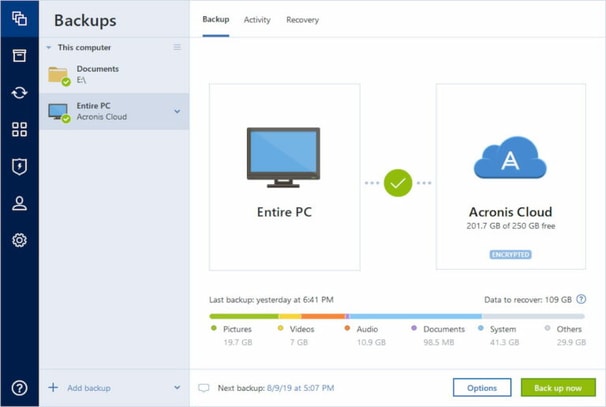
8. Acronis True Image

Acronis True Image

Acronis True Image offers a very easy cloning option to the user, as the user can clone the files while performing any task. The Acronis True Image  is available in Mac and Windows for PC. On mobile phones the app is available in Android and iOS. The user can clone the files according to their choice, the app has both options available including select individually or all.

One can create a local backup of data and can replicate whenever needed. The backup can be stored in computer or in cloud from mobile phones, whichever the user chooses. Acronis True Image offers a 30 days free trial for the user and then requires a subscription amount. Windows 7 and later versions are compatible for the software and in Mac macOS 10.11 and later versions are compatible.

Download for MAC OS


Things to Consider in the Cloning Apps for Mac:

No wonder, you can do a lot with the macOS disk cloning software; however, what qualities should you look for in a cloning app?

  • A disk cloning app should be an easy to use tool even for a layman.
  • The cloning software should be compatible with a huge range of macOS versions.
  • Third-party cloning software should not pose a threat to the security to your Mac system. It should be free from adware.
  • When it comes to the features of the disk cloning tool, then you should see if the tool is able to create an exact replica of the Mac disk and is swiftly able to extract a large volume of image files to recover all your system data.

Concluding Words

So, this is all about disk cloning apps at a glance. Mac’s in-built OSX Recovery includes Disk Utility feature. Time-Machine is another in-built backup software of Apple. But like all in-built apps, these tools only have basic features and lack advanced features.

This is where the third-party disk cloning software comes into picture. You can always acquire disk cloning tools to backup your Mac device. A cloning app can prove to be of immense benefit when you are upgrading your macOS.

Author

Snigdha

Snigdha is a technical content writer with expertise in the field of science & technology. Though she has a very diverse academic and professional profile yet she finds writing to be a creative form that she was unable to explore so far. When not writing, she can be found indulging in other forms of creativity like painting or travelling.

View all posts

Related Posts
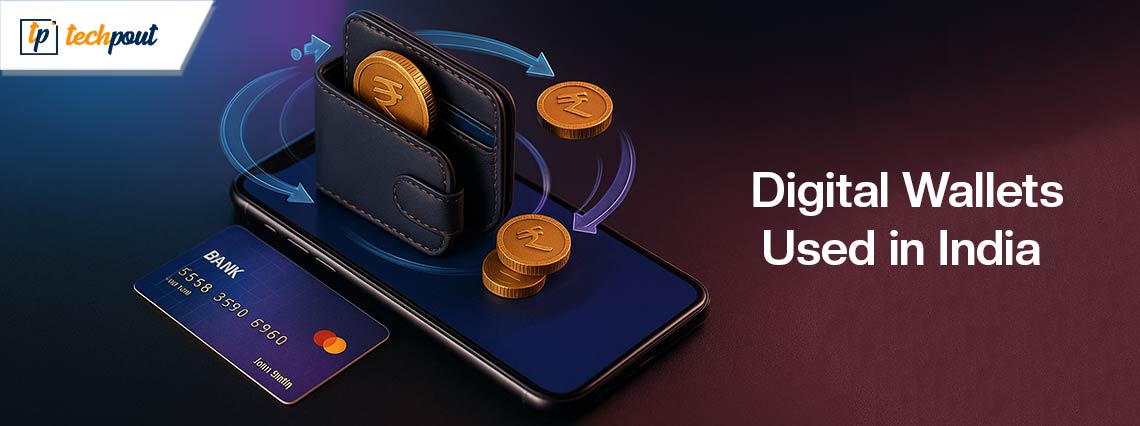
Best-digital-wallets-used-in-India

Best Digital Wallets Used in India

September 17, 2025
0

A few years ago, buying groceries or paying at a restaurant meant carrying cash or cards. Individuals had to wait in lines, count change, or swipe their cards. But things have changed quickly with the rise of digital wallets in India.

Today, you can pay with just your phone. A simple tap or scan is enough. Whether you are shopping at a small kirana store, booking movie tickets, paying bills, or sending money to a friend, everything can be done in seconds using a digital wallet in India.

India has seen a big change in the way individuals make payments. From big cities to small towns, more and more individuals are using their phones instead of cash. This shift has made life easier, faster, and safer.

There are many mobile wallets in India today, each with its own features. But with so many choices, how do you know which one is right for you?

In this blog, we will look at the most popular and trusted digital wallets in India, explain how they work, and help you find the best wallet app in India for your needs. Let’s get started.

What is a Digital Wallet?

A digital wallet, also known as an e-wallet, is a software application that helps you store your money and payment details safely on your phone, tablet, or computer. It lets you pay for things online, send money to others, pay bills, and much more without needing cash.

In India, most digital wallets are connected to your bank account, debit or credit card, or UPI. This makes it easy to make payments quickly and securely.

These wallets use strong security tools like encryption, PINs, and two-step verification to keep your money safe from fraud or misuse. Instead of carrying cash or cards everywhere, now you can just use your phone. A quick fingerprint, face scan, or tap is all you need to make a payment.

Now that you know what a digital wallet is and how it works, you might be wondering—why should you use one? Let’s look at some of the biggest reasons why digital wallets have become so popular in India.

Why You Should Use a Digital Wallet

More and more people in India are using payment wallets every day. Here are a few strong reasons why millions of individuals now prefer payment wallets in India:

  • Convenience – You can pay anytime, anywhere, whether you are buying something online, paying at a shop, or even having tea at a roadside stall. No need to carry cash or cards.
  • Safe and Secure – Digital wallets use things like fingerprints, PINs, and special codes to keep your money safe. Even if your phone is lost, no one can easily access your wallet.
  • Quick Payments – No more waiting in line or counting change. Payments are done in just a few seconds with mobile wallets.
  • Cashback and Offers – Many mobile wallets in India give rewards like cashback, discounts, or points every time you pay. So you actually save money while spending.
  • Track Your Spending – You can see all your past payments right in the app. This helps you know where your money is going and makes it easier to manage your budget.

To help you choose the right one, here’s a look at some of the best digital wallets in India and the features they offer.

Best Digital Wallets in India

There are many mobile wallets in India, but a few stand out for their features, reach, and reliability. Here are the top choices:

1. Paytm

Paytm is one of the most popular and widely used digital wallets in India, with over 350 million users. It started as a mobile recharge platform but has grown into a complete payment solution. Today, Paytm lets users pay bills, recharge Fastag, book flight and train tickets, shop online, and even invest in insurance and mutual funds. You can easily add money to your Paytm wallet using debit or credit cards, UPI, or net banking. It is accepted by millions of stores, both online and offline, which makes it a very convenient option for everyday payments.

Paytm

When it comes to security, Paytm uses SSL encryption, two-factor authentication, and a strong fraud detection system to keep user information safe. Some of the biggest advantages of using Paytm include wide acceptance, regular cashback offers, and smooth integration with your bank account. However, users should be aware that refunds can sometimes take up to 7 days, and large transactions may require extra documentation.

Download Now!

Also know: Best Cryptocurrency Wallets


2. PhonePe

PhonePe was launched in 2016 and has quickly become one of the most popular mobile wallets in India, with over 250 million users. It began as a UPI-based app and has expanded to offer many useful services. Users can recharge mobile phones, pay utility bills, book travel through partners like MakeMyTrip, buy insurance, invest in gold, and even split bills with friends, making it a flexible and user-friendly wallet app.

PhonePe

PhonePe uses strong security features like device-level protection, two-factor authentication, and data encryption to keep your transactions safe. Some of its key advantages include support for both UPI and wallet payments, a handy bill-splitting feature, and discounts on OTT subscriptions. While it offers many features, some users feel that its customer support can be slow to respond. Still, it remains one of the top choices for individuals looking for reliable payment wallets in India.

Download Now!


3. Google Pay

Google Pay, also known as GPay, is one of the most secure and fast-growing payment wallets in India. Unlike many other wallet apps, Google Pay does not require you to load money into a separate wallet. Instead, it connects directly to your bank account through UPI, making money transfers quick and hassle-free. With over 70 million users, it is widely used for daily payments, especially peer-to-peer transactions.

Google Pay.

Some of the key features include sending and receiving money between bank accounts, paying mobile and utility bills, and earning rewards like scratch cards after transactions. Google Pay also supports higher transaction limits, which is helpful for users who make frequent or larger payments. Since it is backed by Google, the app offers strong security and a smooth user experience. However, it does not have a dedicated wallet balance and offers fewer merchant rewards compared to other mobile wallets in India like Paytm or PhonePe.

Download Now!


4. Amazon Pay

Amazon Pay is a built-in digital wallet mainly used by individuals who shop on Amazon. It allows users to do mobile recharges, pay bills, and make payments while shopping on Amazon. You can also use it at some partner stores outside Amazon. Many users enjoy the cashback offers and special deals that come with using Amazon Pay for everyday purchases.

Amazon Pay

With over 50 million users in India, Amazon Pay has become a trusted name among digital wallets in India. It uses strong security features like multi-factor authentication and encryption to keep your data safe. Some of its biggest benefits include instant refunds on Amazon orders, smooth integration with your Amazon account, and cashback on Amazon-exclusive deals. However, it may not be accepted by all merchants, and it has fewer features compared to other popular mobile wallets.

Download Now!

Also know: Best Personal Finance/Budgeting Software


5. MobiKwik

MobiKwik is one of the oldest and most trusted e wallet examples in India. With over 108 million users, it offers a variety of services such as mobile recharges, utility bill payments, booking train or bus tickets, and even investing in mutual funds. One of its special features is “SuperCash,” which gives users extra savings or cashback on different types of transactions.

MobiKwik

The app is known for its simple and easy-to-use design. Users also like that it supports insurance services and investments directly from the wallet. While it offers good rewards and features, MobiKwik has slightly lower acceptance in smaller towns and may occasionally face minor app glitches. Still, it remains a strong choice among mobile wallets in India for people looking for more than just basic payments.

Download Now!

With so many options available, it is important to pick a wallet that matches your lifestyle and payment habits.


Choosing the Best Wallet App in India

When choosing the best wallet app in India, think about your specific needs. Are you a frequent shopper on Amazon? Then Amazon Pay makes sense. Do you need to split expenses with friends often? Try PhonePe. Want the broadest merchant support and cashback offers? Paytm is your go-to.

Whichever one you choose, you will be joining the millions who are making their daily transactions faster, safer, and more rewarding.

Conclusion

The future of payments in India is digital, and mobile wallets in India are leading this transformation. From large metro cities to remote villages, digital wallets in India have empowered individuals to handle money with just a few taps.

Whether you want to send money, pay bills, or get rewards on your purchases, there’s a payment wallet in India that fits your needs. These apps are great e wallet examples that show how simple and secure digital payments can be.

Best Mkv Player for Mac

5 Best Mkv Players for Mac (Free & Paid) in 2024

January 3, 2024
0

This article acquaints you with the best MKV players for Mac you can use to play MKV files hassle-freely on your device.

Matroska video files or MKV files are video containers like AVI and MOV files. However, they also boast unlimited support for pictures, audio, and subtitle tracks, such as USF or SRT. The MKV files have multiple benefits, like online streaming, metadata support, recovery of corrupted files, and much more. However, you can only play these files smoothly with the best free MKV player for Mac.

The best Mac MKV players decode the MKV files and offer many features to elevate your experience. For instance, they support a wide range of audio/video formats with no codecs, work smoothly with HD/4K videos, let you adjust settings like track selection hassle-freely, and do not annoy you with any ads/pop-ups/spyware/malware.

However, finding a perfect player to open MKV files on Mac is a challenge. Therefore, we did all the hard work of researching MKV players, evaluating them in terms of the value they provide, ranking, and listing them for our readers.

The following section shares our list of the best players to play MKV files on Mac for free.

Well-Researched List of the Best Free MKV Players for Mac

Below is the carefully curated list of the top players for MKV files on Mac.

1. Elmedia Player

Elmedia Player

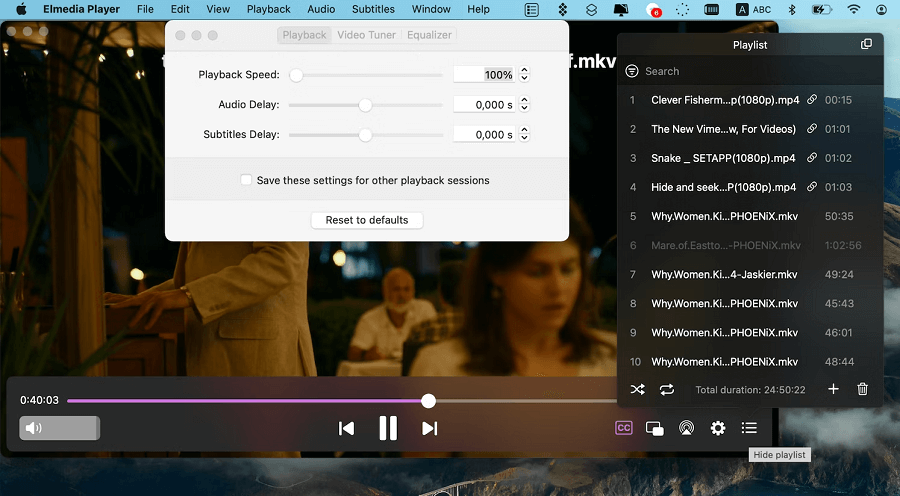
Let us kickstart our list with Elmedia Player. It is undeniably among the best free MKV players for Mac for many reasons. For example, with Elmedia Player, you can perform video tuning, create playlists, capture automatic series screenshots, and much more.

Following is its complete set of features, along with its few hits and misses.

Features of Elmedia Player

  • Allows you to import/export bookmarks
  • Supports DLNA streaming
  • Various formats are supported, such as FLV, AVI, SWF, MOV, MP3, and MP4
  • Supports internal and external subtitles
  • Support for online subtitle search
  • Lets you use hotkeys

Pros

  • No plugin or code needed
  • Streaming across multiple devices
  • Lets you play online videos without advertisements

Cons

  • All features not available in the free version
  • Encrypted Blu-ray disks not supported
  • You cannot download videos

Download Now

Also Read: Best Video Compressors for Mac


2. 5K Player

5K Player

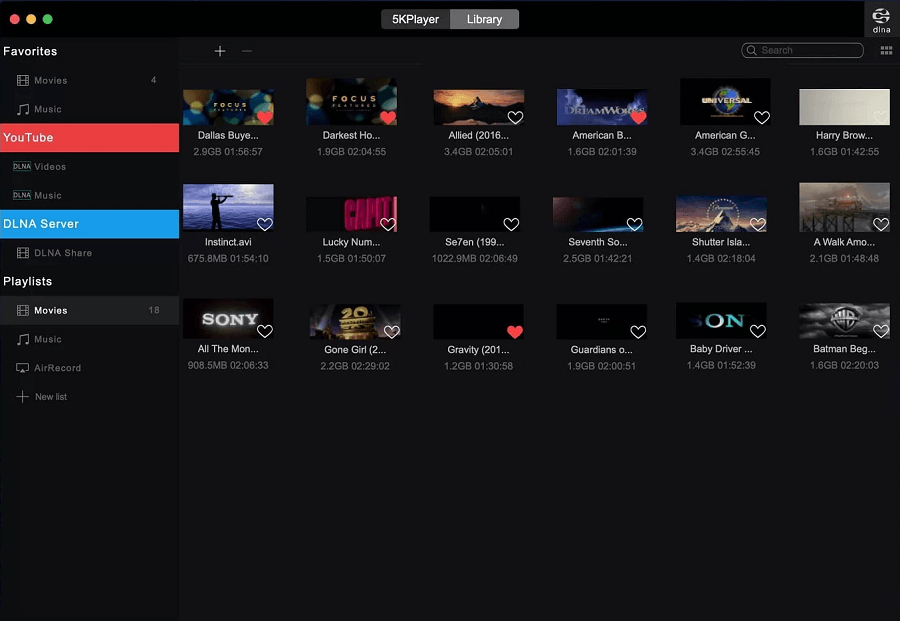
We would like to introduce you to the 5K Player. Though not entirely free, it is the choice of many users for its excellent streaming, downloading, viewing, and customization experience. Additionally, features such as extraction of lossless audio make it well-deserving of this position on our list.

Furthermore, the following are its other interesting features, pros, and cons.

Features of 5K Player

  • Video downloading directly from the internet
  • Support for a plethora of formats, including VP9 and HEVC/H.264
  • You get support for AirPlay and DLNA playing
  • Supports UHD format

Pros

  • Free downloads and streaming
  • A lot of codecs supported
  • Screen recording and mirroring
  • Easy-to-use interface
  • Lets you stream and play from your hard drive

Cons

  • Ads may seem annoying to some users

Download Now


3. OmniPlayer

OmniPlayer

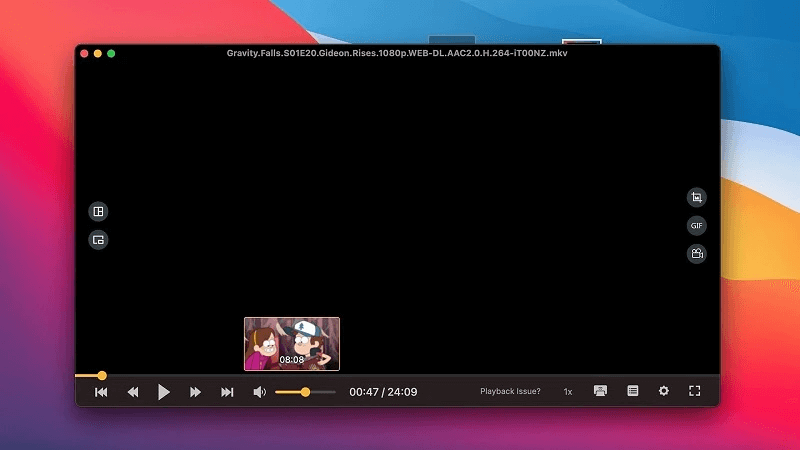
We cannot skip OmniPlayer when it comes to listing the best free MKV players for Mac. You can configure this player the way you want with elegant fonts and colors, playback speed, video color correction, and a lot more. Moreover, AirPlay and DLNA streaming make it a tough contender for many other players.

Let us go through this player’s all features, strengths, and weaknesses.

Features of OmniPlayer

  • Video equalizer with contrast, brightness, and saturation adjustment
  • Streaming capabilities
  • Supports direct URL opening from streaming websites
  • Convenience features progress bar preview thumbnails

Pros

  • Free and open-source MKV player for Mac
  • Audio and video settings
  • Functional and simple UI
  • Complete control over audio, video, and subtitles

Cons

  • Complete features not available for free
  • Constantly reminds to rate and review the player

Download Now

Also Read: Best Video Repair Software for Mac


4. VLC

VLC

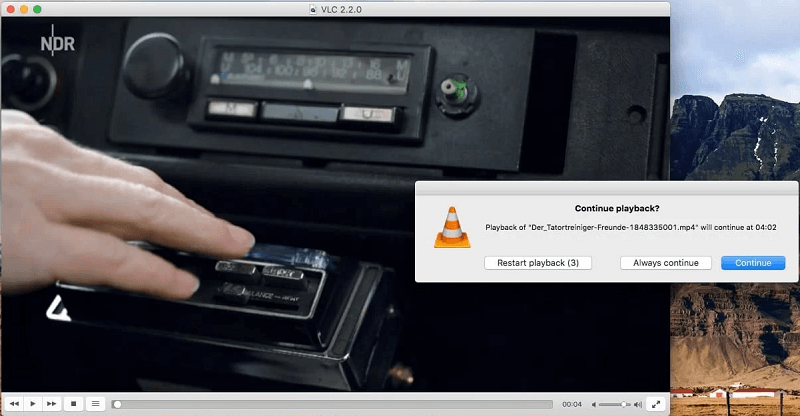
No list of the best free players for Mac to play MKV looks complete without VLC. It is a renowned name in the media playing industry, with a history dating back to 1996. Over all these years, VLC has been a constant favorite of millions of users for its high-security measures and convenience.

Apart from it, the following are its core features, pros, and cons.

Features of VLC

  • Custom playlist creation
  • Interface design configuration
  • High-speed video and audio conversion
  • Support for all major formats, such as MP4, Blu-Ray, OGG, and DVD
  • Lets you preview the MKV file before downloading it
  • Option to add subtitles
  • Allows you to effortlessly organize and operate the MKV audio/video/subtitle tracks
  • You can use VLC to play encrypted DVDs

Pros

  • Screencast and desktop recording
  • MKV conversion into various formats
  • Does not need any additional codecs
  • Free, cross-platform, and open-source
  • Allows Blu-ray playback

Cons

  • No advanced features in the music player
  • A few users reported playback issues
  • Unattractive UI

Download Now


5. IINA

IINA

You can choose IINA if you are looking for a well-designed MKV player for Mac, which supports Touch Bar, Picture-in-Picture, Dark Mode, Touch Bar, Gestures, and Retina. Moreover, plug-in support and compatibility with almost all formats are its highlighting features.

Furthermore, the following features, pros, and cons are also notable about this player.

Features of IINA

  • Clean and intuitive interface
  • Playback speed controls
  • Online subtitles
  • Thumbnail preview
  • Supports YouTube-dl and browser extensions

Pros

  • Open-source and free
  • Reliable and consistent in performance
  • HDR support

Cons

  • Consumes more battery than other MKV players
  • No advanced features

Download Now

Also Read: Best and Free Duplicate Video Finders for Mac


Summing Up

This article acquainted you with the best free MKV players for Mac. You can go through their features, pros, and cons to select the one that fits your needs.

If you have any other MKV player to add to the above list, or have questions/suggestions about this write-up, kindly drop us a comment. We will be happy to get in touch with you.

1 Comment
    Darryl Lacy says: Reply
    February 16th 2022, 6:50 pm

    Hi there, I really enjoy reading all of your write-ups. I find all of them very helpful. Thanks, keep up writing!

Leave a Reply Cancel reply

Your email address will not be published. Required fields are marked *

Sidebar Image bit G ad1

Latest Posts

  • Anytime Astro: Best Website For Online Astrology Consultation
    Anytime Astro: Connect Now For Online Astrology Consultation
    by Somya Shrimal / March 13, 2026
  • Best-Ways-to-Combine-Images-Into-PDF-Files
    Best Ways to Combine Images Into PDF Files
    by Niharika / March 12, 2026
  • Best FREE VPS Hosting Providers
    7 Best FREE VPS Hosting Providers in 2026
    by Devesh / March 12, 2026
  • Best-McAfee-alternative-software-to-use-for-Virus-Protection
    Best McAfee Alternative Software to use for Virus Protection
    by adminuser / February 11, 2026
  • What-is-Flip-Flop-in-Circuite-and-it's-Types
    What is Flip Flop in Circuit and its Types
    by Meet / February 6, 2026

Categories

  • Cyber Security
  • Driver Updater
  • Entertainment
  • Fitness
  • Games
  • How To
  • laptop
  • OS
  • Reviews
  • Tech News
  • Tips & Tricks
  • Top 10
Sidebar Image bit G ad1
Best Free PDF Editors For Mac in 2024 12 Best Free PDF Editors For Mac in 2024by Snigdha / January 17, 2024
10 Best File Sharing Software for PC in 2024by Tanmay Sharma / January 17, 202410 Best File Sharing Software for PC-Online & Offine Transfer Files
TechPout Footer Logo

We at TechPout promise to put forth stories that help people to learn and simplify their digital life. Our purpose is to share the true essence of technology with our tech-loving community.

Useful Links

  • About Us
  • Contact us
  • Privacy Policy

Popular Posts

  • Best PC Optimizer Software
  • Best Mac Cleaner Apps
  • Best Driver Updater
  • Duplicate Photo Finder and Cleaner Software
  • Best Free Movie Download Sites
  • Best IPTV Players

Follow us

Copyright © 2026 www.techpout.com. All rights reserved
DMCA.com Protection Status