
In this article, we have shared some of the best bike rental apps that you can use for renting your favorite bikes easily. These apps are shortlisted on the basis of user reviews on the application and services. Scroll down for full information about the apps.
The biggest challenge that is faced by most travelers or relocators is a mode of transportation. Traveling by car can be very costly, while on the other hand using a cab can be risky and costly. Two-wheelers are the best option for commuting inside the city or town as it consumes less petrol and requires less maintenance. But I am not suggesting you buy a new vehicle just for traveling until and unless you have the budget for it.
We are here with a cheaper and safer option which you can try for traveling on a budget. Yes, you read that right. Instead of buying a two-wheeler, you can easily rent them for as much time as you want. The charges can be cheap and the best part is you get the vehicle which you wish to.
The range for renting a two-wheeler starts with a bicycle to a sports bike. Depending on the vehicle the platform presents you with the charges. Every application has different tariff rates, some offer on an hourly basis while others offer on a daily and weekly basis. The charges majorly depend on the duration of the rent.
Now that you know all the basic information about renting bikes, let’s take a look at the list of applications which you can easily rent.
List of 13 Best Bike Rental Apps in 2024
Below are some of the bike rental apps for Android and iOS that you can use and easily rent bikes that you like.
1. Gotcha Mobility
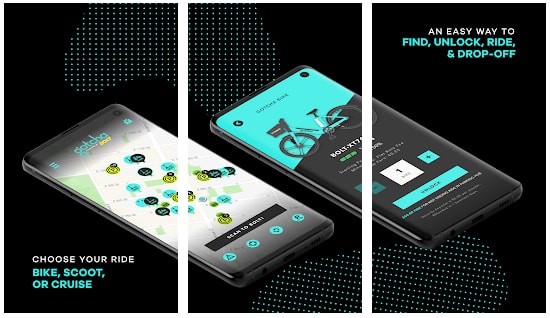
Gotcha Mobility offers a huge range of electric bikes that you can use for your daily commute or for travel within the city. The company has its presence in all major parts of the US. You can easily rent the bikes through its mobile application which is available on Android and iOS both. While going through the application you might find out the best deal.
Riding a bike with this application is very simple. After you have rented the bike all you need to do is reach the nearest hub and then scan the bike to start. After that, you can enjoy your ride to your favorite place on the budget.
2. Lime
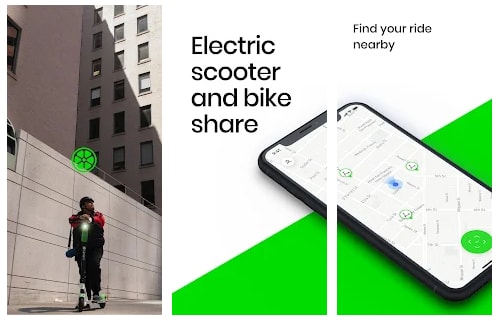
Lime is another bike rental app that has a list of micro-mobility rides. These vehicles can be used for a limited distance and cannot be used for commuting at a higher speed. To rent them you would have to download the Lime app and then visit the nearest hub. You can look for available rides and then start your trip from there only.
The company aims to offer sustainable rides for saving the environment. It offers some road-tested guidelines for your safety. The company is present in more than 100 cities of the world. You can download and explore the list of scooters.
Also Read: 13 Best Travel Apps For Android & iOS
3. Donkey Republic
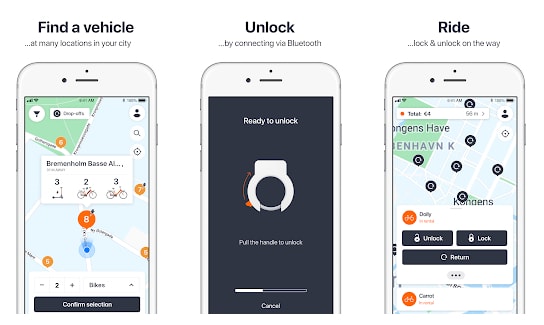
Next best bike rental app on our list is the Donkey Republic. The reason why we have added this application to our list is its amazing features and extremely easy process for renting bikes. Unlike most car rental apps, Donkey Republic offers some of the best features like no ID cards, no cash, no deposits, no docking stations.
This Copenhagen-based company offers the most advanced bike rental platform. You can simply download the application on your smartphone, irrespective of the OS. other than just being the most compatible app, it is even available in various cities. Wherever you are you can use the Donkey republic bike rental app for easy renting.
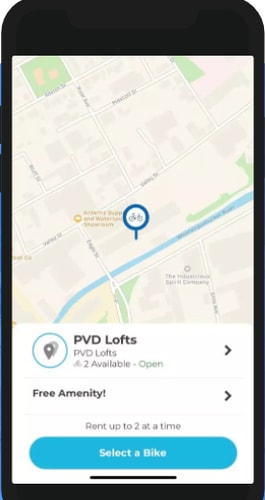
If you are looking for road bike rentals near me on google then you might encounter a list of results. But here we have the simplest bike rental app using which you can rent bikes in seconds. ON Bike Share is a very simple and easy-to-use application. You can simply download the application and check the availability of the bikes in your location.
Once you find your bike you can visit the location and then enjoy your ride. The system tracks every bike activity, so you don’t have to worry about the rates. Once the ride is complete you can end it from the application. This bike rental app even offers integration with solar-powered bikes, admin software, custom-branded bikes, and many other things.
Also Read: 13 Best Google Maps Alternatives
5. Relay (HOPR Transit)
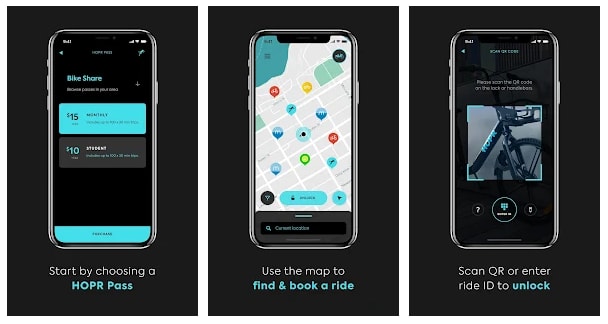
Just like the other best bike rental apps on the list, here too you have to simply locate your bike and then ride it freely wherever you want. The interface of the software is really easy. It offers data under different sections along with news and events. The best part about this app is that it offers the best rates which fit your budget for renting.
In just a few simple steps you can rent bikes and enjoy interruption-free rides. Unlike other apps, it offers monthly plans too, so that you can easily take the bikes for as long as you want at budget-friendly prices.
6. JUMP By Uber
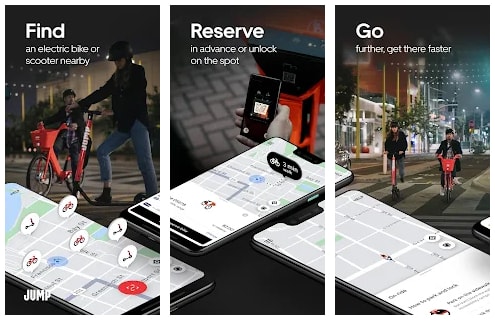
Uber is one of the market leaders in offering cabs but this application by Uber is totally different. Here you don’t have to rely on the driver for taking you to different places, you can choose your own easily and rent your favorite bikes. JUMP has electric bikes and scooters which you can rent for daily commute.
On the bike rental app, you can easily choose the bike or scooter which you wish to rent and then unlock it. Once you have unlocked it you can explore the city on your own without paying any extra charges. After the ride is complete you have to manually end it with the app. It will show the range and time that you have been riding. The only downside about this app is that it is only available for Android devices.
7. Social Bicycle
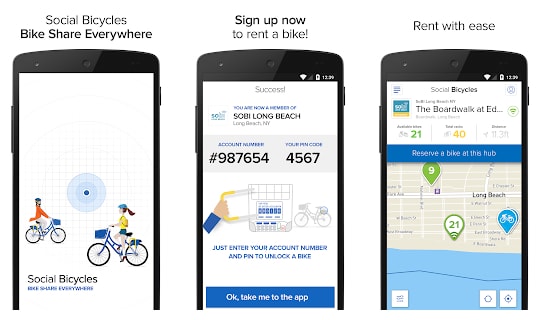
Social Bicycle is also known as SoBi is a great bike-sharing app that offers you a huge range of two-wheelers that you can use for commuting. This bike rental app offers GPS-enabled bikes that can be rented easily with its easy-to-use application. You can pick and drop the bikes at the location.
Once you are done with the ride you can manually change the status. Apart from this, you get an option of locking bikes at a public bike rack, though it would charge a certain amount from you for that. You easily find the bikes as all of them have maps built-in. The procedure for payment is also very simple. You can pay through the app and can even manage your account.
Also Read: 11 Best Location Tracking Apps For Android and iOS
8. Citi Bike
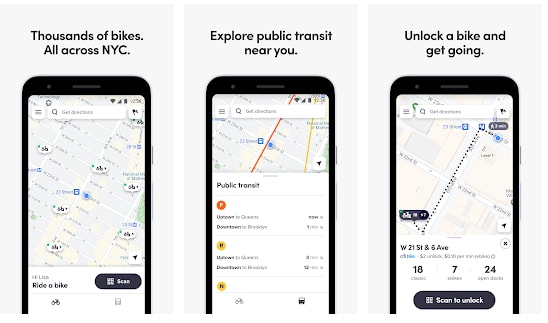
Citi Bikes is one of the best bike rental apps as it offers a huge collection of more than 13,000 bikes with availability in 850 stations across the USA. However, the application is also considered the most expensive too. It offers easy access to the list of bikes which you can rent.
Its smart application makes it easy for the user to unlock, ride and return the bike. You can follow a few steps and rent the bike. Apart from this you even get a lot of other options in the app that includes rules of the road, classic, and e-bike options. The best part about the application is that it is compatible with both Android and iOS devices.
9. BOUNCE
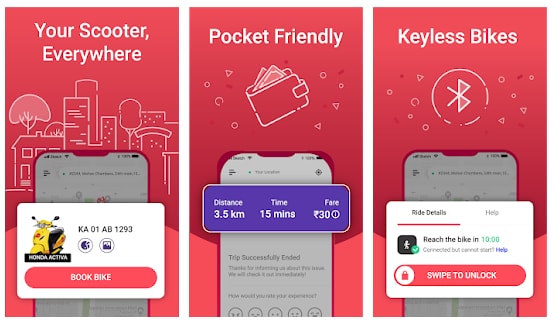
Yet another best bike rental app for Android and iOS on our list. BOUNCE is a dockless scooter-sharing app that can easily offer rental vehicles at various locations. Unlike other apps, it does not have any specific location for pick or drop. You can drop the scooter anywhere as the scooter is keyless.
For using them you need to have OTP. The best part apart from all these features is that it offers the most affordable rental plans which no other app offers. With BOUNCE you just have to wear a helmet and commute wherever you want to without thinking about fuel.
10. Spinlister
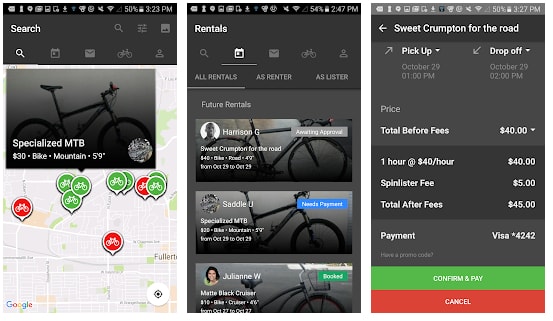
Stop looking for a road bike rental near me and download the amazing Spinlister app. This is a great application that offers a very easy-to-use interface. You can simply select the location, pick up date and drop off date. Once you’ll search for the desired location and dates all the available two-wheeler lists will be presented.
You can choose the bike which you wish to rent and then proceed further with the process. The application is available on both Android and iOS platforms. Apart from all the other features, the app has comprehensive protection options and delivery services for the satisfaction of both parties.
Also Read: 12 Best GPS Tracking Apps for Android & iPhone
11. nextbike
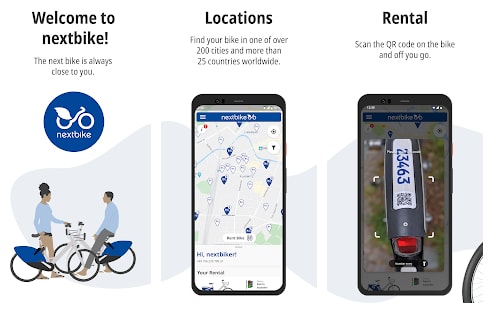
For all the riding plans you can rely on nextbike. The app offers a simple map where you can locate the nearest bike station instead of looking for a bike rental near me now. You can then choose the bikes you like and then proceed further with the process. The best part about this bike rental app is that it offers a very less price as compared to the competitors.
The app offers full information about the bikes beforehand. You get the list of info before you confirm the booking. Apart from this it even lets you share bikes and earn from them. The only downside about the app is that it is available for iOS devices only.
12. RentoMojo
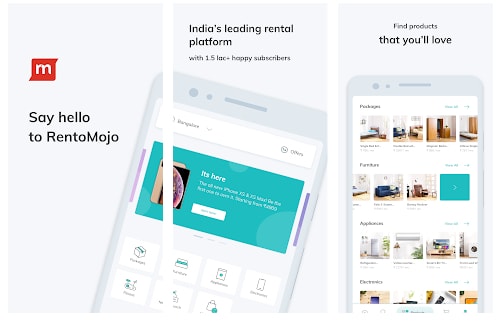
RentoMojo is not just a bike rental app but it offers various other things for rent. For bike rental, you can visit the bike section and then choose. The app offers bikes in most of the major cities, you can check for availability on the map and find the nearest hub.
It helps in earning money too, you can easily rent your item/ vehicle with RentoMojo and you will be paid the rent after deducting some commission. It offers apartments, offices, electronics, and bikes for rent. All in all, this is a great option for all those who are looking for things on rent. You can download the app and check all the items you are looking for. The app is available on Android and iOS devices.
13. Freedo Rentals Bike Rental App
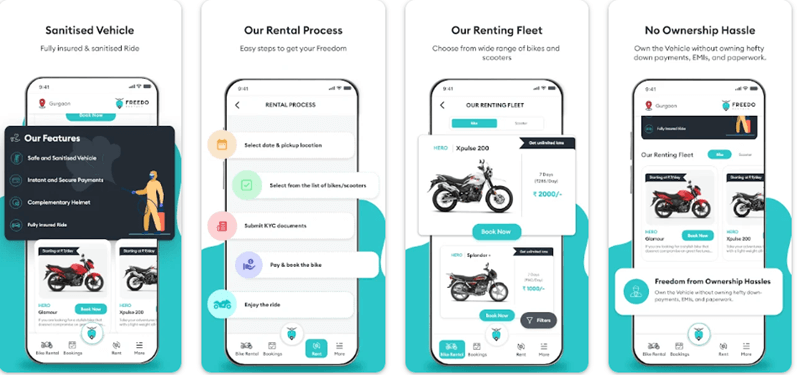
Here’s another one of the best rental apps for Android devices. Freedo Rentals Bike Rental App is a free app that allows you to select and book rental bikes of your choice. Moreover, it also allows you to select the distance range of traveling to offer personalized rates. All the bikes on the app are available to you without ownership problems.
Also Read: 21 Best Free Recharge Apps For Android & iOS
Final Words on the List of Best Bike Rental Apps for Android and iOS
Now stop looking for a two-wheeler rental near me and download any of the bike rental apps listed above. Instead of relying on untrusted sources use the app which has been trusted by thousands of users. These applications are listed on the basis of user reviews and offerings. You can choose the app that offers rental bikes in your location and suits your budget. That’s it, you can now rent bikes easily and enjoy them without paying extra. We hope that you liked the information we offered through this blog. If you have any suggestions or queries, please feel free to write them in the comments section below.