Main LogoLight Logo
  • Reviews
  • Top 10
  • How To
  • Tech News
  • OS
    • Windows
    • MAC
    • iOS
    • Android
  • Categories
    • Driver Updater
    • Cyber Security
    • Games
    • Fitness
    • Entertainment
    • Tips & Tricks
Android iOS Top 10
by Snigdha

11 Best Free Language Translation Apps For Android & iOS (2024)

January 5, 2024
1

Do you have wanderlust but language limitations prevent you from venturing out? Install a language translation app on your smartphone and break your boundaries. Go beyond the known and experience life in different colors for it is said that “The world is a book and those who do not travel read only a page.”

Translation apps are not just for travellers but also for linguist enthusiasts. These apps can read, speak, and understand a new language for you so simply. These apps can assist you to order food swiftly, book a cab anywhere, communicate with the indigenous people easily and understand them without any difficulty.

We have therefore prepared a blog to look at the best Android & iOS translation apps for travel.

Table of Contents hide
11 Best Language Translation Apps For Android & iOS in 2024
1. Google Translate
2. iTranslate
3. Microsoft Translator
4. Easy Language Translator
5. Translate Now
6. Papago
7. Offline Translator 8 Languages
8. Chat Translator
9. Voice Translator
10. Translate On Screen
11. Snap Trans

11 Best Language Translation Apps For Android & iOS in 2024

Whether you have a knack to discover and explore new regions or travelling is a part of your job, you can use our guide to understand the significant features of each of the 11 language translator apps elaborately and utilize them for your benefit to interact smoothly in foreign lands.

1. Google Translate
Google Translate - Best Translator Apps

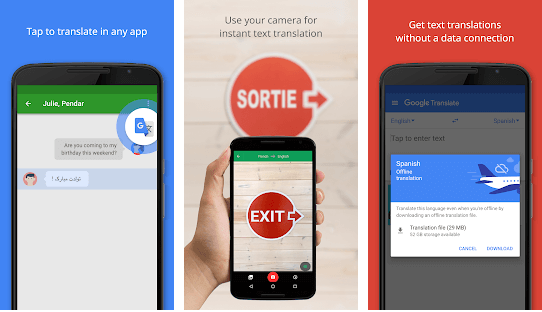
Distinctive Attributes

  • Translates 109 languages.
  • Built into the Google Chrome browser as a default service.
  • Also, integrated into Google Maps, Google Assistant and devices run by it like Google Home and Pixel Buds.

There can be no second thoughts when it comes to labelling Google Translate as the best free language translation app available in the app market. Google’s multilingual translation service was started in 2006 to translate text and websites from one to another language.

It offers language translations offline. The service is offered as a website interface, mobile application, and an application programming interface.

android
ios

Read Also: 7 Best Free Language Learning Apps


2. iTranslate
iTranslate - Best Translator Apps

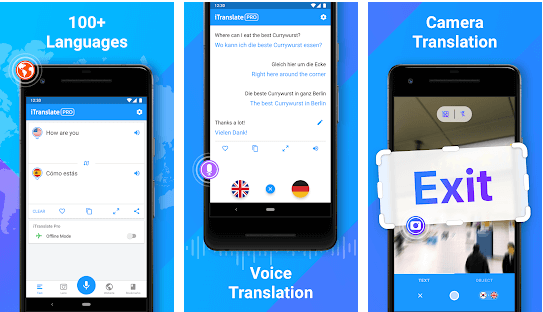
Distinctive Attributes

  • Translates 100+ languages.
  • Appreciated by The Huffington Post and Time.com.

With 70 million downloads, this is the best free translation app. You can listen to verbal translations in a male or female voice. You can easily switch between dialects during translations. 

There is another app of iTranslate for Apple Watch. You can also avail a keyboard extension, iMessage App and voice-to-voice conversations with the help of this app.

The Pro features include the use of Lens That help to translate menus or signs promptly. It also offers to translate in over 40 languages even in offline mode. The Pro version costs around $39.99 per year.

android
ios

3. Microsoft Translator

Microsoft Translator - Best Language Translator Apps

Distinctive Attributes

  • Translates 60+ languages.
  • Supports downloading languages for offline translation while travelling.
  • Integrated with Office products, Bing Search, Skype, and Internet Explorer.

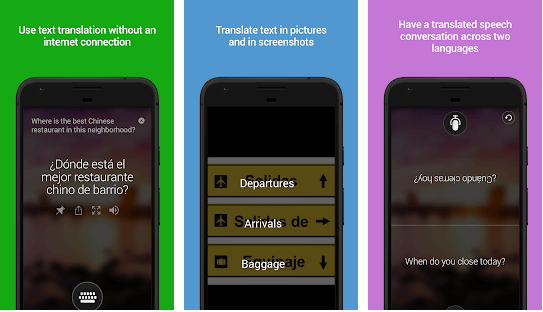
This is a notable free translation app from Microsoft supporting voice translation and camera translations to translate text from photos and screenshots. It is enabled with a multi-person conversation translation feature.

You can share your translation with other apps, view transliterations to help you with distinct pronunciations. 

It contains a phrasebook with verified translations and pronunciation guides to pick up foreign languages easily while travelling to your dream holiday destinations or while undertaking business trips.

android
ios

4. Easy Language Translator

Easy Language Translator Apps

Distinctive Attributes

  • Offers 100+ languages.

If you are looking for a fast and easy way to translate a language when you are travelling abroad, then install an easy language translator app on your smartphone. 

This is an incredible online language translator app for Android as it can translate text and voice simply. Additionally, the app also supports speech-to-text as well as text-to-speech features. You can also save and share translation as MP3 and copy the translations as well.

android

5. Translate Now

Translate Now - Best Language Translator Apps

Distinctive Attributes

  • Offers text translations in 110+ languages.
  • Available in Dark Mode.
  • Offers Siri shortcuts for faster translations.

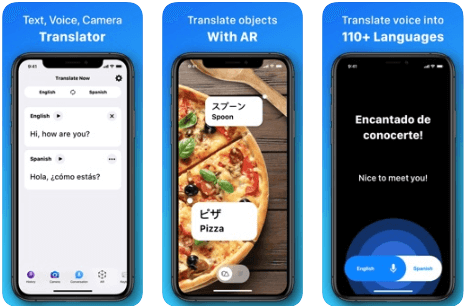
With Translate Now, travel the world without any communication barriers. One of the best language translation apps for iOS, this app offers voice translations and camera translations easily.

Another interesting feature that this app offers is AR translation. With AR translations, the app translates the whole world around you with augmented reality effects.

ios

6. Papago 

Papago - Best Language Translator Apps

Distinctive Attributes

  • Supports 13 languages.

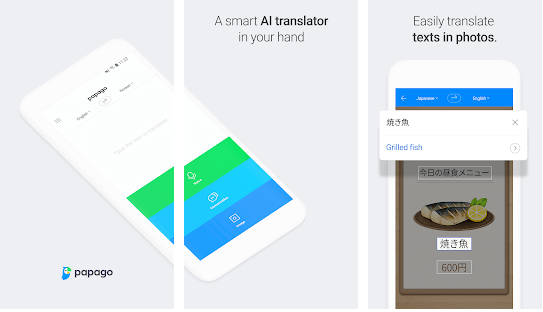
You can avail both written and voice translations with this ideal online translator app. Apart from offering real-time translation of the text provided, what is more, appreciable about this app is that you can enjoy the translation on the go by inserting the link of a foreign website.

It can even translate handwritten words and comes with a wonderful dictionary and phrasebook. Papago Mini is an automatic in-screen translation feature that lets you copy the text in any other application.

android
ios

7. Offline Translator 8 Languages

Offline Translator 8 Languages Apps

Distinctive Attributes

  • Unique offline translation technology.
  • Consumes less storage space.

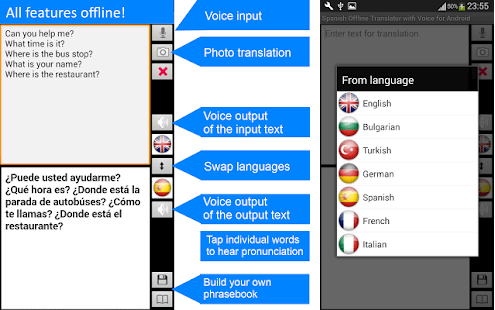
Ever wondered if you are travelling to a remote location like Papua New Guinea, then how would you avail translations without internet facility? Here is a wonderful offline language translator application that can translate full sentences as well as texts in offline mode. It offers offline translations instantly.

Additionally, you can utilize the feature of translating text from a photo swiftly in offline mode too. Text translation from photos is available in English, Spanish, French, German, Italian, Turkish, Chinese, and Bulgarian.

Android
ios

8. Chat Translator

Chat Translator - Best Translator Apps

Distinctive Attributes

  • Offers translations in 38 languages.

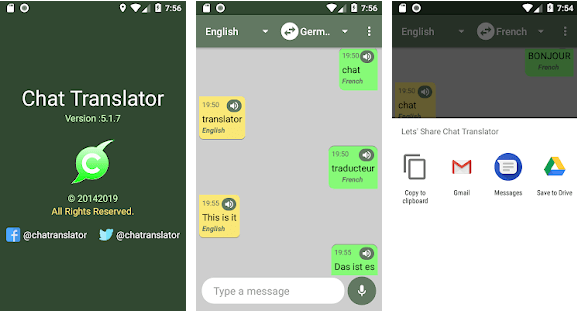
This is the best free language translation app. You can translate any number of words from any speech of any language. It helps you correct punctuations. 

You can directly share your translations with your friends and family. You just need to have an internet connection to ensure that your online transactions are facilitated.

android

9. Voice Translator

Voice Translator - Best Translator Apps

Distinctive Attributes

  • Has a library of 100 languages.

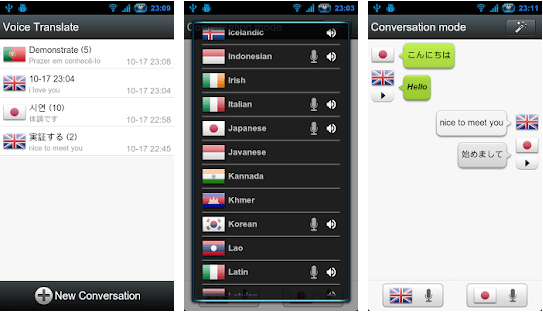
This Android language translator app will help you with speech translations in a fraction of a few seconds. All you have to do is open the app and begin talking. It’s extremely easy to use. 

Dialogues are translated very easily, and this can help you trace your conversations. Do you know that with this app, you can facilitate multi-language translations, all spaced within the same time.

android

10. Translate On Screen

Translate On Screen - Best Language Translator Apps

Distinctive Attributes

  • Supports more than 100 languages.
  • Translates text right on the screen anytime, anywhere.

When you are surfing through the internet, I am sure like anyone else you too suffer from a very indignant problem – that is tackling the language changes on the internet.

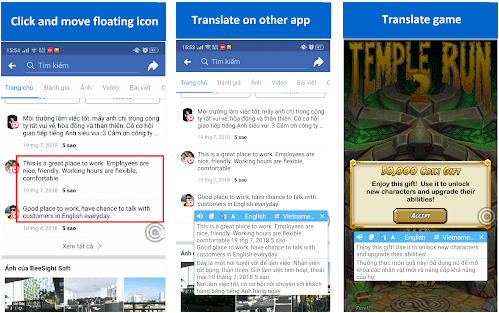
You can translate anything- images, voice, text and literally anything over the internet with this language translation app. The fun part is it can also be used for translating game characters within a game. Floating bubbles can be a real-time help as copied texts can be easily translated.

android

11. Snap Trans

Snap Trans - Best Language Translator Apps

Distinctive Attributes

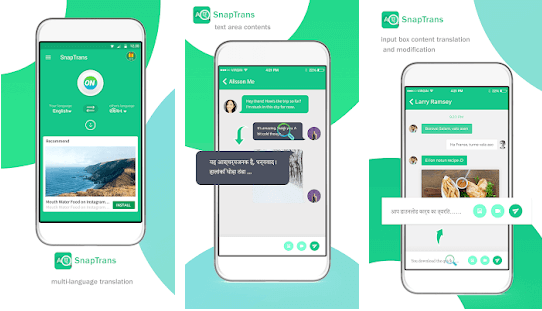
  • 33 language translations available.

Drag and drop the lines you want to translate and wait a few seconds. It would be translated and it can do the translations from 33 languages. Conversing with foreign friends can get easier. 

Quickstart the process and translate as instantly as possible from one language to the other with this best language translator for Android.

android

Summing Up

Do you deeply desire to travel to far off lands but does it seem daunting to manage life abroad amidst unknown languages. Fear no more! Now we have some highly efficient translation apps that encompass a great deal of features to help you interpret the world around you better.

Mastering a new language in one day is not possible but installing an app in minutes is definitely achievable. I do hope that this article has not only educated you about the utility of language translation apps but also helped you figure out your best match.

Now travel anywhere whether for work or leisure and don’t let language become the inhibiting factor on your path because travelling opens your eyes and helps you develop a new perspective about life.

Image Source: Play Store, App Store

Author

Snigdha

Snigdha is a technical content writer with expertise in the field of science & technology. Though she has a very diverse academic and professional profile yet she finds writing to be a creative form that she was unable to explore so far. When not writing, she can be found indulging in other forms of creativity like painting or travelling.

View all posts

Related Posts
Best iOS Emulators For Windows

9 Best iOS Emulators For Windows in 2024

February 28, 2024
0

Life gets a bit difficult for people who carry an iPhone but have a Windows-based PC or laptop, especially when they try to transfer data.

Since iOS apps and Windows do not work in tandem with each other, the use of an iOS app emulator becomes crucial to mimic your iOS applications on OS platforms.

Just download the best iOS Emulator for Windows PC, and you are all ready to go. But, before we move on to talk about some of the best Emulators available in the market, let’s first have a glance at “What is an iOS Emulator?”

What is an iOS Emulator?

Emulators are virtual software’s that are programmed to fabricate a separate OS atmosphere to work on different operating systems. Based on virtual technology, iOS emulators for windows will build an iOS atmosphere for supporting iPhone applications to run on Windows computers.

9 Best iOS Emulators For Windows PC in 2024

1. App.IO

App.IO - Best iOS Emulator

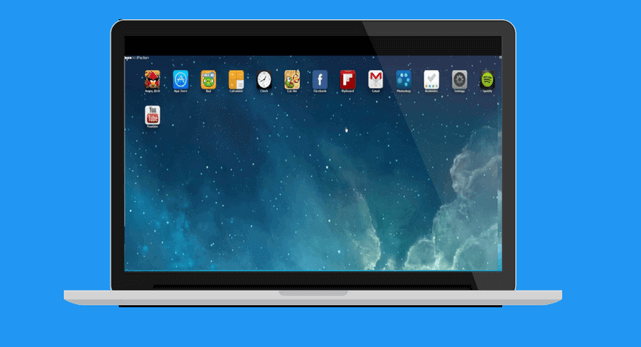
App.IO is a great iOS Emulator available for Windows. It comes with a user-friendly interface thatmakes it the right choice.

Start by downloading the iOS app, it might take some time to download, but once it is done, it works effortlessly on your device.

It comes with a 7-day free trial version, post which you need to purchase its premium version. This cloud-based emulator works well with Android, Mac and Windows devices and is compatible with multiple browsers including Safari, Mozilla Firefox, and Google Chrome.

2. IPADIAN

IPADIAN - Best iOS Emulator For Windows

Enjoy the feel of an Apple interface on your Windows device with one of the best iOS app emulators, IPADIAN.

Developed using Adobe Air, this comes free of cost and can be easily downloaded to your system. It has a similar interface to iPads and iPhones, and you can enjoy features like iMessage, Siri, etc.

It is highly compatible with Windows, Linux, and Mac OS platforms.

download

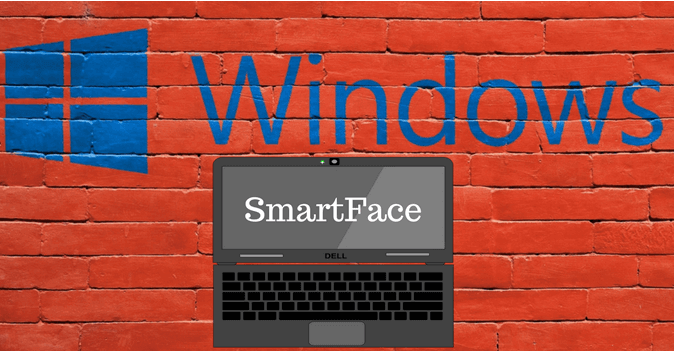
3. Smartface

Smartface - Best iOS Emulator For Windows

Next in the list of iPhone emulators is Smartface. It is programmed to create cross-platform apps and gives fierce competition to IPADIAN. It is extensively used by developers to test iOS applications.

It comes with a free version; however, if you want to enjoy some high-end benefits, you can get a premium version by paying $99.

download

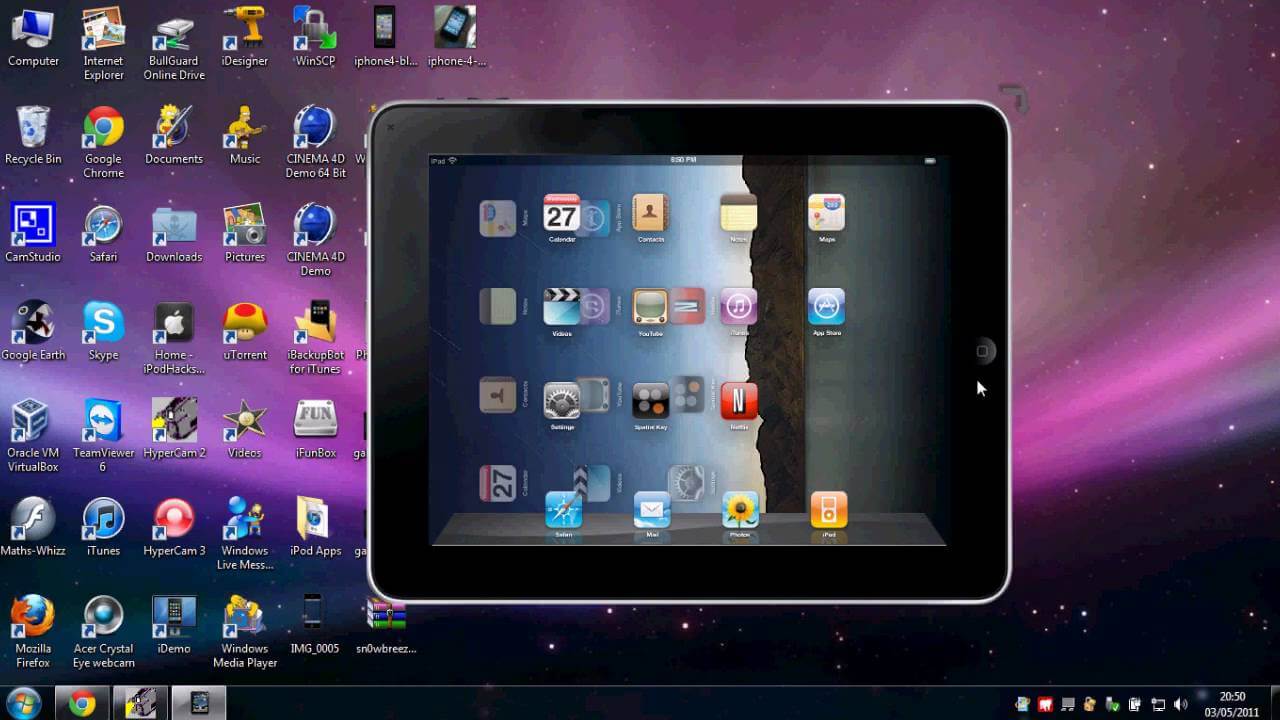
4. IPAD Simulator

IPAD Simulator

Next in the list of iOS emulators is IPAD Stimulator, which works well on Google Chrome, but for some reason has been removed from it recently.

It provides you a feeling of working on an iPad without having one physically. With it, you can send iMessages and use Siri. You can also drag and drop various iOS applications from your Windows Computer to iPad simulator.

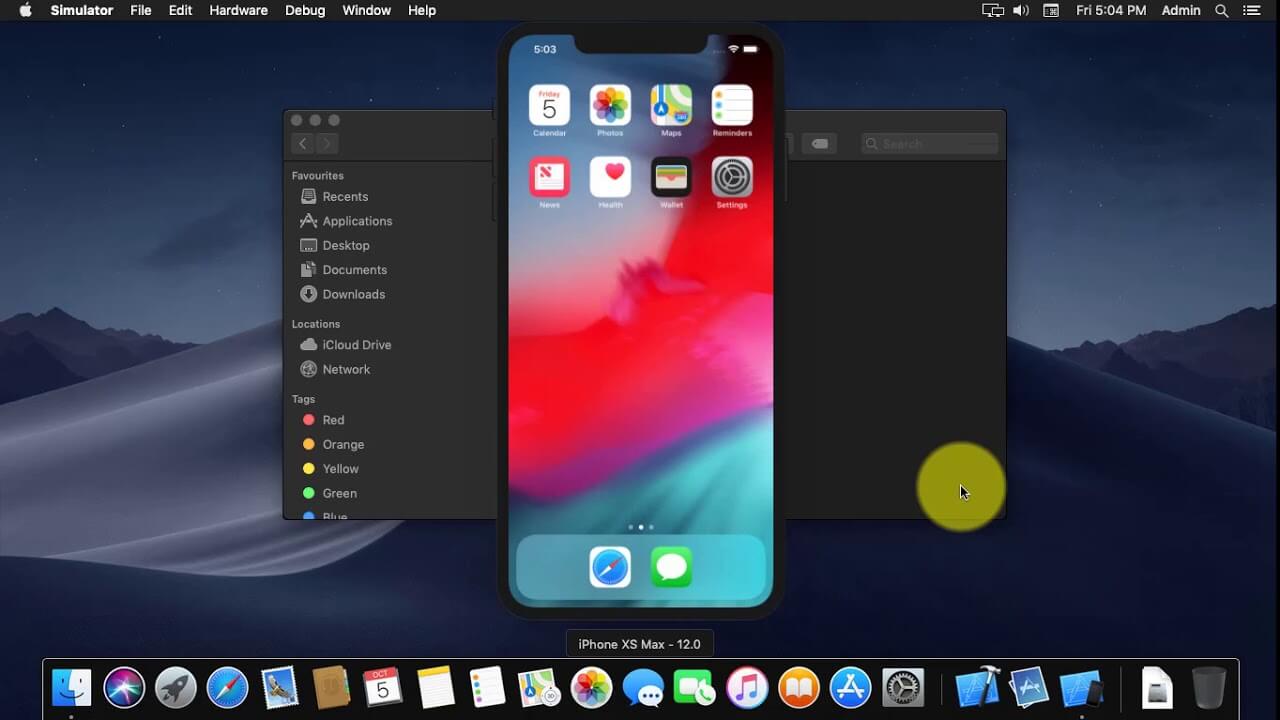
5. iPhone Simulator

iPhone Simulator

Play your iPhone games on your Windows desktop with iPhone Stimulator. It works like an extension and does not require any installation. https://iphone-simulator.en.softonic.com/

Furthermore, it comes with an excellent UI, which gives you a feeling of using an iPhone. The good news is that it comes free of cost and also provides high-end gaming graphics.

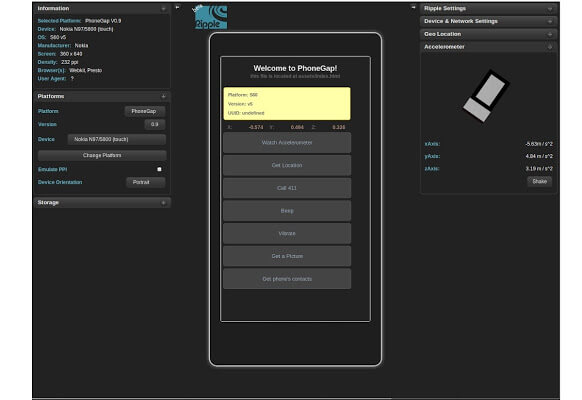
6. Ripple

Ripple - Best iOS Emulators

Available as a Google Chrome extension, Ripple has made quite some name in the best iOS emulator for the Windows category. This handy application comes free of cost and is widely used by developers for developing and testing new applications.

It’s quite popular amongst tech geeks and is one of the best alternatives to iPad emulator.

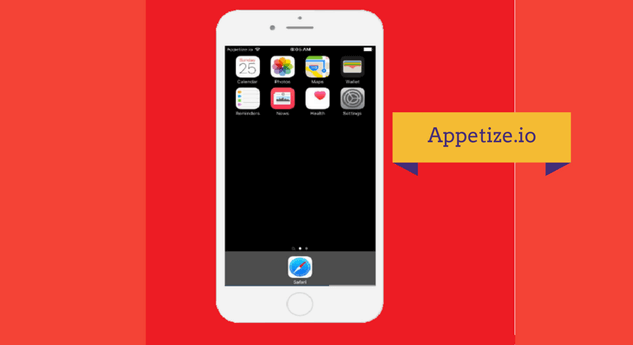
7. Appetize.IO

Appetize.IO - iOS Emulators

Considered as the best substitute to App.io emulator, Appetize.IO allows people to test and develop Android and iOS apps on Cloud storage.

It does not require any additional software to work and gets easily integrated with your app even with a medium speed internet connection.

You can use it for free for the first 100 Minutes post which you will be charged $0.05 for every extra minute.

download

8. Nintendo 3DS Emulator

Nintendo 3DS Emulator

Nintendo is the best choice for gaming freaks. You can install it free of cost and enjoy all types of high-end games on your Windows PC.

It also supports 3-D games and comes with a secure usage mechanism. Enjoy an uninterrupted gaming experience with Nintendo.

download

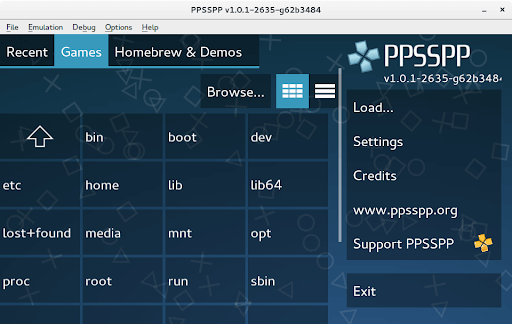
9. PPSSPP

PPSSPP

PPSSPP is one of the best iOS emulators for Windows 10/11. This is a fun and interactive app that allows you to use iOS on your Windows PC.
You can just download and install the app and then use the PPSSPP to run your Windows like an iOS.

download

Final Words

iOS and Android emulators have become a necessity for the web-based ecosystem today. Above mentioned are some of the best iOS emulators for Windows 7, 8 and 10. Choose one today as per your requirements to enhance your overall experience.

Best-Remote-Work-Software-for-Employers

Top 7 Remote Work Software for Employers to Use in 2024

September 4, 2024
0

In the coming sections of this guide, we will have a look at some of the best remote work software and tools for you to try in 2024 and make remote working easy and feasible for yourself and your team members.

For a great number of companies, the shift toward working from home has become not only a trend but also an absolute must. It is now possible for employees to communicate, handle projects, and maintain connections with their coworkers thanks to the technology that enables them to work remotely.

This technology has spanned the gap between traditional office spaces and virtual work settings. Without the appropriate remote work software, this task has the potential to become fragmented, which may result in inefficiency and a lack of productivity.

Work that is performed from a remote location has been shown to lower expenses for businesses, to allow workers more flexibility, and to enable access to a larger pool of talent that is not constrained by geographical constraints. As a result of this, there has been a significant increase in the demand for software and applications that facilitate remote work and are now considered an essential component of the toolset of contemporary professionals.

It is possible for organizations to guarantee that their staff will continue to be productive, engaged, and communicative regardless of where they are located if they make use of the most advanced remote work tools. This makes it possible for a workforce that is more flexible and robust, ready to meet the difficulties that come with a work environment that is always changing.

So, having said that, it’s clear that remote work software is quite crucial for a business. But, there is a pool of remote work tools out there. To help you get the best from the lot, we have curated this article.

Top 7 Best Remote Work Systems in 2024

In the coming sections of this article, we will have a look at the best remote work software for businesses and individuals. We have compared over twenty different tools to come up with the best remote work solution. So, have a look at the tools provided below and select the best one that fits your requirements perfectly.

1. Nextiva

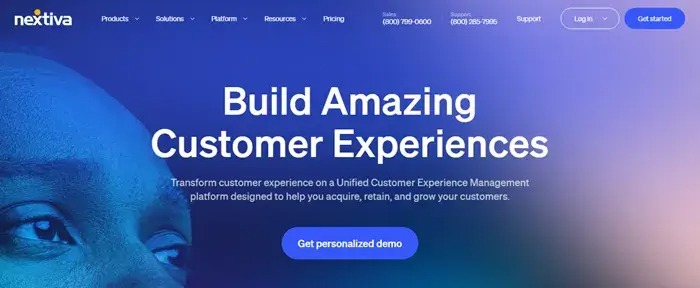
The first name on this list of the best remote work software is Nextiva. Nextiva is a cloud-based service that functions entirely in the cloud, making it possible for your distributed team to easily communicate with one another.

Let’s imagine you have sales representatives that are required to do their duties while traveling or working from home. Without breaking a beat, they are able to move from their desktop software and the mobile app without any problem.

Amongst the remote work tools, Nextiva is an excellent choice for dispersed remote teams since it offers a wide range of features. Through the usage of Nextiva, you will be able to aggregate all of your audio, video, team chat, and collaboration applications into a single platform and with a single user interface.

Nextiva

Check Out the Rest of the Features of Nextiva Here.


2. Asana

Asana is one of the most well-known remote work software in the field of project management, there are a great number of competing tools that provide equivalent functionality and price that is comparable to, or even better than, Asana.

It is without a doubt one of the greatest tools for working remotely, and one of the founders of Facebook is responsible for developing the visually beautiful project management software known as Asana.

The dynamic style and design of this remote work software, which serves as a platform for creatives and teams all over the globe, ensures that users remain interested and active inside the site. Asana is a tool that assists individuals and groups in growing their overall responsibility and improving their communication.

Asana

Check Out the Rest of the Features of Asana Here.


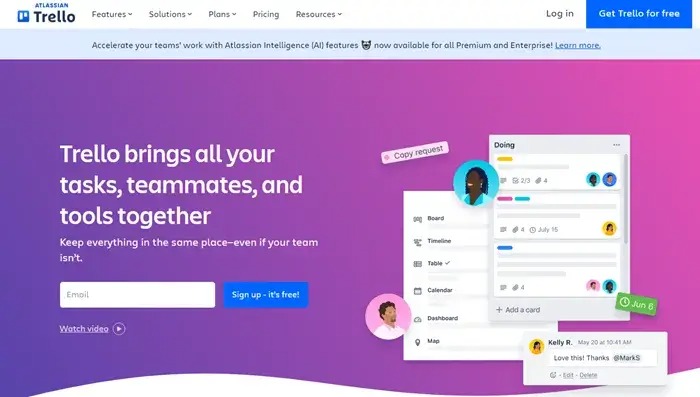
3. Atlassian Trello

Atlassian Trello is an excellent choice for individuals or small teams as remote work software who are searching for a straightforward application for managing projects for their projects. The tool is based on Kanban boards, which is a project management system that was first developed by an industrial engineer in the 1940s.

It is one of the most straightforward remote work tools now available on the market. Cards are the fundamental building blocks of Atlassian Trello, and you may arrange them on the board in a variety of steps.

Additionally, this is one of the few remote work systems that offer the ability to color-code the cards, attach photos or files to them, and invite members of your team to participate with you on a board in order to create a more engaging experience.

Atlassian-Trello

Check Out the Rest of the Features of Atlassian Trello Here.


4. Dropbox

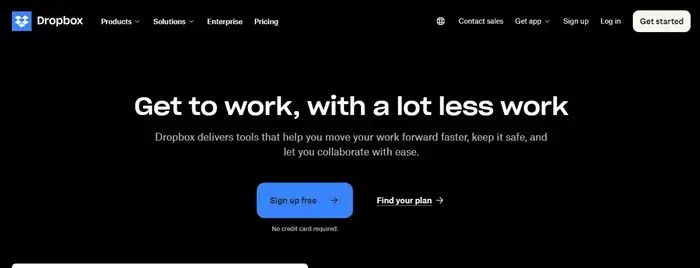
With Dropbox as the remote work software, you are able to organize projects, collaborate on ideas, and take meeting notes in real-time with assigned next actions when you use DropBox Paper, which is a real-time collaborative document.

There is also the possibility of a smooth connection between DropBox and Hive, and there are interfaces between Google Drive and Dropbox as well.

Dropbox is an excellent choice for one of the best remote working tools if you are looking for a solution that has the capabilities of Google Drive in addition to the advantages of a project management application. It is possible to utilize DropBox in the same manner as Google Drive in order to store files, photos, and other types of media.

Dropbox

Check Out the Rest of the Features of Dropbox Here.


5. Google Drive

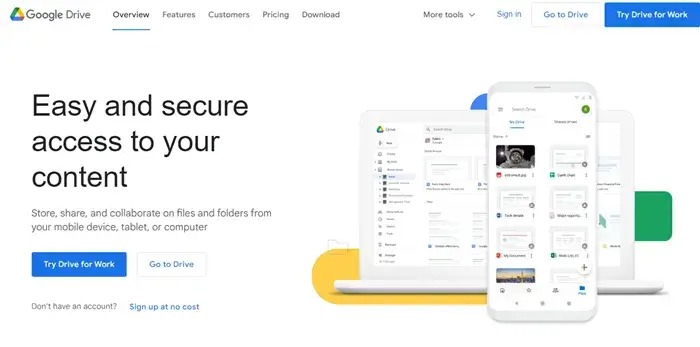
What makes Google Drive as the best remote work software is that there is a Business edition of Google Drive that is designed exclusively for businesses that store a significant amount of files and materials. When it comes to documents, slideshows, spreadsheets, and other types of files, Google Drive serves as a centralized area where teams can share, edit, and collaborate on them.

On the market, it is considered to be among the best solutions for storing and sharing files. One of the most important tools for remote work that is now available is Google Drive since it can be accessible from any location, even a mobile phone.

This unique feature of this remote work solution not only makes it possible to collaborate easily, but it also makes it one of the most popular tools for working remotely.

Google-Drive

Check Out the Rest of the Features of Google Drive Here.


6. Slack

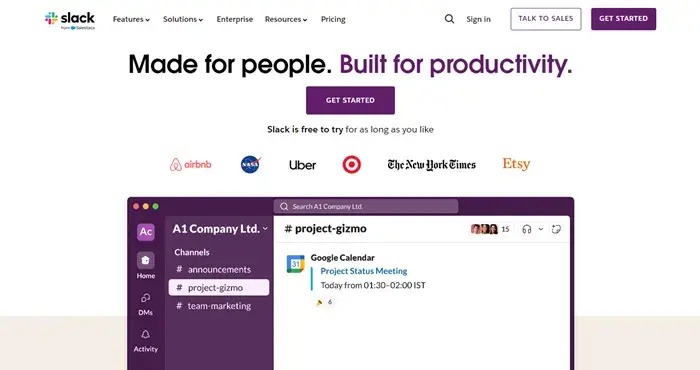
By user volume, Slack is one of the most popular remote work software. It is also the chat program that we are all familiar with and like. In order to streamline communication within a business, Slack is a real-time chat platform that also allows for the exchange of files and collaboration.

This is one of the few remote work tools in which you may divide the platform into channels for collaborative work, or you can use it to send individual messages to certain coworkers so that you can have a conversation with them. Slack also makes it simple to enable voice and video conversations directly from inside the app, which makes face-to-face communication a snap.

Slack

Check Out the Rest of the Features of Slack Here.


7. Zoom

Let’s sum up this list of the best remote work software with Zoom. In addition to offering free high-definition audio and video, Zoom also offers private messaging and breakout rooms, which allow members of a team to work together on particular projects for extended periods of time.

Zoom is quickly becoming one of the most widely used applications for video and audio conferencing, as well as for working remotely, and for good reason.

This is the most unique name amongst the remote work systems. Your ability to establish a recurrent digital meeting room, host up to one hundred individuals for free, and take use of collaboration tools such as screen-sharing, a whiteboard, and the ability to call in by phone are all advantages that come with using Zoom.

Zoom

Check Out the Rest of the Features of Zoom Here.


Summing Up: How to Choose the Best Remote Work Solution?

When it comes to the best remote work software, there are a lot of factors that come into play. The four walls of an office are no longer the only boundary. As a result of the development of digital technology, working from home has become an alternative that is not only feasible but also often favored by a large number of professionals.

When you are working from home, it is essential to have the appropriate tools to keep your productivity high and to guarantee that communication is uninterrupted. Taking into consideration the various requirements of remote workers, this article examines the most effective productivity tools, applications, and software.

To summarize, the shift to remote work is not as simple as finding the appropriate remote work solution or using the most recent technology for working remotely. Additionally, it is about properly changing one’s work habits and surroundings in order to sustain productivity and a healthy balance between work and personal life.

It is possible for remote work to be just as productive, if not more so, than regular office work via the use of the most effective platforms for remote work and the implementation of a disciplined approach to your daily routine. The purpose of this post is to provide you with guidance and resources that will assist you in navigating the terrain of remote working. These resources and advice will ensure that you continue to be productive, engaged, and fulfilled in your professional life, regardless of where you work.

So, that’s all that we have for you about the best remote work software. We hope that you have found the ideal tool from the lot of the remote work tools. Let us know in the comments which tool you decide to proceed with.

1 Comment
    Anushka says: Reply
    April 23rd 2020, 10:11 pm

    Nice article, Very understandable. Thanks for sharing!!

Leave a Reply Cancel reply

Your email address will not be published. Required fields are marked *

Sidebar Image bit G ad1

Latest Posts

  • Best-Free-Online-Portfolio-Websites-in-2026
    Best Free Online Portfolio Websites in 2026
    by adminuser / March 16, 2026
  • Anytime Astro: Best Website For Online Astrology Consultation
    Anytime Astro: Connect Now For Online Astrology Consultation
    by Somya Shrimal / March 13, 2026
  • Best-Ways-to-Combine-Images-Into-PDF-Files
    Best Ways to Combine Images Into PDF Files
    by Niharika / March 12, 2026
  • Best FREE VPS Hosting Providers
    7 Best FREE VPS Hosting Providers in 2026
    by Devesh / March 12, 2026
  • Best-McAfee-alternative-software-to-use-for-Virus-Protection
    Best McAfee Alternative Software to use for Virus Protection
    by adminuser / February 11, 2026

Categories

  • Cyber Security
  • Driver Updater
  • Entertainment
  • Fitness
  • Games
  • How To
  • laptop
  • OS
  • Reviews
  • Tech News
  • Tips & Tricks
  • Top 10
Sidebar Image bit G ad1
Best YTMP3 Alternatives to Convert YouTube Video to MP3 11 Best YTMP3 Alternatives to Convert YouTube Video to MP3by Naavya Pradhan / January 5, 2024
7 Best Bottleneck Calculators for Windows PC in 2024by Niharika / January 5, 2024Best Bottleneck Calculators for PC
TechPout Footer Logo

We at TechPout promise to put forth stories that help people to learn and simplify their digital life. Our purpose is to share the true essence of technology with our tech-loving community.

Useful Links

  • About Us
  • Contact us
  • Privacy Policy

Popular Posts

  • Best PC Optimizer Software
  • Best Mac Cleaner Apps
  • Best Driver Updater
  • Duplicate Photo Finder and Cleaner Software
  • Best Free Movie Download Sites
  • Best IPTV Players

Follow us

Copyright © 2026 www.techpout.com. All rights reserved
DMCA.com Protection Status