The 9 Best Horoscope Apps For Android & iOS 2020

0

Do you believe in stars and follow daily horoscope? Have you ever visited an astrologer to get advice? If yes, then Horoscope apps can be of great use to you. 

Horoscope has always been one of the most glossy and exciting section of any newspaper and magazine. It is referred by numerous people who wish to learn about their future. 

Luckily the market is filled with several useful horoscope apps for Android and iOS devices that are highly easy and convenient to use.  

For people who believe in horoscopes and read them on a regular basis, we have listed some of the best Horoscope apps in 2020 that you can use to peep into your future. 

Just download one and get started. 

9 Best Horoscope Apps For Android & iOS 2020:

1. iHoroscope
iHoroscope - Best Horoscope Apps

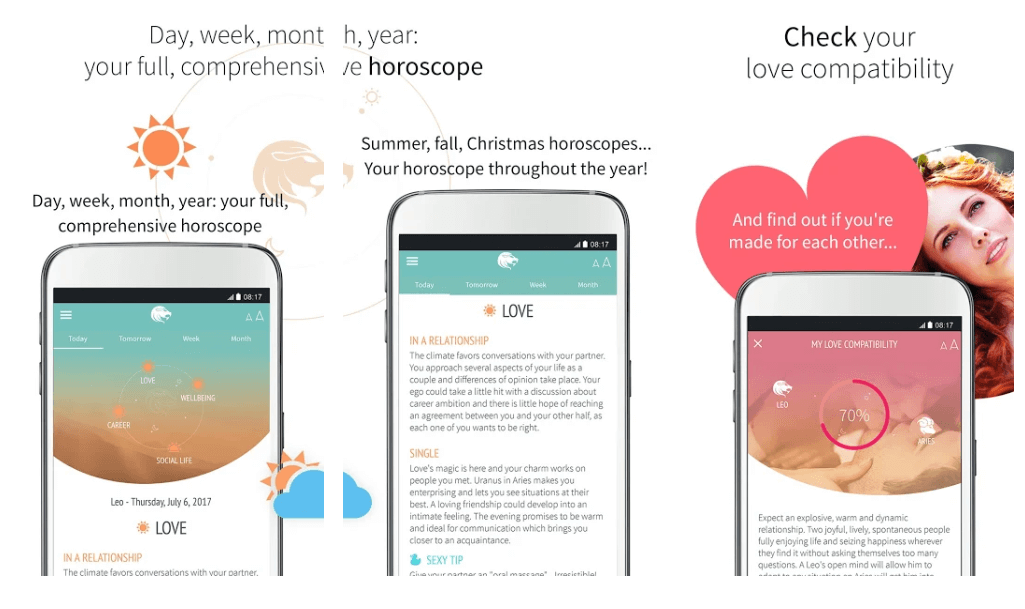
Horoscope app is a must-have for people who believe in the stars and inner voice. It houses a team of some of the most experienced and severe astrologers. 

You can use it to read the daily horoscopes of various zodiac signs. Use this free and simple app to stay updated on your future life event.

If you wish to ask something specific, you can also chat with an expert to get accurate answers to your queries. The Horoscope app promises a personal approach. 

2. My Horoscope
My Horoscope - Best Horoscope Apps For Android & iOS

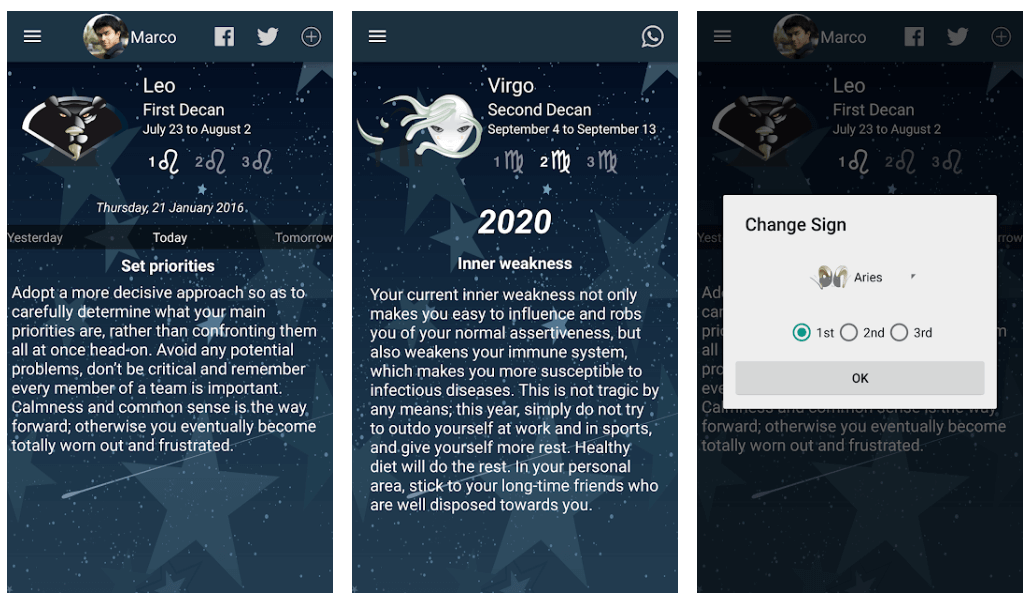
If you want to be aware of thoughtless actions and unexpected events, then My Horoscope is the best app for you. 

It works incredibly well on both iOS and Android platforms and is an excellent app for getting detailed astrological predictions. 

You can use it to learn about the future of your friends and relatives as well and share it via social media platforms. All you need to do is provide their details to know their future predictions. 

Carry your personalized astrological guide. Try the app today. 

Read More: The 9 Best Free News Apps For Android & iOS 2019

3. Horoscope- Daily Zodiac Horoscope and Astrology
Horoscope- Daily Zodiac Horoscope and Astrology

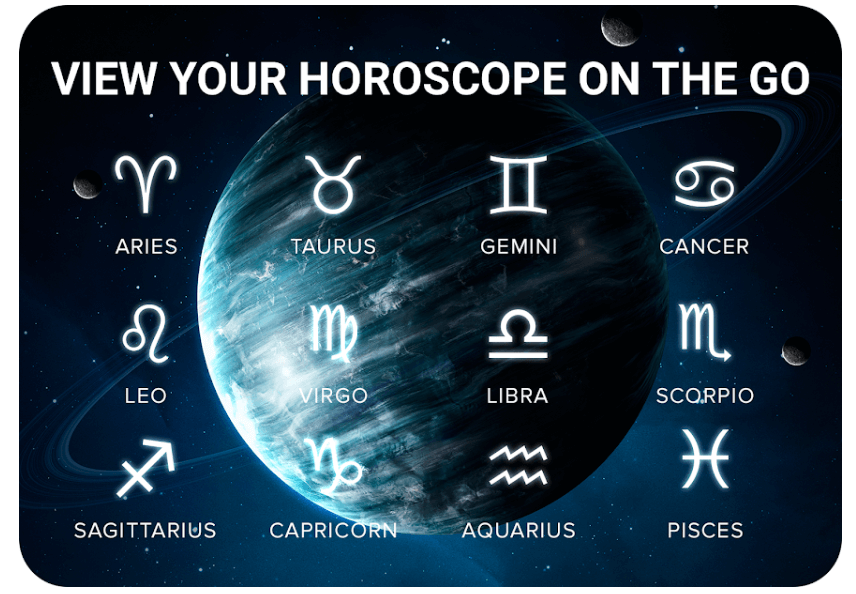
Next in the list of free Horoscope apps is Horoscope-Daily Zodiac Horoscope and Astrology. Use this incredible app to peep into your future and know about future impending troubles and successful events. 

You can follow its predictions and plan your actions for the betterment of your life. Just enter your birthdate to get a detailed horoscope report. Use it to know about your career, health, finances, and family. Moreover, you can also check your compatibility with your partner using this app. 

Millions of people are already using it, download for free to check your star forecast. 

4. Daily Horoscope
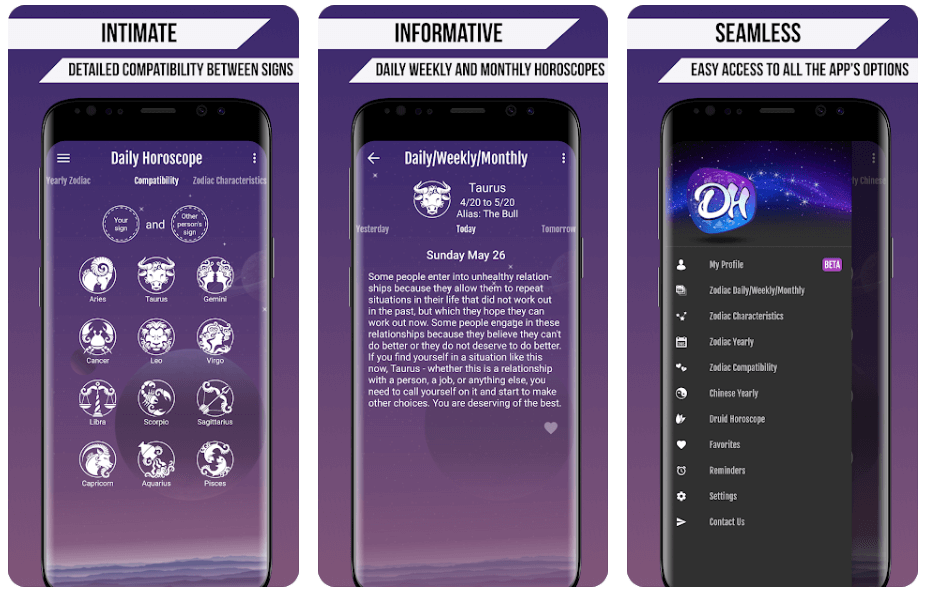
Daily Horoscope - Best Horoscope App For Android and iOS

Another best Horoscope app for Android and iOS devices is Daily Horoscope. Use this stunning application to check your today and tomorrow daily predictions along with zodiac sign compatibility. 

You can check the necessary information and details related to your health, business, family, and love life. It comes with a clean and highly convenient interface and sends daily notifications about your daily horoscope.

5. The Astro Horoscopy & Tell Fortune
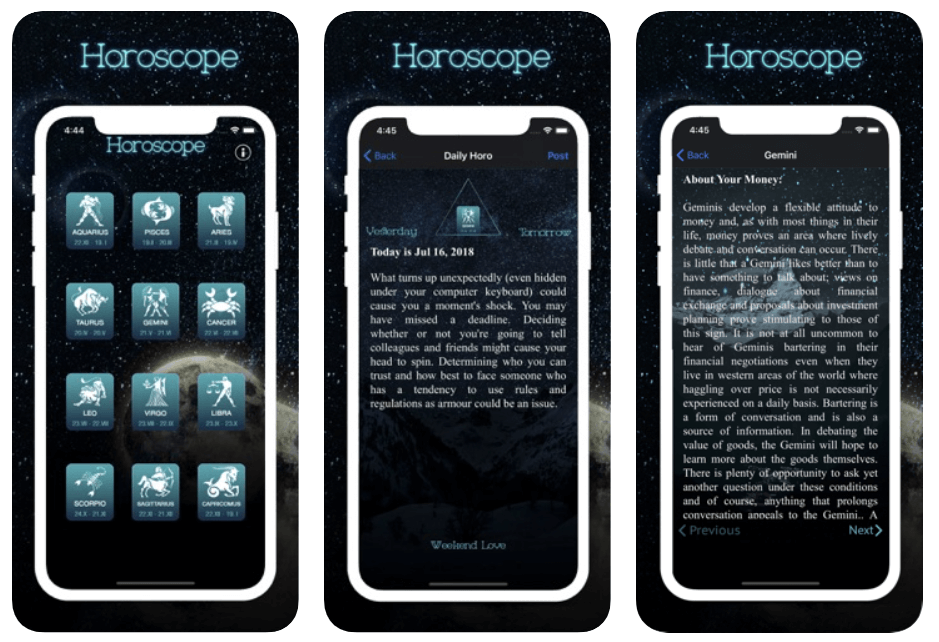
The Astro Horoscopy & Tell Fortune

Want to know what lies ahead in your future? The AstroHero will assist you in this. It’s one of the best horoscope apps in 2020 and employees the best astrology professionals. Check your love life, success in business, health, and family as per your zodiac sign. 

Download The AstroHoro to view and share your horoscope with your friends and family. It comes with a user-friendly interface and is exceptionally easy to use. 

All-in-all this free horoscope app is one of the best choices for iOS users.

6. Sun Signs: Horoscopes
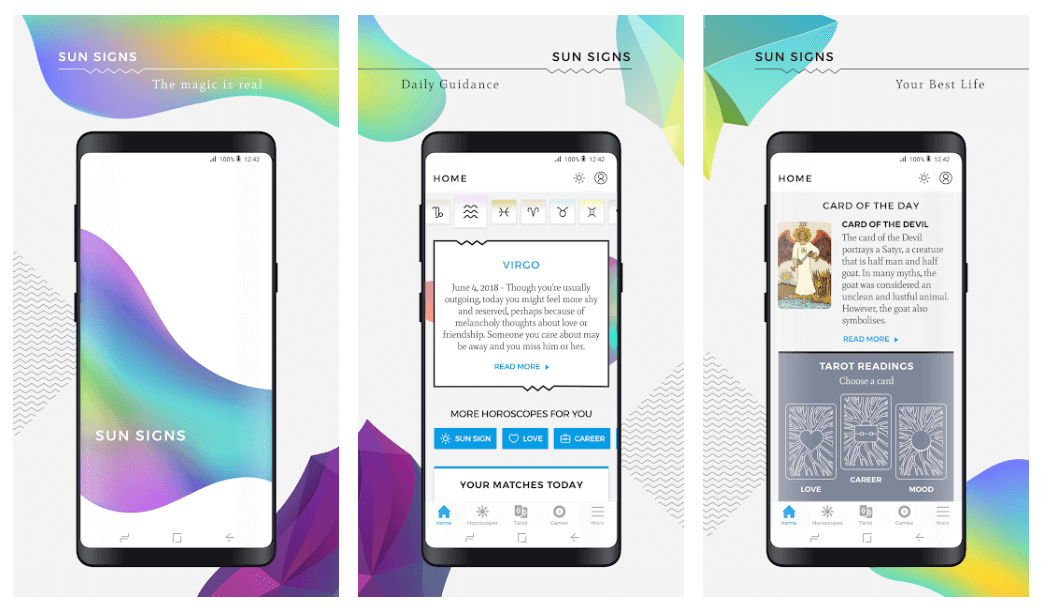
Sun Signs - Best Horoscope Apps

This app provides you with your daily, weekly, and monthly horoscope predictions. 

It works well on both Android and iOS platforms and is available in Spanish and English language. 

You can also use it to get your daily tarot reading. Moreover, if you have any specific questions in mind, you can speak to a professional astrologer. 

7. Astrolis Horoscopes and Tarot 
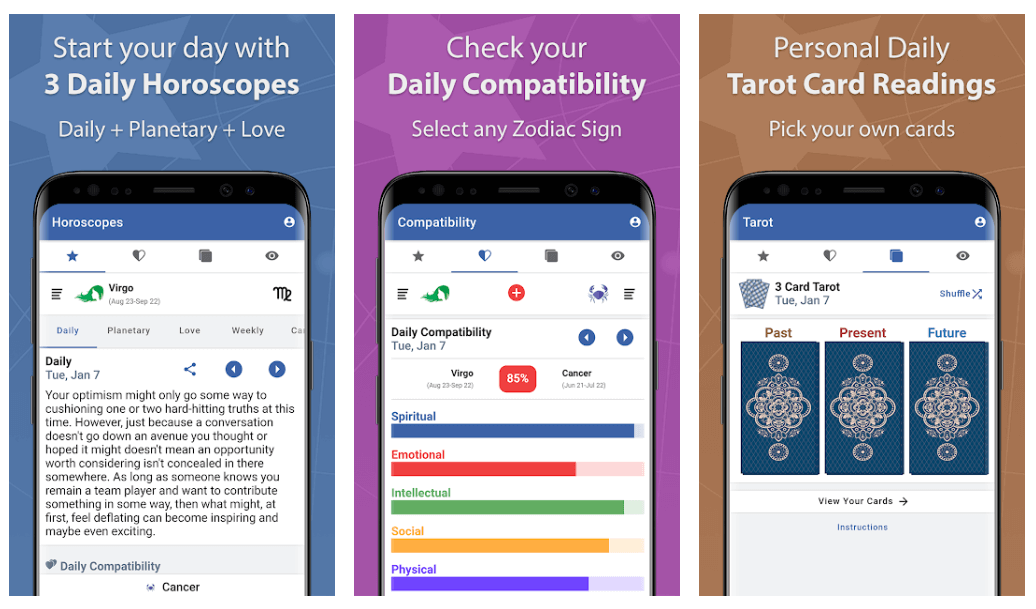
Astrolis Horoscopes and Tarot 

Get useful insights into your love life and future career with this best horoscope app for android. It also works seamlessly well on iOS devices. 

The app checks the planetary position of your stars and provides you with accurate predictions. You can also customize it to get your daily forecast on your main screen, which saves a lot of time. 

More than just daily and weekly horoscope, you can also get your Tarot reading with this app.

Recommended: The 10 Best Reading Apps For Android & iOS

8. Chaturanga Astrology Horoscope and Compatibility
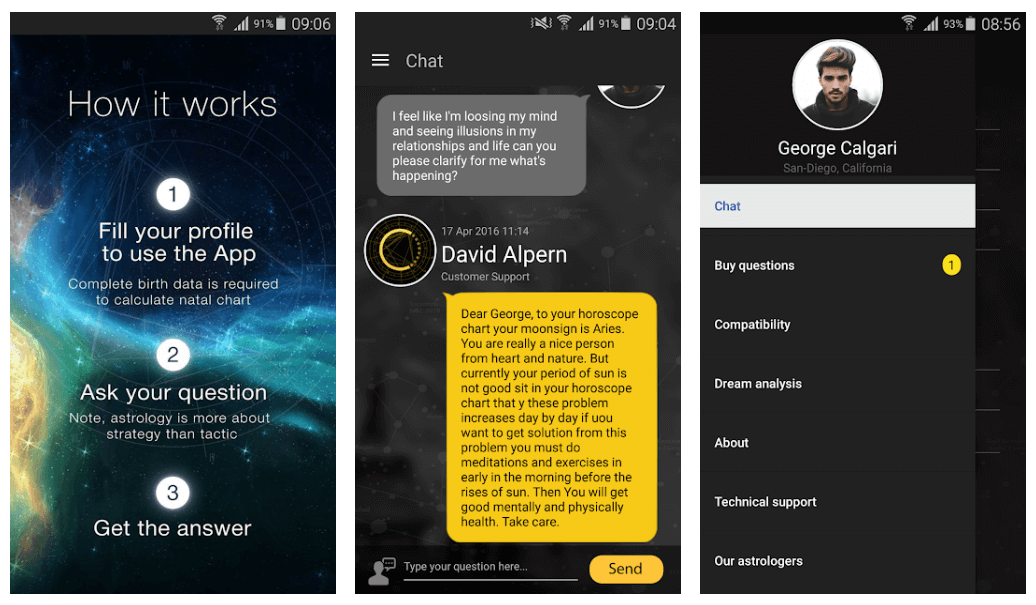
Chaturanga Astrology Horoscope and Compatibility

Chat with professional astrologers with this outstanding Horoscope app. Get future related insight based on your natal chart and birth stars. 

Just fill in your respective details, including the birth date and time, and a detailed report of your astrological predictions will be presented to you. 

It’s undoubtedly the best place to learn about your career, health, finance, and love life. 

9. Zodiac Star Signs 

If you want to get the exact horoscope predictions according to your Zodiac sign, then there is no better app than Zodiac Star Signs. 

It will tell you how you need to act for the betterment of your future. Use it to know about the planetary placement of your ruling start and plan accordingly to make the right decisions. 

Its interface is quite easy to use and works well on iPhones. 

Wrapping up

Life comes with a lot of surprises, and it’s better to be prepared in advance. Pick the most suitable horoscope app to know about your astrological predictions and future happenings. 

Image Source: Play Store & App Store

Related Posts
How to Fix Google Discover Not Working on Android and iPhone

How to Fix Google Discover Not Working on Android and iPhone

0

If Google Discover is not working on your Android or iPhone device, then you can take the help of the simple solutions listed and explained in this guide and proceed to gather information as suited. 

To cater to the interests and likes of its users, Google came up with Google Discover. Google Discover is an app for smartphones and other devices that enlightens you about various current news from around the world, different articles related to your interests, and various other forms of informational content.

From news to articles, from current events to expert opinions, from research results to stardom world updates and so much more, Google Discover offers a variety of informational, educational, and entertainment content.

Once you use Google Discover, you seem hooked to its usage. Hence, if Google Discover stops working, you can be a little bent out of shape. Numerous users from around the world complained that Google Discover is not working on their smartphones. This can be either an Android device or an iPhone. The problem seems to reappear repeatedly and thus, user frustration grows over time. But we have a solution for you.

To help you with the error and allow you to run Google Discover as it may, we have brought together this write-up. Here, we will discuss all the solutions that you can execute if Google Discover is not working. So, without further ado, let’s have a look at the solutions.

Google Discover Feed is Not Working on Android/iPhone

The below sections of this article will enlighten you about the best ways that you can use if Google Discover is not working. You can follow the solutions, as listed, to ensure that the error is resolved as soon as possible. So, start right away with the top one and work your way down.

Fix 1: Allow Background Data Usage

If Google Discover is not working, first of all, you should check whether your device has access to the mobile or Wifi data or not, even if it is running in the background. As Google Discover runs in the background in general, it’s necessary to offer the required data privileges to the tool so that it can update the articles and news regularly. To offer the required permission for background data usage, you can take the help of the app settings or the general settings of the device.


Fix 2: Use Google Discover Without An Account

Let’s have a look at the next fix if Google Discover is not working. Generally, any Google app or service requires an active Google account to work. The data of your account helps Google in personalizing the app and its services according to your taste and preferences. However, you can skip this in some apps. Not many users know this but you can use Google Discover without an account.


Fix 3: Use Another Account

If you don’t wish to use Google Discover anonymously or without an account, you can take the help of another account. Some adverse settings of your existing account may be interrupting the performance of the Discover feed and hence, the Google Discover is not working.


Fix 4: Uninstall the Latest Updates

One of the most common reasons “why is Google Discover not working” is a faulty update. The last Google Discover update may contain a bug that is resulting in this issue. The developers at Google will surely address this issue in due time, but for the time being, you can uninstall the updates and use the app. Follow the below steps for ease:

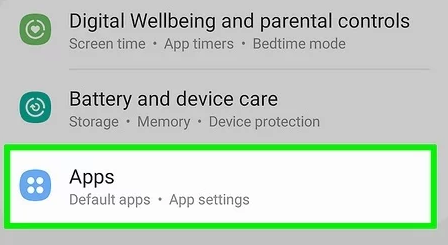
  1. Open the device Settings and navigate to Apps.Open Setting and then Click on Apps on Android
  2. Look for Google or Google Play Services and tap it.
  3. Look for and tap the option to uninstall or uninstall app updates.uninstall or uninstall app updates
  4. Proceed even if a warning message appears.

Fix 5: Update the Google Discover App

Another viable solution, if Google Discover is not working, is to update the app. Updating the app to its latest version will allow you to get a bug-free app. The developers at Google probably should have fixed the app bug that’s stopping the feeds. Follow the below steps to learn how to update the app:

  1. First, open the Play Store on your device.
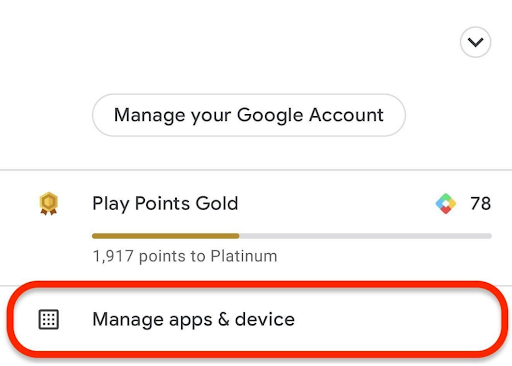
  2. Now tap on your Account image and then open Manage Apps and Devices.Manage Apps and Devices
  3. Look for the Updates category and tap on it.
  4. Allow the system to look for updates for a minute and then update all the Google-associated apps.

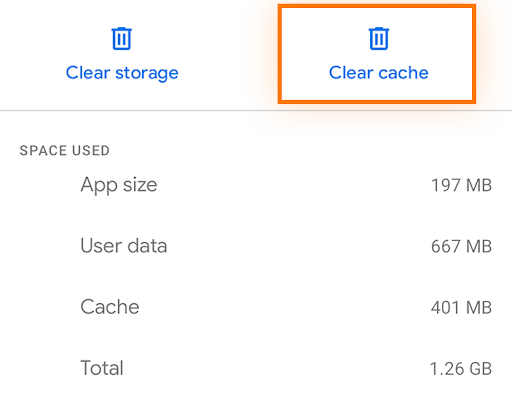
Fix 6: Clear the App Cache of Google

Another thing that you can try if Google Discover is not working is to clear the app cache of the Google App. Doing this will allow you to fix all the faulty settings or preferences of the app and thus allow you to access the Discover feed thereon. Follow the below steps to learn more:

  1. Open the device Settings and navigate to Apps.Open Setting and then Click on Apps on Android
  2. Look for the Google App and tap it.
  3. Tap on the Data category of the app.
  4. Look for the option to Clear Cache or Clear Data.Clear Cache or Clear Data

Google Discover Feed is Not Working: Fixed

So, we hope that we were able to help you if Google Discover is not working. By following the above solutions and their steps, you would be able to remove any common reasons that are causing the error and then access the Discover feed. If you want further assistance in any other way, feel free to write to us in the comments section below. We are quite happy to help you.

Leave a Reply

Your email address will not be published. Required fields are marked *